-
-
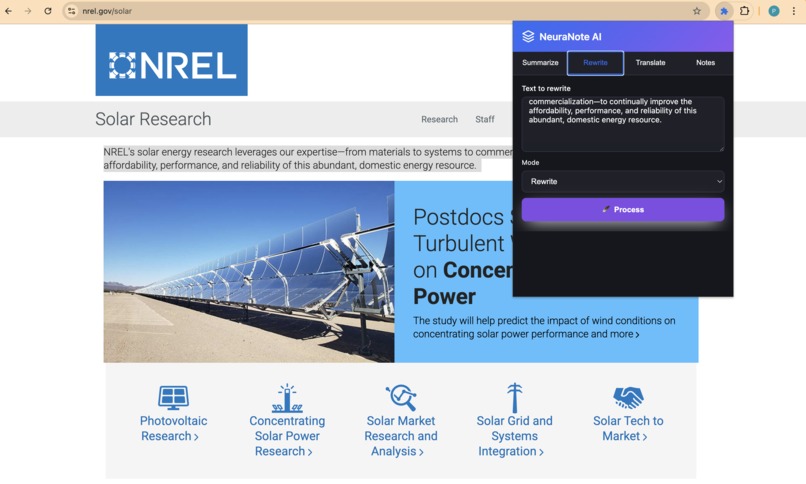
OTHER FEATURES
-
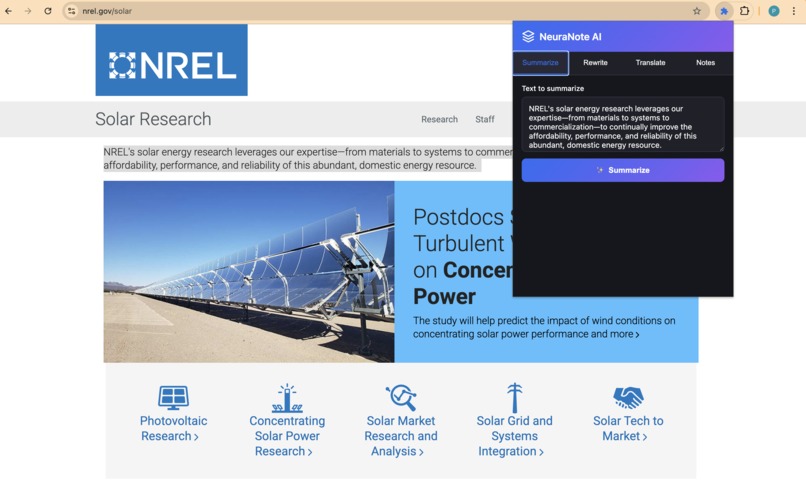
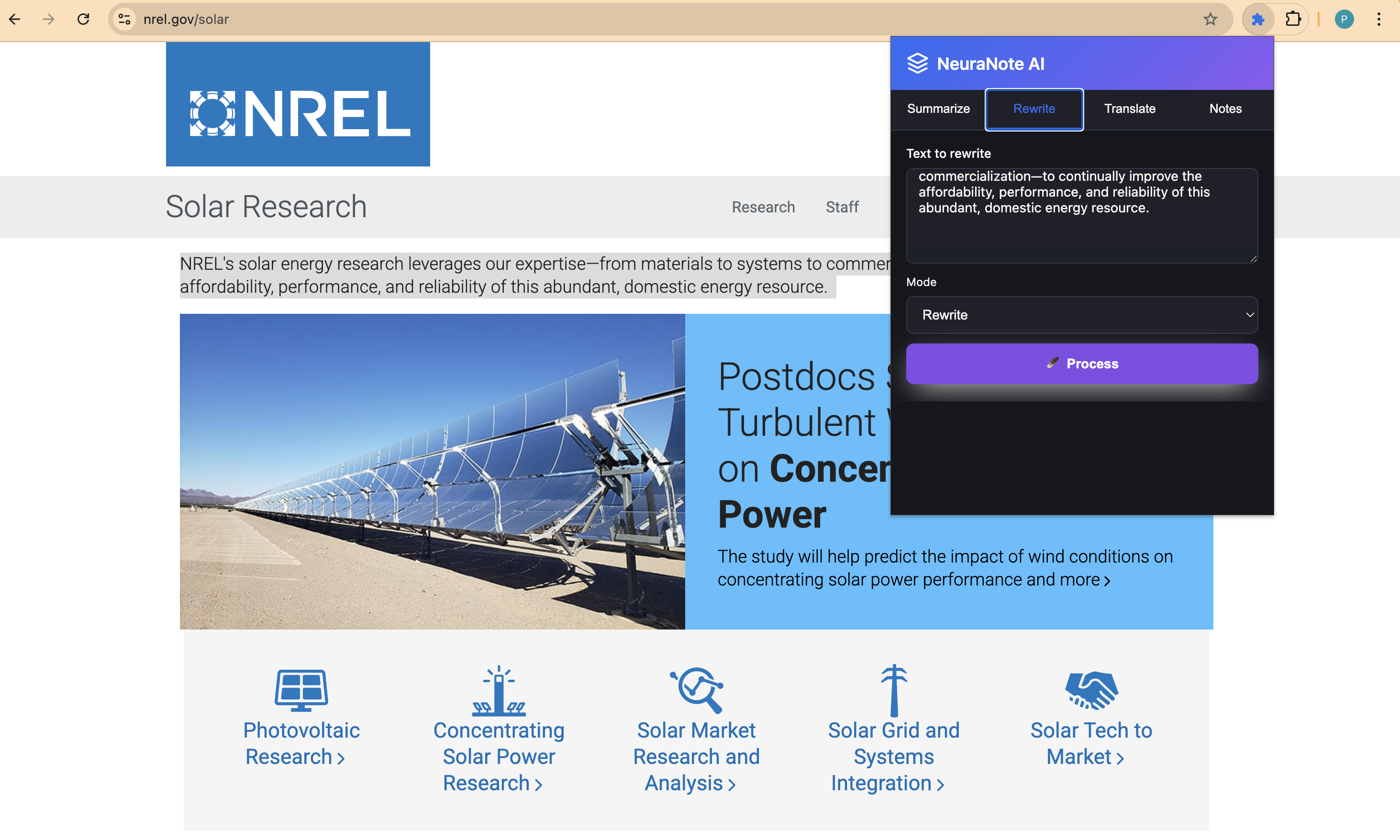
SELECTING TEXT
-
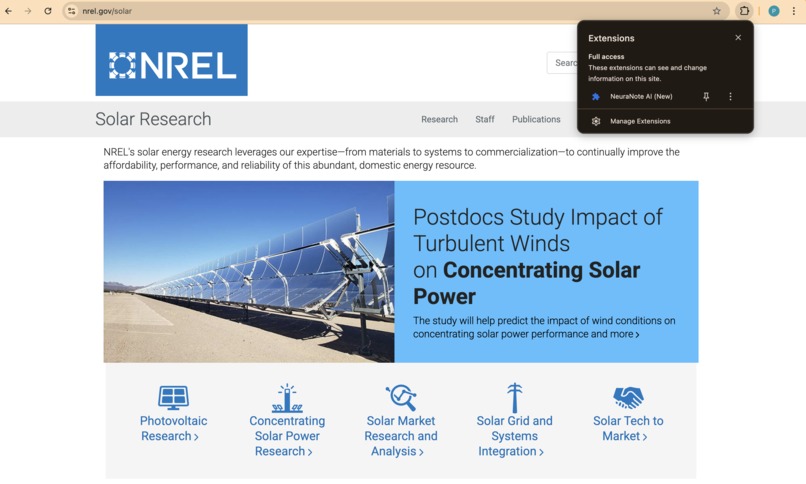
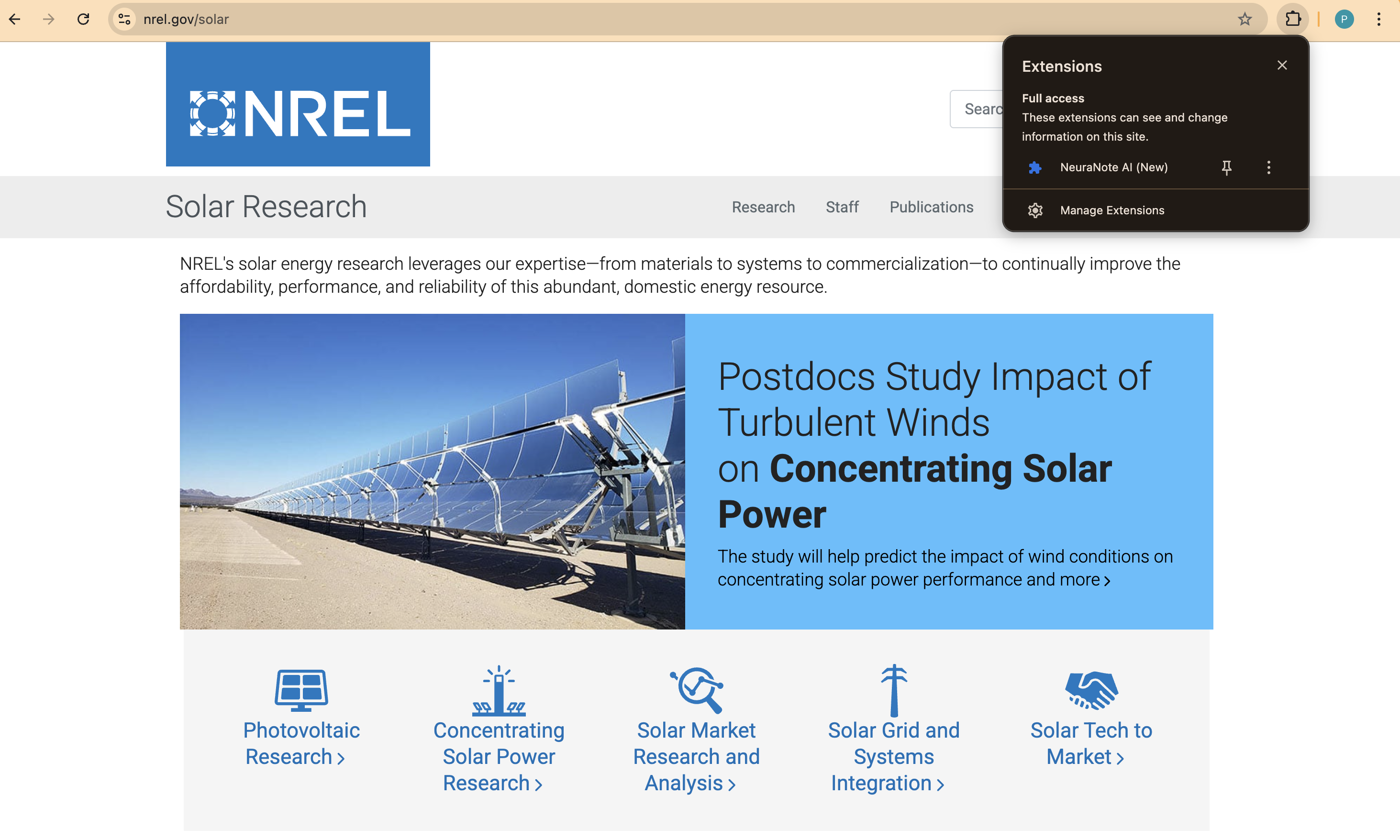
SLECTING EXTENSION
-
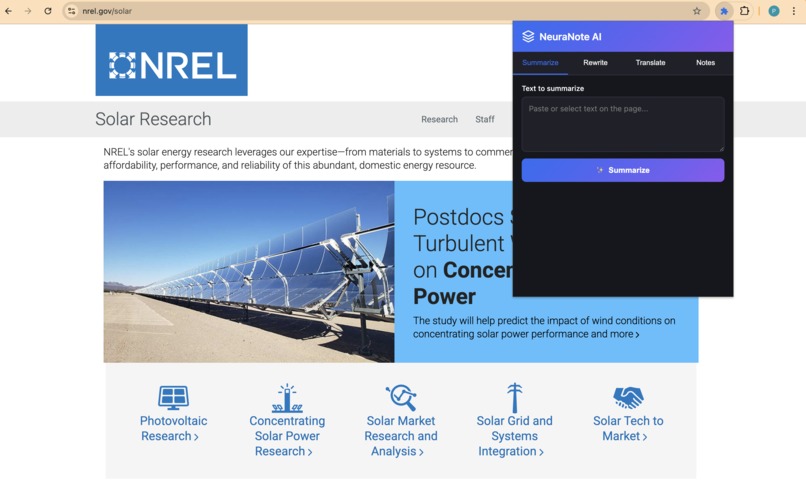
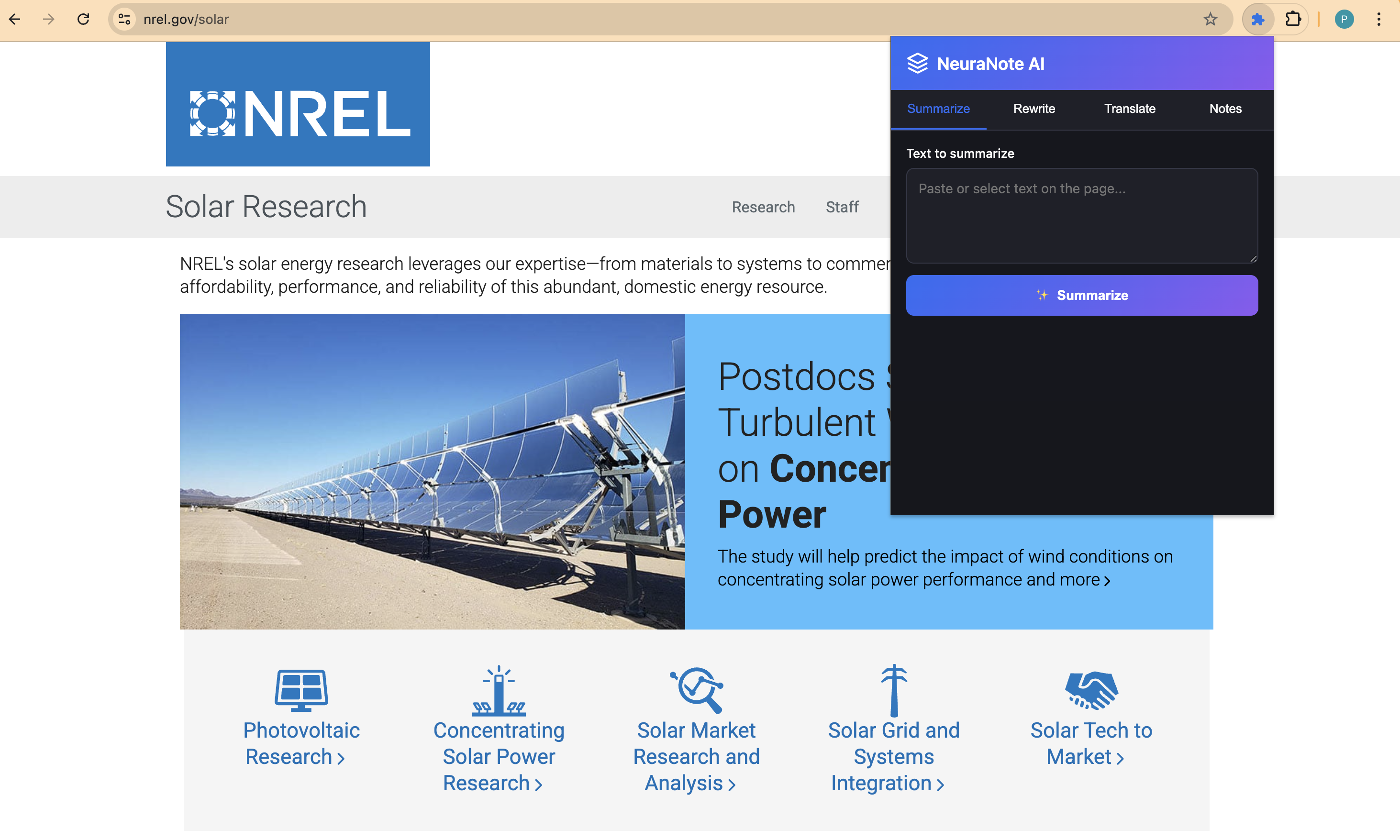
HOMEPAGE

Inspiration
Every day, we read countless articles, blogs, and research papers, or watch YouTube videos packed with insights — yet we rarely retain or organize that knowledge effectively. Note-taking feels manual, scattered, and time-consuming.
We wanted a tool that could think alongside us, capturing key takeaways as we learn. That idea led to NeuraNote AI, built on Chrome’s new Built-in Gemini Nano AI, to bring real-time summarization, explanation, and note organization — right inside your browser, fully offline.
“What if Chrome itself could help you learn — summarizing and storing ideas automatically, as you read or watch?”
What it does
NeuraNote AI is an intelligent, privacy-first Chrome extension that transforms how you consume content.
It can: • 🧩 Summarize articles, papers, and YouTube captions in real time • 🪶 Rewrite or explain complex paragraphs for clarity • 🌐 Translate text across multiple languages • 🔤 Proofread your own writing instantly • 🎥 Generate structured notes while watching videos • 💾 Save and organize insights locally with tags and timestamps
All of this happens on-device, powered by Gemini Nano — so it’s private, fast, and works even offline.
How we built it
We developed NeuraNote AI entirely using Chrome’s Built-in AI APIs, introduced for the Chrome Built-in AI Challenge 2025.
Our tech stack includes: • chrome.ai.summarizer → generates concise overviews of selected or visible text • chrome.ai.rewriter → simplifies or reformulates complex ideas • chrome.ai.translator → supports multilingual comprehension • chrome.ai.proofreader → ensures grammatical correctness • chrome.storage.local → saves notes securely within the browser • chrome.scripting & content.js → extracts YouTube captions in real time • popup.html + overlay.css → adaptive light/dark interface
We structured the extension for Manifest V3 compliance, ensuring security, zero remote code, and minimal permissions. All code was debugged and validated with Chrome Canary (v127+), where Gemini Nano runs natively.
Challenges we ran into
1.  Service Worker Registration Errors — required deep debugging to align background.js with MV3 rules.
2.  Gemini Nano API Access — ensuring compatibility with the latest Chrome AI SDK preview.
3.  YouTube Caption Sync — handling real-time updates efficiently without breaching content policies.
4.  UI Adaptivity — designing a clean, floating mini-panel that doesn’t disrupt the user’s browsing flow.
5.  Offline AI Behavior — optimizing inference latency while keeping everything client-side.
Each hurdle made the project more robust and future-proof.
Accomplishments that we're proud of
Built a fully local AI assistant that runs without servers, ensuring 100% privacy.
• Integrated Gemini Nano APIs seamlessly within a Chrome Extension — among the first of its kind.
• Achieved cross-context summarization: from text on web pages to YouTube captions.
• Designed a minimal, adaptive interface that feels native to Chrome’s UX.
• Created a clear, scalable architecture for adding future multimodal features.
What we learned
We learned how powerful and flexible Chrome’s Built-in AI ecosystem can be — and how client-side AI unlocks a new category of experiences that respect user privacy.
Technically, we mastered: • Manifest V3 best practices • Service worker life cycles • Chrome’s scripting and storage APIs • Efficient UI injection with adaptive CSS • How to balance AI utility with ethical design
We also learned that innovation doesn’t need to live in the cloud — it can live right inside your browser tab.
What's next for NeuraNote AI — Smart Notes for Web & Video
Our next steps will make NeuraNote AI even more interactive and multimodal: • 🎙️ Voice-to-Note Support using microphone input (Gemini’s upcoming multimodal API) • 🧭 Knowledge Graph View — connect ideas across your saved notes • ☁️ Optional Cloud Sync via Firebase AI Logic for multi-device access • 📱 PWA + Extension Integration for unified desktop + mobile experience • 🧠 Topic-based Summaries using embeddings to group related insights
Ultimately, we aim to turn NeuraNote AI into the personal learning layer for the web — where every video or article becomes an opportunity to understand, remember, and grow.
Built With
- chrome.ai.proofreader
- chrome.ai.rewriter
- chrome.ai.summarizer
- chrome.ai.translator
- chrome.contextmenus
- chrome.scripting
- chrome.storage.local
- css3
- html5
- javascript
- manifestv3

Log in or sign up for Devpost to join the conversation.