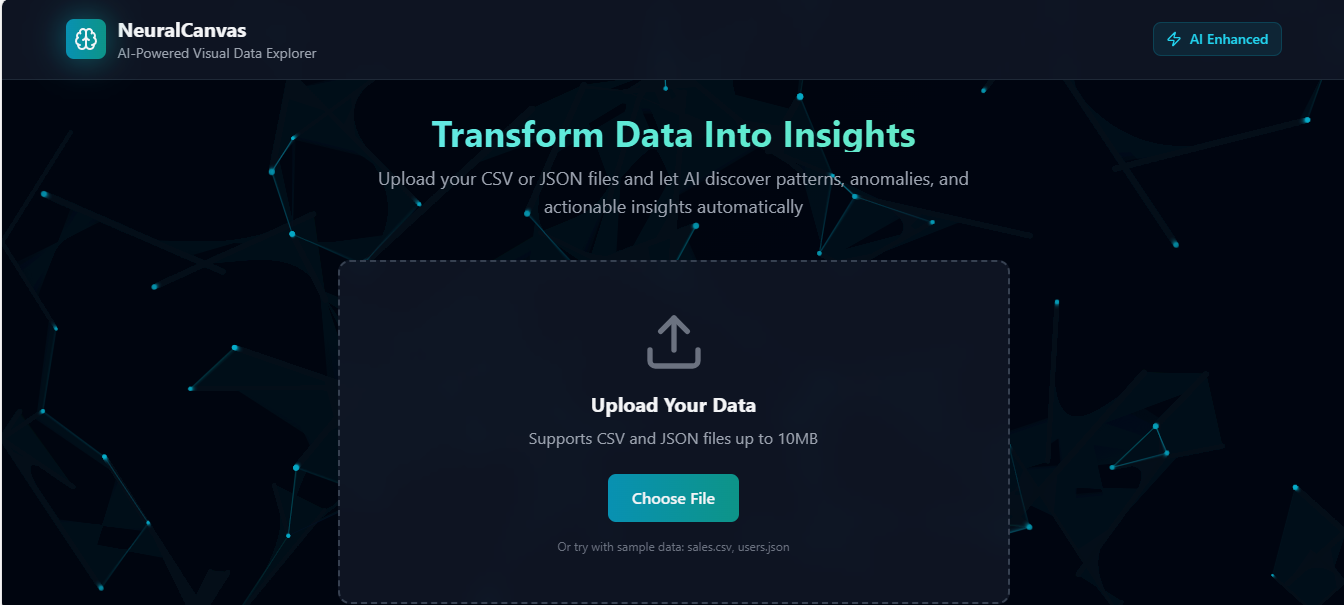
NeuralCanvas - AI Data Visualization Tool
A React and AI-powered data visualization application that allows you to upload CSV or JSON files, automatically analyze data, and generate visualization charts.
Inspiration
Data analysis shouldn't require a PhD in statistics. We wanted to create a tool that makes data exploration accessible to everyone - from students working on their first dataset to professionals needing quick insights. The vision was simple: upload your data, and let AI do the heavy lifting.
What it does
NeuralCanvas transforms raw data into actionable insights through:
- Smart File Parsing: Automatically handles CSV and JSON formats
- AI-Powered Analysis: Uses advanced AI to detect patterns, anomalies, and trends
- Instant Visualizations: Generates beautiful charts without any configuration
- Interactive Interface: Modern, responsive UI with real-time particle animations
- Data Quality Assessment: Evaluates your dataset and provides recommendation
Challenges we ran into
- Data Parsing Complexity: Handling various CSV formats and edge cases (different delimiters, encoding issues)
- AI Integration: Structuring prompts to get consistent, actionable insights from the AI
- Performance Optimization: Rendering large datasets while maintaining smooth animations
- Responsive Design: Ensuring the interface works seamlessly across different screen sizes
- Error Handling: Gracefully managing file parsing errors and API failures
Accomplishments that we're proud of
- Created a fully functional data analysis tool in a short timeframe
- Designed a beautiful, modern UI with custom particle animations
- Successfully integrated AI for meaningful data insights
- Built a flexible visualization system that adapts to different data types
- Achieved excellent performance even with large datasets
- Made data analysis accessible and intuitive for non-technical users
What we learned
- The importance of user-centric design in data tools
- How to effectively prompt AI models for structured analysis
- Advanced Canvas API techniques for creating engaging animations
- Best practices for handling and parsing various data formats
- The power of modern React patterns and hooks for state management
- How to balance feature richness with simplicity
What's next for NeuralCanvas
- API Key Management: Allow users to bring their own AI API keys
- More Chart Types: Add scatter plots, line charts, heatmaps, and more
- Export Functionality: Download insights and visualizations as PDF/PNG
- Data Transformation: Built-in tools for cleaning and transforming data
- Mobile App: Native mobile version for on-the-go analysis
- Collaboration: Share insights and visualizations with team members
- Custom Dashboards: Create and save personalized dashboard layouts
- API Integration: Connect directly to databases and cloud storage
Installation
npm install
Run Project
npm run dev
Then open http://localhost:5173 in your browser
Build for Production
npm run build
Built With
- React - UI Framework
- Vite - Build Tool
- Tailwind CSS - Styling
- Lucide React - Icons
- Claude AI - AI Analysis
- Canvas API - Animations
Built With
- component-based-architecture-**vite**-for-lightning-fast-development-and-optimized-builds-**tailwind-css**-for-a-sleek
- professional-design-system-**canvas-api**-for-smooth-particle-animations-and-visual-effects-**claude-ai**-for-intelligent-data-analysis-and-pattern-recognition-**lucide-react**-for-crisp
- react-18**-for-a-responsive
- scalable

Log in or sign up for Devpost to join the conversation.