-
-
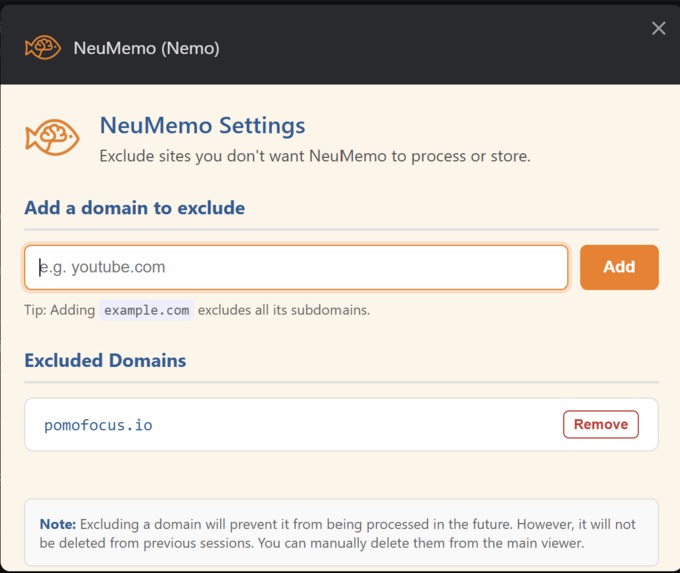
Exclusion of URLs Pop Up page
-
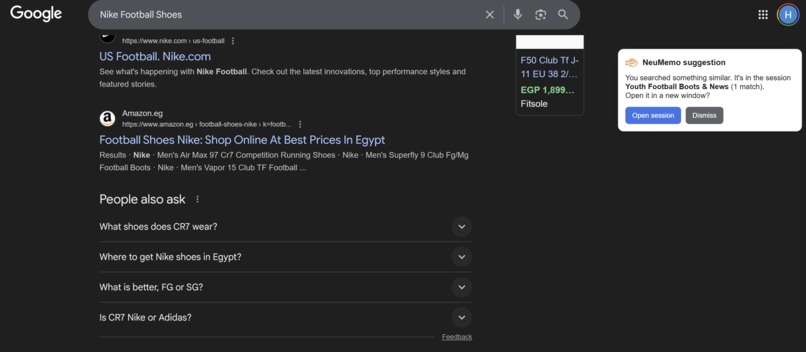
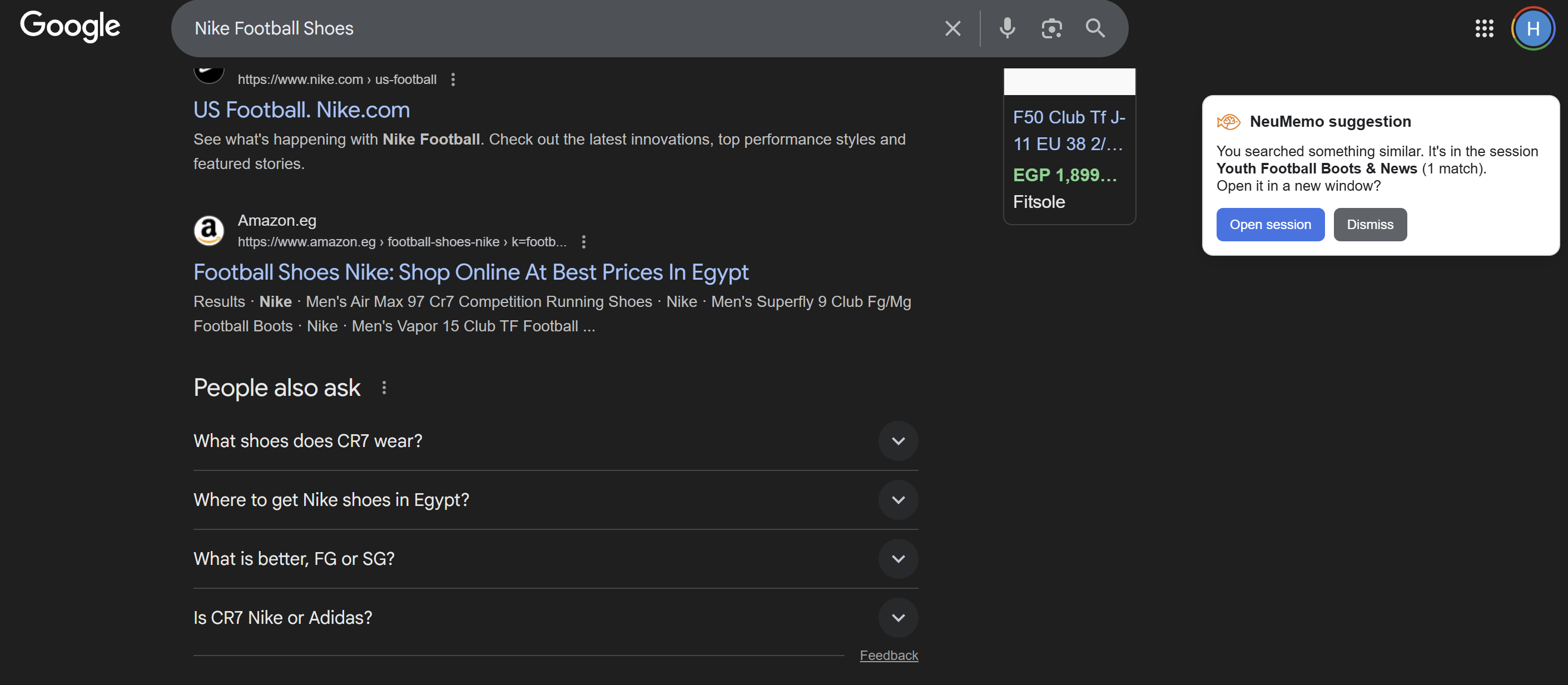
Google Search Alert if related session exists
-
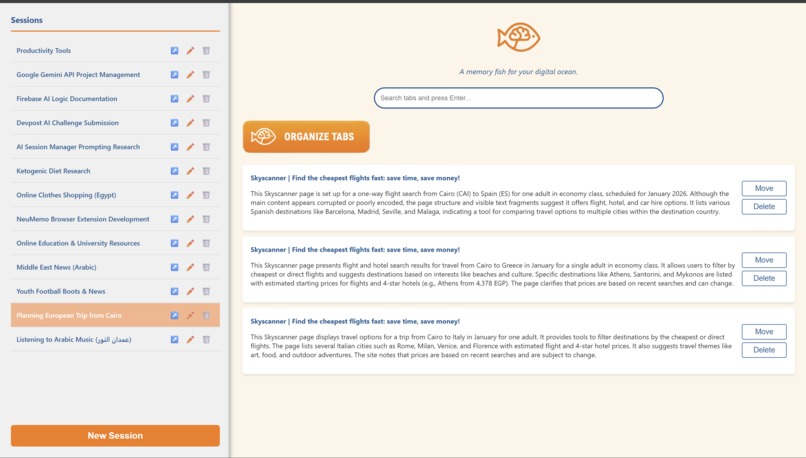
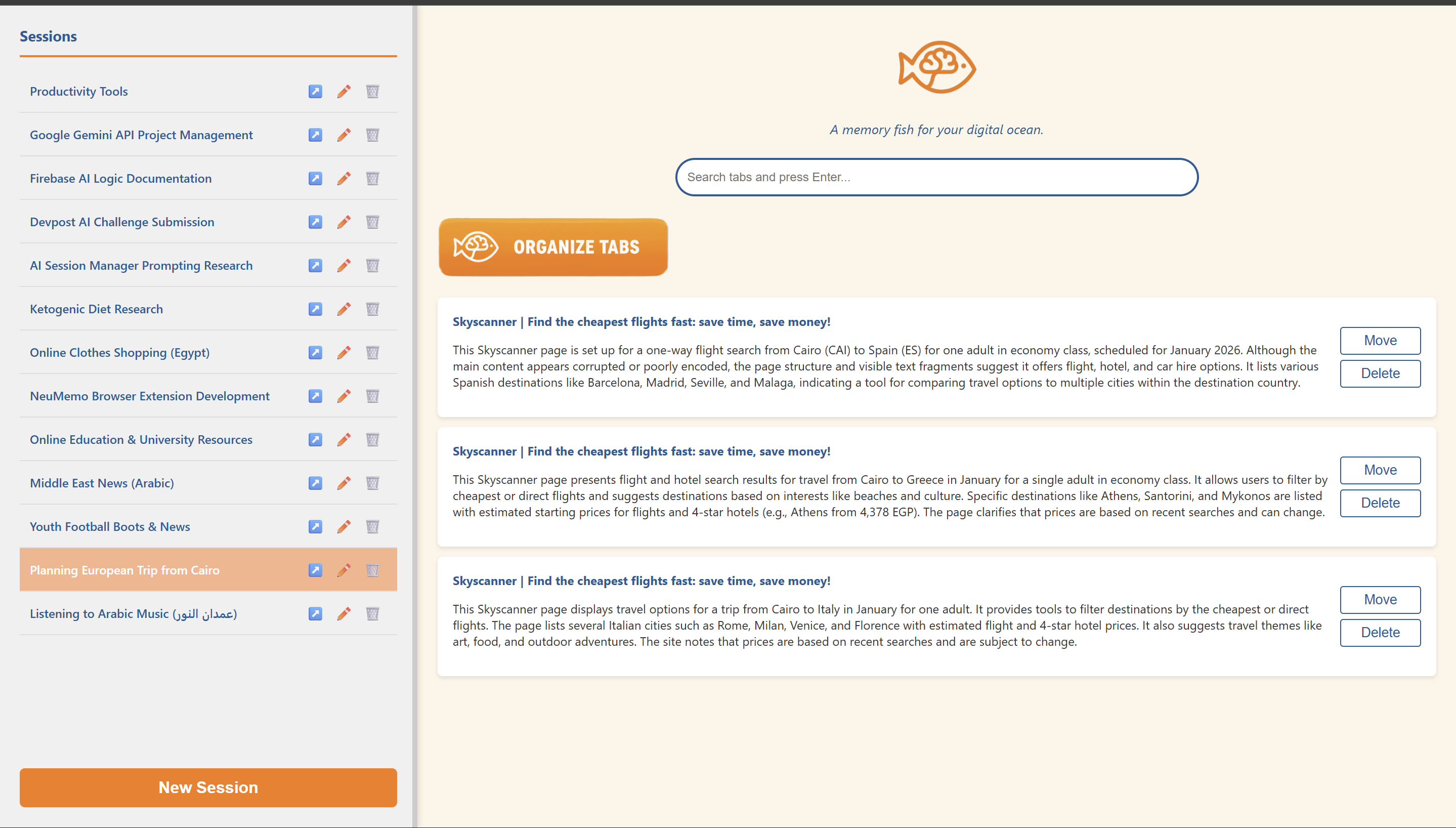
Main page for nemo to organize, search tabs using Gemini AI. Also, manipulate sessions, open it, delete it or move and delete tabs
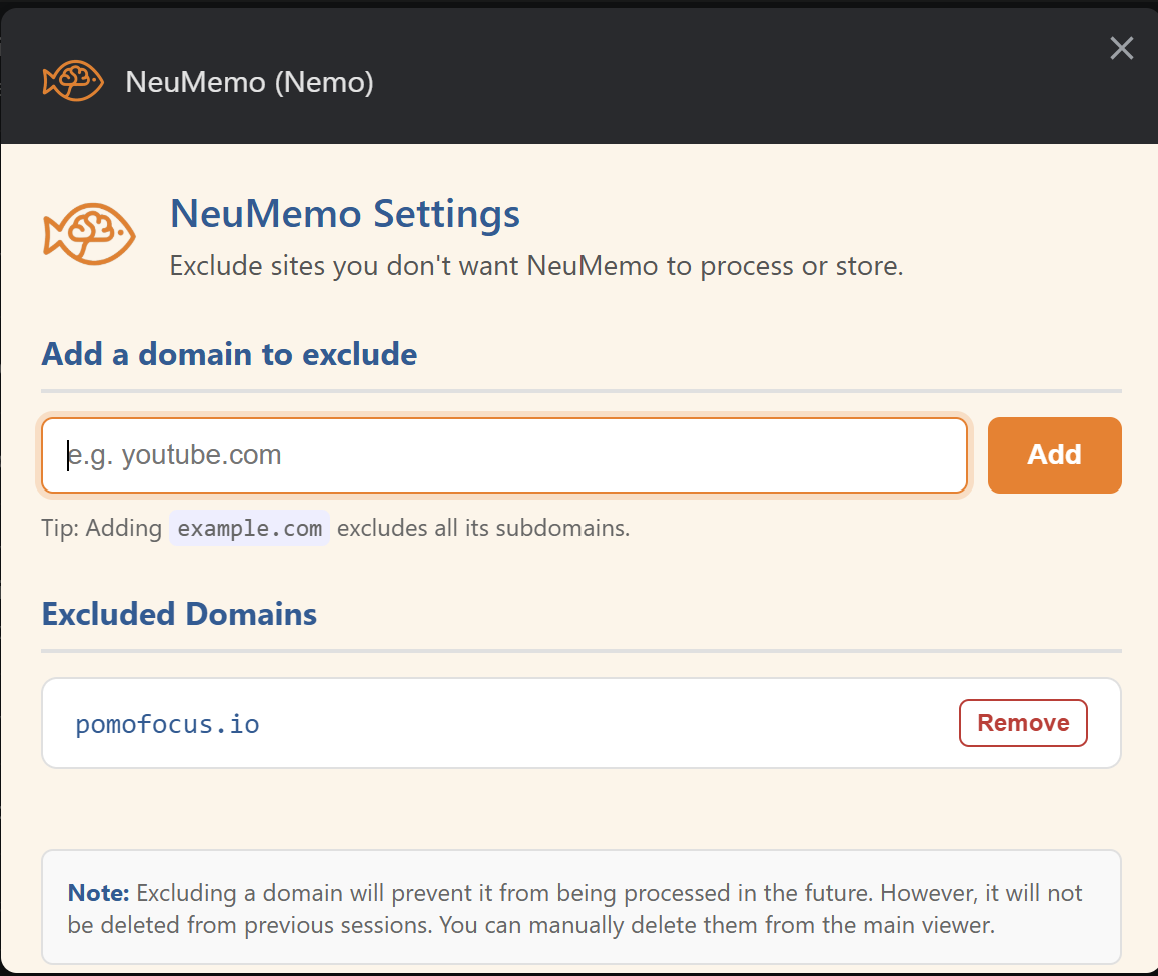
Inspiration
Every time I start researching or building something new, I end up with dozens of open tabs — tutorials, documentation, articles, and random references. Days later, my browser looks like an archaeological dig site of half-forgotten ideas. Eventually, I lose those tabs, and the trail of thought behind them disappears with them.
I tried using session managers to fix this, but they always felt mechanical — they could save tabs but not understand them. They didn’t know which tabs belonged together or why I opened them in the first place.
That’s when I thought: What if memory in browsers could work like memory in the brain — recognizing patterns, grouping related thoughts, and helping me recall them later?
With on-device AI, that idea finally became possible. So I built Nemo — short for NeuMemo (Neural Memory) — a memory fish for your digital ocean, designed to bring order and intelligence to the chaos of open tabs.
What it does
Nemo is an AI-powered tab session manager that helps you automatically organize your browsing.
It reads your open tabs, understands what each one is about, and groups them into logical session names — like “Integrating Gemini API with Firebase SDK” or “Escape Room Game Ideas.” Each session represents a specific topic or task you were exploring.
For every tab, Nemo creates a detailed summarized version of its main content so you can later search across your old sessions and instantly recall what mattered most — even if the tabs are long gone.
When you open Google Search, Nemo checks if you’ve had a past session related to your query and gently reminds you, so you can pick up right where you left off instead of starting over.
Users can also exclude specific sites in the settings — once excluded, Nemo will completely skip reading or processing those tabs for full privacy control.
All of this runs securely and locally, powered by on-device Gemini Nano, with all session data saved privately in your browser’s IndexedDB — so nothing ever leaves your device unless when prompt API fall back to Cloud.
How we built it
I started by designing the main idea — organizing browser tabs into smart, AI-powered sessions — and built the first version as a simple Chrome extension. Once the basics worked, I began adding more features step by step.
The extension uses Manifest V3 and a background service worker to capture active tabs, read their titles, URLs, and inner text, and send them to a Gemini Nano on-device model through the Prompt API. The model analyzes and classifies all tabs into logical sessions, generates summaries, and returns structured JSON for storage.
All data is saved locally in IndexedDB, so the user’s sessions, summaries, and search index are fully private and available offline.
For the UI, I used HTML, and vanilla JavaScript to keep it lightweight, with a popup that lists sessions, tabs, and summaries. The search bar uses natural language matching to quickly retrieve old tabs by meaning instead of just keywords.
I also built a Google Search listener, so when a user searches for something new, Nemo checks if there’s a related session from the past and shows a reminder to reopen it.
During development, I used Vite for fast builds and vibe coding to experiment quickly with new ideas and rewrite UI logic. The architecture follows a clean pattern: background scripts handle logic, while content and popup scripts handle display and user actions.
Overall, Nemo is powered by Gemini Nano’s reasoning ability, simple browser APIs, and local storage — all combined to make browsing more organized and more human.
Challenges we ran into
The biggest challenge was performance under free-tier API limits. I often hit:
- Request-per-minute limits
- Token-per-minute ceilings
- Daily quota resets
To overcome that, I implemented:
- Content truncation and normalization
- Chunked summarization pipelines
- Retry logic for unterminated JSON responses
Despite all of this, the first AI session load still takes around two minutes — but after caching, the data loads instantly.
Accomplishments that we're proud of
- I'm proud of the idea as I told some friends and family and even people not in tech said they needed it.
- Proud of the value it brings using Gemini AI
- I'm also proud that I created the Google search alert if the user has searched this before to continue in the same session created before
What we learned
This project pushed me to explore areas I had never worked with before:
- Building and structuring a Chrome extension from scratch
- Integrating Gemini Nano’s on-device APIs
- Designing prompt schemas and optimizing AI JSON outputs
- Handling token and rate limits efficiently
- Experimenting with asynchronous processing and lightweight summarization
What's next for NeuMemo (Nemo)
🚀 Future of Nemo — the Chrome Extension
Nemo continues to evolve with exciting improvements ahead.
🔧 Planned Enhancements
Performance & Latency Optimization Improve responsiveness and reduce delay across all Nemo operations to ensure a smoother browsing experience.
Interactive Avatar with TTS & STT Introduce an intelligent voice-enabled avatar. Users will be able to say:
“Hey Nemo!” and interact naturally using Text-to-Speech (TTS) and Speech-to-Text (STT).
Voice Command Support Allow users to control Nemo hands-free — collecting tabs, searching sessions, and more using voice commands.
In-Tab Information Search Nemo will soon be able to search across currently open tabs to find small pieces of information. For example, when you have hundreds of tabs open while developing a project, you might forget:
- Which tab contained API rate limits
- Which one had model configurations Nemo will intelligently locate the right tab without manual searching.


Log in or sign up for Devpost to join the conversation.