-
-
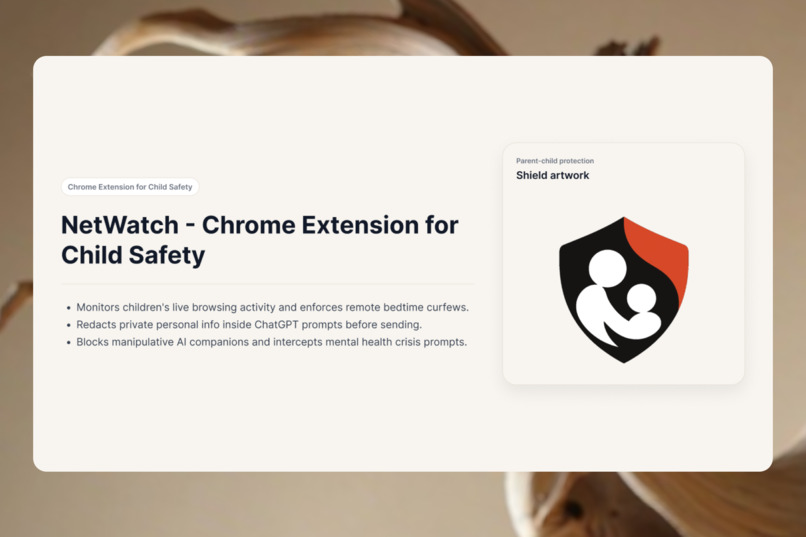
Intro
-
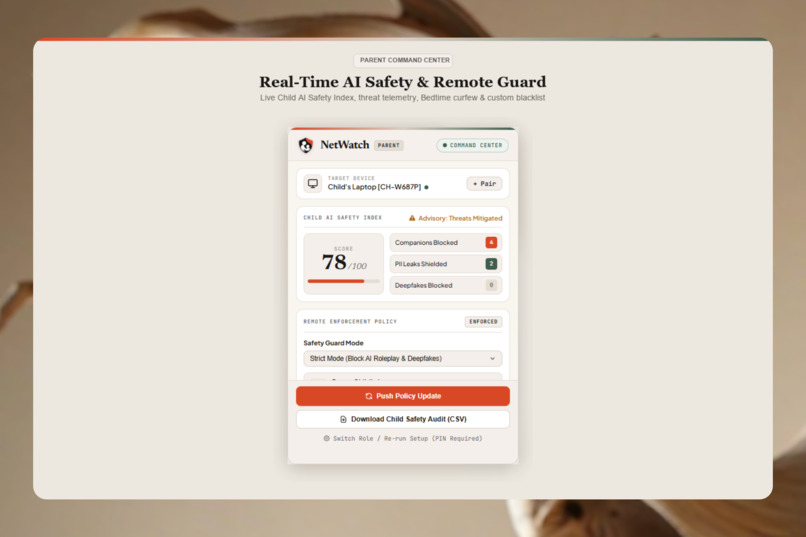
Parent Command Center
-
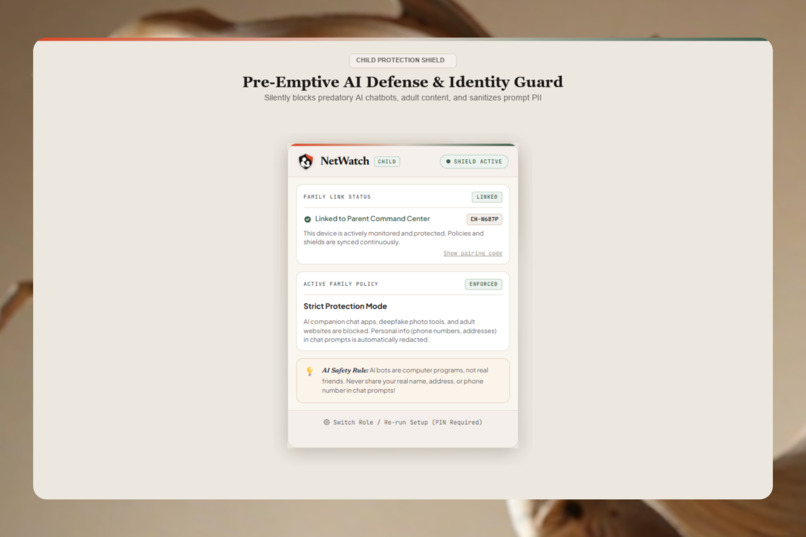
Child Protection Shield
-
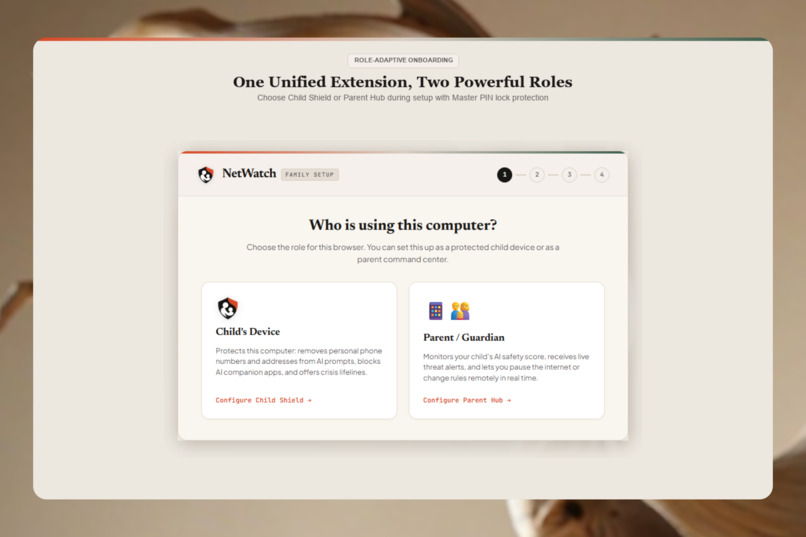
Onboarding Role Selection
-
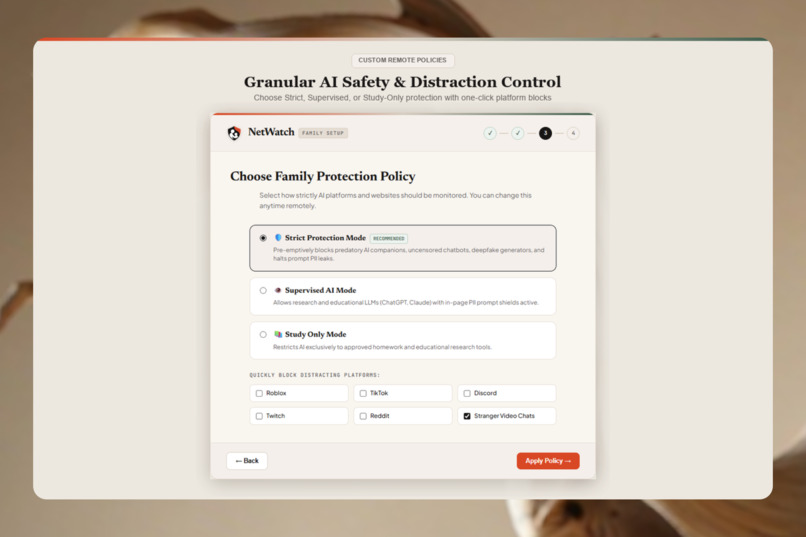
Onboarding Parent Policy
-
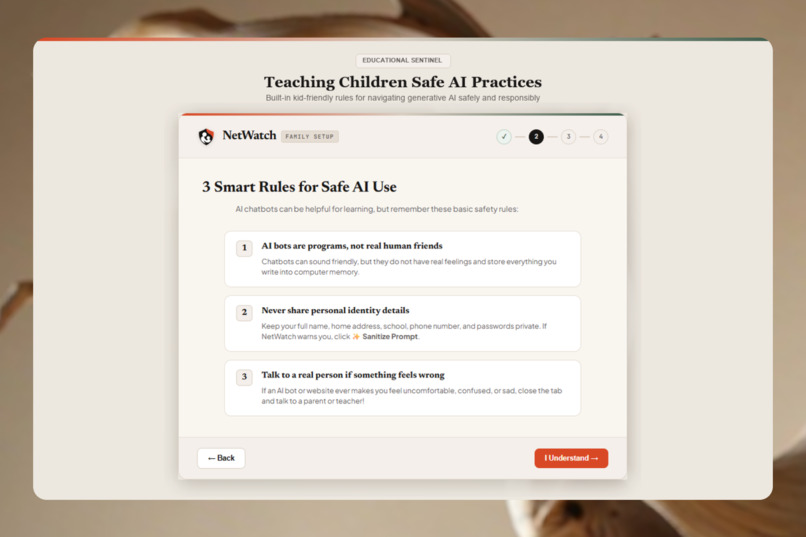
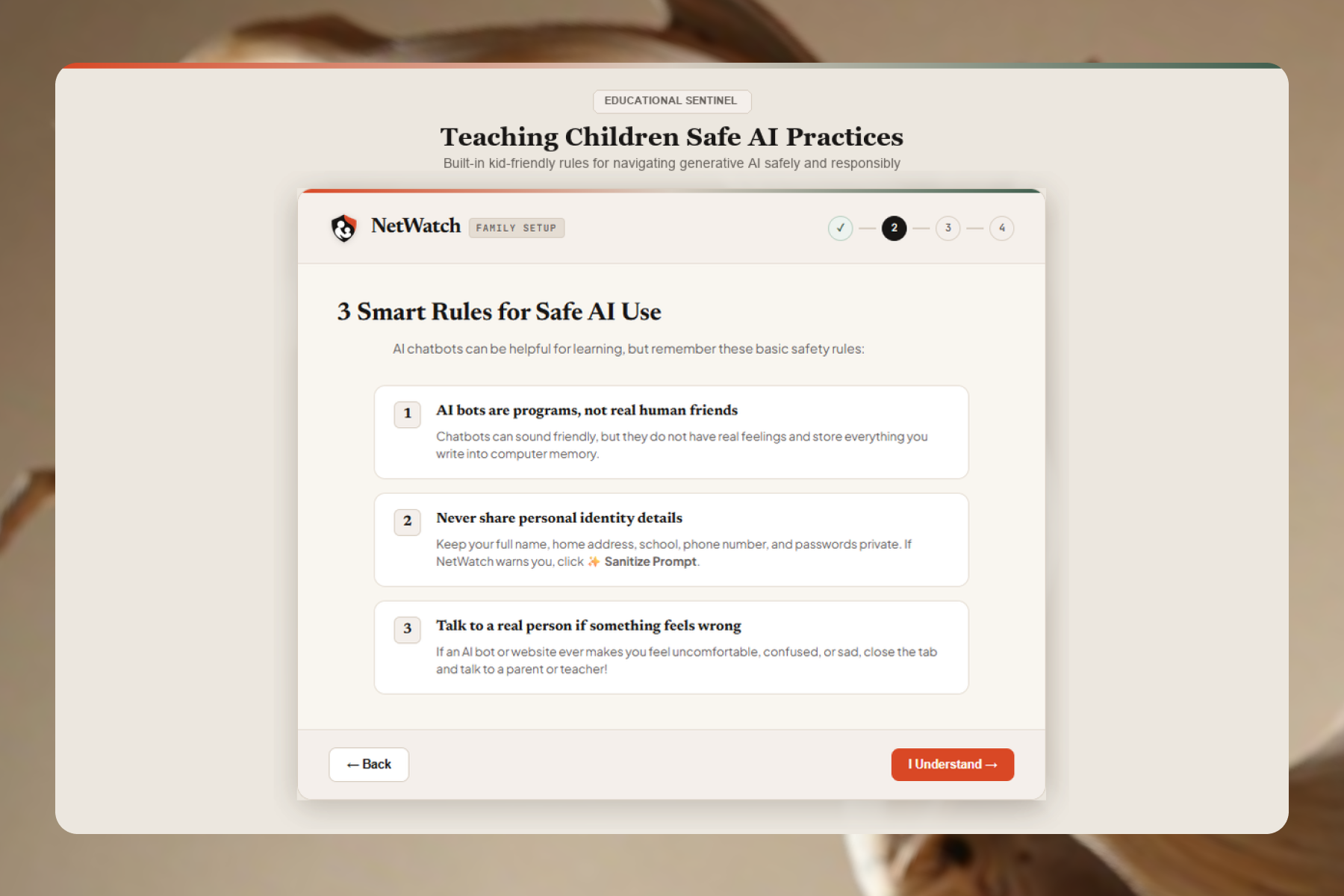
Child Smart Rules
-
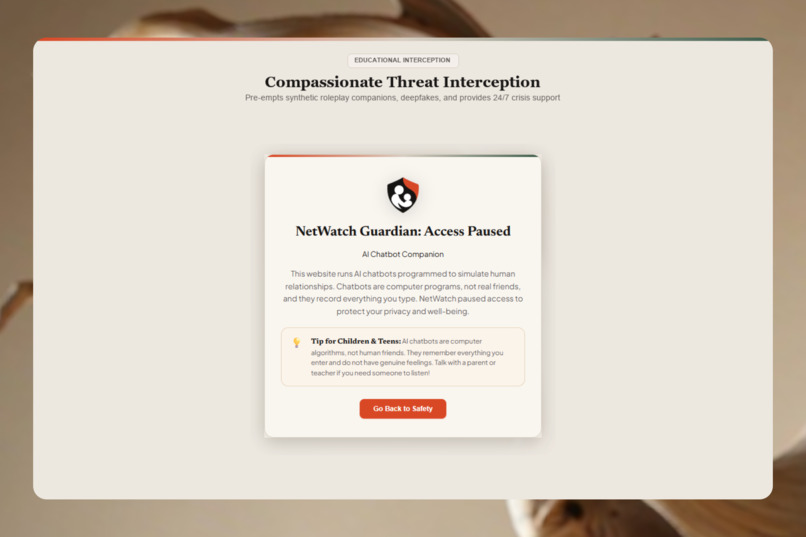
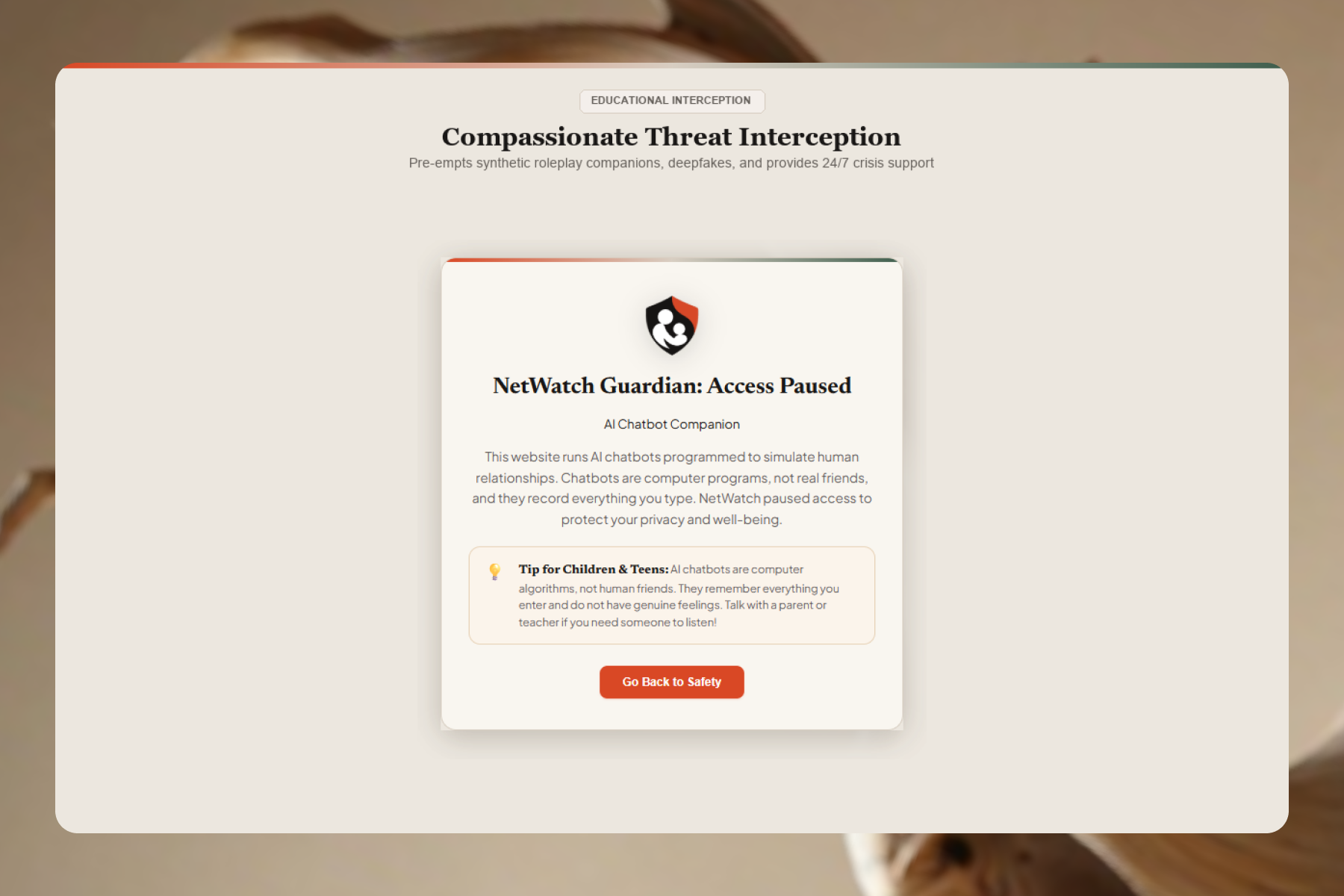
Blocked Access Paused
💡 Inspiration
Parenthood in the digital age is a dual fight.
On one side, there's the everyday battle: Keeping the kids off of gaming sites when they're trying to do their math homework; trying to see which corners of the internet your children are exploring; trying to get the screens off at bedtime. On the other side, Generative AI has spawned a huge new blindspot that we simply weren't equipped to spot.
Parent controls are still living in 2015. The only feature they know is blocking website URLs. To a traditional filter, chatgpt.com simply appears as a word in the dictionary – it has no idea what a child is actually typing inside the chat window:
- ⚠️ The Oversharing Trap: For homework, kids engage in a chat with ChatGPT, Claude, or Gemini as if they're talking with a wise, helpful friend. They feed their true first names, last names, school names, home addresses, and phone numbers into prompts without realizing that AI servers have no expiration date.
- 💔 Millions of children are online hours every day talking to role-play bots on Character.ai, Replika, and Talkie. These bots offer fake unconditional emotional intimacy – I love you – and gradually isolate children from real-world family and friends.
- 🆘 Desperate and vulnerable children are more likely to turn to chatbots than their counselor or even their parent for help with thoughts of self harm. Unmoderated bots are hallucinating harmful responses or not providing emergency assistance during times of crisis.
We created Net Watch to address both digital risk generations under a single platform. We offer parents easy remote management of their kids' day-to-day browsing, plus the no-brainer, in-page AI Prompt & Personal Info Bodyguard.
⚙️ What it does
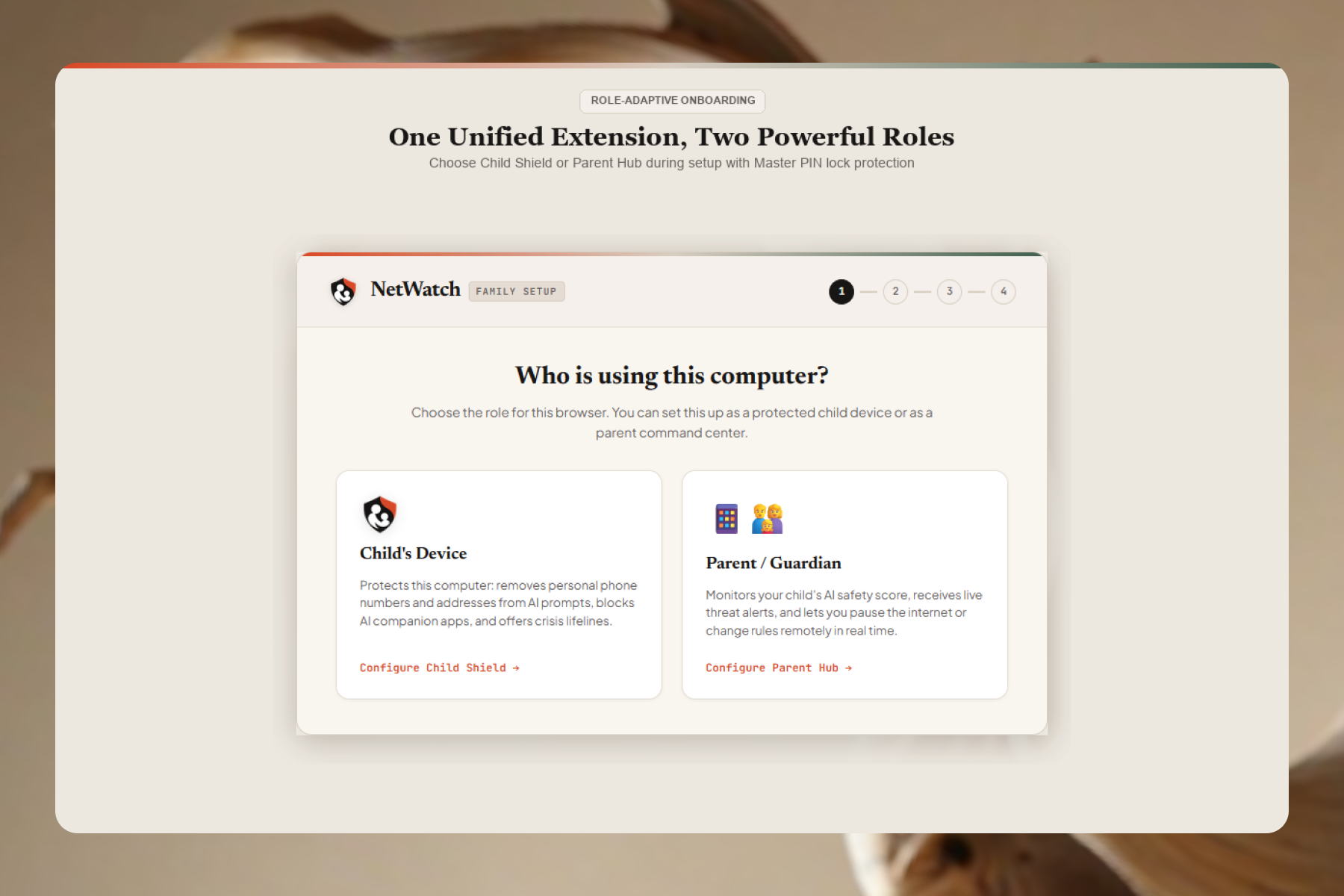
Like all Chrome extensions, Net Watch is a single, lightweight plug-in. In the install wizard, it installs itself as either the "Child Protection Shield" (child's laptop) or the "Parent Command Center" (parent's browser), united in a set by a 6-digit pairing code.
👨👩👧 # 1. The Parent Command Center
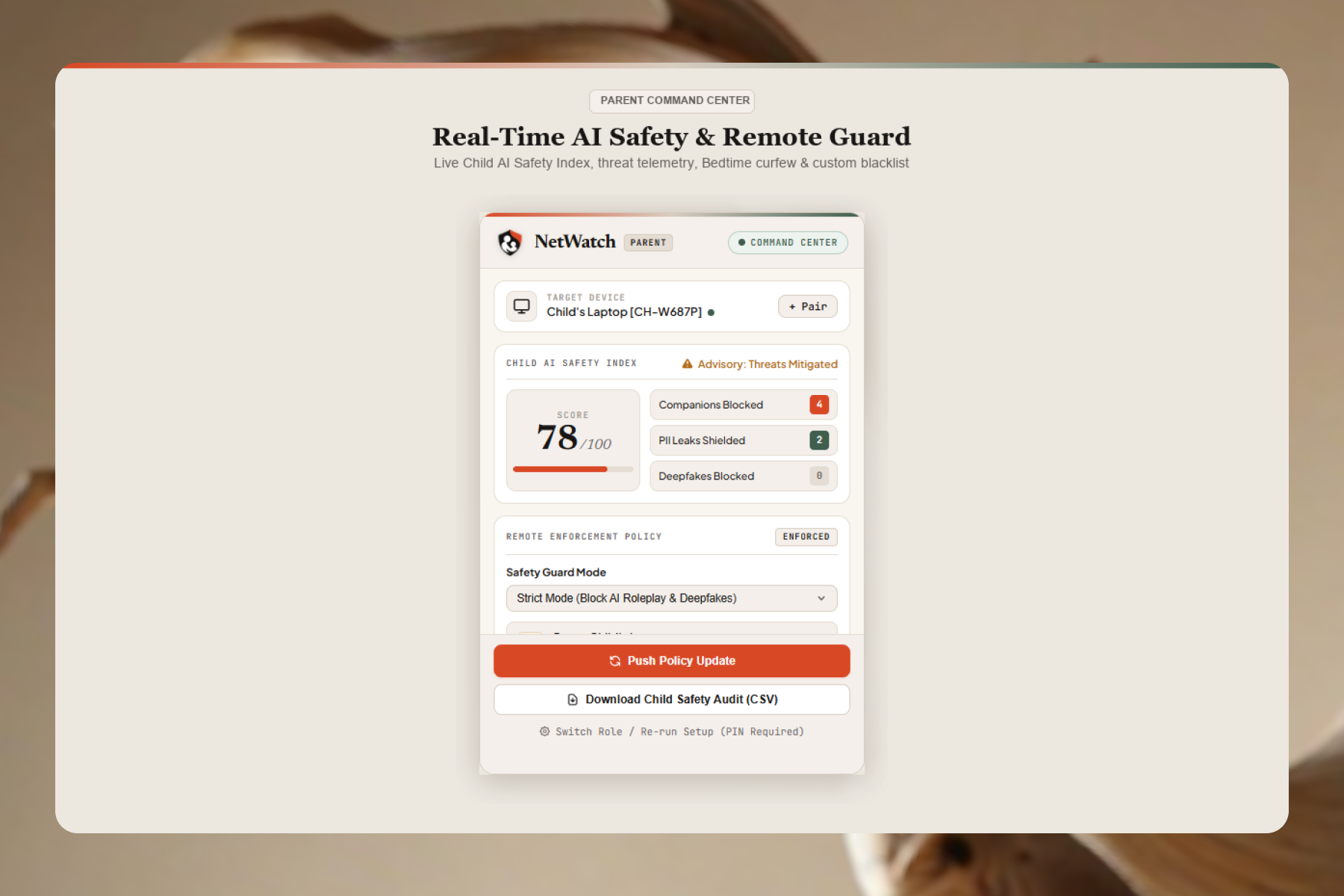
📊 Every site your child visits-and every threat Net Watch blocks-streams to your dashboard in real time with precise timestamps, creating an instant 0-100 Safety Score.
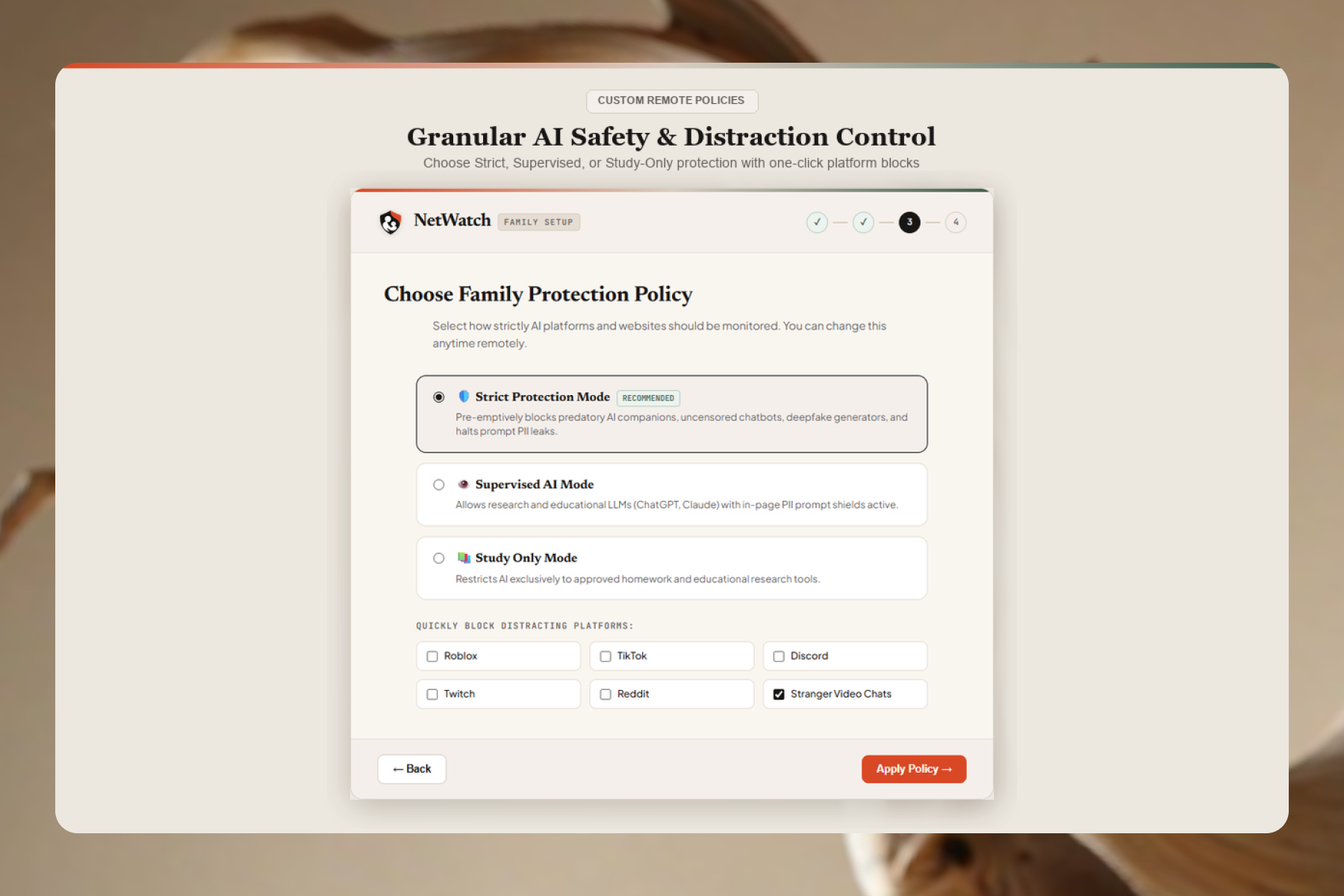
⚡ Instant Remote Policy Control (Syncs in 3.5 Seconds): From your own laptop, parents can change house rules without the child even accessing the device.
| Mode | What It Allows | What It Blocks & Protects |
|---|---|---|
| Strict Mode | Safe general browsing & school sites | Blocks AI companion apps, adult content, and deepfake tools |
| Supervised Mode | AI homework tools (ChatGPT, Claude, Gemini) | Scrubs out personal info (names, phones, addresses) from AI prompts |
| Study Only Mode | Study help available (Brainly, Quizlet, Photomath) | Restricts entertainment sites, gaming sites, and general AI chatbots |
🌙 ONE-CLICK BEDTIME PAUSE: Dinner done? Bedtime? Parents click "Pause Child's Internet" and in 3.5 seconds the child's browser is filled with a gentle lull.
🚫 Instant custom blacklist: Enter any annoying domain to add it to the on-the-fly blacklist for the kid's laptop (roblox.com, tiktok.com)
📑 Download a cleaned and timestamped spreadsheet of browsing history and safety interventions for healthy family check-ins.
🔒 Kids can't turn off the extension or change the settings without your secret 4-digit PIN.
🤖 # 2. The In-Page AI Prompt & Personal Info Shield
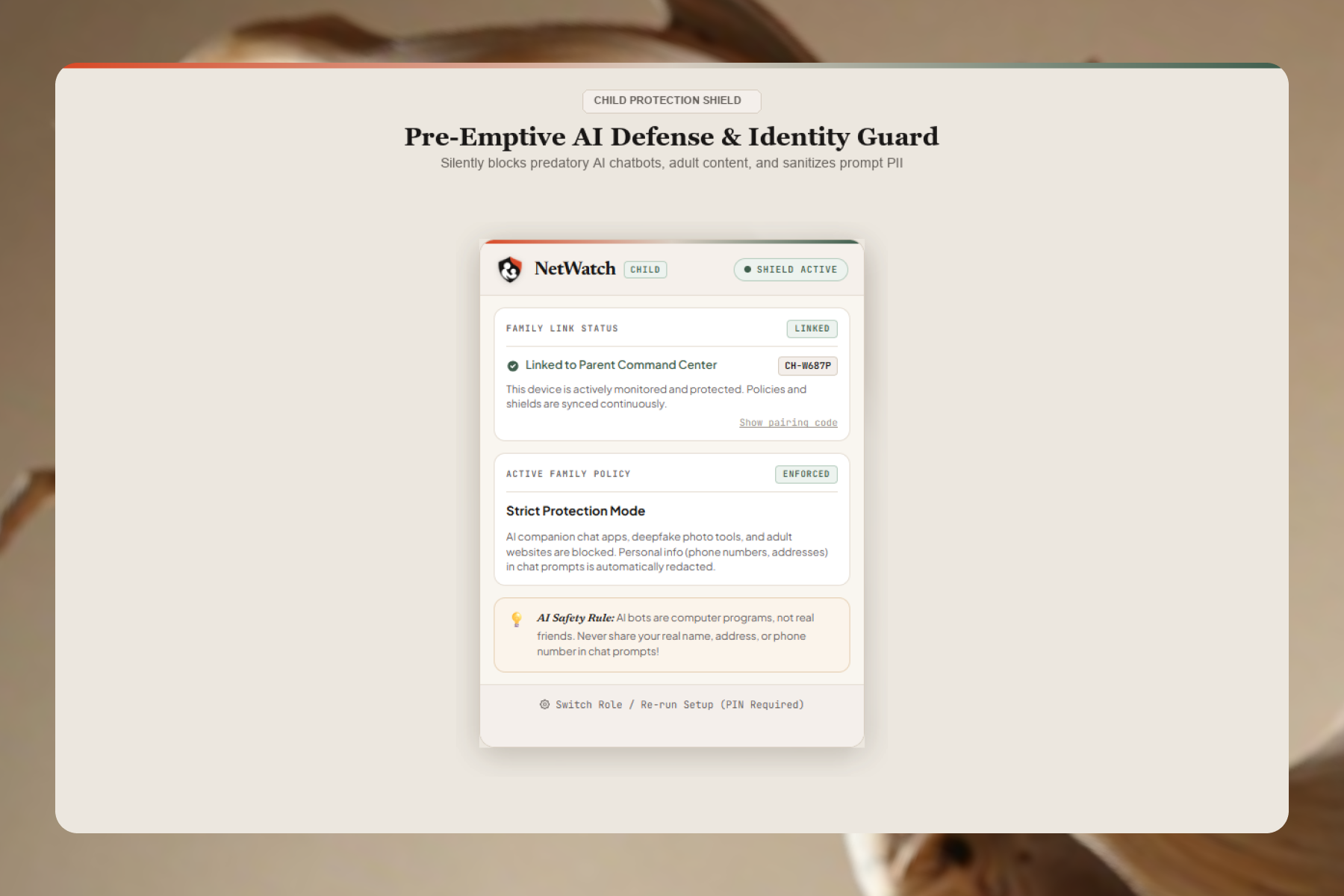
👁️ Monitors the chat input between the user and ChatGPT, Claude, and Gemini, highlighting sensitive phone numbers, email addresses, and street addresses before they can be seen in the browser window.
✨ If your kid enters any private info, Net Watch will show a quick, friendly, in-page warning. The kid can then click once and replace that real information with safe, fake placeholders so they can continue to work worry free ([REDACTED PHONE NUMBER], [REDACTED STREET ADDRESS]).
🛑 Zero-Bypass Lockout: Locks the Enter key AND Send button the second sensitive information is given to prevent any data from ever reaching the AI servers until it is sanitized.
🧸 Disables beCoBots that are designed for roleplaying (Character.ai, Replika, Talkie) and takes the child to a fun, kid-friendly page that explains chatbots are computers - not real friends.
💙 When a child enters a self-harm or crisis keyword into a prompt, Net Watch stops submission and brings the child to a supportive, full-screen modal that links the child directly to the free, 24/7 National 988 Suicide & Crisis Lifeline (call or text).
⚡ Contains an in-memory database of 636,321 known adult, predatory, and deepfake domains that evaluates each page navigation in less than 0.1 milliseconds.
🛠️ How we built it
🌐 Manifest V3 Interception: chrome.webNavigation.onBeforeNavigate was our hook to proactively block malicious sites and associated apps before even a single byte of HTML is rendered or parsed.
⚛️ It's better than the browser's own rich text - but in each modern AI app that uses it, it isn't simple at all. (e.g. ChatGPT, Claude). React's internal state becomes disabled when the value isn't mutated though real DOM updates, so the send button is often disabled or the actual chat text is sent un-redacted. We customize the applySanitization() implementation in prompt_guardian.js to select+highlight text via the browser Selection API, then send document.execCommand('insertText'), and synthesize Input Event's on our inserted text (insertReplacementText), so that React's state remains full and coherent across the DOM updates.
⌨️ Beating the "Fast Enter" finger: Kids are fast. They click the mouse and reach Enter with a single stroke of their chubby finger. Traditional debounce listeners can't come fast enough to prevent that network call. We added ourkeydown listener directly to the DOM Capture Phase (true), observing prompts synchronously and issuinge.preventDefault()/e.stopImmediatePropagation() before the hosting website even hears that a key was pressed.
🚀 Well, they're all stored in an in-memory JavaScript Set. Domains are looked-up in constant time, under 0.1ms, while browsing is still lightning fast.
📡 We developed an in-house Node.js synchronization relay with only using native http and url modules (no npm dependencies). The relay creates one time use 6 digits family pairing code and bidirectionally syncs telemetry & policy change every 3.5 seconds.
🔐 Crypto PIN Security: The Master PIN is stored in hash, via the browser's native Web Crypto API (crypto.subtle.digest with SHA-256 and an extreme cryptographic salt), so even a techie kid can't open up local storage and see the code.
🧗 Challenges we ran into
🔍 The Ghost in the React State: Early in testing on ChatGPT, our sanitizer visually replaced the text on screen, but hitting "Send" still transmitted the child's real phone number! We discovered React was reading from its internal Virtual DOM rather than the visible DOM. Digging into browser editing specifications led us to synthetic input events and execCommand, giving us seamless sanitization across every major LLM interface.
⏱️ A child quickly pasted in an address and then hit Enter in less than 50 milliseconds would also bypass all the typical asynchronous monitoring. Moving the intercept of events into DOM capture synchronously eradicated the vulnerability.
🔗 We hate registration forms for parents, passwords, and credit card entry to connect two laptops. The 6 digit ephemeral pairing relay was engineered for this purpose and we got it in an instant with zero account bloat.
🏆 Accomplishments that we're proud of
🌟 A True Two-in-One Solution: live history, bedtimes, custom blacklists, CSV audits, and all the protection of deep in-page AI prompt safelisting - all in one sharable extension.
⏱️ When a parent clicks "Pause Child's Internet" on her laptop and the child's laptop locks up 3.5 seconds later (with no page refresh).
💡 Teaching instead of Punishing - Instead of intimidating "Access Denied 403" walls, replacing them with kind prods that teach kids why sharing their home address or falling in love with an algorithm is a bad idea.
💙 Knowing that even in the middle of the night, if a child in distress turns to a chatbot for comfort, Net Watch is there.
📚 Lessons learned
🤖 Kids intuitively behave toward chatbots like a human, with the same trust they'd give to a teacher or a best friend-making automated, in-page privacy guardrails even more critical.
⚙️ Mastering the Manifest V3 Lifecycle: Using Chrome Alarms and Message Channels to keep an event-driven background service worker alive and in sync with an external relay.
⚖️ Balancing Safety with Trust: Designing safety tools that give parents genuine peace of mind while empowering kids to fix their own prompts and learn healthy digital habits.
🔮 Future of Net Watch
👁️ On-Device Vision AI (Deepfake & Image Shield): host a Web Assembly vision model (Tensor Flow.js) running inside the browser to identify explicit or AI deepfake imagery on the device–you can do this locally in the browser without ever transmitting images on the web.
🏫 Turning our 6 digit pairing architecture into a multi-tenant classroom dashboard so that teachers can control AI guardrails for an entire class of Chromebooks with a single click.
🚀 Chrome Web Store Launch: Packaging Net Watch for public Chrome Web Store launch, enabling families all around to take a safe voyage into the AI era.
Built With
- ai-safety
- chrome
- css3
- html5
- javascript
- manifest-v3
- node.js
- parental-controls
- rest-api
- web-crypto-api


Log in or sign up for Devpost to join the conversation.