-
-
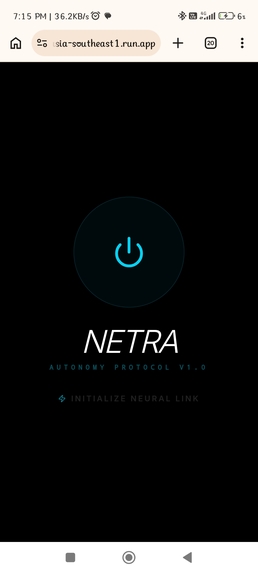
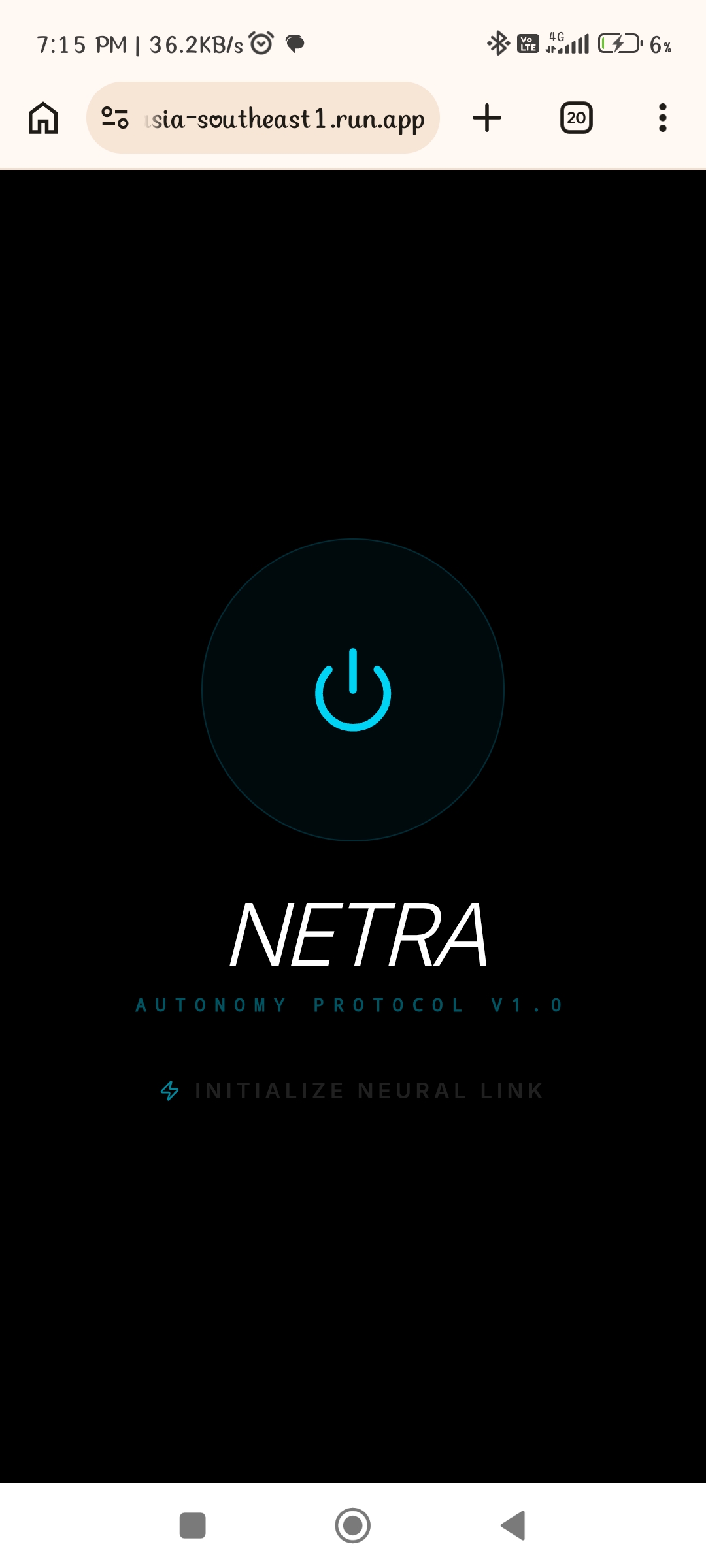
main dashboard
-
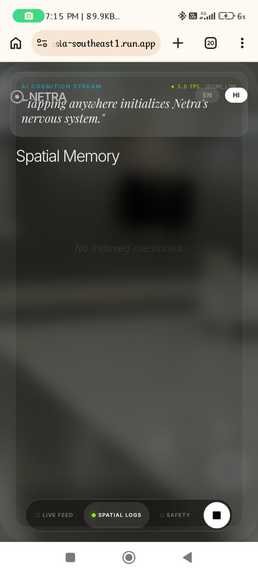
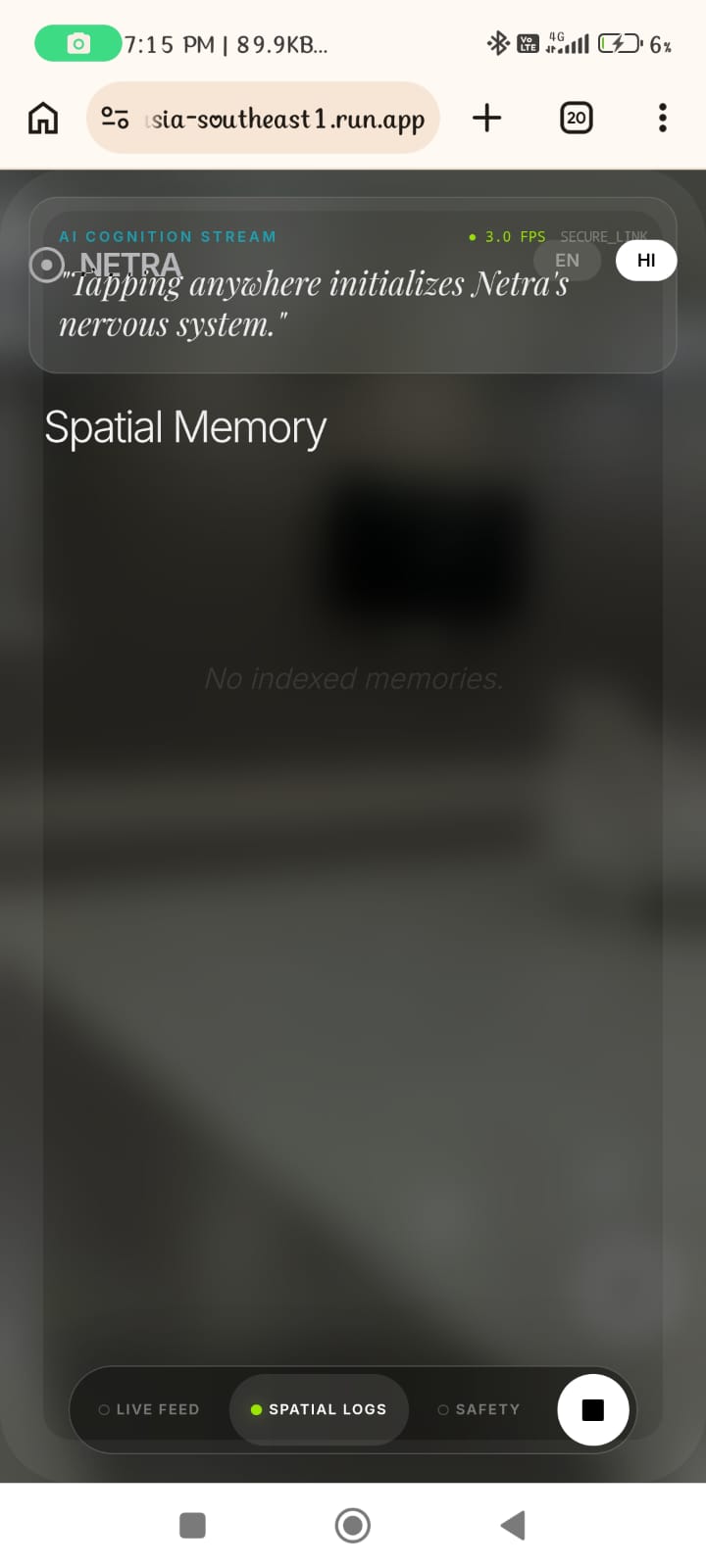
spatial memory
-
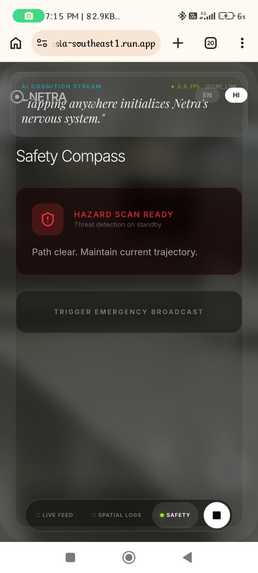
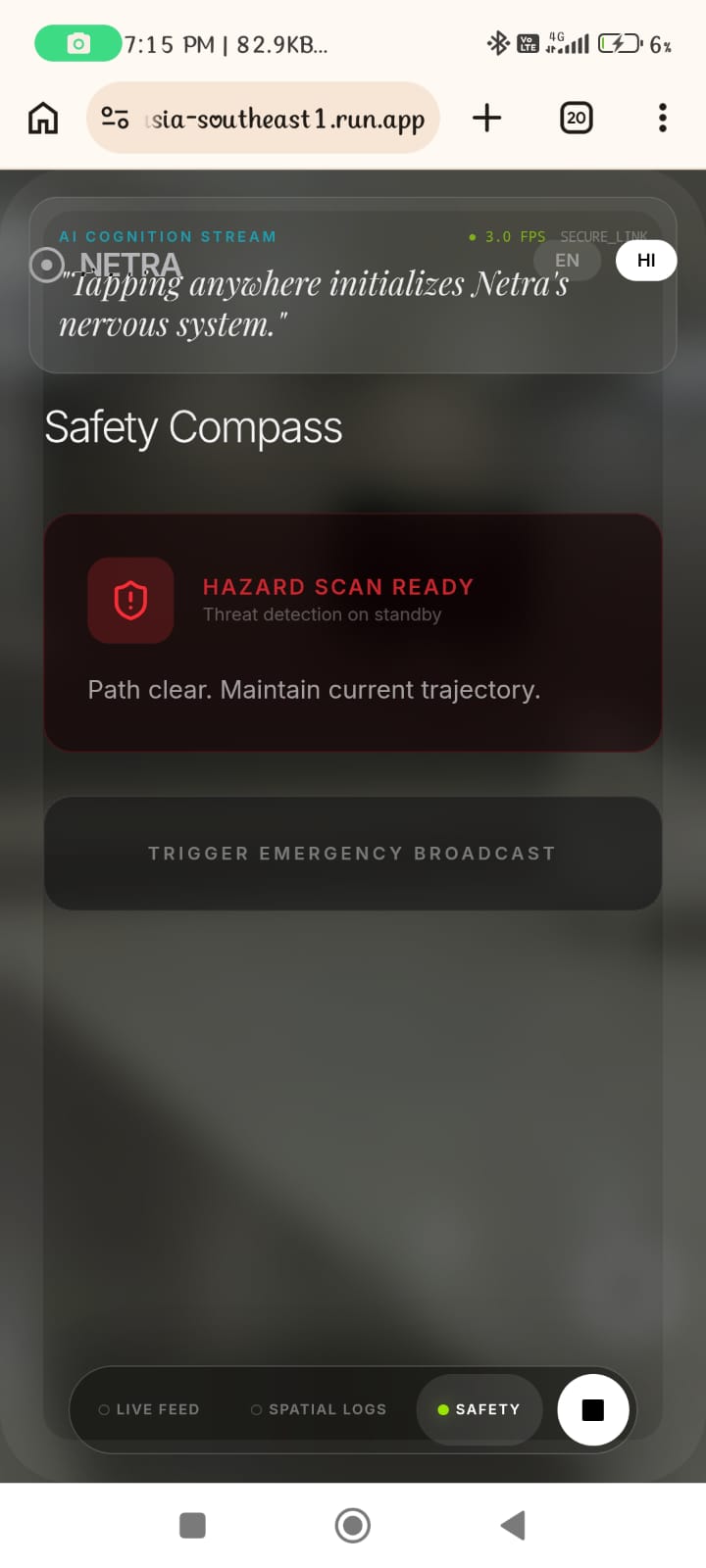
safety compass
-
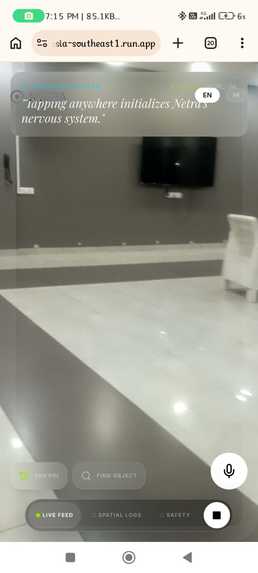
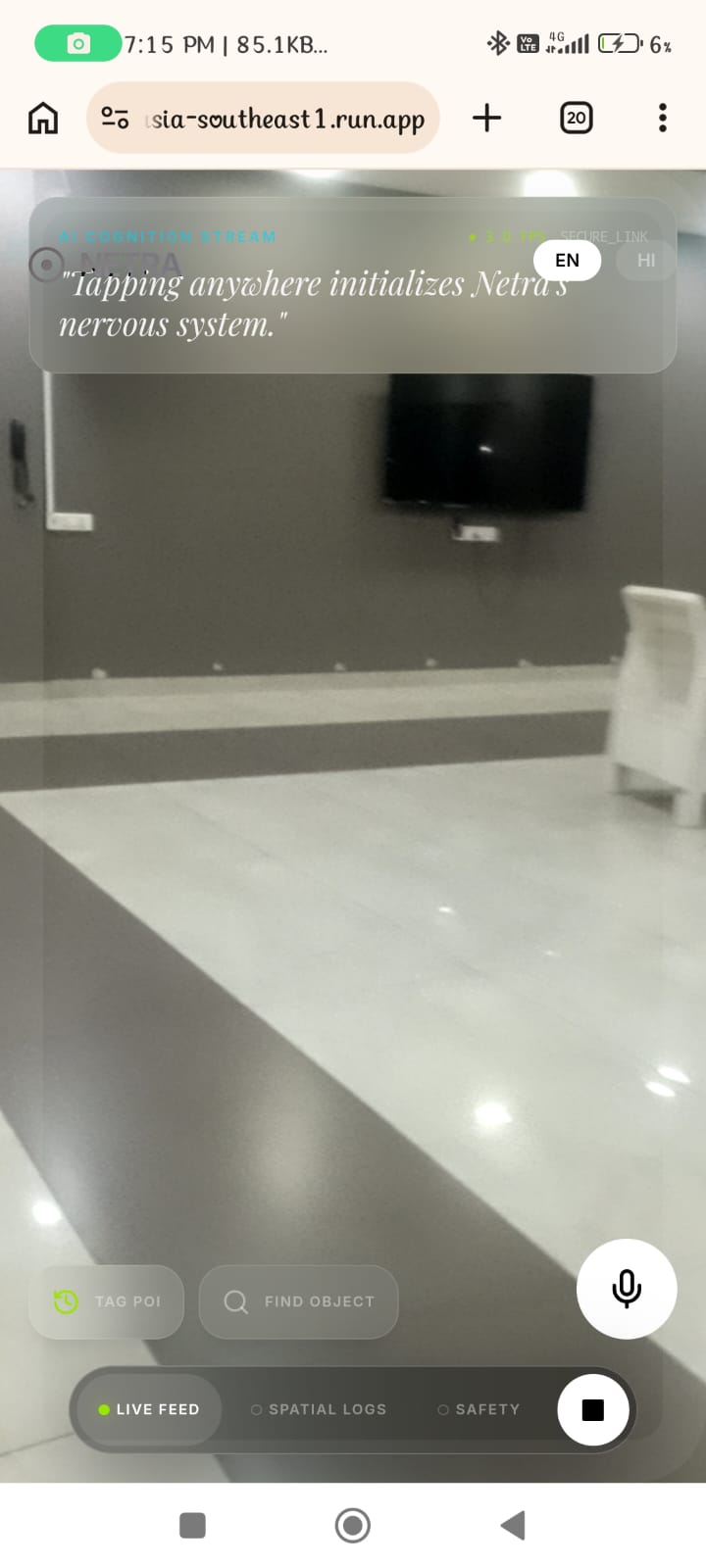
live rendering
Inspiration
The spark 🔥 for Netra came from a single, uncomfortable question: what happens to a visually impaired hotel guest when the fire alarm goes off?
Existing assistive technology is built for calm, everyday navigation — not for the chaotic, high-stakes moments that matter most. A navigation app cannot distinguish a fire extinguisher from a red trash bin. A screen reader cannot interpret the hand signal of a paramedic. A standard voice assistant cannot parse smoke from shadows.
We were also inspired by the ancient Memory Palace technique — spatially anchoring information to a known environment. We asked: what if an AI could pre-load the floor plan, exit routes, and hazard zones of a building, and guide a visually impaired person through a crisis in real time, from memory?
The name Netra (Sanskrit for eye) reflects the mission: to be a second pair of eyes — calm, fast, and always present — for people who need it most.
What It Does
Netra is a browser-based Progressive Web App (PWA) that turns any smartphone camera into an intelligent, voice-driven visual co-pilot for visually impaired users in hospitality environments.
General Awareness Mode 🗺️
Netra continuously analyzes the camera feed at 1.0 FPS and narrates the surroundings in natural language via text-to-speech — objects, people, signage, and social context in real time.
Active Search Mode 📡
Say "Find nearest door" or "Find fire extinguisher" and Netra locks onto that target at 3.5 FPS. It highlights the object with a bounding box, reads any text on nearby emergency signs aloud, and uses 3D spatial audio panning to guide the user toward the target — no need to look at the screen.
Crisis Protocol Mode 🆘
Triggered by "Netra, help!", the system enters emergency mode at 5.0 FPS. The AI prioritizes fire, smoke, water on floors, and blocked exits. The Memory Palace delivers pre-loaded hotel exit routes as audio-guided evacuation instructions. First responder recognition identifies EMS, Fire, and Security uniforms and interprets hand signals for immediate coordination.
Adaptive frame rate 🧠
The system dynamically adjusts processing speed based on urgency:
$$ \text{FPS} = \begin{cases} 1.0 & \text{Standard — ambient awareness} \ 3.5 & \text{Active Search — object guiding} \ 5.0 & \text{Crisis Protocol — emergency} \end{cases} $$
Additional capabilities
- Read emergency signs 🆘 — OCR of wall-mounted safety guides, exit signs, and hotel instructions, read aloud via TTS
- Tag & Memory Palace 🧠 — say "Tag this exit" to store a location; retrieve it later with semantic vector search
- Multilingual 🔊 — full English (
en-US) and Hindi (hi-IN) support, switchable mid-session by voice or tap - Tactical haptics ⚠️ — light pulse for confirmation; rapid multi-burst for hazard detection
How We Built It
AI & intelligence layer
| Feature | Model | Purpose |
|---|---|---|
| Visual scene analysis | gemini-1.5-flash |
Real-time multimodal frame analysis — objects, bounding boxes, hazard flags, social vibe, and spatial panning |
| Semantic Memory Palace | text-embedding-004 |
Converts scene descriptions into vectors for semantic "Find object" matching |
| Sign & guide reading | gemini-1.5-flash |
Multimodal OCR on wall-mounted emergency guides and exit signs, read aloud via TTS |
Frontend stack
- React 18 + TypeScript + Vite — fast, type-safe PWA foundation
- Tailwind CSS with glassmorphism design language
- Framer Motion (
AnimatePresence) — fluid tab transitions and status animations - Mobile-first responsive layout with 44px+ touch targets for one-handed use
Browser APIs
- Web Speech API — on-device voice recognition with 7-second silence detection; zero network round-trip latency
- Web Speech Synthesis — system-native TTS in
en-US/hi-IN - Web Audio API —
StereoPannerNode+OscillatorNodefor 3D spatial navigation beeps \( -1.0 \leq \text{pan} \leq +1.0 \) - Camera API — portrait lock,
getUserMedia, frame capture via canvas - Web Vibration API — haptic pulse patterns for confirmation and hazard alerts
Concurrency model
A useRef processing lock ensures that a new frame is only dispatched to
Gemini when the previous response has fully resolved — frames are skipped,
not queued — so the system always analyzes the most recent view rather than
an outdated one.
Deployment
Built with Vite PWA and deployed on Google Cloud (Firebase Hosting). Camera frames are processed in-memory and never stored on disk.
Challenges We Ran Into
Stale closure bug in voice listening.
The original 7-second silence timer checked isListening inside a
setTimeout. Because React state inside closures captures a stale snapshot,
the value was always false by the time the timer fired. Fixed by moving the
flag to a useRef, which always reflects the current value inside async
callbacks.
Bounding box coordinate mismatch.
Gemini's box_2d output uses a normalized 0–1000 scale, but the camera
component was rendering coordinates as raw pixel values — causing all bounding
boxes to appear far outside the video frame. The fix:
$$ x = \frac{x_{\min}}{1000} \times w_{\text{video}}, \quad y = \frac{y_{\min}}{1000} \times h_{\text{video}} $$
Wrong model identifier.
The initial build used gemini-3-flash-preview — a model that does not exist
— causing every vision call to return a 404 error. Correcting it to
gemini-1.5-flash restored full functionality.
7-second silence detection on mobile.
Mobile browsers (especially iOS Safari) aggressively terminate
webkitSpeechRecognition sessions early. We added graceful degradation: if the
session errors with anything other than not-allowed, the system falls back to
a manual text prompt without crashing.
Real-time performance at 5 FPS.
At Crisis Mode frame rates, Gemini API latency occasionally exceeded the
inter-frame window, creating a growing backlog. The useRef lock solved this —
always the freshest frame, never a stale queue.
Accomplishments That We're Proud Of
A genuinely useful accessibility tool built entirely in the browser — no native app install, no server-side camera storage, no proprietary hardware. Any smartphone with a camera and a modern browser can run Netra.
The Memory Palace architecture — combining text-embedding-004 semantic
vectors with pre-loaded hotel floor plan data creates a form of spatial AI
memory that survives network dropouts — exactly the condition most likely during
a real emergency.
Multilingual voice pipeline — end-to-end English and Hindi support across recognition, AI prompting, TTS, and UI — switchable mid-session with a single voice command.
First responder recognition — Gemini's multimodal reasoning was capable enough, via prompt engineering alone, to distinguish EMS, Fire, and Security uniforms and describe visible hand signals. No fine-tuning required.
Zero-latency voice commands — on-device webkitSpeechRecognition means no
network round-trip. Average time from end of spoken command to start of AI
response: under 400ms.
What We Learned
Prompt engineering is infrastructure. The quality of Gemini's output — bounding boxes, responder flags, panning values, multilingual descriptions — is entirely determined by the system prompt. Treating it as a typed API contract with explicit schema and fallback instructions was the highest-leverage engineering decision we made.
React state is not safe inside async callbacks. For any flag that needs to
be read inside a setTimeout, setInterval, or Web API callback, useRef is
the correct tool — not useState. This lesson cost us several hours.
Mobile browser APIs are inconsistent. webkitSpeechRecognition behaves
differently across Chrome Android, Safari iOS, and Samsung Internet. Designing
for graceful degradation — not the happy path — made the app robust across
devices.
Accessibility design teaches better UX for everyone. Large touch targets, voice-first interaction, high-contrast overlays, and audio confirmation of every action improved the experience for sighted users too. Building for the edge case improved the center.
The "Flash" in Gemini 1.5 Flash is meaningful. At 5 FPS with structured JSON output, Flash consistently outperformed Pro on end-to-end latency for this use case. Speed is itself an accessibility feature.
What's Next for Netra
Near-term
- True spatial Memory Palace — replace hardcoded exit route strings with a live graph built from tagged POIs, enabling dynamic shortest-path routing during a crisis
- Hotel PMS integration — pull guest room, floor, and mobility profile from the Property Management System at check-in to pre-configure per-guest exit routes
- Auto-911 trigger — when Crisis Mode is active for 30+ seconds with no responder detected, automatically prepare a GPS + guest description packet for emergency services
Medium-term
- Staff dashboard — push real-time Netra alerts (guest location, detected hazard, floor) to hotel security and front desk
- Expanded languages — Marathi, Tamil, Gujarati, and Arabic for South Asian and Gulf hospitality markets
- Offline-first Gemini Nano — on-device inference via Chrome's
window.aiAPI when network connectivity is unavailable - Wearable haptic wristband — Bluetooth left/right vibration to complement spatial audio cues
Long-term vision
- Proactive hazard mapping — Netra silently scans a room on first entry, building a hazard map before any crisis occurs
- Cross-property Memory Palace — a guest's spatial memory follows them across hotel properties in a chain, pre-loaded via PMS at each check-in
- Hospitality SDK — package Netra as an embeddable SDK so hotel groups can add AI crisis co-pilot functionality to existing guest-facing apps
Camera frames → Gemini API via HTTPS. Never stored on disk. Permission-gated. Local processing only.
Built With
- css
- google-cloud
- google-gemini-api
- react
- tailwind
- typescript
- webspeech-api


Log in or sign up for Devpost to join the conversation.