-
-
Cursor
-
Claude
-
Manufact mcp-use
-
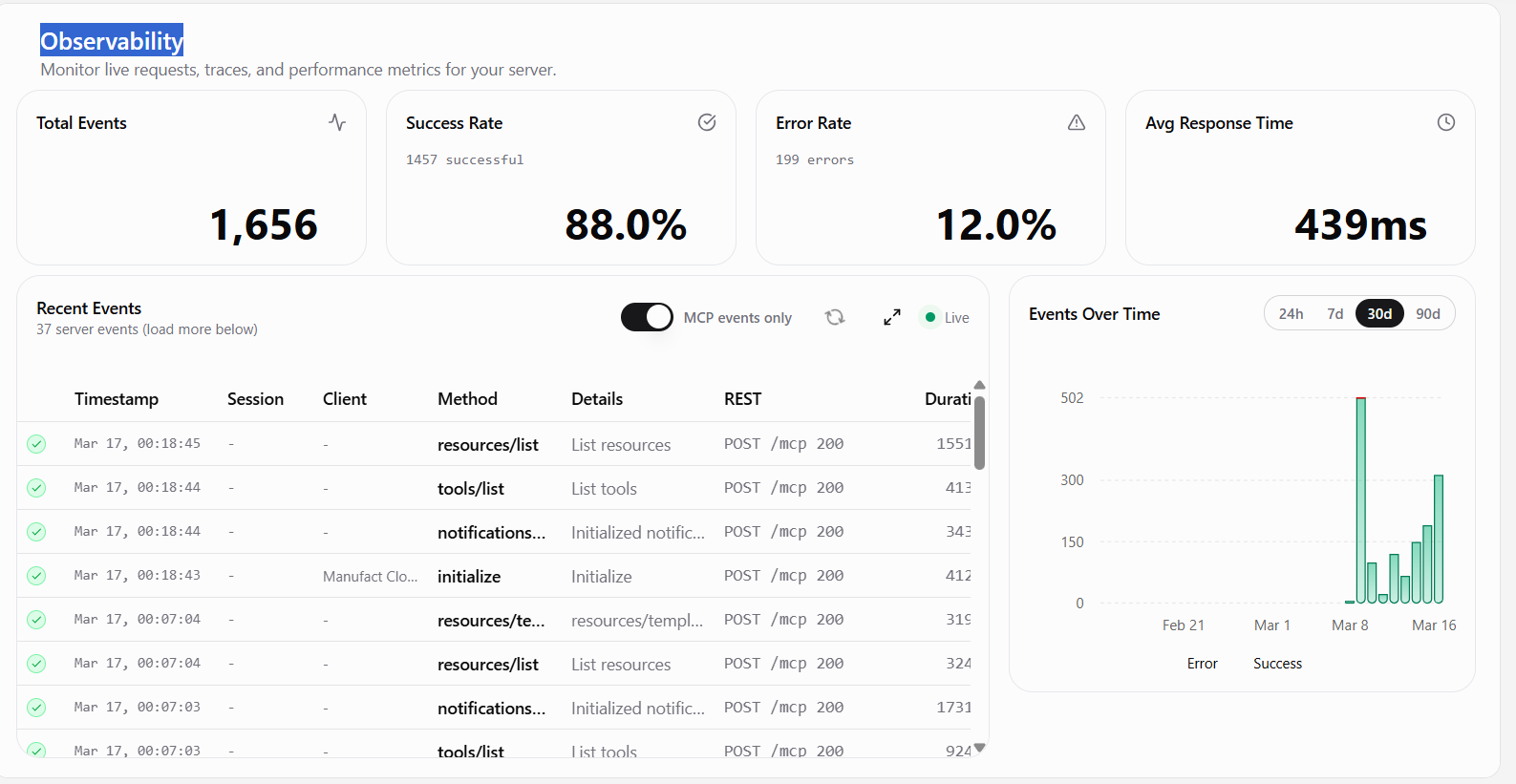
Observability based on tool call
-
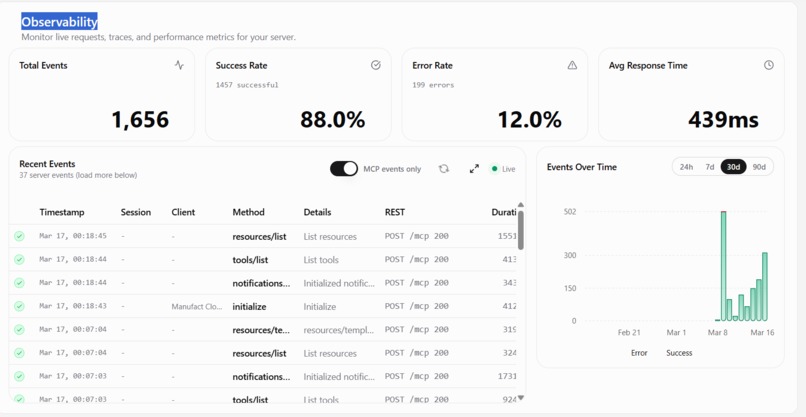
Observability
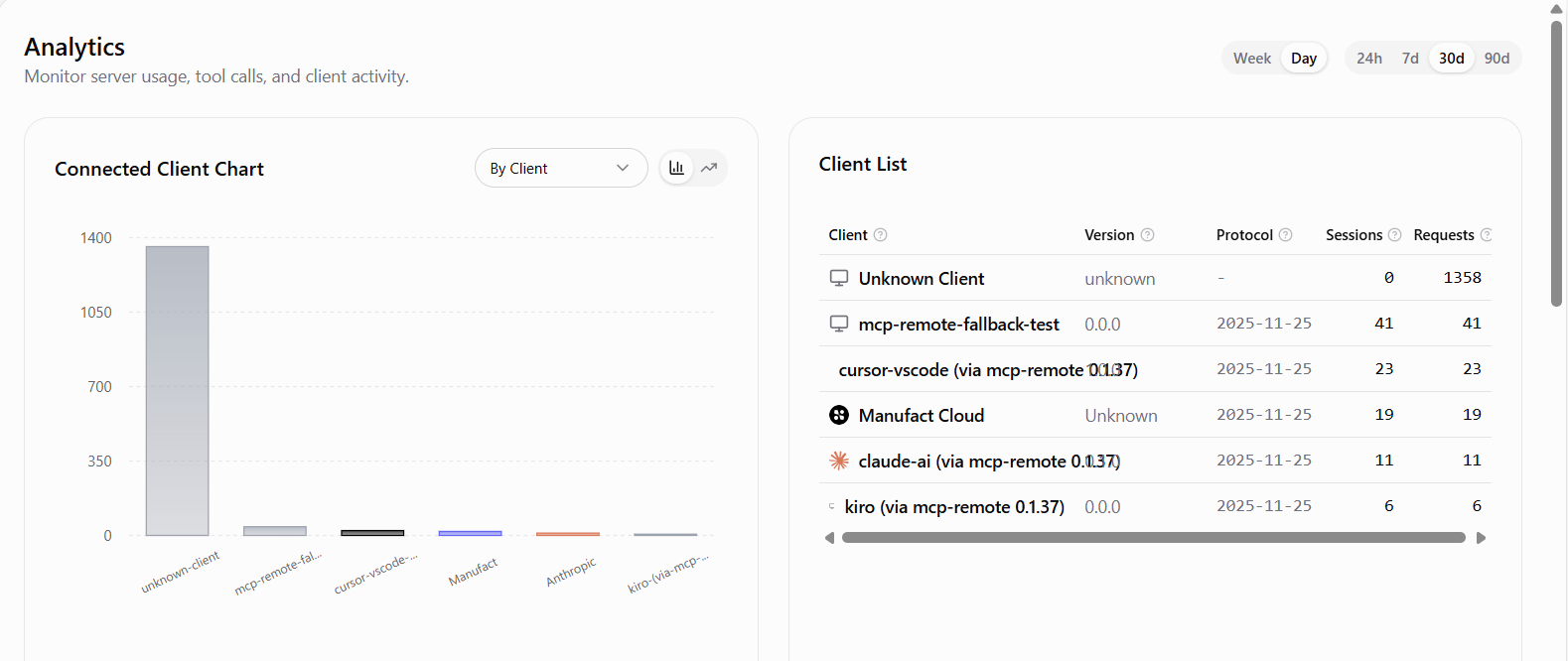
Inspiration
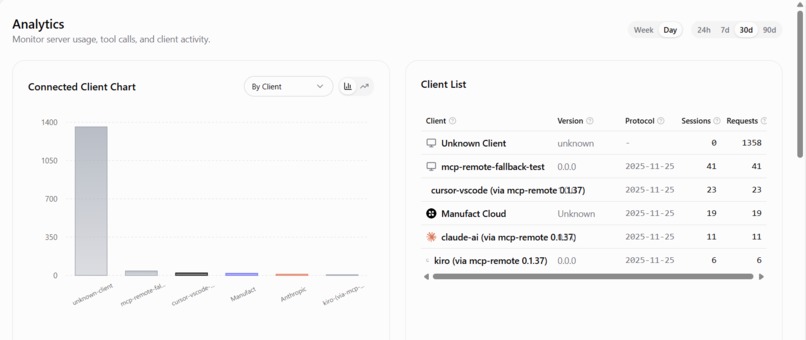
Modern AI coding assistants such as Cursor and Claude Code are highly capable when it comes to understanding source code, but they often lack visibility into what actually happens when a web application runs. Developers frequently need to debug issues related to network traffic, API calls, or JavaScript errors, which requires manually opening browser DevTools, inspecting requests, and copying logs into chat interfaces. This process is time-consuming and breaks the workflow between development and AI assistance. NetMCP was inspired by the Model Context Protocol (MCP), which allows AI systems to interact with external tools. Our goal was to give AI assistants direct access to browser activity so they could observe real network behavior instead of relying solely on static code analysis. By allowing an AI assistant to navigate to a URL, capture network traffic, and query it using natural language, NetMCP transforms browser behavior into structured data that AI systems can analyze and reason about.
What it does
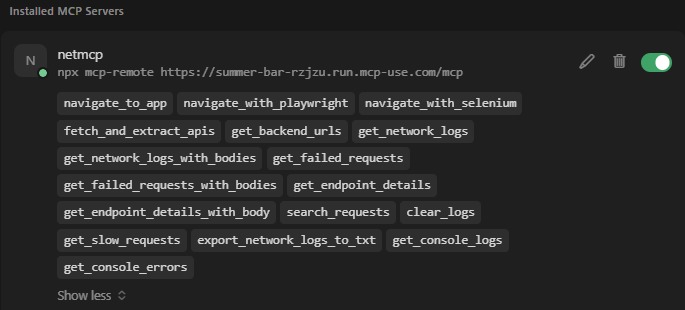
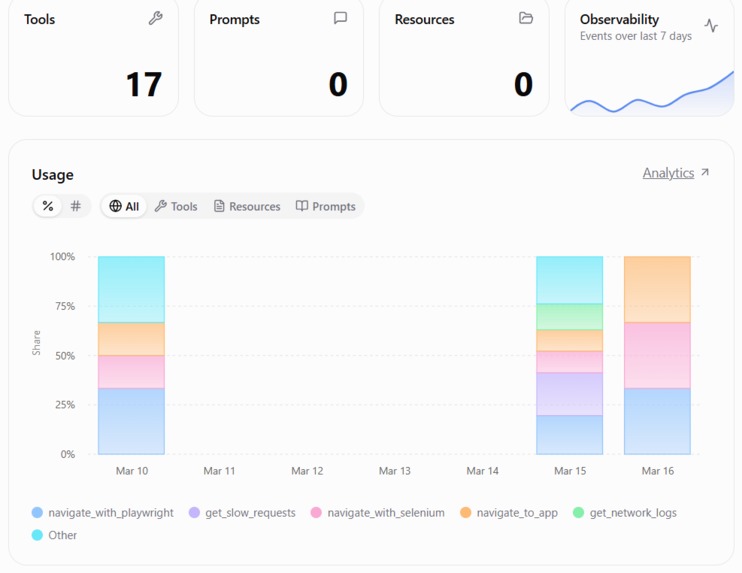
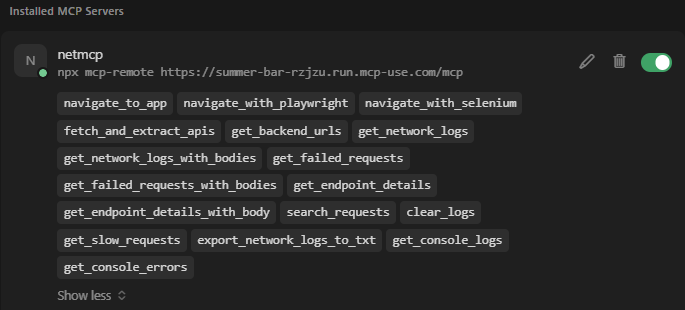
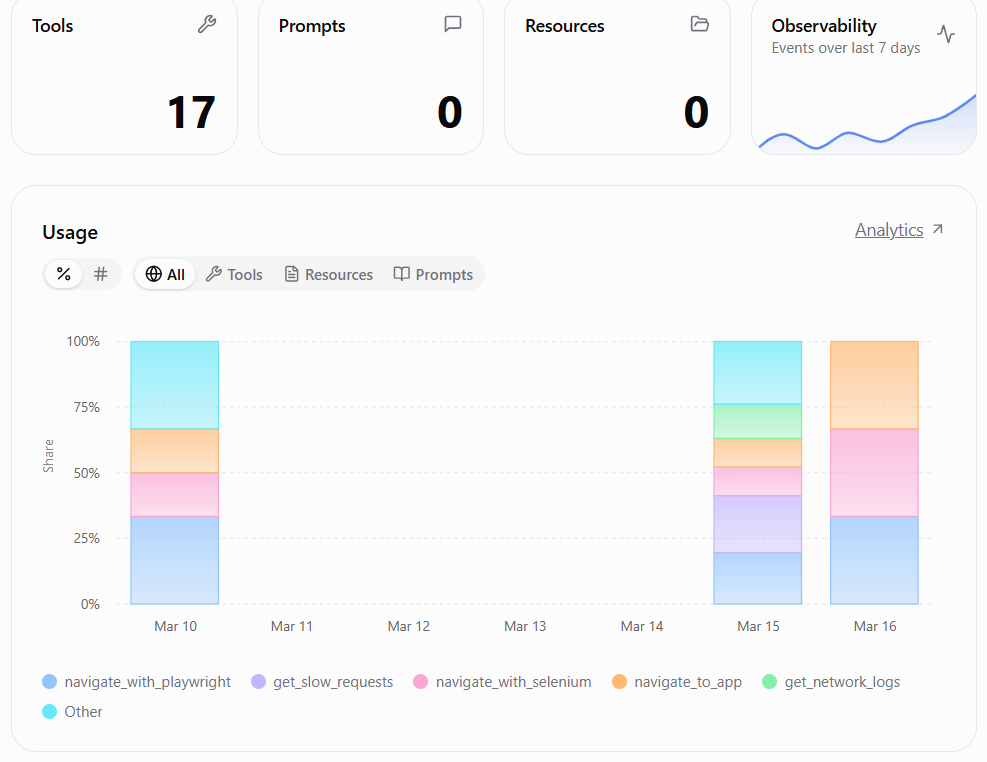
NetMCP is an MCP server that enables AI assistants to capture and analyze network activity from web applications. It can open any webpage in a browser environment using Playwright and record HTTP requests, XHR or fetch calls, and optionally response bodies. Alongside network data, NetMCP also captures console logs, including errors, warnings, and informational messages, allowing developers and AI assistants to correlate front-end errors with backend API failures. In addition to browser-based capture, NetMCP includes a capability called fetch_and_extract_apis, which retrieves a webpage and analyzes its HTML and JavaScript to extract backend API endpoints. This feature is particularly useful in environments where running a browser is not possible, such as AWS Lambda. Once data is captured, AI assistants can query the stored network logs using tools such as get_network_logs, get_failed_requests, search_requests, and get_console_errors. These tools allow the AI to identify failed requests, detect slow API responses, locate backend endpoints used by the application, and surface JavaScript runtime issues.
NetMCP also provides higher-level analysis tools that automate common debugging tasks. For example, the check_signup_flow tool automatically navigates through a signup process and analyzes form submissions, errors, and network responses. The analyze_web_app tool provides a broader inspection of a site’s behavior, while smart_navigate allows automated navigation with scrolling and form interactions. Another tool, test_api_endpoint, allows direct testing of backend APIs. These capabilities allow developers to ask questions such as why a signup process fails, which APIs are called by a webpage, or which network requests are returning errors, and receive structured insights generated by the AI assistant.
How we built it
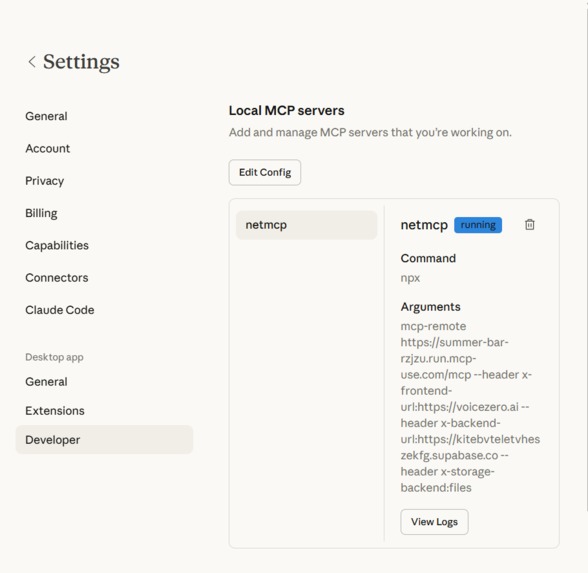
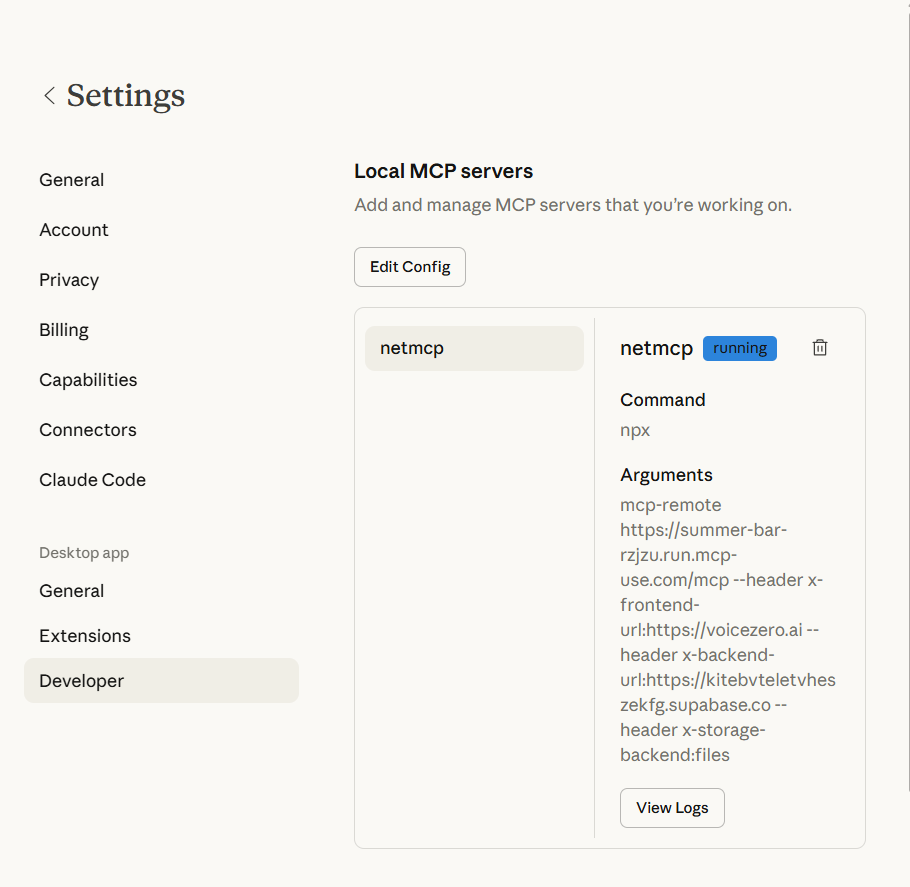
NetMCP is implemented as a Python-based MCP server using FastAPI and FastMCP. All tools are registered within the system and exposed through an HTTP endpoint (/mcp), which allows AI assistants such as Cursor or Claude to interact with them through stateless JSON-RPC requests. Browser automation is handled primarily through Playwright, with Selenium provided as an optional alternative. These tools enable the system to observe the full lifecycle of network requests, capture responses, and log console activity while navigating web pages.
For data storage, NetMCP supports two backends. During local development, network data is stored in JSONL files for simplicity and speed. In cloud deployments, DynamoDB is used for scalable storage with on-demand capacity and automatic record expiration through a 24-hour TTL configuration. Deployment to AWS is handled through the Serverless Application Model (SAM), which defines infrastructure components including API Gateway, Lambda, and DynamoDB. The FastAPI application runs within Lambda using the Mangum adapter. Since Lambda environments do not support running a browser, features requiring Playwright are disabled in the cloud environment, while API extraction and network analysis tools remain available.
NetMCP also includes additional integrations to make data ingestion flexible. A Chrome extension can capture network traffic from DevTools and send it to the NetMCP ingest API. A Node.js proxy can log requests from applications and forward them to the same endpoint. The MCP server can also run inside a Docker container, and configuration is managed through mcp.json and environment variables that specify frontend URLs, backend endpoints, storage backends, and ingestion filters.
Challenges we ran into
One of the primary challenges was the limitation of running browser automation in AWS Lambda. Playwright requires a Chromium environment, which is not supported in the standard Lambda runtime. Instead of attempting to force browser execution in the cloud, we redesigned the system to operate in two modes. In the local environment, NetMCP performs full browser-based capture using Playwright. In the cloud environment, the system focuses on extracting API endpoints and querying stored network logs. This separation ensures the project remains functional and efficient across both environments.
Another challenge involved designing the MCP communication layer. AI clients typically interact with MCP servers through a single HTTP endpoint, which meant our system needed to operate without persistent connections or session state. We implemented a stateless JSON-RPC interface so that each request contains all necessary information, making the system compatible with Lambda’s request-response model.
Cost management was another important consideration. Serverless systems can generate unexpected expenses if left uncontrolled. To mitigate this risk, the AWS deployment includes built-in safeguards such as billing alarms, cost anomaly detection, Lambda concurrency limits, DynamoDB on-demand capacity, record expiration via TTL, and short CloudWatch log retention. These measures help keep typical monthly costs within a modest range while still supporting moderate usage.
Accomplishments that we're proud of
One of the key achievements of NetMCP is the ability to run the same core system across two different environments without modifying the codebase. The project operates locally with file storage and browser automation, while the cloud deployment uses DynamoDB and serverless infrastructure. Switching between environments requires only configuration changes.
Another accomplishment is the breadth of debugging tools provided to AI assistants. NetMCP includes both low-level inspection tools for examining network logs and high-level automation tools that analyze complex user flows. This design allows developers to ask natural language questions and receive targeted insights without manually parsing large volumes of logs.
Capturing network traffic and console logs within the same session is another major benefit. Combining these data sources allows developers and AI systems to correlate backend API failures with front-end errors more easily, leading to faster debugging and clearer insights.
Finally, we focused on making the system production-ready. The project includes scoped IAM permissions, cost protection mechanisms, DynamoDB data expiration, and detailed deployment documentation. This ensures that teams can deploy and use NetMCP confidently without unexpected operational challenges
What we learned
Through building NetMCP, we learned that MCP-based architectures work particularly well in serverless environments. Stateless JSON-RPC communication aligns naturally with Lambda’s execution model and simplifies integration with AI tools. FastMCP also proved effective for exposing multiple tools through a single interface.
We also discovered that browser-based debugging and serverless environments impose fundamentally different constraints. Rather than forcing a single solution, adopting a dual-mode design allowed us to leverage the strengths of each environment while maintaining system reliability.
Another important lesson was the value of cost protection when working with cloud infrastructure. Implementing billing alarms and anomaly detection provides peace of mind when sharing or deploying the project at scale.
Finally, we observed that tool design plays a crucial role in AI usability. Clearly named tools with descriptive functionality significantly improve the ability of AI assistants to choose the correct operation when responding to user queries.
What's next for Netmcp
In the future, we plan to extend NetMCP’s capabilities by adding deeper protocol support. Currently, the system captures WebSocket upgrade requests but does not record frame-level communication. Future versions will include WebSocket frame capture and analysis, as well as support for additional protocols such as gRPC where feasible.
We also aim to introduce more automated debugging workflows that handle common user journeys such as login processes, checkout flows, and other critical application paths. These workflows will include optional assertions to verify expected behavior and detect regressions.
Another planned improvement involves integrating scheduling and continuous integration workflows. By running automated checks at regular intervals or during CI pipelines, NetMCP could help teams detect API regressions and performance issues early.
Additionally, we plan to improve handling of large or binary responses through smarter sampling and summarization techniques. This will allow NetMCP to maintain efficient capture speeds while keeping storage usage manageable.
Finally, future versions will support authenticated workflows through persistent cookies, stored sessions, and multi-tab navigation. This will allow AI assistants to inspect complex user flows that require login or session-based authentication.
Built With
- amazon-cloudwatch
- amazon-sns
- amazon-web-services
- cloudformation
- fastapi
- mcp
- python


Log in or sign up for Devpost to join the conversation.