-
-
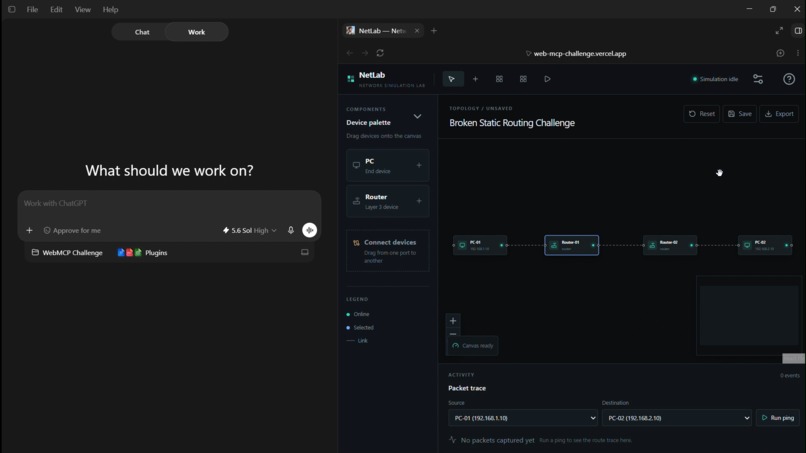
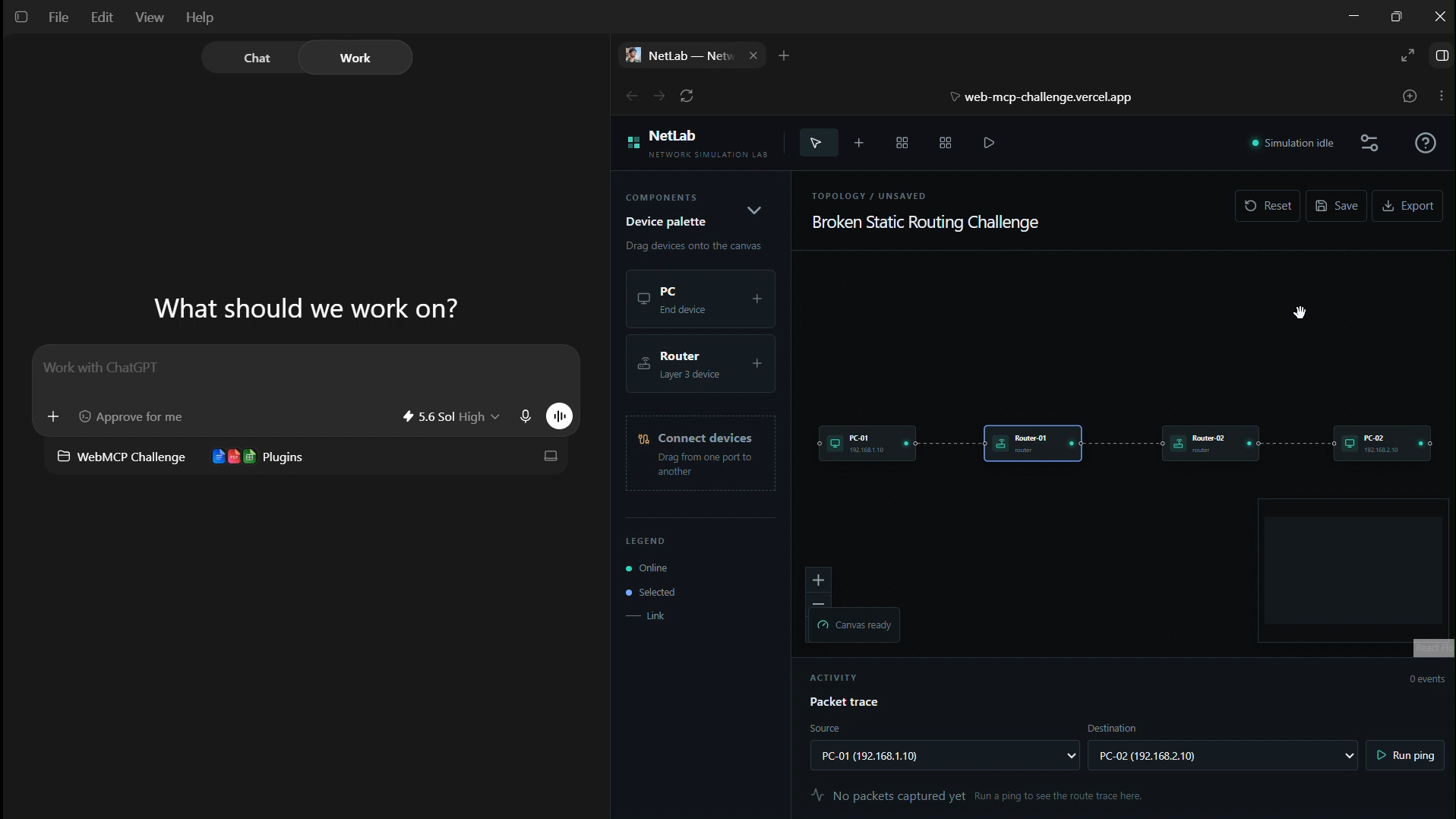
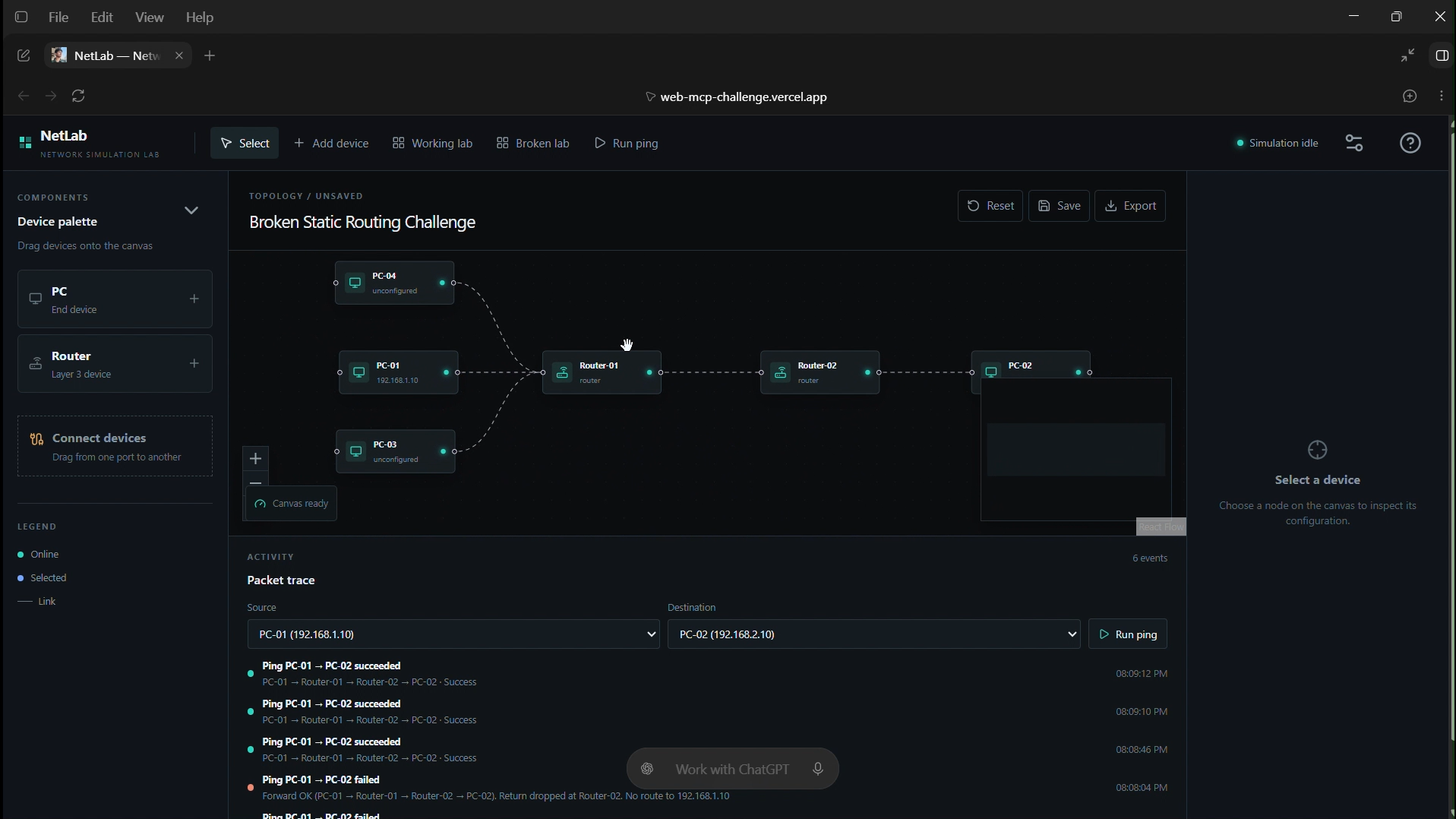
Website opened inside ChatGPT Browser
-
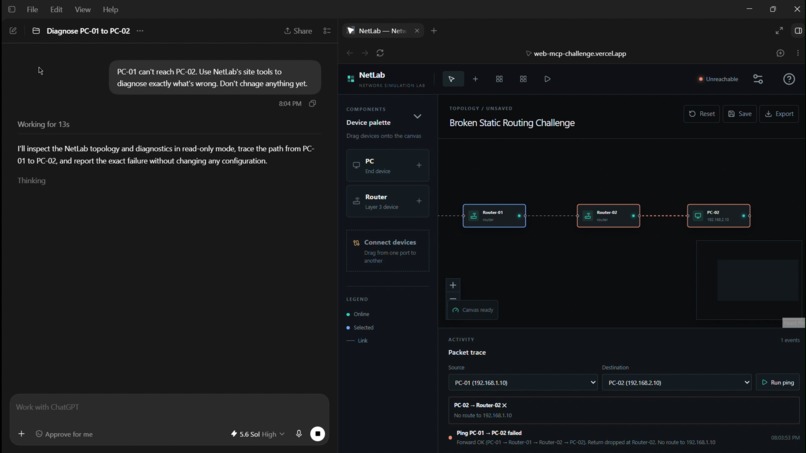
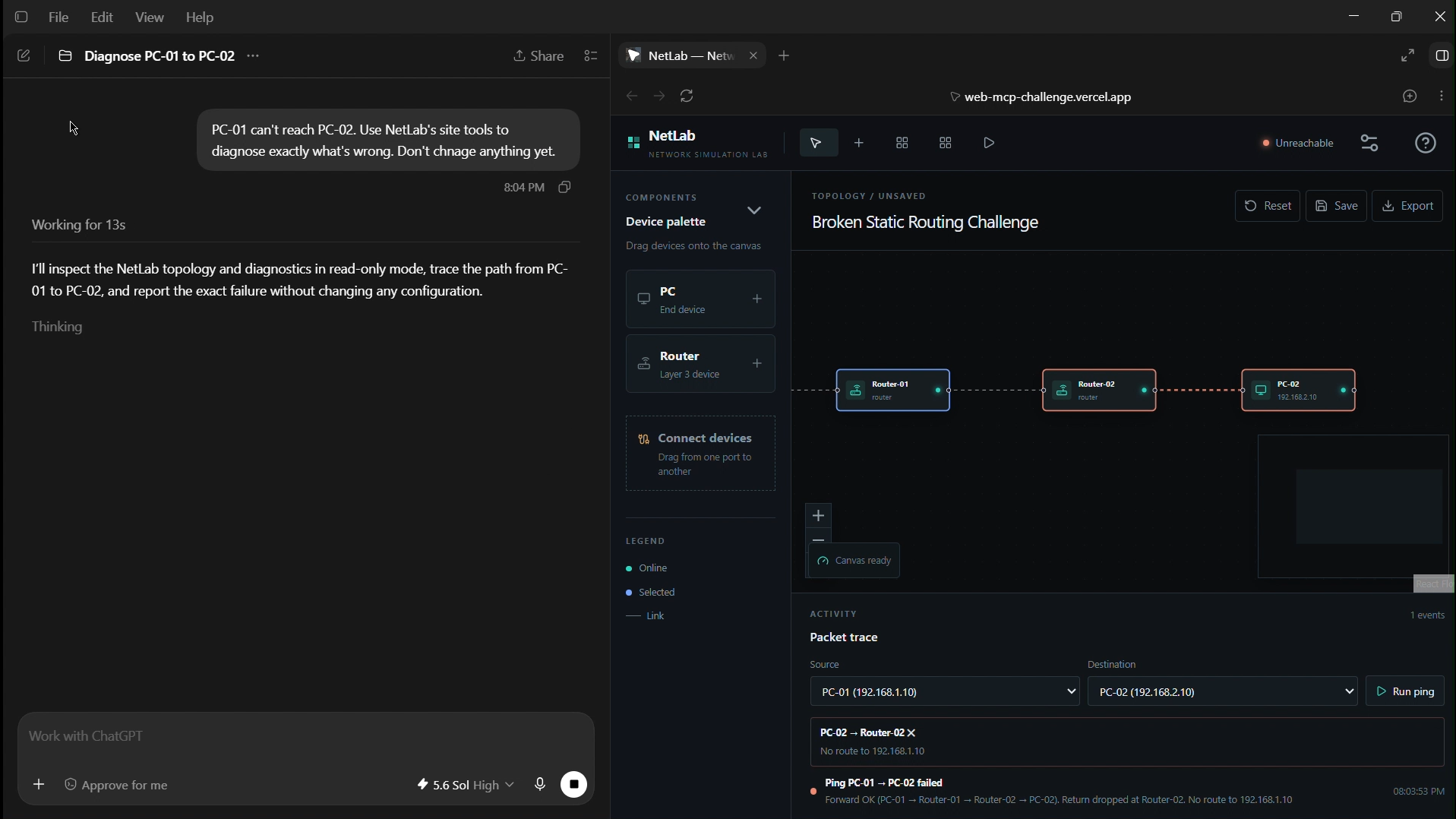
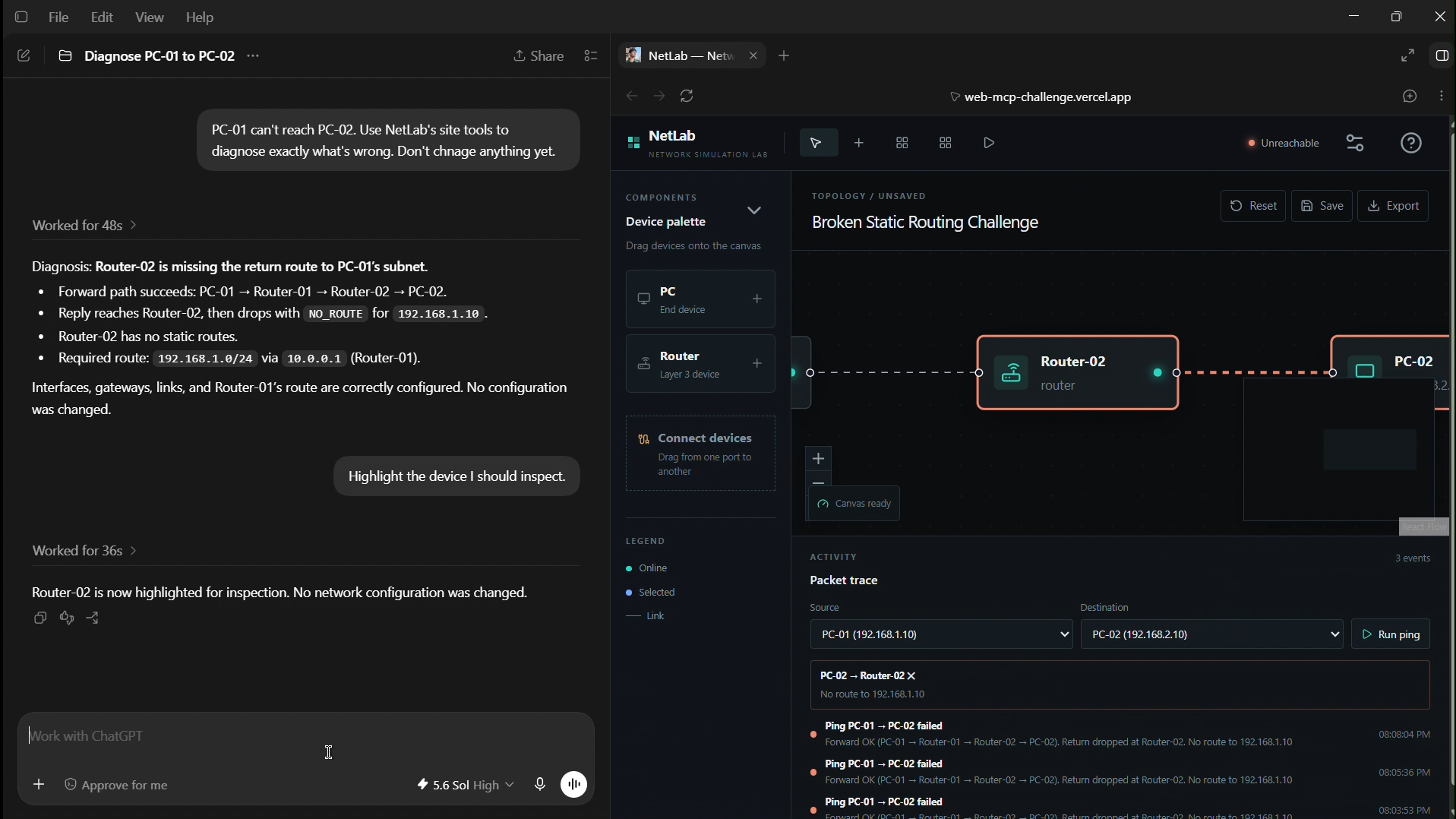
ChatGPT Diagnosing with the help of WebMCP tools
-
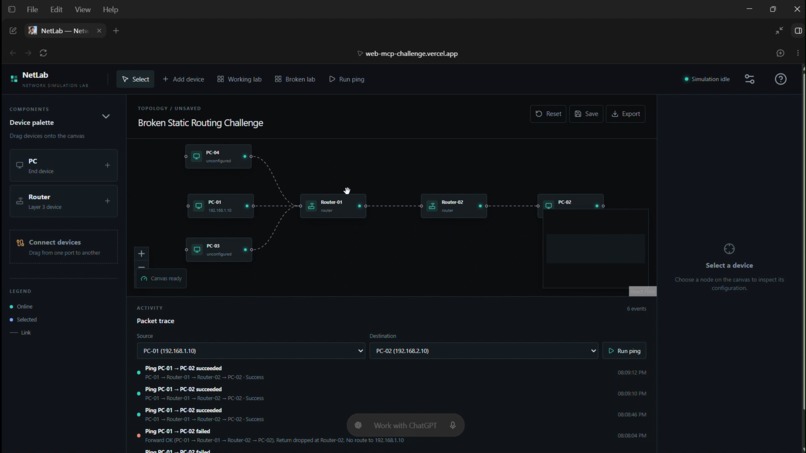
NetLab Network Creation
-
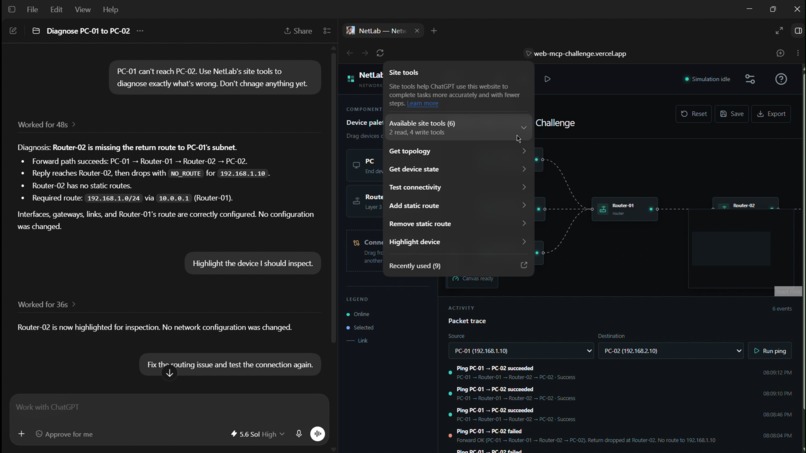
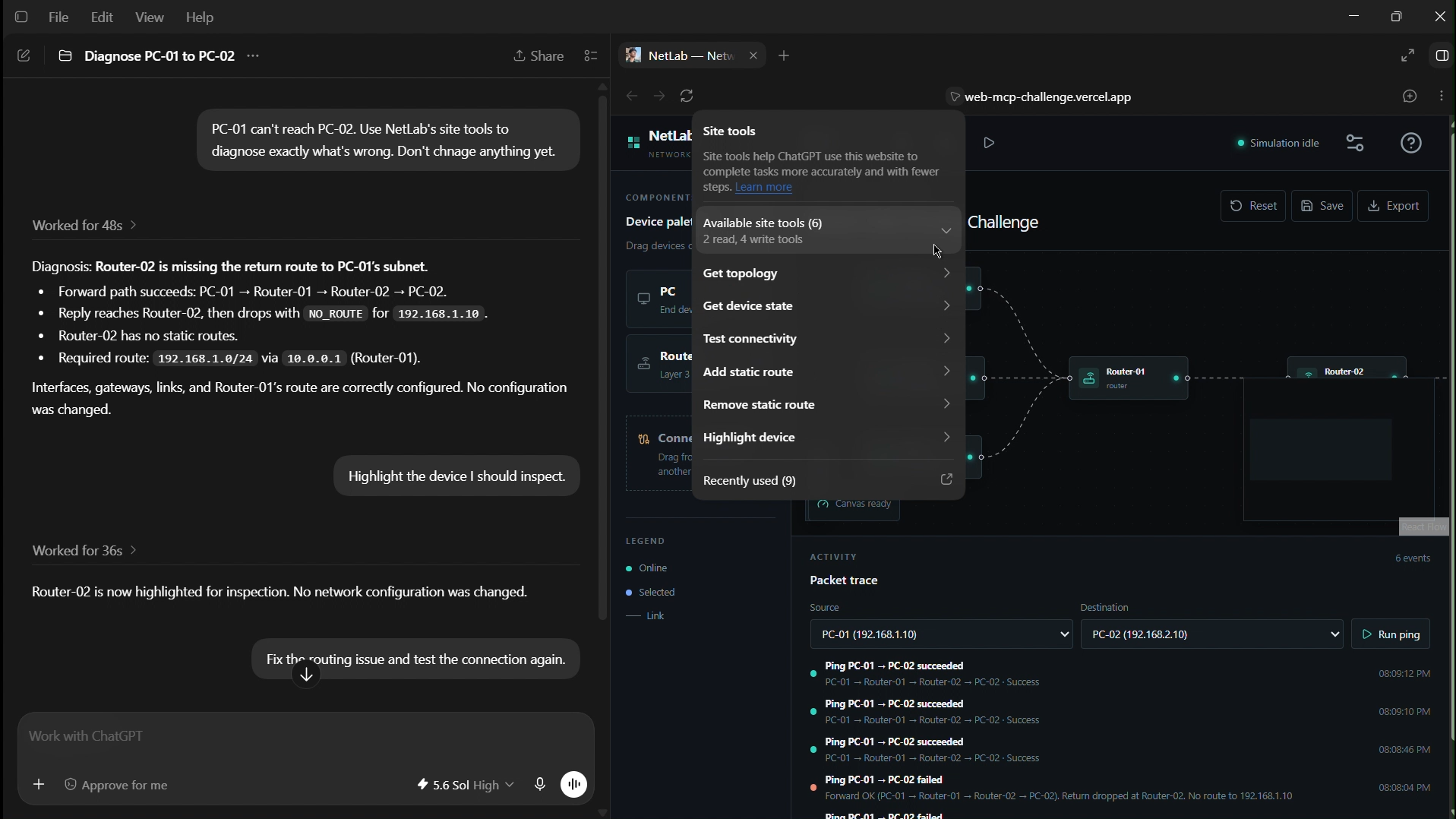
NetLab exposed WebMCP Tools used by ChatGPT
-
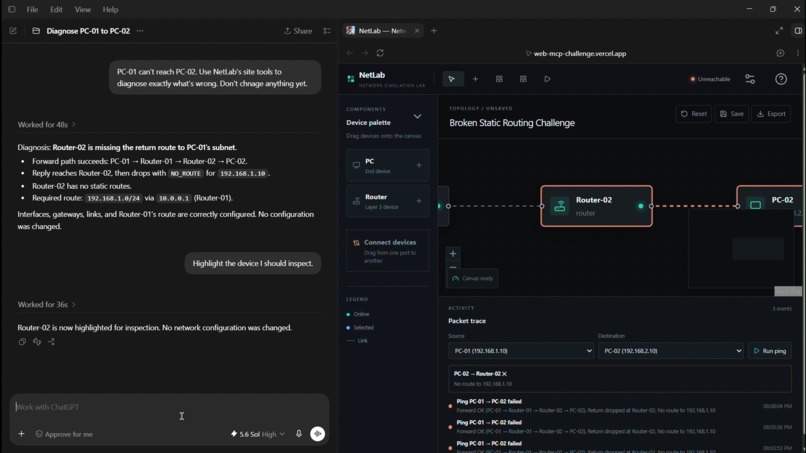
ChatGPT highlighting the faulty node in network through the highlight_node tool
-
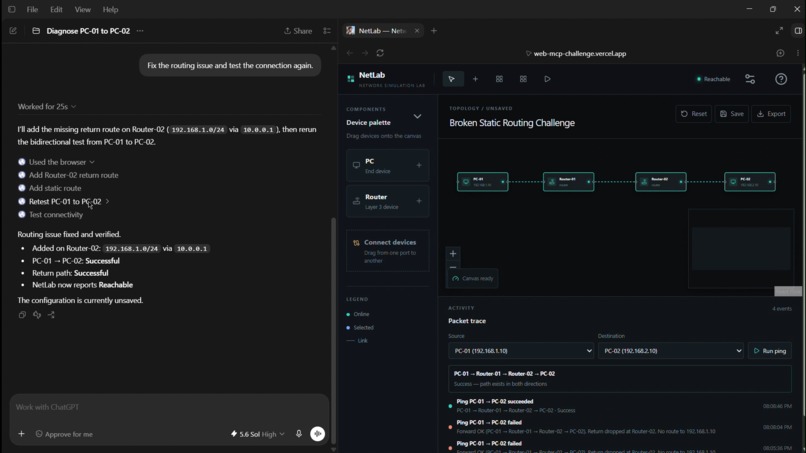
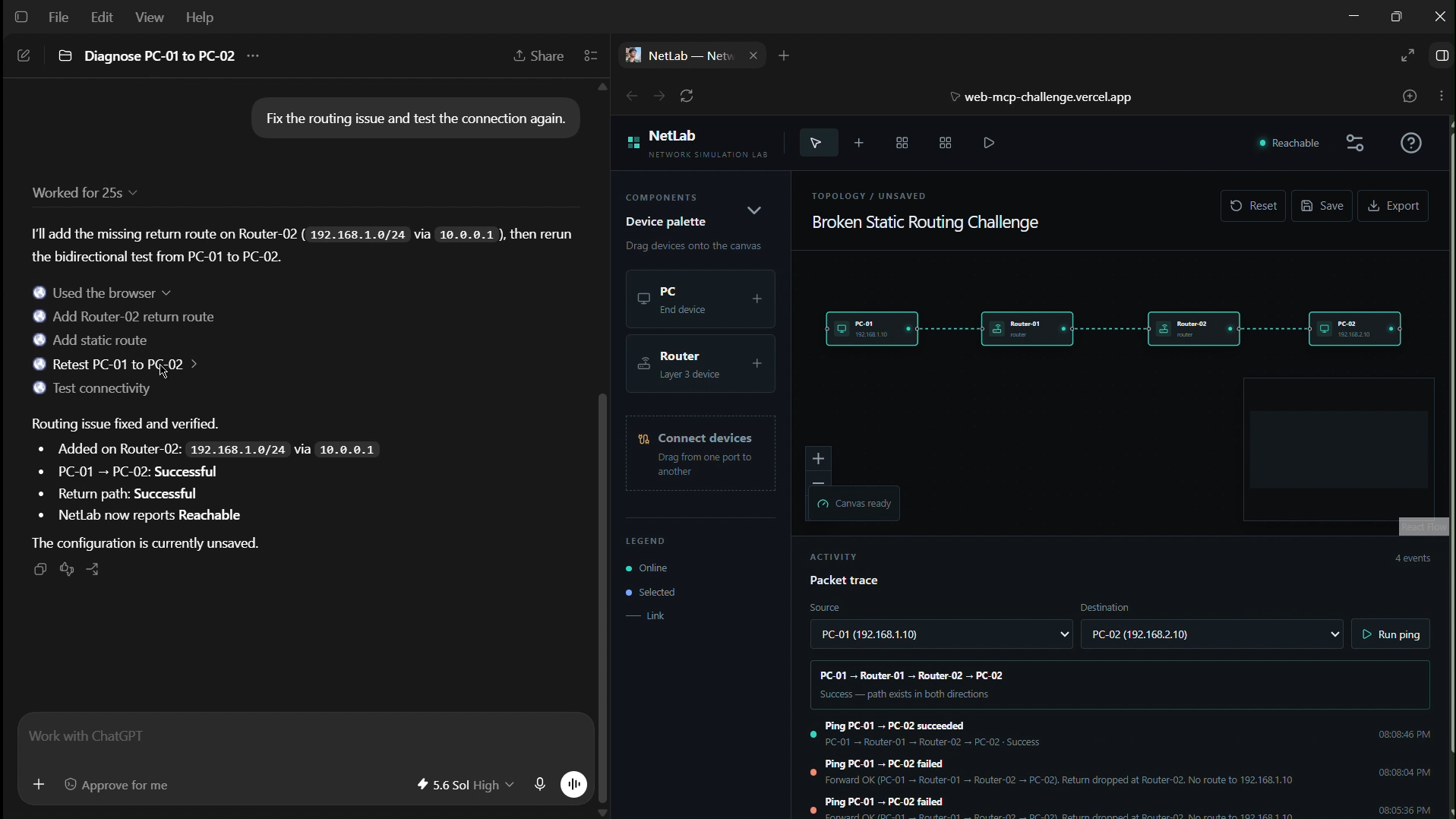
ChatGPT fixing the faulty node through the WebMCP Tool
Inspiration
Network simulators are great for learning because you can experiment with routers, IP addresses, gateways and routes without needing physical networking hardware.
But when something breaks, the experience is still very manual. A topology may look perfectly fine while one incorrect gateway or missing route prevents two machines from communicating. You then have to open devices one by one, inspect their interfaces and routing tables, run tests, and work backwards until you find the problem.
That felt like a good place to explore WebMCP.
Instead of building another chatbot inside a simulator, I wanted to see what would happen if the simulator itself became understandable and operable by an external AI agent, while the user continued working in the same interface.
That became NetLab.
What NetLab does
NetLab is a lightweight browser-based network simulation lab.
A user can:
- create PCs and routers
- connect and disconnect devices
- configure IPv4 addresses and CIDR prefixes
- configure default gateways
- configure router interfaces
- add and remove static routes
- load working and intentionally broken network labs
- run connectivity tests
- see the forward and return packet paths
- inspect exactly where and why routing fails
The networking behavior is handled by NetLab itself.
It has a deterministic client-side simulation engine for IPv4 addressing, subnet logic, gateways, directly connected networks, static routing and bidirectional reachability.
In other words, the language model does not decide whether a network works.
ChatGPT reasons about the result; NetLab decides the result.
Why WebMCP fits this use case
A network simulator contains much more state than what is immediately visible on the canvas.
Two routers may look correctly connected while their interface addresses or routing tables make communication impossible.
Without structured access, an agent would have to inspect the UI, open individual devices, read form fields, understand what each control represents and then attempt to operate the application through the interface.
With WebMCP, NetLab exposes meaningful networking capabilities directly.
The current site tools are:
get_topologyget_device_statetest_connectivityhighlight_deviceadd_static_routeremove_static_route
This allows ChatGPT to work with the actual network state rather than infer it from screenshots.
For example, in the included Broken Static Routing Challenge:
- PC-01 cannot reach PC-02.
- ChatGPT reads the live topology.
- It runs NetLab's connectivity simulator.
- It inspects the relevant router.
- It identifies the missing return route.
- It can highlight that router directly in the user's canvas.
- When asked, it adds the missing static route.
- It runs the simulator again and NetLab verifies that connectivity now succeeds.
The important part is that the human and the agent are not working with separate copies of the network.
They are both operating the same live lab state.
If the human changes the network manually, the next tool call sees that change. If the agent modifies a route, the user immediately sees it in the same inspector.
How I built it
I first built NetLab as a normal network simulator before adding WebMCP.
The application uses a visual topology canvas for manipulating devices and connections, while the network itself is represented as structured client-side state.
The simulator implements the core Layer-3 logic separately from the UI so that both human actions and agent actions can reuse the same behavior.
At a high level:
Human UI → Application actions → Shared lab state → Network simulator
and:
WebMCP tools → Application actions → Shared lab state → Network simulator
This was important because I did not want a separate "AI version" of NetLab's behavior.
The WebMCP tools are registered using the imperative API through document.modelContext.registerTool(...).
Read tools expose concise networking state instead of React or framework internals, and write tools reuse the same application actions used by the normal interface.
Everything currently runs client-side. NetLab does not require a backend or an embedded AI model.
Challenges
The first challenge was scope.
It would have been very easy to turn this into an attempt to recreate Packet Tracer, which was neither realistic nor necessary for the idea I wanted to demonstrate.
So I deliberately kept the networking scope focused on PCs, routers, IPv4, CIDR, default gateways and static routing. This was enough to make troubleshooting real without pretending NetLab was a full network emulator.
The second challenge was keeping the simulator trustworthy.
Connectivity needed to come from deterministic network logic rather than from the AI. That meant handling forward and return paths, subnet checks, next-hop resolution, static-route matching and useful failure conditions correctly.
The third challenge was WebMCP itself.
Tool design mattered more than simply exposing lots of functions. I kept the surface intentionally small and domain-specific so an agent could clearly understand when to inspect the network, when to run a simulation and when to make a routing change.
Testing was also interesting because WebMCP is still emerging. I verified the tools directly in Chrome with WebMCP testing enabled and then tested the full human-agent workflow inside ChatGPT's in-app browser.
What I learned
The biggest thing I learned from this project is that making a web application "agent-native" is not the same as adding AI to it.
The useful part is deciding which pieces should remain deterministic application logic, which capabilities should be exposed as tools, and where the human should stay in control.
For NetLab:
- the simulator owns networking truth
- WebMCP exposes structured capabilities
- the agent reasons over those capabilities
- the human still sees and controls the live workspace
That division ended up being much more interesting than simply asking an LLM to operate the UI.
What's next
NetLab is intentionally a small Layer-3 simulator today, but the same interaction model could extend much further.
Future versions could explore switches, VLANs, ARP, DHCP, NAT, dynamic routing protocols and richer challenge generation.
More interesting to me is the collaborative side: an agent could generate troubleshooting labs, guide a learner without directly giving away the answer, explain packet behavior step by step, or validate a network design while the user continues modifying it manually.
For this challenge, I wanted to get the core idea right first:
a network simulator where a person and their agent can inspect, troubleshoot and change the same executable environment together.
Built With
- css
- html
- javascript
- nextjs
- react
- react-flow
- typescript
- vercel
- webmcp
- zustand


Log in or sign up for Devpost to join the conversation.