💡 Project Story
Inspiration
Every household has a WiFi router, smart devices, and phones on the network — but ask anyone what ports are open, whether their encryption is up-to-date, or if a new device just joined, and you'll get a blank stare. Tools like nmap and Wireshark exist for experts, but there's nothing for the 99% of people who just want to know: "Is my network safe?"
We wanted to build the tool we wished our parents had — something that scans your network and explains what it finds in plain English, with no jargon, no configuration, and no data leaving your device.
What it does
NetGhost is a one-click network security scanner that:
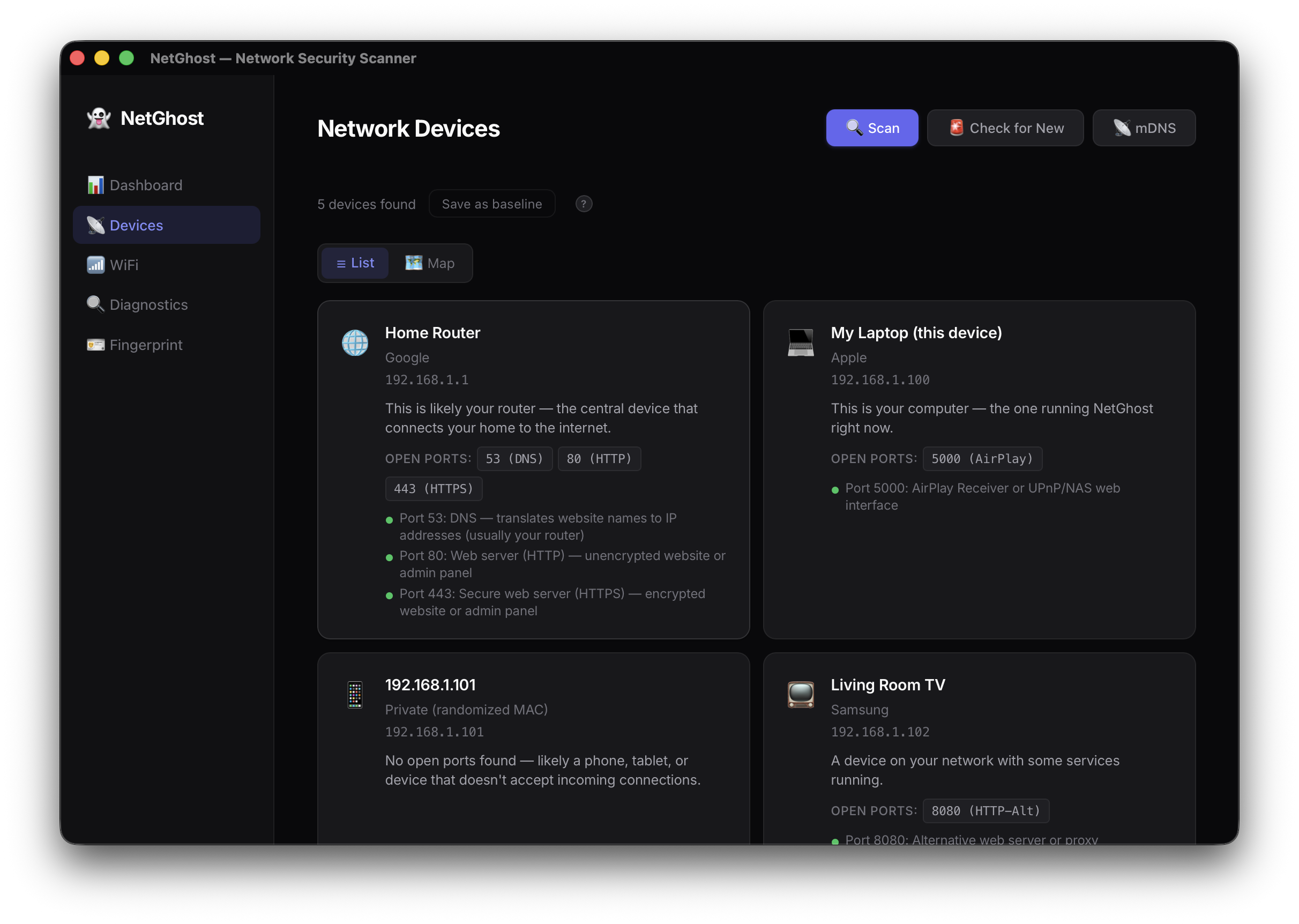
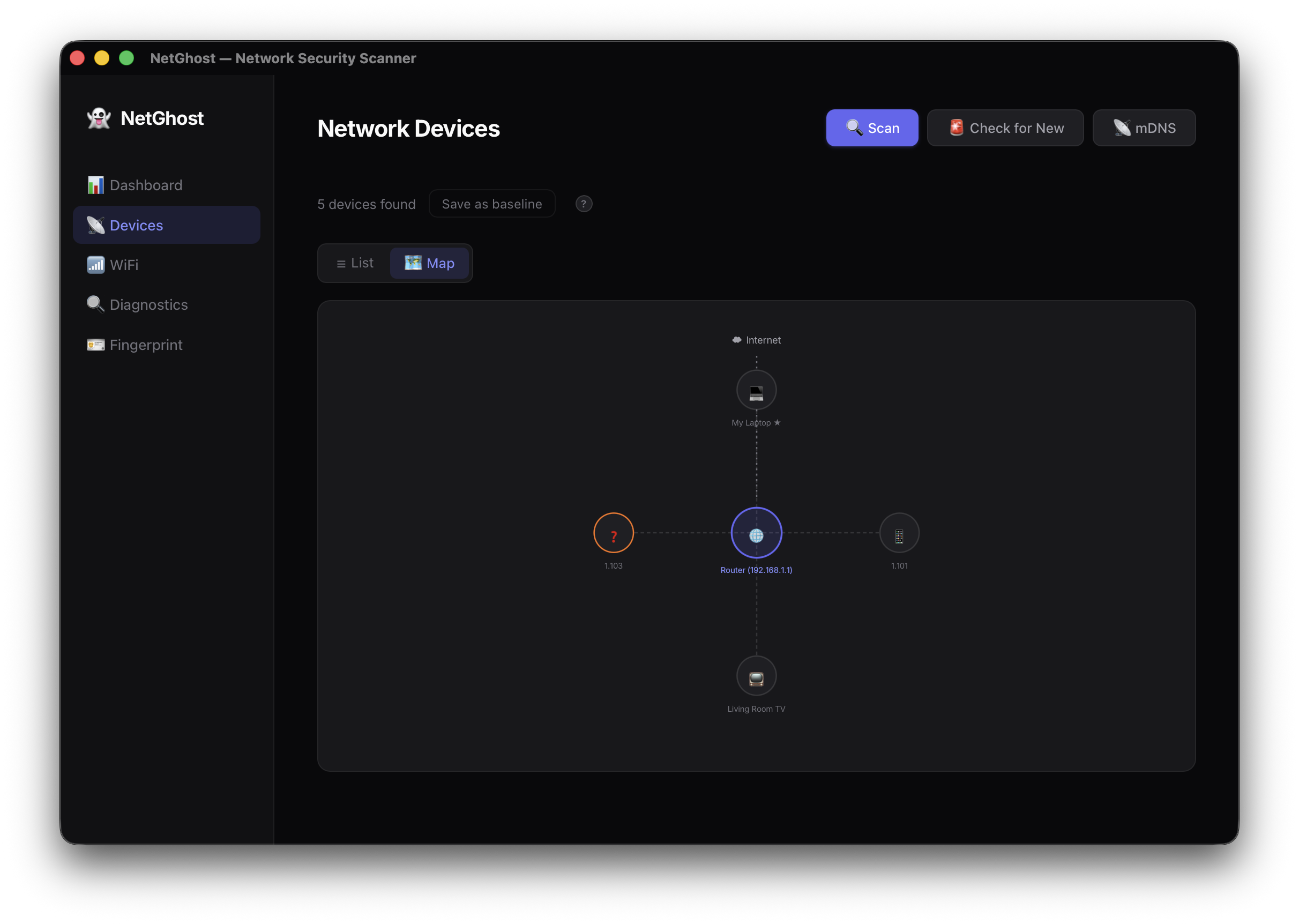
- Discovers all devices on your network and identifies them (router, phone, TV, unknown)
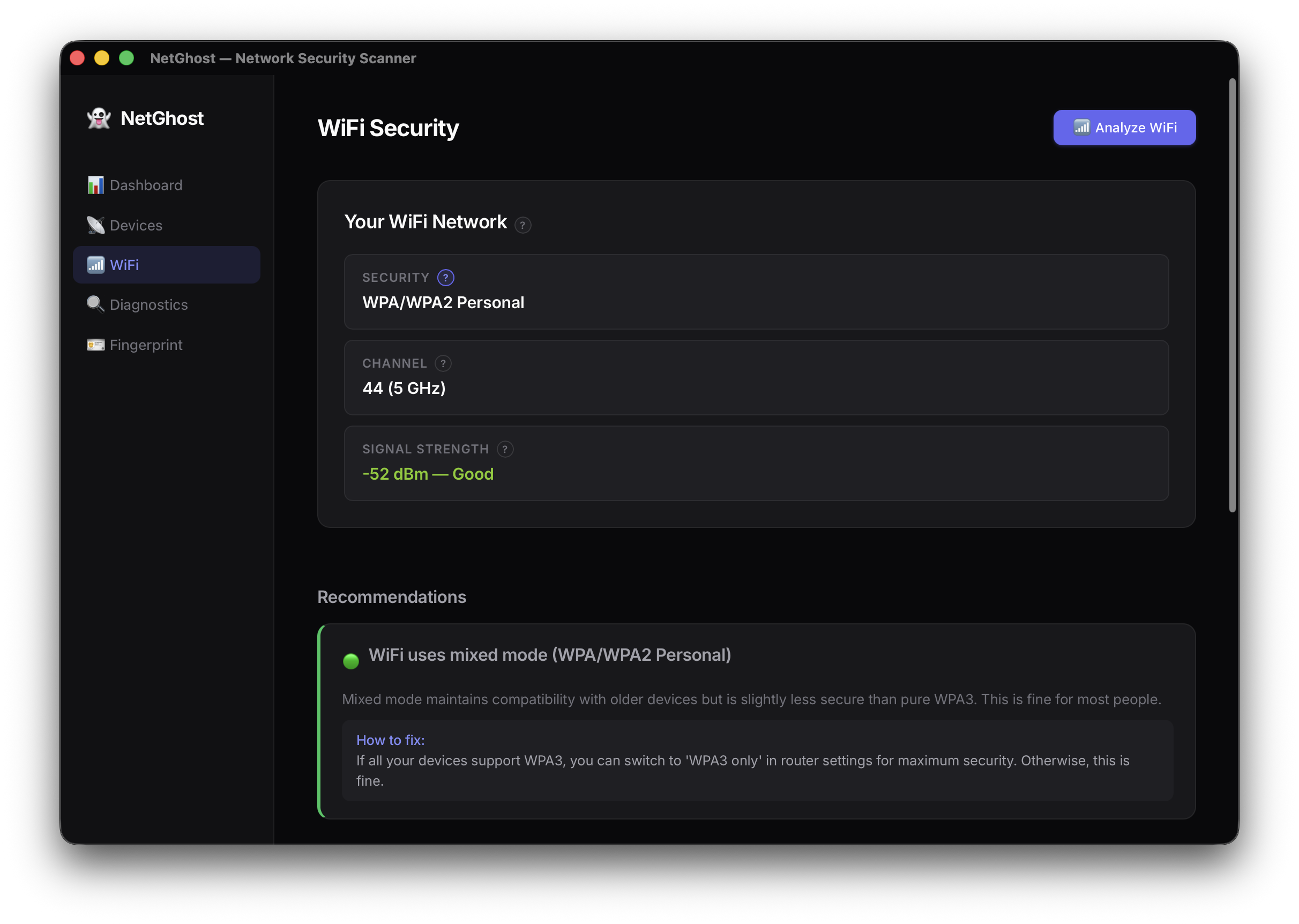
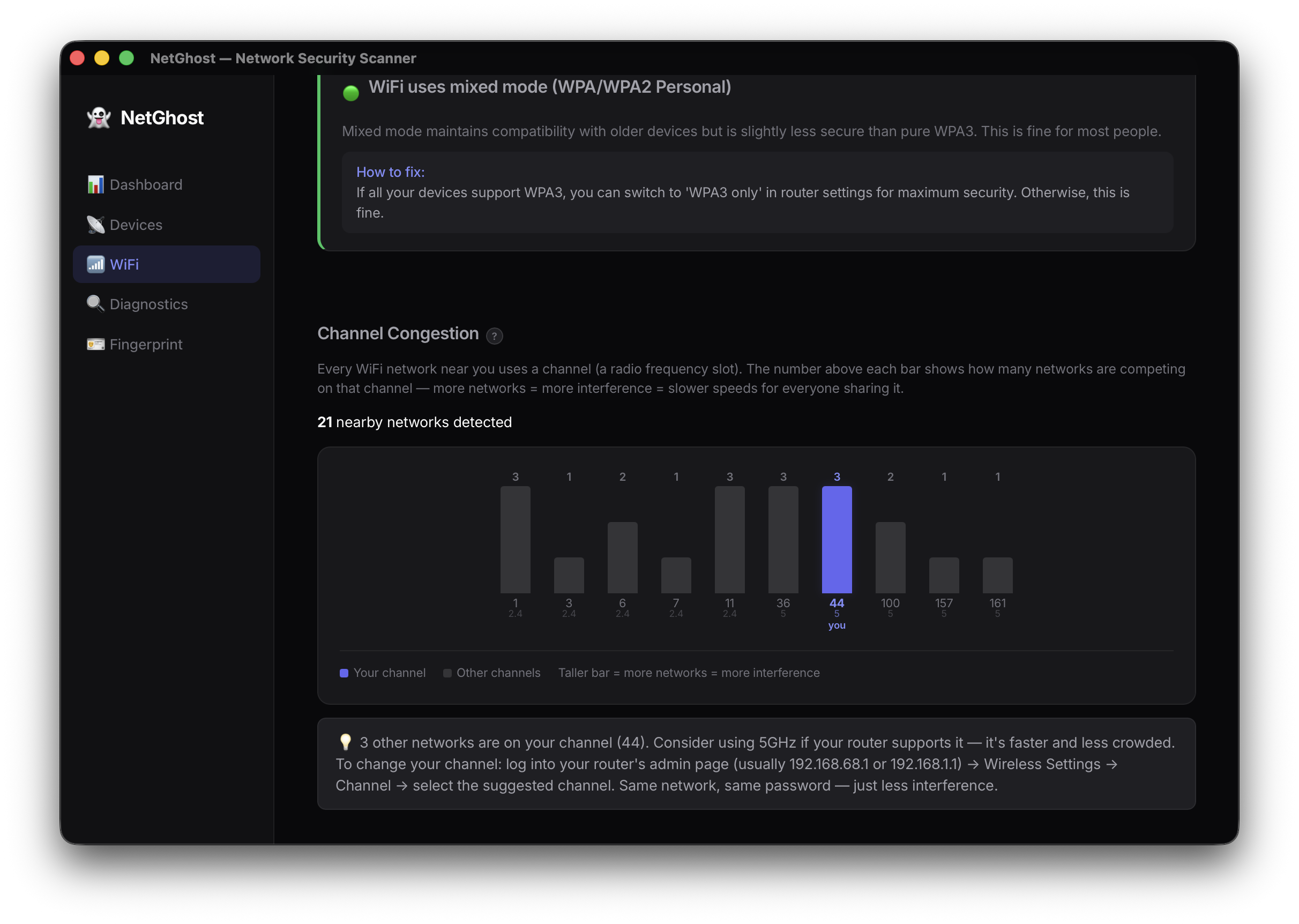
- Checks WiFi encryption and channel congestion with a visual chart
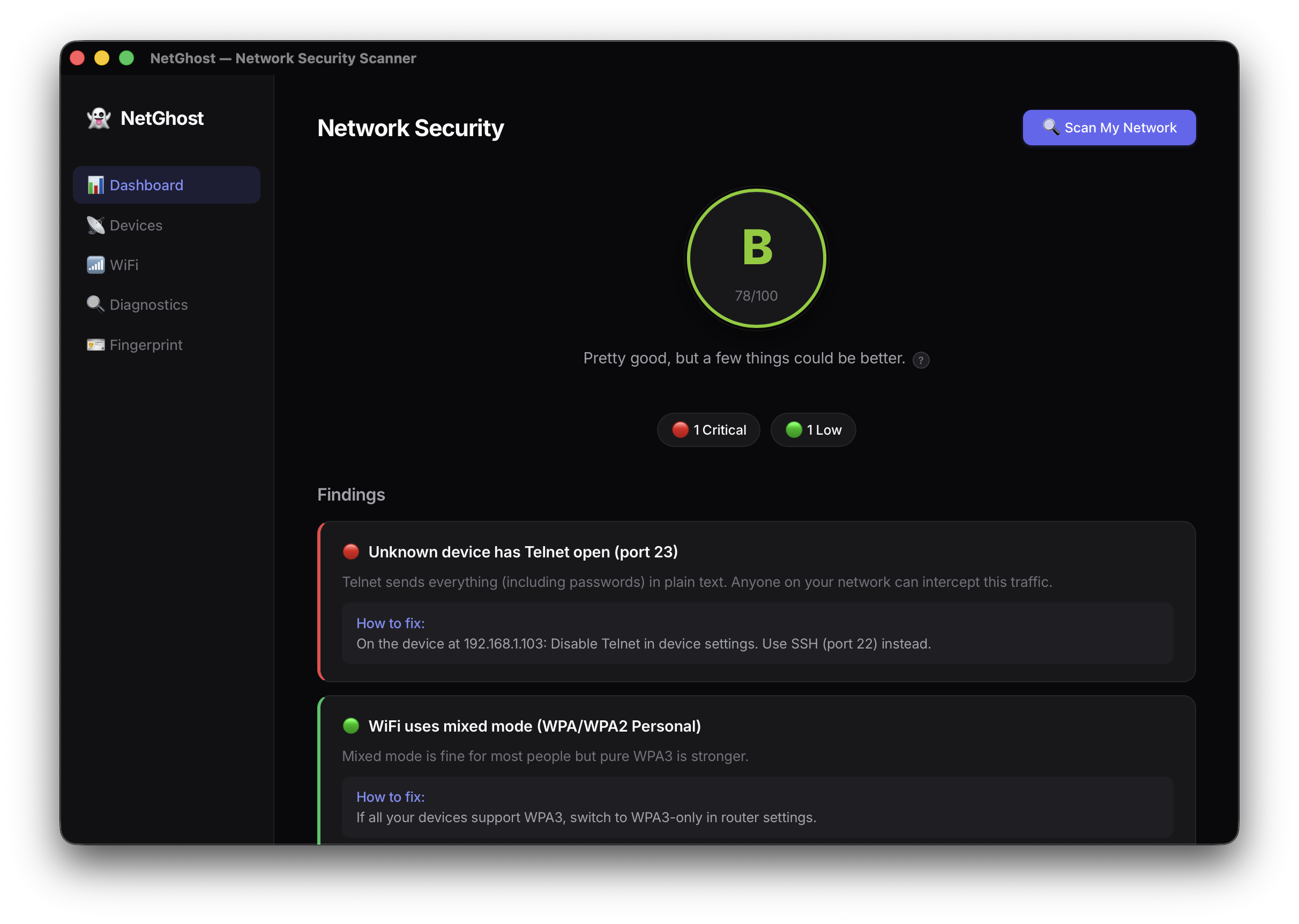
- Grades your overall security A–F with a prioritised fix list
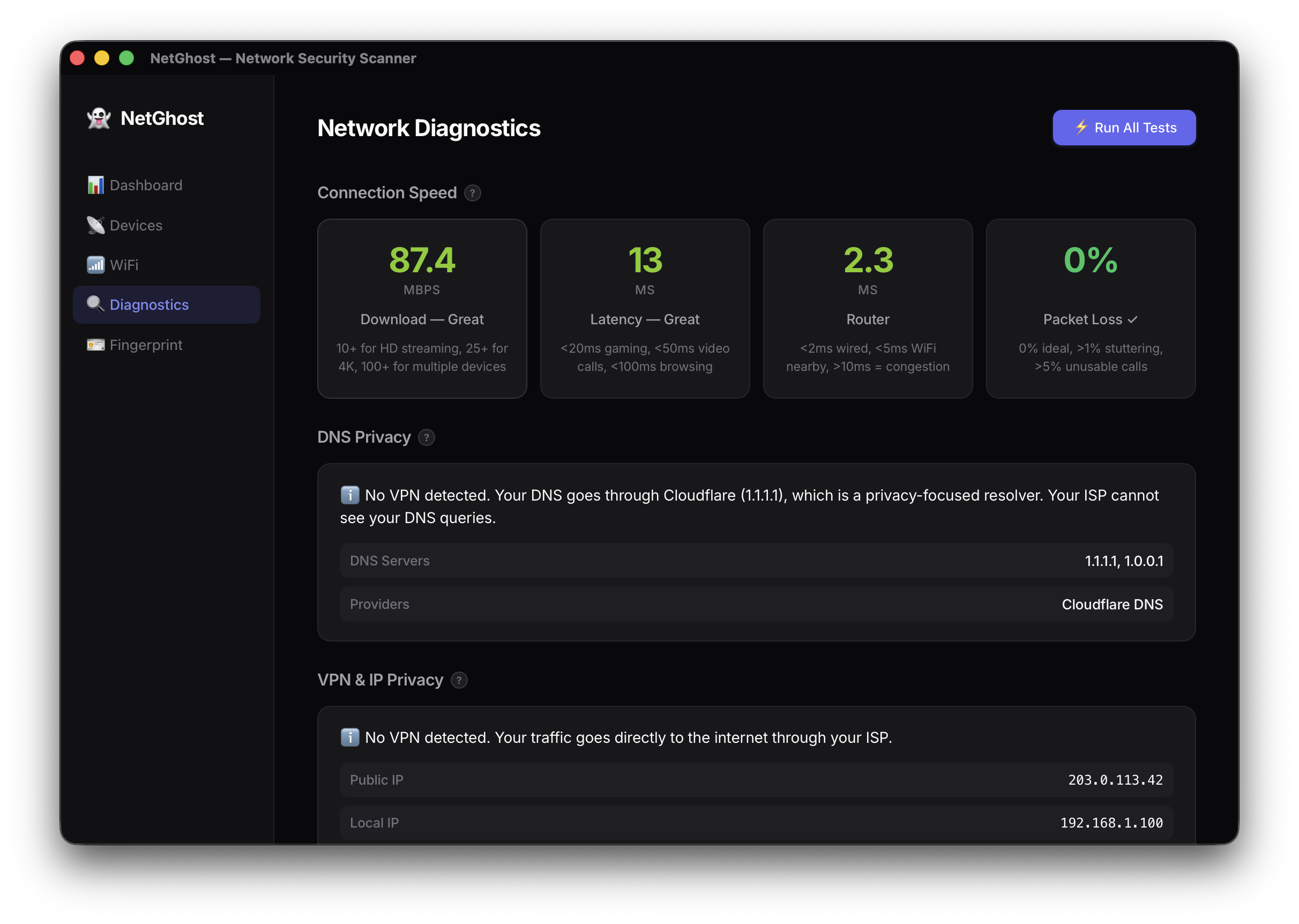
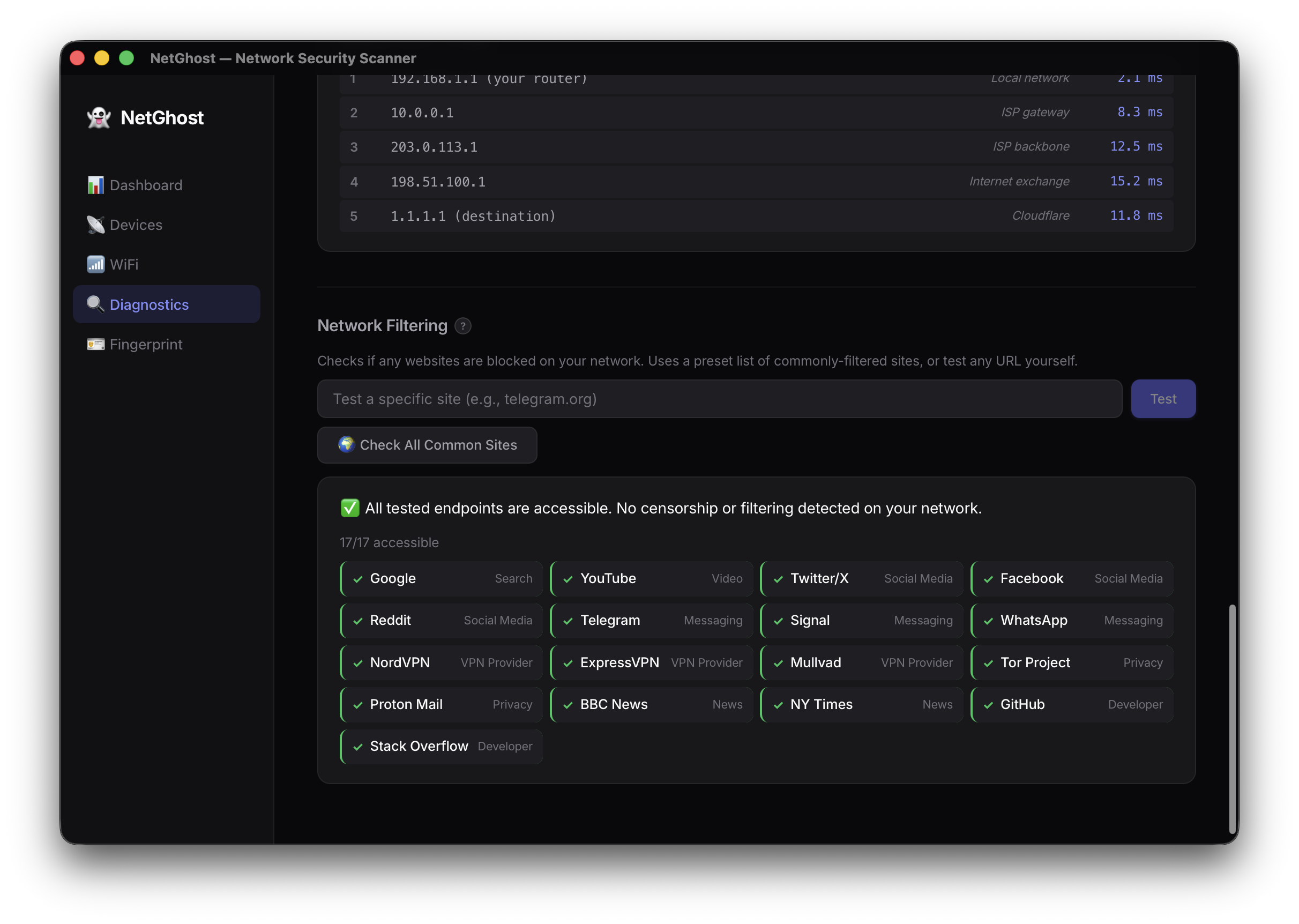
- Tests internet speed, DNS privacy, VPN integrity, and detects censorship
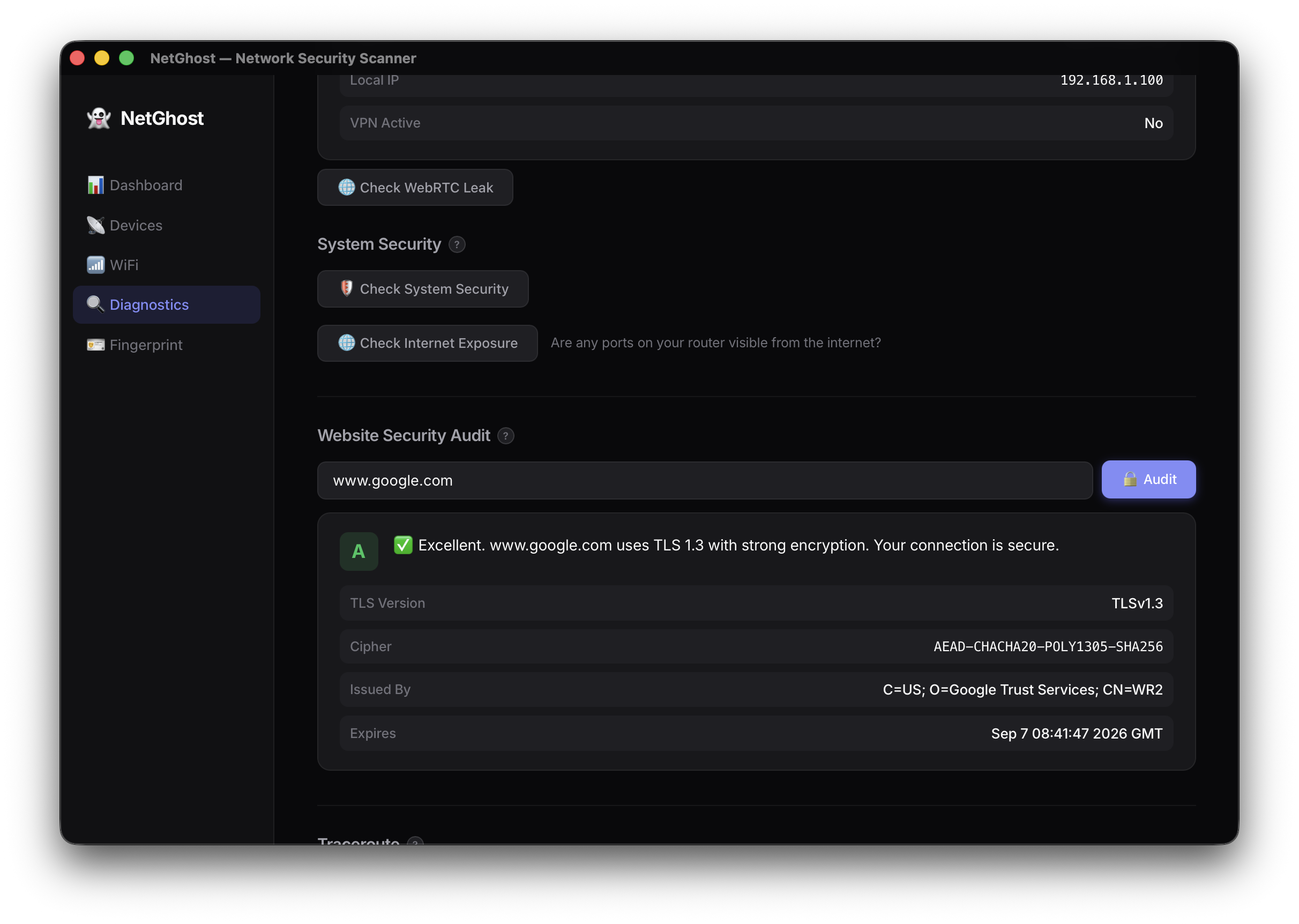
- Audits any website's TLS certificate and detects DNS-based government blocking
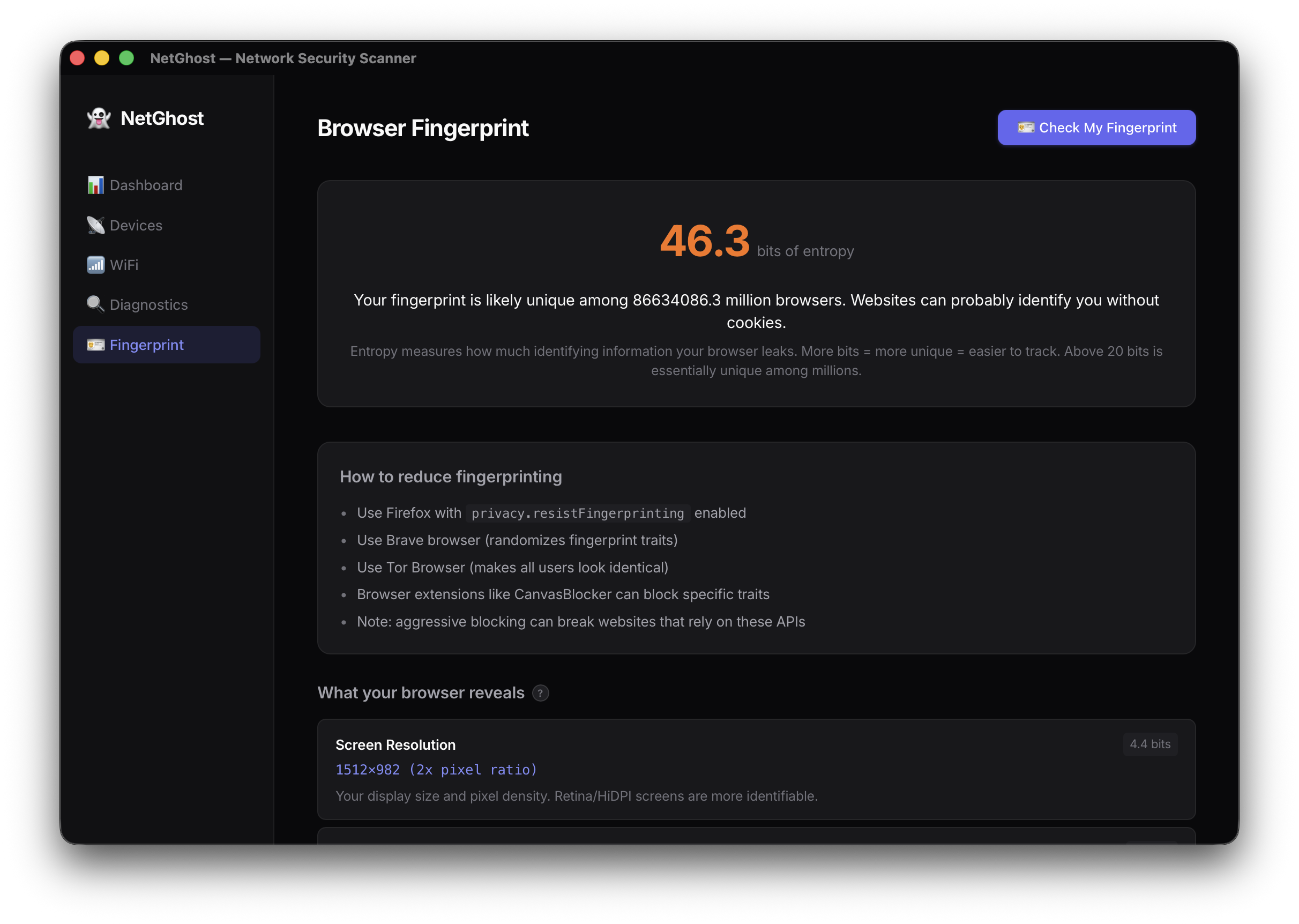
- Shows how trackable your browser is via fingerprinting (14 traits, entropy score)
- Checks your firewall, hosts file, and whether ports are exposed to the internet
- Tracks devices over time and alerts on new/unknown ones
Everything explained in plain English. Every technical term has a "?" tooltip.
How we built it
Built in 2 days with Kiro guiding the entire process:
- Spec-first — requirements, design doc, and task breakdown written before any code
- Rust backend (Tauri 2.0) — async network operations: ARP scanning, TCP port probes, system command parsing, TLS inspection via curl
- React frontend (TypeScript + Vite) — 5 pages with persistent state, reusable components (InfoTooltip, ScoreGauge, ChannelChart, NetworkMap)
- Cross-platform —
#[cfg(target_os)]blocks for macOS/Windows/Linux with graceful fallbacks - Pixi environment — reproducible Rust + Node.js without polluting system installs
The architecture is intentionally simple: Rust does the scanning, serialises to JSON, and React displays it. No database, no server, no accounts.
Challenges we ran into
- macOS privacy restrictions — Apple redacts WiFi SSIDs from all apps without Location Services permission. We tried 5 different commands (
system_profiler,networksetup,ipconfig,defaults,wdutil) — all blocked. Documented the limitation and worked around it. - VPN false positives — macOS creates
utuntunnel interfaces for iCloud Private Relay, not just VPNs. Our initial detection flagged everyone as "VPN active." Fixed by checking the default route instead of interface existence. - Singapore government censorship — Testing revealed that blocked sites (IMDA) use DNS redirect to a government server. HTTP returns 200 (looks accessible!) but HTTPS shows a certificate mismatch. We had to implement multi-layer detection: check HTTPS cert validity → detect redirect → only then flag as censored.
- mDNS on macOS — The
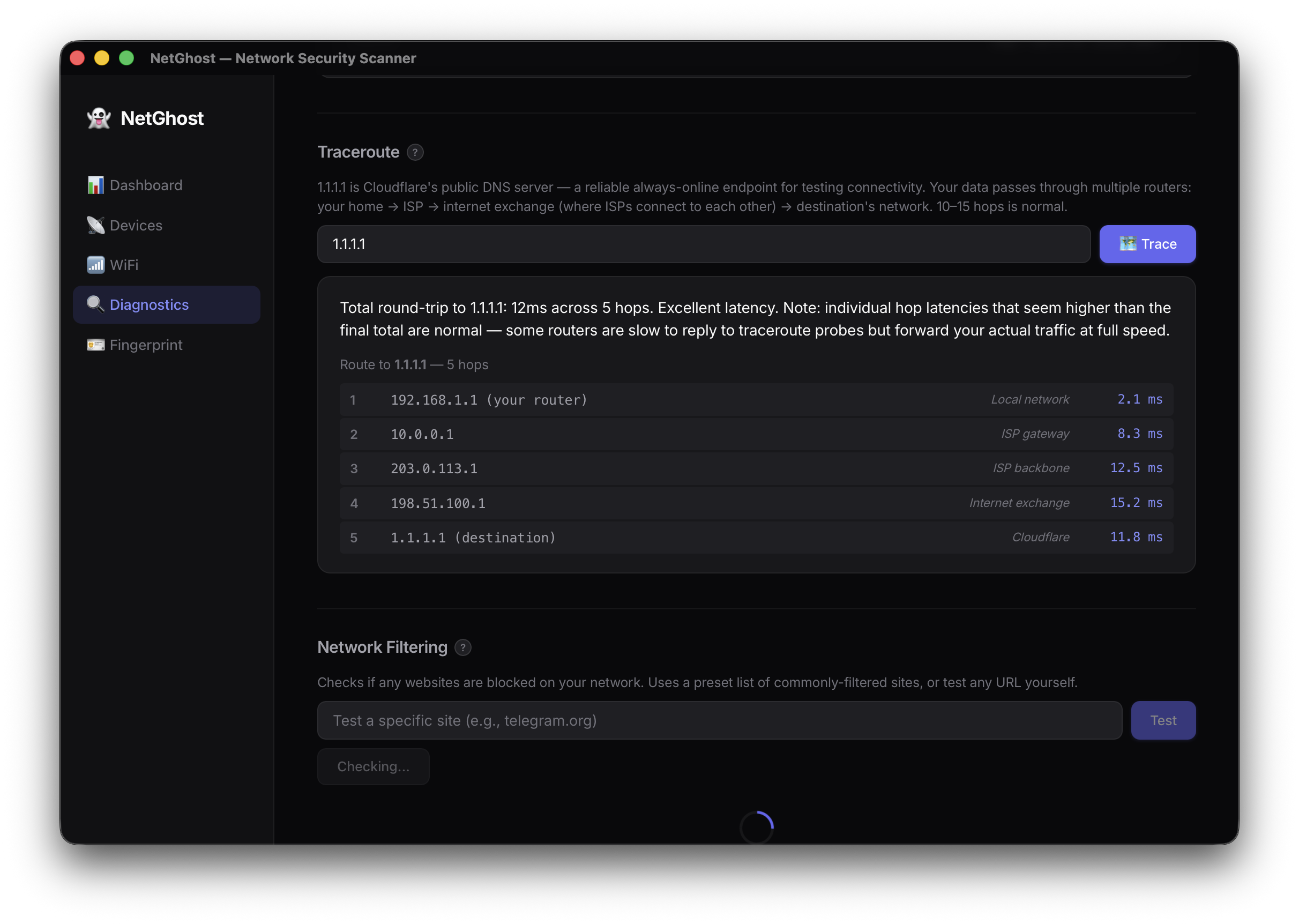
timeoutcommand doesn't exist on macOS (GNU-only).dns-sdoutput uses fixed-width columns with unicode device names. Both required workarounds. - Traceroute interpretation — Users confused individual hop latencies with cumulative delay. Had to explain that each measurement is independent (round-trip from YOU to that hop), and high middle-hop latencies are often just routers deprioritising ICMP.
See docs/DEBUGGING-NOTES.md for all 13 issues with exact commands and fixes.
Accomplishments that we're proud of
- Real tool, real findings — discovered actual government censorship, real WiFi security issues, and genuine network exposure during development
- 15+ features built and working end-to-end in 2 days
- Cross-platform from day 1 — Rust
#[cfg]blocks for all 3 OSes, even though we could only test macOS - Plain English everywhere — every port, every finding, every metric has a human explanation. No user should ever see a number without understanding what it means
- Demo mode — one environment variable (
DEMO_MODE=1) switches all network commands to fake data for safe video recording - Documentation as a first-class feature — 7 docs covering requirements, architecture, tasks, debugging, and user-facing explanations
What we learned
- macOS is surprisingly locked down — WiFi SSIDs, network interfaces, and even
arpbehavior differ significantly from Linux - Security tools need trust — users won't run a "hacker tool" unless it explains itself clearly and looks friendly (dark theme ≠ scary hacker aesthetic)
- Spec-driven development works — having TASKS.md with phases and checkboxes meant we always knew what to build next, even at 2am
- Censorship is detectable — DNS-based blocking leaves fingerprints (certificate mismatches) that any app can detect without special privileges
- Kiro as a pair programmer — most valuable for: architecture decisions, debugging (explaining why something failed), and maintaining documentation alongside code without it feeling like overhead
What's next for NetGhost
| Priority | Feature |
|---|---|
| 1 | HTML/PDF report export (share findings with landlord/IT admin) |
| 2 | Scan history with before/after comparison ("you fixed 3 issues!") |
| 3 | Background monitoring (system tray, auto-scan every 30 min, desktop notifications) |
| 4 | Router-specific fix guides with screenshots per brand |
| 5 | Full Windows/Linux testing and release |
| 6 | App Store / Homebrew distribution |
Built With
- css
- html
- kiro
- pixi
- react
- rust
- tauri
- typescript
- vite

Log in or sign up for Devpost to join the conversation.