-
-
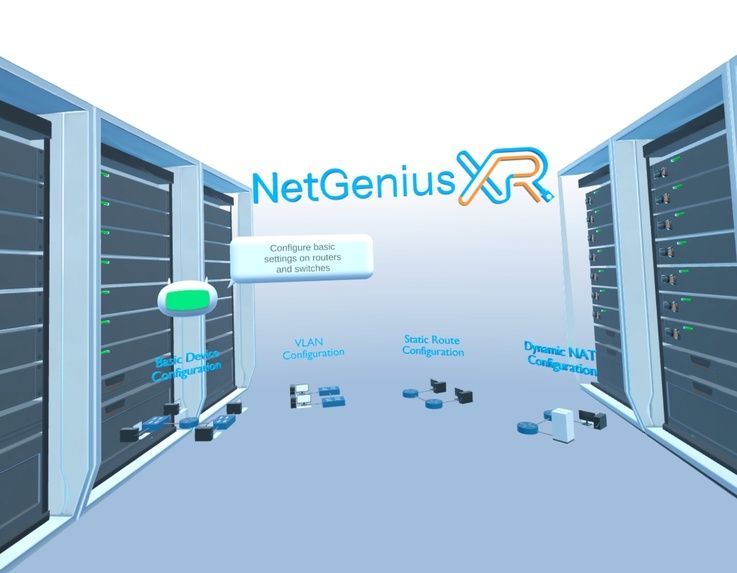
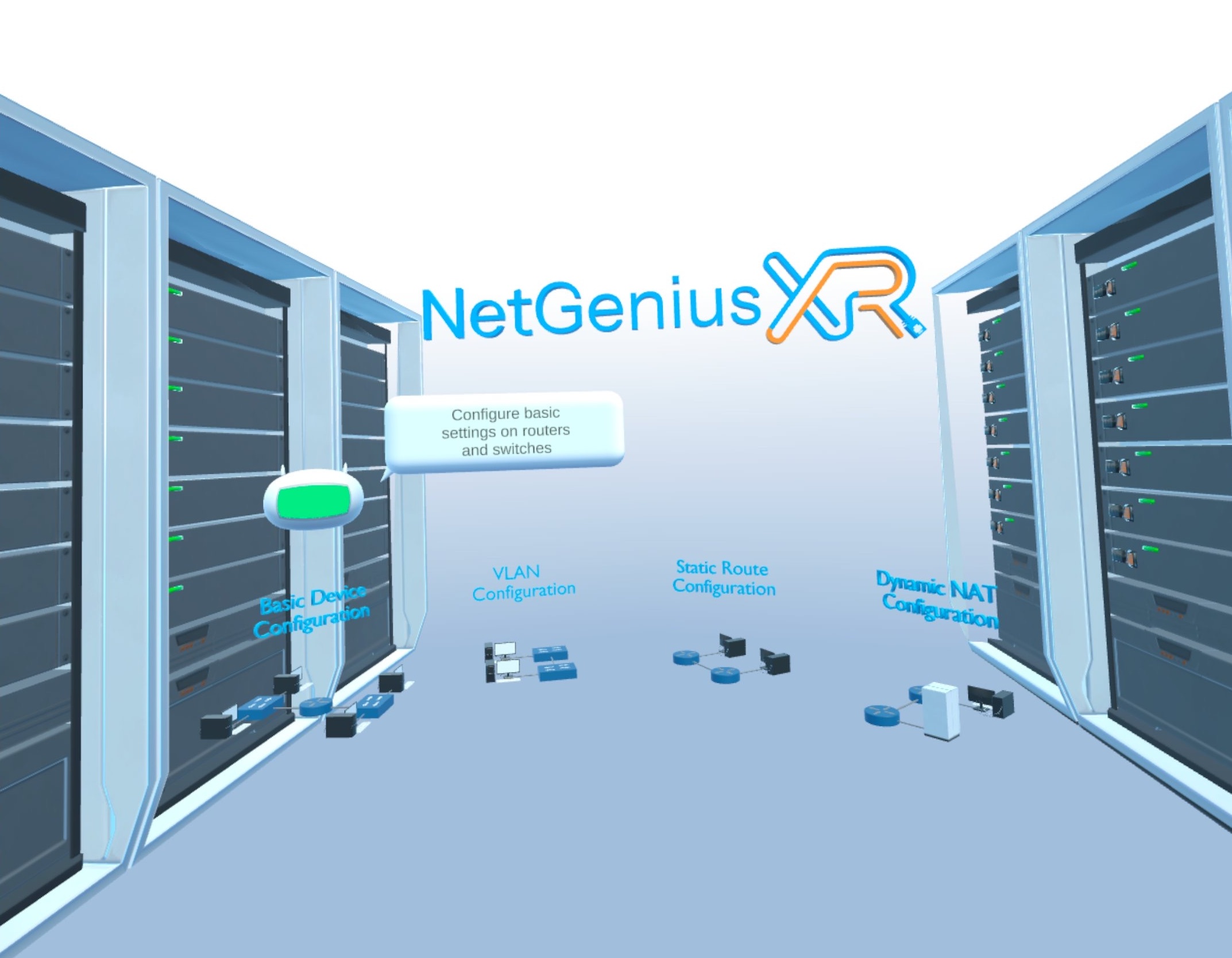
Welcome Screen
-
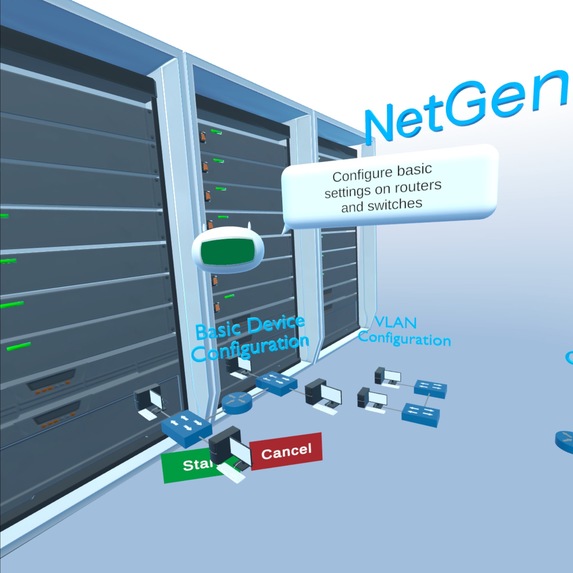
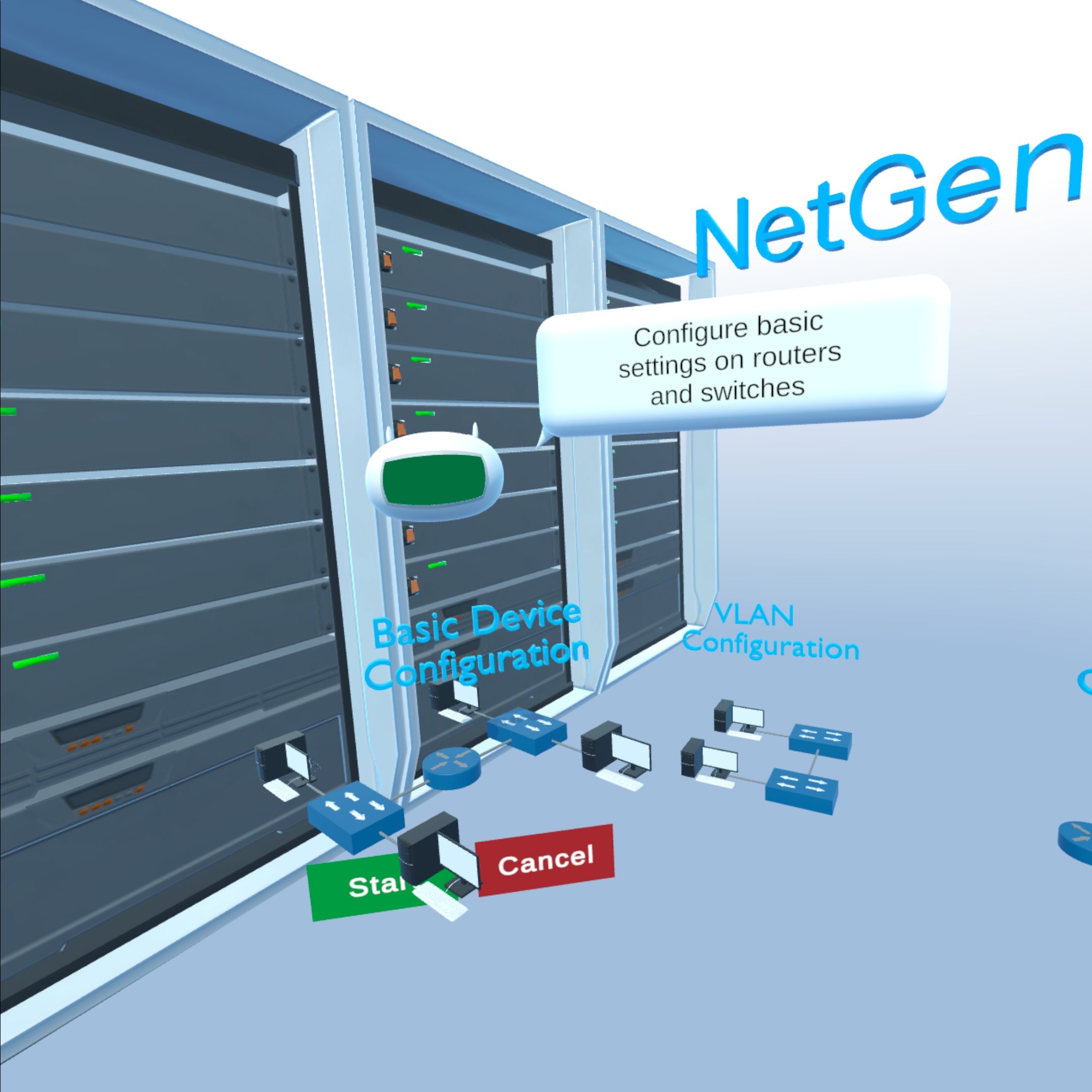
Lab Selection Interaction
-
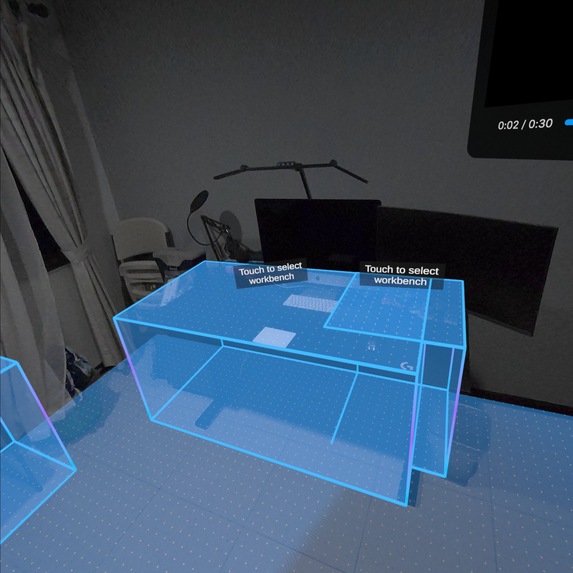
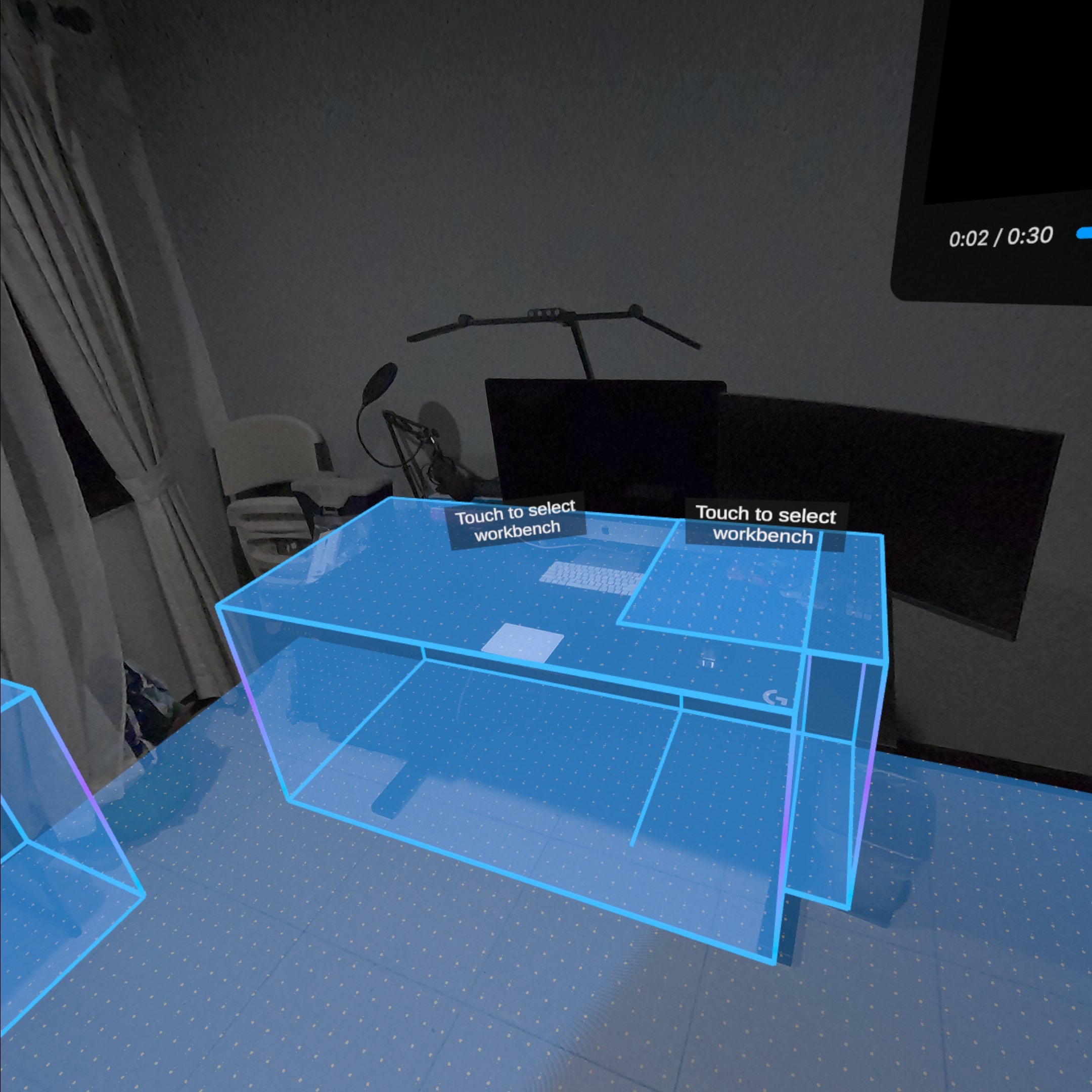
Workbench Selection Interaction
-
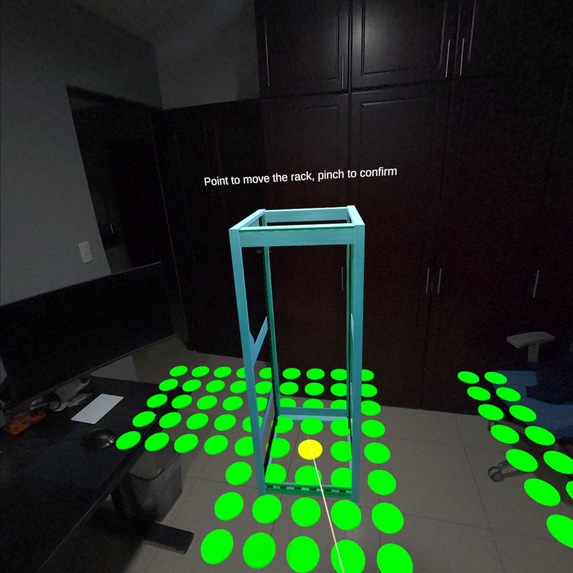
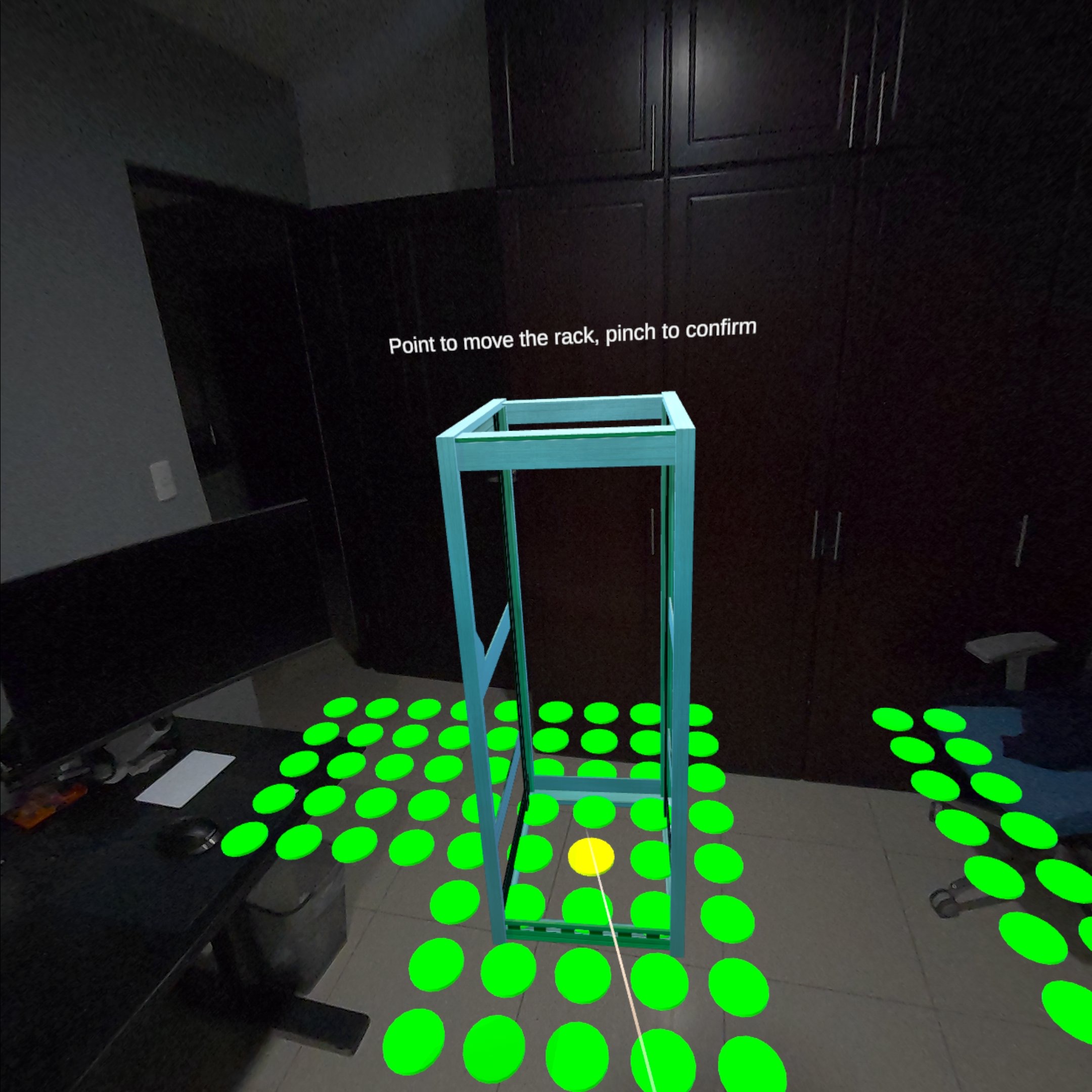
Rack Placement Interaction
-
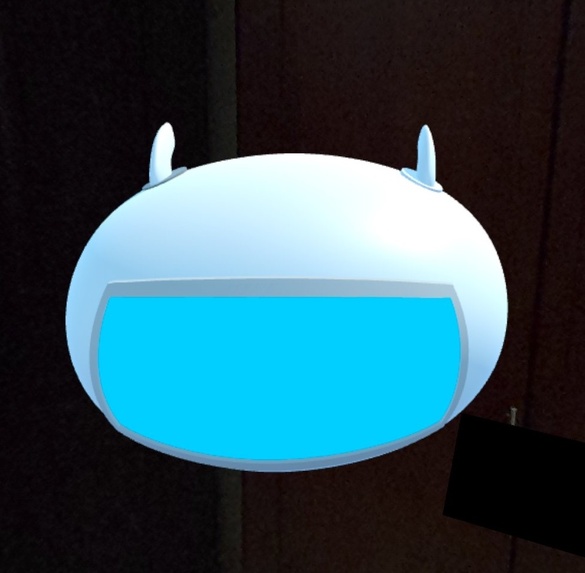
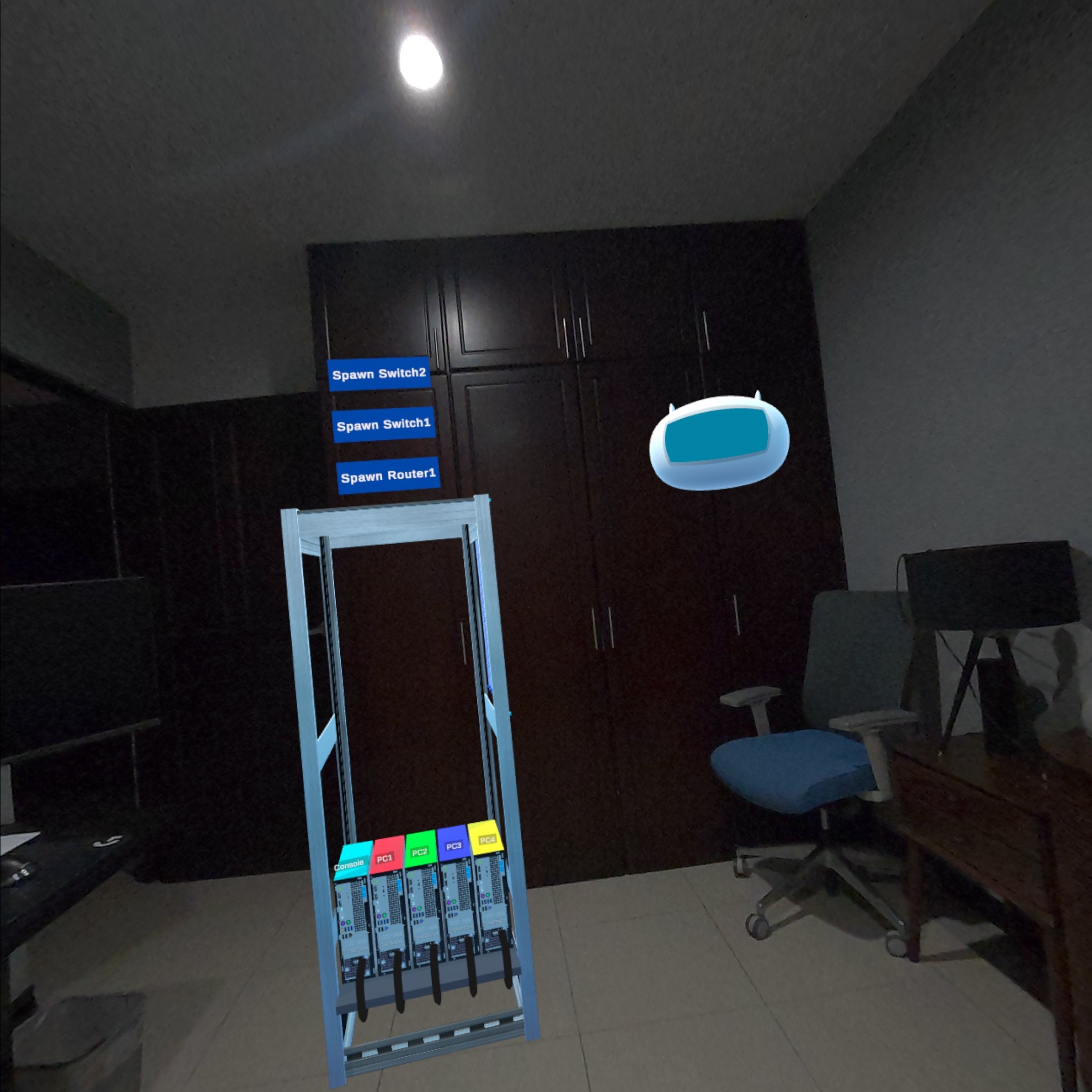
Lumi the AI Teaching Assistant
-
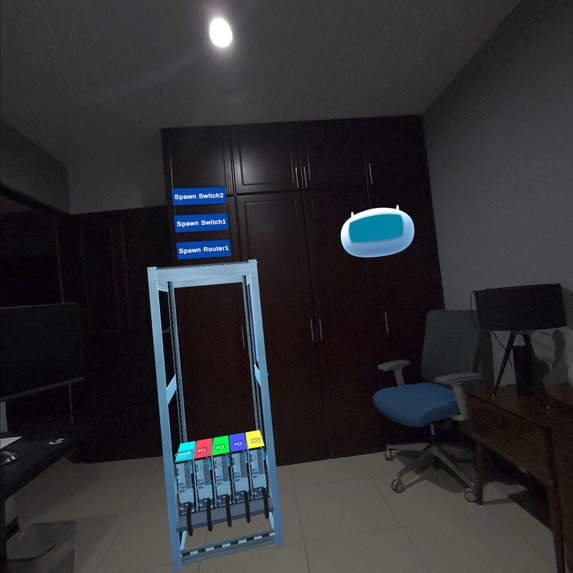
Lumi floating beside the rack
-
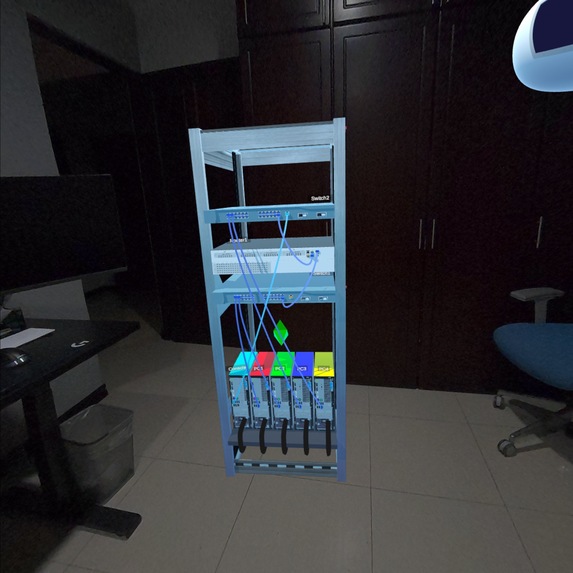
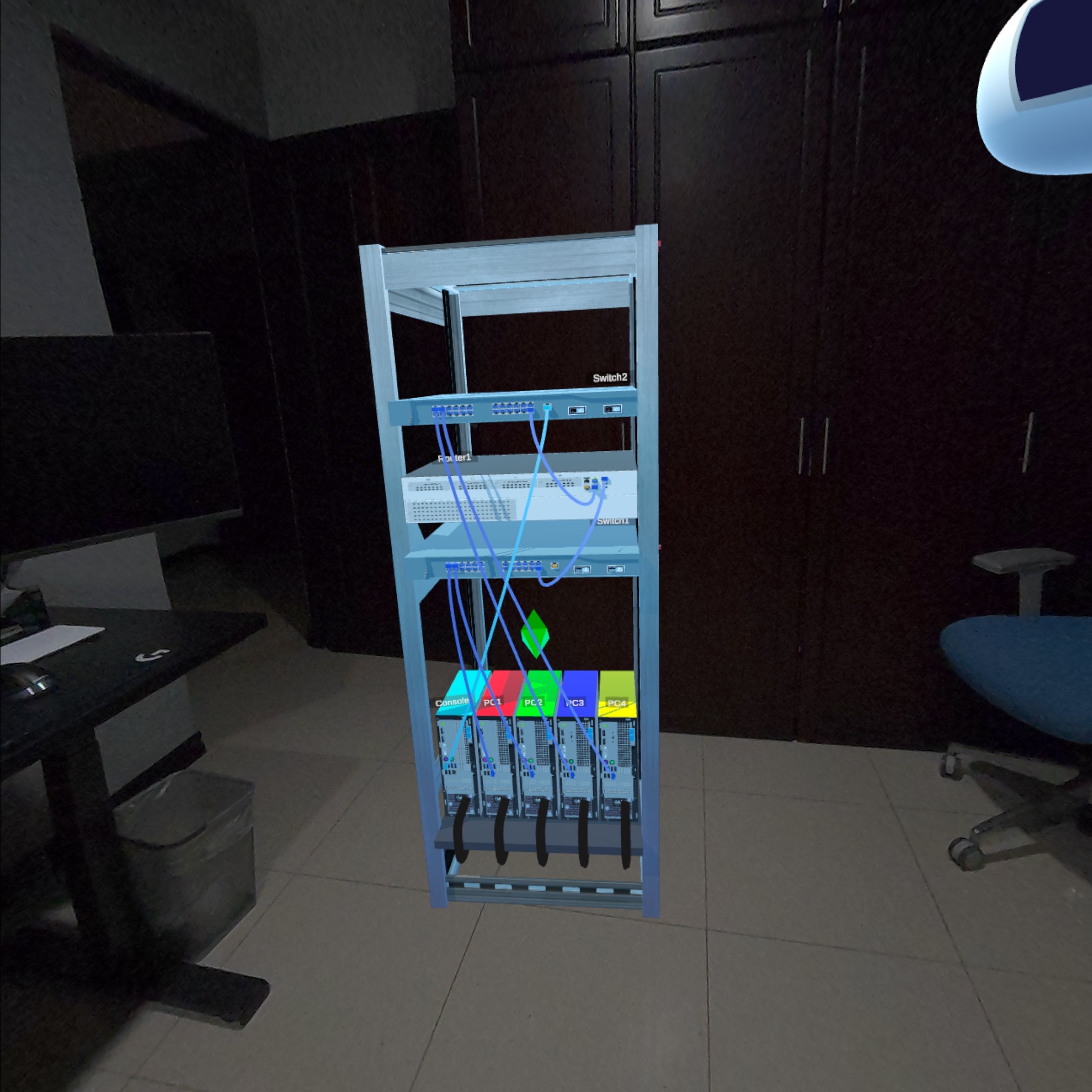
Fully Cabled Rack
-
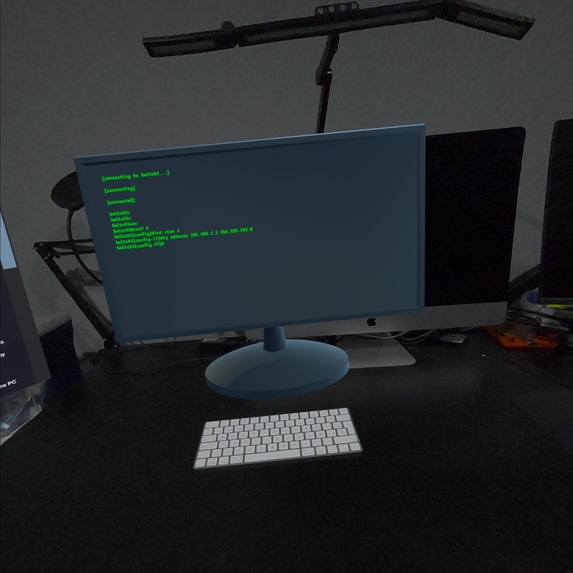
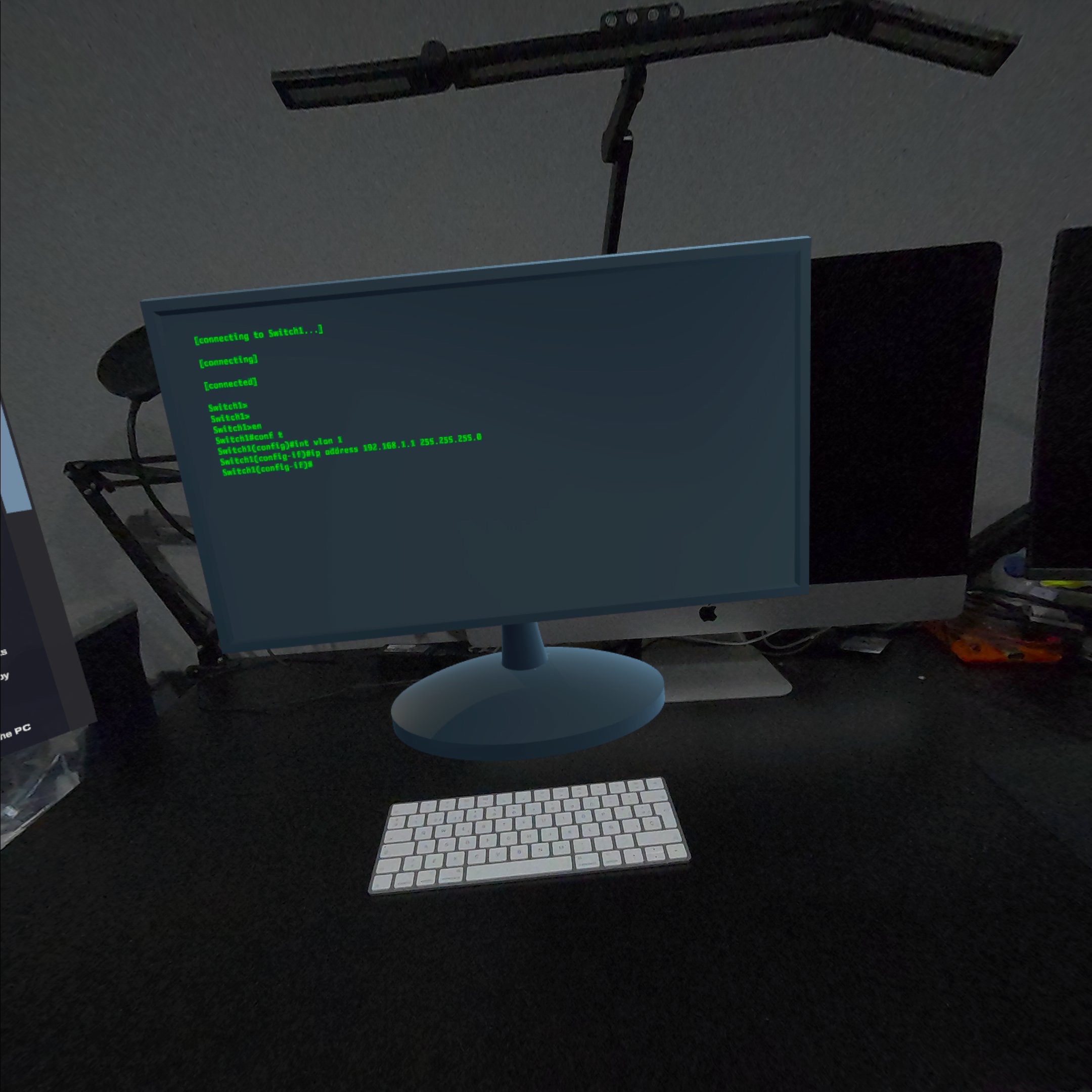
Virtual Terminal with Real Bluetooth Keyboard
-
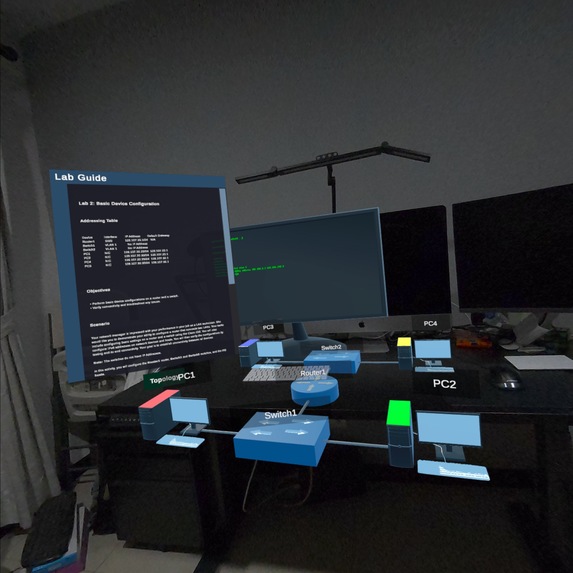
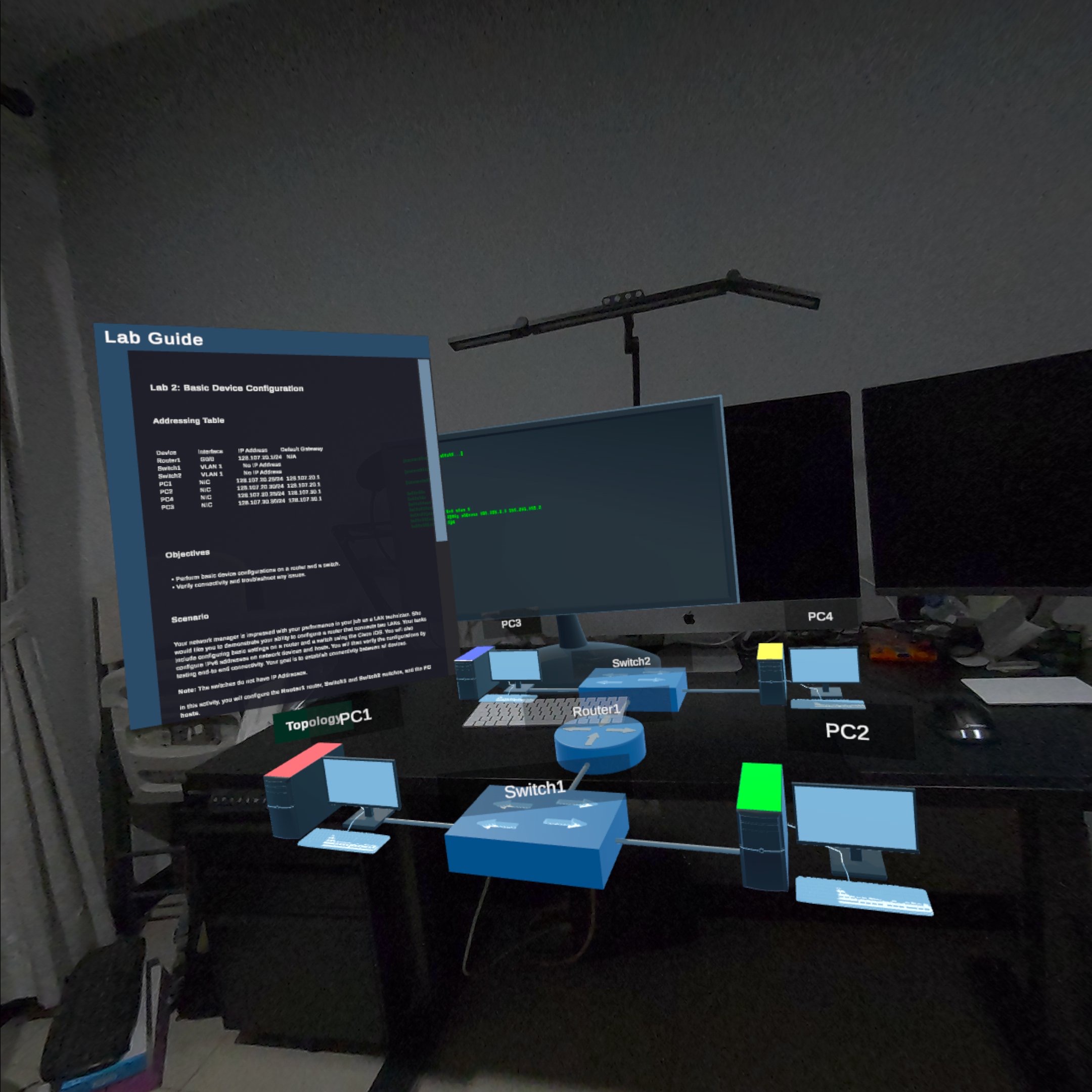
Lab Guide and Holographic Network Topology
-
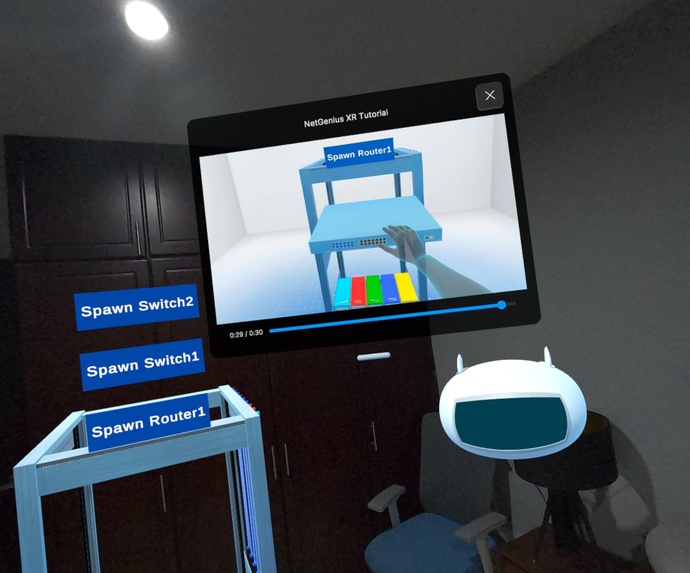
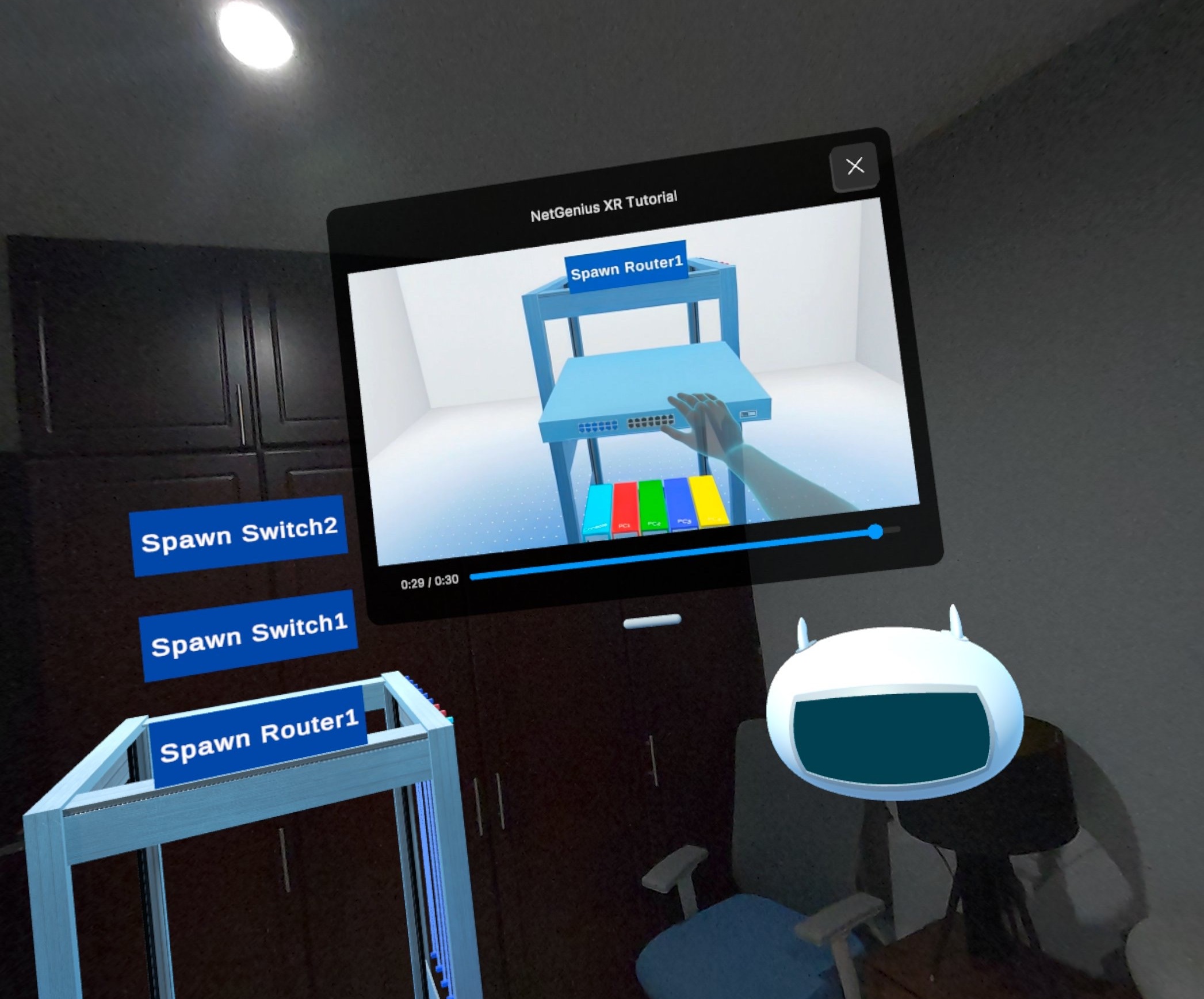
In-App Video Tutorial

NetGeniusXR: Make Network Education Hands-On Again
Inspiration
NetGeniusXR was born from our 25 years of experience as Networking Academy instructors. For decades, the most transformative learning moments happened in physical classrooms, when students racked real routers, traced cables, and configured devices side by side. Hands-on learning wasn't just a feature of networking education; it was the foundation.
But in 2020, the world changed. The pandemic forced networking programs worldwide to move fully online. Suddenly:
- Students had no access to physical equipment
- Collaboration disappeared
- Hands-on learning became theoretical
- Lab outcomes declined
Networking, fundamentally a tactile discipline, suffered.
At the same time, networking and cybersecurity were identified as critical skills for 2030, especially as AI-driven infrastructure continues to expand. Yet the pipeline of skilled learners was shrinking precisely because they lacked access to meaningful practice.
Our team includes three long-time instructors, and one member who spent 17+ years at Cisco as a Product Manager for the Cisco Networking Academy. This gives us deep insight into a challenge shared by academies worldwide: younger learners expect immersive, interactive experiences, yet many institutions, especially in rural or low-resource regions, lack the equipment to provide them.
So we asked:
What if a complete networking lab (racks, routers, switches, PCs) could appear naturally inside your room?
What if students could cable devices with their hands, configure IOS on a console terminal, and build spatial intuition around networks, anywhere in the world?
The Meta Quest 3 gave us the platform to make this vision real.
NetGeniusXR makes networking education hands-on again, even in remote, hybrid, or self-paced environments.
What it does
NetGeniusXR is a Mixed Reality networking lab simulator that allows learners to physically assemble, configure, and troubleshoot networks inside their real environment, no hardware required.
Core Experience
Immersive MR Lab Scenarios
Students select a mission (lab challenge) and enter a guided scenario designed to teach switching, routing, security, and more.Physical-Style Equipment Interaction
Users place a virtual rack in their room, grab routers and switches with hand tracking, and mount them just as they would in a real academy lab.Cabling Like a Real Technician
Cables appear on the rack for the learner to select and connect between device ports, following the lab topology.Real CLI Configuration
A floating terminal appears above the user’s table. With a Bluetooth keyboard, students configure devices using real CLI commands.Lumi: The AI Lab Instructor
Lumi understands:- The lab instructions
- The user’s cabling
- The CLI configuration
- Their progress through the challenge
Lumi provides hints, explanations, troubleshooting support, and achievement-based encouragement.
Unique Value
NetGeniusXR blends spatial reasoning, tactile learning, and AI-driven instruction to create a true hands-on networking experience without physical hardware.
It’s ideal for:
- Remote and hybrid learning
- Self-paced learners
- Schools without equipment budgets
- Workforce development programs
- Anyone entering networking or cybersecurity
How we built it
Tools & Technologies
- Unity for immersive spatial computing
- Meta Quest 3 for hand tracking and passthrough MR
- OpenAI Realtime API powering Lumi’s intelligent guidance
- Custom-built network simulator supporting IOS-like behavior
- ARFoundation, XRI Toolkit, and OpenXR for spatial awareness and interaction
Key Systems Architecture
1. Spatial Anchoring & Environment Mapping
ARFoundation detects tables, surfaces, walls, and flooring to anchor terminals, racks, and equipment with realistic spatial accuracy.
2. Device Placement Pipeline
- DeviceSpawner generates 3D devices
- NetworkDeviceController manages hand-based manipulation
- RackSlot governs valid alignment and snapping
3. Cable Physics Simulation
A custom Bezier curve system renders cables with natural sag, weight, and dynamic movement.
4. Terminal & Device Simulation
- VRTerminalController orchestrates CLI interactions
- WebSocket connections link to our cloud simulator
- IOS-style parsing ensures authentic learning
5. Lumi AI Integration
Lumi interprets:
- The lab goal
- The student’s wiring
- Device configurations
- Errors and misconfigurations
…and provides contextual, actionable support.
Challenges we ran into
1. AR/Spatial Detection
Detecting and selecting flat surfaces for the workbench was tricky. ARFoundation provides plane data, but filtering for suitable horizontal surfaces required careful height and classification checks. Even more challenging was the rack placement logic: we needed to find valid floor positions that weren't blocked by furniture, walls, or other obstacles. The "green dots" showing valid placement spots required filtering floors by vertical height relative to the user, checking bounding box collisions with detected furniture, and constraining placement within room boundaries, all while providing real-time visual feedback.
2. Keyboard Input
We initially built a full 3D virtual keyboard with 40+ interactive keys hovering in MR space. It looked impressive but the UX was terrible. Hand tracking precision isn't good enough for rapid typing, and the lag from processing dozens of interactable objects made it frustrating. We pivoted to Bluetooth keyboard support, which turned out to be the right call. CLI configuration requires real typing speed, and a physical keyboard delivers that.
3. Terminal & CLI Display
Building a terminal emulator that faithfully reproduces Cisco IOS behavior was surprisingly complex. WebSocket communication with our cloud simulator had to handle connection drops, reconnection with exponential backoff, and session state preservation. The terminal display needed to parse IOS-specific output patterns: command echoing, error messages with caret markers, tab completion, and contextual help with the ? character.
4. XR Interaction & Grabbing
Hand-based grabbing in MR revealed unexpected edge cases. Cables near PCs were nearly impossible to grab because the PC's touch-selection colliders interfered with cable grab detection. We had to explicitly ignore those collisions. Another issue: when placing devices in rack slots, multiple XRSocketInteractors would compete for the same device, causing unpredictable snapping. The fix was a "single-socket-active" approach where only the closest socket is enabled at any moment.
5. Virtual KVM for Multiple Devices
With one terminal screen but multiple PCs and network devices that need CLI access, we struggled with the right interaction model. Physical labs use KVM switches, and we needed a virtual equivalent. Our solution was a "touch-to-select" UI: the student touches the PC or device they want to configure, a floating indicator appears above it, and the terminal automatically switches to that device's console session. This Virtual KVM pattern feels natural and matches real-world workflows.
6. Lumi's Voice Interaction
Our AI assistant Lumi initially listened to everything the user said, which caused chaos. Background conversations, self-talk, and ambient noise triggered unwanted responses. Lumi would answer questions nobody asked. The breakthrough was "Gaze-to-Talk": Lumi only activates when the user is directly looking at her. This mimics natural human conversation (you look at someone when speaking to them) and completely solved the false-activation problem. Implementing reliable gaze detection with appropriate thresholds took experimentation, but the result feels magical.
Accomplishments we're proud of
1. A fully integrated MR lab that feels surprisingly close to working with real equipment
Students place racks, mount devices, and connect cables in their actual room. The spatial presence and hand-based manipulation create muscle memory that transfers to real labs.
2. Lumi: a breakthrough in XR-AI interaction
Lumi isn't just a chatbot overlaid on a headset. The combination of OpenAI's Realtime API with our Gaze-to-Talk innovation makes conversations feel natural. You look at Lumi when you want to talk, just like you would with a real instructor. We believe this interaction model sets a new standard for AI assistants in XR environments.
3. A network simulator capable of real routing and switching behaviors
This isn't a mockup. Our cloud-based simulator runs actual routing protocols, switching logic, and IOS-style CLI parsing. Students learn commands that work on real Cisco equipment. (Note: The network simulator was developed prior to the hackathon and runs as a separate cloud service that NetGeniusXR connects to.)
4. Exclusive hand-based interaction for everything
No controllers needed. Menus, table selection, rack placement, device manipulation, and cabling are all done with hand tracking. This keeps the experience immersive and accessible.
5. A scalable architecture ready for growth
Adding new labs, devices, and learning modules requires minimal changes. The topology system, device registry, and Lumi's context awareness are all designed for expansion.
What we learned
Building NetGeniusXR taught us that reinventing networking education for modern learners requires far more than recreating a physical lab in virtual space.
1. Mixed Reality requires rethinking UI, feedback, and interaction completely
Designing for MR is fundamentally different from traditional app development. Passthrough changes everything: users see their real environment, so virtual elements must feel grounded and intentional. Head-locked UI feels wrong. World-space canvases need careful placement. Every interaction had to be designed for a world where virtual and real coexist.
2. Hand tracking demands generous tolerances and smart collider design
Hands aren't as precise as controllers. We learned to use larger hit boxes, forgiving snap zones, and clear visual feedback on hover and selection. Collider conflicts (like cables near PCs) taught us that interaction layers need careful planning from the start.
3. Spatial UI design is a discipline of its own
Where do you place a terminal so it's visible but not obstructing? How big should labels be? Should instructions float or anchor to surfaces? These questions have no desktop equivalents. We iterated constantly on positioning, scale, and billboarding to make the UI feel natural.
4. AI + MR together create learning experiences previously impossible
Lumi can see what the student is doing: which device they're currently holding, what cables are connected, what commands they've entered. This context-awareness transforms AI from a generic chatbot into a true lab partner. The combination of spatial presence and intelligent guidance is more powerful than either alone.
What's next for NetGeniusXR
1. Multi-User Collaboration
Groups of learners working together on the same MR topology, just like real classroom teamwork.
2. Gamification
Implement achievements, badges, progression paths, and performance feedback to motivate learners and track their progress.
3. Pilot Programs
Partnering with networking academies to test with real students. One of our team members spent 17+ years at Cisco working specifically for the Networking Academy division and has a vast network of contacts across Latin American Cisco academies.
4. More Lab Scenarios
The vision is to cover 100% of the CCNA curriculum, expanding across:
- Switching
- Routing
- Security
- Troubleshooting
5. Instructor Mode
Enable educators to join student sessions, observe learner progress, deploy assessments on demand, and create an immersive digital classroom experience.
6. NetGenius Copilot
A web-based AI-powered tool where instructors can leverage an AI Teaching Assistant to help them create new, challenging, and interesting lab scenarios.
7. Lab Marketplace
A community hub where instructors around the world can share their own lab creations with other educators.
8. Long-Term Vision
To become the global platform for hands-on networking and cybersecurity education, accessible to anyone, anywhere.


Log in or sign up for Devpost to join the conversation.