-
-
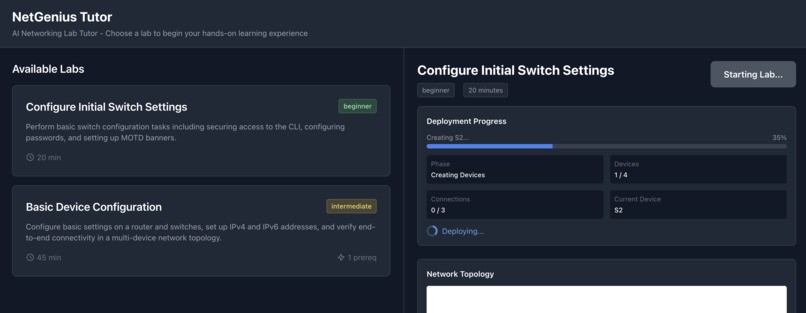
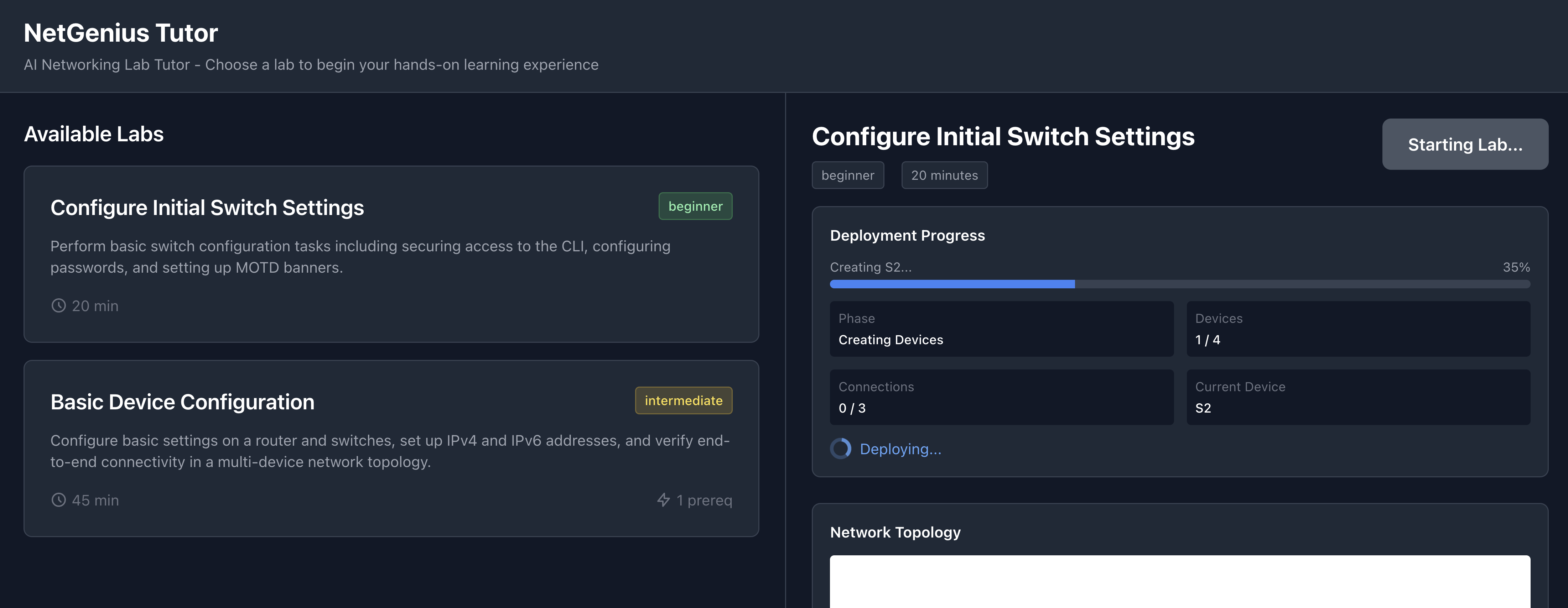
Network simulator starting up
-
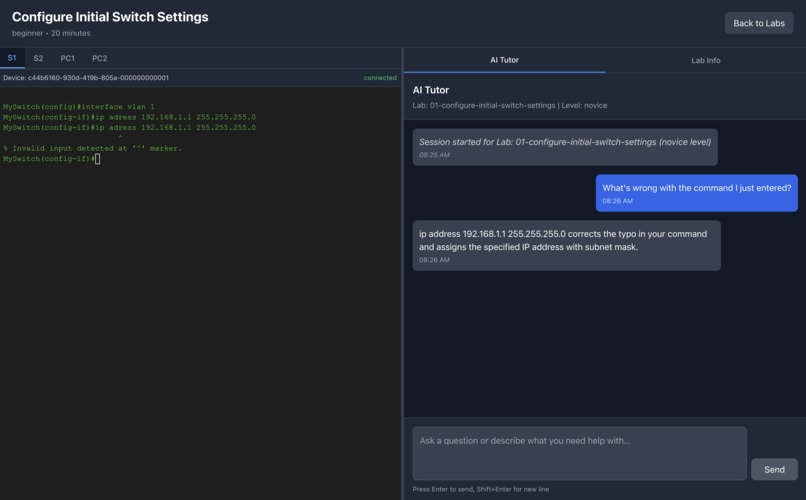
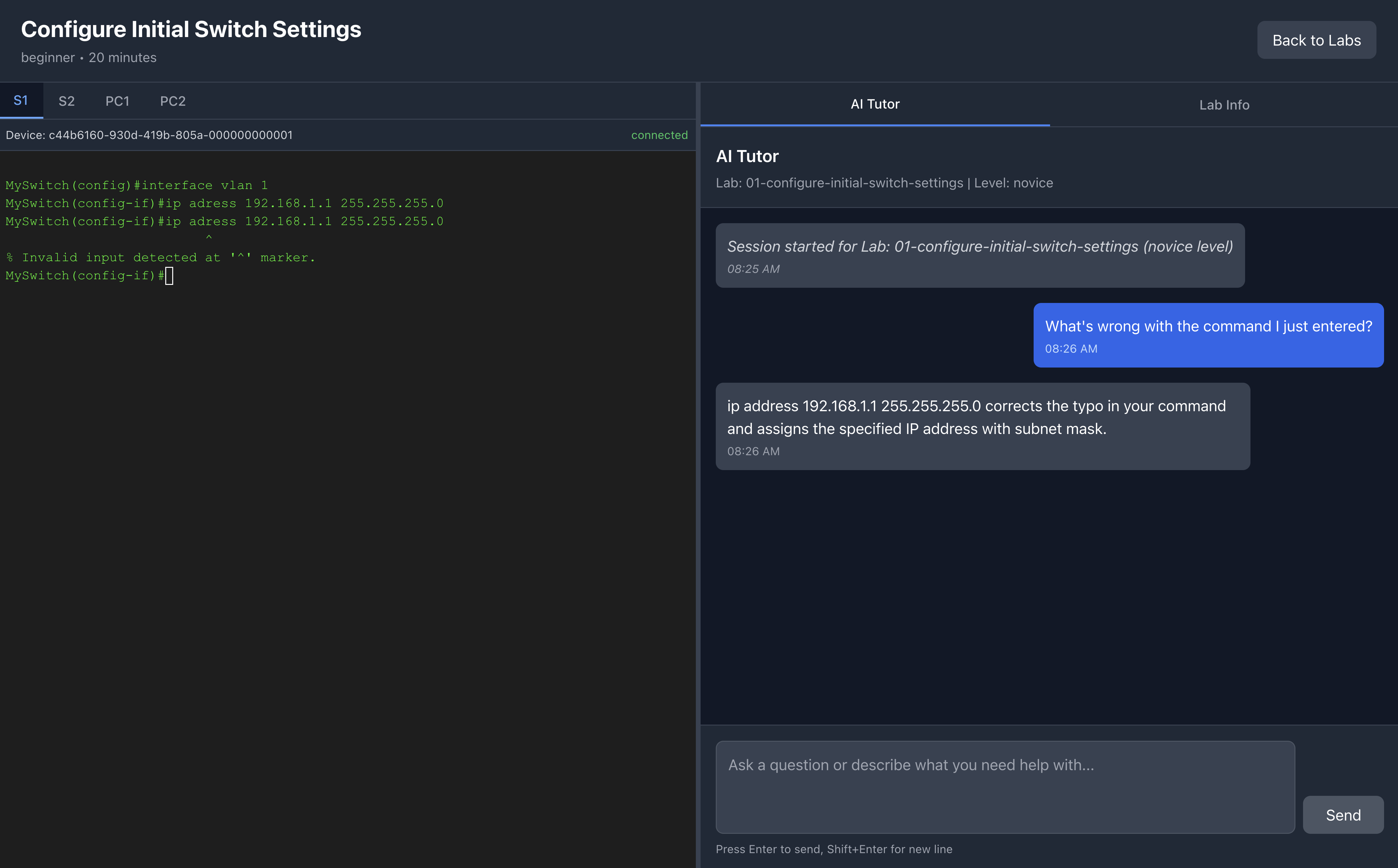
AI Tutor assists in troubleshooting a misspelled command
-
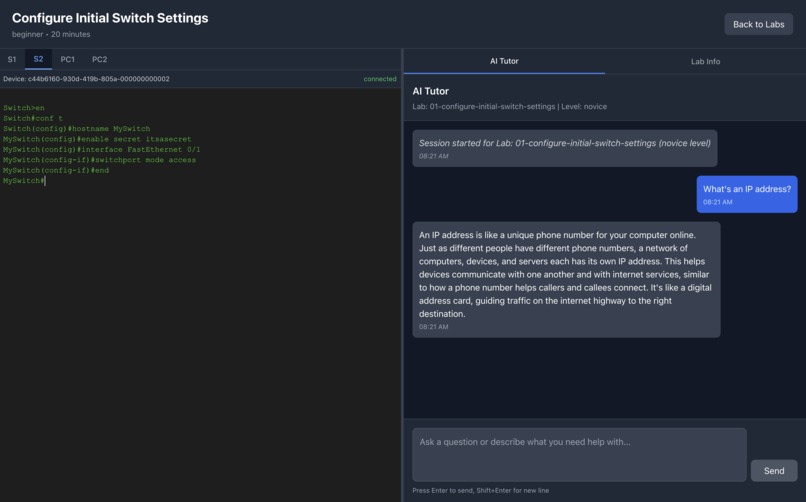
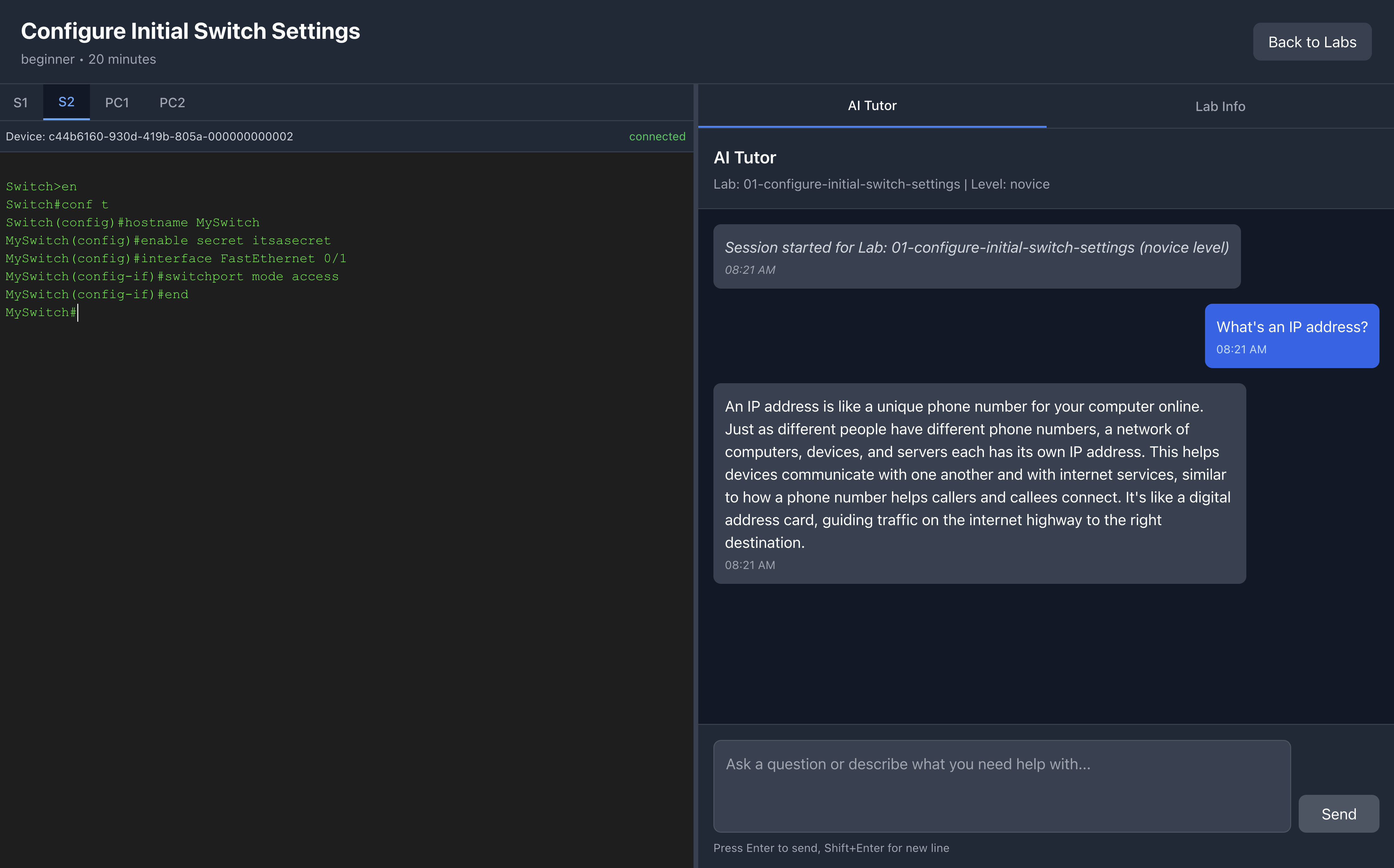
AI Tutor answers a conceptual question about IP addresses
-
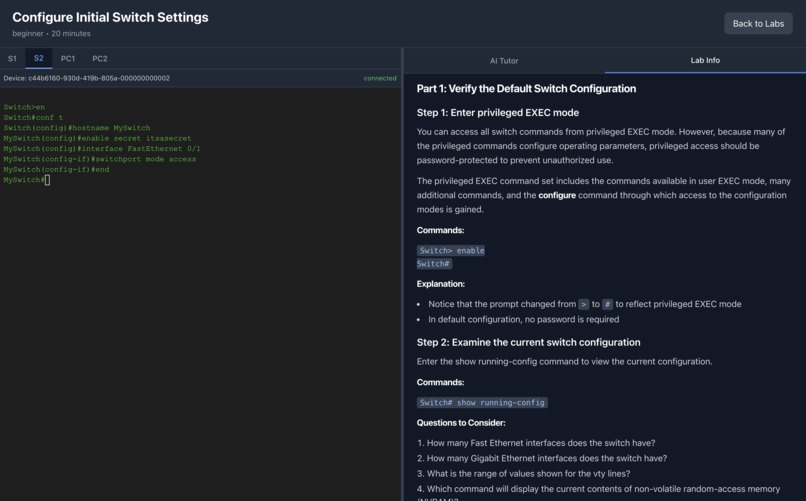
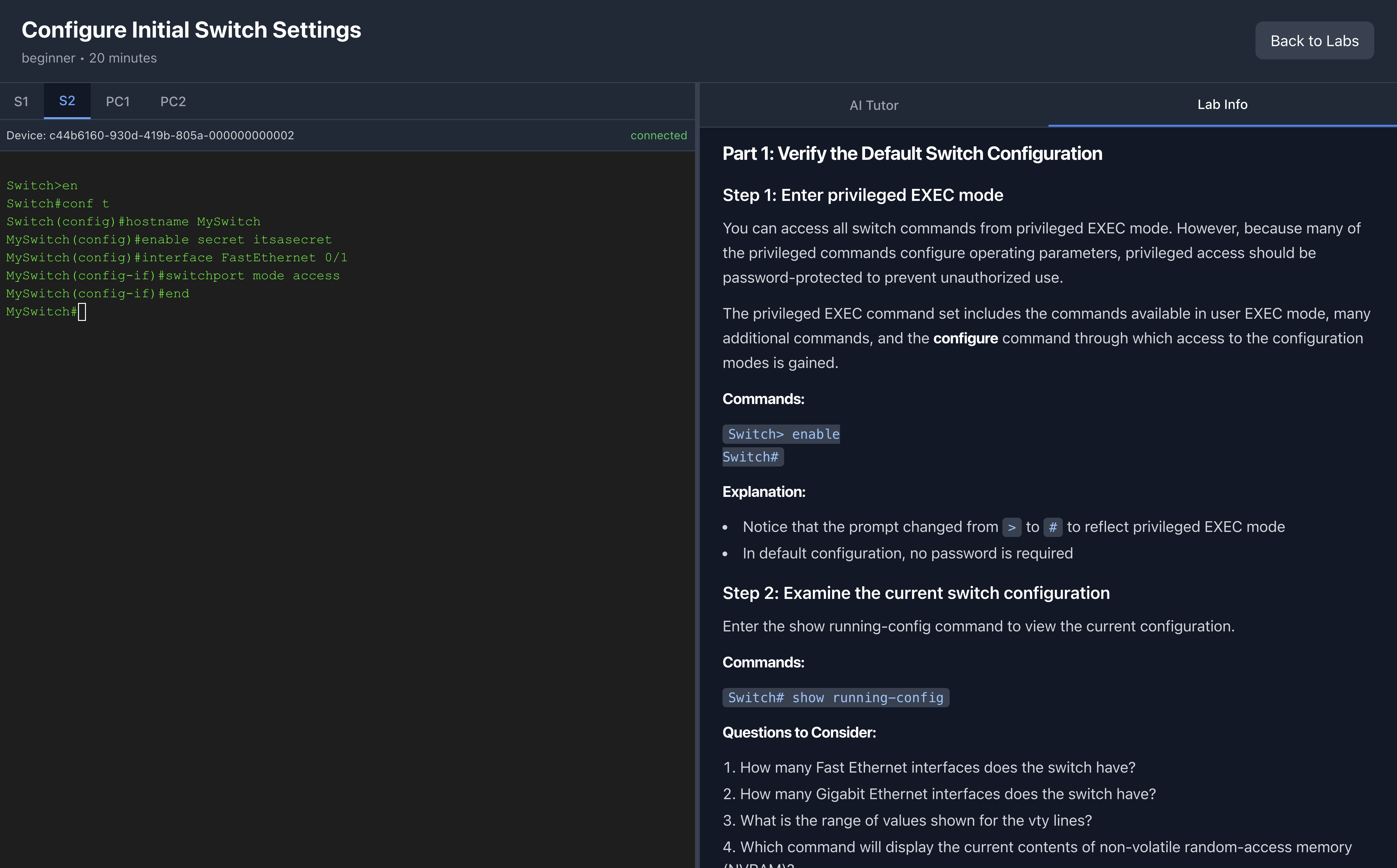
Lab Info panel with exercise instructions
-
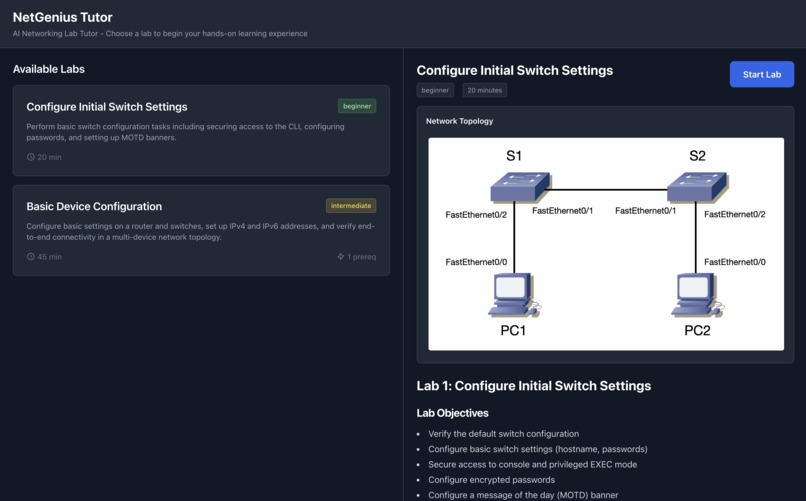
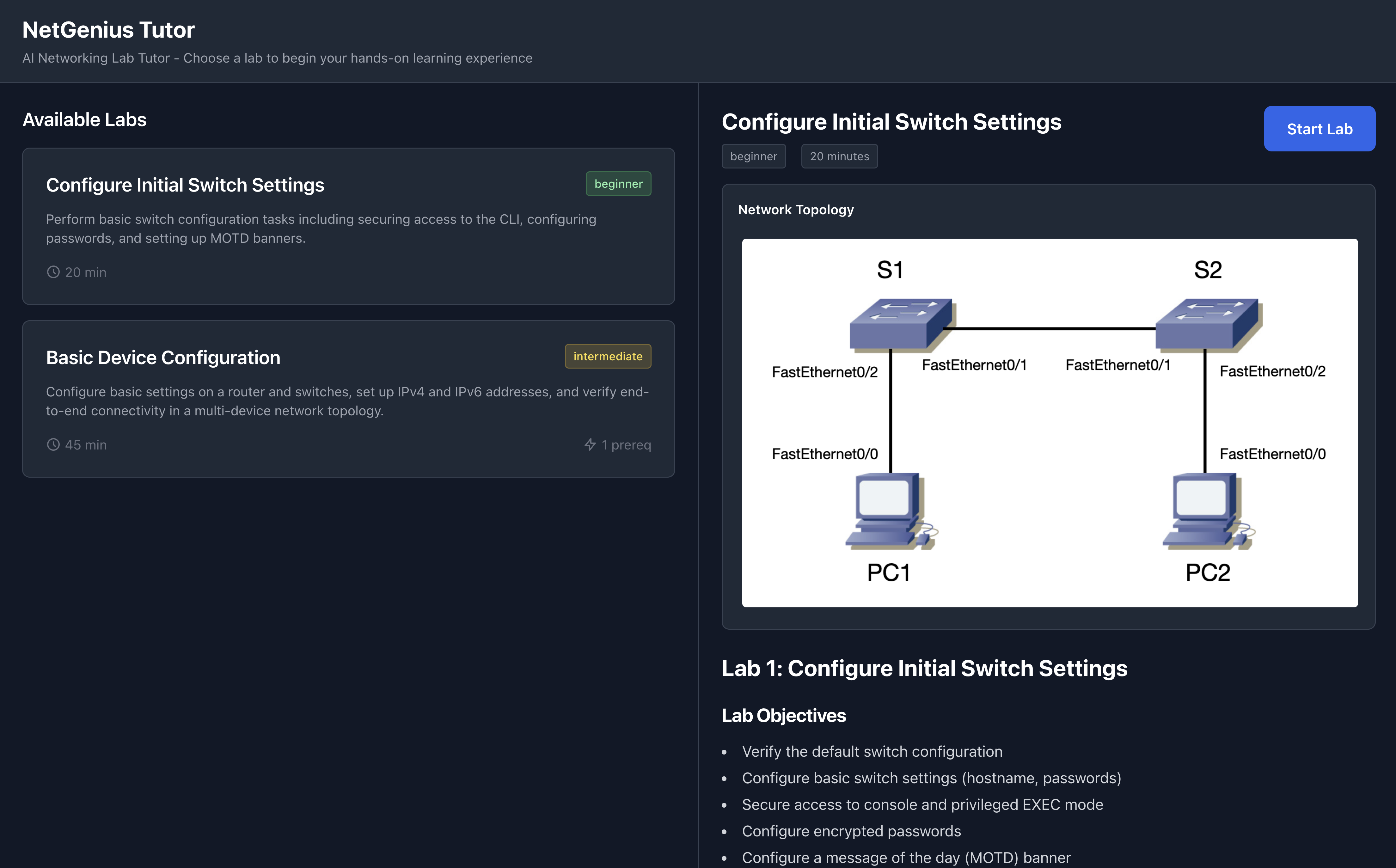
Lab selection screen
Inspiration
As a Cisco Certified Academy Instructor with 25 years of experience teaching the CCNA curriculum, I've witnessed countless students struggle with the gap between theory and practice. Traditional learning materials explain concepts well, but students often get stuck when applying them in CLI environments. They make typos, forget syntax, or misunderstand command modes, and without immediate, context-aware guidance, they become frustrated and discouraged.
I wanted to create an AI tutor that doesn't just answer questions, but truly understands the student's context: what lab they're working on, what commands they've tried, and what errors they've encountered. The goal was to build a system that provides the right type of help at the right time—teaching when students need concepts explained, and troubleshooting when they're stuck on technical issues.
What it does
NetGenius Tutor is an intelligent AI-powered tutoring system that guides students through hands-on networking lab exercises. It combines:
- Dual-Path Intelligence: Automatically routes questions between teaching mode (for conceptual learning) and troubleshooting mode (for debugging)
- Real-Time Error Detection: Analyzes CLI commands typed by the student, detecting errors with fuzzy matching to catch typos before they become frustrating
- RAG-Powered Answers: Retrieves relevant information from lab documentation using FAISS vector search with NVIDIA embeddings
- Interactive CLI Simulator: Provides a realistic Cisco IOS environment for hands-on practice
- Tool Calling Integration: Automatically retrieves device configurations when needed to provide grounded, accurate advice
- Concise, Contextual Responses: Uses a paraphrasing node to eliminate verbose preambles and deliver direct, actionable guidance
Students can ask conceptual questions ("What does the enable command do?"), reference CLI errors for troubleshooting, or practice commands in the CLI, all while receiving intelligent, context-aware guidance.
How we built it
Architecture: Built with LangGraph orchestration managing a dual-path workflow that intelligently routes between teaching and troubleshooting modes. The system uses FAISS for vector similarity search with NVIDIA's embedding NIM (nv-embedqa-e5-v5) generating 1024-dimensional embeddings from lab documentation.
Infrastructure: Deployed NVIDIA NIMs (LLM and Embedding) on AWS EKS with Kubernetes, using:
- LLM NIM: g6.4xlarge instance (L4 GPU) running Llama 3.1 Nemotron
- Embedding NIM: g6.xlarge instance (L4 GPU)
- CDK: Infrastructure as code for reproducible deployments
- Auto-scaling: GPU node groups that scale to zero for cost savings
Error Detection: Developed a sophisticated error detection system with 100+ regex patterns covering common Cisco IOS errors, integrated with fuzzy matching (rapidfuzz) to catch typos like "hostnane" → "hostname".
Frontend: React + TypeScript with an interactive CLI terminal and real-time chat interface.
Integration: Connected to NetGSim, a proprietary network simulator I built previously, providing realistic Cisco IOS CLI simulation and device configuration APIs.
Challenges we ran into
1. Grounding AI Responses: Preventing hallucinations and ensuring factually accurate responses was, by far, our biggest challenge. We had to use a combination of prompt engineering, RAG, and clever heuristics to ground the agent's responses in actual lab documentation and device configurations.
2. NIM Deployment Complexity: Self-hosting NVIDIA NIMs on EKS required careful configuration of GPU drivers, image pull secrets, and load balancers. The LLM NIM takes 15-30 minutes to initialize.
3. LangGraph State Management: Designing the dual-path routing system (teaching vs troubleshooting) and managing conversation state across multiple nodes was architecturally challenging.
4. Real-time CLI Integration: Integrating WebSocket streaming from the NetGSim simulator with the React frontend while maintaining session state required careful handling of asynchronous events.
5. LLM Verbosity: The model would generate long preambles ("Great question! Let me explain...") that wasted tokens and frustrated students. Solved this by adding a paraphrasing node that strips preambles and ensures concise, direct responses.
6. Deployment Time Documentation: NIMs took ~10-15 minutes to initialize, but health probes were set to 30 minutes. Tested actual timing and adjusted to 15 minutes with clear documentation about expected wait times.
Accomplishments that we're proud of
Smart Dual-Path Routing: The intent router intelligently distinguishes between conceptual questions and troubleshooting needs, optimizing the response path for each type of query.
Proactive Error Detection: Unlike reactive chat systems, NetGenius analyzes CLI history and detects errors before students ask for help, providing immediate, contextual feedback.
Production-Ready AWS Deployment: Successfully deployed a full production stack with NVIDIA NIMs on AWS EKS, demonstrating real-world cloud infrastructure skills.
Tool Calling with Context Awareness: The system smartly decides when to call NetGSim APIs to retrieve device configurations, avoiding redundant calls when CLI history provides sufficient context.
Cost Optimization: Implemented GPU auto-scaling that reduces costs to ~$0.15/hour when idle, compared to ~$3.85/hour when NIMs are running—a 96% cost reduction for development.
Comprehensive Documentation: Created detailed deployment guides tested on fresh AWS accounts, ensuring judges can actually deploy and evaluate the project.
What we learned
LangGraph Orchestration: Gained deep experience with LangGraph's state management, conditional routing, and multi-agent workflows. The dual-path architecture proved to be a powerful pattern for handling different types of user intents.
NVIDIA NIMs on AWS EKS: Learned the full deployment stack from CDK infrastructure as code, to Kubernetes secrets management, to GPU node auto-scaling. Understanding the 15-minute initialization time for model loading was crucial.
RAG System Design: Implemented chunking strategies (512 tokens, 50 token overlap) and learned how to optimize retrieval with FAISS vector search and NVIDIA embeddings.
Prompt Engineering for Conciseness: Discovered that adding a paraphrasing node with specific instructions ("remove preambles, be direct") was more effective than trying to engineer conciseness into the main prompts.
Real-World Testing: Testing deployment instructions on a fresh AWS account revealed issues (GPU quotas, secret conflicts, missing port numbers) that wouldn't have been caught otherwise.
Cost Management: Learned to balance development flexibility (using hosted mode) with hackathon requirements (self-hosted NIMs), and documented both paths clearly.
What's next for NetGenius AI Tutor
Multi-Lab Support: Expand beyond the current 2 labs to cover advanced topics like BGP, OSPF, VPNs, and network security, once the NetGSim simulator supports them.
Voice Interface: Add speech-to-text and text-to-speech for hands-free learning, especially useful when students are configuring devices and can't easily type questions.
Progress Tracking: Implement learning analytics to track student progress, identify common mistakes, and adapt difficulty levels.
Collaborative Learning: Add features for instructors to monitor student progress, create custom labs, and provide personalized guidance.
Mobile Application: Build a mobile app for learning on the go, with offline access to documentation and practice exercises.
Integration with Certification Prep: Align content with CCNA/CCNP certification objectives and add practice exams.
Teaching Assistant: Add a teaching assistant that helps instructors automatically create new exercises, with their own instructions and topologies.
Multitenancy: Support for more than one lab being run at once so that multiple students can work each on their own lab and their own pace.

Log in or sign up for Devpost to join the conversation.