Inspiration
We were inspired by the ease of use and connectivity across devices/accounts of Google's calendar services. We also knew that we wanted to create an app that allows the user to relax and not have to do anything whilst they attend to their online webinars - kind of like watching Netflix, which was a main source of inspiration!
What it does
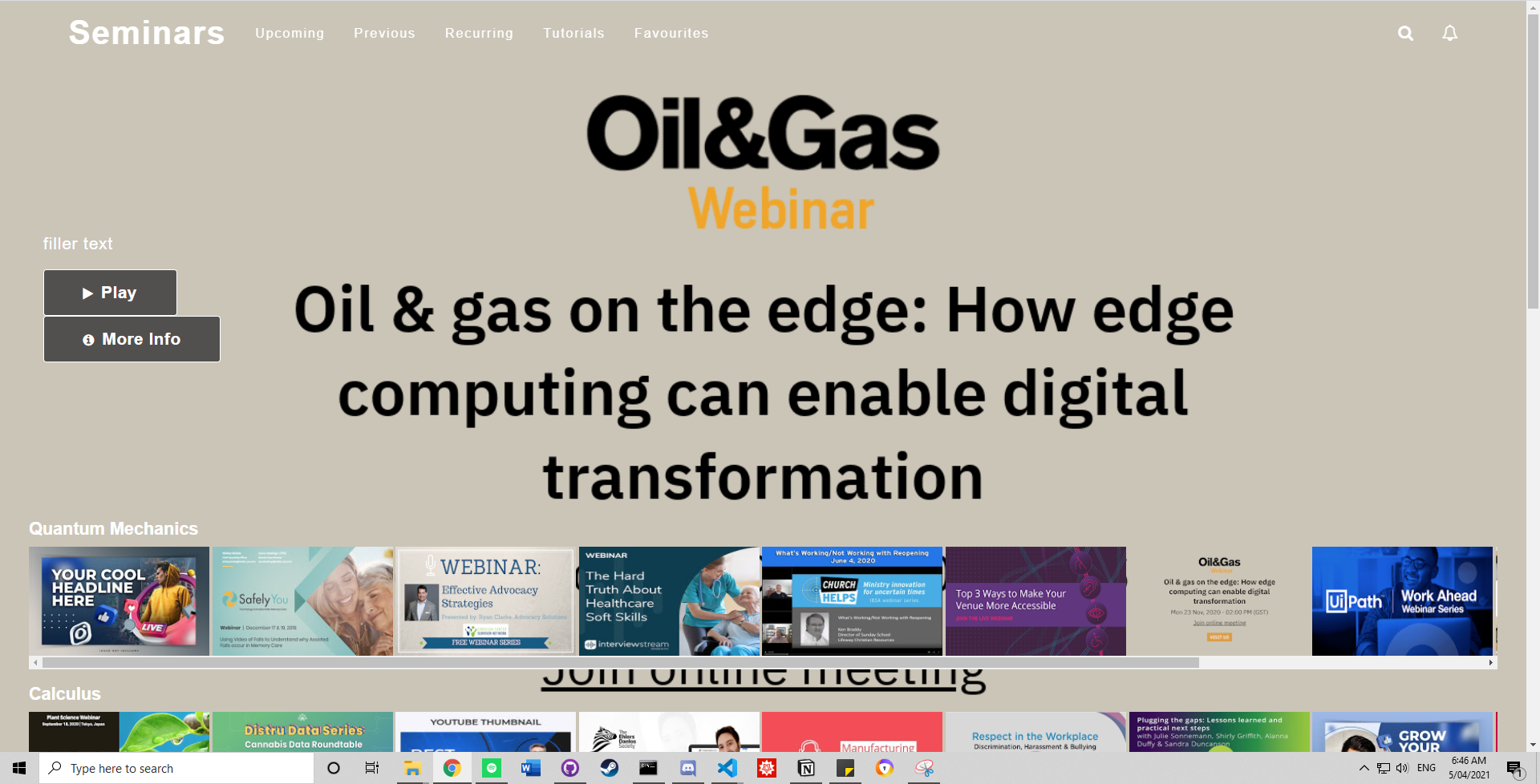
Our app displays your google calendar webinar events in a Netflix-like display, where the user can see their upcoming webinars, trailers/images/descriptions/links of the webinars.
How we built it
Frontend: made using React, used the Google Calendar and Drive API service Backend: Twilio API chat service using Flask (python)
Challenges we ran into
Google API: to display the image in the attachments of each event, we first needed to create a bunch of "dummy" events to iterate through. This required using the Google Calendar API service to "insert" events with different file attachments. Learning and using the API was a challenge as there wasn't much information/specifity on how to insert attachments - it was several hours later that we realised that the attachments could only be google drive files, and we learnt about the required format of the request. This then led us to using the Google Drive API service to call files from our Google Drive to then attach to each new created event.
Other challenges were with the Twilio API (related to our original idea), and integrating video-chat and text-chat into our project. We couldn't figure out how to get the Twilio video API to work on computers that didn't have a camera.
We also couldn't figure out how to deploy the React and Flask apps to Heroku or Vercel. We've laid out instructions in the README.md file on how to run the app locally.
Accomplishments that we're proud of
- Netflix-like display
- Integration of Google Calender events: this will allow any user to add their calendars to then easily access their webinars
What we learned
How to use APIs: creating API keys, making requests to APIs, using the data received from those requests
What's next for Netflix for Webinars
- Integrating video trailers.. currently Google Drive API doesn't support autoplay, so any videos would have to be manually pressed to actually view the trailer (no ease of use).
- Developing the app for TV.. so people can watch their webinars whilst relaxing on the couch
Built With
- css
- flask
- google-calendar-api
- google-drive-api
- html5
- javascript
- python
- react

Log in or sign up for Devpost to join the conversation.