Inspiration
As a network engineer, I draw diagrams all the time for designs, change requests and troubleshooting. Most tools are either too heavy, too expensive, or just drawing tools that don't understand networks. A line between two boxes means nothing to them. I wanted a tool that actually knows what a router, switch or firewall is, and an AI that can help me build and test the design instead of just drawing it.
What it does
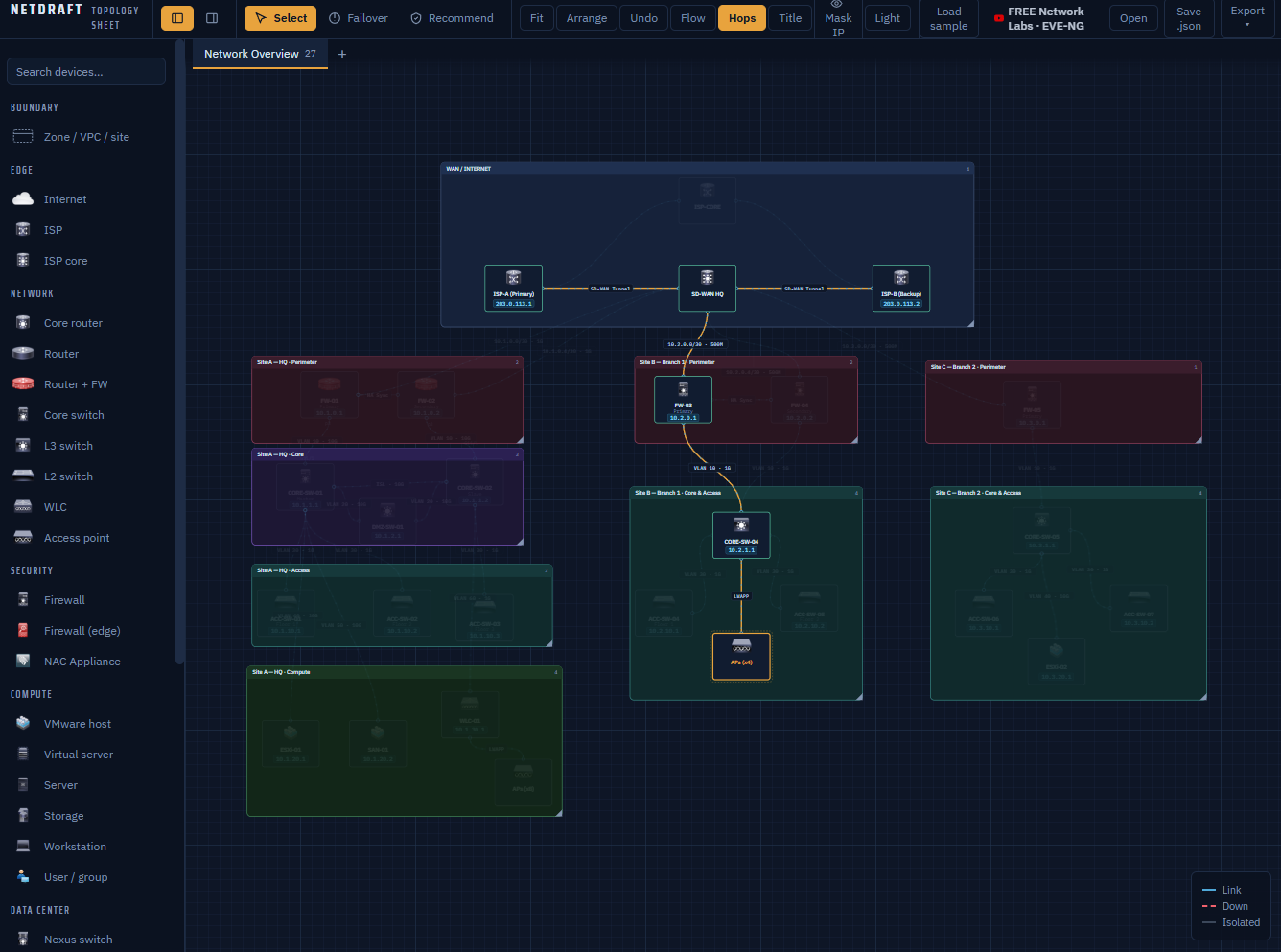
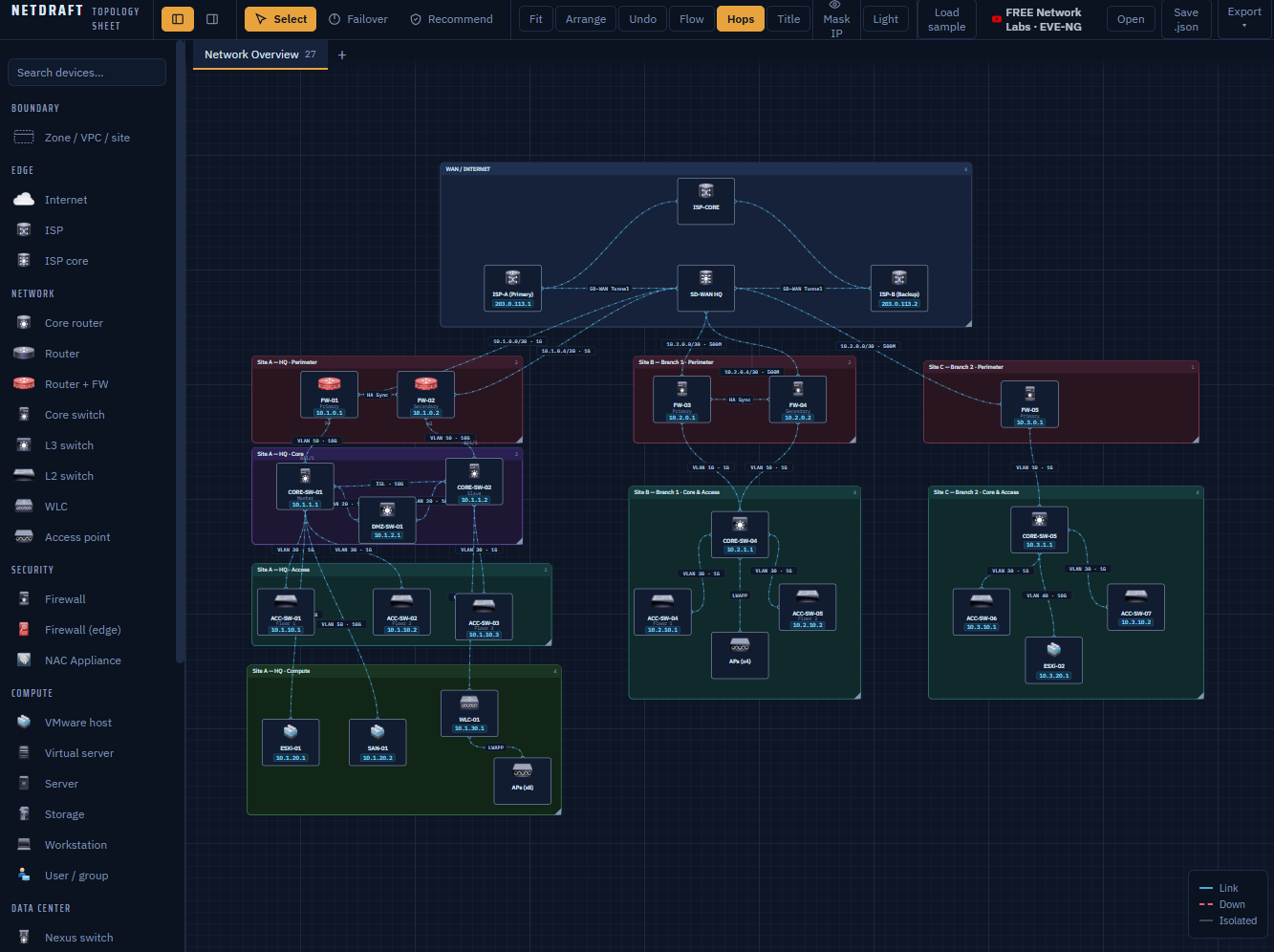
NetDraft is a browser based network diagram tool with an AI assistant built in.
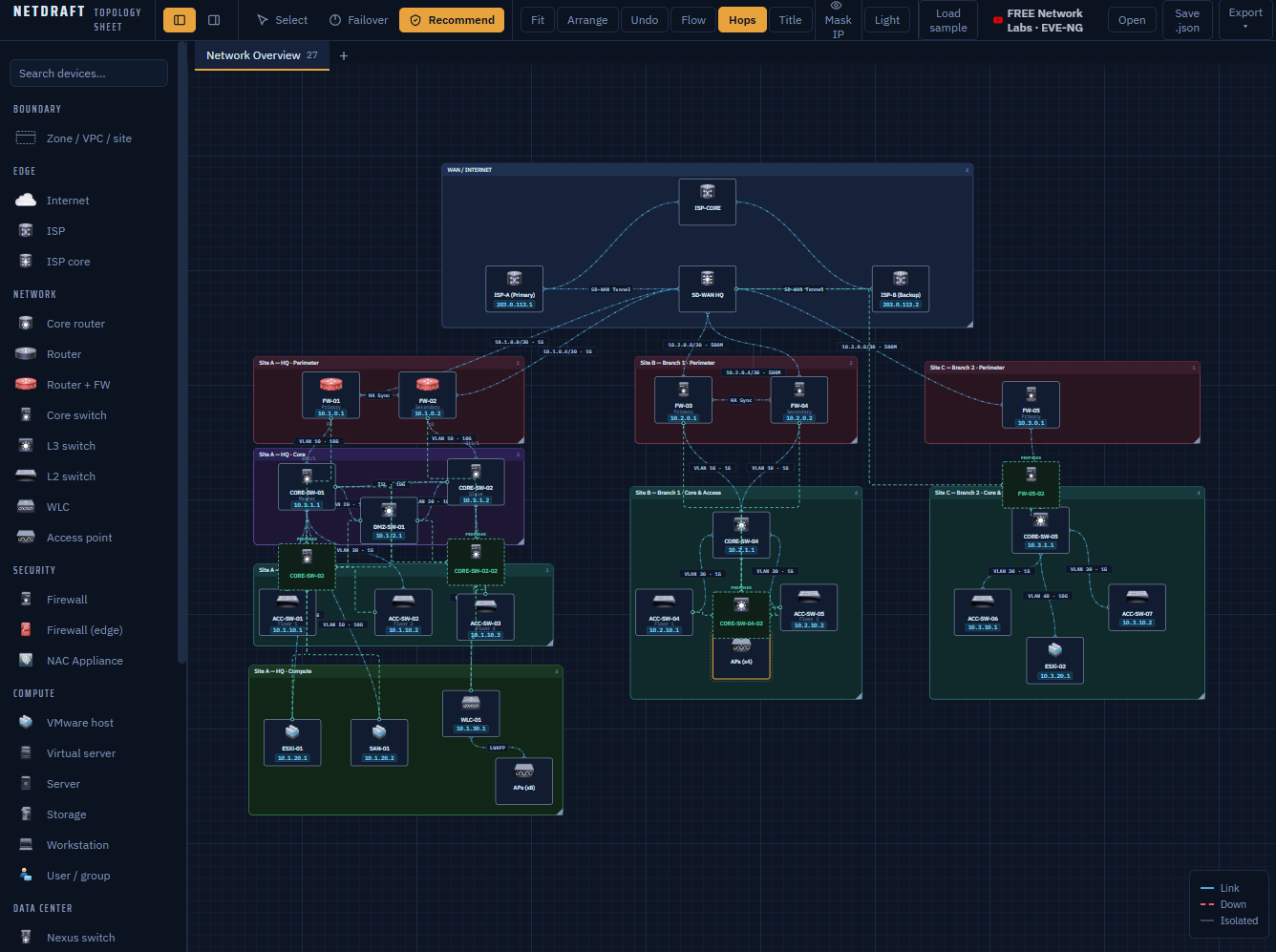
You can drag in devices from 21 device types, connect them with links the same way you would in a network lab, and organize bigger designs across multiple sheets. Then the fun part:
- Route tracing shows the path traffic takes from one device to another
- Failure simulation lets you take down a link or device and see what breaks
- The AI assistant can add devices, create links and work on the diagram for you, just by asking in plain English
So instead of only drawing a network, you can actually ask "what happens if this link fails?" and see the answer.
How we built it
NetDraft runs fully in the browser using JavaScript. The AI assistant uses Groq for fast responses, called through a small proxy on Netlify and Vercel so the API key stays hidden. The assistant is built as an agent with tools, which means it doesn't just reply with text. It can take real actions on the diagram, like adding devices or tracing routes.
I built it step by step, adding one feature at a time and testing each one before moving on.
Challenges we ran into
Getting the AI to take reliable actions was the hardest part. Chatting is easy, but making the agent understand the diagram and change it correctly took a lot of testing. Route tracing and failure simulation were also tricky, since the tool has to understand how devices are connected, not just where they sit on the screen.
Accomplishments that we're proud of
It feels like a tool made by someone who actually works in networking. The AI isn't just a chatbot added on top. It can actually work on the diagram with you.
What we learned
Building an AI agent is very different from building a chatbot. Giving it clear tools and limits matters more than the model itself. I also learned a lot about modeling network paths in code.
What's next for NetDraft
VLAN and IP planning built into the diagram, exporting basic device configs straight from the design, and sharing diagrams with a team so everyone works on the same version.
Built With
- ai-agents
- css
- groq
- html
- javascript
- netlify

Log in or sign up for Devpost to join the conversation.