Inspiration
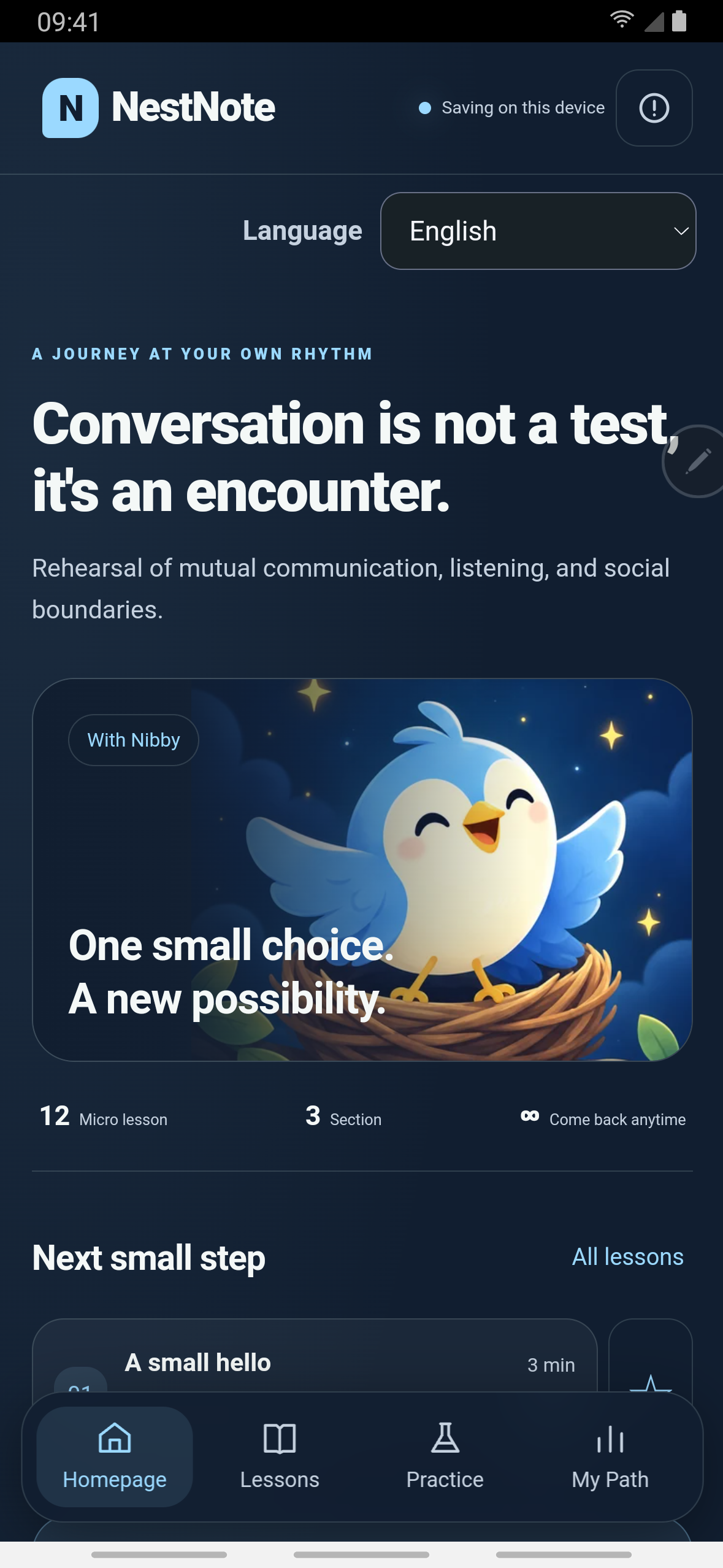
Social-skills material often teaches one "right" line and quietly promises that the other person will respond well. Real conversations don't work that way. NestNote's mascot is Nibby, a small bird who believes every conversation needs a flawless song. But a nest is never woven from one voice. The app is built around that idea: starting a conversation, listening, repairing a misunderstanding and leaving on good terms are all equally legitimate things to practise.
What it does
Conversation Branches is the practice lab. It is a written dialogue tree:
- you pick a reply, and the other character answers differently depending on your choice;
- some paths keep the talk going, some repair a misunderstanding, and some close it respectfully;
- the endings are connected, bounded, repaired or paused, and none of them is a score;
- the characters are openly simulated, and the app says so on screen: "The answers are pre-written branches. They are not real person or AI conversation";
- nothing is ever sent to a real person.
The course has 12 short lessons in three sections: Warm Hello, Listening Loop and Brave Ask. They cover a small hello, open questions, reflecting back, sharing turns, being okay with a brief silence, a clear request, a polite no, repairing a misunderstanding and ending a conversation.
Other features:
- search and bookmarks;
- a "My Path" progress view;
- a calendar-file or on-device reminder that you switch on yourself;
- an encrypted backup file;
- 19 interface languages;
- no account.
NestNote describes itself as general self-help education for everyday communication. It says it does not push anyone to become more outgoing and is not a substitute for professional support.
Free and Premium:
- Free: the practice lab and lessons 1–6, with ads.
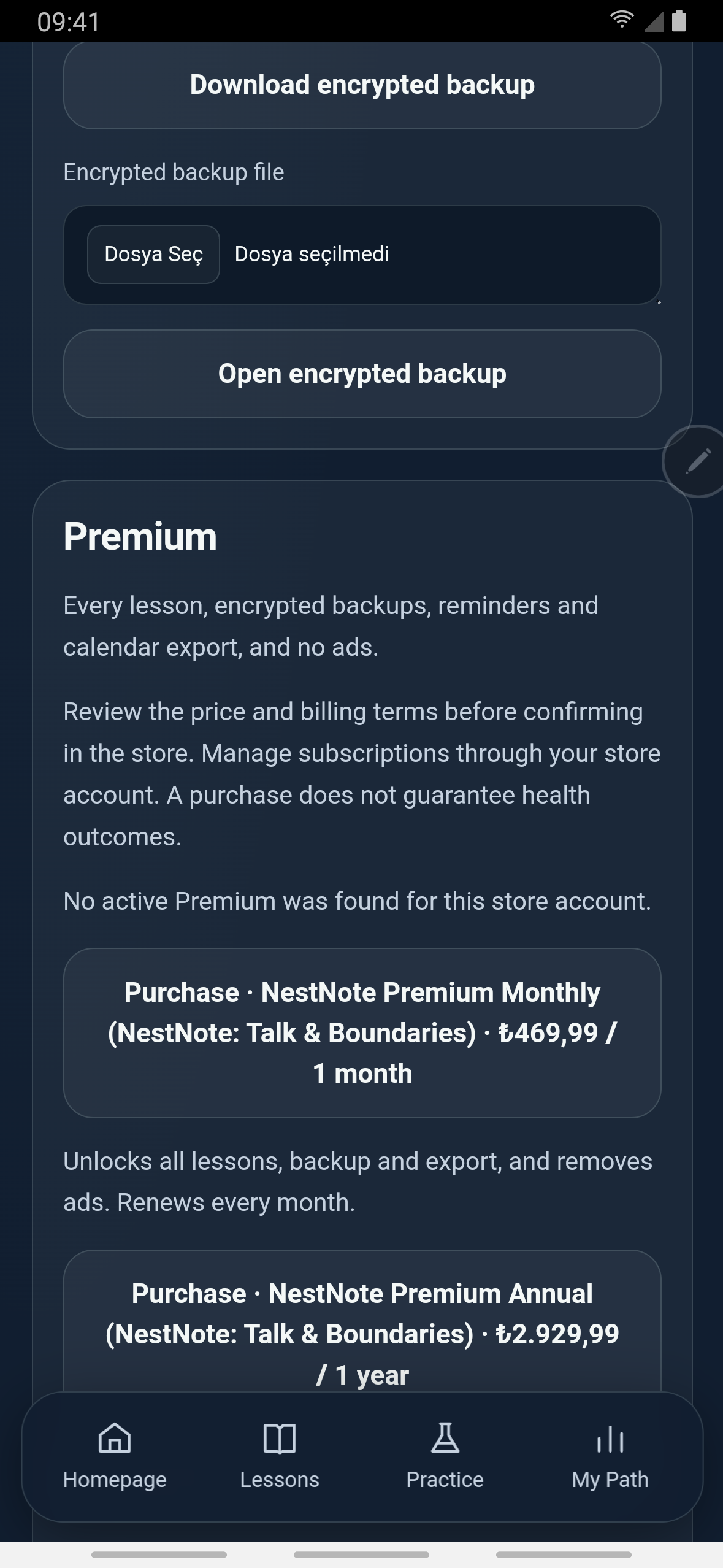
- NestNote Premium: an auto-renewing subscription, monthly or annual. It unlocks lessons 7–12, the encrypted backup and the reminder/calendar export, and removes all ads.
- Free trial: both plans start with a 7-day free trial (Play offer
trial7, new subscribers). Google Play shows it on the purchase sheet (see Judges' access).
How we built it
- App shell: the app is an offline web app wrapped for Android with Capacitor. The APK contains no native libraries of its own.
- Plugins, read from the shipped APK's
capacitor.plugins.json:@revenuecat/purchases-capacitor@capacitor-community/admob@capacitor/local-notifications@capacitor/filesystem@capacitor/share@capacitor/browser@capacitor/app
- Dialogue data: each run is a
dialogue_runsrecord with a scenario, a node, the choice path as JSON and an ending kind. The ending kind is one of the four values above.
RevenueCat
- Entitlement:
premium, set in the build config. - Offering: the paywall reads the current offering and shows each package with the store's own localized price and period. No price is hard-coded.
- Products: two packages map to the Play subscriptions
nestnote_monthly:monthlyandnestnote_yearly:yearly(US base prices $7.99 and $49.99). Both base plans carry the Play offertrial7(7 days free, ACTIVE). RevenueCat offeringdefault(current) holds the packages$rc_monthlyand$rc_annual. - Entitlement check: premium is granted only from a loaded, active entitlement, never assumed. On the first load of each process the customer-info cache is invalidated once. This way a grant, refund or revoke made outside the app is seen at launch instead of the device's stale cached answer.
- Restore: "Restore purchases" and "Manage subscription" sit on the same card.
AdMob (free tier only)
- Banner: an adaptive banner, shown only on the Home and Lessons screens. It is never shown in the practice lab or in settings.
- Interstitial: a full-screen ad may appear only at a natural pause, meaning a finished lesson. It is paced to at most one in every three pauses, with at least 3 minutes between ads.
- Consent: Google's UMP consent form runs first. Until consent is obtained, requests are non-personalized.
- Premium: when the
premiumentitlement is active, the banner is removed, no interstitial is shown, and an interstitial already loading is dropped.
Build and verification
- Android App Bundles are built in GitHub Actions and signed with the upload key. Nothing is built locally.
- We recorded the demo on a physical phone from the build installed through Google Play. Its web payload is identical, file by file (75 files), to the CI release build of the uploaded bundle (versionCode 1).
Challenges we ran into
- One strict check silently rejected all 19 languages. A shared validator required exactly three choices per lesson. When a lesson lost one choice, all 19 language packs were rejected, and the app fell back to its base shell. We changed the check to mirror the base lesson and added a build-time gate that runs the shipped validator on every packaged language. The build now fails closed if any pack is rejected.
- A cached "not premium". The RevenueCat SDK answers from its device cache first. During device testing, an entitlement granted outside the app (on another app in the same studio) did not unlock the app at launch. The fix is one forced refresh per process. Offline, premium is not assumed.
- Store billing only works on the store build. A side-loaded copy of the same code got "billing service unavailable" from Google Play, so the paywall showed "No offers are available right now". The build installed through Play loaded both plans. The demo is recorded on that Play-installed build.
- Not making silence the wrong answer. A dialogue tree tempts you to mark "say nothing" as the losing branch. The endings were written so that pausing and setting a boundary are real outcomes.
Accomplishments that we're proud of
- A dialogue engine where "bounded" and "paused" are endings worth reaching, not fail states.
- A paywall that uses RevenueCat's own price strings, a real 7-day trial, and an entitlement check that can't be fooled by a stale cache.
- Ads confined to two screens, with pacing written into the code.
What we learned
A component that is configured is not a component that runs. The same code showed "No offers" when side-loaded and a working trial when installed from Play. Only the device showed the difference.
What's next for NestNote
Ideas from the product notes, not commitments:
- test the same dialogues with users from different cultures;
- try role-play generated only from approved templates;
- make writing, voice and augmentative communication equal ways to answer.
Judges' access
- Free trial: open Settings (the top-right icon) and scroll to Premium. Choose NestNote Premium Annual. Google Play shows a 7-day free trial, and cancelling before it ends means no charge.
- What the trial unlocks: everything Premium includes, namely lessons 7–12, the encrypted backup, reminder/calendar export and no ads.
Without the trial: the practice lab and lessons 1–6 are free.
Recorded on a Turkish-locale phone: the Google Play sheet line "7 günlük ücretsiz deneme" means "7-day free trial"; prices appear in TRY; the file-picker button "Dosya Seç" means "Choose file". The app UI itself is in English.
Built With
- admob
- android
- capacitor
- capacitor-local-notifications
- css
- github-actions
- google-ump
- html
- javascript
- purchases-capacitor
- revenuecat

Log in or sign up for Devpost to join the conversation.