-
-
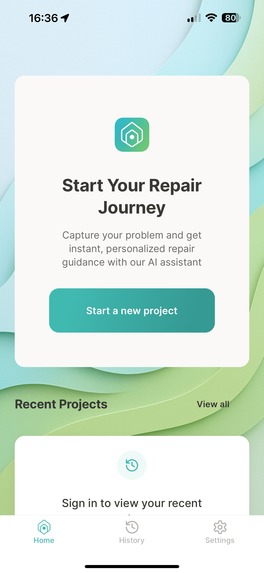
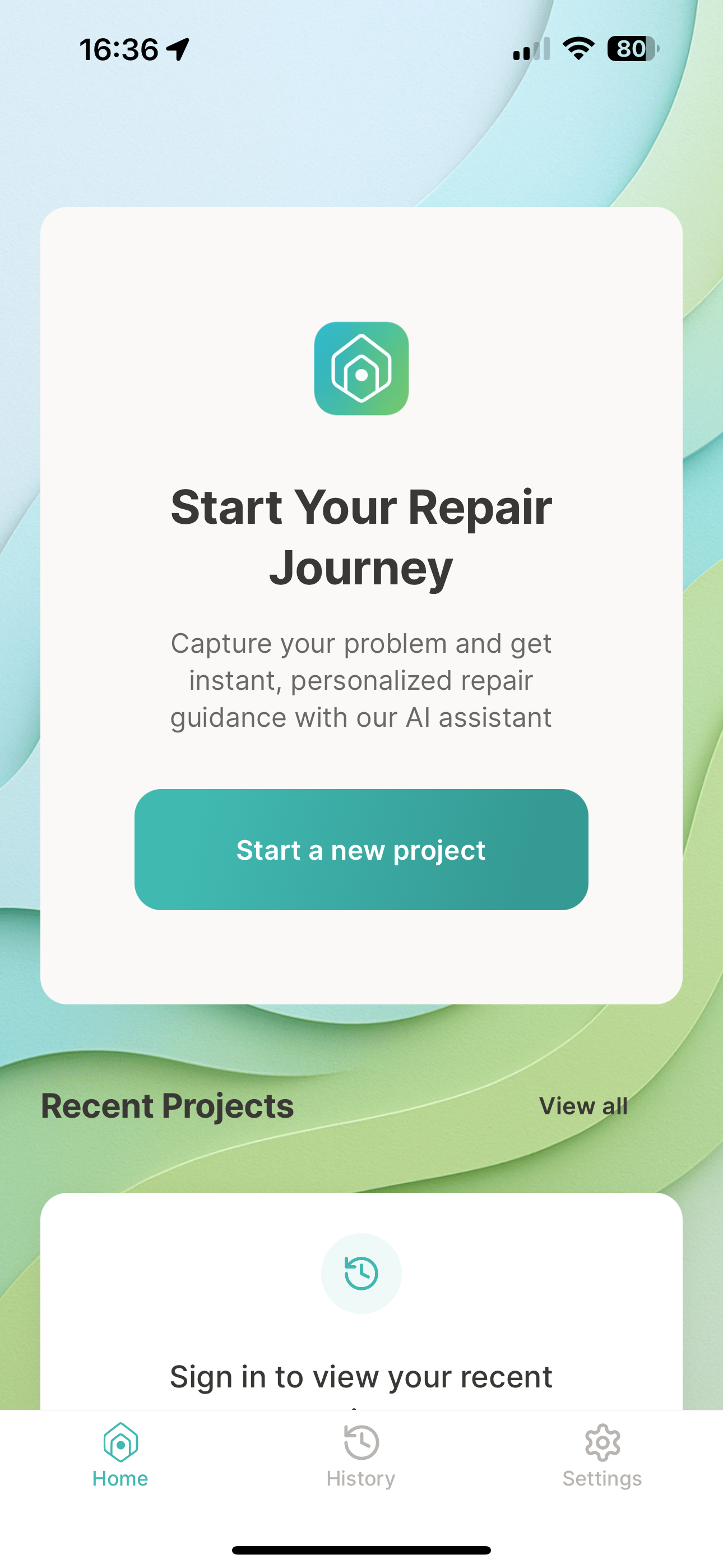
Screen 1: home
-
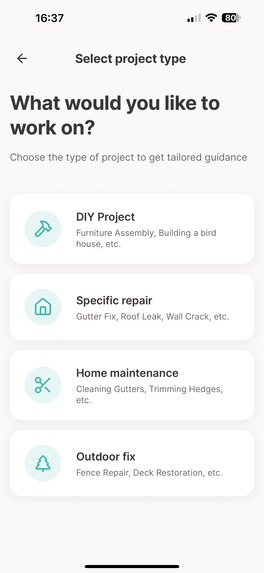
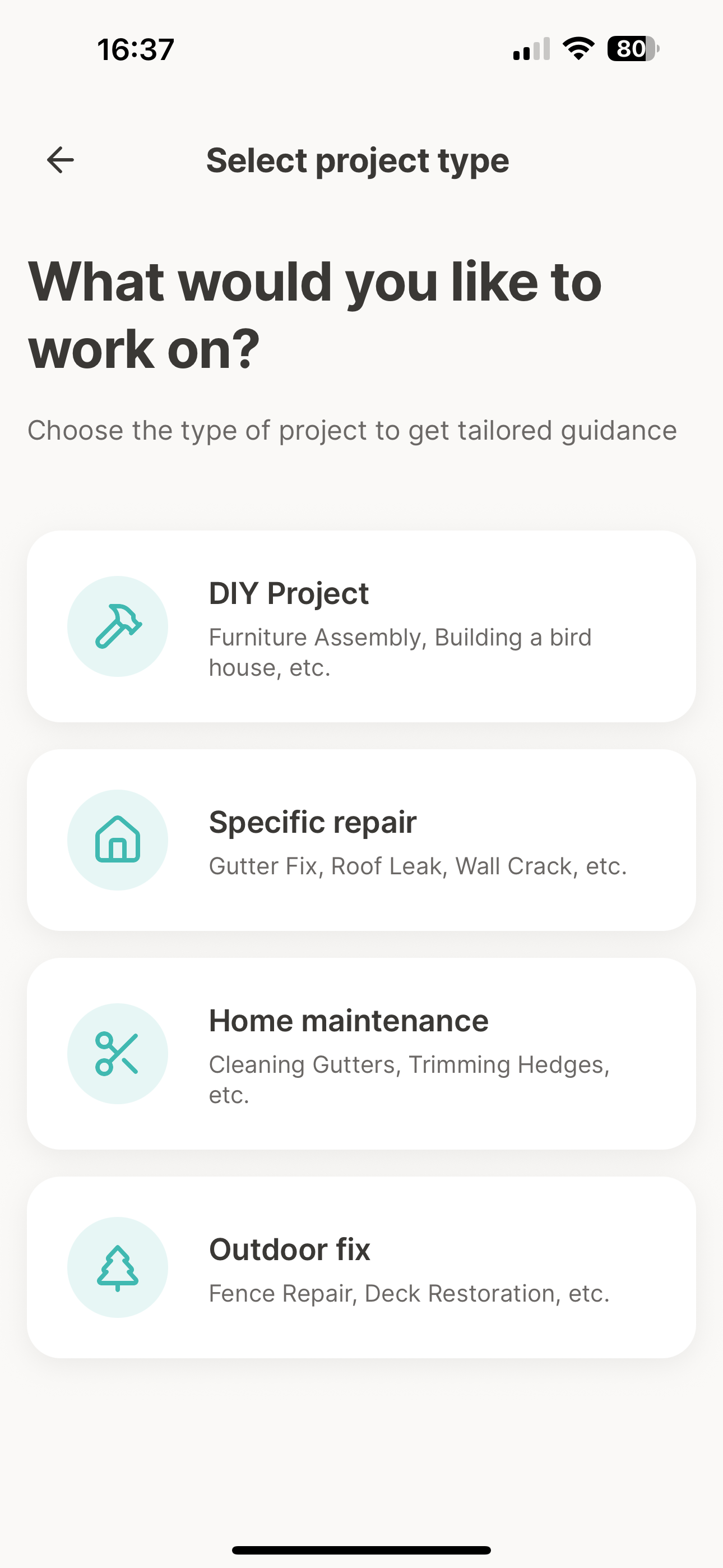
Screen 2: Start a project - step 1, select project type
-
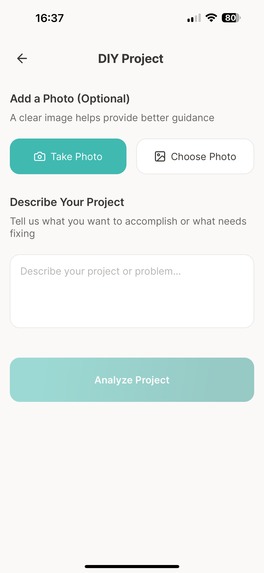
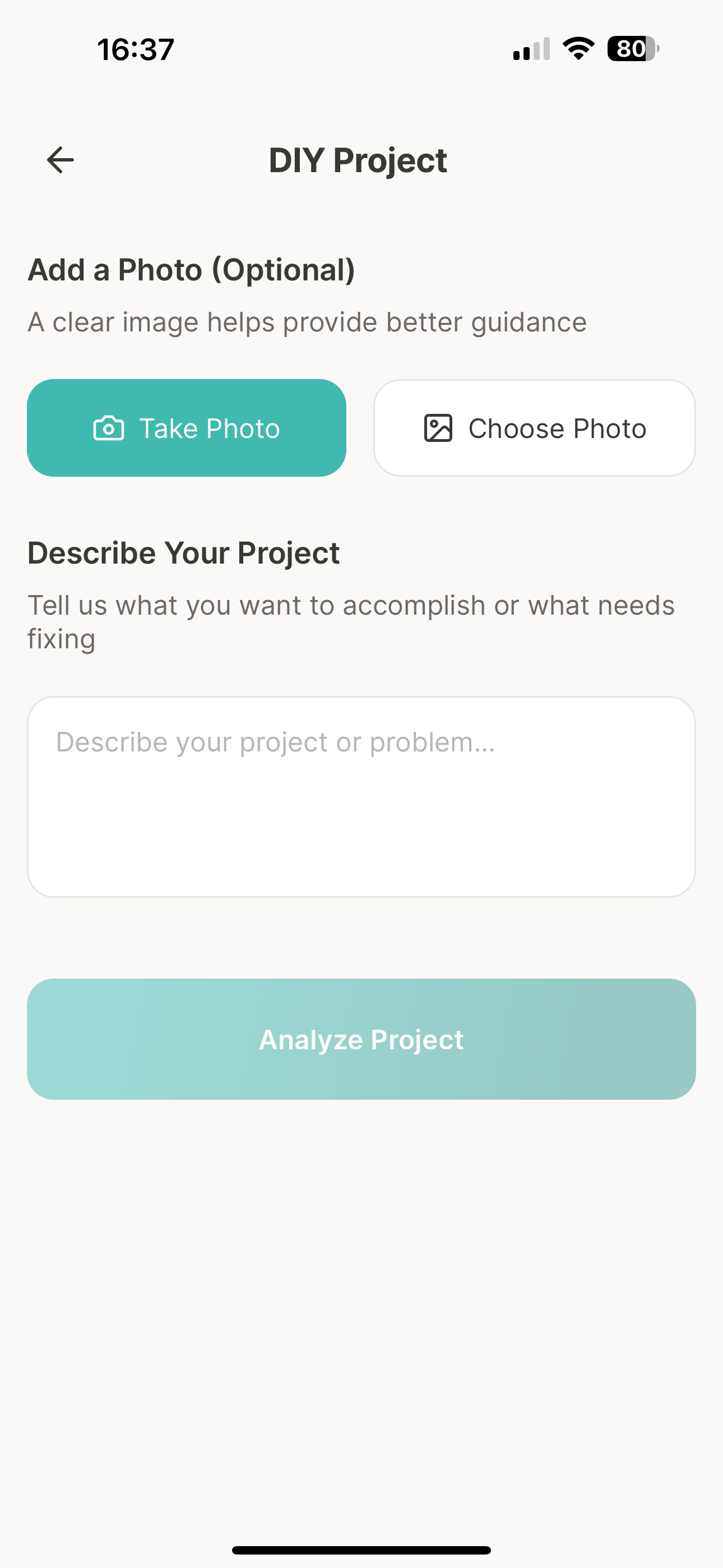
Screen 3: Start a project - step 2, add a photo and description
-
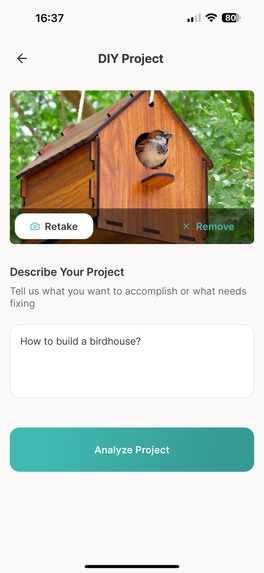
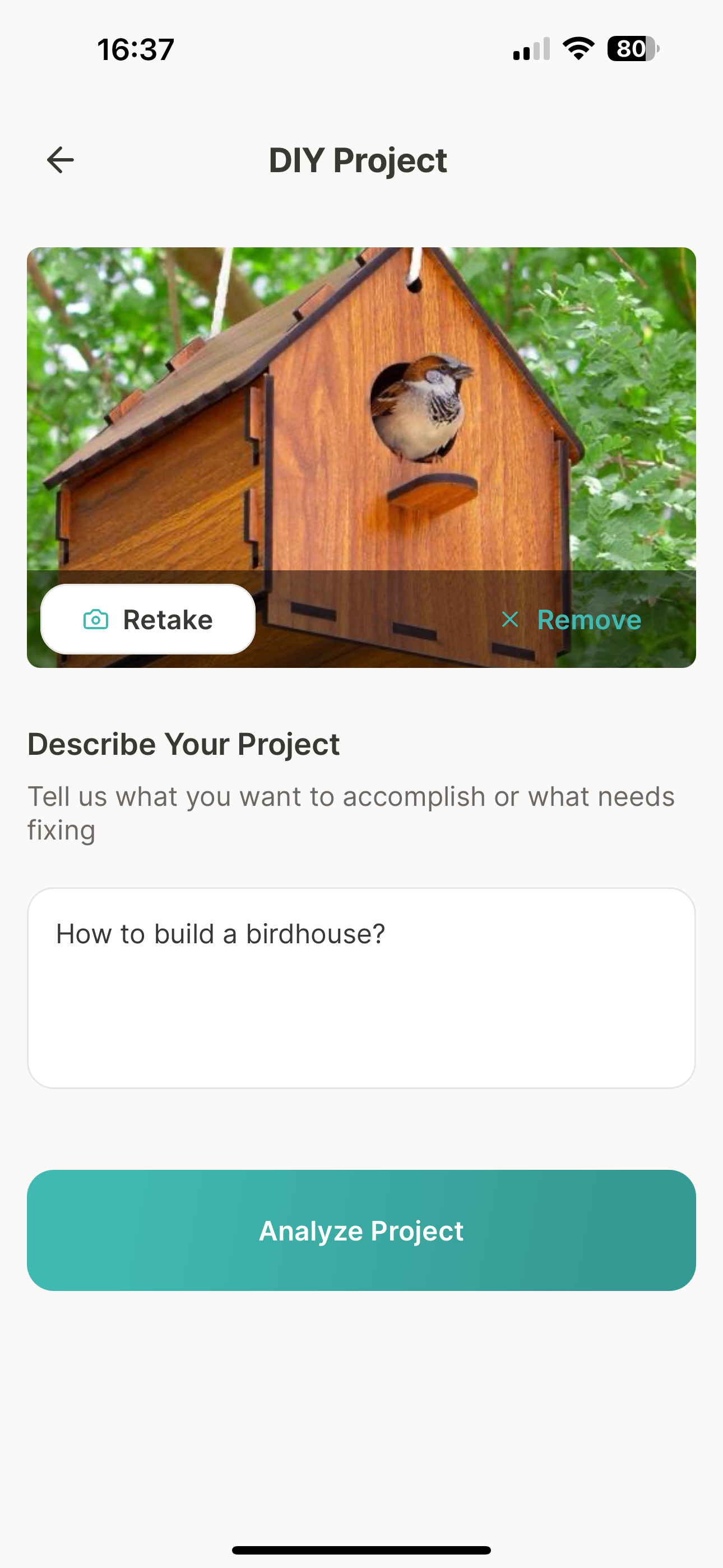
Screen 3: Start a project - step 2, photo added and description filled in
-
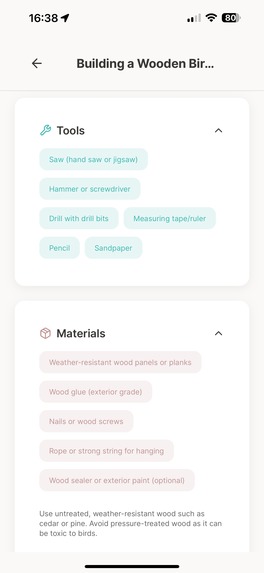
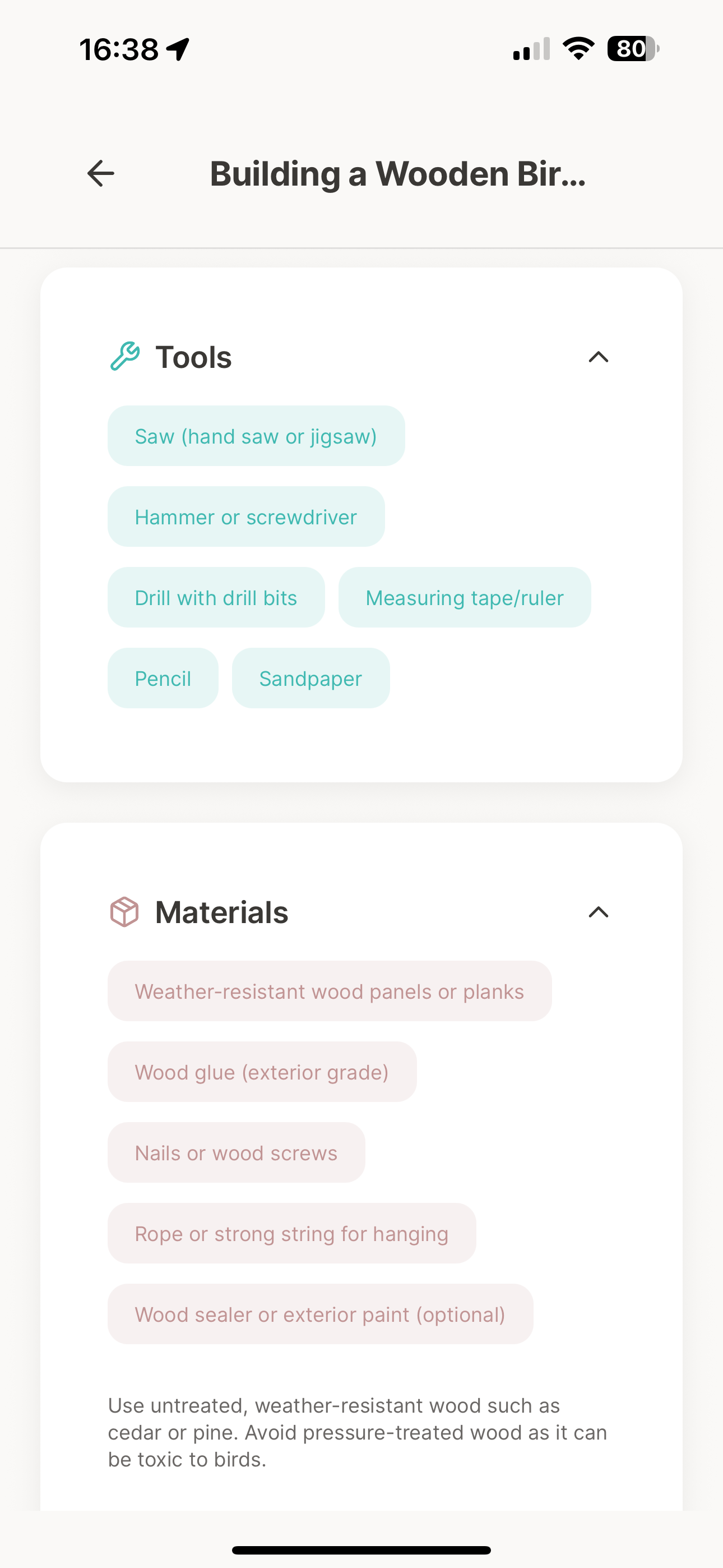
Screen 4: Project details - tools and materials
-
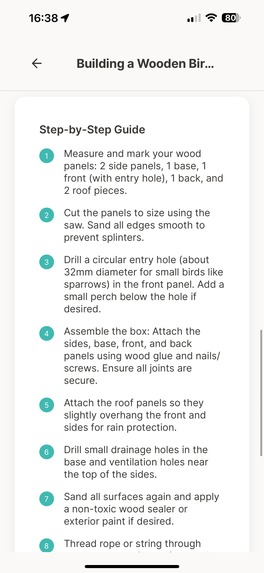
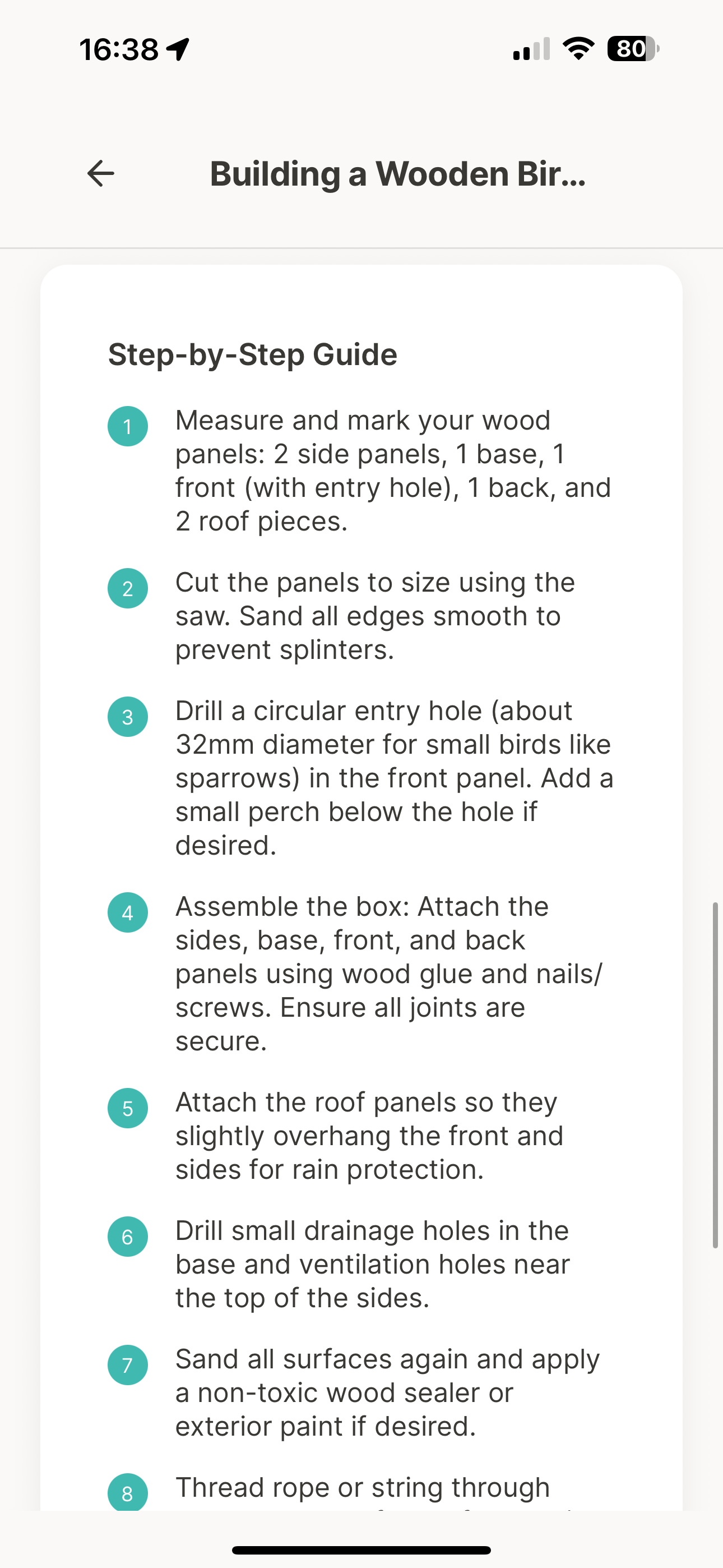
Screen 4: Project details - step by step guide
-
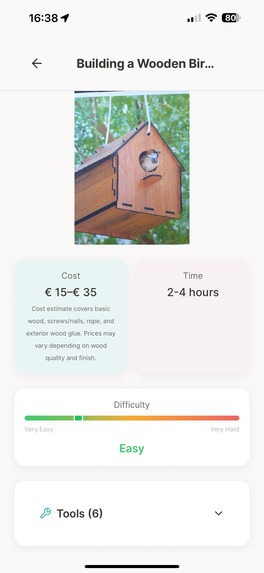
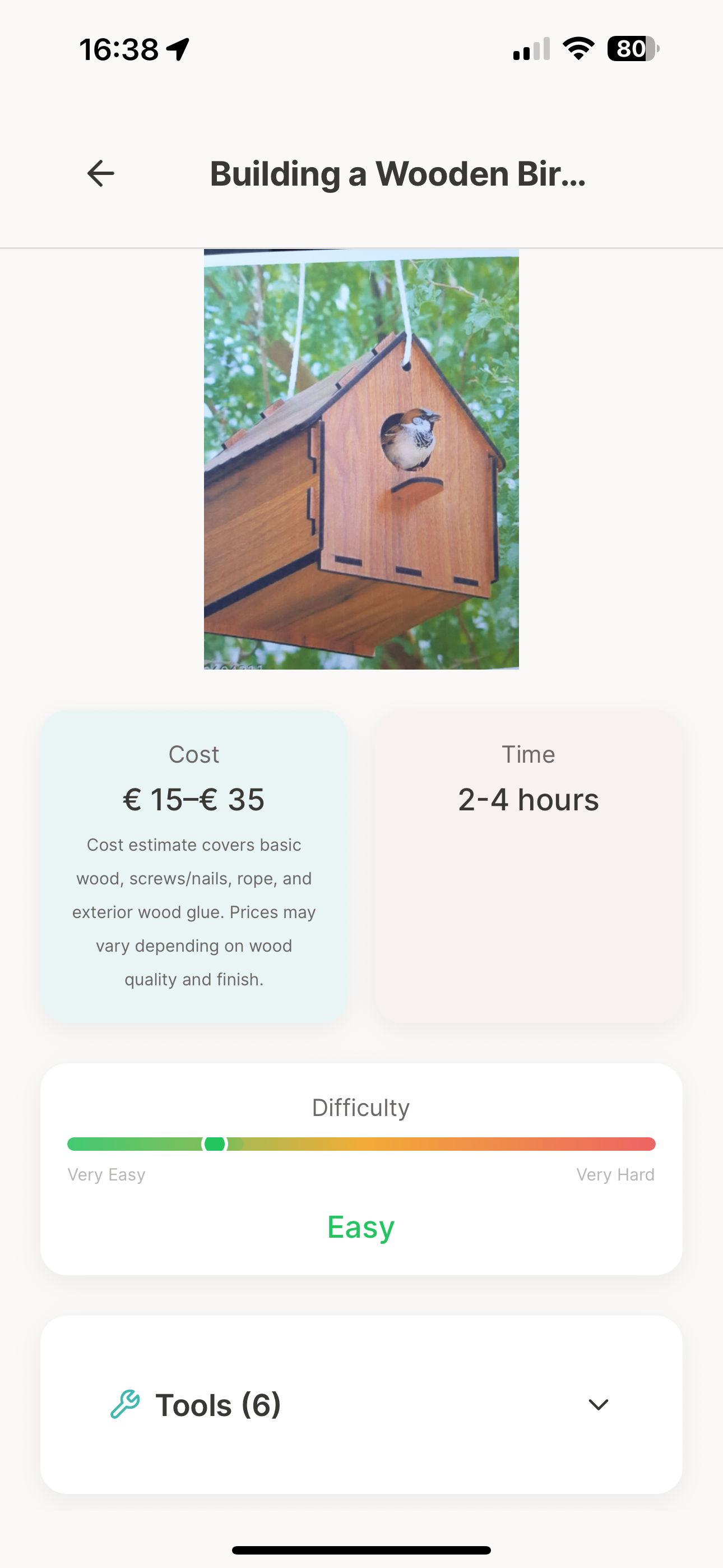
Screen 4: Project details - costs, time and effort
-
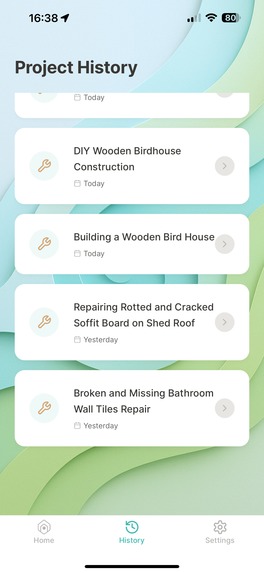
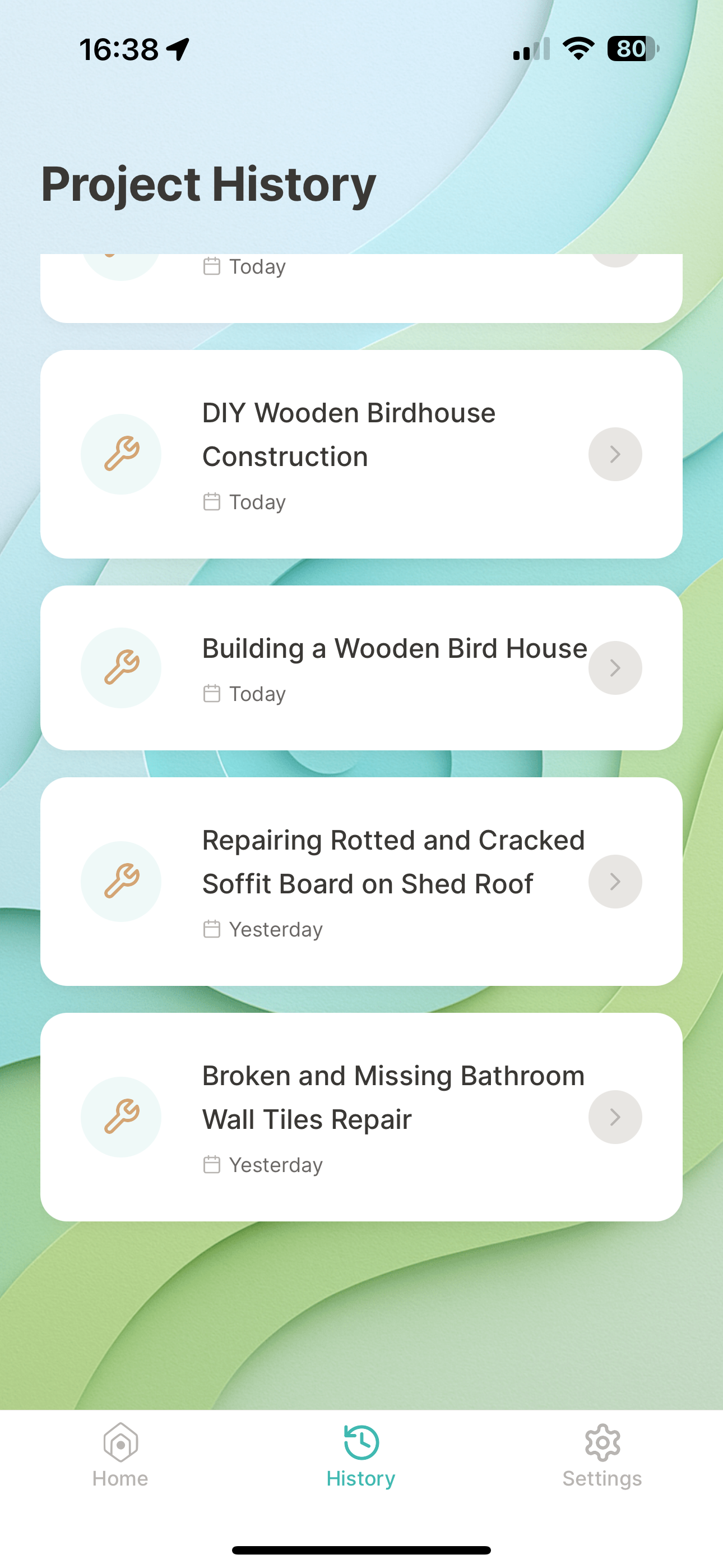
Screen 5: Project history - list of previous projects
-
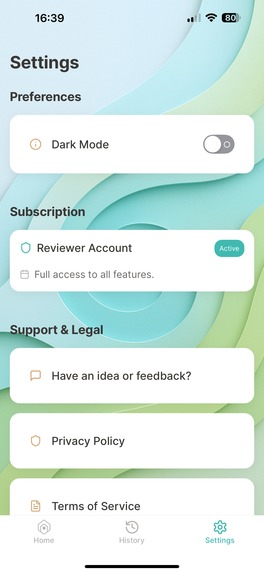
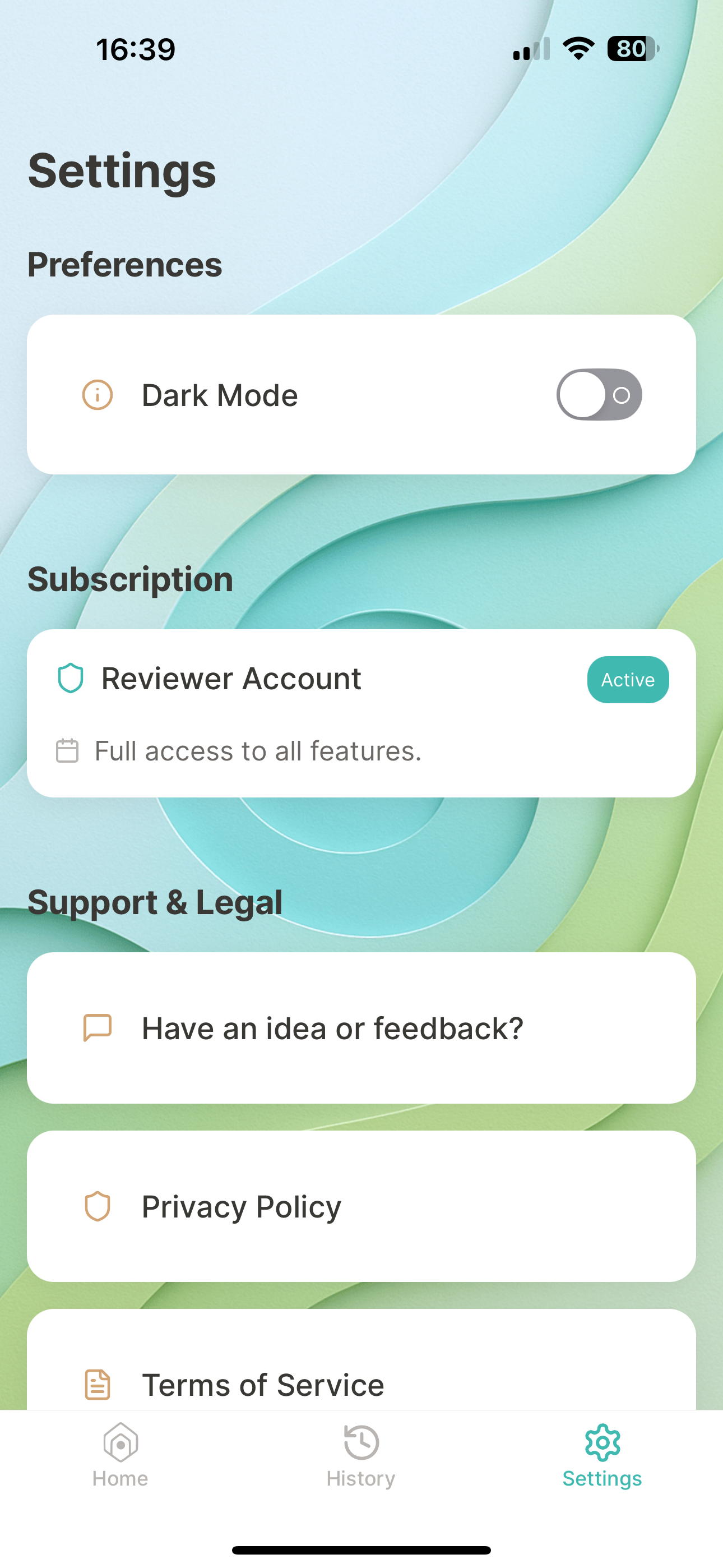
Screen 6: Settings pt. 1
-
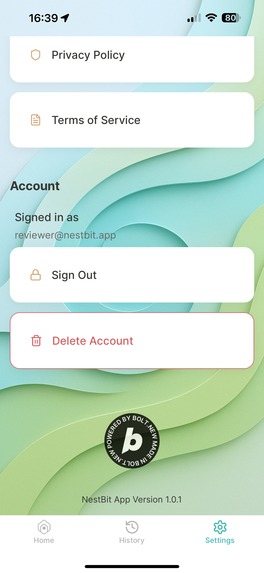
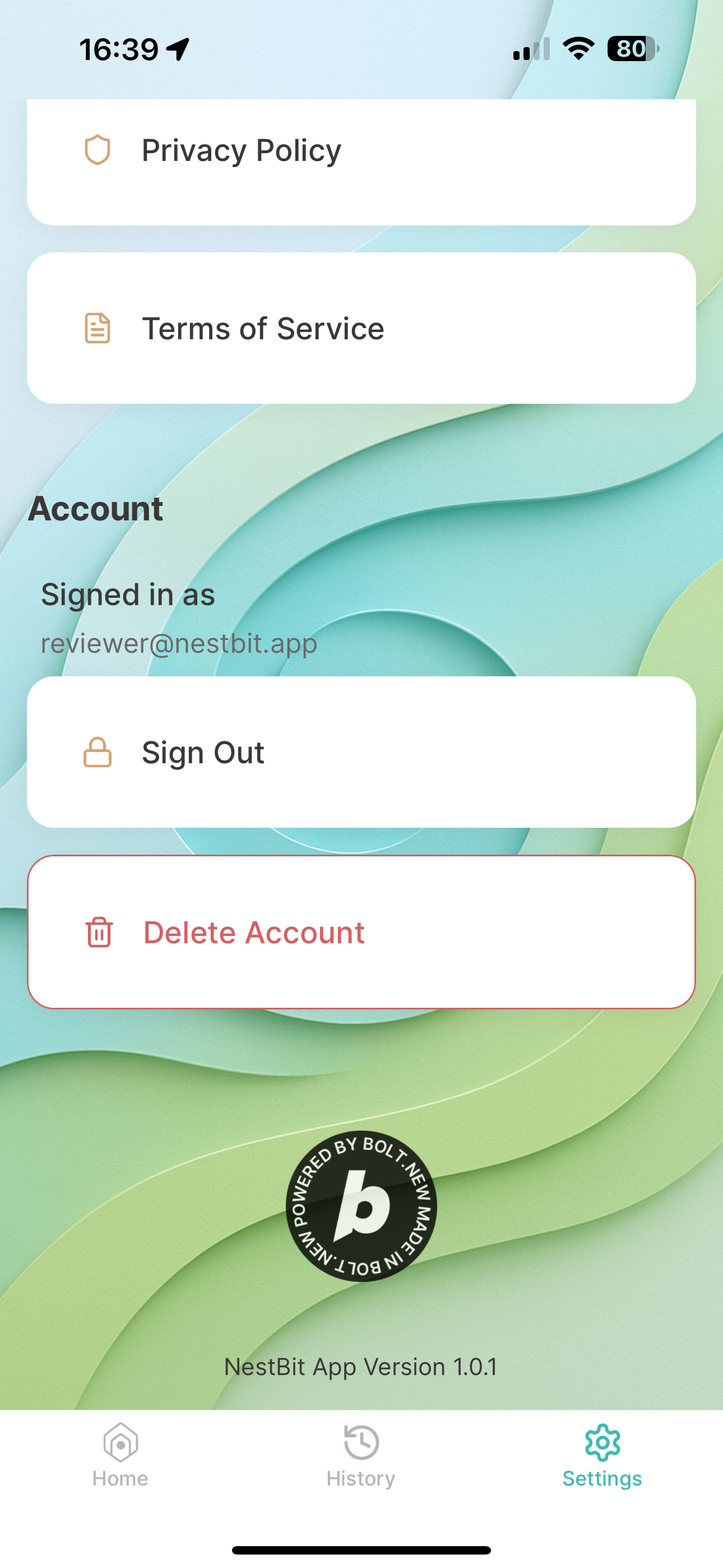
Screen 6: Settings pt. 2
-
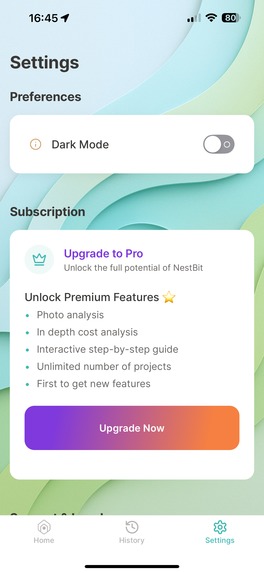
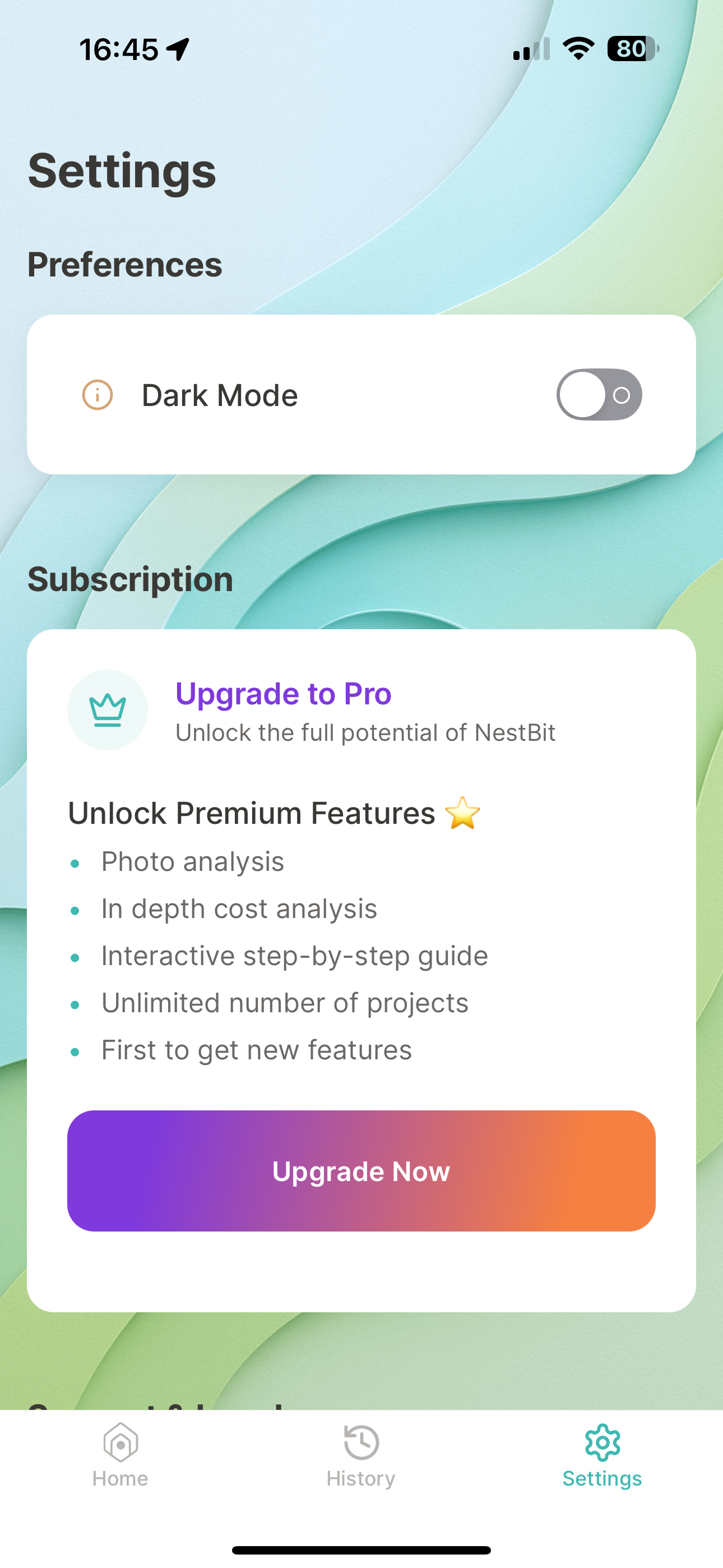
Screen 6: Settings pt. 3 - free user sees upgrade card
-
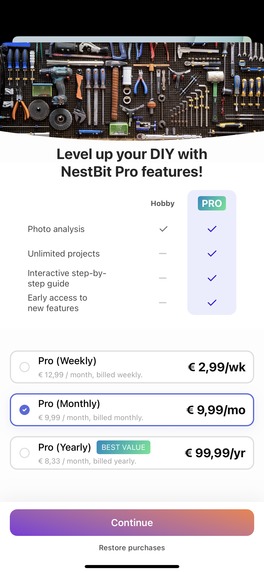
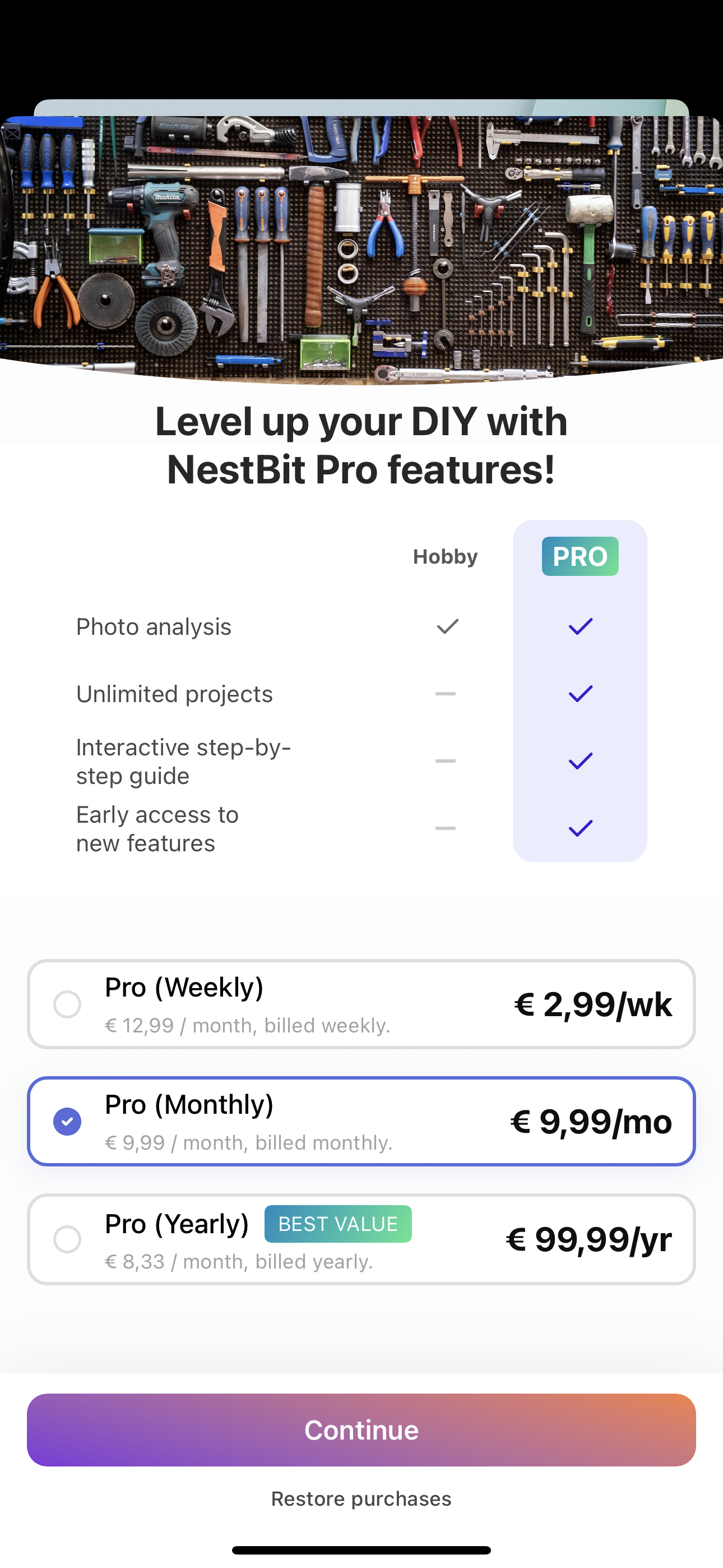
Screen 7: RevenueCat Paywall
Inspiration
Some years ago I bought a an old house built in the 1960's. The house constantly has some things to fix, repair and generally things break (walls cracking, paint drying and falling off, pipes go rusty, we break things etc). I personally am not an DIY or a handyman expert, but I do like to try and fix things on my own, it gives me something to be proud of and it saves me money (or I would like to think so ;) ). Now, having said that I always resort to YouTube for tutorials on how to do things and generally spend quite some time to find a similar problem people had, however it is not always the exact situation or exactly the right advice. NestBit app is my shot at trying to fix this gap.
What it does
NestBit empowers anyone, with a knowledge on how to approach any repair/diy project - whether it's a tiny patch on the wall that needs repainting, a big garden project or building a birdhouse - NestBit has you covered. It provides the ability to capture the problem, analyze it and provide a step-by-step guide on how to start and what steps to take in order to repair/fix or complete any diy project. It also gives an overview of the tools and materials, total cost, time and effort estimations.
How I built it
I've built the app using Expo to target both Android and iOS mobile platforms. Supabase is used for storing the data, authentication and backend API. NestBit uses OPenAI models to get the analysis and provide the guides and estimations. The app, the Supabase integration was built (mostly) with bolt.new and the website was fully built with bolt (https://bolt.new/~/sb1-3sowpvgm) After adding RevenueCat libraries and implementing the Subscriptions I couldn't load the app in bolt itself anymore so I had to continue developing it in Cursor locally. However I tried loading it a few times in bolt too but to no avail.
How to test it
There are 3 links provided:
- the website 'download' section will contain the link to public TestFlight version (iOS) and a contact button to email as Google offers only Closed Testing for now. As soon as both Store providers approve the App, the links to production apps will be updated.
- url for the TestFlight (which is public)
- url to GithHub repo that contains the Android APK
To test it you can use your own email address to signup/login and you'll get a verification link. This will create a free tier account which will have access to creating 3 projects. If you are on the TestFlight or Closed Testing track on Google Play (contact me with your Play Store email address and I'll add you to this group) you can purchase a Pro version (you won't be charged as this is not production).
Challenges I ran into
Many challenges but mostly around App Store and Play Store reviews and actually setting up in-app purchase. There is a lot of details that can take a lot of time. Putting a mobile app out to public (on two platforms) in such a short time is quite a task. Making the app run in bolt after adding RevenueCat was another challenge, that, unfortunately, I din't overcome in the end as I got no time left anymore. The app is in review on both platforms (Apple and Google) so I provided a public TestFlight URL but for Google I don't have (yet) a public URL until they approve my app so it can go into Open Testing track. Once I have both will update the website.
Accomplishments that I'm proud of
I'm proud of what I managed to do in these 4 weeks. Tackling a regular 9-5, having a family and working on this app was a challenge but it was fun!
What I learned
How to build a product in 4 weeks. Amazing what is possible in 2025, something that in the past it took a team(s) and few months, now one person with all these AI tools like bolt etc. can do it in 4 weeks.
What's next for NestBit
I feel I'm just getting started with NestBit - I have many ideas to truly take diy and home repair assistance to the next level, but after the Hackathon I'll take some time off and continue building it after I'm back.
Built With
- bolt.new
- expo.io
- openai
- postgresql
- react-native
- supabase
- typescript

Log in or sign up for Devpost to join the conversation.