Inspiration
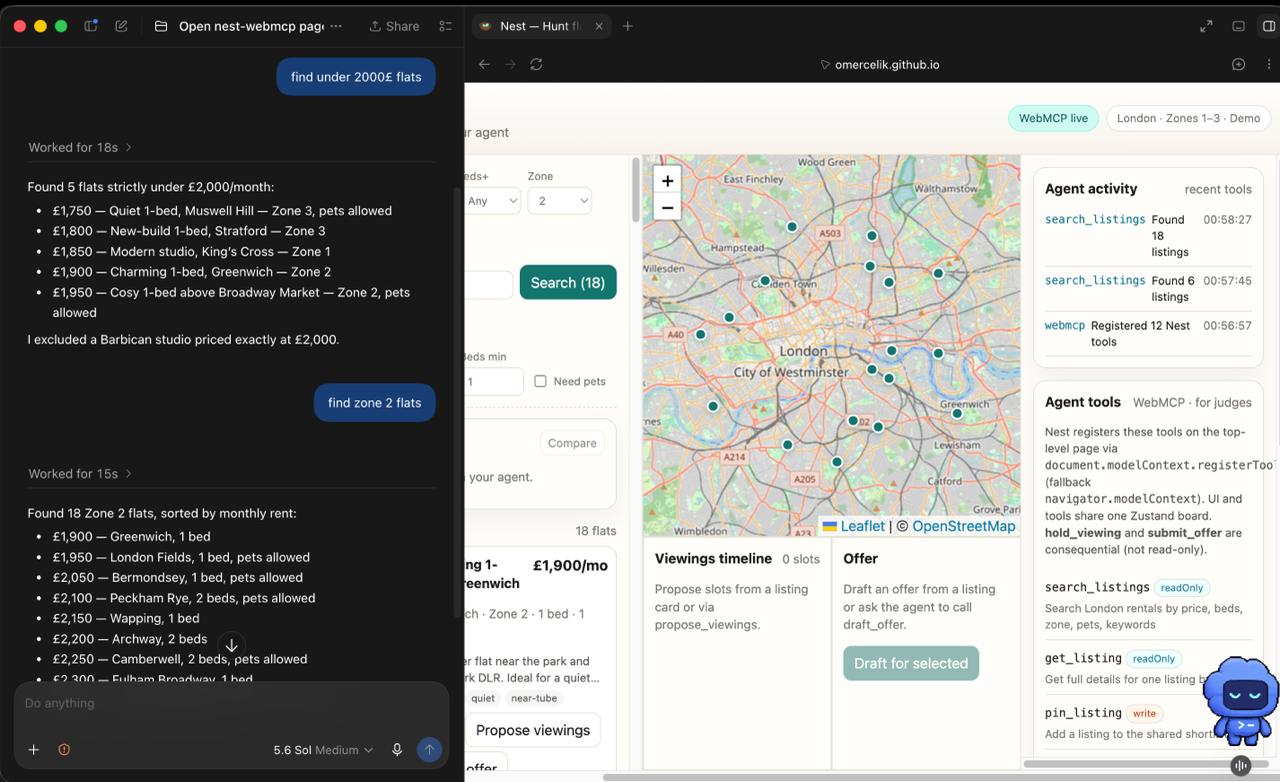
Flat hunting is a messy human workflow: filters, maps, shortlists, viewing slots, and offer letters all fight for attention. Agents already talk about housing well, but they usually fail when they have to click through a UI built for a mouse. WebMCP flips that: the site can expose the real actions (search, pin, compare, hold a viewing, draft and submit an offer) as structured tools on the same live page the person is looking at.
Nest is that idea made concrete — a London rental board where you and your agent share one session, one map, and one shortlist.
What it does
Nest is an agent-native flat hunt:
- Browse seeded London listings on a live map
- Pin and compare homes side by side
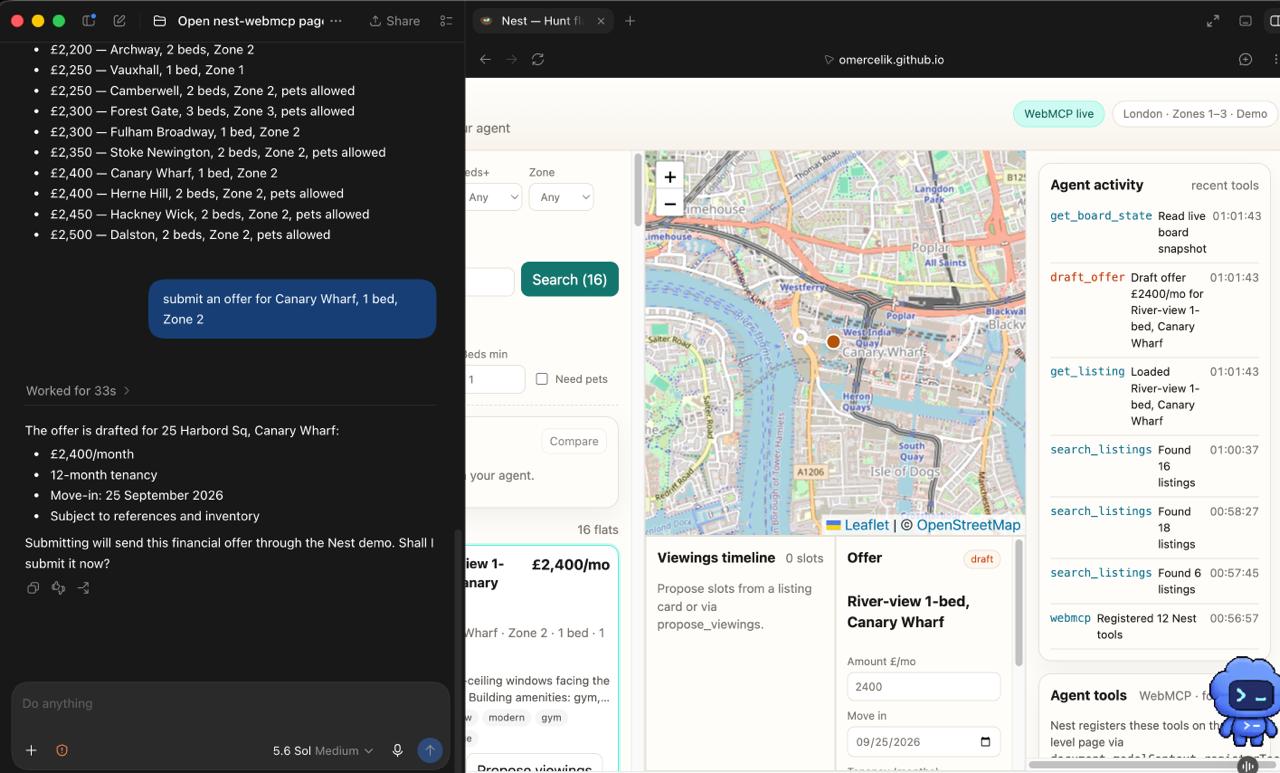
- Propose and hold viewing slots (agent proposes; you confirm commits)
- Draft and submit an offer letter from the shortlist
- Inspect board state and registered WebMCP tools on an in-app Agent tools panel
You steer in plain English in ChatGPT; Nest’s site tools update the UI in real time. Anything consequential (holding a viewing, submitting an offer) is a non-read-only tool so the browser can require confirmation.
How we built it
- Vite + React + TypeScript for a fast, deployable SPA
- Zustand store shared by the human UI and every WebMCP
executehandler (one source of truth) - Leaflet map with OSM tiles for the spatial board
- WebMCP via
document.modelContext.registerTool(withnavigator.modelContextfallback), feature-detected, registered on the top-level page - Seeded demo listings (no paid APIs) so judges can try the full path offline-friendly
- Built with Codex
Core tools include search_listings, get_listing, pin_listing / unpin_listing, compare_shortlist, propose_viewings, hold_viewing, cancel_viewing, draft_offer, submit_offer, get_board_state, and set_preferences.
Challenges
- Same-state collaboration — agent tools and UI clicks must never drift. We solved this by routing both through one store.
- Read vs commit — WebMCP’s value is trust. Marking search/compare read-only and viewings/offers as side-effecting was deliberate product design, not just annotations.
- Demo realism without backends — landlords, holds, and offers are simulated with structured JSON so the agent can reason, while the product still feels complete.
- Judges’ path — a clear happy path (search → pin → compare → hold viewings → draft → submit) plus a tools panel so WebMCP leverage is obvious in under three minutes.
What we learned
WebMCP isn’t “MCP in the browser” as a slogan — it’s best when the agent and the human must see the same thing: a map marker lighting up, a shortlist changing, an offer panel filling. Housing is a perfect stress test because the workflow is multi-step, spatial, and full of confirm-worthy actions.
Try the demo path
- Open Nest in ChatGPT’s in-app browser (or Chrome with WebMCP testing enabled)
- Ask: “Find 2-beds under £2200 in Zone 2 that allow pets, pin the best three, compare them, hold two viewings, and draft an offer for my favorite.”
- Watch the board update; confirm when the browser asks on commits
Built With
- codex


Log in or sign up for Devpost to join the conversation.