-
-
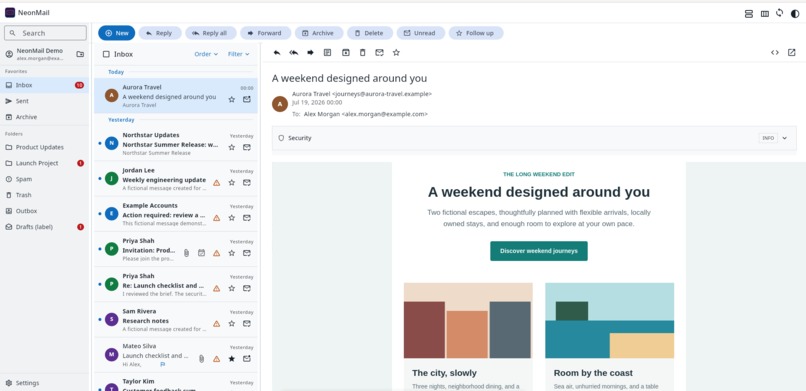
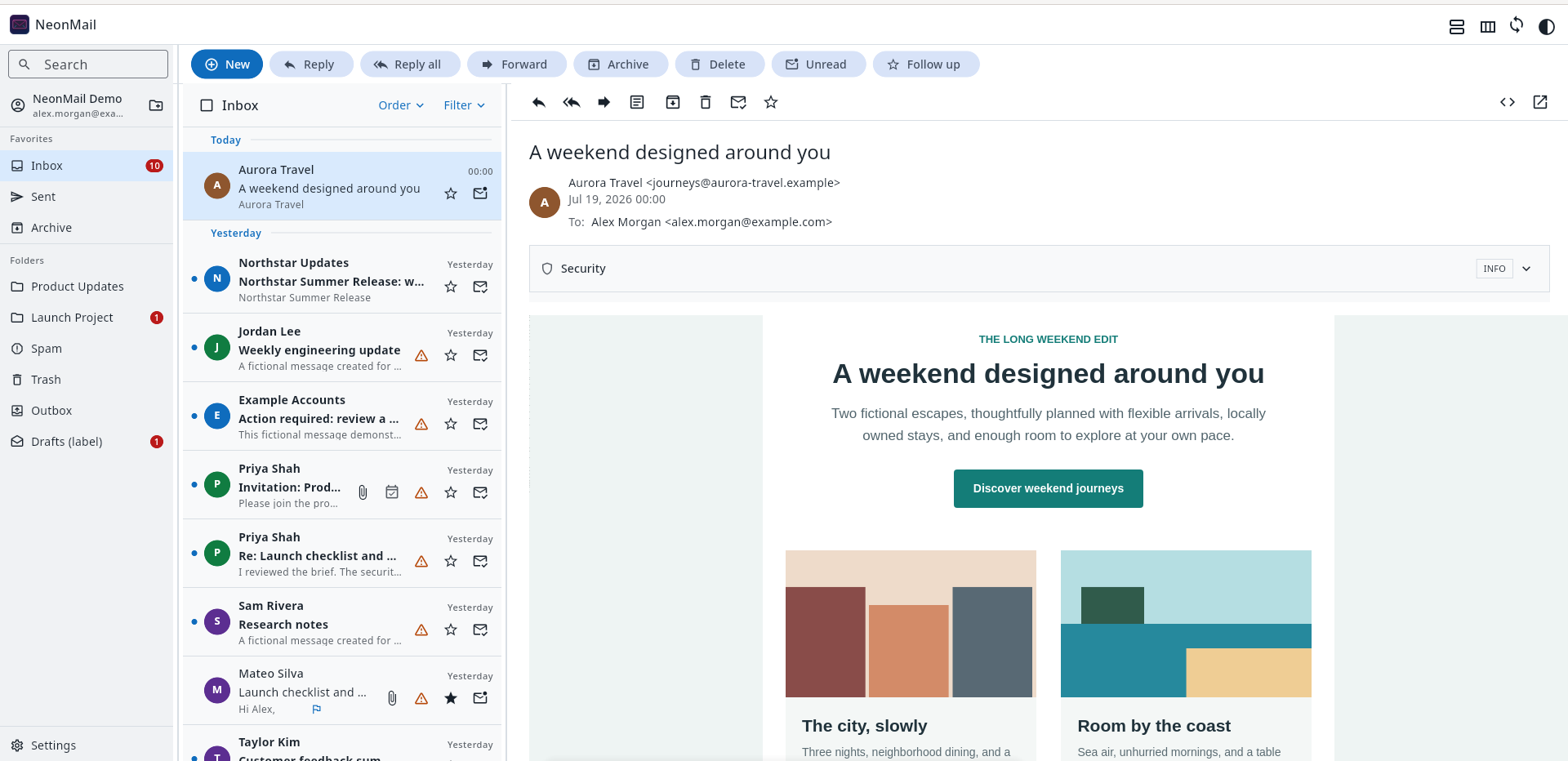
Mail reader with mail list and folders
-
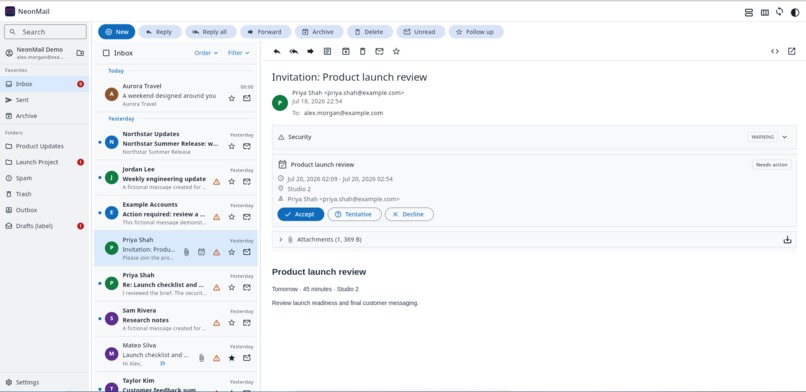
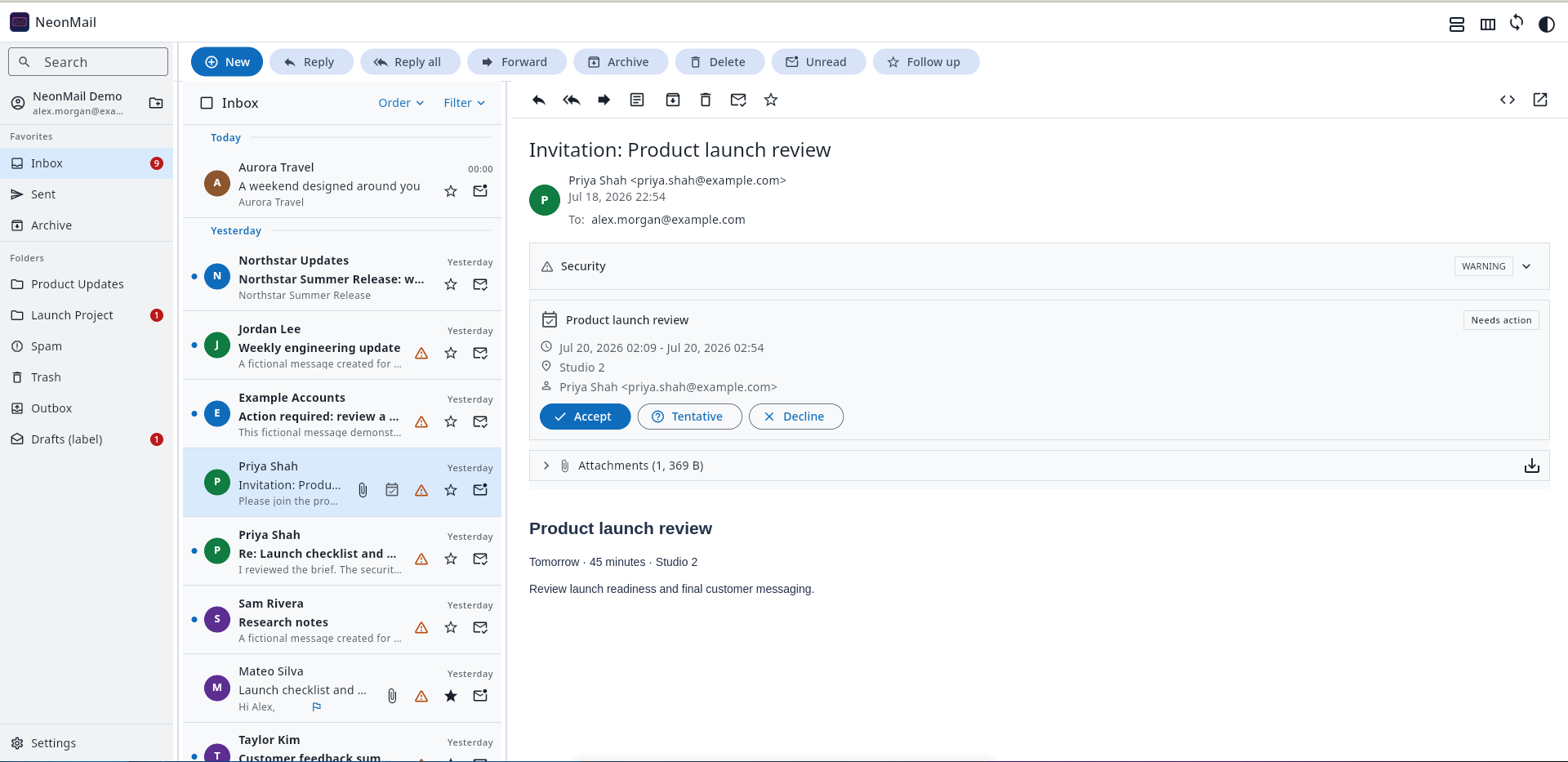
Meeting invitation
-
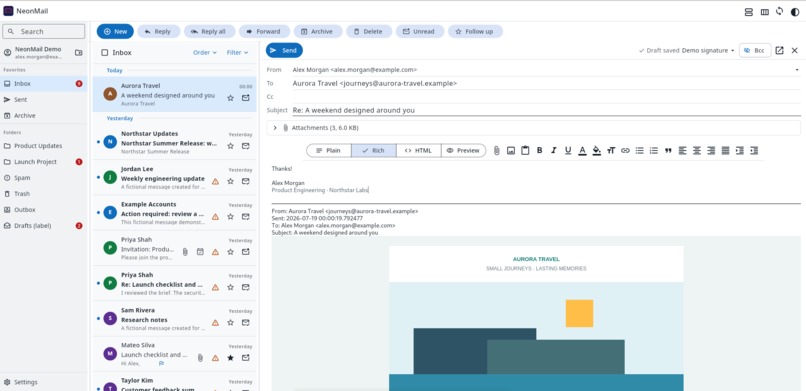
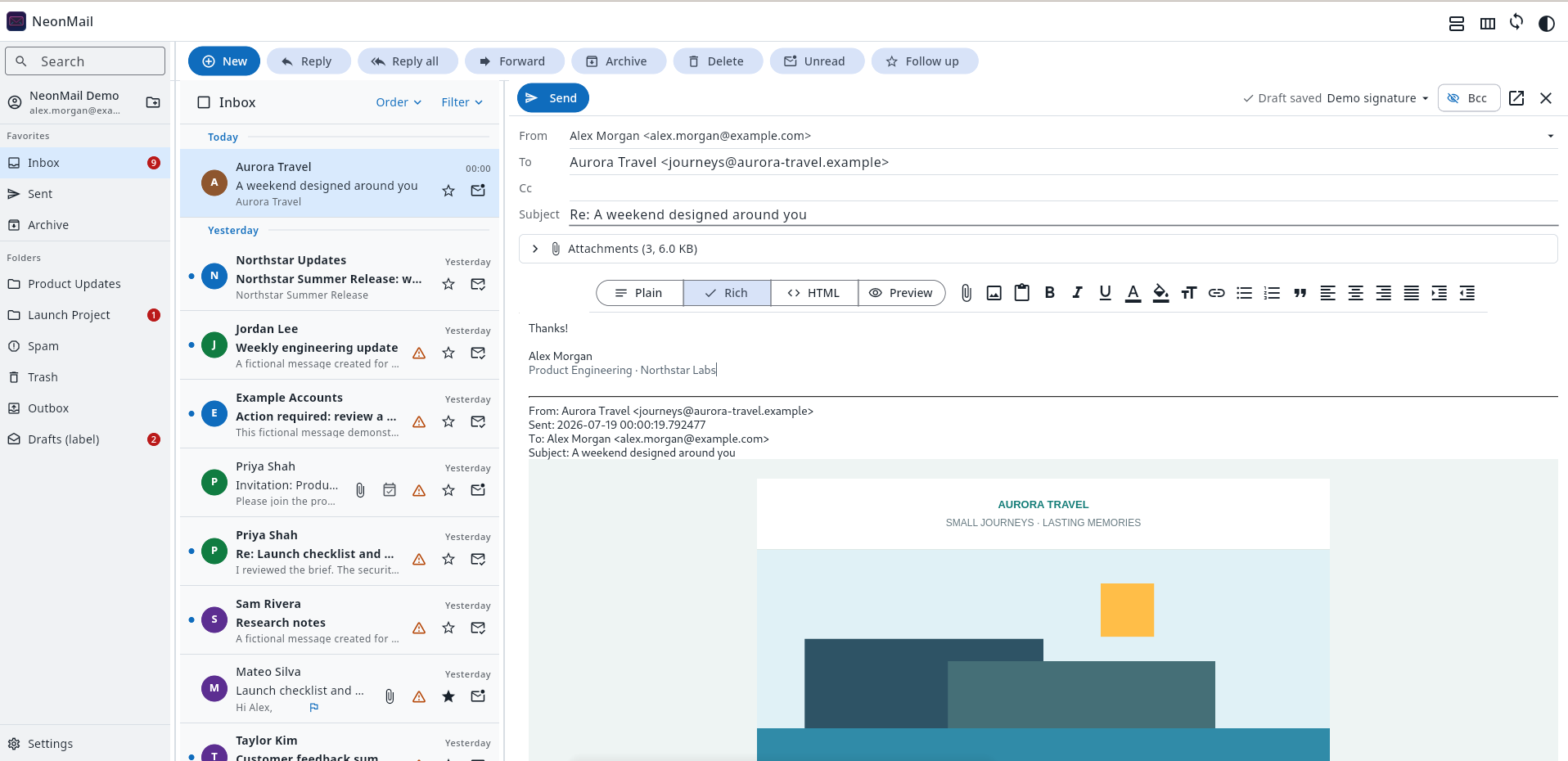
Mail composer
-
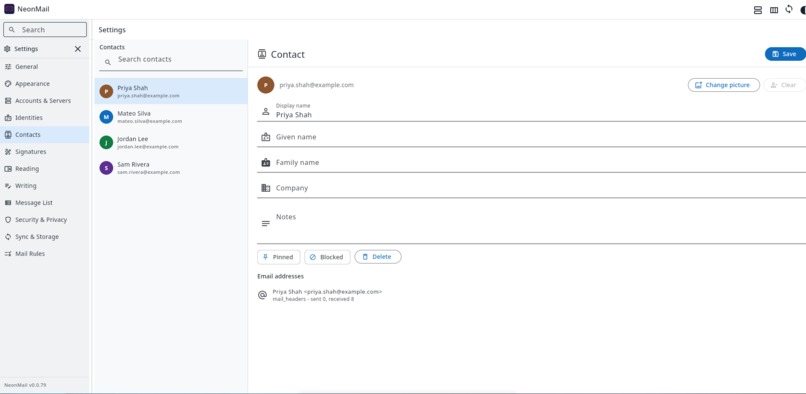
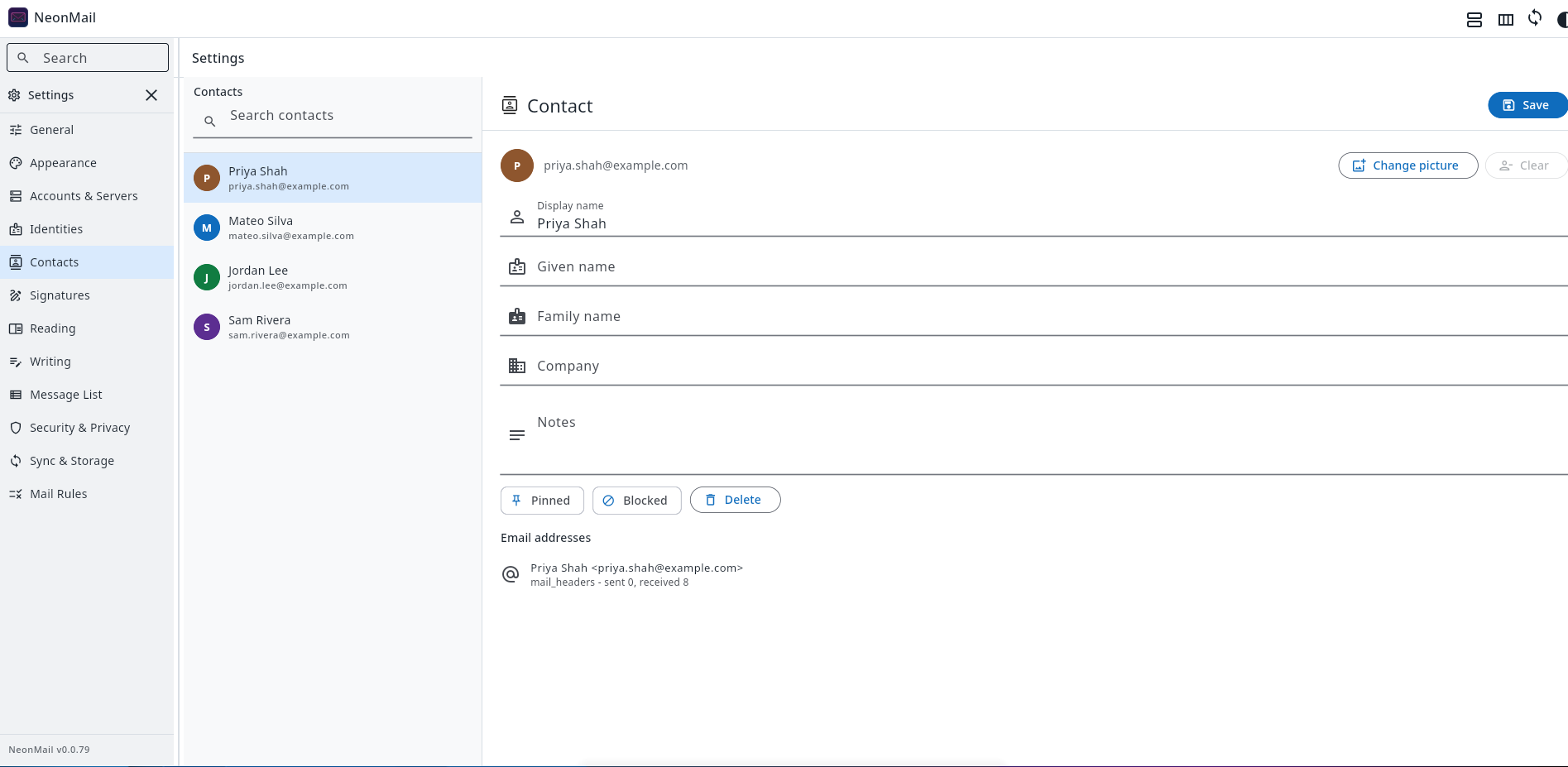
Settings
NeonMail: Fast, Secure Email Without Giving Up Control
Inspiration
Email is still one of the most important tools on the desktop, yet Linux users have surprisingly few modern choices. Thunderbird remains the main general-purpose option, but users who need a native-feeling interface, strong security signals, reliable synchronization, and smooth performance with hundreds of thousands of messages have limited alternatives.
The situation is also changing for organizations operating their own infrastructure. Microsoft ended support for Exchange Server 2016 and 2019 on October 14, 2025, including security fixes and bug fixes. Organizations must migrate to Microsoft 365 or Exchange Server Subscription Edition, but many still need on-premises systems for regulatory, sovereignty, or operational reasons. Microsoft’s Exchange end-of-support roadmap (https://learn.microsoft.com/en-us/troubleshoot/exchange/administration/exchange-2019-2016-end-of-support).
This creates space for a modern client that works well with standards-based servers, remains suitable for on-premises deployments, and does not treat Linux as an afterthought.
NeonMail was created to fill that gap: a fast, security-first, cross-platform email client powered by Flutter and Go, with first-class Linux support and an architecture that can evolve into a complete webmail platform.
What NeonMail Does
NeonMail already provides a complete desktop email workflow:
- IMAP and SMTP accounts with TLS, STARTTLS, explicit insecure modes, separate SMTP credentials, configurable synchronization intervals, and server-folder mappings.
- A local-first mailbox designed for hundreds of thousands of messages, with cursor pagination, SQLite indexes, FTS5 search, bounded caches, and background backfill.
- Rich-text, plain-text, and HTML composition with editable quoted messages, inline images, ttachments, identities, signatures, CC/BCC, drafts, replies, reply-all, and forwarding.
- Durable sending through an immutable outbox snapshot. Recipients, headers, attachments, signatures, MIME data, and Message-ID are frozen before delivery to prevent accidental or corrupted sends.
- Secure HTML email rendering with backend sanitization, JavaScript isolation, blocked remote content, cached images, link-target inspection, and attachment protections.
- Sender-security information based on SPF, DKIM, DMARC, ARC, TLS, domain mismatches, suspicious links, tracking pixels, and unsubscribe metadata.
- Flat and threaded message views, folders and favorites, unread counters, drag-and-drop moves, bulk actions, archive, spam, trash, and server-synchronized folder management.
- Search operators such as from:, to:, cc:, bcc:, and subject:, including combinations and folder-scoped results.
- Incoming mail rules with multiple conditions and actions including move, copy, forward, delete, mark read, and follow-up.
- Contacts discovered from sent and received mail, manual contact management, autocomplete, deduplication and custom avatars.
- Calendar invitation detection and interoperable Accept, Tentative, and Decline responses.
- Attachment previews for images, documents, PDFs, text, audio, and video where supported.
- Light, dark, and configurable custom themes, workspace tabs, adjustable panes, configurable message-list fields, and reading/writing preferences.
- Backup and restore, cache limits, storage retention, synchronization history, and visible backfill progress.
How We Built It
NeonMail separates presentation from synchronization and storage.
Flutter provides a responsive, cross-platform interface that can target Linux, Windows, macOS, and the web. The current Linux release is packaged as an RPM and behaves as a desktop application rather than a browser wrapper.
A Go backend handles the work that should never block the UI: IMAP synchronization, SMTP delivery, MIME processing, search indexing, HTML sanitization, attachment streaming, security analysis, contacts, mail rules, calendar responses, and database maintenance.
SQLite acts as a local source of truth. The UI requests only bounded pages of mailbox metadata instead of loading the whole mailbox.
Live synchronization and historical backfill use separate worker lanes. Jobs are durable, leased, esumable, deduplicated, and recoverable after a crash or network interruption. Foreground operations such as opening a message or receiving new mail take priority over historical imports.
Security by Design
Email is untrusted input. CISA guidance emphasizes sender authentication and caution around suspicious links and attachments, including SPF, DKIM, and DMARC validation. CISA phishing guidance (https://www.cisa.gov/sites/default/files/2025-03/Phishing%20Guidance%20-20Stopping%20the%20Attack%20Cycle%20at%20Phase%20One%20508.pdf)
NeonMail therefore applies security at several layers:
- Email HTML is sanitized by Go before it reaches the renderer.
- JavaScript and active embedded content are disabled.
- Remote images are blocked by default and downloaded only after explicit consent.
- Downloaded remote content is cached locally, so reopening a message does not silently contact the sender again.
- Hovering over a link reveals its actual destination.
- Suspicious display-target mismatches and lookalike domains are surfaced to the user.
- Attachment filenames are normalized and MIME types are sniffed instead of trusted blindly.
- The desktop UI communicates with the Go daemon only over loopback using a protected bearer token.
- Embedded resources use short-lived, path-scoped signed capabilities instead of exposing the main API token.
- Outgoing mail uses an immutable send intent and audit record to prevent stale drafts or corrupted message identifiers from changing recipients after the user presses Send.
Challenges We Faced
IMAP Is Not a Simple Download Protocol
Large mailboxes exposed UID validity changes, duplicated provider folders, Gmail label semantics, malformed messages, interrupted connections, slow servers, and partially synchronized state. We built resumable workers, durable reconciliation records, corruption recovery, bounded retries, and provider-aware folder behavior.
HTML Email Is Its Own Rendering Platform
Real newsletters rely on nested tables, inline CSS, Content-ID images, remote backgrounds, and inconsistent MIME structures. Preserving the intended layout while blocking scripts, tracking, unsafe navigation, and local-file access required a sanitize-then-isolate pipeline and extensive real-message fixtures.
Sending Must Be More Reliable Than the UI State
A draft can continue changing while a message is queued. NeonMail solves this by freezing the complete send intent before SMTP delivery. Retries reuse the same immutable MIME snapshot and Message-ID instead of rebuilding the message from mutable state.
Local and Remote State Can Disagree
Moves, deletes, read flags, folder counters, and Sent-folder copies can succeed remotely before a local operation completes, or vice versa. Durable mutation queues and reconciliation workers allow the system to converge without repeating irreversible operations.
Performance Requires Architectural Discipline
The most important optimization was not a widget tweak. It was ensuring that every layer remains bounded: cursor-based queries, lazy body loading, incremental indexes, cache eviction, stale-request guards, and background jobs that yield to user activity.
What We Learned
We learned that an email client is a distributed system disguised as a desktop application.
Correctness depends on stable identities, idempotent operations, immutable delivery data, database transactions, protocol interoperability, and careful recovery from partial failure. We also learned that security and usability cannot be separate features: users need concise, understandable warnings without turning every ordinary message into an alarm.
Most importantly, local-first architecture can deliver both privacy and speed, provided synchronization never becomes the UI’s responsibility.
Roadmap
- Full calendar support: calendar views, event creation and editing, recurring events, reminders, free/busy lookup, and calendar synchronization.
- EWS integration: deeper support for on-premises Exchange, including calendars, availability, contacts, and environments where standard IMAP/SMTP access is limited.
- Microsoft Graph and Gmail APIs: OAuth, native delta synchronization, labels, provider-native sending, and cloud calendar integration.
- CardDAV: synchronization with external address books in addition to NeonMail’s locally discovered contacts.
- Sieve: server-side mail-rule management so filtering continues even when NeonMail is not running.
- Webmail deployment: evolve the Flutter web client and Go APIs into a secure, multi-user alternative to traditional webmail systems such as Roundcube and RainLoop.
- End-to-end message security: OpenPGP and S/MIME signing, verification, encryption, and certificate/key management.
- More native packages: polished installers and automated releases for additional Linux distributions, Windows, and macOS.
Why It Matters
NeonMail is not intended to be another thin IMAP interface. It is an attempt to build the email client we wanted to use: fast with enormous mailboxes, explicit about security, reliable during failures, comfortable on Linux, portable across platforms, and open to both desktop and web deployment.

Log in or sign up for Devpost to join the conversation.