-
-
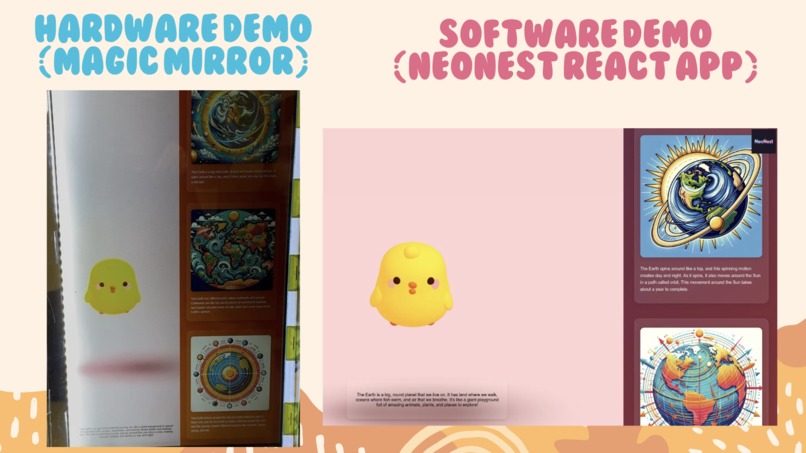
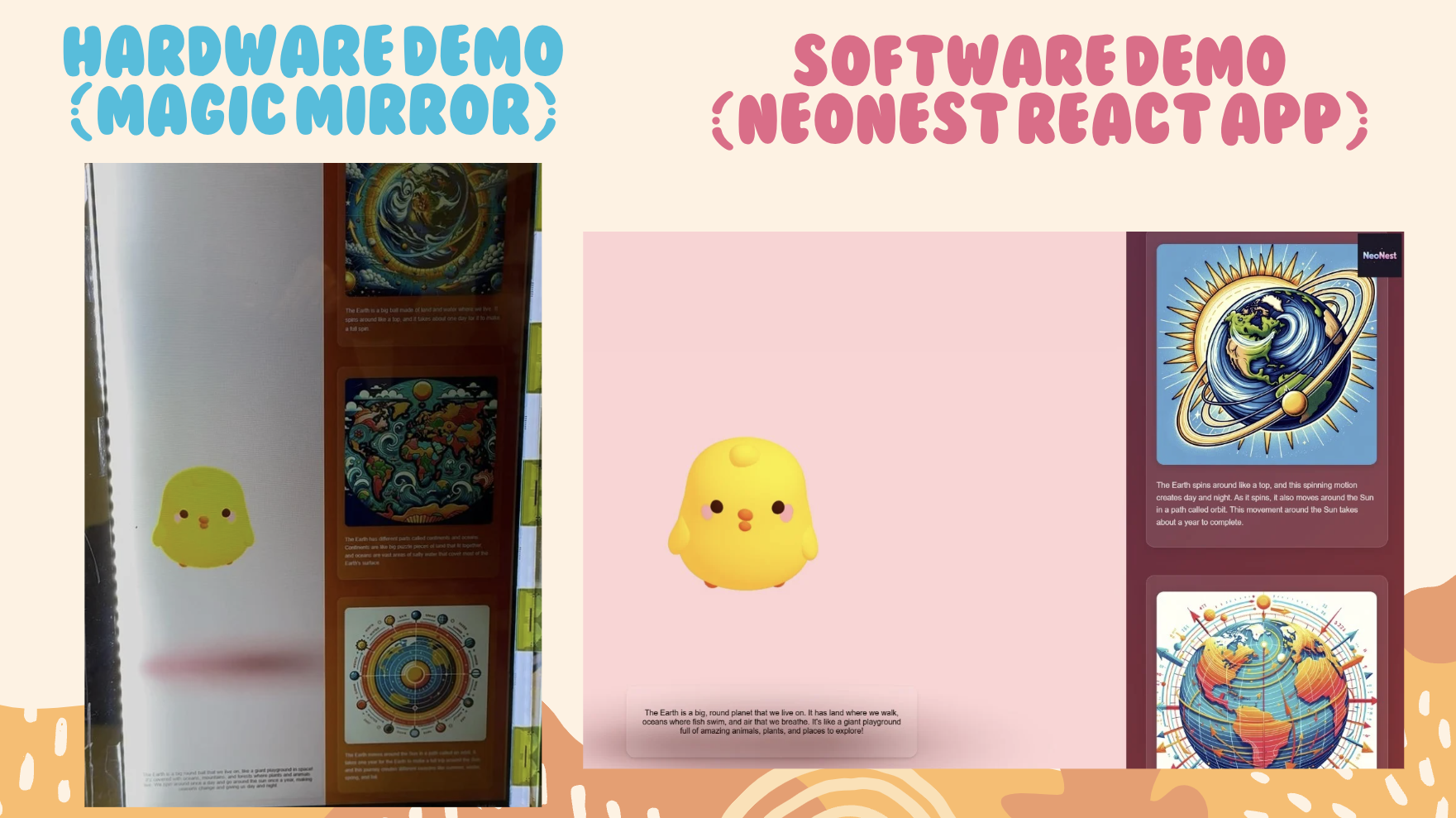
Hardware and Softare Demo
-
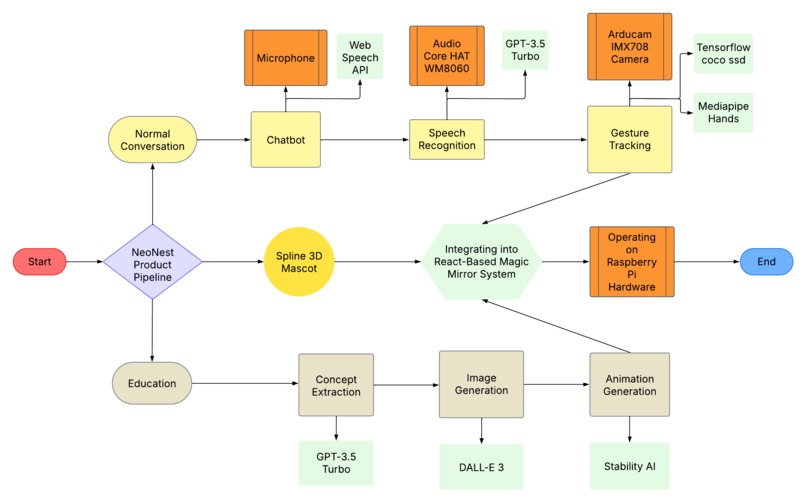
Model Pipeline
-
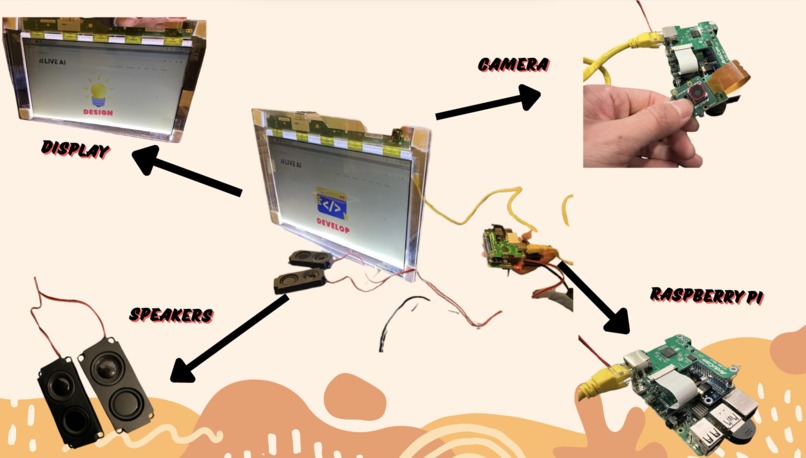
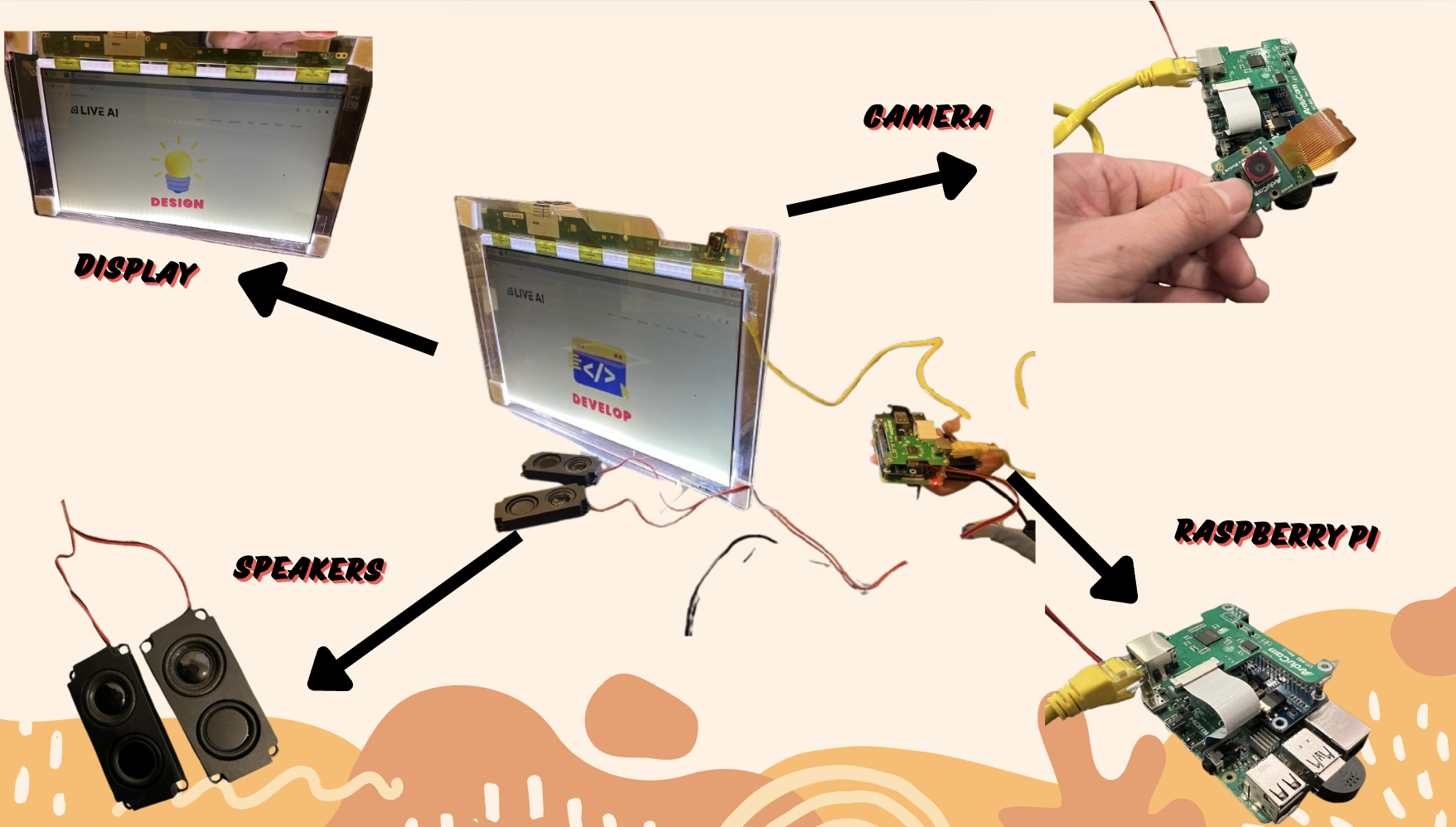
Hardware
-
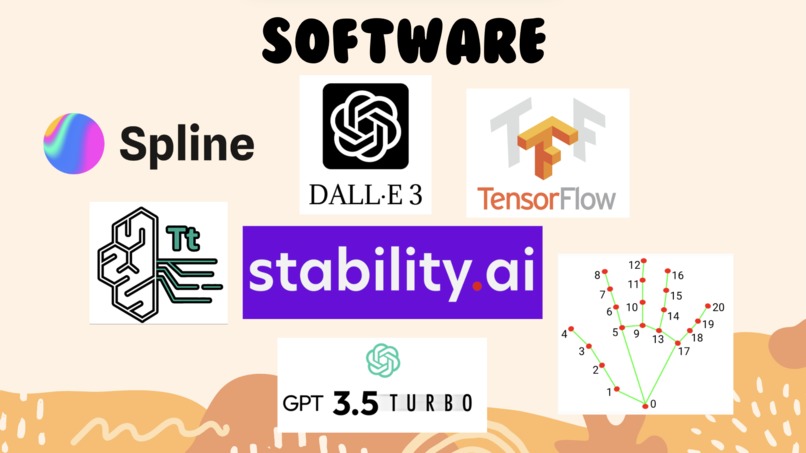
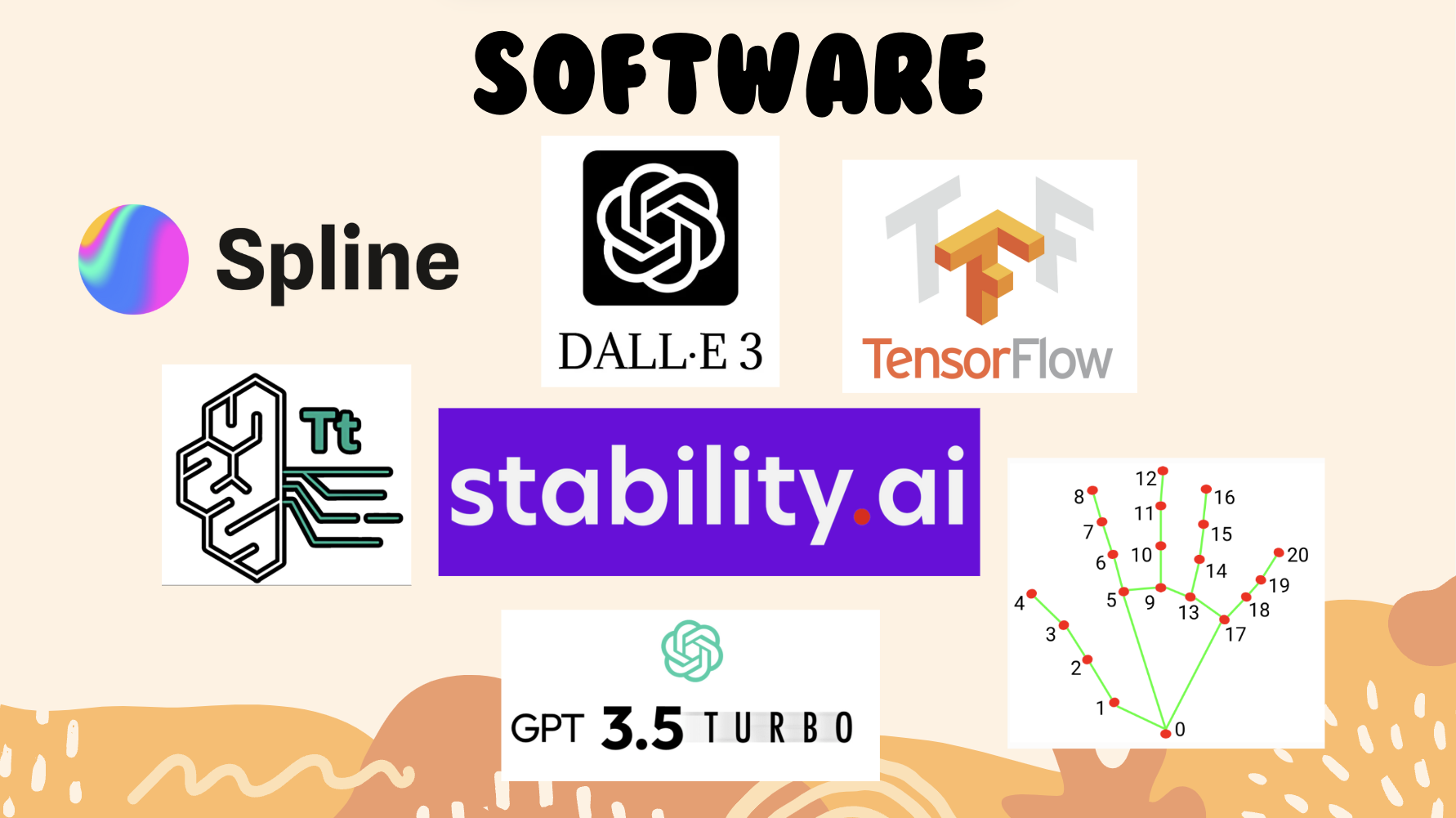
Software
-
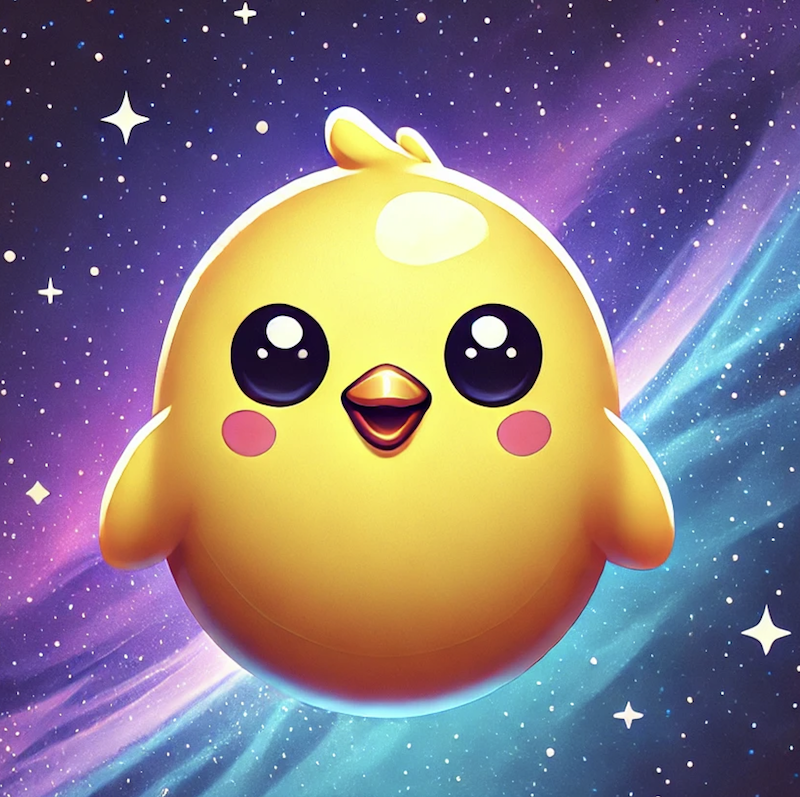
NeoNest Logo
NeoNest: The Magic Mirror That Brings Learning to Life
Inspiration
We set out to create a transformative learning experience for children that combines education, interactivity, and AI-powered immersion. Kids naturally engage with friendly, playful companions, so we asked ourselves—what if an AI-powered buddy could not only talk, wave, and follow their movements but also create real-time animated explanations of any topic they want to learn?
With NeoNest, we redefined interactive learning by blending an AI-driven chatbot, real-time text guidance, and AI-generated educational animations into a magic mirror that makes learning fun, engaging, and visually captivating. Our goal was to go beyond traditional learning tools and create an intelligent companion that sparks curiosity, enhances comprehension, and encourages interactive exploration.
Overiview of NeoNest
NeoNest is an AI-powered interactive learning companion that transforms education into an engaging, immersive experience for children. This cutting-edge magic mirror features a 3D animated chicken chatbot called "Neo", that interacts in real time—tracking children’s movements, waving back, and engaging in fun, educational conversations. But NeoNest takes learning even further. As Neo explains concepts, the right half of the mirror dynamically generates real-time animated visualizations, turning abstract ideas into tangible, vibrant visuals. Imagine a glowing Earth spinning as Neo describes the solar system! And right beside it, NeoNest displays interactive pop-up text—highlighting key words and guiding kids to say them aloud—reinforcing reading, comprehension, and retention in a playful way.
Designed for homes, classrooms, and learning on the go, NeoNest fosters curiosity, attention retention, and an engaging learning experience. The AI-driven system extracts key topics, generates explanations, and creates real-time animations, making education both interactive and visually captivating. It is currently available as both a web app and a physical Magic Mirror version!
NeoNest is not just a learning tool—it’s a revolutionary AI-powered mentor and companion, blending conversation, animation, and interactive text to make learning truly unforgettable. With its portable, intuitive design, NeoNest is the future of smart, interactive education.
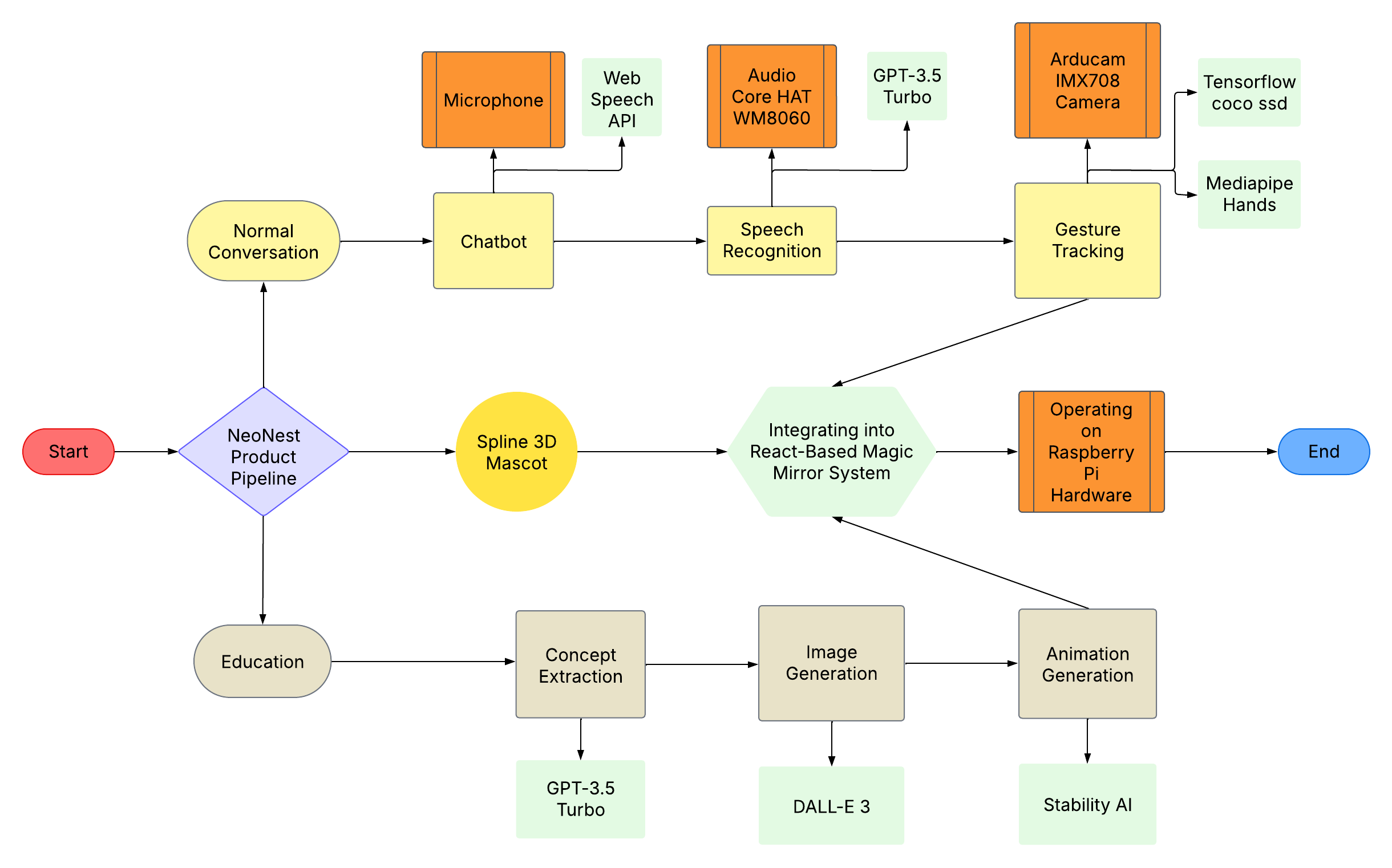
End-to-End Model Pipeline (Software & Hardware Integration)
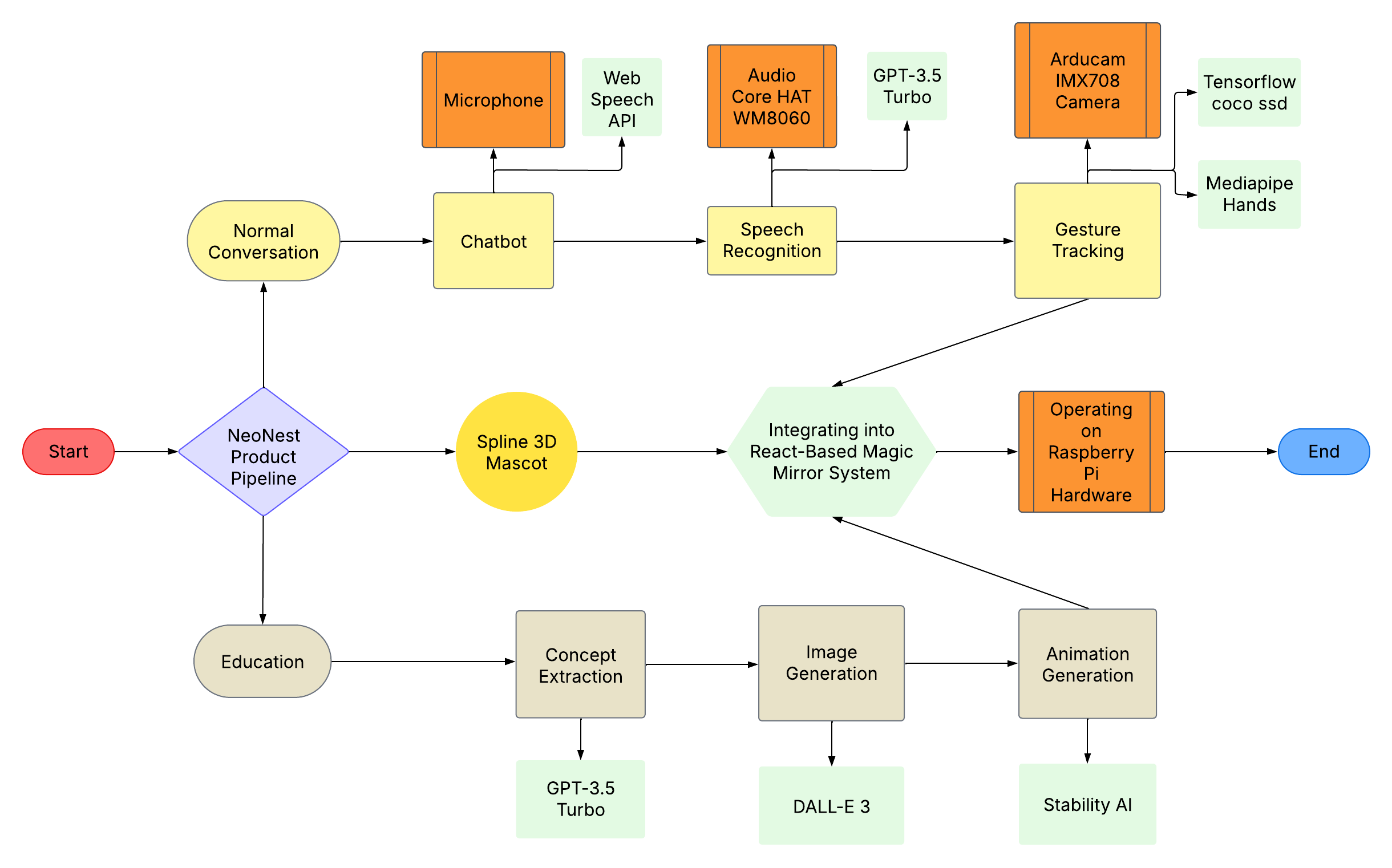
What It Does
NeoNest is a revolutionary AI-powered magic mirror that features:
- A 3D animated chicken chatbot that talks, waves, and follows kids’ movements.
- Conversational AI powered by GPT-3.5 Turbo for dynamic, real-time discussions.
- Speech recognition and gesture tracking, enabling natural and responsive interactions.
- Interactive text guidance, displaying pop-up text to reinforce reading and pronunciation.
- Real-time educational animations, visualizing learning concepts as kids explore them.
- Portable design, allowing NeoNest to be used in classrooms, at home, or on the go. It is currently available as both a web app and a physical Magic Mirror version!
Product Features
1. AI-Powered Chatbot
- 3D Animated Chicken Character: Talks, moves its mouth, and waves interactively.
- Speech Recognition & Synthesis: Powered by Web Speech API for fluid conversations.
- Movement Tracking: Uses TensorFlow Coco-SSD for direction tracking and Mediapipe Hands for gesture recognition.
2. Real-Time AI-Generated Visuals
- Concept Extraction: Identifies key learning topics from chatbot conversations.
- AI-Generated Illustrations: Uses DALL-E 3 for text-to-image conversion.
- Live Animations: Converts images into dynamic animations via Stability AI.
3. Interactive Learning Interface
- Magic Mirror Display: LCD display with high responsiveness.
- Textual Reference Panel: Displays chatbot conversation text for context.
- Portable Design: Can be used anywhere, from classrooms to home settings.
How We Built It
Technical Implementation
Software Stack
- React Web App: Frontend UI framework.
- GPT-3.5 Turbo: Content generation, entity extraction, chatbot functionality.
- DALL-E 3: Converts extracted text into images.
- Stability AI: Transforms images into animations.
- Web Speech API: Enables text-to-speech and speech recognition.
- @tensorflow-models/coco-ssd: Human movement detection.
- @mediapipe/hands: Hand gesture tracking.
Hardware Components
- LCD Display (Magic Mirror): For visual interaction.
- Raspberry Pi 4B (RPi): Core processing unit.
- Arducam IMX708 Camera: For movement and gesture tracking.
- Audio Core HAT WM8060: High-quality sound output.
Assembly & Integration
Hardware Setup
- Connect RPi to the Magic Mirror.
- Assemble Arducam and Audio HAT.
- Enabled video streaming between RPi and compute base
- Allowed real-time video streaming between RPi and React Web App
Software Deployment
- Load the React Web App onto RPi.
- Integrate AI models for chatbot interaction and animations.
Real-Time Data Flow
- Chatbot extracts key concepts.
- Generates images/animations.
- Displays synchronized visuals on LCD.
Challenges We Faced
- Aligning speech and animations in real-time required pipeline optimization.
- Ensuring a seamless AI-driven experience for chatbot interactivity, text display, and animated responses.
- Optimizing real-time rendering for smooth animations on an embedded system.
- Hardware assembly and software-hardware integration required precision and testing.
Accomplishments We're Proud Of
- Successfully developed a fully functional AI-powered interactive learning mirror.
- Designed an engaging, kid-friendly UI that combines text, animations, and chatbot interactions.
- Created a highly responsive real-time learning experience that adapts to children's interests.
- Integrated chatbot functionalities, AI-generated animations, and text & voice interactions seamlessly into a real-world hardware system.
What We Learned
- AI-powered learning is most effective when it is multimodal—integrating text, images, animations, and voice guidance.
- Real-time AI processing and visualization require optimized architectures to maintain seamless interactivity.
- Combining software and hardware for a highly interactive and portable learning device is a complex but rewarding challenge.
What’s Next for NeoNest
- Expanding the chatbot’s personality with multiple AI-driven learning buddies.
- Enhancing real-time animations for even more immersive visual learning.
- Adding multilingual support to make NeoNest accessible to children worldwide.
- Mobile Syncing: Allow parents to track learning progress via an app.
Conclusion
NeoNest is just the beginning—we envision a future where AI-powered, interactive learning mirrors become a staple in every home and classroom, making education more immersive, engaging, and accessible for children everywhere.
Prerequisites
- Python 3.11+
- OpenAI API key
- AWS account with appropriate credentials
- Stability AI API key
- Required Python packages (see
requirements.txt)
Installation
# Clone the repository
git clone https://github.com/yourusername/LIVE-AI-2025-Hackathon.git
cd LIVE-AI-2025-Hackathon

# Install dependencies
pip install -r requirements.txt
Configuration
Create a .env file in the root directory:
OPENAI_API_KEY=your_openai_api_key
AWS_ACCESS_KEY_ID=your_aws_access_key_id
AWS_SECRET_ACCESS_KEY=your_aws_secret_access_key
STABILITY_AI_API_KEY=your_stability_api_key
AWS_DEFAULT_REGION=us-east-1
Usage
Run the main application:
python main.py
Follow the interactive prompts to:
- Enter your interest topic
- Choose a specific aspect to explore
- View generated images and animations
Project Structure
LIVE-AI-2025-Hackathon/
├── backend/
│   ├── main.py                         # Main application entry point
│   ├── InterestExplorer.py            # OpenAI integration
│   ├── ProcessInterest.py             # Interest processing
│   ├── EducationalAnimationPipeline.py # Animation pipeline
│   ├── text_to_image.py               # AWS Titan integration
│   └── image_to_animation.py          # Animation generation
├── frontend/
│   ├── src/
│   │   ├── components/                 # React components
│   │   ├── services/                   # API services
│   │   └── App.js                     # Main React app
│   └── public/                        # Static assets
├── raspberry_pi/
│   ├── camera_stream.py              # Video streaming
│   ├── udp_connection.py             # UDP signal handling
│   └── hardware_config.py            # Hardware setup
├── config/
│   ├── .env                          # Environment variables
│   └── requirements.txt              # Python dependencies
└── README.md                         # Project documentation
Contributing
- Fork the repository
- Create your feature branch (
git checkout -b feature/AmazingFeature) - Commit your changes (
git commit -m 'Add some AmazingFeature') - Push to the branch (
git push origin feature/AmazingFeature) - Open a Pull Request
License
This project is licensed under the MIT License - see the LICENSE.md file for details.
Acknowledgments
- OpenAI for providing the GPT API
- AWS Services for image and animation processing
- Contributors and maintainers of the project
Addendum
Hardware
Demonstration streaming capability
Enabled raspberry pi to send UDP signals
Enabled raspberry pi to stream video capture
Enabled UDP connection on receiver end
Built With
- amazon
- dall.e
- gpt
- javascript
- mediapipe
- openai
- python
- raspberry-pi
- react
- spline
- stability.ai
- taitan
- tensorflow
- webspeechapi


Log in or sign up for Devpost to join the conversation.