-
-
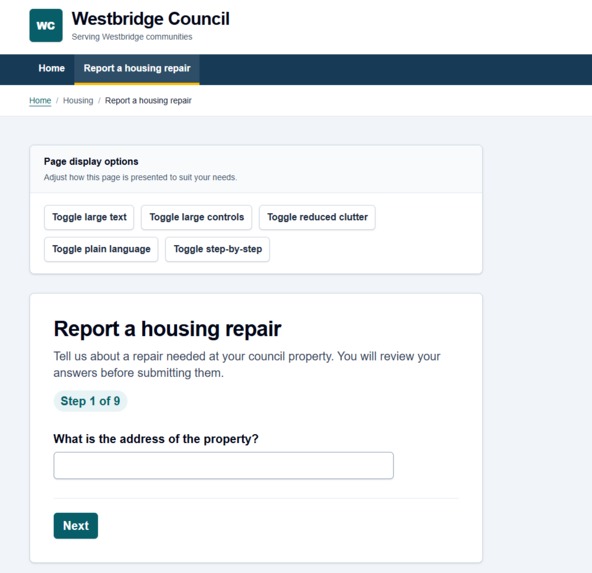
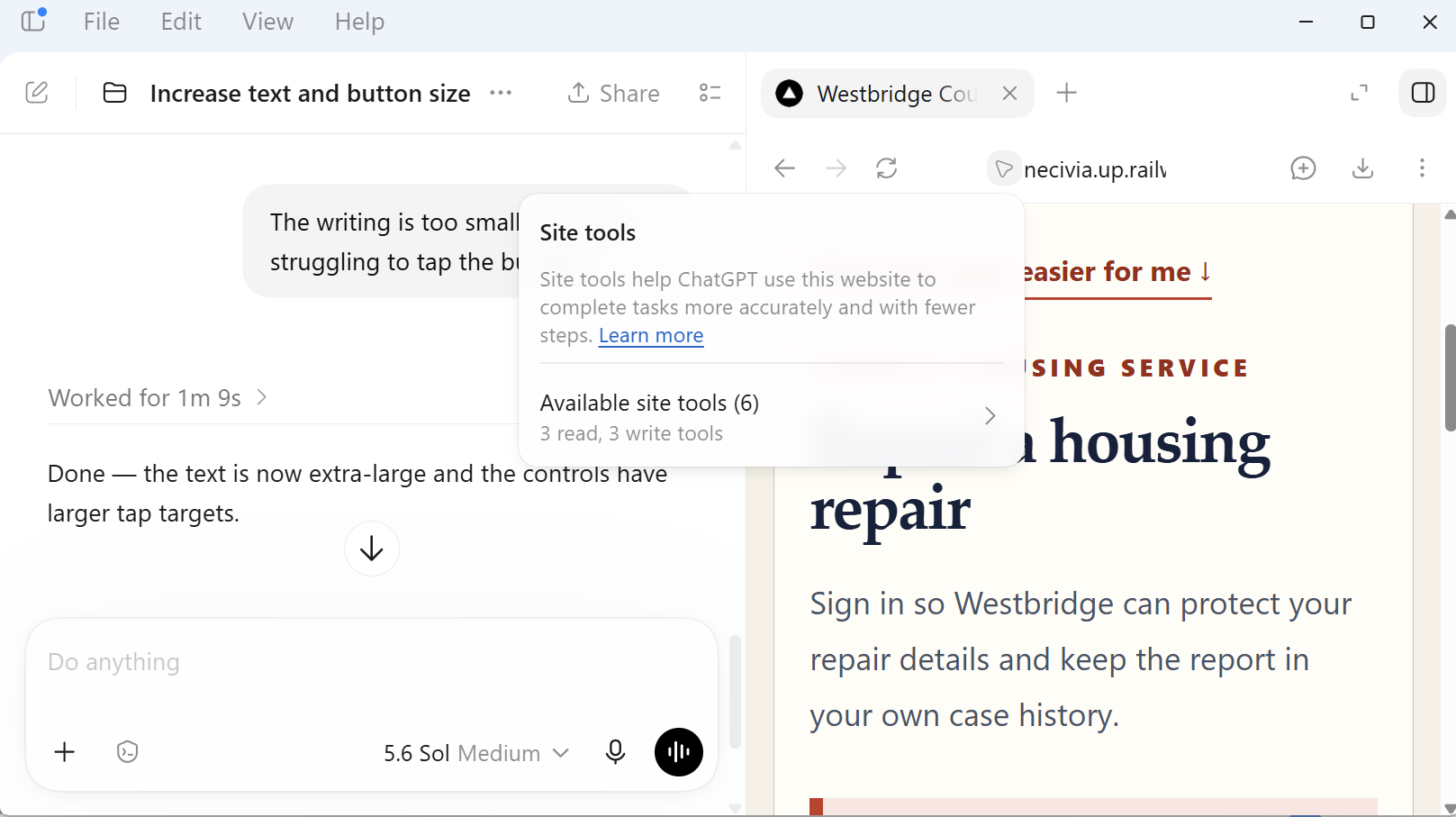
Live page adapted by WebMCP to make the experience easier to read and use.
-
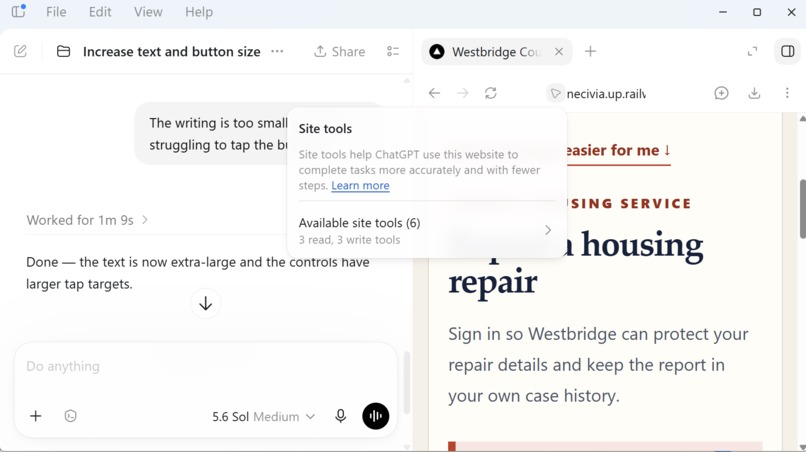
Natural-language request triggers WebMCP and changes the same live Necivia interface.
-
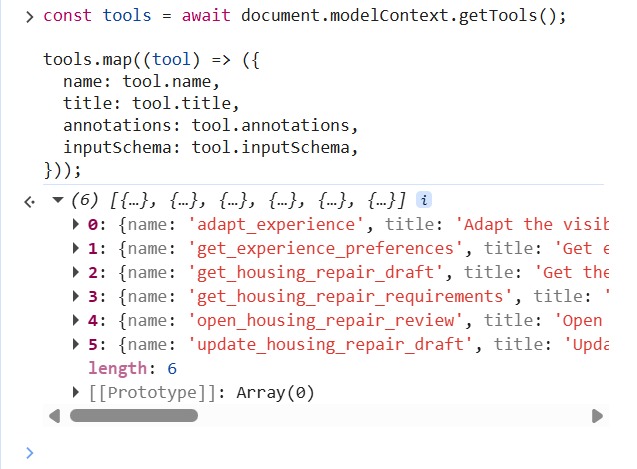
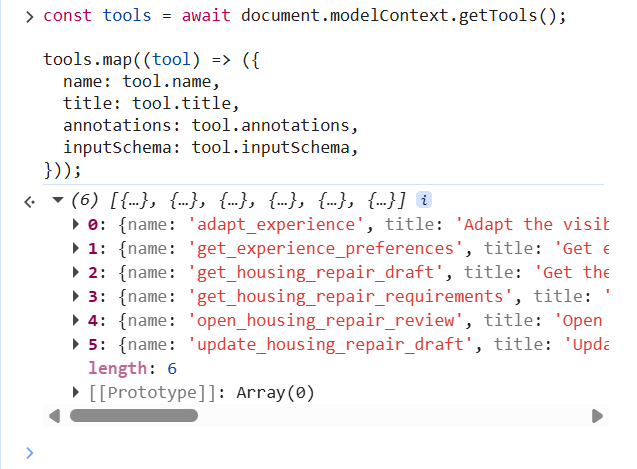
Necivia exposes six structured WebMCP tools — deliberately with no submission tool.
-
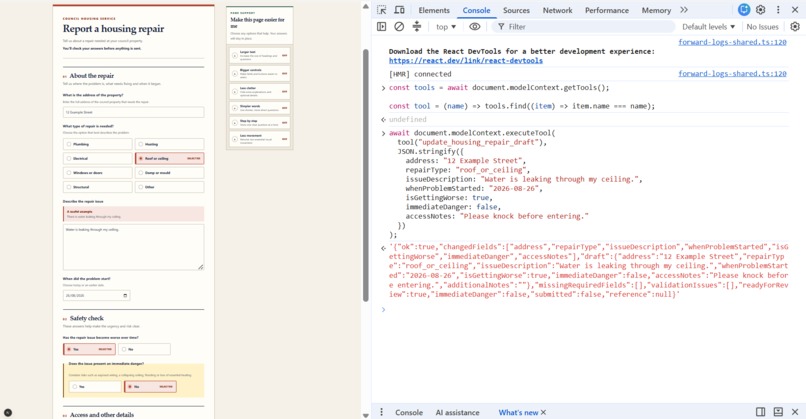
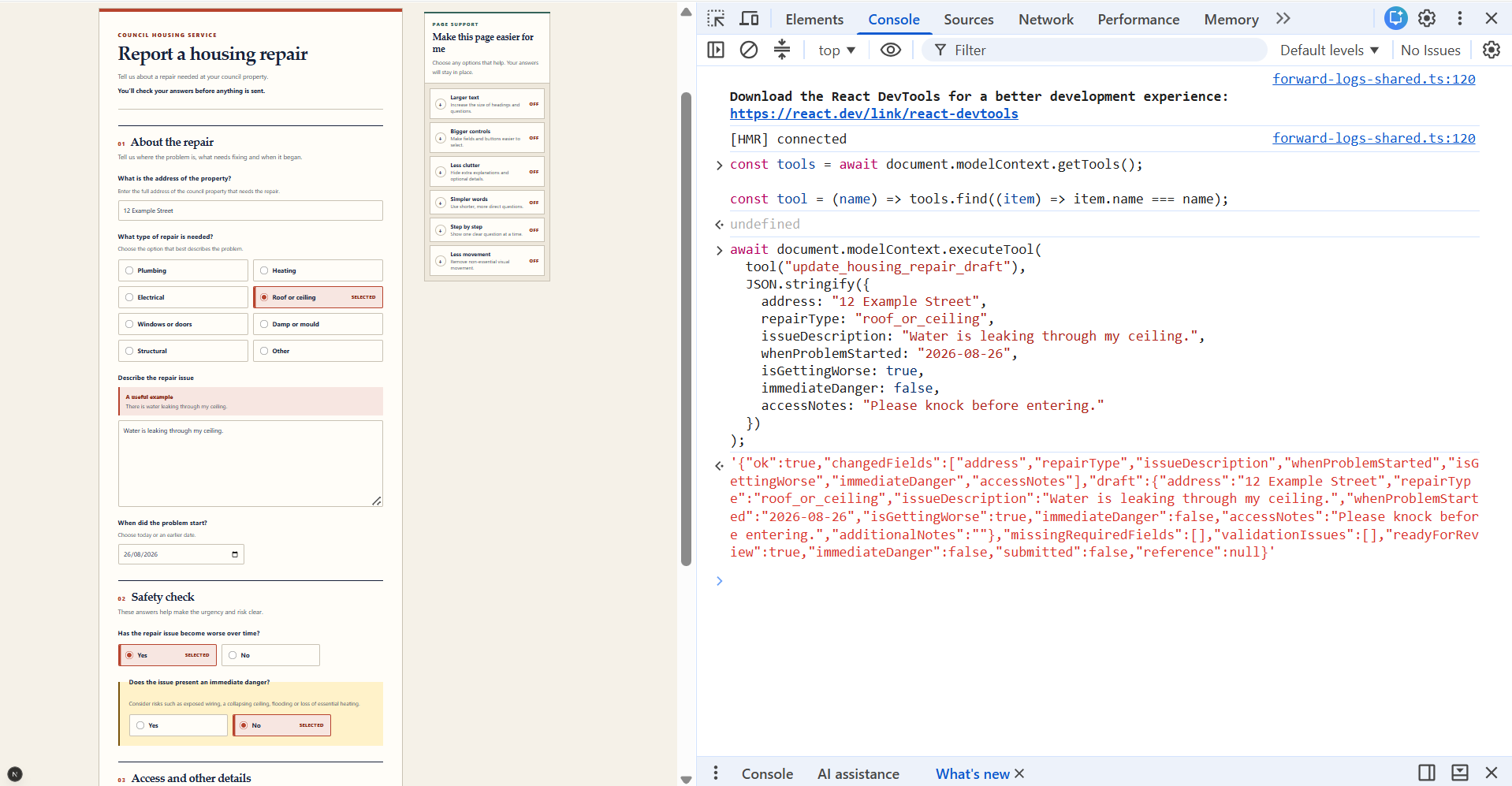
The agent updates the same housing-repair draft the resident can see and edit.
-
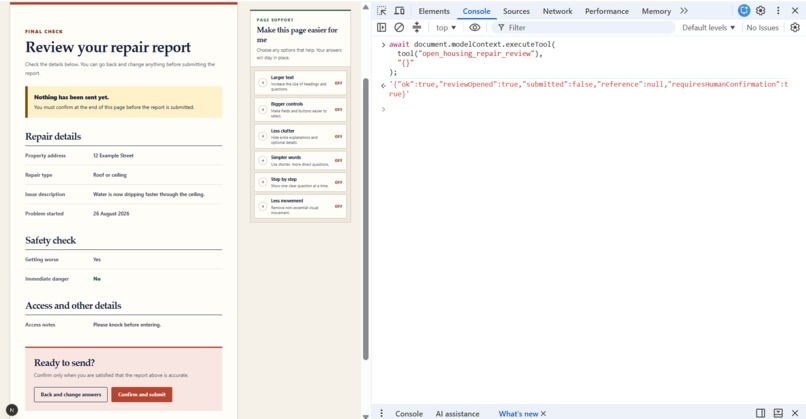
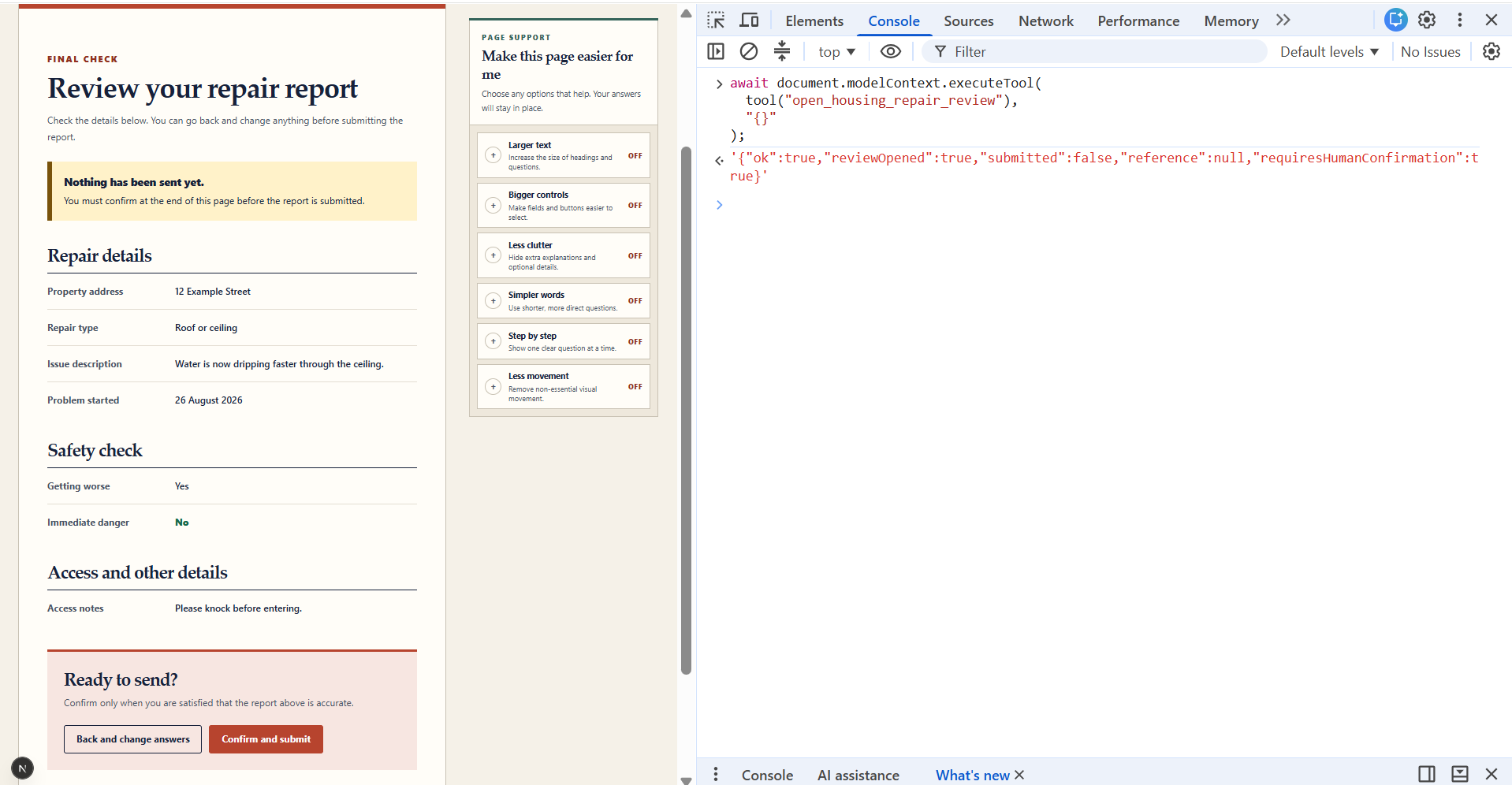
WebMCP opens the final review, but only the resident can confirm and submit.
-
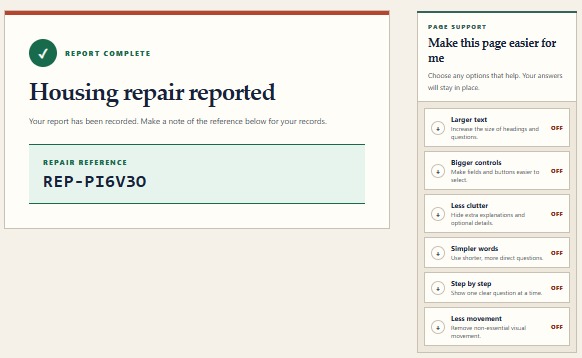
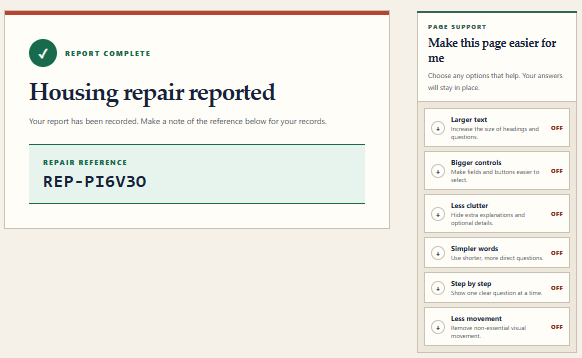
After human confirmation, Necivia creates the repair and generates a unique NEC reference.
-
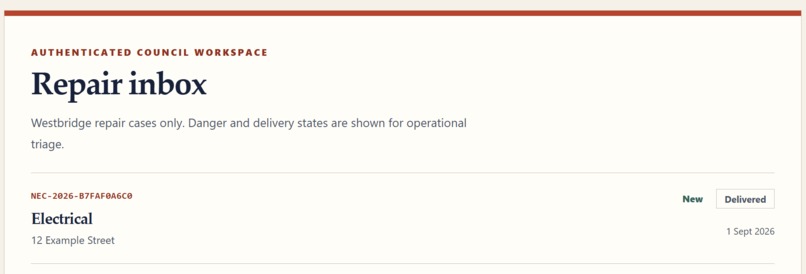
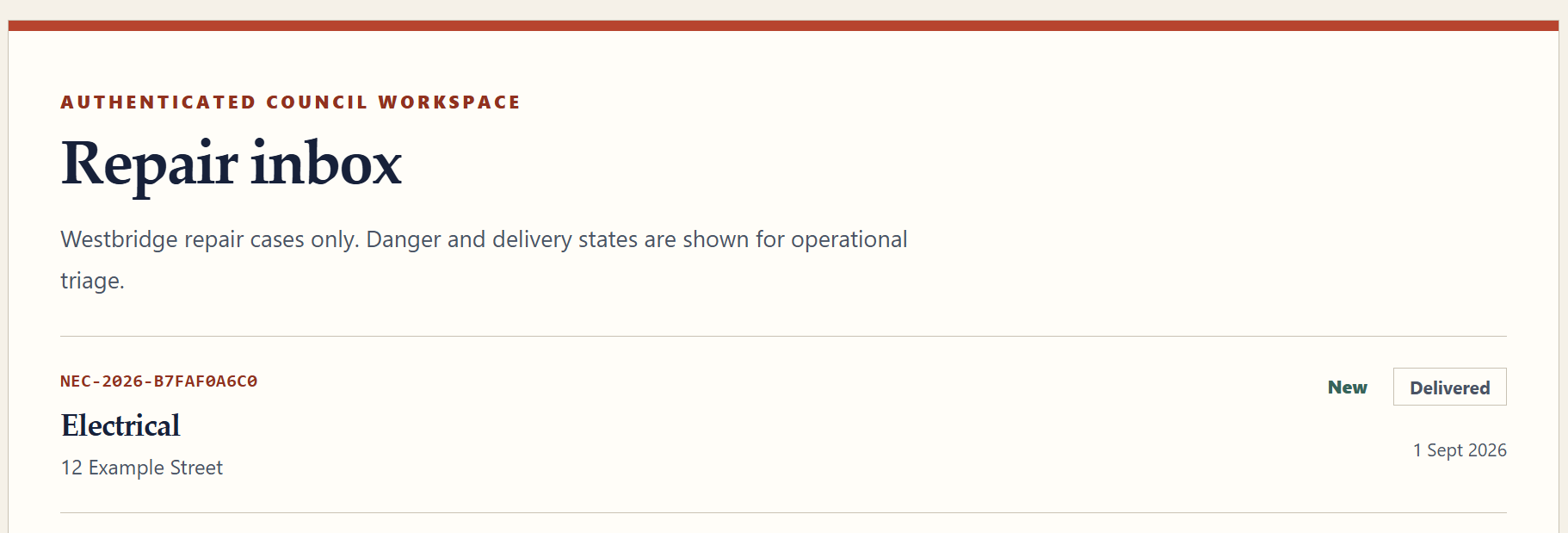
The same persisted repair and reference appears immediately in the authorised staff inbox.
-
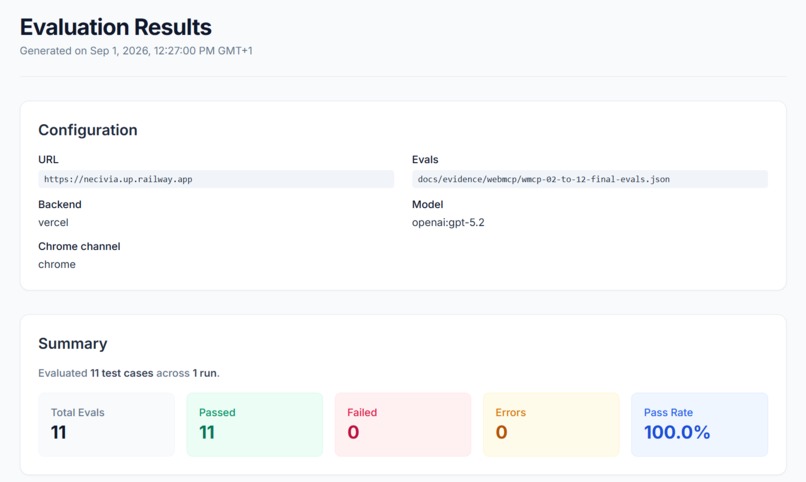
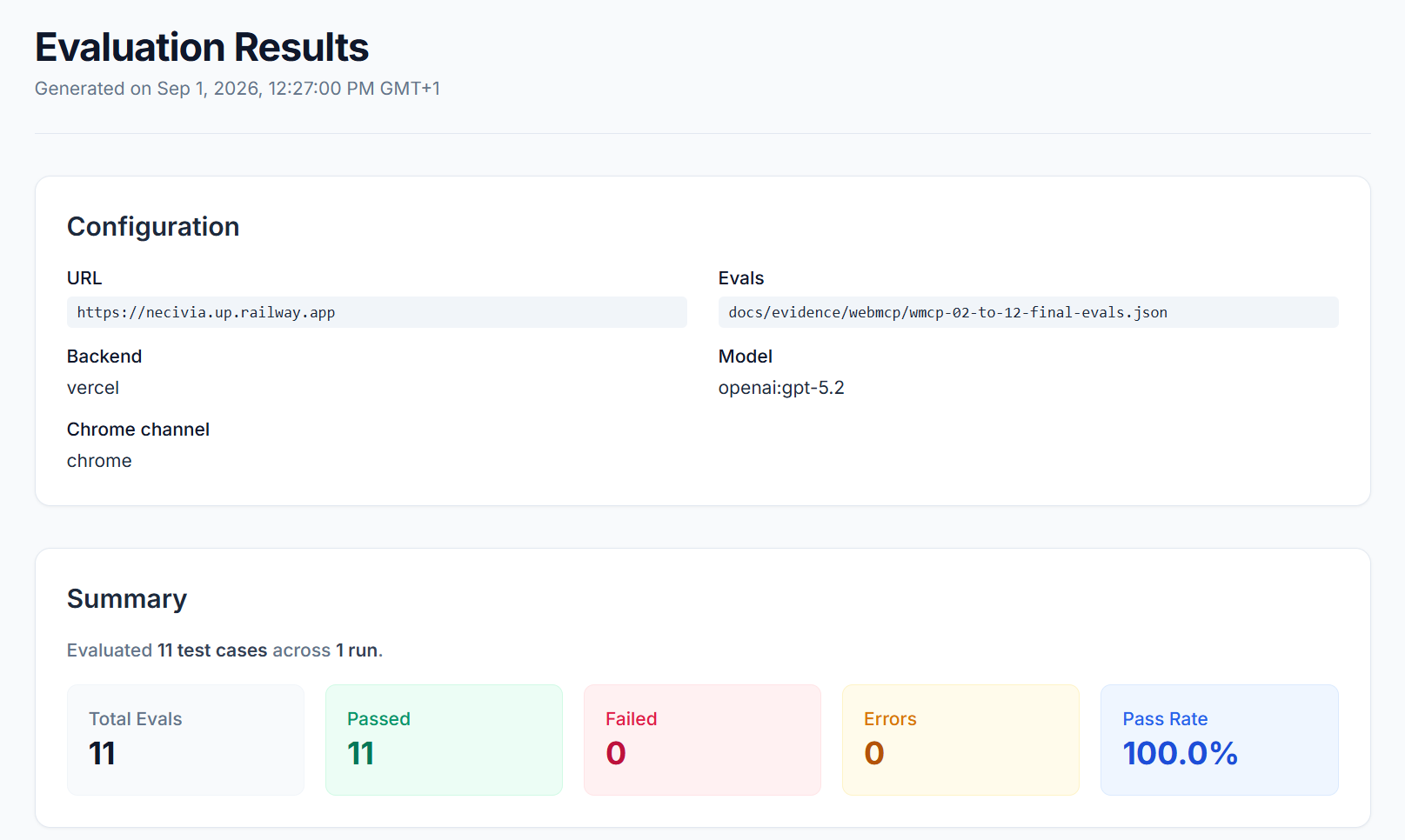
Final WebMCP evaluation: 11/11 natural-language tool-selection and safety scenarios passed.
Inspiration
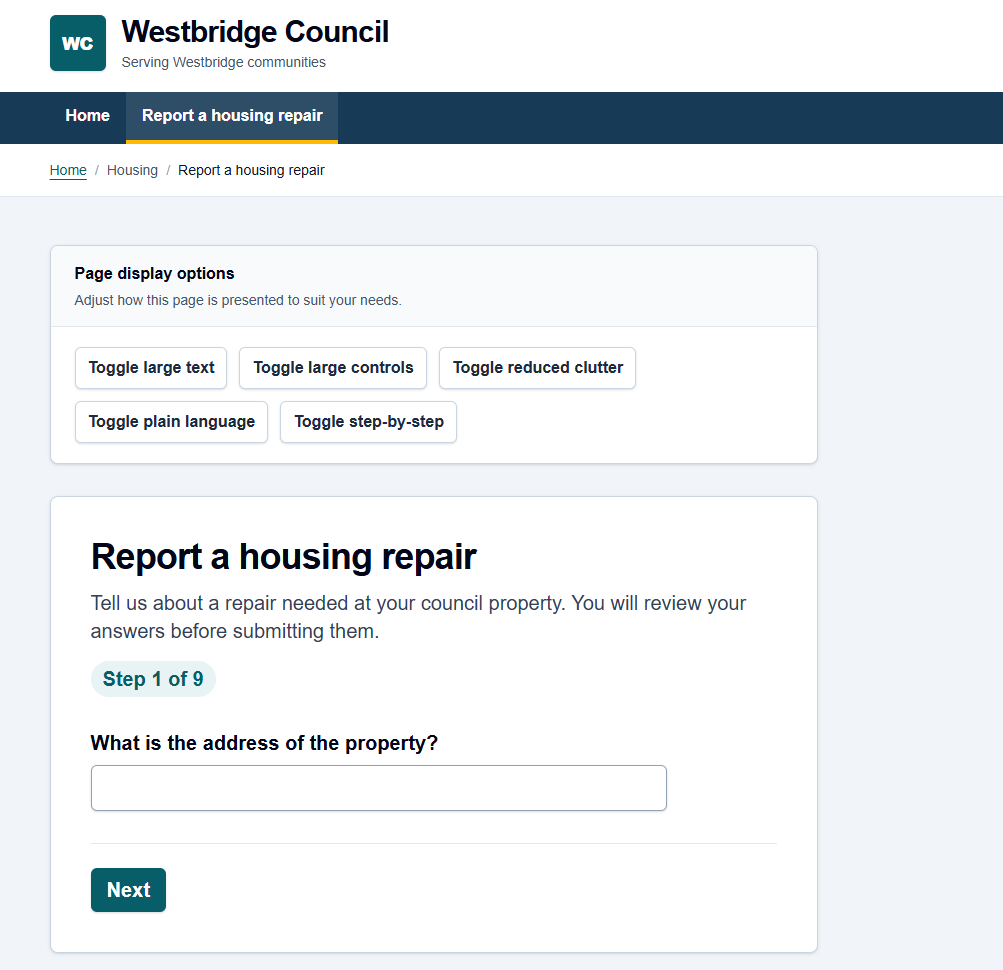
Many council websites provide great essentials, but I have noticed one weakness that they have in common: they expect everyone to use the same interface. Sometimes people may have different needs such as they might not have their glasses and need larger text for only that day, they could be exhausted, find buttons difficult to tap, need simpler language or just want to complete a task one step at a time.
But what if, instead of expecting people to adapt to a website, the website could adapt to them?
That led to the core idea behind Necivia. I decided to explore the concept of WebMCP beyond just being an alternative to AI clicking around a website. I wanted the human and the agent to collaborate through the same interface and same state.
What it does
Necivia is a fictional council-service platform that was developed around the idea of Humans × Agents.
A resident can naturally describe what they need and an AI agent can use the exposed WebMCP tools to help complete the task.
For example, if someone says that the writing is too small, buttons are difficult to tap, the page feels overwhelming or they want to go one step at a time, the agent can adapt the live website in real time. Text size, control size, information density, language complexity, motion and journey style can all be modified without creating a separate AI interface.
The housing-repair journey goes further. An agent can:
- understand the information required for a repair
- read the resident's current draft
- add or correct only the information the resident provides
- check whether the report is complete
- open the final review screen
But the important part is what it cannot do.
Necivia intentionally exposes no submission tool through WebMCP. The agent can help with the task, but the resident must personally press "Confirm and submit".
Only then does the server validate and create the repair, generate its NEC-... reference and make the same case available to authorised council staff.
This means the agent is not operating a hidden parallel workflow. The human and agent are collaborating through the same real service.
How I built it
Necivia is built with Next.js, React, TypeScript, Tailwind CSS, PostgreSQL and Railway.
The live product exposes six WebMCP tools:
adapt_experienceget_experience_preferencesget_housing_repair_requirementsget_housing_repair_draftupdate_housing_repair_draftopen_housing_repair_review
The Page Support and housing-repair interfaces share their state with these tools, so a change made through WebMCP is automatically shown in the resident's interface.
For the production side, I added authenticated resident and staff accounts, database-backed sessions, persistent repair cases, role and tenant isolation, protected attachments, server-side validation, rate limiting, security headers, audit records and a delivery adapter.
Challenges I ran into
One of the biggest challenges was deciding where the agent's authority ends.
It would have been easy to just expose a submit_repair tool and let the agent complete everything, but for a council service, I didn't think that it was the right architectural decision. I instead separated assistance from authority: WebMCP can prepare and review the task, while submitting the final form remains a human action.
Another challenge was keeping the human interface and agent interface from becoming two separate systems. The WebMCP tools therefore operate on the same visible draft and Page Support state rather than maintaining their own hidden copy.
I also spent a huge chunk of my time testing edge cases: partial updates, missing answers, invalid future dates, uncertain safety answers, unauthenticated access and requests unrelated to the available tools.
Deployment also brought its own challenges too, including database migrations, persistent storage, authentication and ensuring the same submitted case could move all the way from the resident account to the staff inbox.
Accomplishments that I'm proud of
I am very proud that Necivia demonstrates WebMCP as more than just browser automation.
A natural-language request can actually adapt a person's live experience and the resident can continue exactly from where the agent left off.
I am also proud of the human-confirmation boundary. There are six useful tools but no submission tool, that is deliberately part of the design.
The final deployed workflow also works end-to-end: a resident can prepare and submit a housing repair, receive a server-generated reference, refresh and still see it and an authorised staff user can see and manage the same persisted case.
My final WebMCP natural-language evaluation passed 11 out of 11 scenarios, alongside the application's automated test suite and production verification.
What I learned
The biggest thing I learned is that designing for agents is not just about exposing as many tools as possible.
The description, schema and boundaries of each tool matter because the agent needs to know enough information to be able to choose the right action and should know enough restrictions to know when not to act.
I also learned that WebMCP becomes much more interesting when it complements the existing website instead of replacing it. The best experience was not “AI does everything for you”; it was the human and agent being able to work together on the same task.
Building Necivia also substantially taught me about production architecture, authentication, database persistence, security, evaluation and deployment beyond the WebMCP integration itself.
What's next for Necivia
Necivia currently focuses on one specific flagship council journey rather than trying to simulate every possible council service.
The next step would be applying the same pattern to more services while keeping the foundational principles the same: one shared interface, structured AI agent capabilities, reversible assistance and clear human control over consequential actions.
I would also like to explore how the adaptation layer could become more contextual over time, so websites can respond to temporary requirements without forcing people to permanently configure accessibility or preference settings.
Ultimately, Necivia is an experiment in a different relationship with the web: instead of every person having to learn how each website works, the website can meet the person where they are.
Built With
- next.js
- node.js
- postgresql
- railway
- react
- tailwindcss
- typescript
- webmcp


Log in or sign up for Devpost to join the conversation.