-
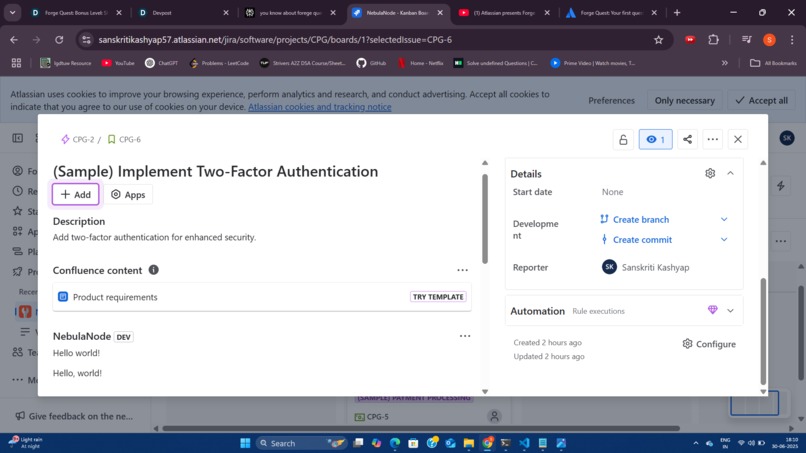
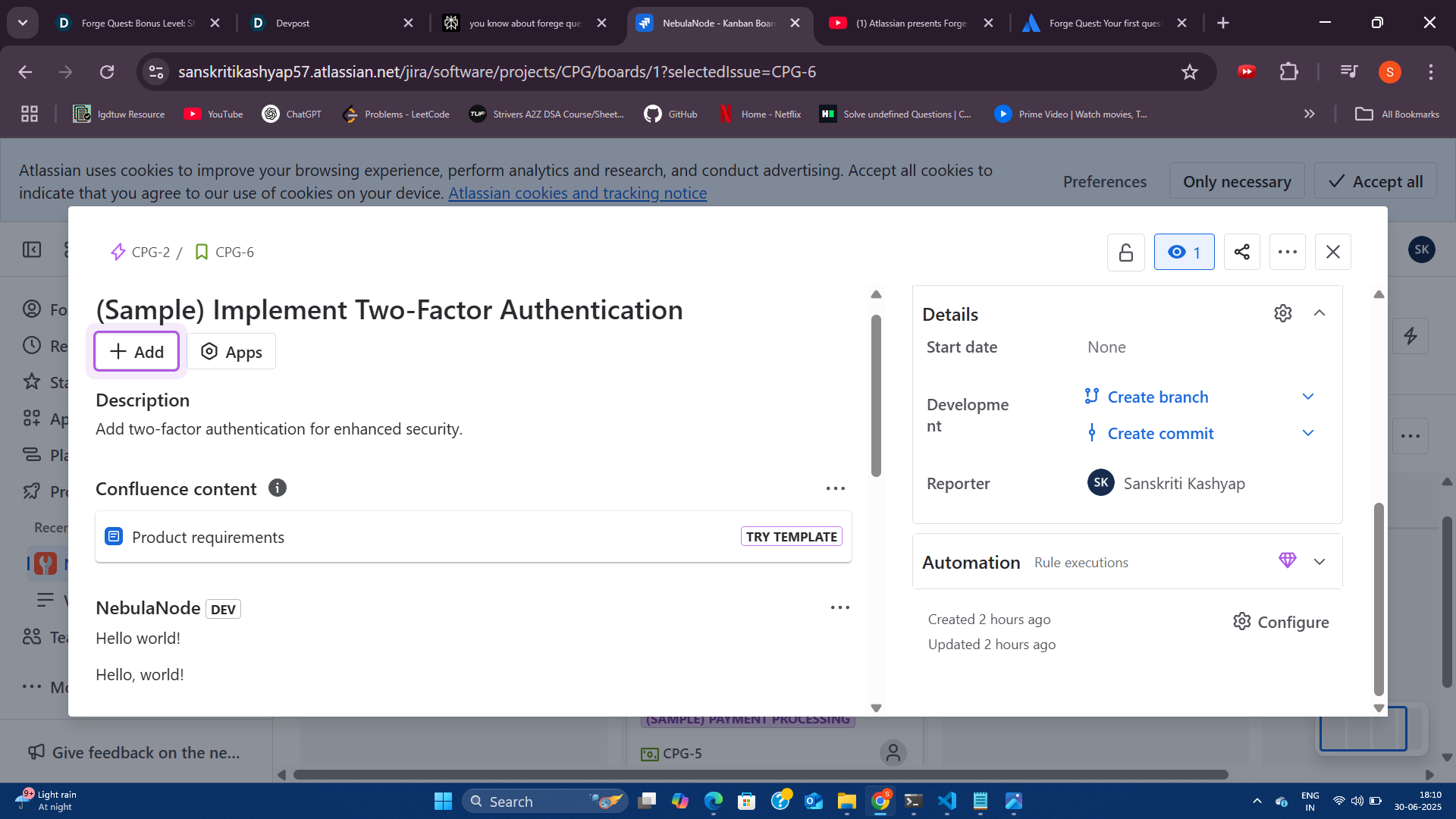
NebulaNode Forge app running in Jira Cloud, showing a custom issue panel with “Hello World!” — my first successful Forge app!
Inspiration
I’ve always enjoyed creating projects that blend technology with creativity and philosophical themes. The Forge Quest challenge was the perfect opportunity to explore Atlassian’s Forge platform while building something simple yet meaningful. The idea of customizing Jira to reflect my own workflow and style inspired me to dive in and create NebulaNode.
What it does
NebulaNode is a novice-level Jira app that adds a custom panel to Jira issues. For this challenge, it displays a friendly “Hello World!” message inside Jira, demonstrating how easy it is to extend Jira’s functionality with Forge.
How we built it
- Set up a free Jira Cloud developer site.
- Used the Forge CLI to scaffold a new app with the UI Kit template.
Edited
src/frontend/index.jsxto display a “Hello World!” message:import ForgeUI, { render, Fragment, Text } from '@forge/ui'; const App = () => ( <Fragment> <Text>Hello World!</Text> </Fragment> ); export const run = render(<App />);Deployed and installed the app using the terminal.
Tested the app by opening a Jira issue and viewing the custom panel.
Challenges we ran into
- Accidentally started with the UI Kit 2 template, which caused deployment errors until I learned the difference between UI Kit and UI Kit 2.
- Navigating the Jira Cloud interface to locate the app panel took some trial and error.
- Managing dependencies and understanding Forge’s permissions model required careful attention to documentation.
Accomplishments that we're proud of
- Successfully built and deployed my first Forge app from scratch.
- Overcame initial setup and template selection mistakes through persistence and research.
- Gained confidence in using the Forge CLI and customizing Jira’s UI.
What we learned
- The basics of Atlassian Forge app development, including scaffolding, editing, deploying, and installing apps.
- The importance of choosing the right template and managing dependencies.
- How even a simple app can enhance productivity and personalize a workflow.
What's next for NebulaNode
I’m excited to expand NebulaNode beyond “Hello World!” — possibly by adding dynamic content, integrating external APIs, or weaving in some philosophical quotes or creative taglines. The next steps will involve exploring more advanced Forge features, deeper Jira integrations, and making NebulaNode a tool that truly reflects my interests and style.
