Inspiration
I wanted to create a modern, local-first AI chat experience that doesn’t rely on cloud-based APIs. With privacy becoming increasingly important and AI models now running efficiently on consumer hardware, I saw an opportunity to build a powerful chat app that integrates LM Studio for local inference, combines Python code execution in-browser for hands-on experimentation, and provides a seamless frontend–backend workflow. The idea was to empower developers and AI enthusiasts with a self-contained environment for chatting, coding, and experimenting—without sending sensitive data to external servers.
What it does
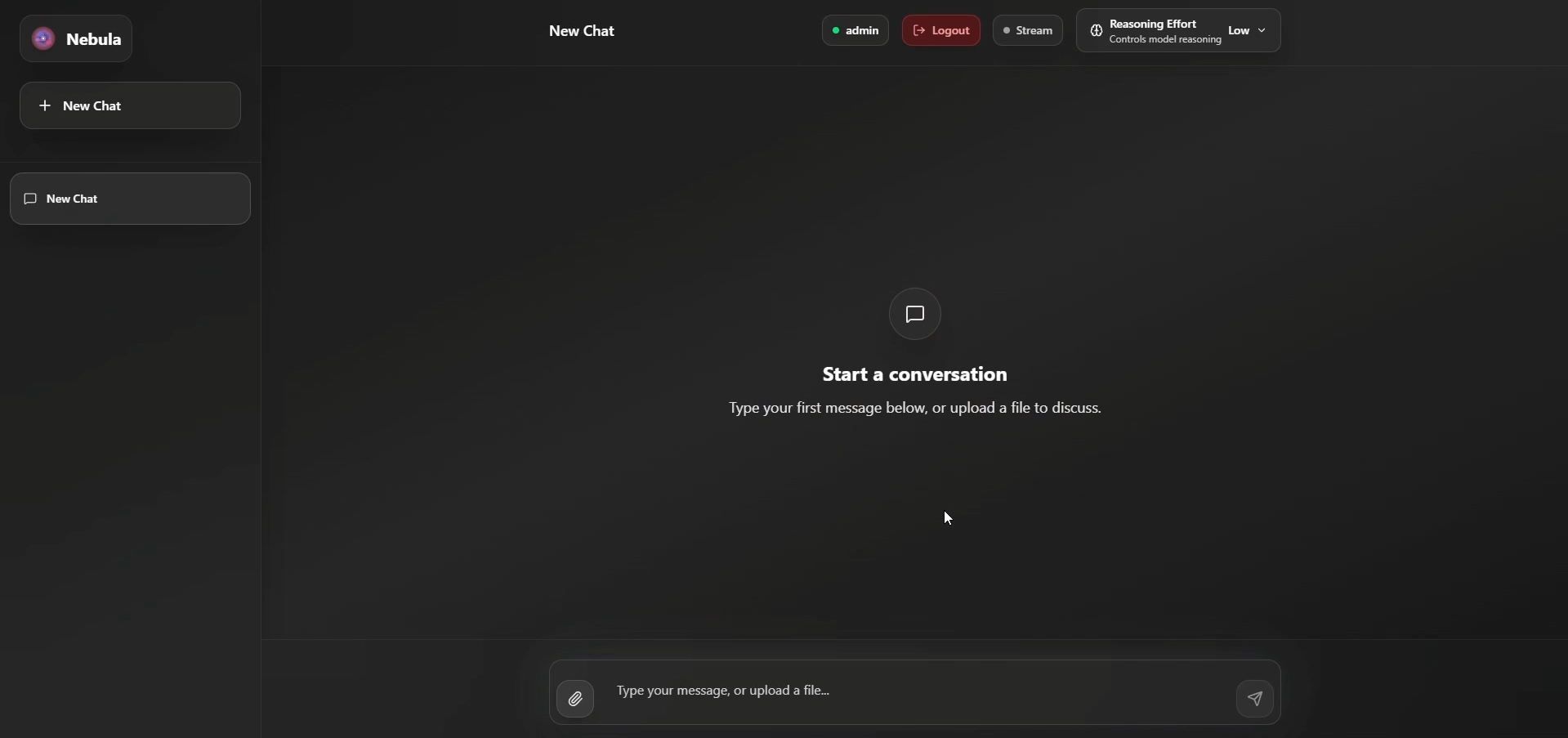
Nebula is a full-stack AI chat application that:
- Runs locally using LM Studio for AI model inference.
- Supports Python code execution directly in the browser via Pyodide.
- Provides real-time streaming chat responses from large language models.
- Saves conversation history in a PostgreSQL database.
- Offers file upload and processing (PDF, DOCX, TXT, CSV).
- Uses JWT authentication for secure user sessions.
- Has a sleek Next.js frontend with a Monaco Editor for live code editing.
How I built it
- Backend: Built with FastAPI to handle chat requests, forward them to LM Studio’s OpenAI-compatible API, manage conversation history, and authenticate users.
- Database: Used PostgreSQL (via Docker) for persistent storage of users, conversations, and messages.
- Frontend: Developed a Next.js interface with modern React components and Monaco Editor integration for real-time code execution using Pyodide.
- AI Integration: Configured LM Studio as the inference engine, using its local server running on
http://localhost:1234. - Development Workflow: Simplified setup with a single script (
start_dev.py) to spin up both backend and frontend, ensuring smooth developer experience.
Challenges I ran into
- Local AI inference performance: Ensuring LM Studio models (like Mistral or GPT-OSS) could run efficiently on different hardware configurations while maintaining good response speed.
- Real-time streaming: Handling WebSocket connections and streaming data smoothly between LM Studio, FastAPI, and the frontend.
- Cross-platform setup: Making Docker, PostgreSQL, and environment variables work consistently across Windows, macOS, and Linux.
- File processing edge cases: Ensuring proper parsing of different file types (e.g., malformed PDFs or large CSVs) without crashing the backend.
- Authentication: Balancing simplicity and security for JWT-based auth in a local development environment.
Accomplishments that I’m proud of
- Built a self-contained AI chat ecosystem that respects user privacy by running entirely on local hardware.
- Integrated code execution and AI chat in a single, intuitive interface.
- Achieved real-time streaming responses and smooth developer onboarding with clear setup steps.
- Designed the architecture to be extensible, making it easy to swap models, add features, or deploy to production.
What I learned
- How to integrate OpenAI-compatible APIs with local inference engines like LM Studio.
- Best practices for building full-stack apps with FastAPI and Next.js.
- Strategies for real-time data streaming between multiple services.
- The importance of robust Docker and environment setups for reproducibility.
- How to optimize user experience for developers testing and using AI models locally.

Log in or sign up for Devpost to join the conversation.