-
-
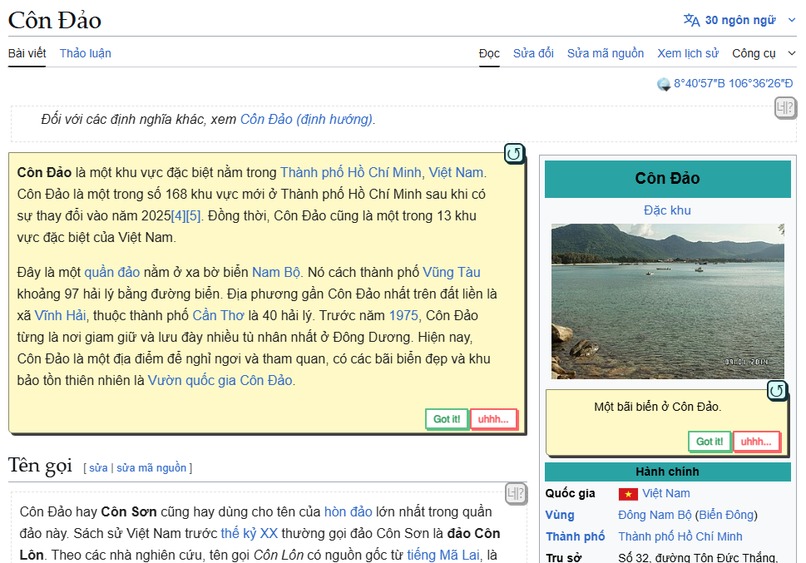
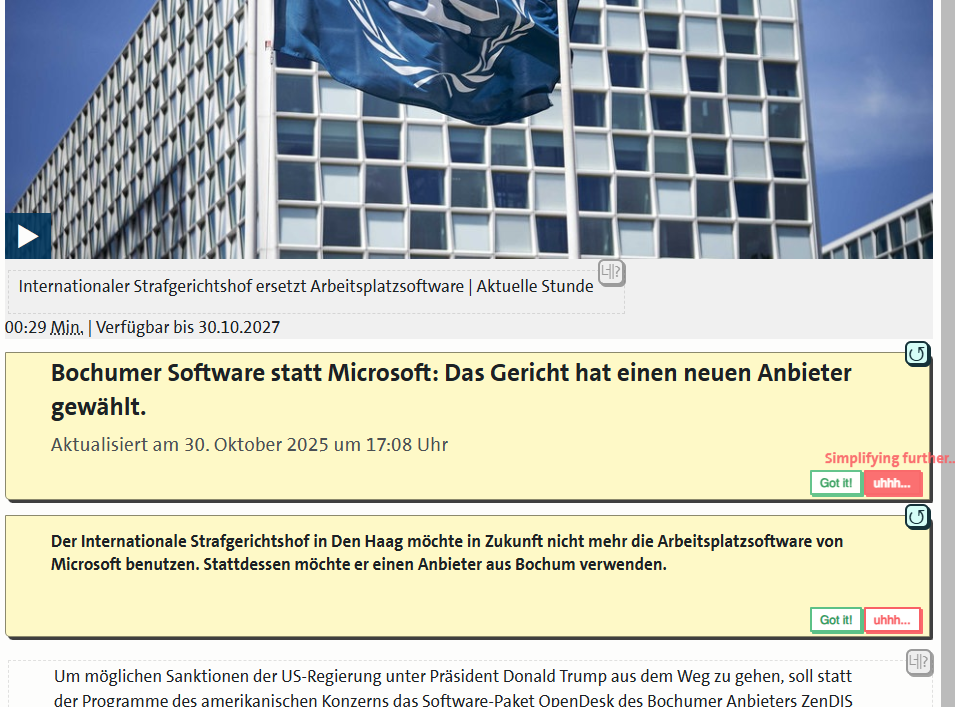
flashcardin'
-
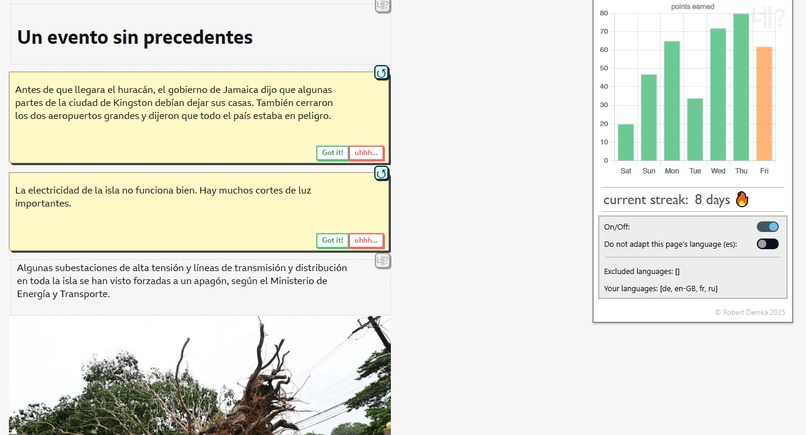
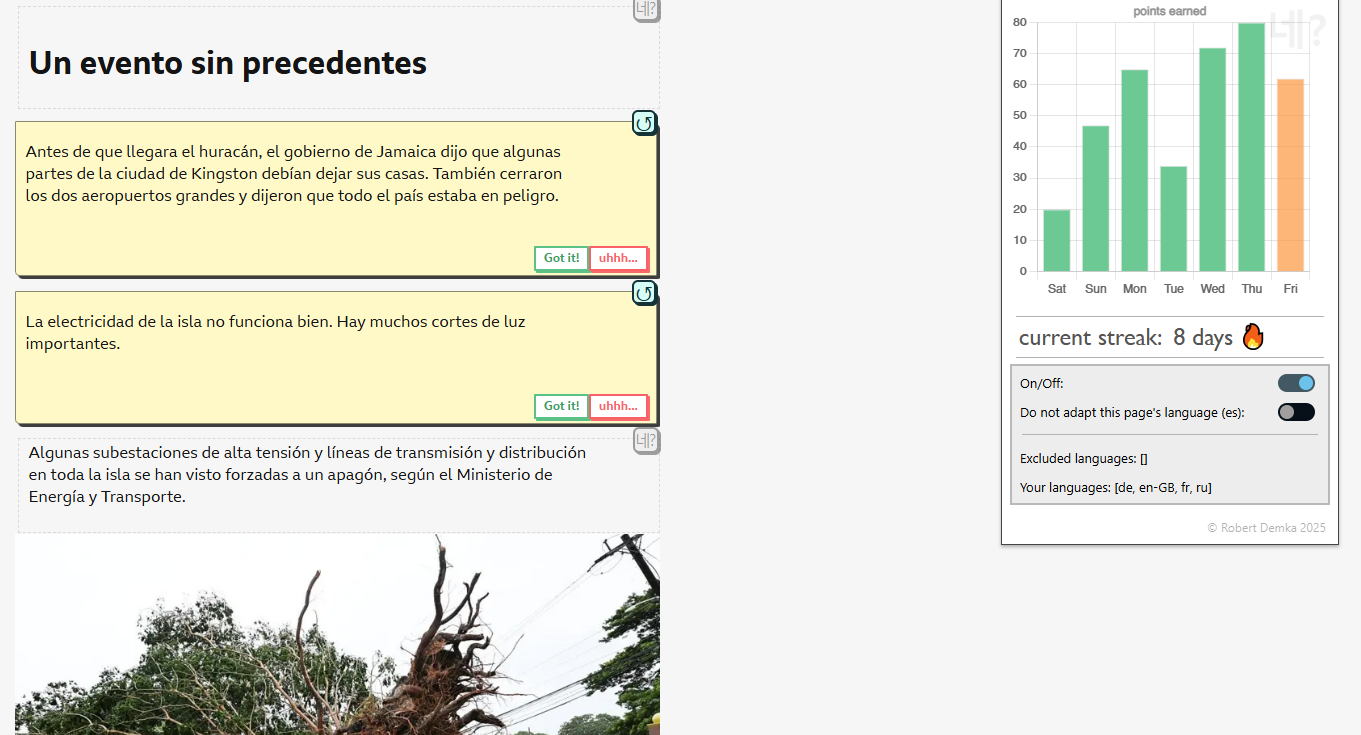
streaks & language tracking
-
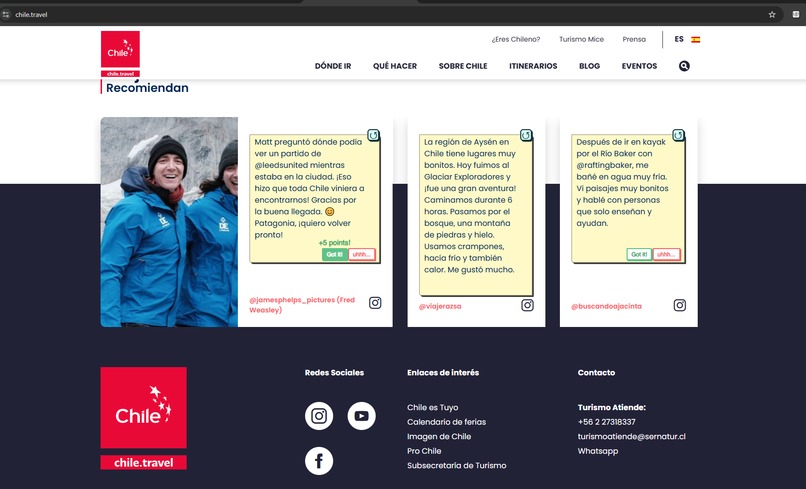
more flashcardin'
-
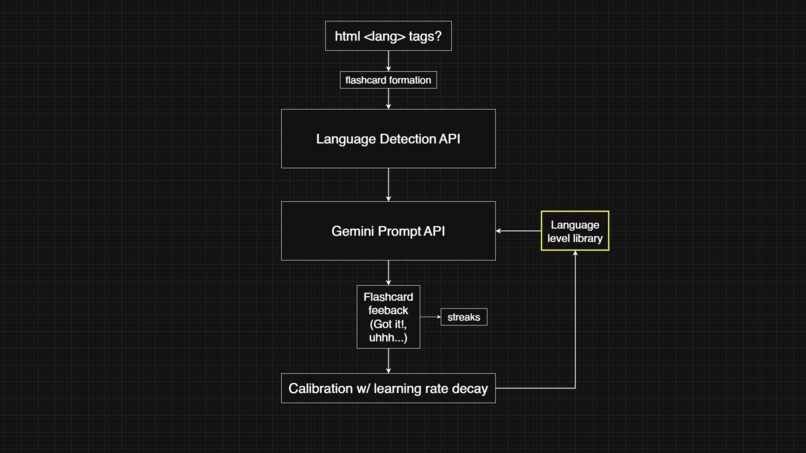
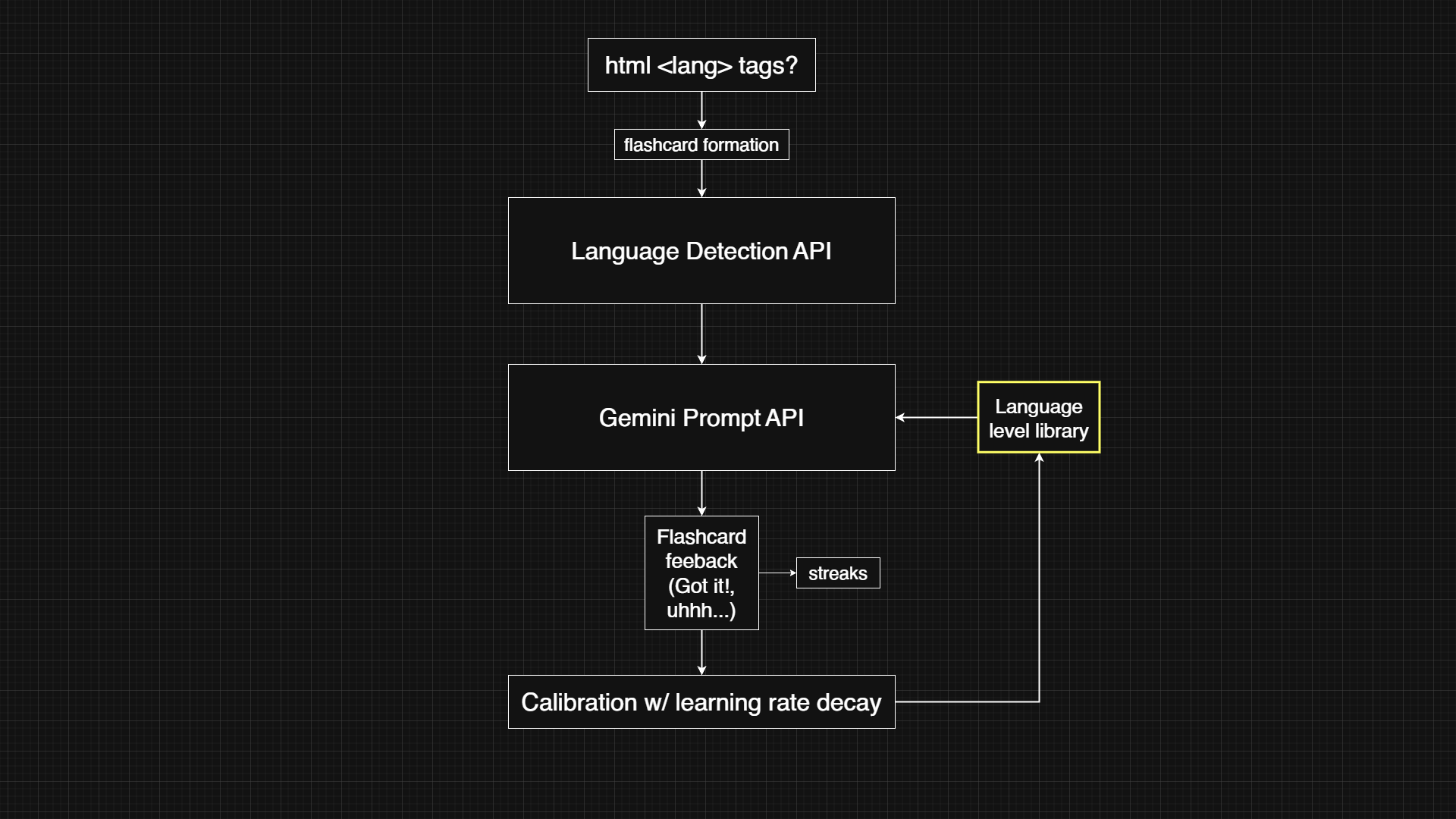
architecture
-
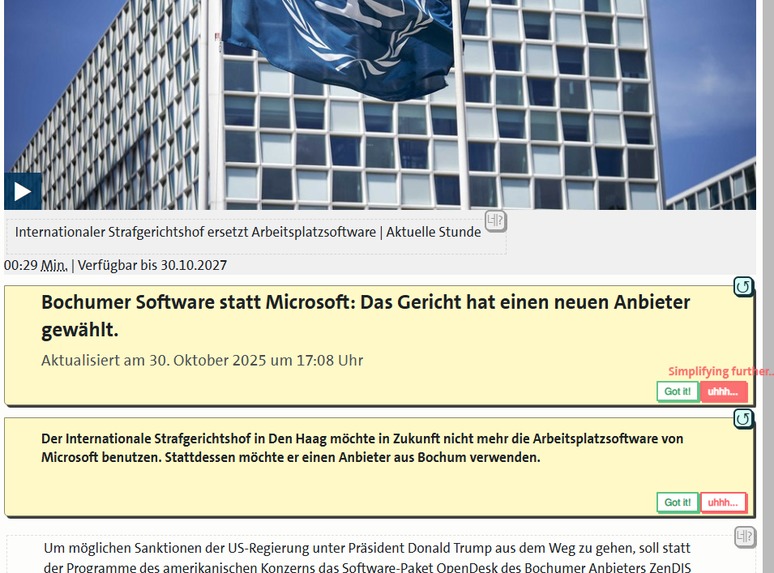
simplifying further for a specific flashcard
Inspiration
"If you think that speaking English connects you to the entire world, you are only about 25% correct." This refers to the fact that even though English is the most widespread language, it is spoken by only about 2 billion of the world’s 8 billion people. This idea is what inspired me to learn as many languages as I can, so that I could truly connect with the rest of our diverse globalized world, not just with its most homogeneous quarter.
However, I've always found it annoying that the only real way to interact with your target language material is by translating it, which does bring about full comprehension... aaaaand no learning whatsoever. Now that we've tamed language models, I decided to give myself and others another option - to learn languages by really understanding the material, not merely by translating it.
What it does
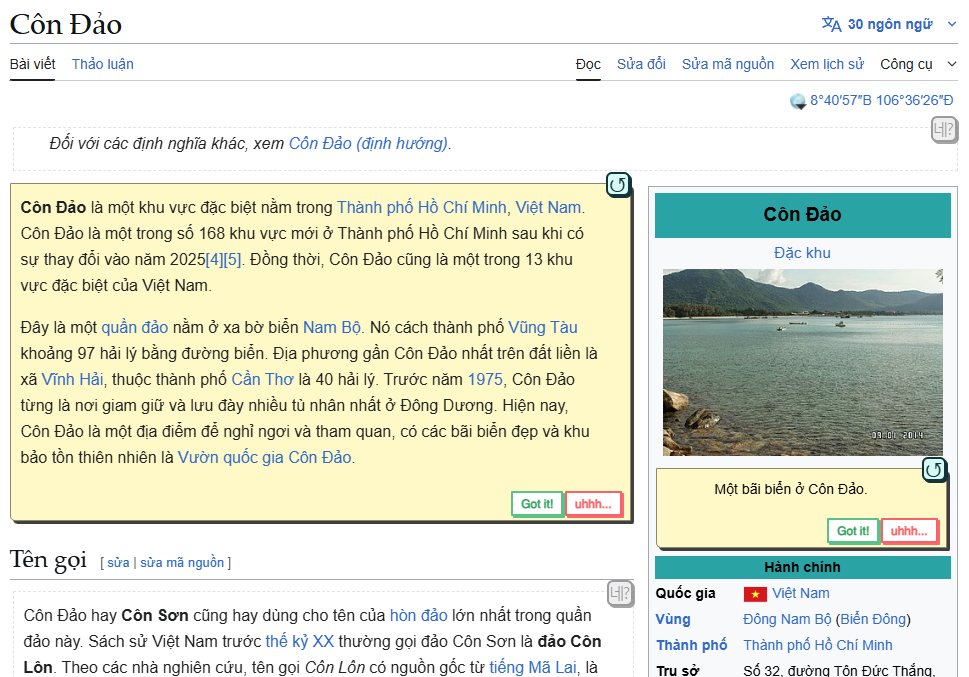
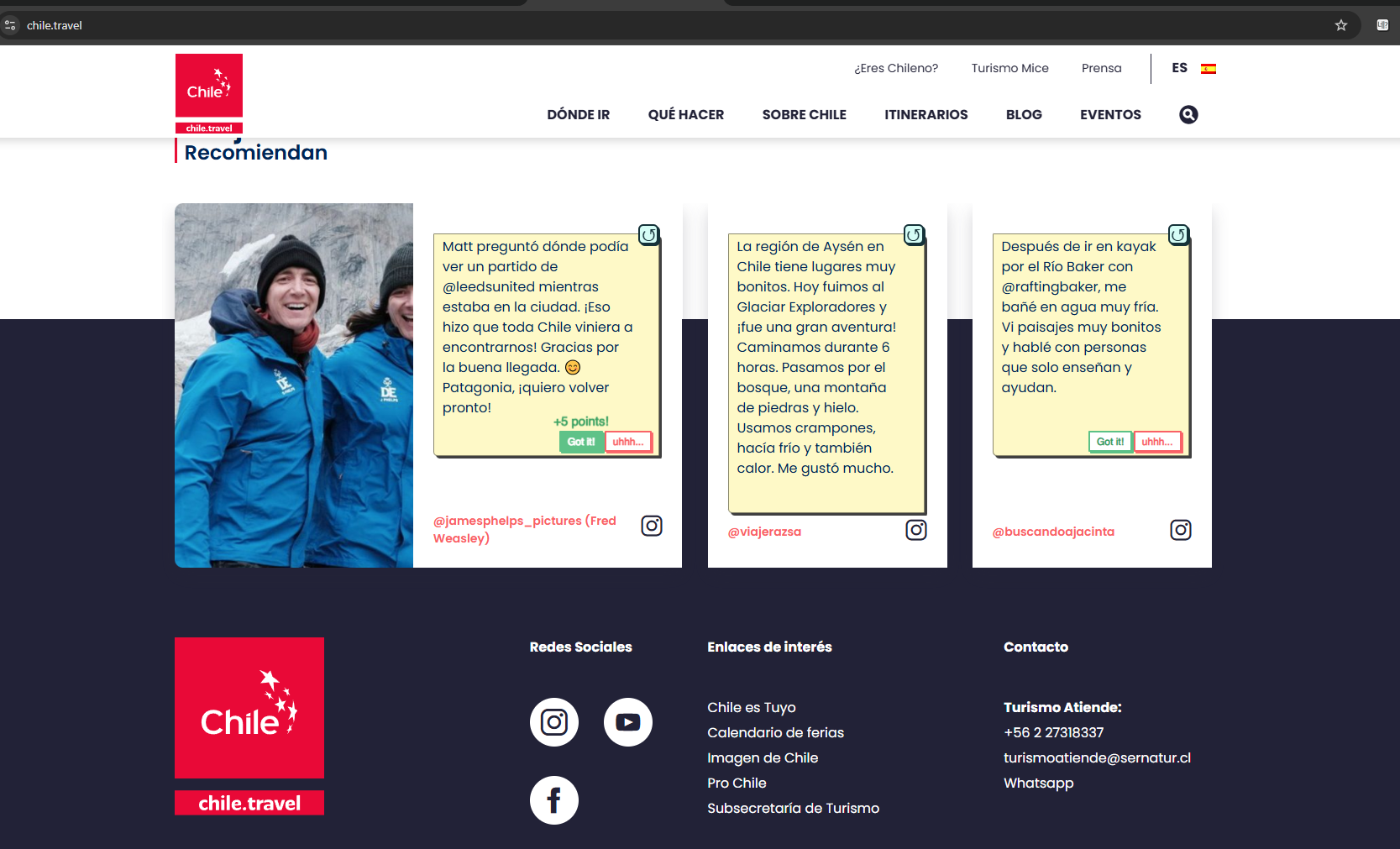
네? (Ne?) — which means "come again?" or "pardon me?" in Korean, is a Chrome Extension that uses the power of Gemini Nano to break down a foreign language page into digestible chunks and adapt them to your target language level. Put simply, if you are French level A2 (Elementary) and the French webpage you are trying to read is B2 (Upper Intermediate), the extension will simplify the grammar, vocabulary, and sentence structure to fit level A2, and display the results in non-intrusive flashcards.
Depending on how a user rates the adapted flashcard text (i.e. whether a card is easy/hard), their level will recalibrate so that future flashcards will have a different adaptation level, and Gemini will have the most precise grasp of the user's language understanding.
How I built it
The entire program can be seen as four modular parts:
- Webpage chunking / flashcard formation.
- Parameter estimation, language detection & Gemini prompt creation.
- Recording user responses & recalibrating user language level.
- Points, streaks, analytics, user extension experience.
Challenges I ran into
Identifying text blocks on a webpage was arguably the hardest challenge of this endeavour. Since there are just so many ways to display text and so many container types where it really should or really shouldn't be placed, having a one-size-fits-all program to extract this text was a colossal task. I had to come up with some creative logic around text element filtering and grouping, so that the user can only see nice, realistic-looking flashcards, while maintaining the overall page structure.
Accomplishments that I am proud of
Because of the way the program is structured and the way it uses the Language Detector API when html tags fall short, Ne? is a language-agnostic program; this means that it supports studying virtually any language or language-locale that you can give it, and I've built it in such a way that many languages can be learned and tracked simultaneously.
What I learned
Even with Gemini doing the heavy lifting, managing tools with such unpredictable output has taught me to build more resilient applications and prepare for any type or length of output.
What's next for Ne?
Written in my notebook, then crossed out, then written again: flashcard saving flashcard saving.
The ability to review texts that you've previously found difficult has been the absolute best way to learn languages for me so far, and I hope to bring it to the extension soon.

Log in or sign up for Devpost to join the conversation.