-

Logo
-
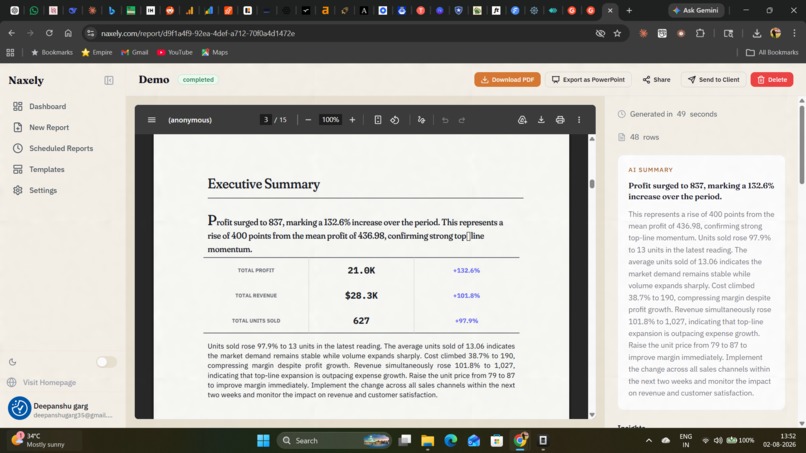
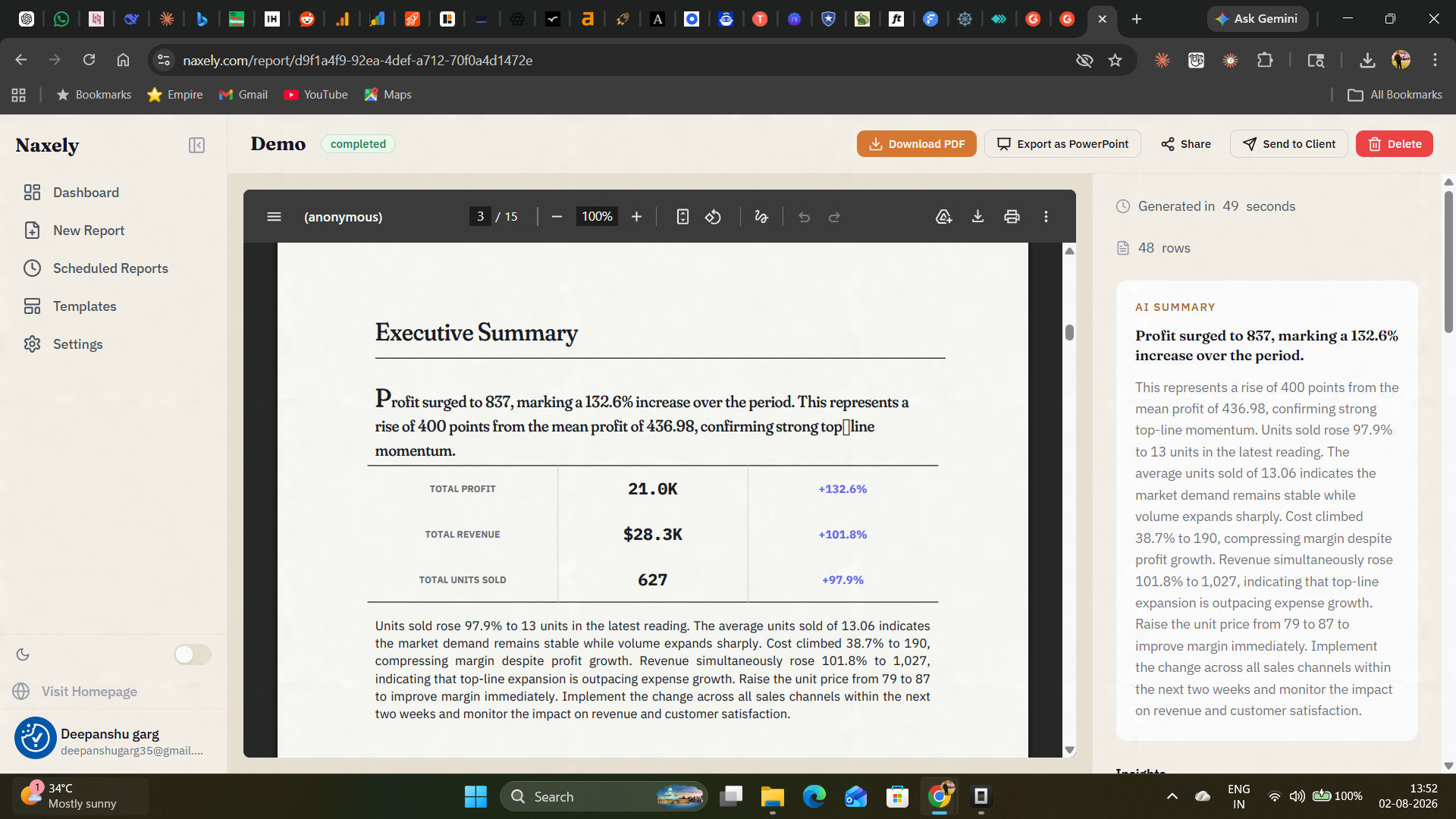
AI-written executive summary — a plain-language overview of the report's key findings, generated automatically from the uploaded data.
-
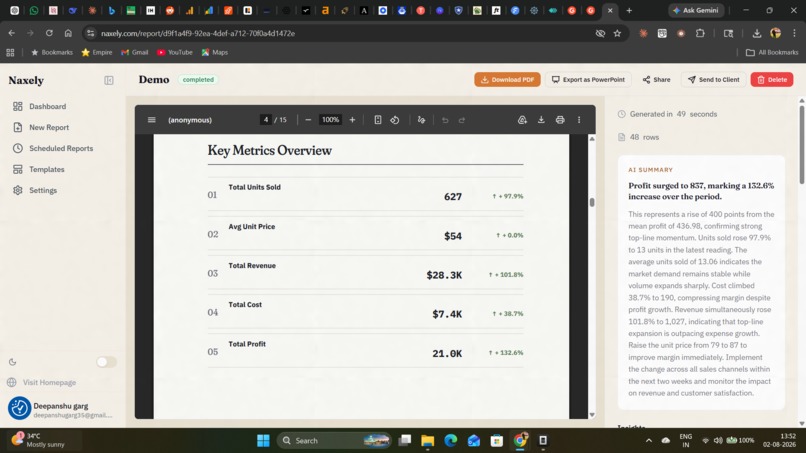
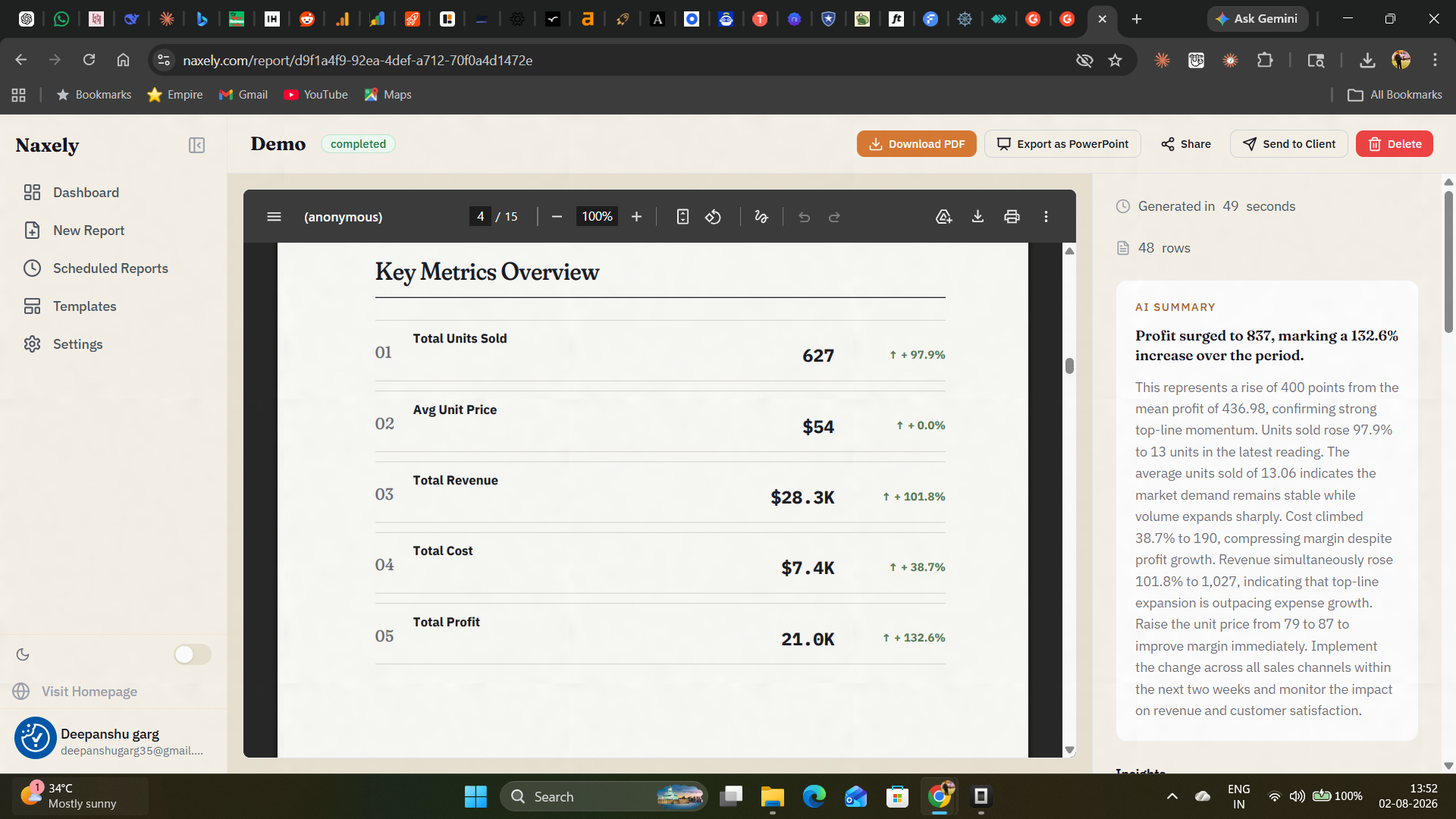
Key metrics overview — KPI cards summarizing the most important numbers in the dataset at a glance.
-
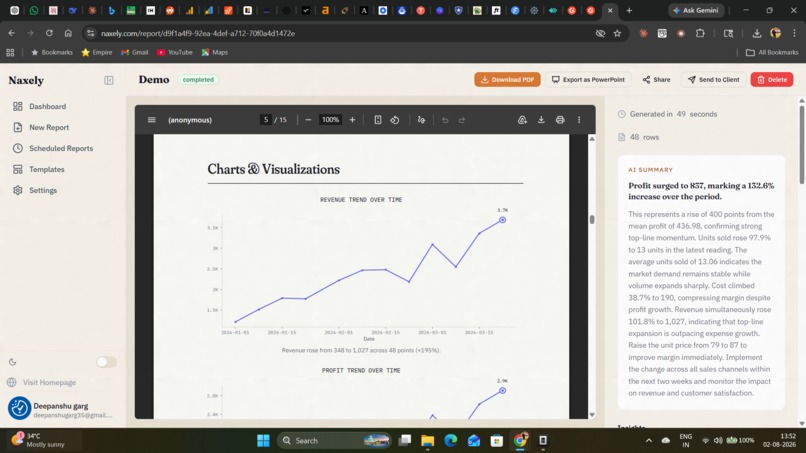
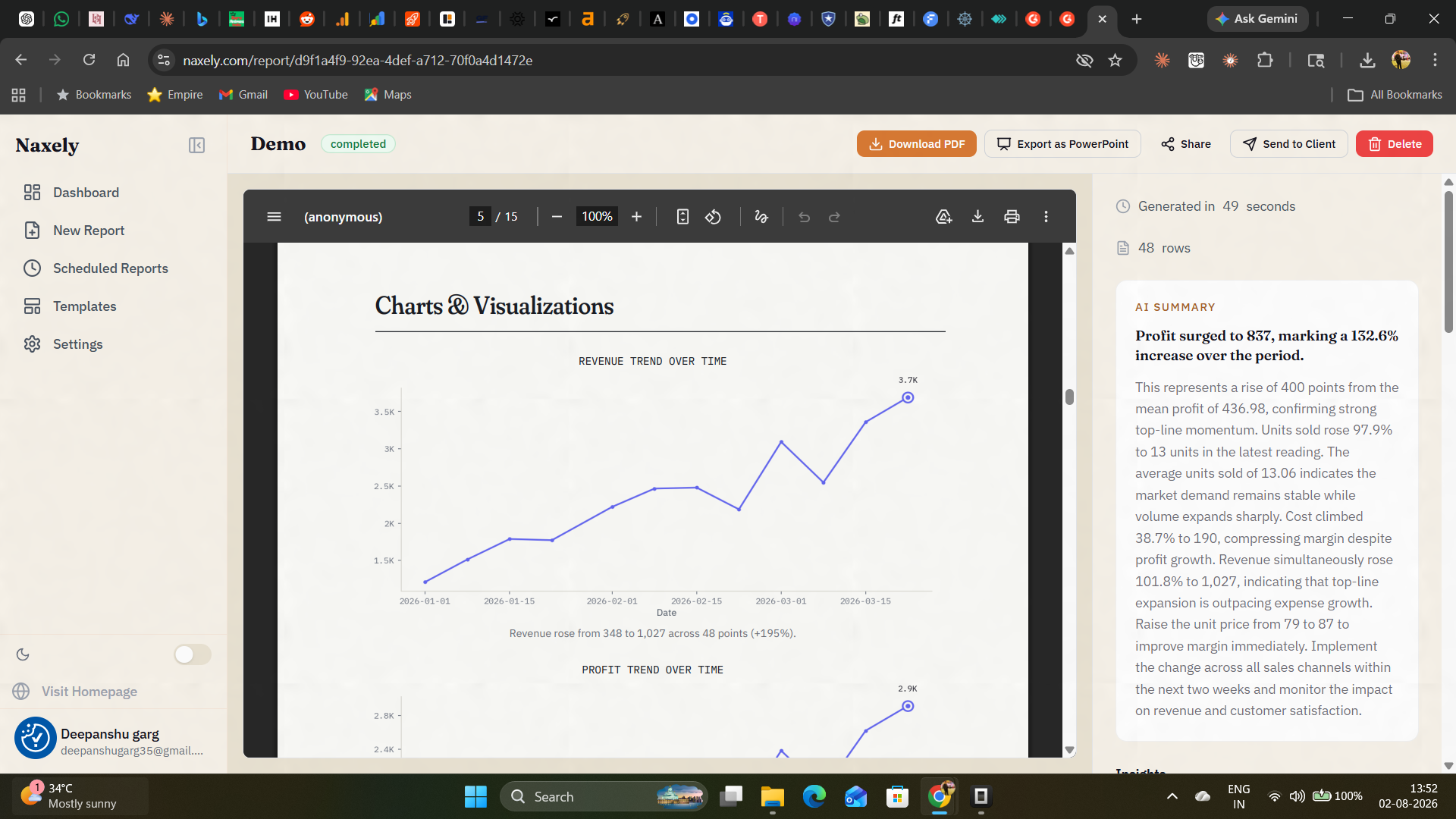
Auto-generated chart visualizing trends in the client's data, styled to match their brand colors.
-
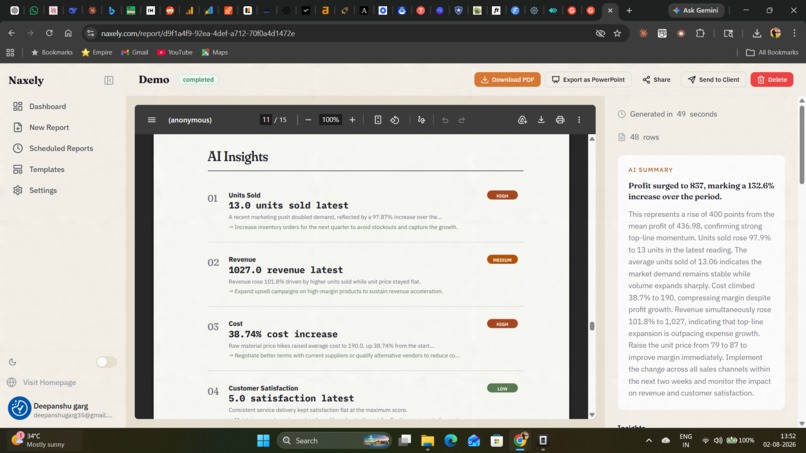
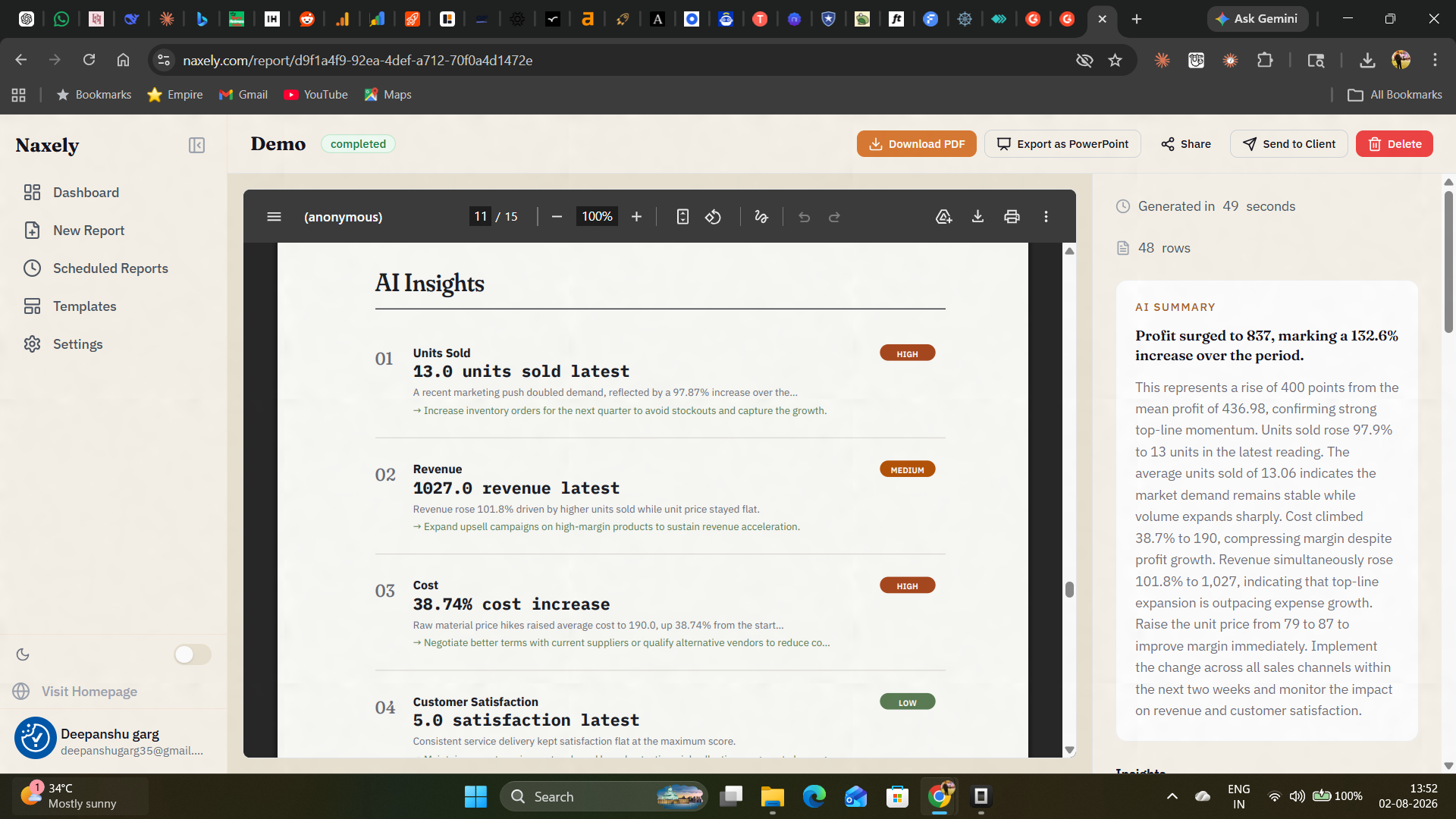
AI-generated insights called out separately from the raw data, highlighting what actually matters.
-
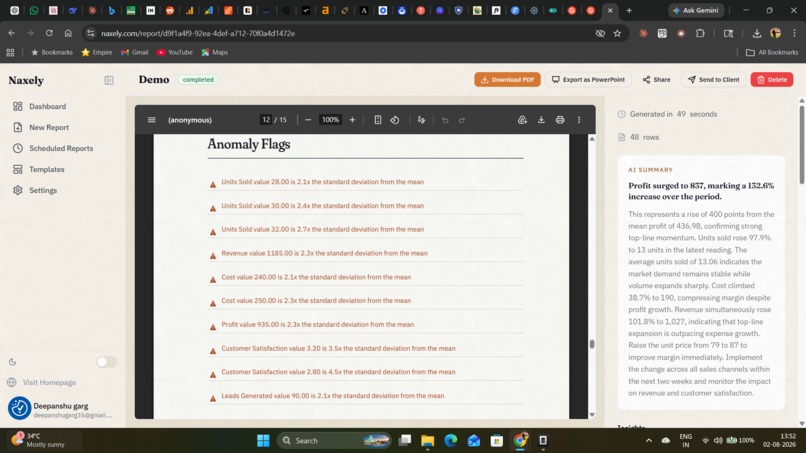
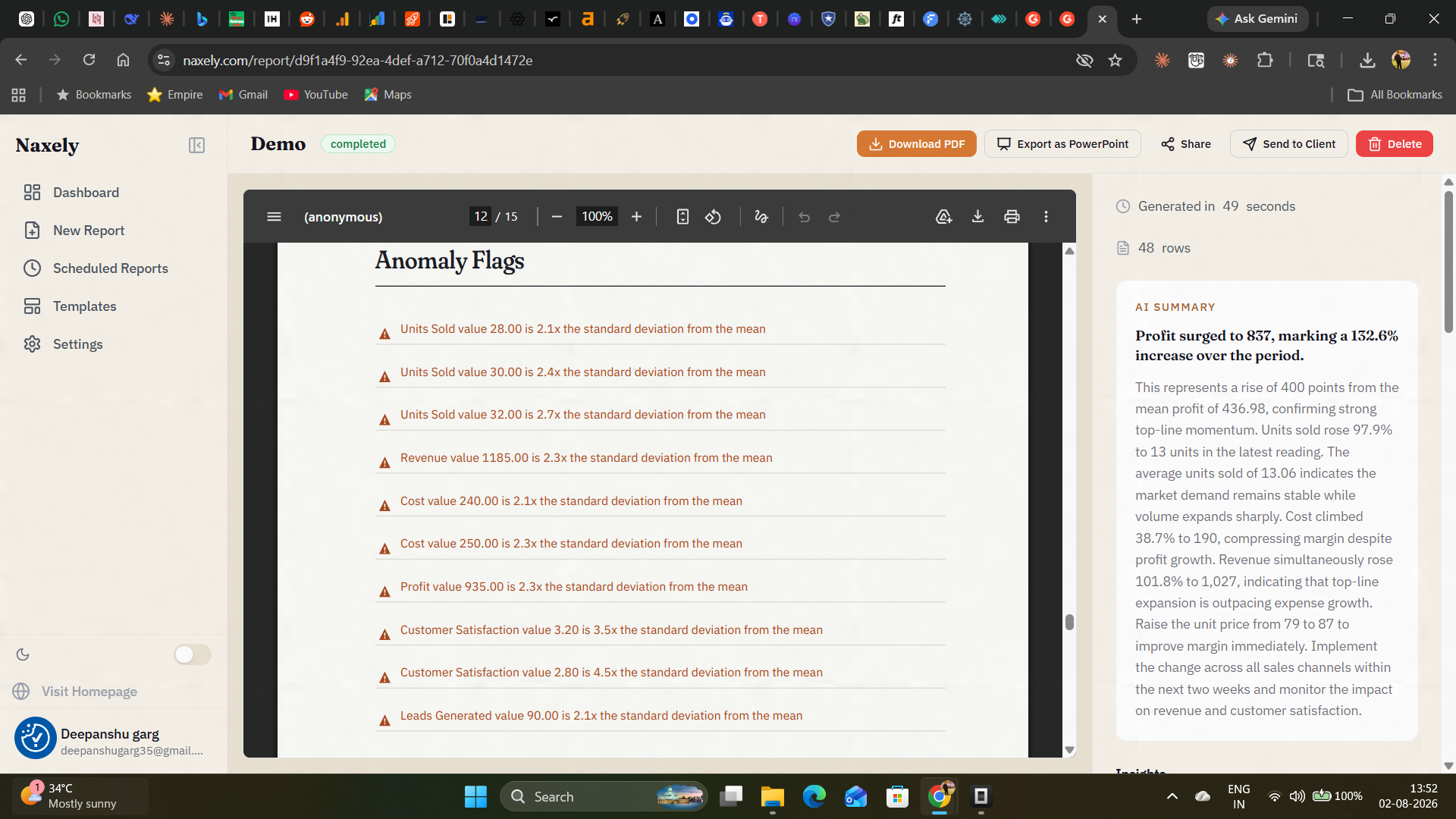
Anomaly detection flags unusual data points automatically, so nothing important gets missed.
-
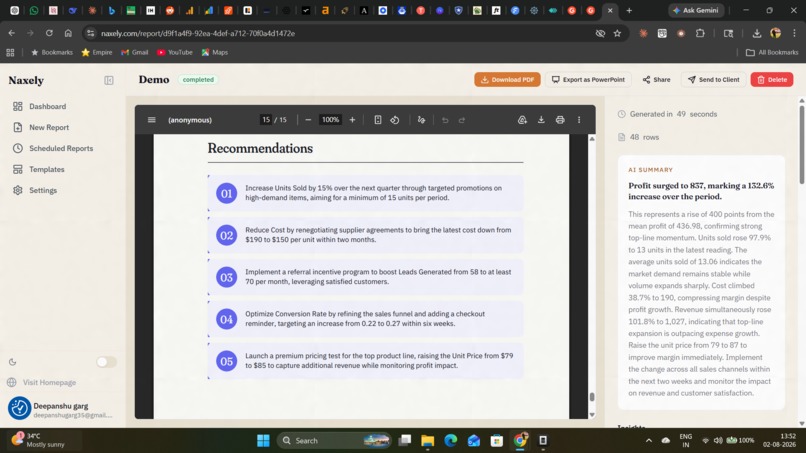
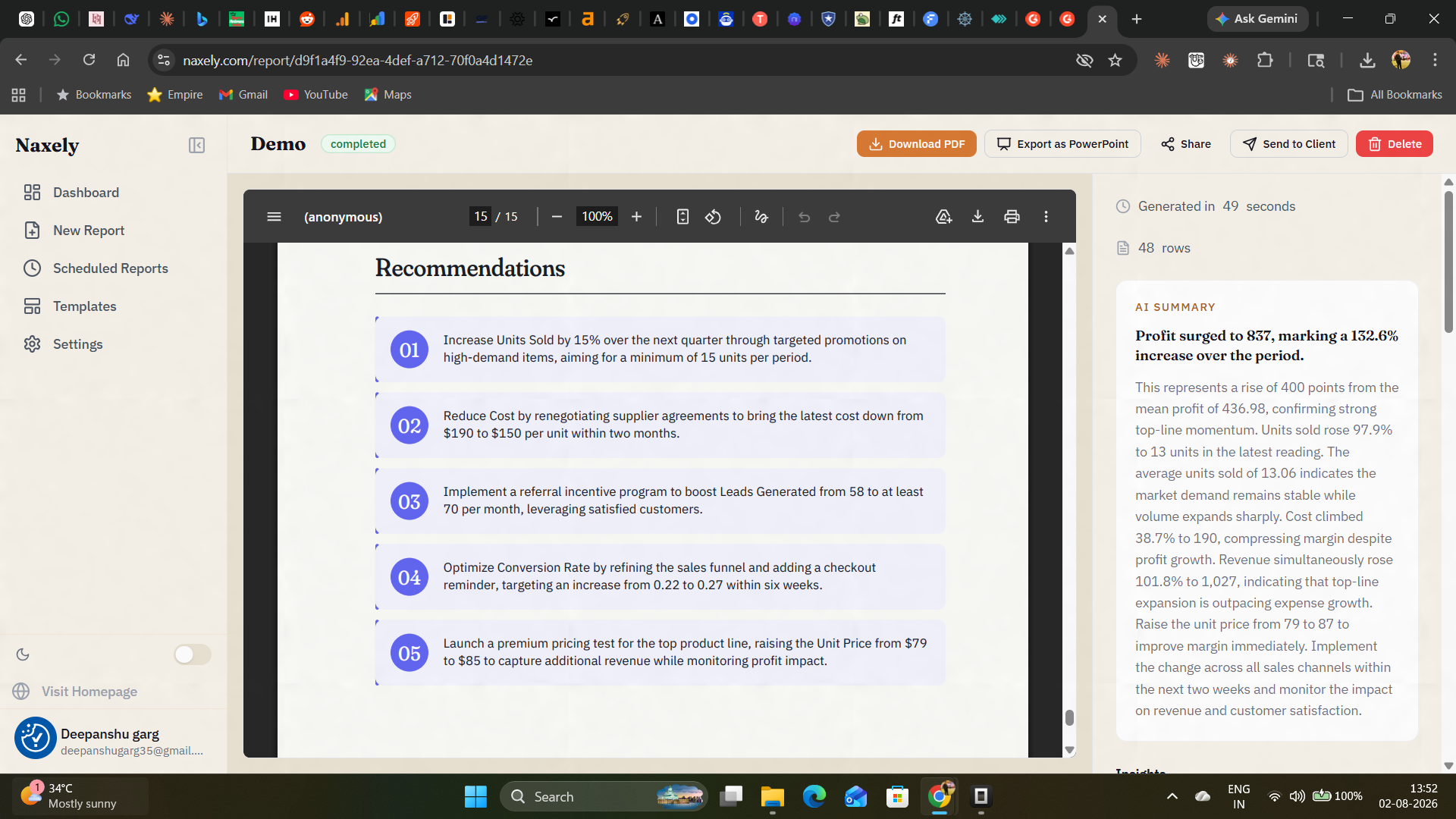
AI-generated recommendations based on the report's findings, giving clients clear next steps.

Inspiration
Freelance data analysts and consultants spend hours every reporting cycle doing the same manual work: pulling numbers from a spreadsheet, picking the right chart, writing a summary a non-technical client will actually understand, and formatting it all to look professional. Naxely automates that last mile — the part between "I have the data" and "the client has a polished report."
What it does
Naxely turns a CSV, Excel file, or live Google Sheet into a branded, AI-narrated PDF report in under a minute. It picks appropriate chart types for the data, writes plain-language narration and an executive summary, and outputs a client-ready PDF — or a shareable live report link. Agency-tier users get white-label branding, scheduled reports, PowerPoint export, and a full API.
Naxely uses a BYOK (bring-your-own-key) model — users connect their own AI provider key (Gemini, Groq, DeepSeek, OpenAI, Claude, Mistral, or Together AI) rather than paying a markup on top of usage.
How I built it
Backend is FastAPI/Python on Render, with Supabase handling auth, database, and file storage. The frontend is React/TypeScript with Tailwind, statically pre-rendered (vite-react-ssg) for fast load and SEO. PDF generation runs through ReportLab with a custom typography system (Fraunces for display, IBM Plex Sans for body, IBM Plex Mono for numeric data). Report generation is split across dedicated thread pools so chart rendering, PDF assembly, and database calls don't block each other.
Challenges I ran into
Supporting seven different AI providers behind one interface meant normalizing very different APIs — most are OpenAI-compatible via a base_url override, but Gemini requires raw REST calls, which needed separate handling throughout the pipeline. Getting PDF output to look genuinely professional (not like a generic auto-generated report) took real design iteration — typography, color rules, and chart selection logic all went through multiple passes before reports felt client-ready rather than just functional.
Accomplishments that I'm proud of
Shipping a full report-generation pipeline — chart selection, AI narration, and branded PDF output — that consistently produces reports people are willing to send straight to a client without manual cleanup. Also proud of the BYOK architecture: supporting seven different AI providers cleanly, instead of locking users into one.
What I learned
Most of the hard problems weren't in the AI or the PDF generation — they were in making the output feel trustworthy and professional by default. Small details (typography choices, consistent color rules, how a chart is labeled) matter more to whether someone will actually send a report to a client than any single AI feature does.
What's next for Naxely
Programmatic API access, scheduled report automation, and expanding chart intelligence so report layout adapts more precisely to what the underlying data actually needs to communicate.
Built With
- anthropic-claude
- dodo-payments
- fastapi
- gemini-api
- google-sheets-api
- groq
- mistral
- openai-api
- postgresql
- python
- react
- render
- reportlab
- resend
- supabase
- tailwind-css
- typescript
- vercel
- vite


Log in or sign up for Devpost to join the conversation.