-
-
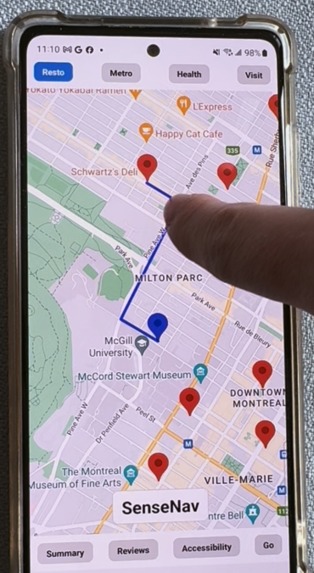
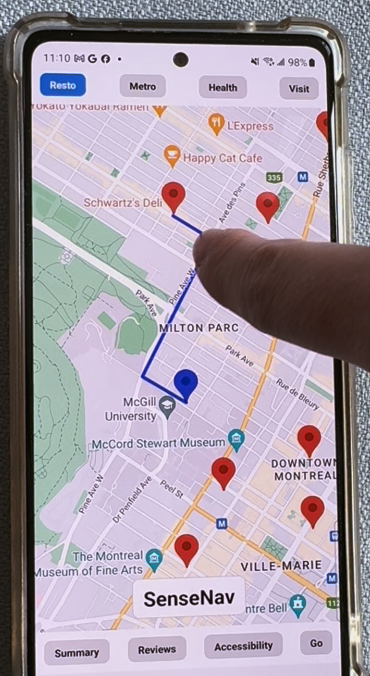
Haptic feedback when pressing on the path to the restaurant
-
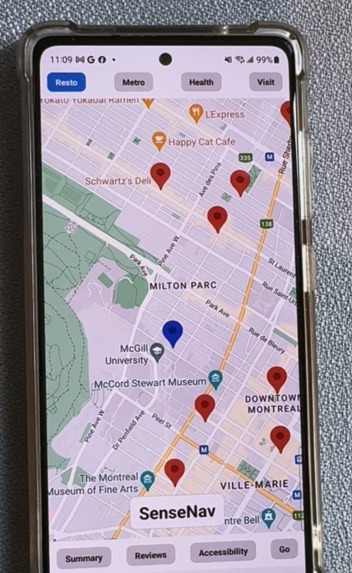
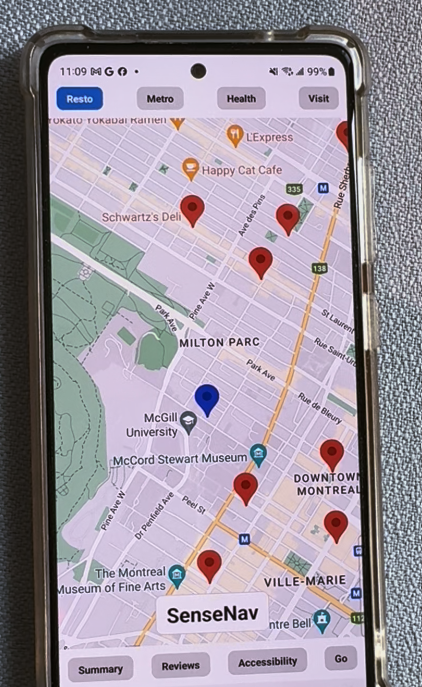
Resto page showing the most relevant restaurants near me. The pins can be felt with haptic feedback
-
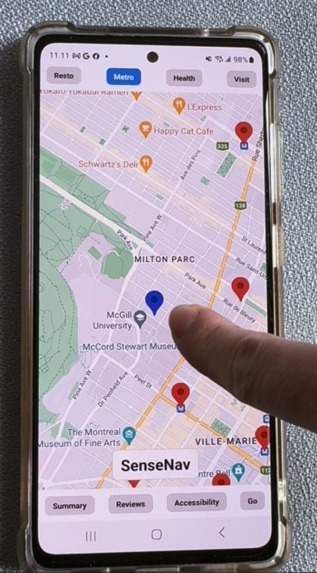
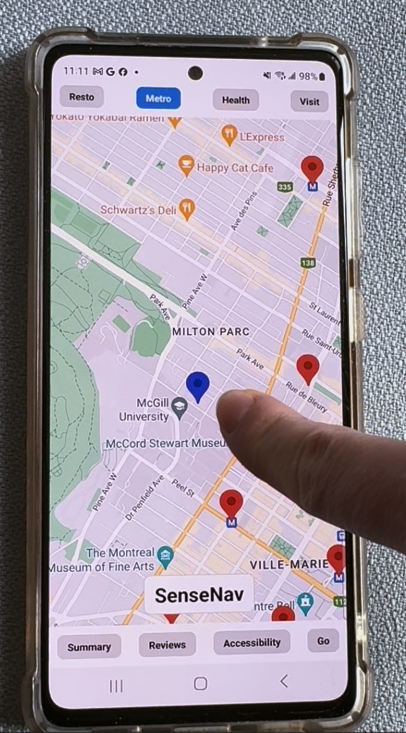
Metro page showing the metro stations near me. The accessiblity tab can summarize reviews on accessiblity.
Inspiration
SenseNav comes from the words "sensing" and "navigation". This application allows blind users to have a portable, affordable and multi-modal way to explore and navigate maps.
Current alternative systems include:
Accessible Google Maps extension: Reads out loud map components.
Downsides:
- Not multi-modal, can be difficult to gain a spacial understanding with only audio directions.
- Lacking technology to summarize information
- Lacking an "exploration" feel
Braille Devices: Can display map components in a multi-modal fashion (audio + haptic feedback).
Downsides:
- Braille devices are expensive, limiting access to only a small part of the low-vision community
- Braille devices are often not portable
What it does
NavSense accessible navigation tool for blind or low-vision users, empowering them to navigate public spaces with more independence and confidence.
Audio and Haptic Feedback: Dragging a finger on points of interest generates a vibration
AI-Powered Summaries: Uses Google’s Vertex AI Model to generate concise summaries of 4 aspects for each point of interest:
The app has four main capabilities for each point of interest. The points of interests are filtered in 4 categories: Restaurants, Metros, Health (e.g. hospitals) and Visit (e.g. museums).
1 - Summary: Executive summary of the point of interest
2 - Reviews: Summarizing Google Reviews for that point of interest
3 - Accessibility: Summarizing Accessibility concerns highlighted in Google Reviews
4 - Directions: Offers readable explanations of routes along with a haptic vibration path from the source to the destination for enhanced spacial awareness
How we built it
The mobile application was built using React-Native.
The back-end was built using Flask and is powered by the following Google Cloud APIs: Vertex AI Model, Google Direction API and Google Maps API.
The Google Maps API was used to render the map on the screen with specific points of interests filtered based on the buttons on the top sreen. The Vertex AI Model was used to generate summaries of Map Directions,
Challenges we ran into
IOS development with a Windows machine and incompatibility of the Expo Go Google Maps view with IOS
Integration of the front-end and back-end code
Expo Go limited functionality to add Speech to text functionality
Accomplishments that we're proud of
Having a functional prototype that is multi-modal, including audio and haptic feedback
What we learned
Using React Native with Expo
Using Google Cloud APIs
What's next for NavSense
1 - Replace button with a Speech Assistant
2 - Verify validity and relevance of Generative AI summaries
Built With
- generative-ai
- google-cloud
- python
- reactnative
- vertex-ai


Log in or sign up for Devpost to join the conversation.