-
-
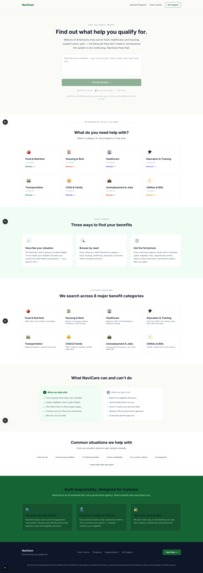
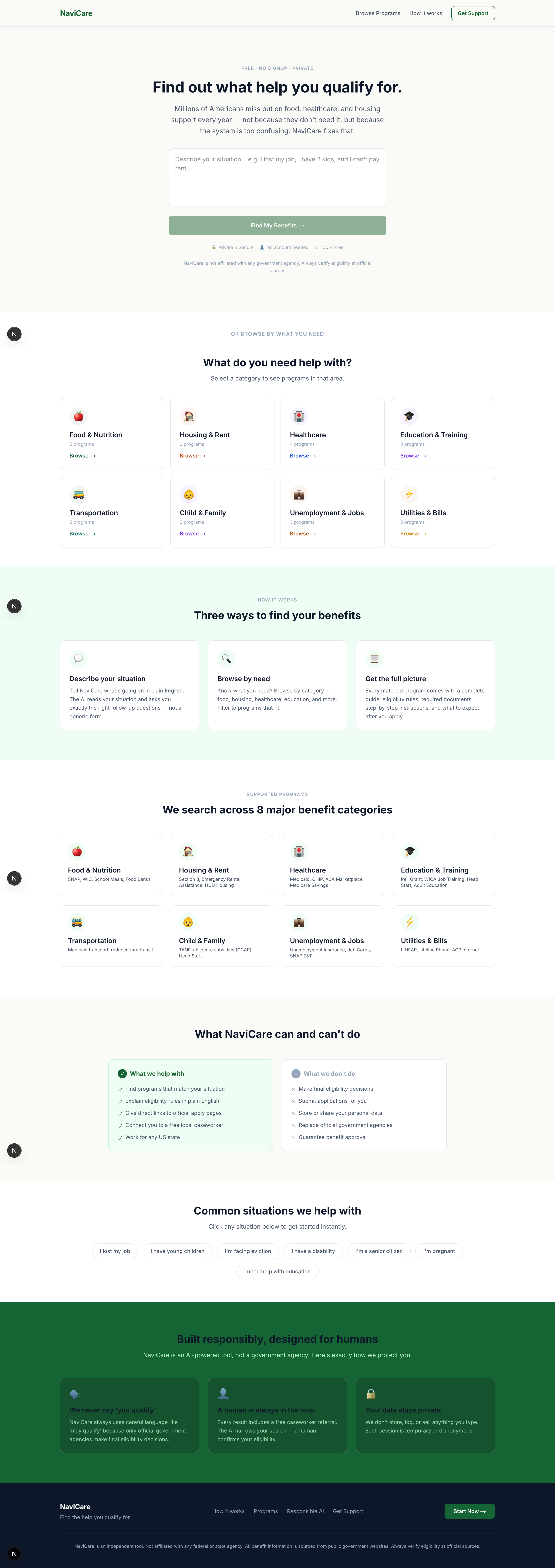
Landing Page
-
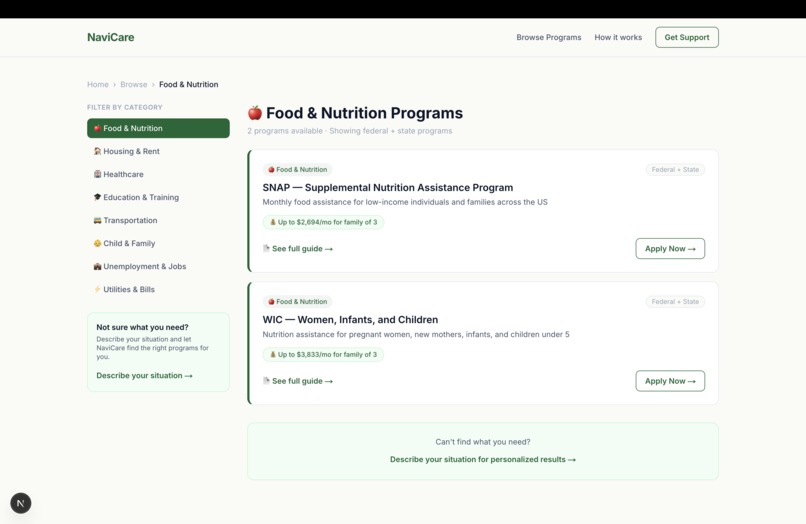
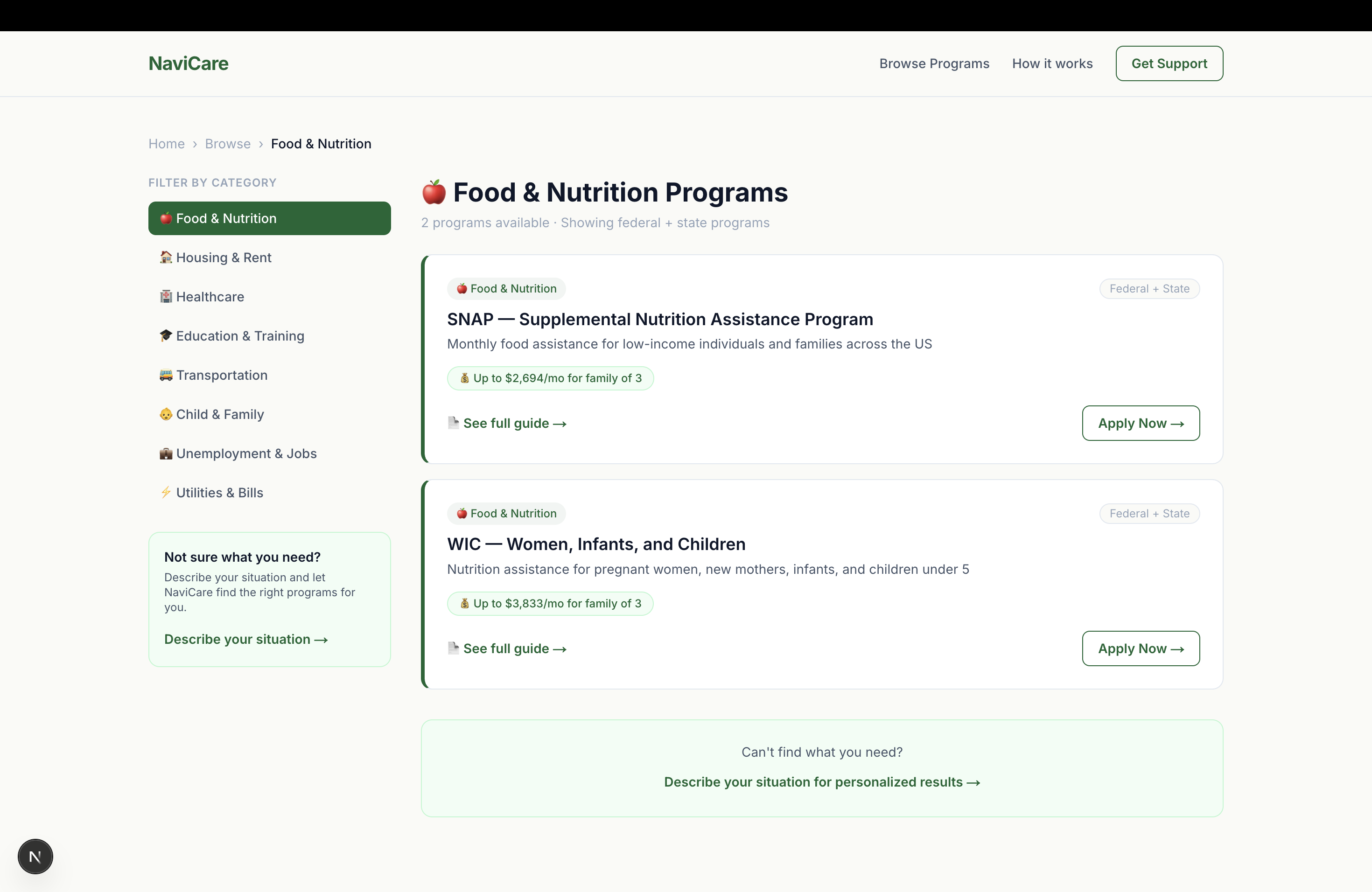
Explore Programs
-
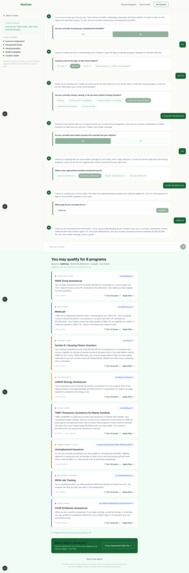
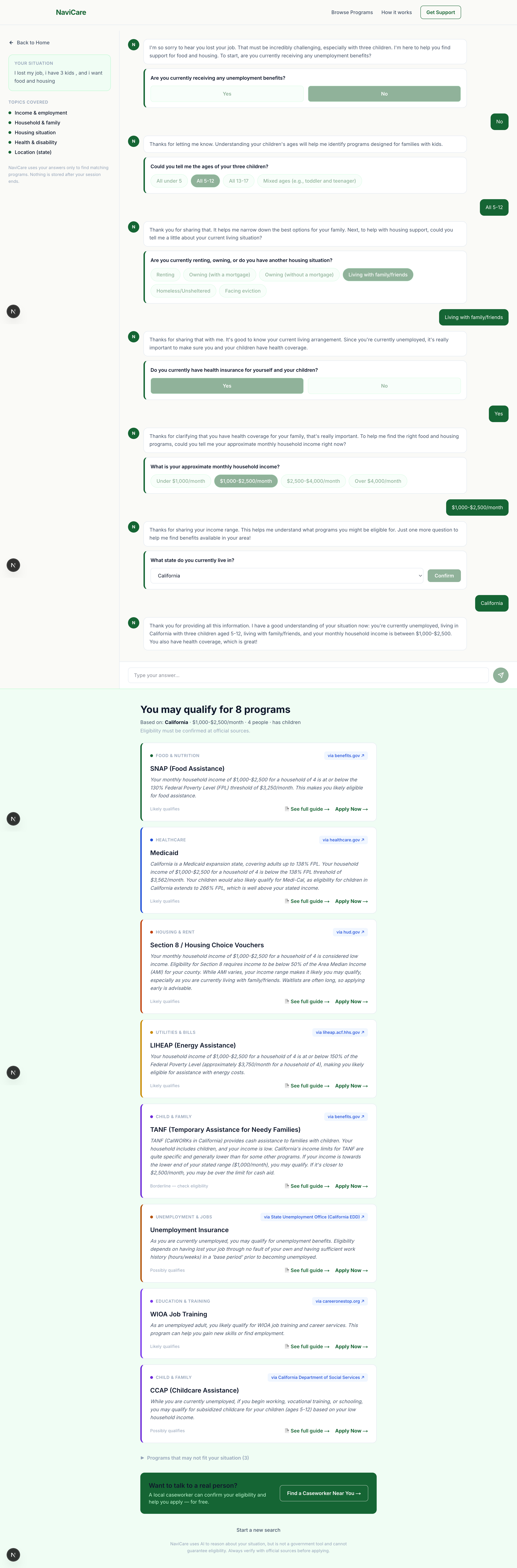
AI Chat Interface
-
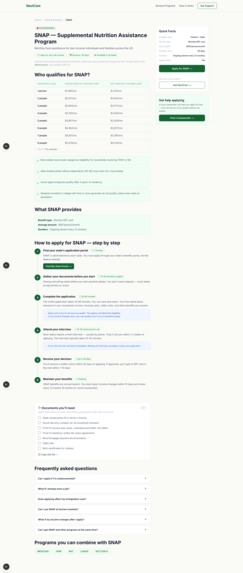
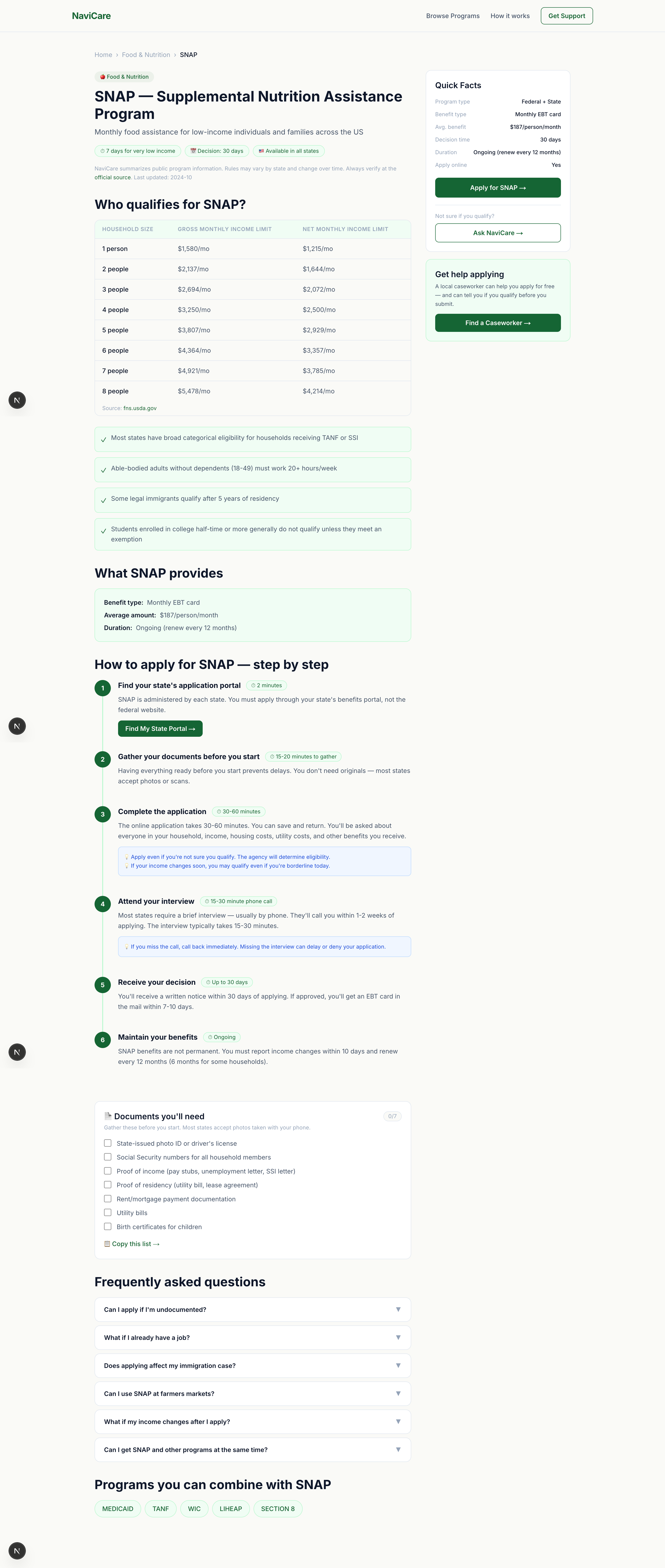
Program Detail Page
Inspiration
My teammate and I kept hearing the same thing from people around us — "I know there's help out there, I just don't know where to start."
A neighbor lost her job and didn't know she qualified for SNAP. A classmate's family was paying full price for healthcare when they were eligible for Medicaid. An uncle didn't know LIHEAP could help with his electricity bill.
These aren't rare cases. Over $60 billion in US government benefits go unclaimed every year — not because people don't need help, but because the system is impossibly fragmented and confusing, especially when you're already under stress.
We built NaviCare because we believe finding help shouldn't require a law degree or 10 hours of research. It should take 3 minutes.
What it does
NaviCare is an AI-powered benefits navigator. You describe your situation in plain English — no forms, no jargon — and NaviCare figures out what US government programs you may qualify for and exactly how to apply.
Three simple steps:
Describe your situation — Type something like "I lost my job last month, I have two kids, and I'm struggling to pay rent in Texas"
Answer 3 quick questions — NaviCare's AI asks targeted follow-ups about your state, household, and most urgent needs
Get your options — See 4–6 matched programs with:
- Why you may qualify (specific reasoning, not generic info)
- The exact next step to apply
- A direct link to the official government source
- A human counselor referral (211.org) — always
NaviCare covers 22+ federal and state programs including SNAP, Medicaid, CHIP, Section 8, TANF, WIC, LIHEAP, Unemployment Insurance, Pell Grant, EITC, and more.
How we built it
Frontend: Next.js 14 with TypeScript and Tailwind CSS, deployed on Vercel. The UI is inspired by GetCalFresh.org — warm, human, and trustworthy, not clinical or government-looking. We used Framer Motion and GSAP for smooth animations.
AI Layer: Two sequential API calls to Google Gemini 2.5 Flash handle all the intelligence:
Call 1 — Understanding: User's situation → Gemini generates 3 targeted follow-up questions (state, income, household, urgent needs), returned as structured JSON
Call 2 — Reasoning: All answers → Gemini reasons over the complete picture and matches the user to relevant programs, explaining why each one fits based on their specific situation
Why LLM reasoning instead of rules? A rule engine would say: "If income < $X and family size > Y, show SNAP." But it can't read "I'm couch-surfing at my sister's place after my husband left" and understand that means housing instability + potential domestic situation
- unknown income — all at once. Gemini can.
Programs database: A comprehensive 70KB local dataset covering 22 programs with eligibility tables, income thresholds by household size, step-by-step application guides, and document checklists.
Challenges we ran into
1. Getting the AI to reason, not just retrieve Early versions of NaviCare just matched keywords. "I lost my job" → show unemployment. That's not reasoning. We had to carefully craft system prompts that instructed Gemini to look at the complete picture — income, family size, state, urgency — and explain why each program fits, not just that it fits.
2. The "may qualify" problem People trust AI outputs more than they should. Our biggest responsible AI challenge was making sure NaviCare never said "you qualify" — only "you may qualify." We enforced this in three places: the system prompt, the UI language, and a hard-coded disclaimer system. Getting the AI to consistently use hedged language without sounding robotic took many iterations.
3. State-level complexity US benefit programs vary massively by state. SNAP income limits differ. Medicaid expansion varies. TANF rules differ wildly. Handling this accurately without building 50 separate state databases required teaching the AI to ask about state early and reason about state-specific rules from its training knowledge.
4. Building for people under stress Our users aren't browsing for fun. They're in crisis. Every UX decision had to answer: "Is this calming or overwhelming?" We cut features, simplified language, and added a floating human-support widget because we kept asking: "What does Maria need right now?"
Accomplishments that we're proud of
The AI actually reasons. Not keyword matching. Not a directory. Real contextual reasoning that explains why a program fits based on the user's specific words.
Responsible AI by design. Five separate safety touchpoints: hedged language, official source citations, human referral card, floating support widget, and three disclaimer placements. Safety isn't a feature — it's the foundation.
Built in 7 days, solo. One developer, one week, a fully functional AI-powered web app covering 22 programs, deployed and working.
Qualifier score: 88/100, Rank #64 of 424 in the undergraduate track. Strong enough to advance.
The "Maria moment." When we demoed the app with the scenario "single mom, lost job, two kids, Texas" — and it correctly surfaced Unemployment Insurance, SNAP, CHIP, Texas TANF, and Section 8 with specific eligibility reasoning for each — we knew the core idea worked.
What we learned
AI is not magic — prompts are everything. The difference between NaviCare giving generic answers and giving genuinely useful reasoning was entirely in how we structured the system prompt. The model was capable from day one. Teaching it to behave exactly how we wanted took most of our time.
Responsible AI is a UX problem. We came in thinking "add a disclaimer." We left knowing it's deeper — the language you use, where you place caveats, when you introduce human referrals, what you do and don't let the AI say. Every responsible AI decision is also a design decision.
Build for one person, not everyone. "Maria" — our imaginary single mom in Texas who just lost her job — saved this project. Every time we added a feature, we asked: "Does Maria need this right now?" Half our ideas got cut. The product got better every time.
Speed matters more than perfection. We shipped a working app in 7 days. It's not perfect. But it works, it helps, and it demonstrates the core idea clearly. A perfect app that doesn't exist helps nobody.
What's next for NaviCare
Immediate (next 30 days):
- 🌐 Spanish and Hindi language support — huge accessibility win for immigrant families
- 📱 SMS interface — text your situation to a number, get benefits info back (zero-barrier access)
Medium term:
- 🗺 State-specific program databases — more accurate matching per state
- 📋 Application tracker — help users track which programs they've applied to and follow up
- 👤 Caseworker mode — let social workers run NaviCare for their clients with a saved session
Long term:
- 🤝 Partner with 211.org and local nonprofits to integrate NaviCare into existing support networks
- 📊 Anonymous aggregate insights — where are the biggest coverage gaps? Which programs go most unclaimed in which zip codes?
- 🏛 Open source the codebase so other countries can fork and adapt for their own benefit systems
Built With
- framer-motion
- google-gemini-2.5-flash
- gsap
- next.js-14
- tailwind-css
- typescript
- vercel

Log in or sign up for Devpost to join the conversation.