-
-
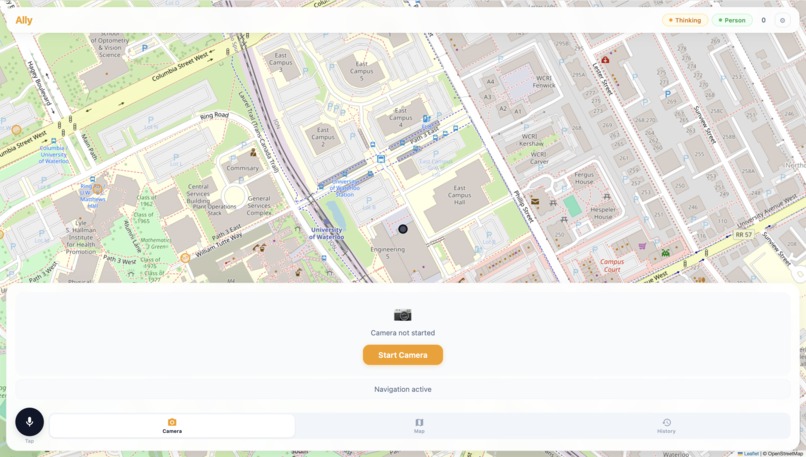
Main page
-
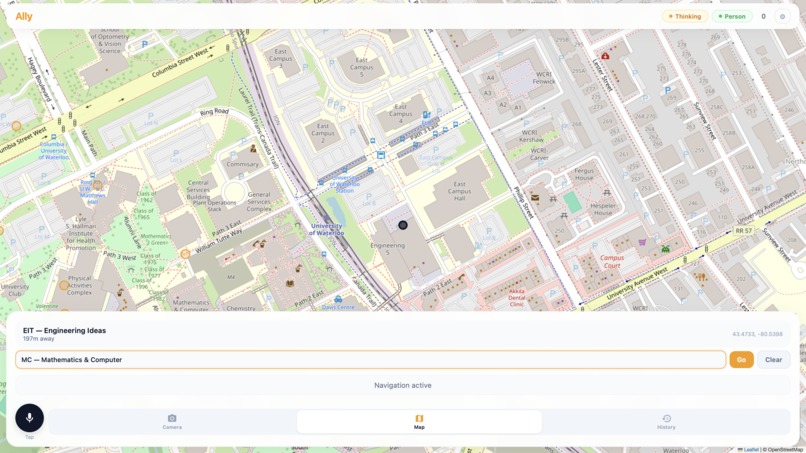
Built-In Navigation
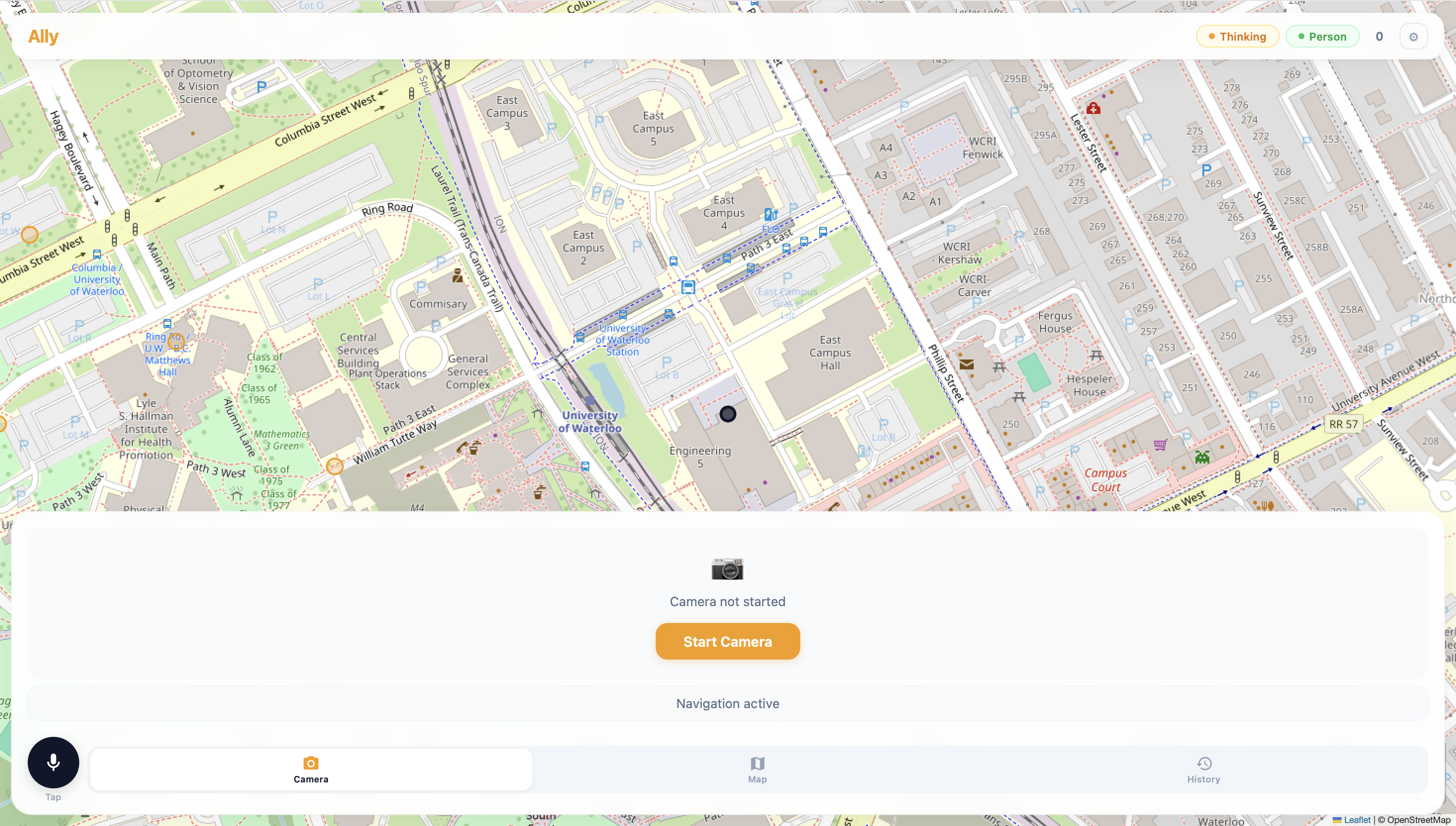
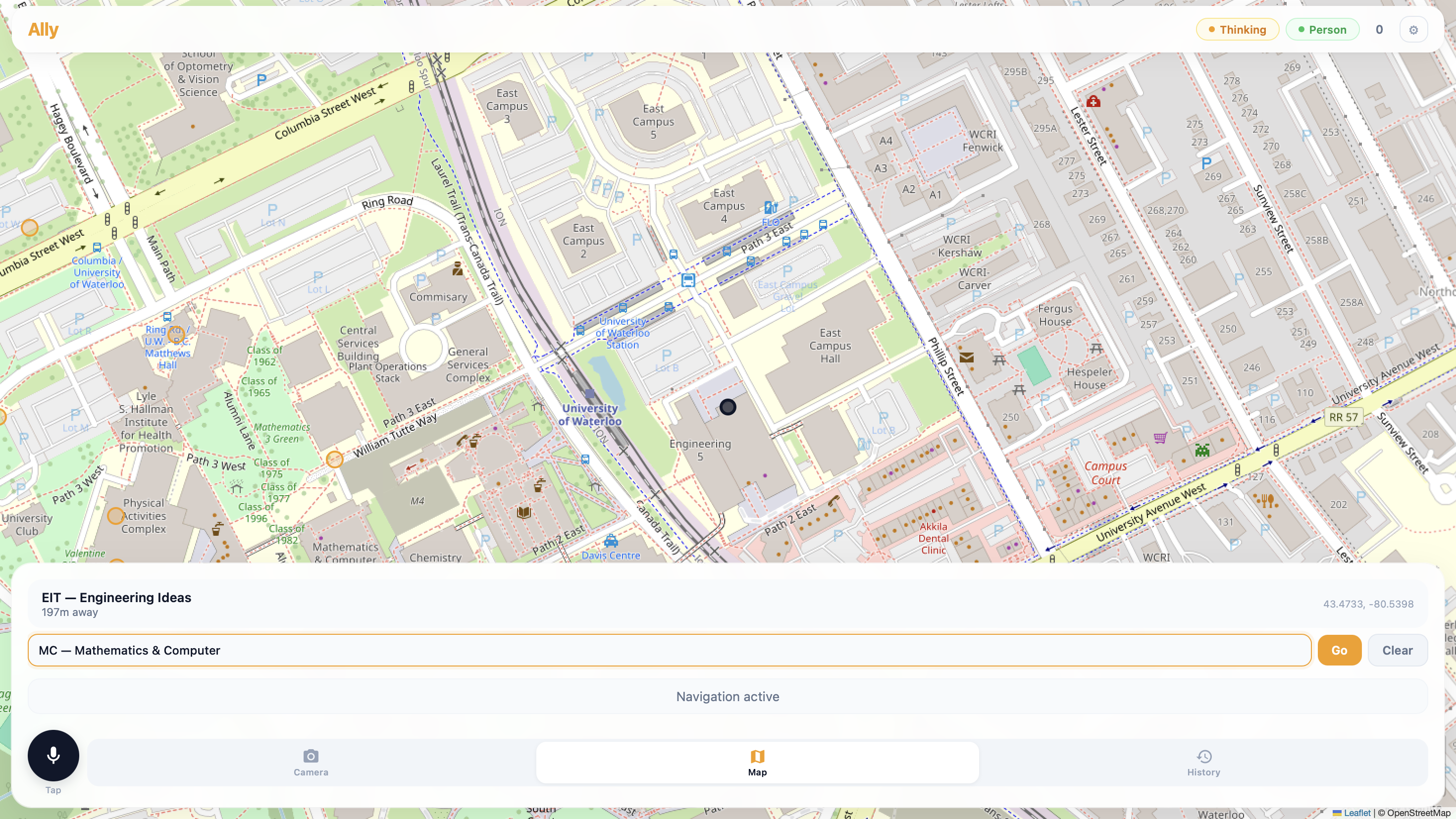
Building NavCane (Ally)
The Spark
It started with a simple observation. On the University of Waterloo campus, I watched a student with a white cane trace the edge of a building, carefully sweeping left and right. Every step was deliberate, every inch of ground checked before committing. The cane is a brilliant tool — but it can only reach what's within arm's length. A chair, a backpack, a person standing still — all invisible until the cane physically touches them.
I wondered: what if the cane could see?
What if a camera on a lanyard, paired with a phone in a pocket, could whisper to the user: "Chair, two meters ahead on your left. Move right." That question sent me down a rabbit hole of real-time computer vision, edge AI, spatial reasoning, and a deep respect for the problem space of assistive technology.
What I Learned
Object Detection at the Edge
YOLO (You Only Look Once) treats detection as a single regression problem — bounding box coordinates and class probabilities are predicted directly from image pixels. The loss function is a weighted sum of three components:
The Real-Time Constraint
Every millisecond counts. YOLO11m runs a forward pass in roughly 80ms on a consumer GPU. But adding a VLM call (even a fast one like Gemma or llava) introduces 500ms–3s of latency. That's the difference between "step over this" and "you've already tripped."
The solution was a two-stage pipeline:
- YOLO-first, always. Every frame (~800ms intervals) runs through YOLO. Detections are reported as ground truth within 100ms.
- Model routing by context. If a person is detected, the frame is sent to a local VLM (Ollama + llava:7b) — fast, private, offline. If no person is present, we can afford the cloud latency and route to Google Gemini/Gemma for richer scene understanding.
Formally, the routing decision is:
$$M(x) = \begin{cases} \text{Ollama}_{\text{llava}}(x) & \text{if } \exists \, b \in B : \text{label}(b) = \text{person} \ \text{Gemini}(x) & \text{otherwise} \end{cases}$$
where $B$ is the set of YOLO detections for frame $x$.
GPS Isn't as Precise as You Think
Standard GPS accuracy ($\sigma \approx 3\text{--}5\text{m}$) is fine for driving directions, but terrible for telling a visually impaired user which side of the path they're on. We had to implement snap-to-route logic using the haversine distance and bearing:
$$d = 2R \arcsin\left(\sqrt{\sin^2\left(\frac{\Delta\phi}{2}\right) + \cos\phi_1 \cos\phi_2 \sin^2\left(\frac{\Delta\lambda}{2}\right)}\right)$$
and project the GPS fix onto the nearest route segment, snapping the user position accordingly. It's a hack — but it works.
How I Built It
Week 1: Proof of Concept
A laptop webcam, a script running YOLO, and terminal output. "Chair: 0.92 confidence, x=320, y=240." Not glamorous, but it proved the camera could see obstacles.
Week 2: Spatial Reasoning
Raw bounding boxes aren't helpful to a user. I needed spatial language — "on your left," "dead ahead," "close." I wrote a simple heuristic that divides the frame into three vertical zones:
$$\text{Zone}(x) = \begin{cases} \text{left} & \text{if } x < \frac{W}{3} \ \text{center} & \text{if } \frac{W}{3} \leq x \leq \frac{2W}{3} \ \text{right} & \text{if } x > \frac{2W}{3} \end{cases}$$
with depth estimated from bounding box area: larger = closer.
Week 3: The First Voice
Text-to-speech turned those zone heuristics into audible guidance. gTTS was free but slow. Google Cloud TTS was fast but cost money. I built a fallback chain: Google Cloud → ElevenLabs → gTTS, so the app degrades gracefully when APIs fail.
Week 4: Campus Routes
I plotted coordinates for 20+ campus buildings manually from OpenStreetMap. OSRM (Open Source Routing Machine) computes footpaths between them. The route is a polyline; the app checks the user's progress by finding the nearest segment and computing the remaining distance.
Week 5: The Web Interface
A single-page app with the camera feed, a Leaflet map showing the route, a microphone button for voice commands, and a log of every detection and direction. FastAPI served it all, streaming VLM responses via Server-Sent Events (SSE).
Week 6: Field Testing
I walked the ring road around campus with a phone strapped to my chest. The app correctly identified benches, bicycles, trash cans, and people. It misidentified a bush as a person (a classic YOLO false positive). It told me to "move left" when there was a wall on my left. I learned to add a persistence filter: an object isn't real until it's been detected in 3 out of the last 5 frames.
Challenges Faced
Latency Latency Latency
The biggest enemy. A naive pipeline that runs YOLO + VLM on every frame produces unusable lag. The solution was aggressive caching: detections are updated every 800ms, but VLM queries only fire when the scene significantly changes (defined by a threshold on the mean pixel difference between frames).
The Audio Feedback Loop
When the app speaks while the user is speaking (or while a previous message is still playing), the result is chaos. I implemented a speech queue with priority levels:
| Priority | Source | Behavior |
|---|---|---|
| 0 | Obstacle alert | Interrupts everything |
| 1 | Navigation direction | Waits for priority 0 to finish |
| 2 | User query response | Waits for priority 0 and 1 |
and a mutex on the audio output device.
Model Selection Trade-offs
| Model | Latency | Quality | Offline |
|---|---|---|---|
| YOLO11m | ~80ms | High (80+ classes) | Yes |
| llava:7b (Ollama) | ~500ms | Medium | Yes |
| Gemma 4 26B | ~1.5s | Very high | No |
| Gemini 2.5 Flash | ~2s | Very high | No |
The routing decision ($R$) is itself an optimization problem:
$$R^* = \arg\min_{r \in {\text{local}, \text{cloud}}} \left( \alpha \cdot \text{latency}(r) + \beta \cdot (1 - \text{accuracy}(r)) + \gamma \cdot \text{cost}(r) \right)$$
In practice, $\alpha$ (latency weight) dominates — so local is preferred whenever possible.
Battery Life
Running YOLO on a phone generates heat and drains the battery. Inference on device (via CoreML or TFLite) was 3x slower than the desktop GPU. The current workaround: run inference on a lightweight server and stream frames from the phone over HTTP. Not ideal for real-world use — a dedicated edge accelerator (Google Coral, NVIDIA Jetson) is the obvious next step.
The Map vs. Reality Problem
OSRM returns the shortest path, not the most accessible one. A route through a construction zone, up stairs, or across a busy intersection is perfectly valid to the algorithm but dangerous for a visually impaired user. The fix was manual: I tagged building entrances and excluded stairs from the routing graph. A long-term solution would involve integrating sidewalk quality data and accessibility reports.
What's Next
The system works, but it's not a product. The next steps are:
- On-device inference via CoreML/TFLite or a Coral TPU — no server required
- Depth estimation from a single camera using MiDaS or similar, replacing the heuristic box-area approximation with metric depth
- Crowd-sourced accessibility data — if users mark hazards, the map learns
- Haptic feedback — a vibration belt that buzzes on the side where obstacles are detected, reducing cognitive load from audio
Gemma, VLMs, and LoRA Fine-Tuning
Why Gemma
When the scene contains no people, YOLO's 80-class vocabulary is too coarse. A chair, a trash can, a backpack — YOLO can label them, but it can't answer "is that chair blocking the path?" or "can I walk between those two tables?" For that, you need a Vision-Language Model that can reason about spatial relationships, scene semantics, and accessibility.
We evaluated several VLMs:
| Model | Parameter Count | Open Weight? | Spatial Reasoning | Latency |
|---|---|---|---|---|
| LLaVA-1.6 | 7B / 13B | Yes | Good | ~500ms (local) |
| Gemma 4 26B | 26B | Yes | Excellent | ~1.5s (cloud) |
| Gemini 2.5 Flash | — | No | Excellent | ~2s (cloud) |
| GPT-4V | — | No | Excellent | ~3s (cloud) |
Gemma 4 26B stood out. It's open-weight, so we could run it on our own infrastructure. Its spatial reasoning — understanding object relationships, depth ordering, and path traversal — was head and shoulders above LLaVA for this use case. Crucially, Google released it with a permissive license that allows assistive technology applications.
Vision Encoder + Language Decoder
Like most modern VLMs, Gemma uses a dual-encoder architecture. Images are processed by a vision encoder (SigLIP-based) that projects patch embeddings into the language model's token space:
$$\mathbf{v} = \text{SigLIP}_{\text{enc}}(I) \in \mathbb{R}^{N \times d_v}$$
These visual tokens are projected through a learned connector:
$$\mathbf{z} = W_p \cdot \mathbf{v} + b_p \quad \text{where} \quad W_p \in \mathbb{R}^{d_{\text{llm}} \times d_v}$$
and concatenated with the text token embeddings before being fed into the Gemma language decoder. The model autoregressively generates a description of the scene, with attention distributed across both visual and textual tokens.
The LoRA Fine-Tuning Setup
The generic Gemma checkpoint was good at describing what it saw, but not at answering navigation-relevant questions like "Is the path clear ahead?" or "Which side should I walk around this obstacle?" We needed to fine-tune it on a dataset of campus navigation scenarios.
Full fine-tuning of a 26B model was infeasible on consumer hardware. A single AdamW step with 26B parameters requires storing ~104GB of optimizer states alone. Enter LoRA (Low-Rank Adaptation).
LoRA freezes the pretrained weights and injects trainable rank decomposition matrices into each attention layer. For a weight matrix $W_0 \in \mathbb{R}^{d \times k}$, the update is:
$$W_0 + \Delta W = W_0 + BA$$
where $B \in \mathbb{R}^{d \times r}$, $A \in \mathbb{R}^{r \times k}$, and the rank $r \ll \min(d, k)$. During training, only $A$ and $B$ are updated:
$$\mathcal{L}(\theta) = \frac{1}{|D|} \sum_{(x, y) \in D} -\log p_\theta(y \mid x) \quad \text{where} \quad \theta = {A, B}$$
The number of trainable parameters drops from 26B to:
$$\text{LoRA params} = \sum_{\text{layers}} 2 \cdot d_{\text{layer}} \cdot r \cdot n_{\text{targets}}$$
With $r = 16$ and LoRA applied to query, key, value, and output projections in all 42 decoder layers, we trained only ~340M parameters — roughly 1.3% of the full model.
The Navigation Dataset
We built a synthetic + real dataset of 5,000 examples:
| Source | Count | Examples |
|---|---|---|
| Campus phone footage | 1,200 | Hallways, plazas, lecture halls |
| COCO subset (indoor) | 2,000 | Offices, kitchens, living rooms |
| Synthetic renders | 1,800 | Blender scenes with random obstacle layouts |
Each example paired an image with a structured QA pair:
Image: [camera frame of a hallway with a chair on the left]
Q: "Describe the obstacles ahead and suggest a safe path."
A: "A chair is on the left approximately 2 meters ahead.
    The path is clear on the right. Move slightly right
    and continue forward."
We formatted these as multi-turn conversations to match Gemma's chat template.
Training Recipe
We used QLoRA (Quantized LoRA) to push further — the base model was loaded in 4-bit NF4 quantization:
from transformers import BitsAndBytesConfig

bnb_config = BitsAndBytesConfig(
    load_in_4bit=True,
    bnb_4bit_quant_type="nf4",
    bnb_4bit_compute_dtype=torch.bfloat16,
    bnb_4bit_use_double_quant=True,
)

model = AutoModelForVision2Seq.from_pretrained(
    "google/gemma-4-26b-it",
    quantization_config=bnb_config,
    device_map="auto",
    torch_dtype=torch.bfloat16,
)
The LoRA adapters were configured via PEFT:
from peft import LoraConfig, get_peft_model

lora_config = LoraConfig(
    r=16,
    lora_alpha=32,           # scaling factor
    target_modules=["q_proj", "k_proj", "v_proj", "o_proj"],
    lora_dropout=0.05,
    bias="none",
    task_type="CAUSAL_LM",
)
Training hyperparameters:
| Hyperparameter | Value |
|---|---|
| Rank ($r$) | 16 |
| LoRA alpha ($\alpha$) | 32 |
| Dropout | 0.05 |
| Learning rate | $2 \times 10^{-4}$ |
| LR scheduler | Cosine with 10% warmup |
| Batch size | 8 (gradient accumulation 4) |
| Optimizer | paged AdamW 8-bit |
| Precision | bf16 |
| Epochs | 3 |
| GPU | 1x A100 80GB |
Total training time: ~6 hours.
The Impact
Before fine-tuning, Gemma would describe a cluttered hallway as "a corridor with various objects including a chair, a table, and a backpack." It was accurate but useless for navigation.
After LoRA fine-tuning, the same image produced:
"A chair is on the left, 2m ahead. A backpack is on the floor to the right, 3m ahead. The center path is clear. Continue forward, then veer slightly left after passing the chair."
The key insight: we didn't teach Gemma to see better — SigLIP was already good at that. We taught it to reason about traversal from a first-person, navigation-centric perspective. LoRA made this adaptation cheap enough to iterate on a single GPU, and the quantized base model kept memory under 48GB.
For the first time, the app could answer a question like "What's in my way?" with something more useful than a list of bounding boxes. It could tell a story about the path ahead — and that made all the difference.
Closing Thought
NavCane won't replace the white cane. But if it can give someone walking across campus a little more confidence — one whispered direction at a time — that's enough.
The integral, I hope, is positive.
Built With
- gemini
- moondream
- nextjs
- opencode
- tailwind
- vlm

Log in or sign up for Devpost to join the conversation.