-
-
Our dashboard
-
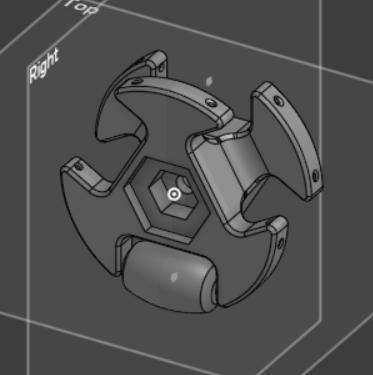
CAD of the custom omni-wheel
-
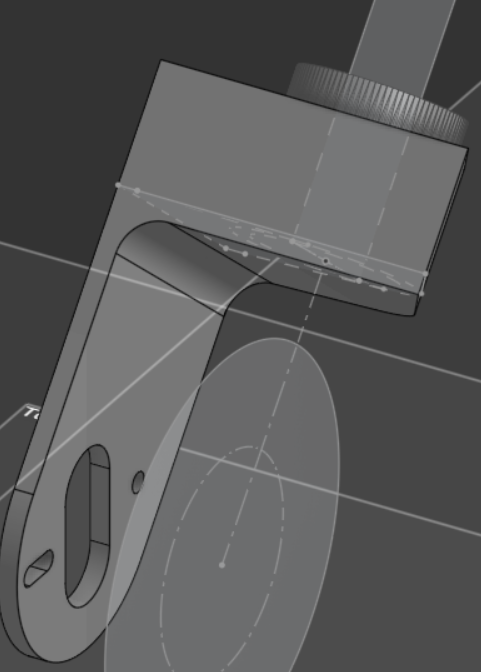
CAD of our main bracket
Inspiration
A white cane is great at telling you what's right in front of you, but it can't tell you where you are or where you've been. For blind and low-vision people it's easy to get turned around in a big open space like a lobby, a parking lot or a park. Walking a straight line with nothing to see is also surprisingly hard, and almost everyone drifts to one side. GPS doesn't work indoors and isn't precise enough to get you back to the door you came in. Camera-based aids are expensive, need a lot of power, and mean carrying or wearing something new.
What it does
Nav-(eye)-Gait is a white cane that knows where it has been. A small wheel at the tip spins freely and measures how far you've walked. A motion sensor in the grip tracks which way you're facing. Together they trace your path as you walk, with no camera, no GPS and no beacons on the walls.
Two vibration motors in the handle give haptic feedback:
- Guide back: the cane steers you back to where you started, or to a spot you marked along the way. A buzz on the left or right says which way to turn, and the pulses come faster the farther off course you are.
- Mark a spot: a short press drops a pin (a door, your desk, a bus stop) so you can come back to it later.
- Straight-line assist: lock in a direction, say before crossing an open plaza, and the cane nudges you whenever you start to drift.
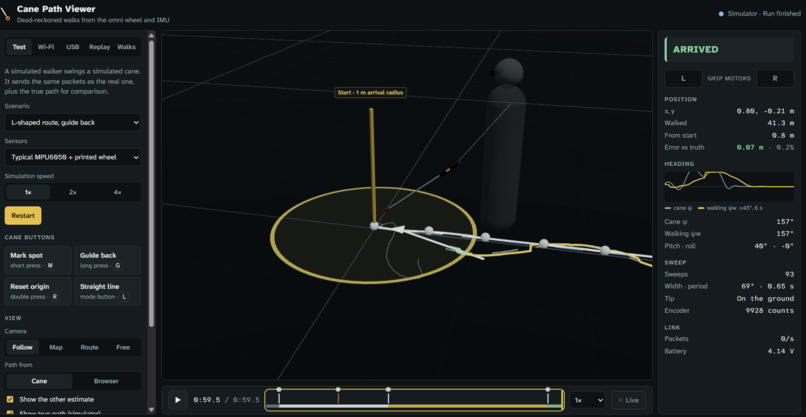
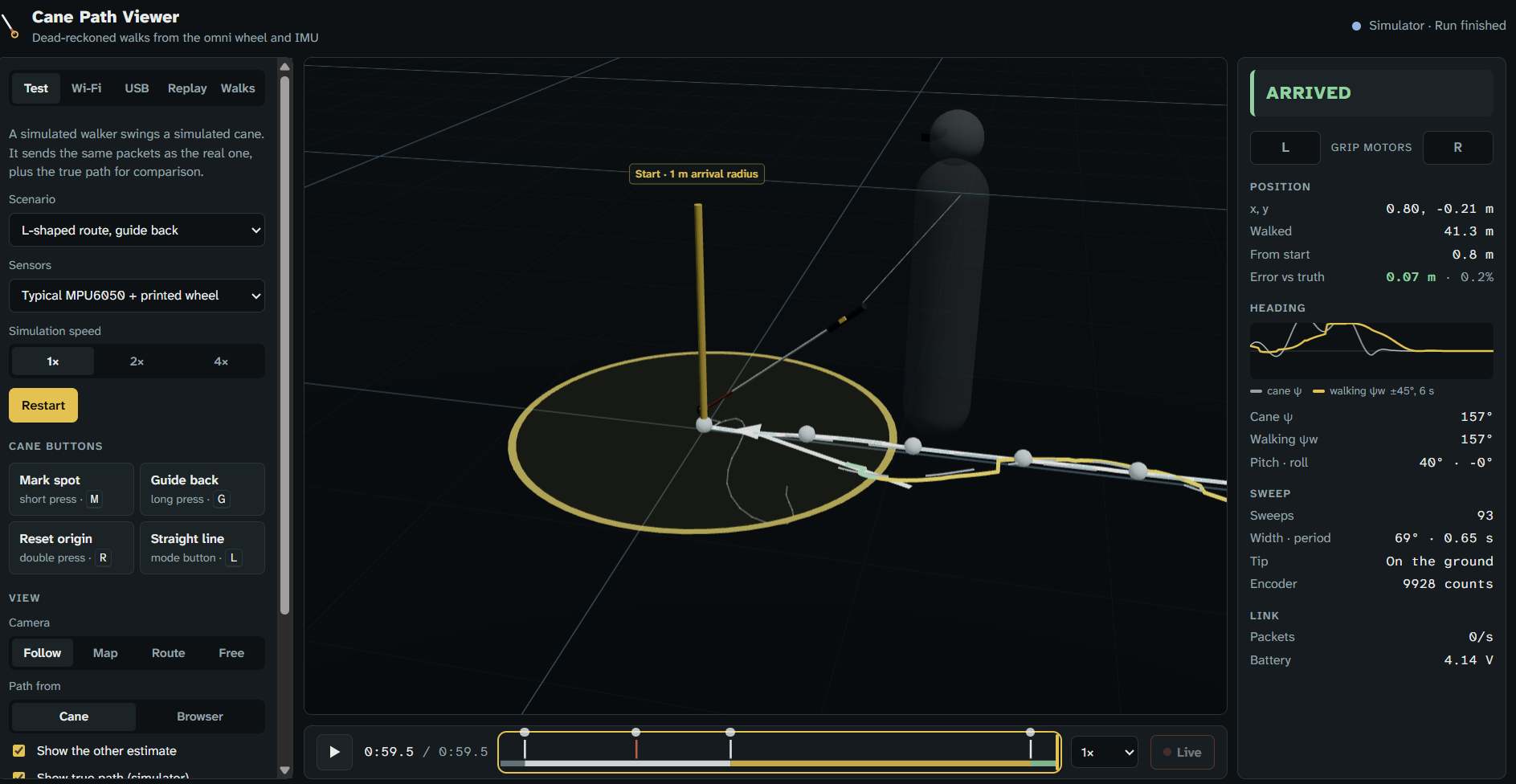
A web dashboard draws your walk live in 3D. Every walk is saved to the cloud, where it can be replayed or watched remotely. If the battery dies it's still a normal cane: nothing in the electronics can lock the wheel.
How we built it
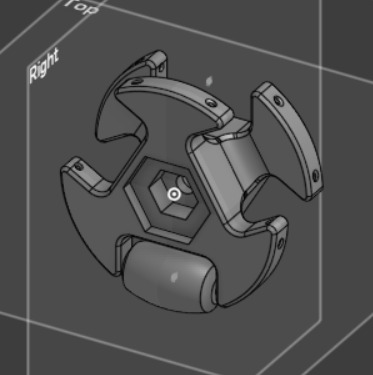
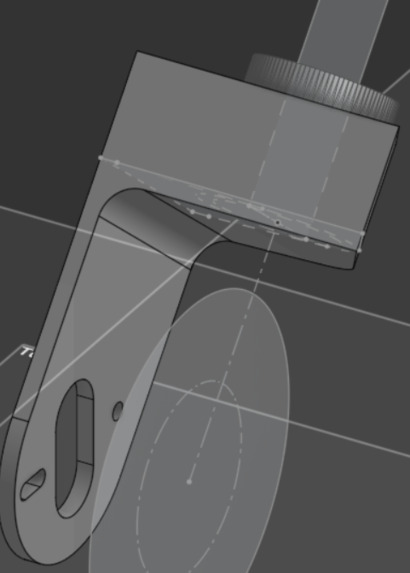
- Tip: a 3D-printed omni wheel with small rollers around its rim. It rolls when you walk forward and slides sideways when you sweep, so the usual side-to-side cane technique still feels natural. The magnetic encoder that counts its turns came from a salvaged DC gearmotor.
- Main electronics: a Seeed XIAO ESP32S3 reads the encoder with its hardware pulse counter and reads an MPU6050 IMU 100 times a second. It fuses the IMU data into a heading, tracks the path, and runs the guidance and vibration patterns. It runs on a small LiPo and hosts its own Wi-Fi network.
- Dashboard: React and three.js. It connects to the cane over the cane's own Wi-Fi (WebSockets) or over USB (Web Serial), with a live view, timeline playback and log replay.
- Backend: Convex stores every walk, serves live and past walks, and runs the same path estimator on the server.
- Simulator: before the hardware was ready, we built a simulated walker that sends exactly the data the real cane does. We wrote and tuned the navigation logic in JavaScript against it, then ported it to C++ for the firmware.
Challenges we ran into
- We pivoted halfway through. We started Cal Hacks on an EMG armband and switched to the cane on day two, so most of the hardware and firmware came together in about a day.
- A cane is a hard place for a motion sensor. It's held at an angle, swings side to side with every step, and taps the ground. Naive gyro math makes turns read short, and fast sweeps maxed out the sensor. We needed proper sensor fusion, a heading averaged over each full sweep, and careful gyro calibration, since the sensor's bias drifts as the board warms up. You also have to consider the fact that people pivot about themselves, and not the point at which the cane is.
- Small errors add up. Tracking position this way has no absolute reference, so every tiny error in distance or heading keeps growing. A lot of our time went into hunting down sources of drift.
- Left vs. right. Vibration spreads through a rigid printed grip, so it was hard to tell which side buzzed. We gave each side a different rhythm (one long pulse vs. two short ones) as well as a different position.
Accomplishments that we're proud of
- Going from a mid-hackathon pivot to a working cane that draws your path live, in about a day.
- A printed omni wheel that measures distance and still lets the cane sweep normally.
- Building the simulator
- No cameras, no GPS, just cheap COTS parts.
What we learned
- Tracking position without GPS mostly comes down to understanding and correcting small, systematic errors.
- Real hardware has its own surprises such as: a clipping sensor, drift as the board warms up, a loop that sometimes stalls on Wi-Fi, and lots and lots of wiring issues.
- Designing for someone who can't see a screen: Feedback has to be simple and unambiguous.
What's next for Nav-(eye)-Gait
- Dashboard accessibility: integrate voice ui/support for blind or low-vision users
- Saved places: name spots like "front door" or "desk" and be guided to any of them if in a known location.
- Voice cues on a phone ("turn left, 8 meters to start") alongside the vibration.
- Find my cane: detect when the cane is dropped and beep until someone picks it up.
- Less drift: occasional position fixes from BLE beacons, tags, or GPS outdoors, plus matching the path to a floor plan indoors.
- Surface detection: use vibration at the tip to recognize tactile paving at curb ramps and platform edges.
- A smaller, more comfortable grip with all the electronics hidden inside instead of just tape.
Built With
- 3d-printing
- arduino
- c++
- cad
- convex
- esp32
- javascript
- mpu6050
- python
- react
- three.js
- web-serial
- websockets

Log in or sign up for Devpost to join the conversation.