-
-
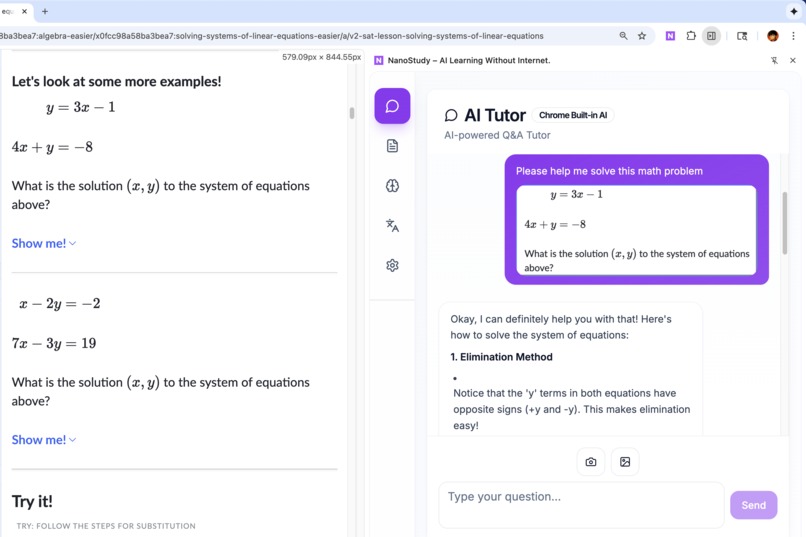
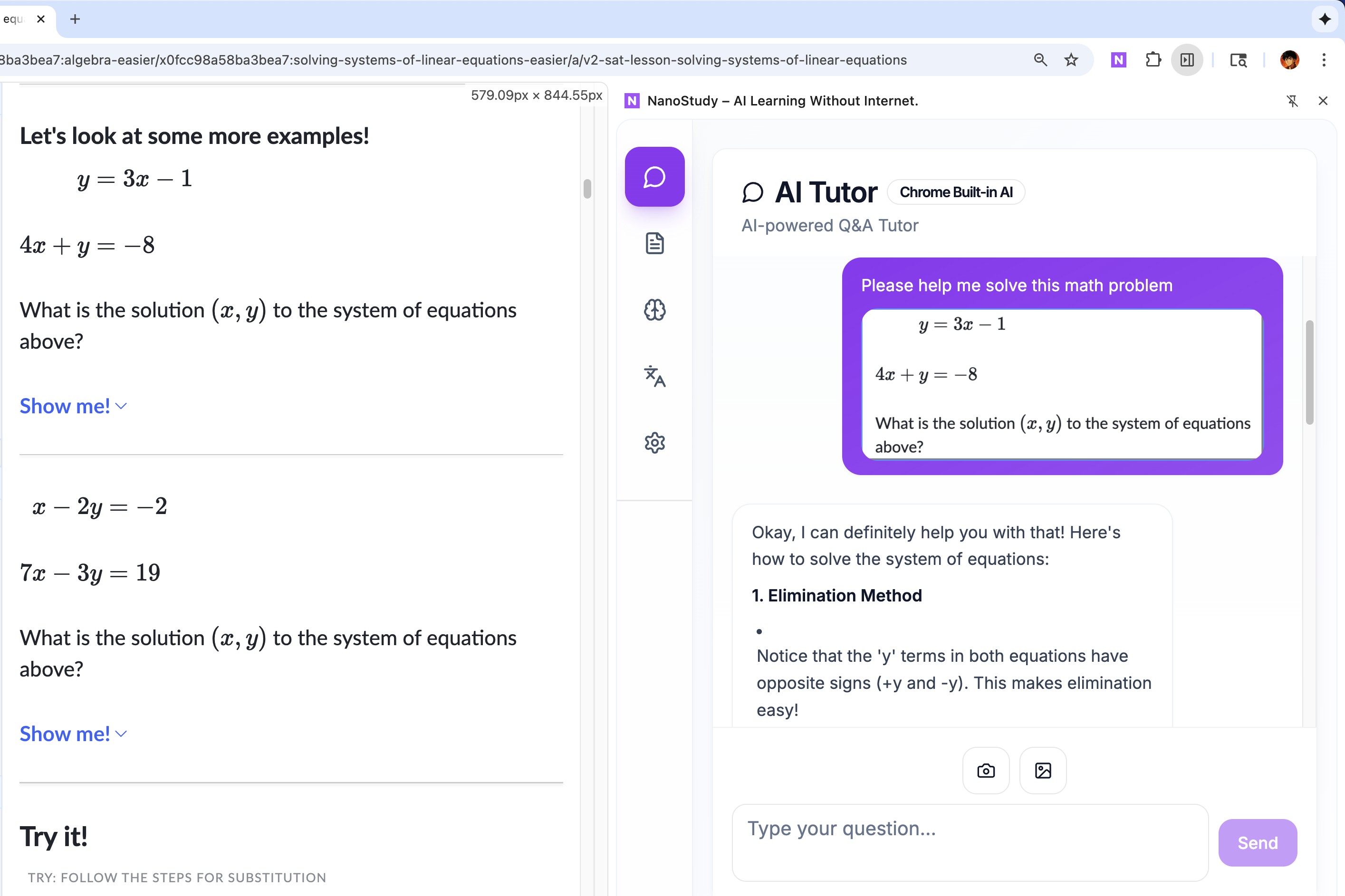
NanoStudy AI Tutor: Screenshot learning problems from webpages and receive step-by-step explanations using Chrome Built-in AI.
-
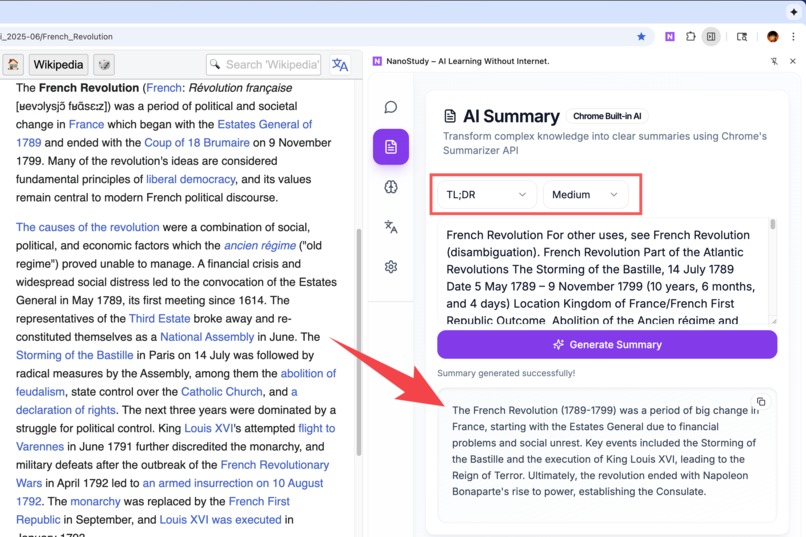
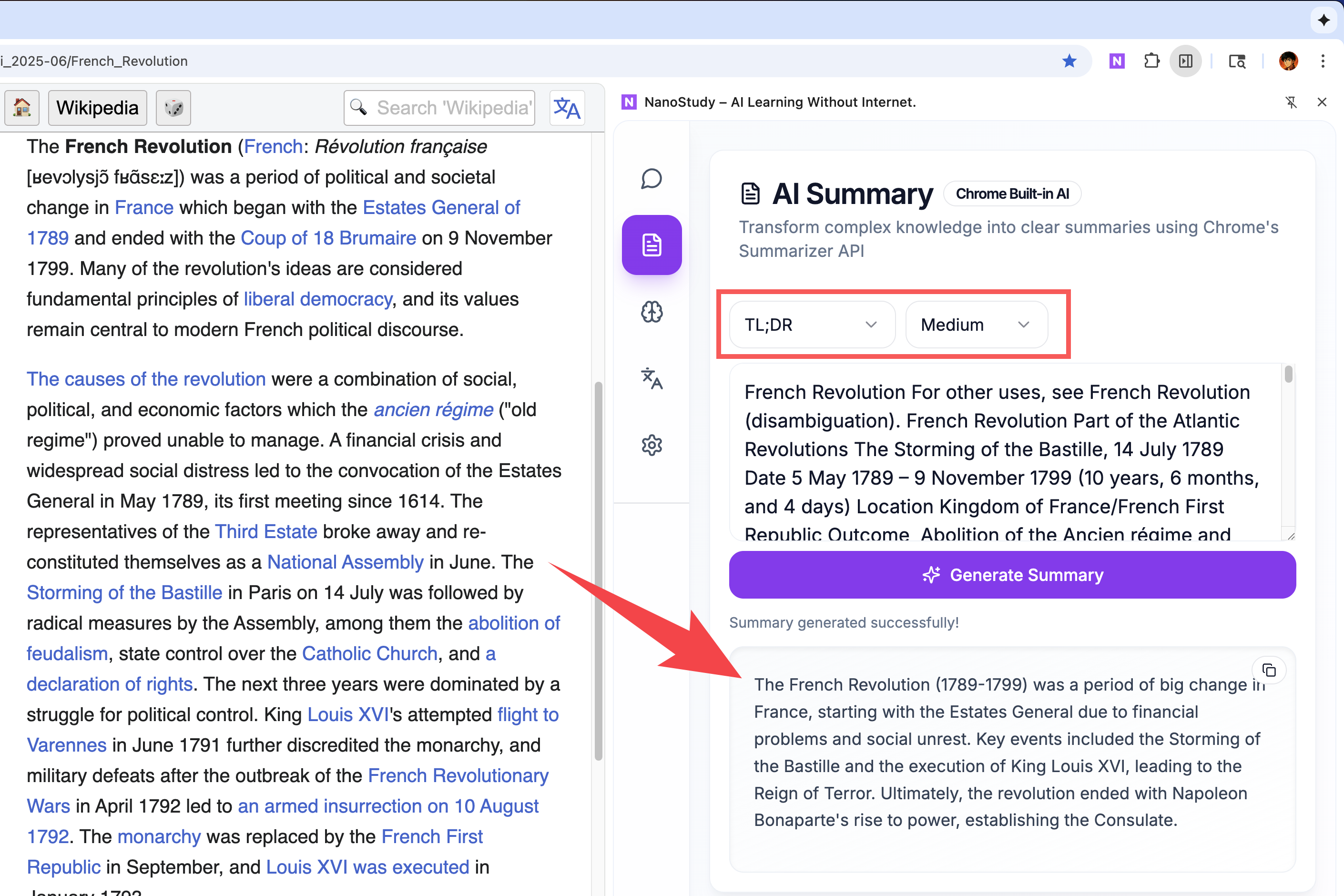
AI Summary transforms articles into structured summaries. Multiple formats (TL;DR, key-points) using Chrome's Summarizer API.
-
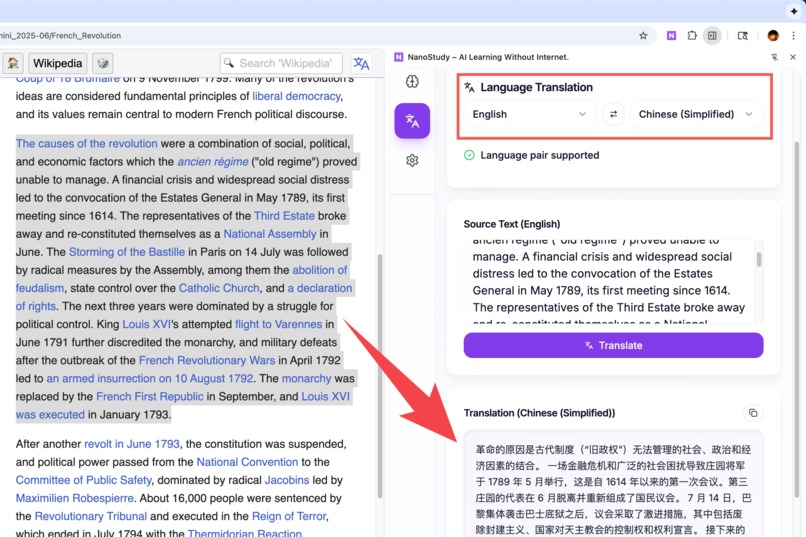
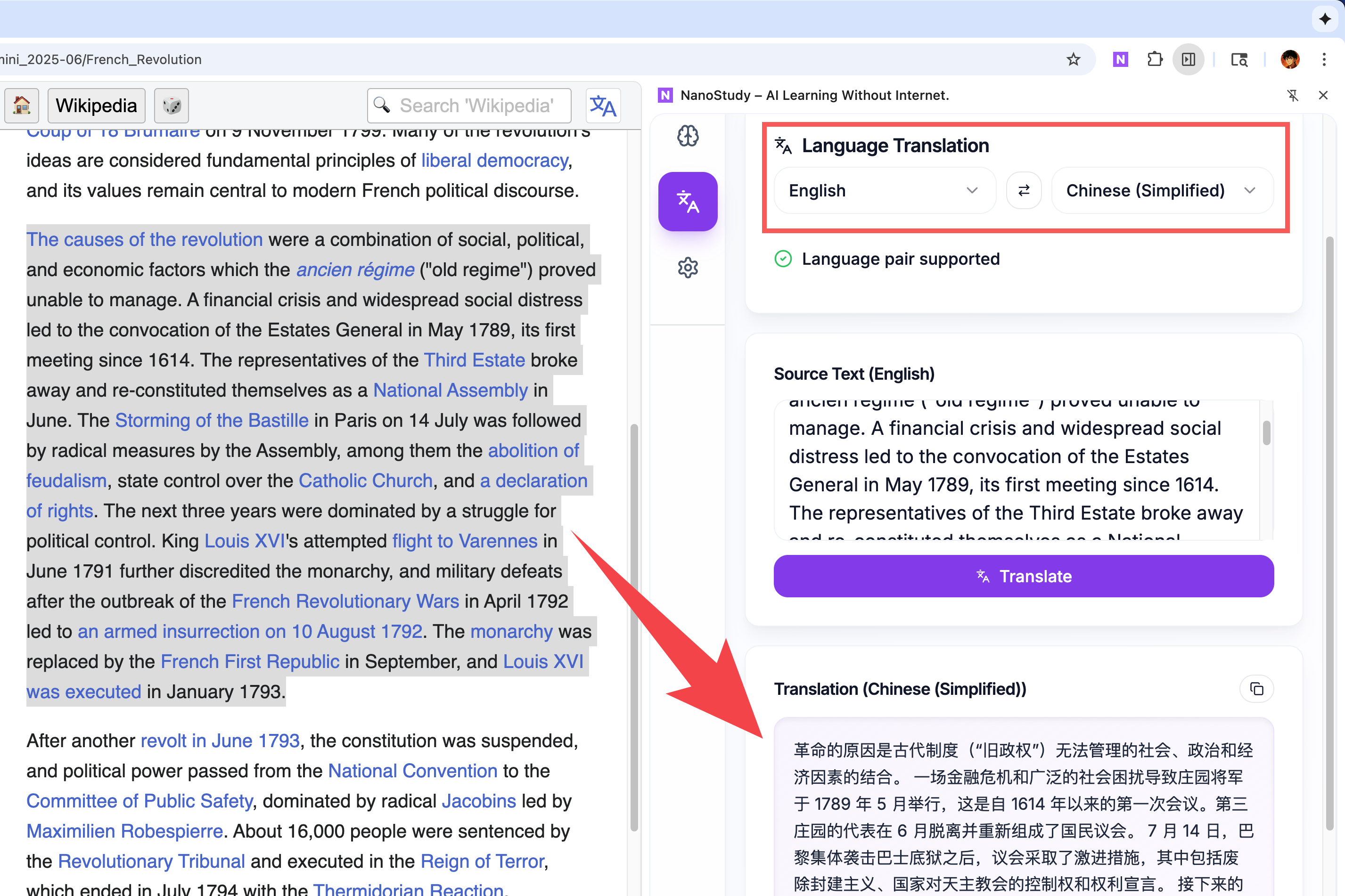
Offline translation: Select webpage text and translate to 20+ languages instantly using Chrome's Translator API—no internet needed.
Inspiration
2.6 billion people globally lack internet access, including 88-90% of children in South Asia and Sub-Saharan Africa. These students can't use modern AI learning tools because most of AI tools need internet.
When Chrome released Built-in AI APIs that work offline, I saw a chance to help. Instead of building another cloud-based tool, I wanted to make something that works completely offline, no internet needed.
What I Learned
Building this project taught me:
- Multimodal AI: How to handle both text and image inputs using Prompt API's multimodal features.
- Offline Architecture: Managing state across content scripts, background scripts, and sidepanel using Chrome Storage API.
- Chrome Extensions: Working with Plasmo framework.
The biggest insight: client-side AI means privacy and offline access come built-in, not as trade-offs.
How I Built It
Built as a Chrome Extension with Plasmo framework:
Frontend: React + TypeScript with Radix UI and Tailwind CSS. Four main modules: AI Tutor, Summarizer, Translator, and Quiz Generator.
AI Integration:
- Prompt API for multimodal tutoring
- Summarizer API with streaming (key-points, TL;DR, teaser, headline formats)
- Translator API for 20+ languages
Content Script: Custom screenshot tool to capture webpage regions for visual analysis, integrated with multimodal Prompt API.
Background Script: Handles context menus and coordinates communication between scripts.
State Management: Chrome Storage API for cross-script communication, enabling text selection and automatic tab switching.
Challenges Faced
Multimodal API: Had to handle availability checks and graceful fallback to text-only mode when multimodal isn't available.
Screenshot Capture: Building smooth selection tool that doesn't block UI required careful event handling and requestAnimationFrame optimization.
Cross-Script Communication: Coordinating state between multiple scripts needed Chrome Storage API with change listeners.
Offline Error Handling: Needed clear indicators and progress tracking when AI models are downloading.
The result is a working extension that uses Chrome's Built-in AI to help students learn offline.
Built With
- chrome-built-in-ai-apis-(prompt-api-&-summarizer-api-&-translator-api)
- chrome-extension-apis
- plasmo
- radix-ui
- react
- tailwind-css
- typescript

Log in or sign up for Devpost to join the conversation.