
Inspiration
NanoScribe is a privacy-first browser companion designed to function as an "on-device second brain." It addresses a problem I've always faced: we consume vast amounts of information online but lose the connections between ideas. I’d read a brilliant article, forget it a week later, and have no way to link it to new research.
The inspiration for NanoScribe came from the launch of the new chrome.ai APIs. I realized we finally had the tools to build a powerful, intelligent assistant that didn't require sending all my personal browsing data to a cloud server.
What it does
The architecture is split into two parallel processes: a Passive Indexing "Memory Builder" and an Active Recall "Autocomplete Engine," all while prioritizing user privacy.
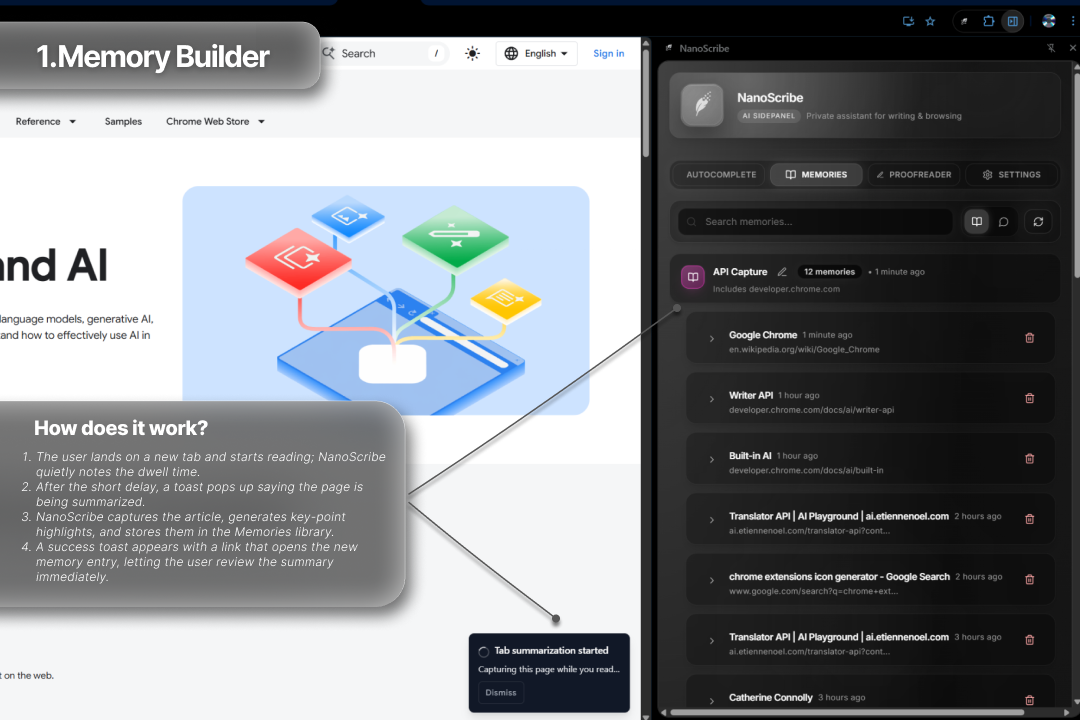
1. The "Memory Builder" (Passive Indexing) This is the foundation. It runs quietly in the background to build the knowledge base.
Dwell Alarm: I don't index every page—that's inefficient. I use chrome.webNavigation and chrome.alarms to set a 15-second "dwell timer." If a user stays on a page for 15 seconds, the extension assumes it's valuable and begins indexing.
High-Quality Scraping: To avoid ads and navbars, I used Mozilla's @mozilla/readability library. The service worker gets the raw DOM string, parses it using DOMParser, and runs Readability to extract the clean, main article content.
Smart, Semantic Chunking: A whole page is too big. I built a "sectionizer" that splits the clean article HTML based on H2/H3 headings and prioritizes the top 10 longest sections to ensure only high-value content is saved.
AI Refinement & Storage: Each chunk is passed to the on-device Summarizer API to create keyPoints. This refined summary, along with keywords (for search) and a sessionId, is saved to a normalized IndexedDB database (memories and chunks stores).
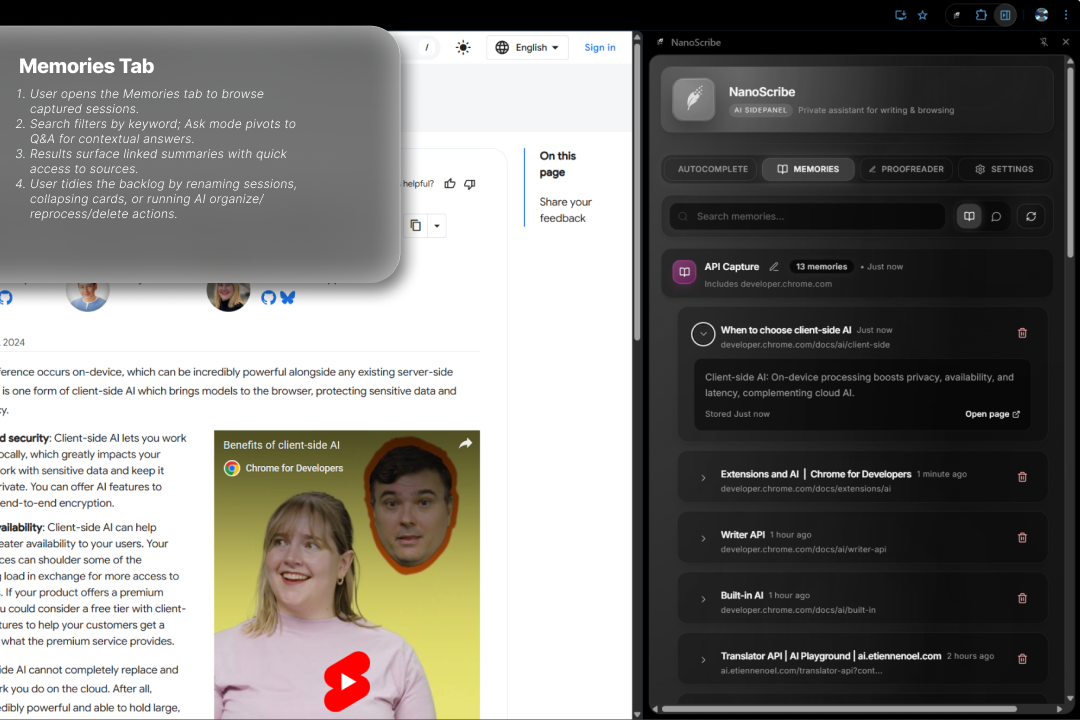
2. The "Recall Engine" (Active Features) This is how the user accesses their memory.
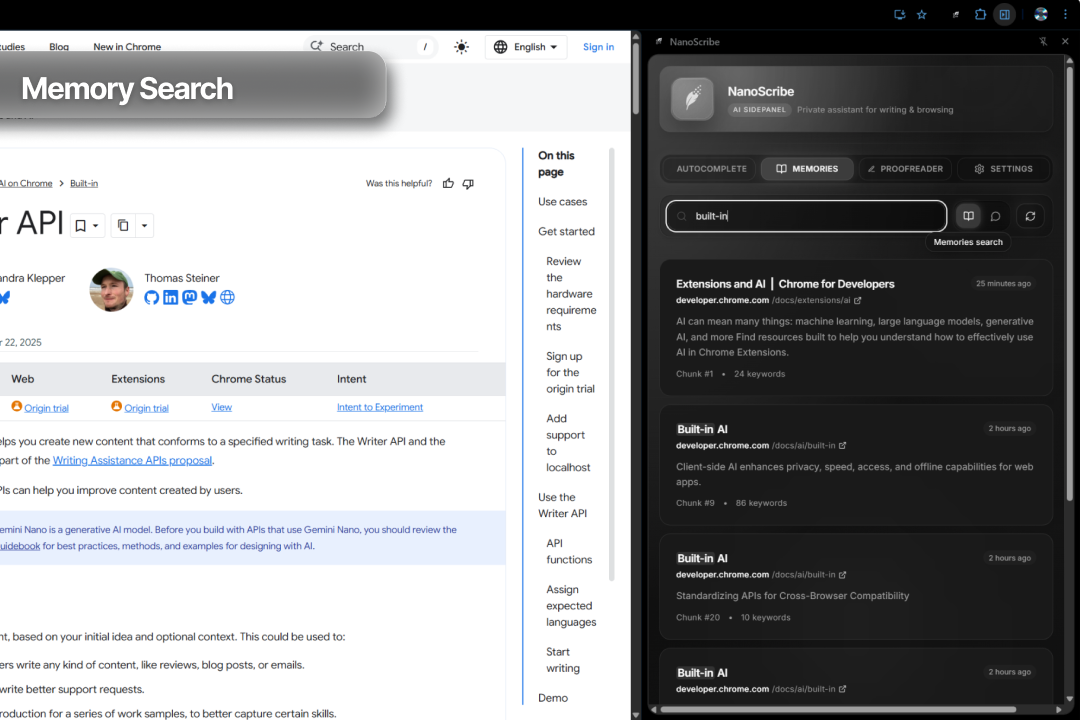
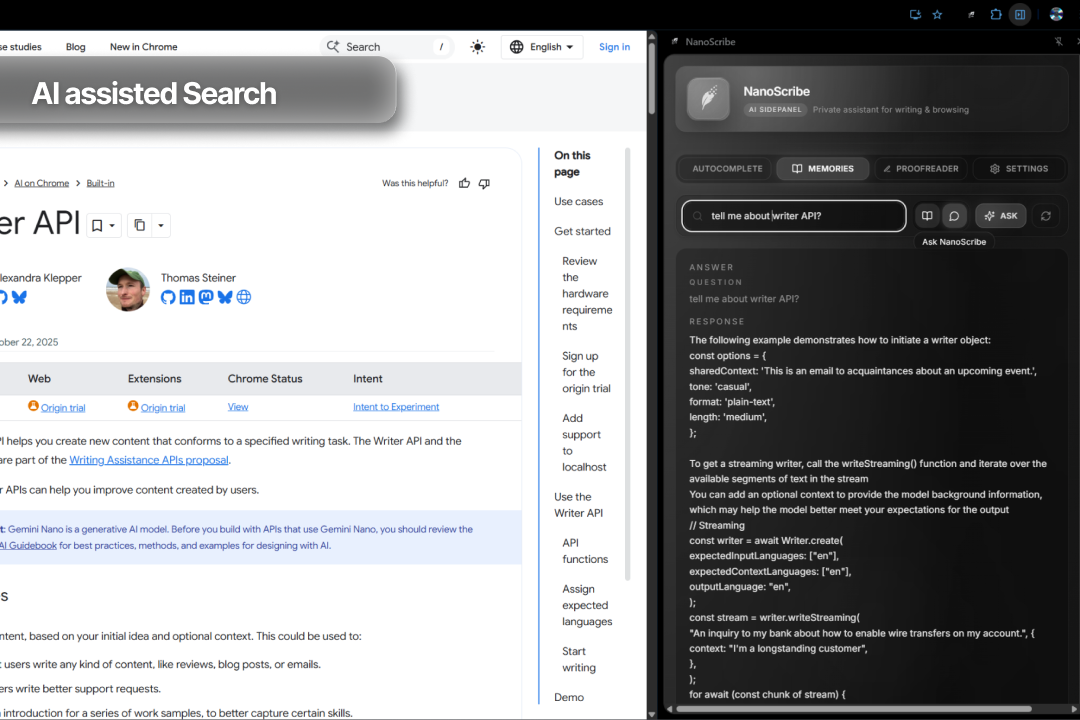
Semantic Search (The "One-Shot RAG"): This was a key part. Instead of a "real" vector DB, I built a two-stage "Keyword Search + AI Rerank" system.
Stage 1 (Keywords): I create and index keywords for every chunk. A user's search query does a fast keyword lookup in IDB to find 50 "candidate" chunks.
Stage 2 (AI Rerank): The candidates are fed to the Prompt API with a special prompt: "You are a search engine. Here is a query and 50 documents. Return only a JSON array of the top 5 most semantically relevant IDs." This gives me intelligent "semantic" search, 100% on-device.
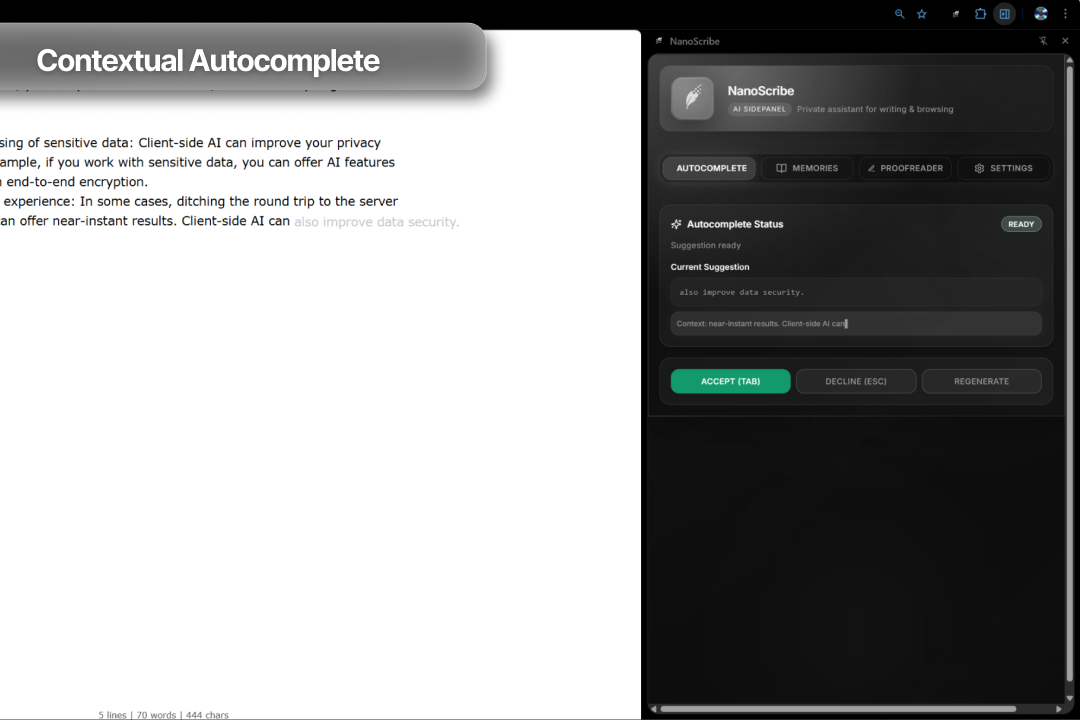
Context-Aware Autocomplete:This is powered by the same "One-Shot RAG" model. When a user pauses typing, the extension fetches the most recent keyPoints from their current session. It sends these, plus the user's current text, to the Prompt API with instructions to "act as its own relevance filter"—use the context if it's relevant, or provide a generic completion if it's not.
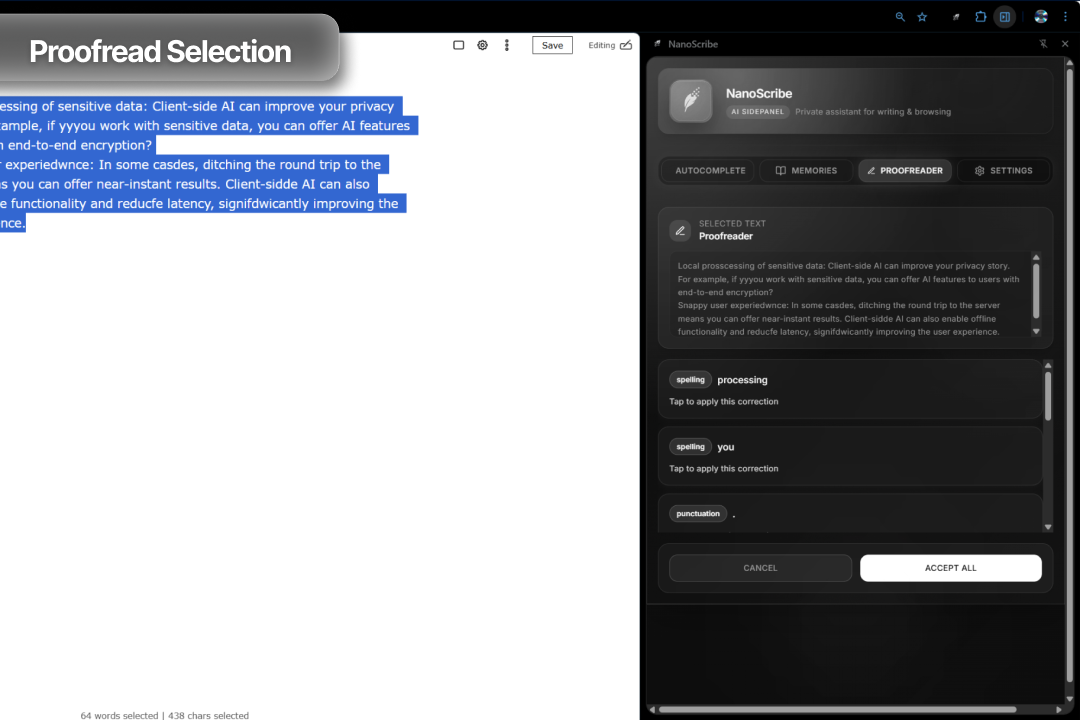
On-Demand Proofreading: The user can highlight text on a page and trigger a check via a context menu. The service worker brokers this request, calls the Proofreader API on the selected text, and then returns a structured list of corrections. These corrections (typed spans, explanations, and suggestions) are displayed in the side panel's "dialog" state, allowing the user to review and manually apply the fixes.
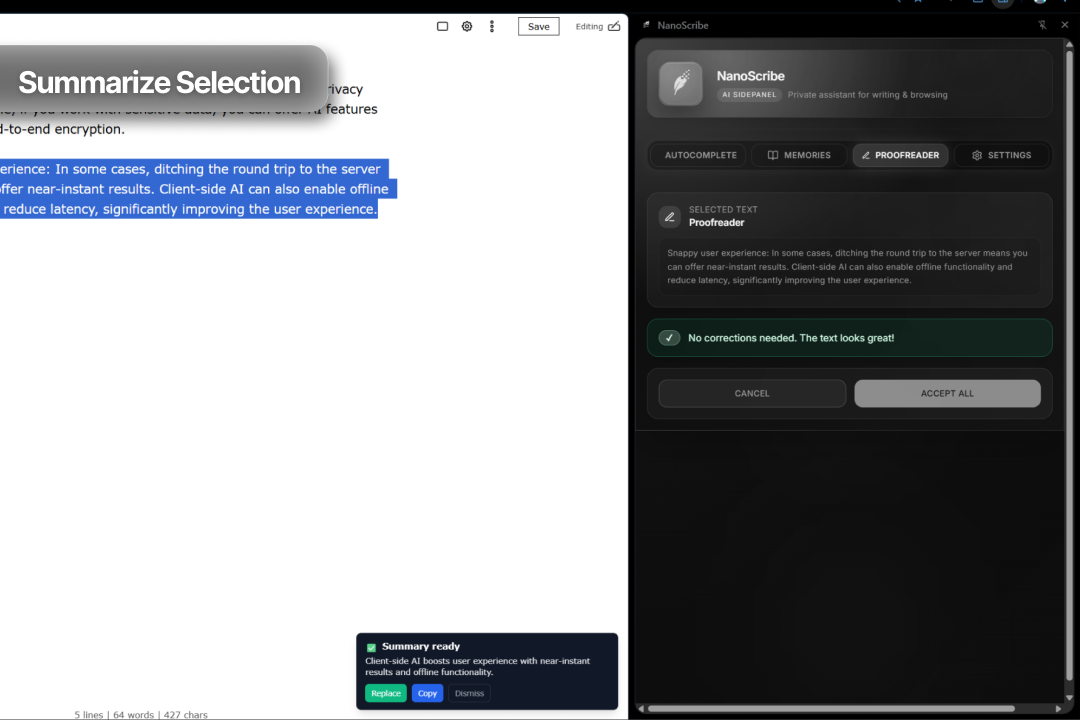
Summarize Selection with Replace: Building on the context menu pattern, users can select any text on a webpage, right-click, and choose "NanoScribe: Summarize Selection." The service worker sends this selected text to the Summarizer API. The resulting summary is displayed in a toast notification, giving the user a quick preview. Crucially, the toast also includes a "Replace" button. Clicking this uses chrome.scripting.executeScript to inject a function that replaces the original selection on the webpage with the AI-generated summary, offering a powerful content editing workflow.
Challenges we ran into
Raw IndexedDB: Choosing to use the raw IDB API instead of a library like Dexie.js was a major challenge. All schema versioning, multi-store transactions, and complex queries (like the "Keyword + AI Rerank") had to be built from scratch with custom helper functions. It taught me a lot about the browser's storage layer but was a significant source of complexity.
Autocomplete State: Preventing stale suggestions from the Prompt API was hard. I had to build a 4-state state machine in the content script (IDLE, DEBOUNCING, FETCHING, SUGGESTING) and pass a unique requestId with every chrome.runtime.sendMessage to ensure only the latest suggestion was ever displayed.
Replacing Selected Text: Implementing the "Replace" functionality for the summarizer required careful handling of chrome.scripting.executeScript. Ensuring the selection was correctly identified and replaced without interfering with the page's DOM or user interaction proved tricky, especially given the dynamic nature of web content.
What we learned
On-device AI is the future. The chrome.ai models are powerful, but they are not magic; they have latency. The key is to build smart architecture around them (like debouncing and state machines) to create a fluid user experience.
A good database schema is everything. My "Aha!" moment was realizing I should add keywords (as a multiEntry index) and sessionId to the chunks store. This made my semantic search and autocomplete queries fast and efficient.
This project proved that you can build deeply personal and intelligent AI features without ever sending a single byte of user content to a server. Privacy is no longer just a setting; it can be the entire foundation of a product.
Built With
- indexeddb
- mozilla/readability
- react
- shadcn/ui
- tailwindcss
- typescript
- vite

Log in or sign up for Devpost to join the conversation.