-
-
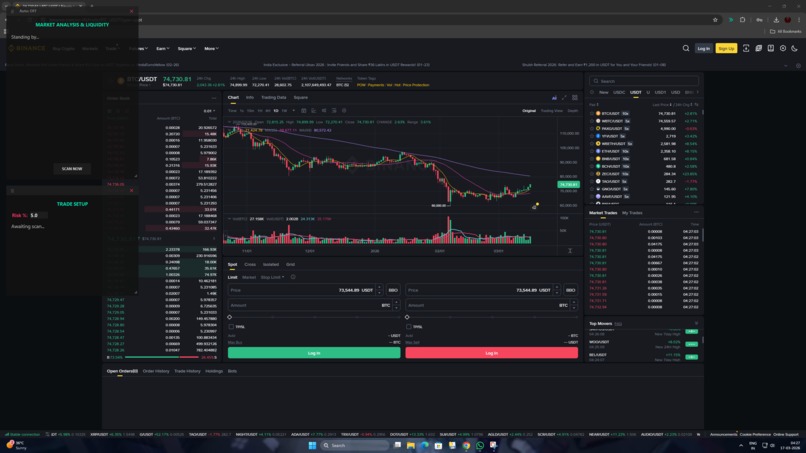
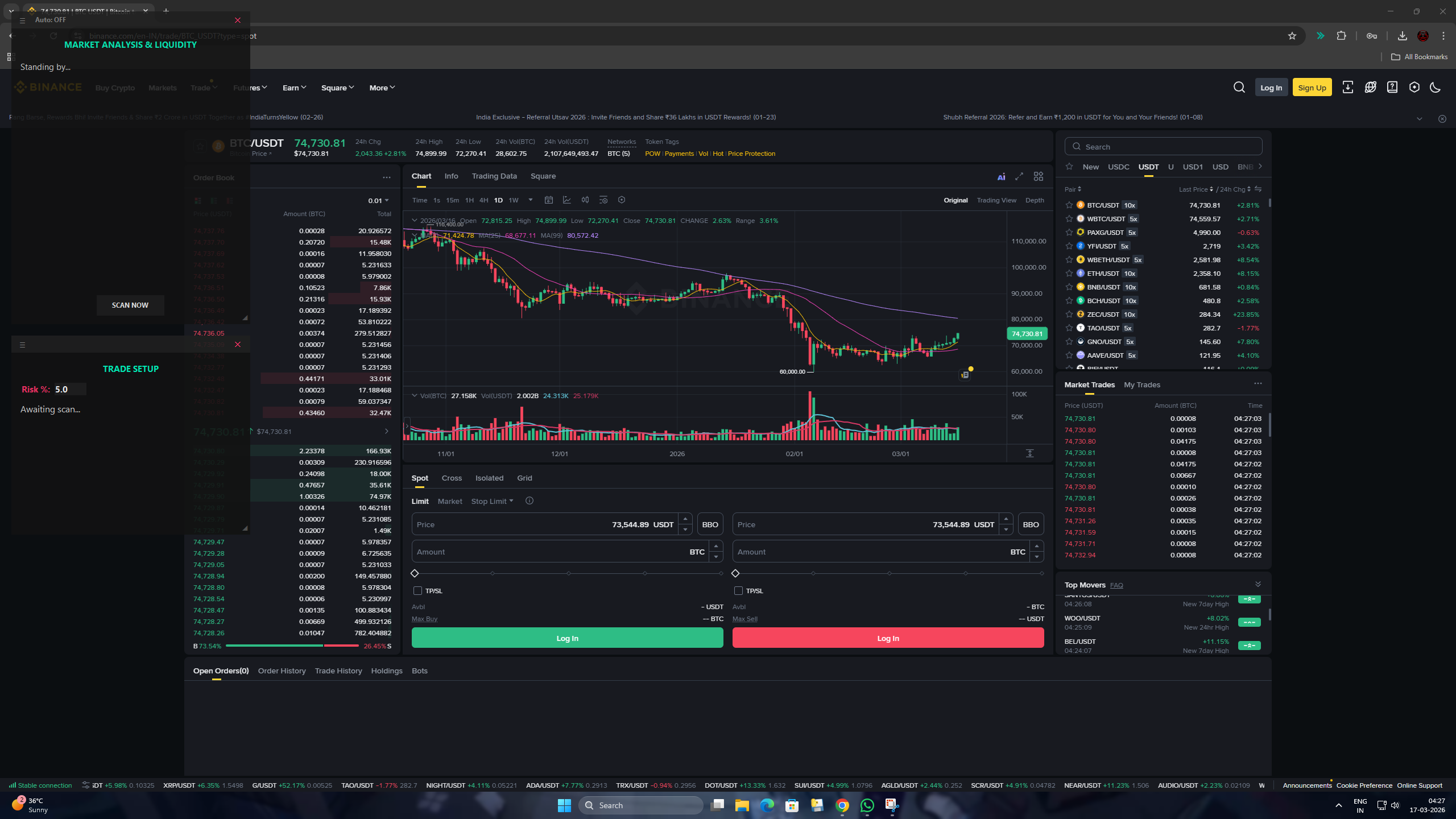
NanoMech overlay in standby mode — sitting transparently over Binance chart ready to scan
-
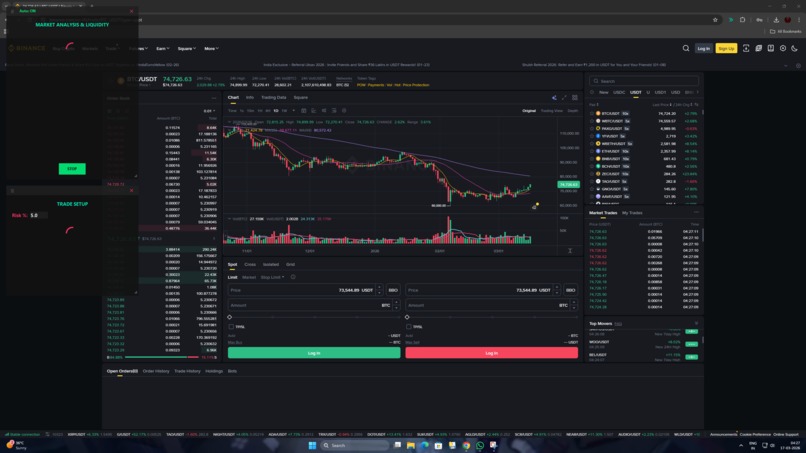
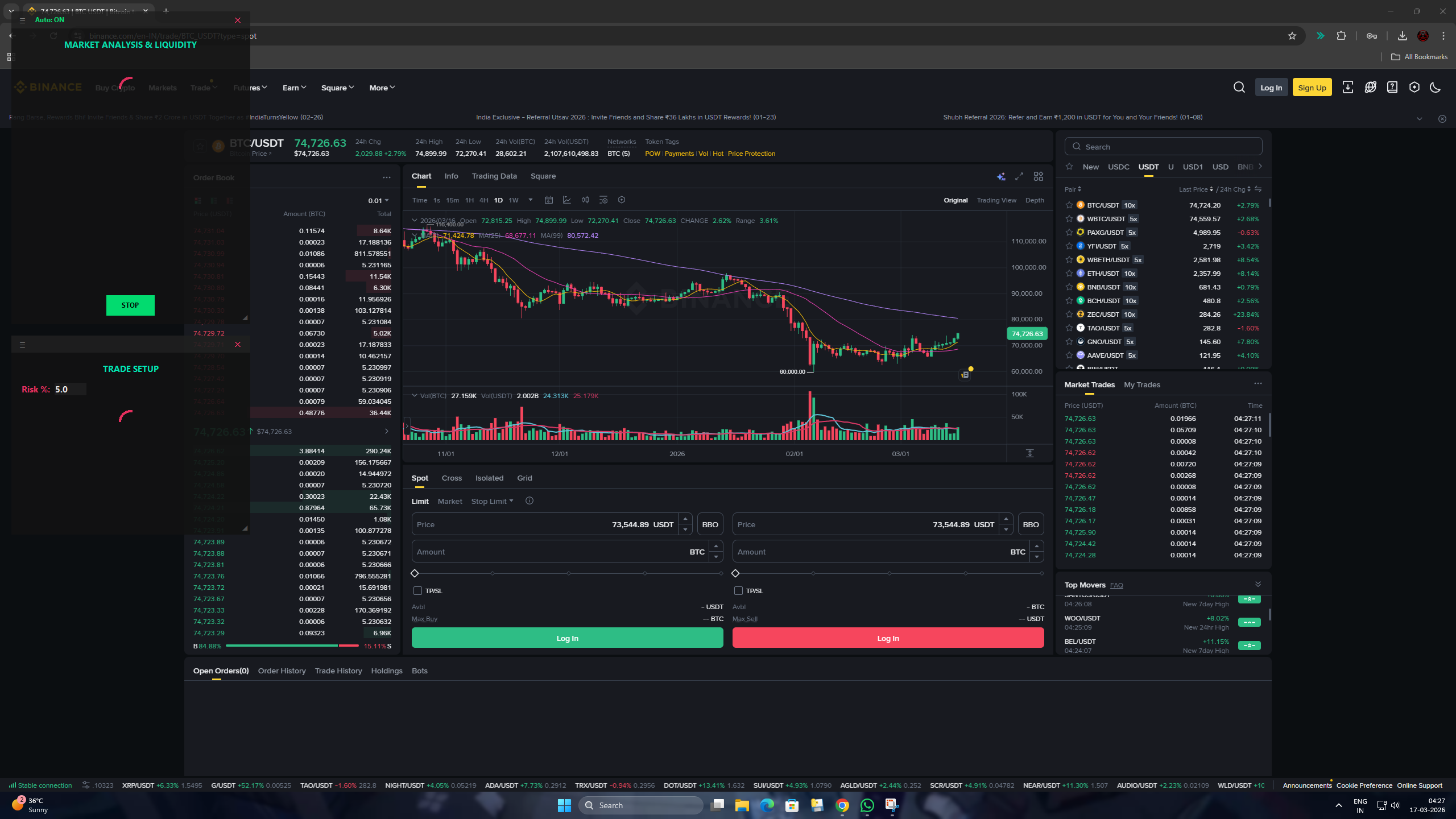
NanoMech scanning in Auto Mode — sending screenshot to Gemini 2.5 Flash on Google Cloud
-
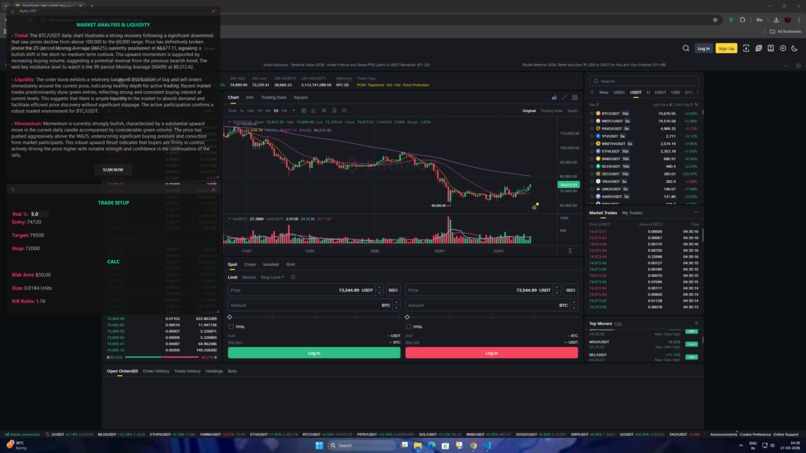
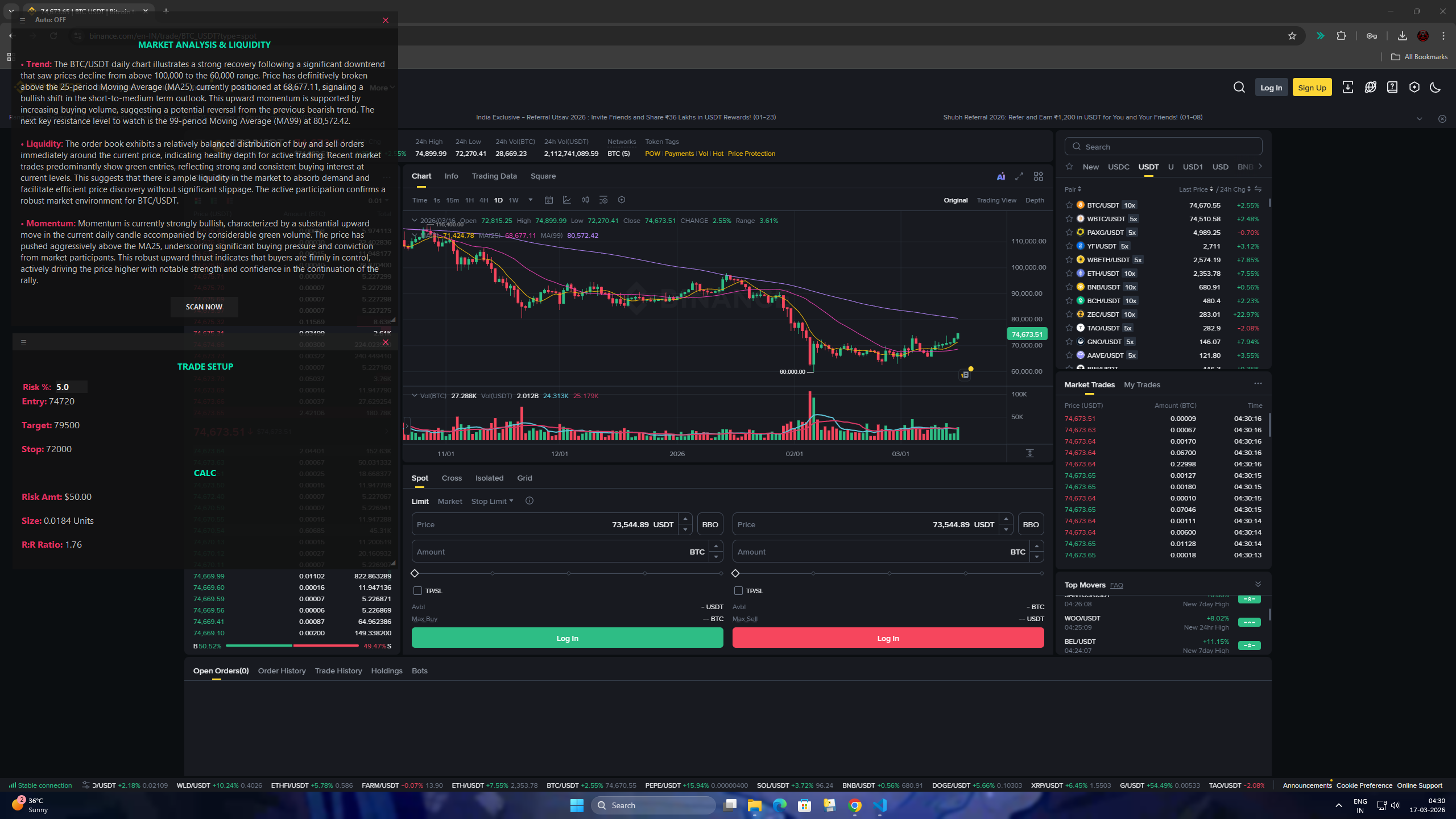
NanoMech showing full market analysis — Trend, Liquidity, Momentum with Trade Setup and Risk Calculator
-
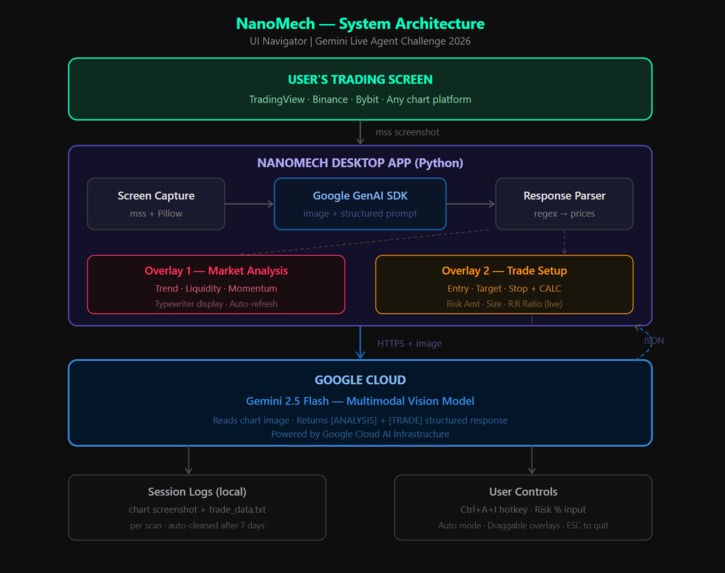
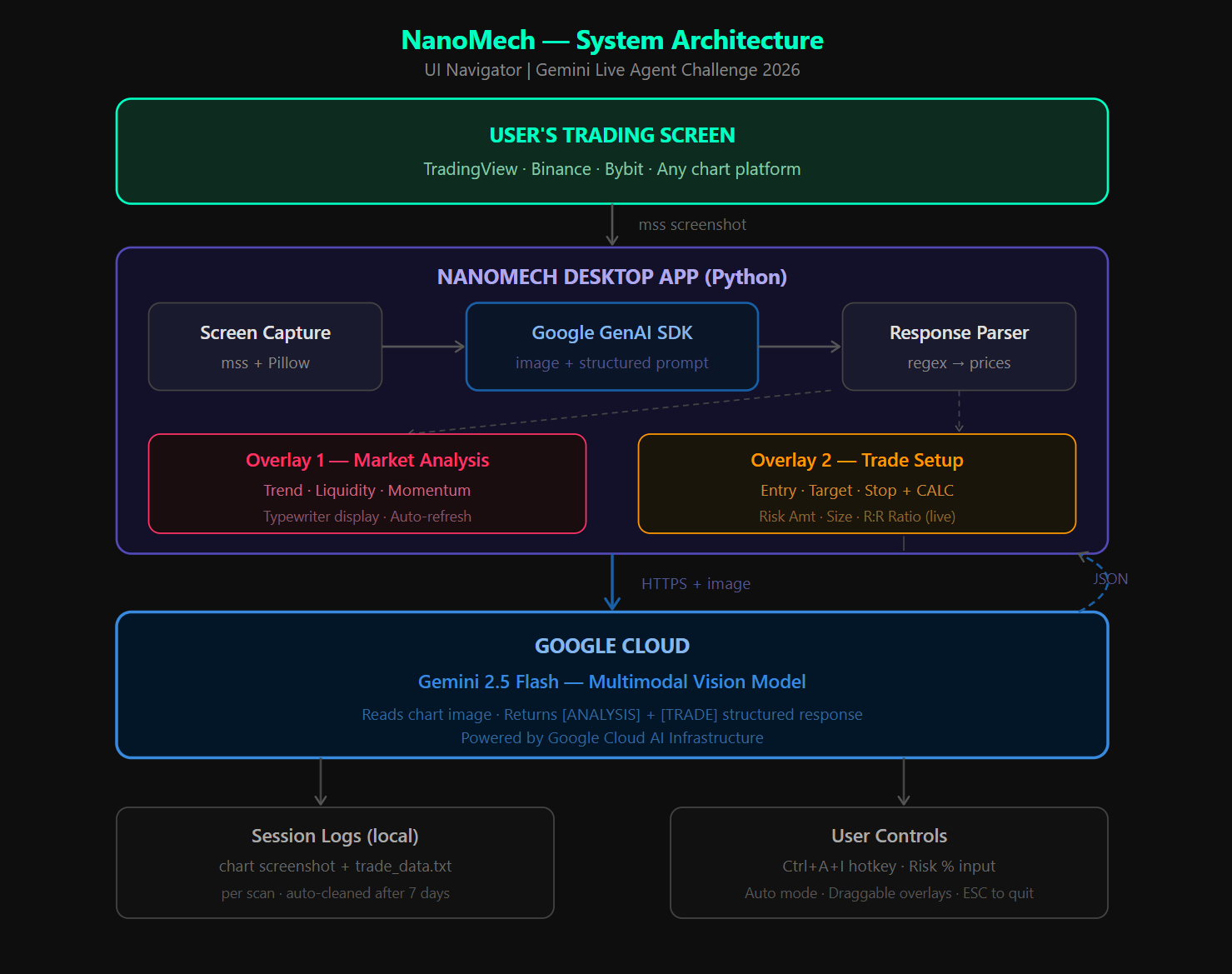
NanoMech system architecture — Screen capture to Gemini 2.5 Flash on Google Cloud
Inspiration
Traders waste precious seconds switching between their chart, analysis tools, and risk calculators. By the time the setup is ready, the candle has moved. I wanted to build an AI that sits on top of your screen, sees exactly what you see, and gives you the full trade plan in seconds — without ever leaving your chart.
What it does
NanoMech is a real-time AI trading assistant that runs as two transparent overlays on top of any trading platform. It uses Google Gemini 2.5 Flash multimodal vision to read your chart visually and deliver a complete trade plan instantly.
Overlay 1 — Market Analysis:
- Trend — bullish/bearish structure, moving average crossovers
- Liquidity — order book depth, bid/ask walls, support/resistance zones
- Momentum — candlestick patterns, volume behavior, price velocity
Overlay 2 — Trade Setup + Risk Calculator:
- Entry Price, Target Price, Stop Loss price
- CALC section: Risk Amount ($), Position Size (Units), R:R Ratio — all update live as you type your risk %
How we built it
- Captured the screen in real-time using
msslibrary - Sent the screenshot to Google Gemini 2.5 Flash via Google GenAI SDK on Google Cloud
- Engineered structured prompts using
[ANALYSIS]and[TRADE]section tags for reliable parsing - Extracted Entry, Target, Stop prices using regex and wired them into the risk calculator
- Built two frameless always-on-top transparent overlays using Tkinter
- Used threading to keep UI responsive during API calls with a spinning animation
- Added global hotkey
Ctrl+A+Iand Auto Mode for hands-free scanning every 20 seconds
Challenges we ran into
- Getting Gemini to consistently return prices in a parseable numeric format required careful prompt engineering and fallback handling
- Tkinter is not thread-safe so all UI updates had to be routed through
root.after()callbacks from the analysis thread - Tuning overlay transparency and colors to stay readable across both dark and light chart themes
- Global hotkeys conflicting with trading platform shortcuts
Accomplishments that we're proud of
- Built a fully working multimodal AI agent that reads ANY chart on ANY platform with no exchange API
- Seamless overlay UX that never interrupts the trader's workflow
- Complete risk management calculator driven entirely by AI-extracted price levels
- Clean structured outputs from Gemini through prompt engineering alone
What we learned
- How capable Gemini 2.5 Flash is at reading financial charts visually — it correctly identifies candlestick patterns, moving averages, volume spikes, and price levels from a raw screenshot
- Prompt engineering for structured and reliably parseable AI output
- Building production-grade always-on-top desktop overlays in Python
- How to handle threading safely in Tkinter applications
What's next for NanoMech
- Voice output — NanoMech speaks the trade setup aloud for fully hands-free trading
- Multi-monitor support — choose which screen to analyze
- Trade history tracker — log and measure how AI setups performed over time
- Cloud hosted version — run NanoMech as a web service on Google Cloud Run
Built With
- gemini-2.5-flash
- google-cloud
- google-genai-sdk
- keyboard
- mss
- pillow
- python-dotenv
- tkinter


Log in or sign up for Devpost to join the conversation.