-
-
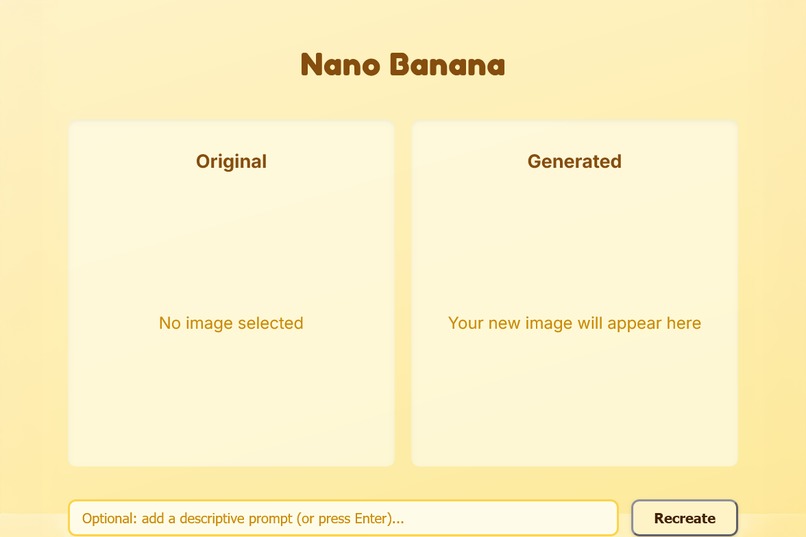
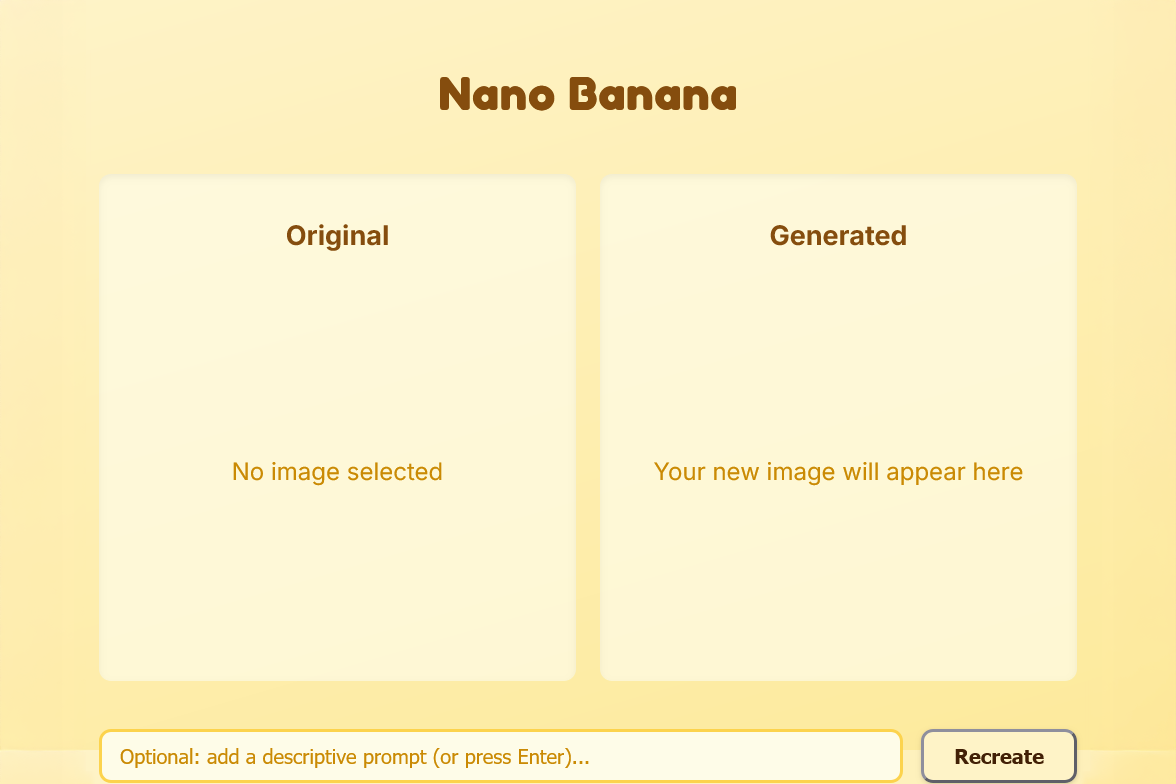
popup menu
-
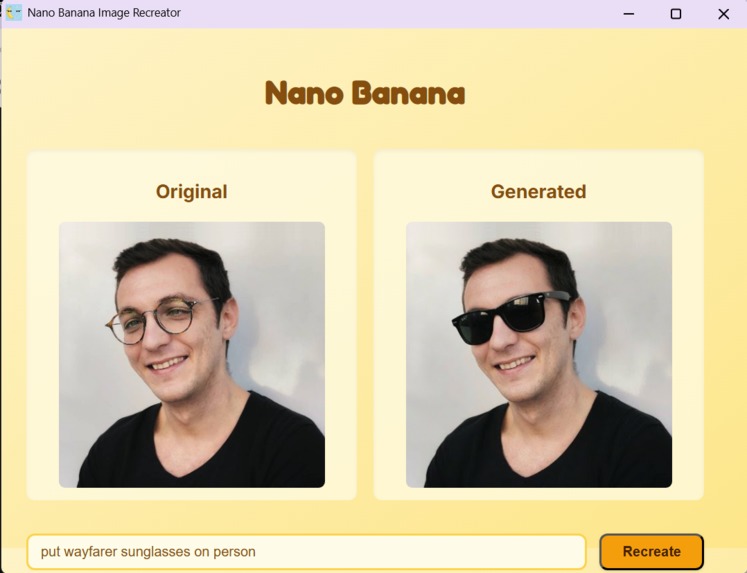
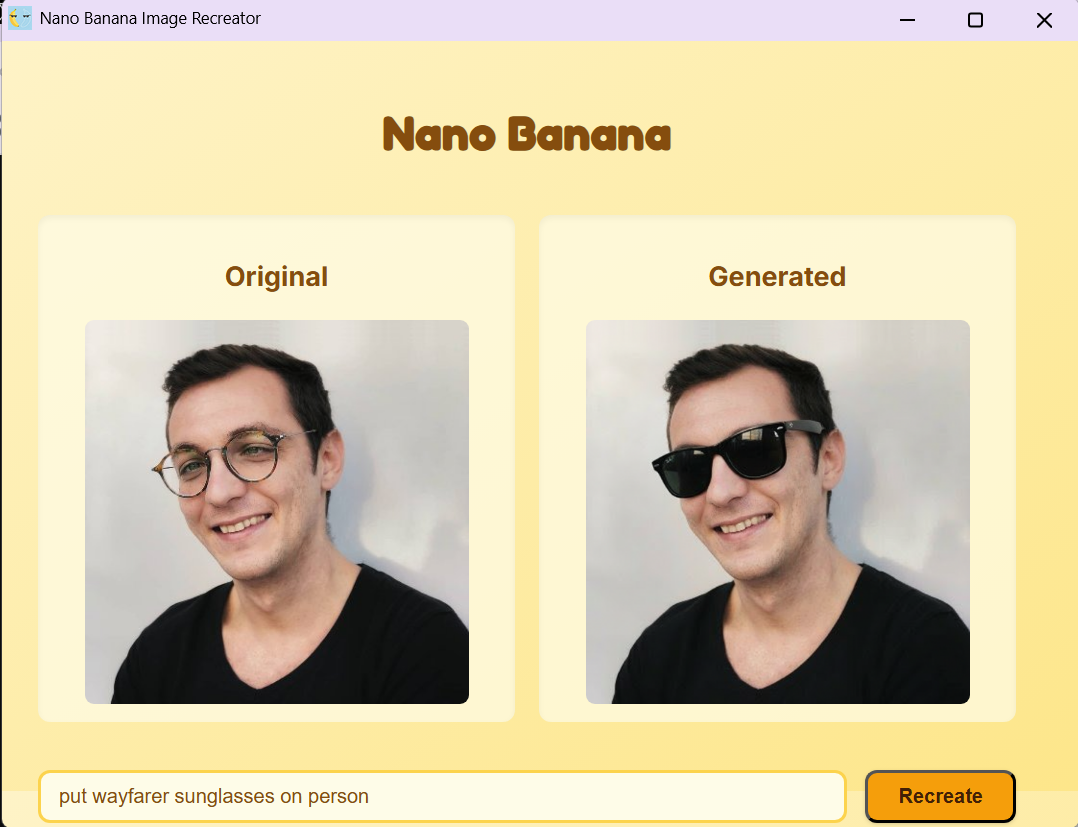
example output (it is my own picture)
Inspiration
The inspiration for Nano Banana came from a common frustration I experienced while browsing the web. I'd find beautiful images that sparked creative ideas, but translating those visual concepts into AI-generated images required multiple steps: downloading the image, opening an AI tool, uploading it, crafting the perfect prompt, and waiting. This workflow broke my creative flow and made spontaneous experimentation difficult.
I thought: "What if AI image generation could be as simple as right-clicking?" That's when I realized Chrome extensions could bridge this gap. The name "Nano Banana" reflects the playful, accessible nature I wanted—something fun and memorable that makes powerful AI technology feel approachable, not intimidating.
What it does
Nano Banana transforms any image on the web into a creative starting point. Here's the complete workflow:
- Browse naturally - Users explore any website as they normally would
- Right-click inspiration - When an image catches their eye, they right-click and select "Recreate with Nano Banana"
- Instant interface - A popup window opens, displaying the original image
- Choose your path - Users can either:
- Enter a custom prompt for specific modifications ("in cyberpunk style", "as a watercolor painting")
- Leave it blank and let the extension randomly select from 15 artistic styles
- Press Enter or click "Recreate" to generate
- AI generation - Google's Gemini 2.5 Flash processes the image and creates a new variation
- Download results - Users can save their creations with one click
The extension handles all the technical complexity—image fetching, format conversion, API communication—invisibly in the background.
How we built it
Architecture Decision: I chose Chrome Manifest V3 for its modern security model and built the extension with vanilla JavaScript to keep it lightweight and fast.
Technical Stack:
- Google Gemini 2.5 Flash Image Preview API - The core AI engine for multimodal image generation
- Chrome Extension APIs - Context menus, storage, and window management
- Fetch API & FileReader - For cross-origin image handling and base64 encoding
- Pure CSS - Custom banana-themed styling without external frameworks
Development Process:
Background Service Worker (
background.js) - I started by implementing the context menu listener that captures image URLs when users right-click. The trickiest part was choosing the right data passing method—I initially tried URL parameters but switched to Chrome's local storage for reliability.Popup Interface (
popup.html,popup.css) - Designed a clean, symmetrical layout with two image boxes side-by-side. I wanted it to feel premium but playful, so I chose a warm yellow gradient reminiscent of bananas and used the "Fredoka One" font for personality.Core Logic (
popup.js) - This was the most complex component. I had to:- Read the stored image URL
- Fetch and convert images to base64
- Handle CORS and various image formats
- Construct proper API payloads with both text and image data
- Parse Gemini's multimodal responses
- Implement error handling for network failures
MIME Type Detection - One major technical hurdle was handling images that return
application/octet-streaminstead of proper MIME types. I built a fallback system that detects formats from URL extensions and defaults to JPEG when uncertain.User Experience Polish - Added keyboard shortcuts (Enter to generate), loading animations, random style selection, and download functionality to make the tool feel professional.
Challenges we ran into
1. Content Security Policy (CSP) Violations
Initially, all my JavaScript was inline in popup.html. Chrome silently refused to execute it due to Manifest V3's strict CSP. The popup would open but appear frozen. I spent hours debugging before realizing I needed to externalize all scripts. This taught me the importance of reading extension console logs carefully.
2. Cross-Origin Image Access Many websites use CDNs with restrictive CORS policies. When the extension tried to fetch these images, they'd fail silently. I solved this by:
- Using
host_permissions: ["<all_urls>"]in the manifest - Implementing proper error messages
- Adding try-catch blocks around fetch operations
3. MIME Type Ambiguity
Some images, especially those served through proxies or image optimization services, return generic application/octet-stream MIME types. Gemini's API rejected these with INVALID_ARGUMENT errors. I built a detection system that examines URL patterns and intelligently defaults to common formats.
4. API Response Parsing
Gemini's multimodal API returns complex nested JSON. Finding the actual base64 image data required careful navigation through the response structure: result.candidates[0].content.parts[].inlineData.data. One missing null check could crash the entire extension.
5. Random Style Implementation I wanted empty prompts to produce varied outputs, not identical recreations. I created an array of 15 artistic styles and implemented random selection. The challenge was phrasing prompts that would consistently work across different image types.
Accomplishments that we're proud of
🎯 Seamless User Experience - The extension truly feels invisible. From right-click to result takes just 5-10 seconds, which is remarkable considering the AI processing involved.
🛡️ Robust Error Handling - The extension gracefully handles network failures, CORS issues, API errors, and edge cases. Users always know what's happening through clear error messages.
🎨 Smart Random Styles - The automatic style variation system means users can generate multiple unique versions of the same image without thinking about prompts. It's perfect for creative exploration.
⚡ Performance - By using vanilla JavaScript and efficient base64 conversion, the extension has minimal overhead. It works smoothly even on lower-end devices.
🍌 Delightful Design - The banana theme isn't just cute—it makes AI technology feel approachable and fun rather than intimidating.
What we learned
Technical Skills:
- Deep understanding of Chrome Extension Manifest V3 architecture
- Working with multimodal AI APIs (combining text and image inputs)
- Handling binary data, base64 encoding, and MIME types in JavaScript
- Async/await patterns and proper promise handling
- Browser security policies (CSP, CORS) and how to work within them
API Integration:
- Google Gemini's multimodal capabilities are incredibly powerful for image understanding
- The
generationConfig: { responseModalities: ['IMAGE'] }parameter is crucial for image output - API error responses require careful parsing to provide meaningful user feedback
Design Insights:
- Sometimes removing features improves UX—I almost added image cropping but realized it added complexity without value
- Random variation for empty inputs turned a potential limitation into a feature
- Symmetrical layouts with clear visual hierarchy reduce cognitive load
Problem-Solving:
- When facing silent failures, console logging at every step reveals the issue
- External documentation isn't always complete—sometimes you need to experiment
- User experience improvements often come from using your own tool extensively
What's next for Nano Banana - AI Image Recreator Chrome Extension
Short-term enhancements:
- 🖼️ Batch Processing - Select and recreate multiple images at once
- 🎨 Style Presets - User-defined style favorites for quick access
- 📋 History Tab - View and re-download previous generations
- 🔄 Variation System - Generate multiple versions simultaneously with different random styles
- 💾 Local Storage - Remember user's preferred settings and recent prompts
Advanced features:
- 🎯 Smart Prompting - Use Gemini to analyze the original image and suggest relevant style modifications
- 🌐 Image Upscaling - Integrate image enhancement before generation for better results
- 🎨 Style Transfer - Apply the artistic style from one image to another
- 📱 Mobile Extension - Bring Nano Banana to mobile browsers
Community features:
- 🌟 Gallery Sharing - Optional community gallery where users can share their best recreations
- 🏆 Style Challenges - Weekly themes encouraging creative experimentation
- 📊 Analytics Dashboard - Show users their most-used styles and generation statistics
Technical improvements:
- ⚙️ Model Selection - Let users choose between different Gemini models (speed vs quality trade-off)
- 🔐 Secure API Key Storage - Implement encrypted local storage for API keys
- 🌍 Internationalization - Support multiple languages for global accessibility
- ♿ Accessibility - Add keyboard navigation and screen reader support
The bigger vision: I want Nano Banana to become the creative companion for anyone who browses the web. Imagine designers instantly prototyping variations, marketers testing visual concepts, or educators creating unique visual aids—all without leaving their browser. The goal is to make AI-powered creativity as natural as taking a screenshot.
Built With
- css3
- gemini
- gemini-2.5-flash-image
- html5
- javascript

Log in or sign up for Devpost to join the conversation.