-
-
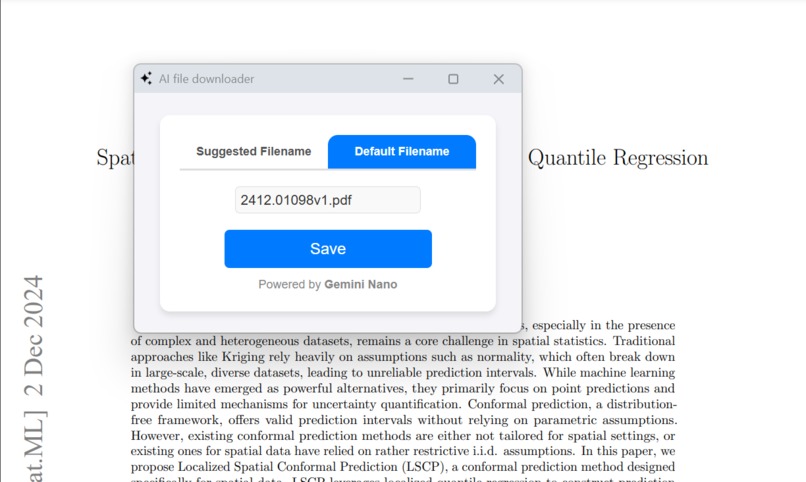
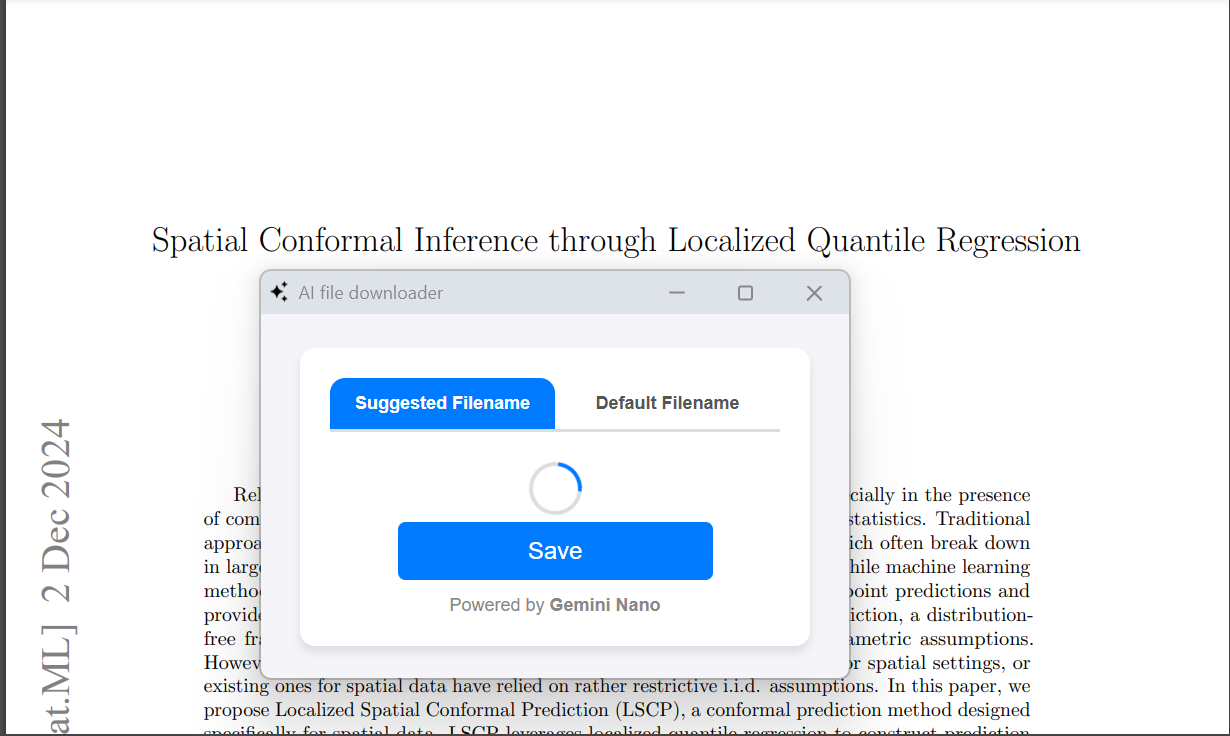
'save as' popup
-
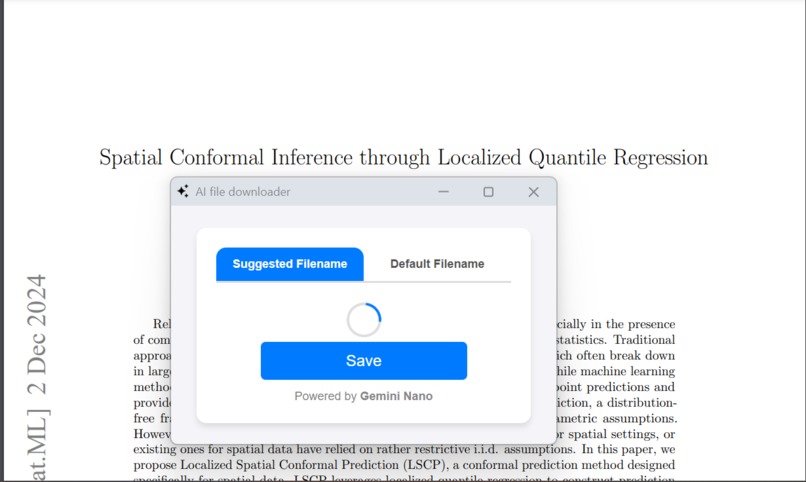
extension analysing file content
-
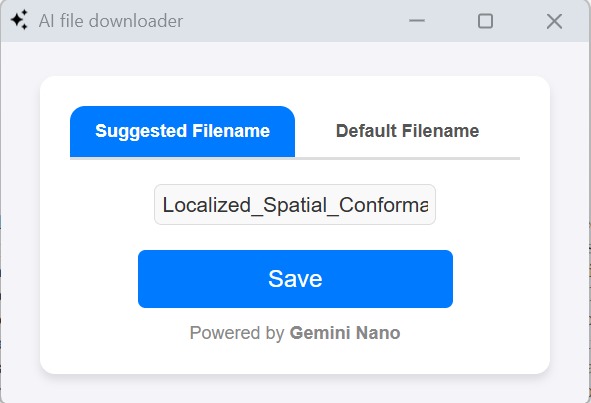
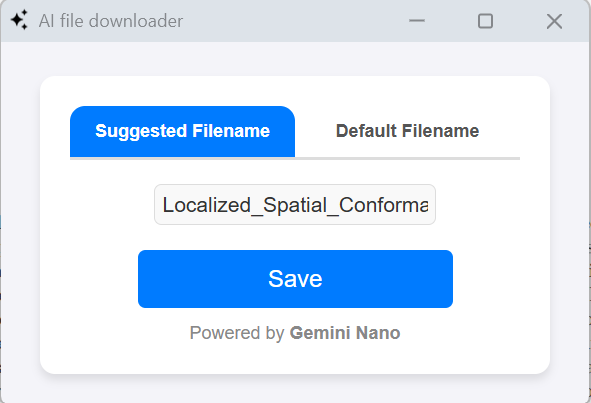
'save as' popup window with suggested filename
Inspiration
There were countless times when I wasted hours searching for a specific PDF—simply because I hadn’t renamed it to something meaningful when I downloaded it. I’d end up scrolling through a chaotic list of files, unsure of their names. This frustration became all too common. The trigger point came when I was at a medical clinic, scrolling through my phone, searching for past medical records with absurd filenames that I never bothered renaming. That moment made me realize how a simple oversight can lead to significant inconvenience.
What it does
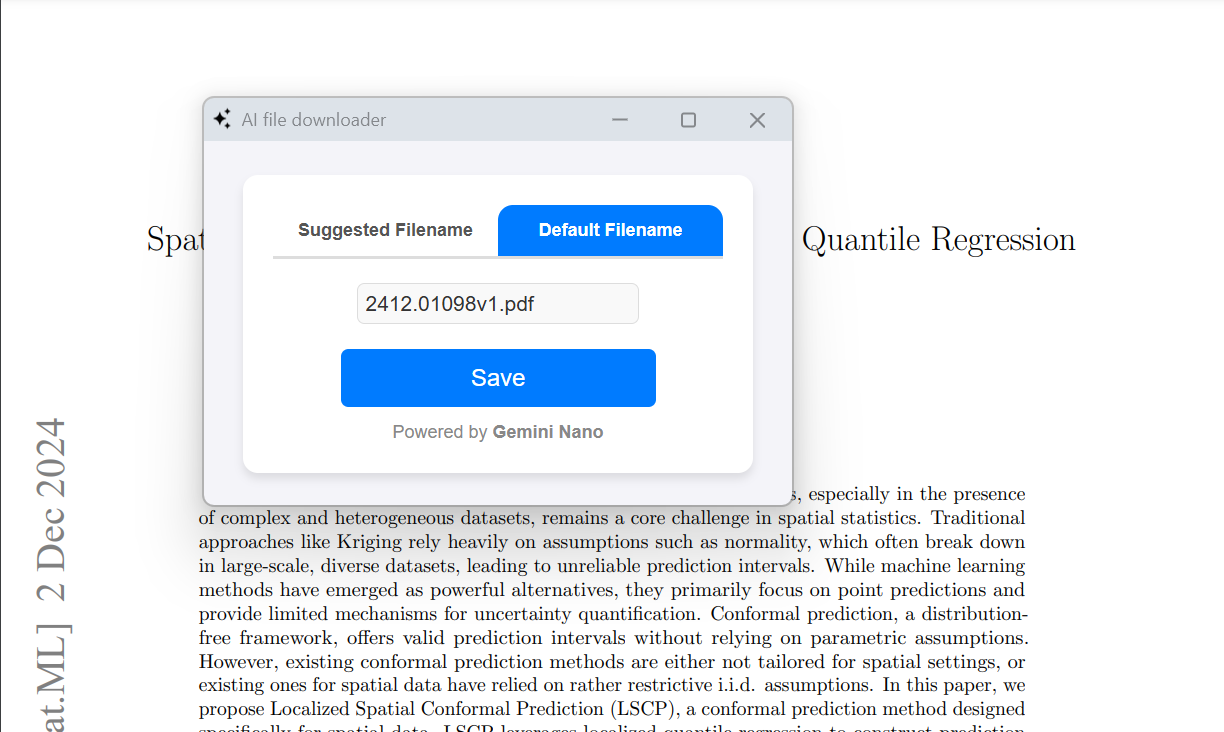
It replaces your boring, cliché 'Save As' dialogue box with a smart, Gemini Nano-powered 'Save As' popup window. This tool dynamically suggests filenames based on the content of the file while also letting users stick with the default name if they prefer. It ensures a seamless file-saving experience by combining AI intelligence with user flexibility.
How we built it
The project leverages a blend of cutting-edge web technologies, Chrome APIs, and AI-powered tools to provide a seamless file-saving experience. Here's a detailed breakdown of the development process:
Core Components
Background Script (
background.js):- Download Interception:
Thechrome.downloads.onDeterminingFilenameAPI is used to intercept all file downloads. For PDFs, the script cancels the download temporarily to analyze the file and suggest a meaningful filename. - Popup Creation:
A custom popup window replaces the standard "Save As" dialogue. The popup is centered on the user's screen using screen dimensions fetched through thechrome.system.display.getInfoAPI. - Communication with Popup:
Thechrome.runtime.connectAPI facilitates a communication channel between the background script and the popup. This allows the extension to send metadata (e.g., file URL, original filename) to the popup window.
- Download Interception:
Popup Interface (
popup.js):- User Interface:
The popup UI allows users to toggle between the default filename and the AI-suggested filename. Users can also edit the suggested name directly. - PDF Content Analysis:
ThepdfjsLiblibrary is used to extract text from the first page of the PDF, ensuring all processing is done locally without compromising user privacy. - AI-Powered Filename Suggestion:
Leveraging Gemini Nano's on-device capabilities, the extension generates intelligent filename suggestions based on the extracted text content. The AI model is prompted with a system instruction tailored for concise, context-aware filename generation. - Dynamic Updates:
Real-time updates to the text input fields ensure user changes to filenames are reflected instantly.
- User Interface:
AI Integration:
- The AI model (Gemini Nano) is utilized locally to ensure that no sensitive file data is transmitted to external servers. The AI evaluates the extracted content and generates filename suggestions that are both meaningful and concise.
Privacy-First Approach:
- All file analysis and processing are performed on the user's device. The extension avoids any external API calls for content analysis, aligning with strict privacy principles.
Tech Stack:
- JavaScript: Core logic for background tasks and popup behavior.
- HTML/CSS: Responsive and interactive design for the popup window.
- Chrome Extensions API: Enables seamless integration with Chrome's native download workflow.
- PDF.js: Extracts text content from PDFs efficiently.
- Gemini Nano AI: Provides filename suggestions based on file content.
Challenges we ran into
Intercepting and Managing Downloads:
- API Limitations:
Thechrome.downloads.onDeterminingFilenameAPI doesn’t allow modifying filenames seamlessly once the download process starts. Moreover, the API only supports cancelling downloads during their initial stages. - Workaround Implementation:
To address this, we implemented a mechanism to temporarily cancel the download, process the file details, and prompt the user with updated filename options before resuming the process.
- API Limitations:
Real-Time Communication Between Scripts:
- Message Delivery Challenges:
Ensuring reliable delivery of download metadata between the background script and the popup required establishing a robust connection. - Implementation:
We used thechrome.runtime.connectAPI to create a dedicated communication channel, allowing seamless exchange of information and metadata updates in real-time.
- Message Delivery Challenges:
Extracting Text from PDF Files:
- Local Processing Limitations:
Analyzing PDFs locally presented challenges, especially for poorly formatted files or those containing non-standard fonts or embedded images. - Optimized Approach:
We utilized thepdfjsLiblibrary to extract text efficiently and handled edge cases with additional fallback mechanisms to ensure accuracy.
- Local Processing Limitations:
AI Filename Suggestion:
- Privacy Concerns:
Leveraging AI without transmitting sensitive data to external servers required using a local model. - Solution:
By integrating Gemini Nano, an on-device AI model, we ensured privacy while generating context-aware and meaningful filename suggestions.
- Privacy Concerns:
Maintaining User Input Consistency:
- Synchronization Issues:
Allowing users to switch between the default and suggested filenames, while also enabling edits, created challenges in keeping inputs synchronized. - Dynamic Updates:
Real-time updates to the UI ensured that any user modifications were accurately reflected across the interface.
- Synchronization Issues:
Handling Errors Gracefully:
- Error Scenarios:
Errors such as network failures during PDF fetching, AI unavailability, or issues while saving files had to be managed to ensure uninterrupted user experience. - Error Management:
We implemented fallback mechanisms and error notifications to handle these situations gracefully without affecting the core functionality.
- Error Scenarios:
Performance Optimization:
- Delays in Parsing PDFs:
Parsing large PDFs for content analysis could introduce noticeable delays, potentially frustrating users. - Optimization Measures:
We fine-tuned thepdfjsLiblibrary usage and implemented efficient text extraction methods to minimize latency.
- Delays in Parsing PDFs:
Accomplishments that we're proud of
Creating a tool that genuinely solves a real-world problem faced by countless users (including me) , saving time and reducing frustration. It brough a satisfaction within me as i've been troubled with garbage filenames for a long time now. Not anymore.
Successfully replacing the standard 'Save As' dialogue with a visually appealing and interactive popup.
What we learned
Key Learnings
The Power of Client-Side AI Models:
- Privacy and Efficiency:
Integrating Gemini Nano demonstrated the potential of modern client-side AI models. Unlike cloud-based solutions, Gemini Nano ensures privacy by performing all processing locally on the user’s device. This approach eliminated concerns about sensitive data being sent to external servers and reinforced user trust. - Seamless Performance:
The efficiency of Gemini Nano impressed us, enabling intelligent filename suggestions even on modest hardware setups. This experience highlighted the viability of client-side models as the future of privacy-conscious AI applications.
- Privacy and Efficiency:
Building Privacy-First Solutions:
- Ethical and Secure Design:
The project emphasized the importance of creating tools that prioritize user privacy. By processing PDFs entirely on the client side and avoiding external server calls, we ensured a secure and trustworthy user experience. - Elevated Appeal:
This privacy-focused approach not only adhered to ethical standards but also enhanced the tool’s attractiveness to users concerned about data security.
- Ethical and Secure Design:
Harnessing Browser APIs:
- Deep API Knowledge:
Working with Chrome’s Extensions APIs, especially the downloads and windows APIs, expanded our understanding of browser capabilities. - Dynamic Interactions:
Learning to intercept and manipulate file downloads dynamically while providing a customized popup interface was both challenging and rewarding, showcasing the potential of browser-level enhancements.
- Deep API Knowledge:
Iterative Development and Problem-Solving:
- Creative Solutions:
From handling errors gracefully to fine-tuning AI prompts, the project underscored the value of iterative development. Each challenge pushed us to think creatively and refine our implementation. - Adaptability:
This iterative approach enabled us to address issues effectively and deliver a polished, user-centric tool.
- Creative Solutions:
Performance Tuning:
- Optimized Processing:
Extracting and analyzing PDF content efficiently was a critical learning area. By limiting processing to the first page and leveraging asynchronous operations, we delivered a responsive user experience. - Balancing Speed and Accuracy:
These optimizations ensured that the tool remained snappy without sacrificing the quality of filename suggestions.
- Optimized Processing:
Through this journey, we gained a profound appreciation for how technologies like Gemini Nano are redefining AI application development. By blending privacy, performance, and intelligence, we created a tool that not only addresses a personal pain point but also sets a benchmark for user-first design.
What's next for nameR: Gemini Nano-powered file downloader
- Expanded File Type Support: Extending support to other file formats like Word documents and integrating OCR technology to extract PDF content.
- Refined UI/UX: Further improving the popup design for even smoother usability.
- Open-Source Contribution: Making the project open-source to invite community feedback and contributions for future enhancements.


Log in or sign up for Devpost to join the conversation.