-
-
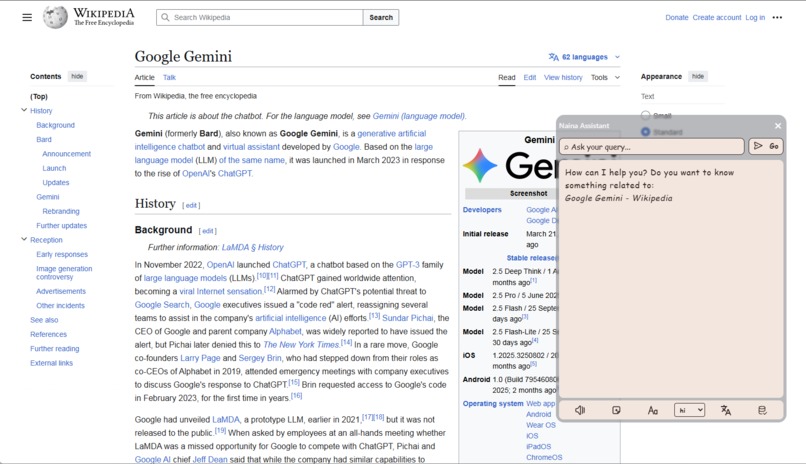
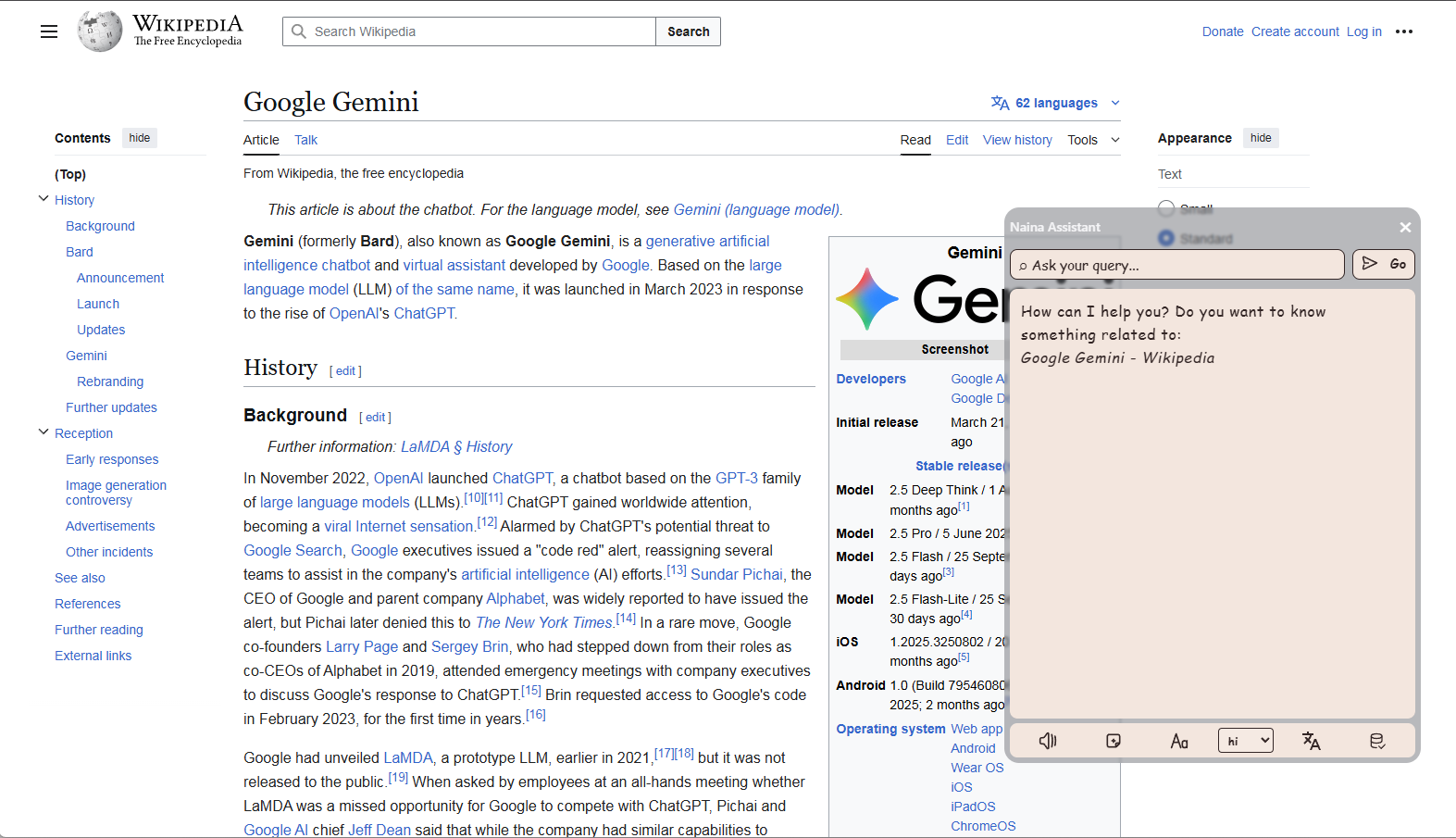
Naina assistant on Wikipedia in dyslexia mode
-
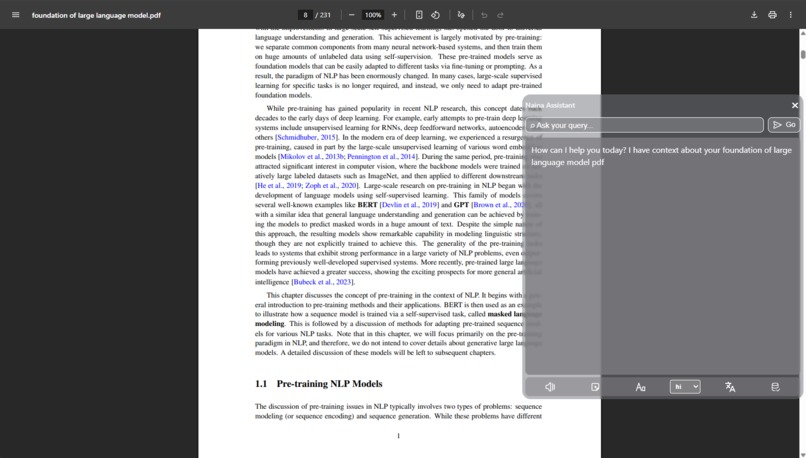
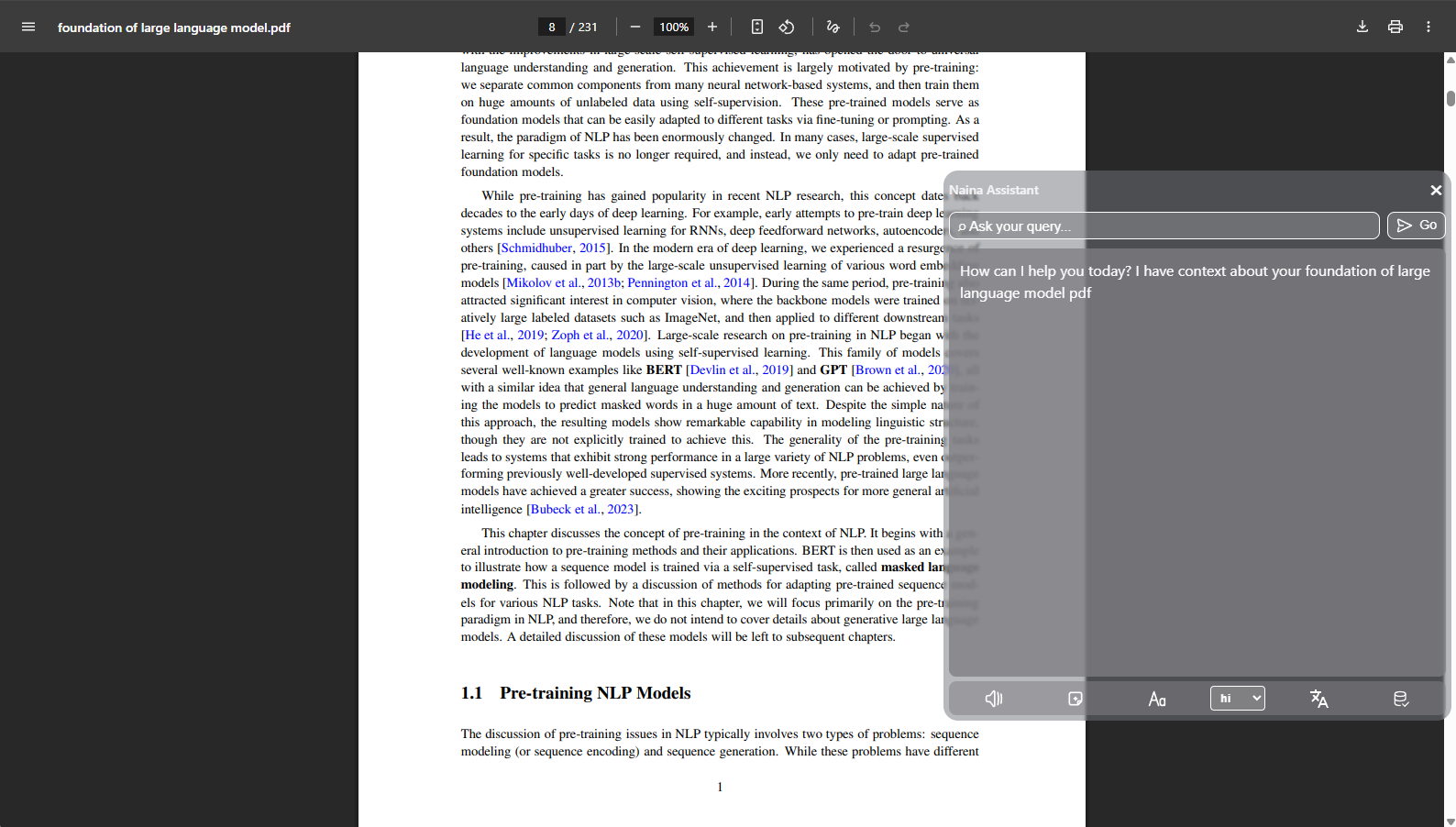
Naina assistant working on a PDF file
-
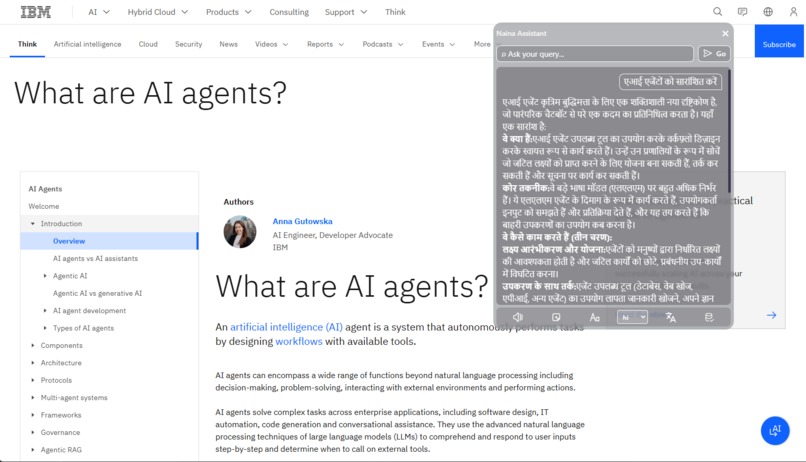
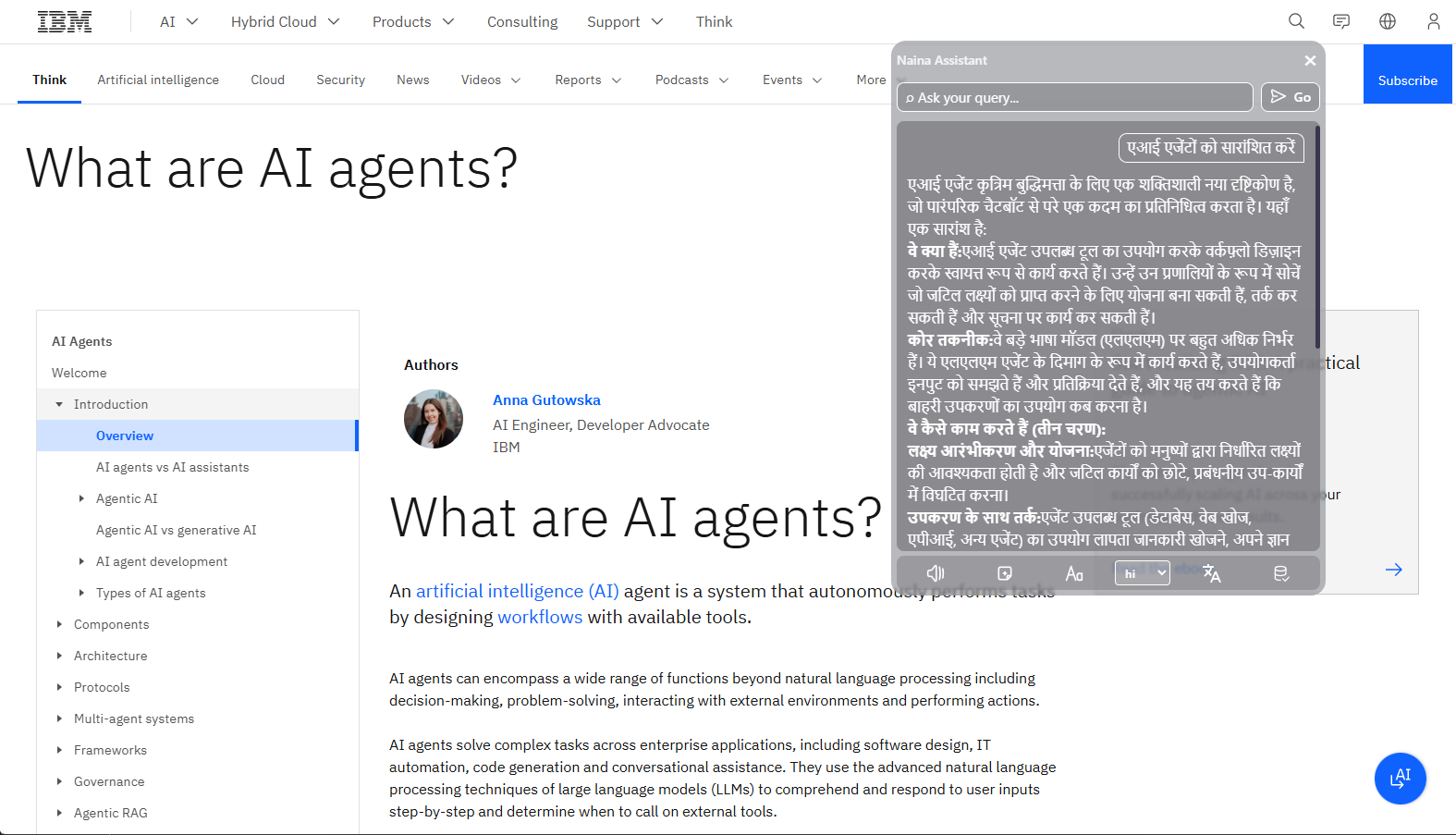
Naina assistant Hindi translated response
-
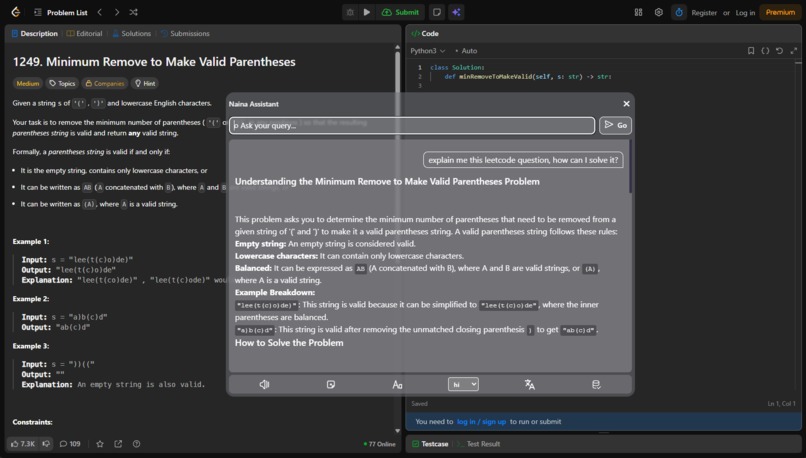
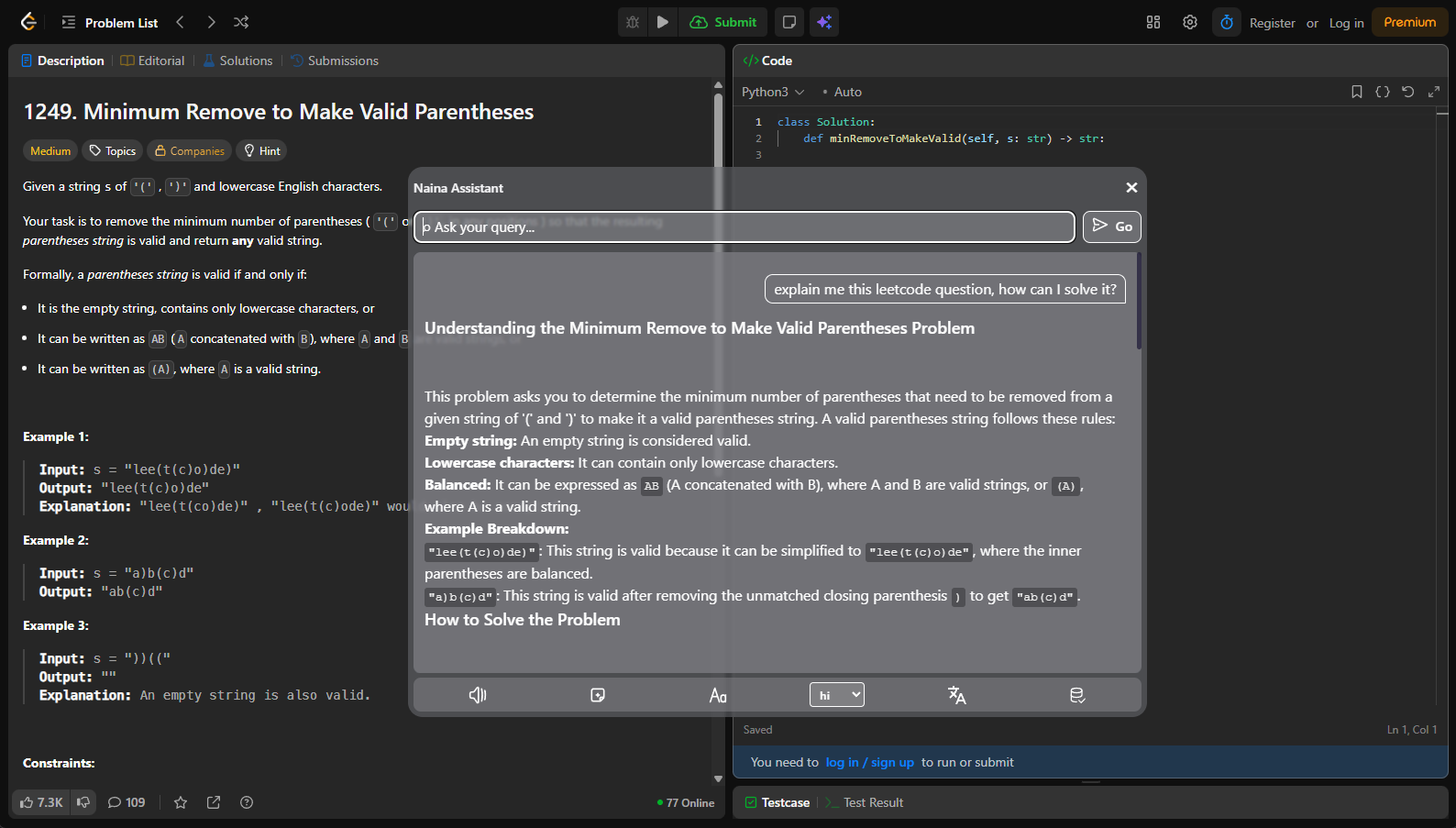
Resized Naina assistant explaining Leetcode question
-
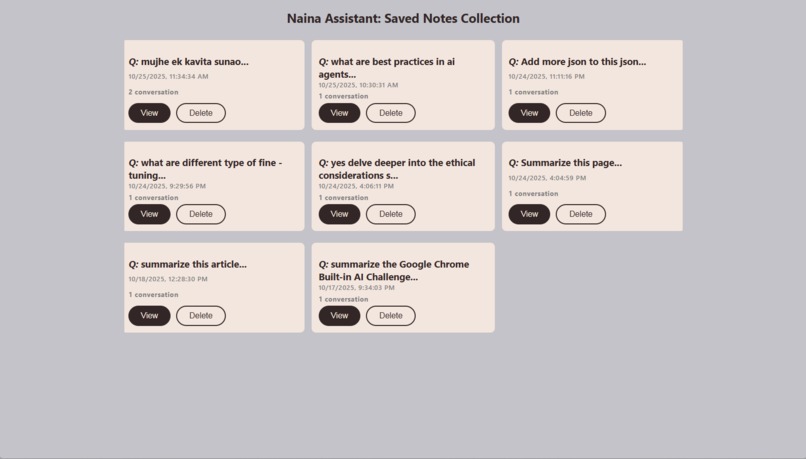
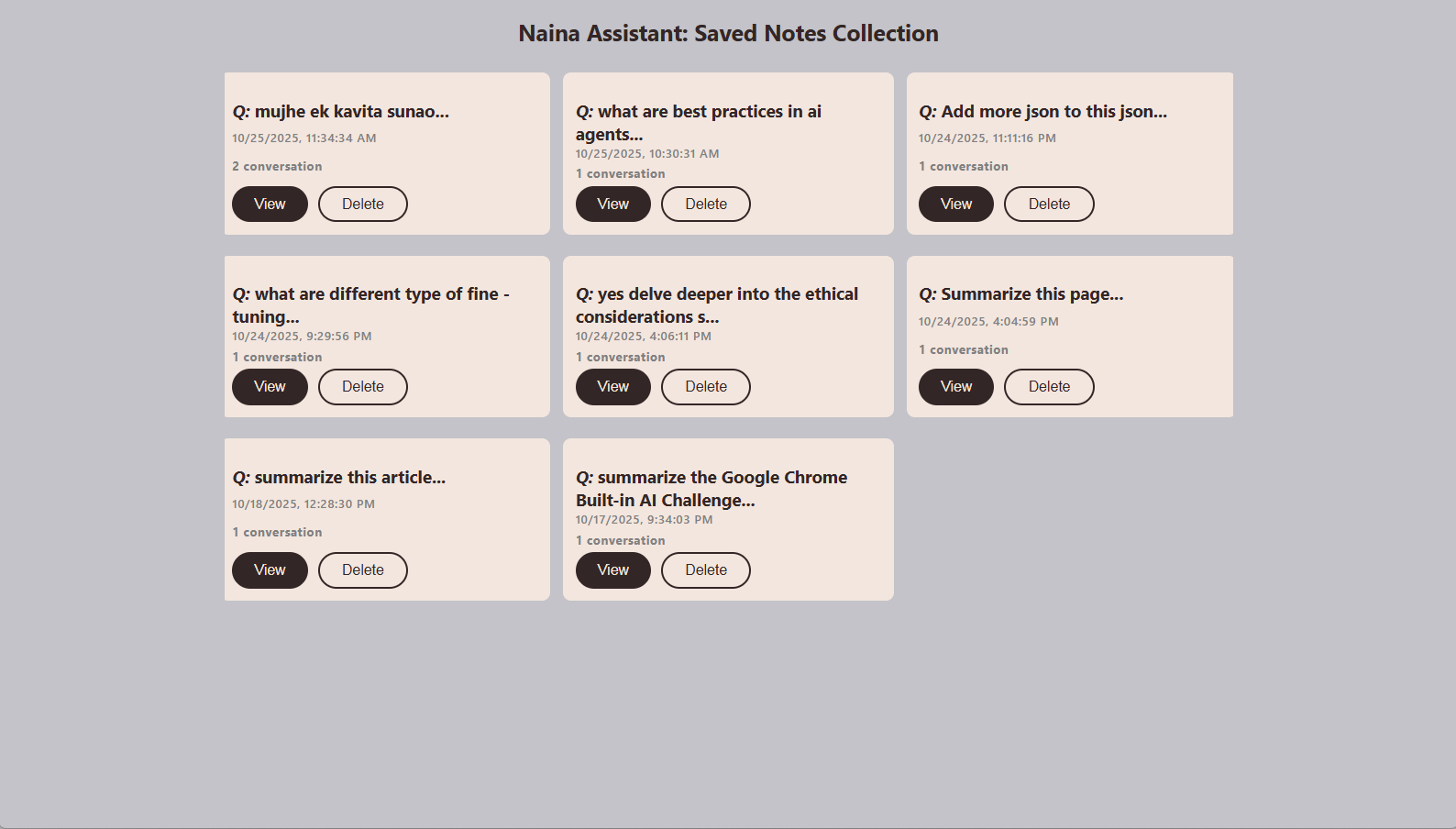
Naina assistant saved note collection page
-
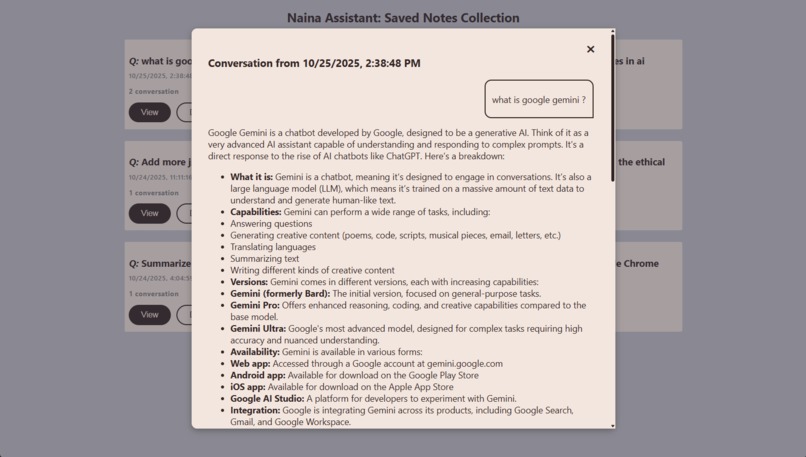
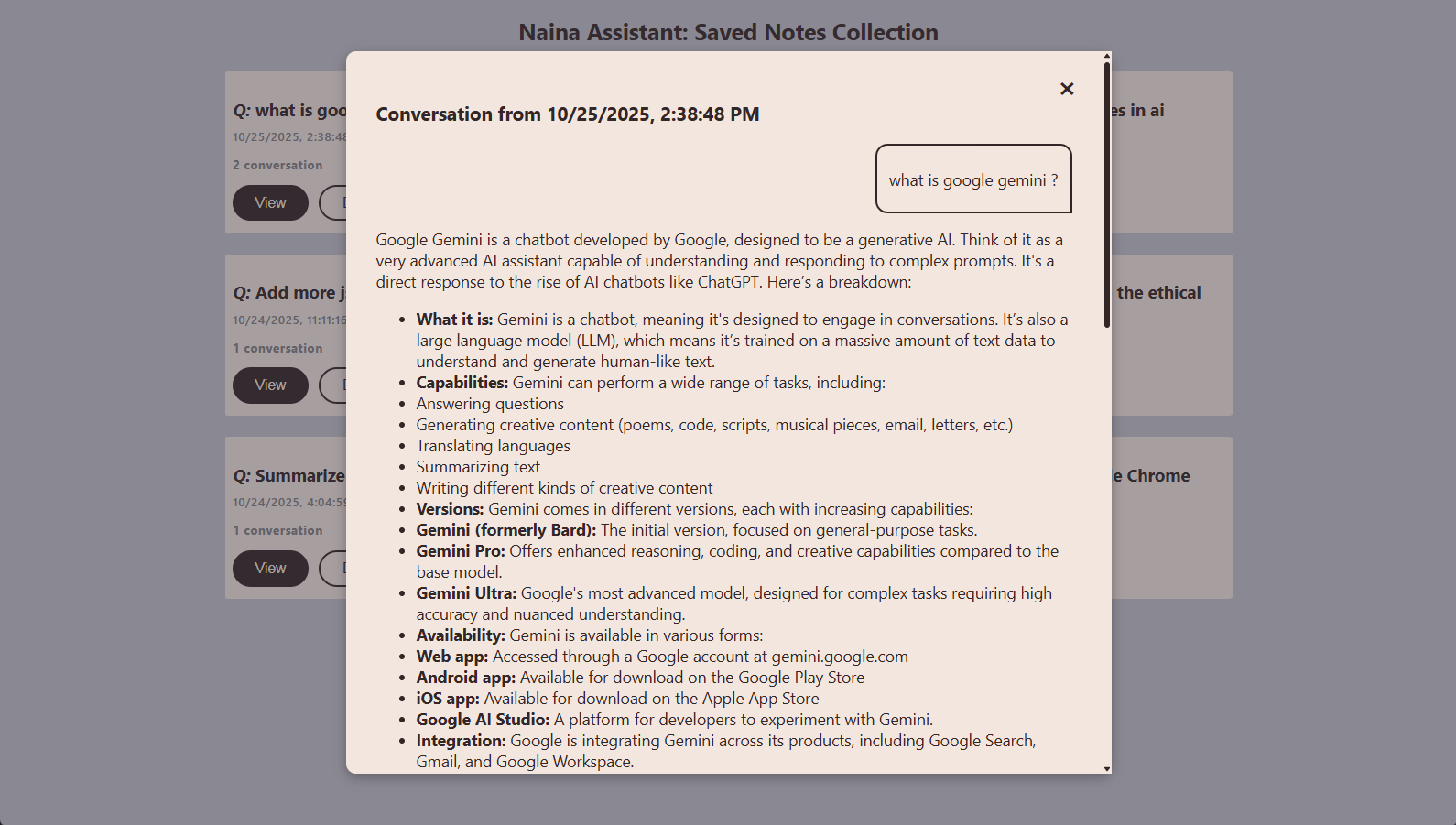
Naina assistant saved note open view
Inspiration
Web browsing is an integral part of our lives, whether you're working, reading, or developing on the web. You have to interact in a browser. And you can't perform everything in an LLM chatbot, nor can you frequently switch tabs for AI help—and you need an internet connection. To solve this shortcoming, you need seamless AI assistance (an extension) that works on every tab page, always ready at your service to boost your productivity.
Other browser AI assistants (extensions) have very confusing and cluttered UIs and also require an active internet connection, user agreements, along with privacy concerns about monitoring your browser activity. So I created Naina Assistant with a clean and handy interface that lives in your browser, works both offline and online, and has no compromises on privacy or monitoring. Everything under user control.
As the name Naina implies 'Vision' this extension can also see and understand what you're working on to provide context-specific help.
What it does
Introducing Naina Assistant, a browser extension and multimodal AI companion that you can open on any webpage, ask your questions about that page or any general topic, and it will instantly provide you with accurate help and explanations, enhancing your productivity and learning capabilities.
- Clean and customizable UI: Naina Assistant's UI is very minimal and focused so that it doesn't distract you from your work and helps you with your problems. It has a customizable interface; you can drag and resize it to your convenience, and it doesn't hide your current tab page.
It's a multi-featured AI extension that fulfills all your needs.
- User inputs & outputs: Real-time chat with Chrome's built-in Gemini Nano AI provides context-specific and general responses/explanations, with no cloud requests and built with a privacy-first approach.
- Page Context Awareness: Automatically extracts and analyzes current webpage content. Contains smart context usage—uses context only when relevant to user's query, otherwise provides general responses. Naina can understand
codeand files too. - No external request sending: For responses, it doesn't rely on the internet, any cloud requests, or additional API requests. Everything happens in the user's browser.
- Works both online and offline: Whether you live in a remote area or have an unstable internet connection, it works seamlessly. It only requires an internet connection the first time to download the model.
- Persistent conversation history: Persistent conversation history within a session for better context memory.
- Text-to-Speech (Read Aloud): Reads AI responses using the browser's speech synthesis so that you can do multitasking. Toggle on/off by clicking again.
- Save Notes Feature: One-click save conversations to local storage—everything under user control with no privacy trade-off. Save your important read-later notes in just one click.
- Dyslexia-Friendly Mode: Naina has been designed to be suitable for people with dyslexia. Users can change color, background color, and font to dyslexia-friendly settings in one click.
- Multilingual Translation: Users can translate AI responses into their desired language.
- Collection Save Page: All saved notes organized in one place. Users can revise saved chats and manage saved notes on the collection page.
- Multiple shortcuts to open extension instantly: Providing convenient and boosting your productivity without breaking your focus is the primary goal of Naina. User can open Naina chat in three ways:
- Default method: from extension pin bar
- Keyboard shortcut: Ctrl + Shift + Q
- Right-click context menu → 'Naina Assistant' option
- Local in-device storage: All saved chat data is stored locally in your browser—no sharing and no cloud storage.
How I built it
Naina is empowered by Chrome's built-in Gemini Nano AI API. I developed Naina with multimodal ability with robust and simple technical implementation for stable and fast working. Build on Chrome extension manifest version 3
- AI APIs:
- Prompt API (Gemini Nano) for intelligent language model responses with streaming support
- Translator API for multi-language translation (13+ languages)
- Speech Synthesis: Browser's built-in Web Speech API for text-to-speech functionality with voice selection.
- Page context extraction: DOM manipulation to clone and clean webpage content. Extracts main content from semantic HTML tags (main, article, .content)
- Local note saving: Chrome Storage API (
chrome.storage.local) for persistent data storage - DOM Traversal: TreeWalker API for format-preserving translation (translates text nodes while keeping HTML structure intact)
Challenges I ran into
Ensuring Naina's accurate responses and smooth-running features was a challenging task. These challenges taught me a lot:
CSS Conflicts with External Websites: Website CSS was overriding extension styles, breaking the overlay layout. I solved this by creating defensive CSS with explicit sizing constraints, high z-index values, and testing across multiple websites.
Markdown Rendering Accuracy: AI responses needed proper formatting (lists, code blocks, headers). I tackled this by building a custom markdown-to-HTML converter with smart line break handling and filtering empty list items.
Persistent Chat History: Managing multiple follow-up inputs/outputs in the same session was tricky—it conflicted with translation and note saving. I solved it by transforming from a single-response to a conversation array structure, storing messages with type identifiers (user/assistant), and using the TreeWalker API to translate text nodes while preserving HTML structure.
Extension Context Invalidation: When the extension reloads, Chrome APIs throw errors. I handled this with comprehensive error handling, checking
chrome.runtime.idavailability, and providing user-friendly fallback messages.
Accomplishments that I'm proud of
Solved a shortcoming need by creating a seamless and customizable extension that doesn't compromise on privacy and is always available at your fingertips.
What I learned
- Privacy-first principles
- Safe DOM extraction & filtering and DOM traversal
- Deep dive into the browser's speech synthesis
- Working with client-side APIs
What's next for Naina Assistant
- Direct multilingual input and output
- Memory management
- Media support in chat
Built With
- gemini-nano
- javascript
- local-storage
- prompt-ai
- translator-api


Log in or sign up for Devpost to join the conversation.