Project Name
NagrikAI — Delhi Civil Services Navigator
Tagline
Ask in plain language. Get official answers. Every time.
Which Theme We Picked
Civil Services Navigator
Delhi citizens struggle every day with one of the most frustrating invisible problems in urban India — not the absence of government services, but the impossibility of understanding them. We picked the Civil Services Navigator theme because it sits at the intersection of the three things we care about most: real citizen impact, technically interesting AI retrieval problems, and a domain where getting the answer wrong has genuine consequences for real people.
The Specific Problem We Targeted
The Problem in One Sentence
Delhi citizens waste thousands of hours every week navigating fragmented, outdated, and inaccessible government information — and they pay the price in wasted trips, missed deadlines, and dependence on middlemen.
The Problem in Detail
Delhi is a city of 32 million people served by 33 government departments across more than 50 different websites. When a citizen needs to renew a driving licence, apply for a domicile certificate, register a marriage, or enrol their child in a government school, they face the same broken journey every time.
They open a search engine and find ten results. Three are government websites with conflicting information. Four are outdated blogs from 2018. Two are paid agents offering to do the work for a fee. One is a WhatsApp forward that is factually wrong. The citizen has no reliable way to know which one to trust.
If they pick the wrong source — which most people do — the consequences are immediate and physical. They go to the wrong office. They carry the wrong documents. They pay the wrong fee. They are turned away. They lose a day of wages, spend ₹200 in transport, and go home to start again.
This is not an edge case. This is the default experience for the majority of Delhi citizens interacting with government services.
The problem has three structural causes that no existing solution addresses together:
Fragmentation. Government information is distributed across 33 departments with no common format, no shared taxonomy, and no central navigation layer. A citizen looking for an income certificate must know that it falls under the Revenue Department, which operates through the e-District portal, which is different from the Delhi Government portal, which is different from the SDM office portal.
Language Barrier. Official government portals are written in English. The majority of Delhi citizens are more comfortable in Hindi. There is no official Hindi-language guidance layer that covers procedures, documents, fees, and timelines comprehensively.
Trust Deficit. Generic AI assistants and chatbots have been trained on the internet, which means they have absorbed years of outdated blog posts, wrong fee schedules, and unofficial procedure guides. When a citizen asks ChatGPT for the documents needed for a Delhi domicile certificate, they may receive a confident and detailed answer that is factually wrong — wrong fee, wrong timeline, wrong form number — because the training data was never curated for accuracy or recency.
Why This Matters
The cost of a single wasted government trip:

Transport (auto/metro both ways):    ₹80 – ₹200
Half-day of work lost:               ₹300 – ₹600
Documents printed and wasted:        ₹50 – ₹150
Middleman fee (if eventually paid):  ₹300 – ₹1,000

Total per failed trip:               ₹730 – ₹1,950

Estimated failed trips annually
in Delhi due to information gaps:    5 – 8 million

Total economic cost:                 ₹365 – ₹1,560 crore
                                     per year
This is the problem NagrikAI is built to solve.
The Solution
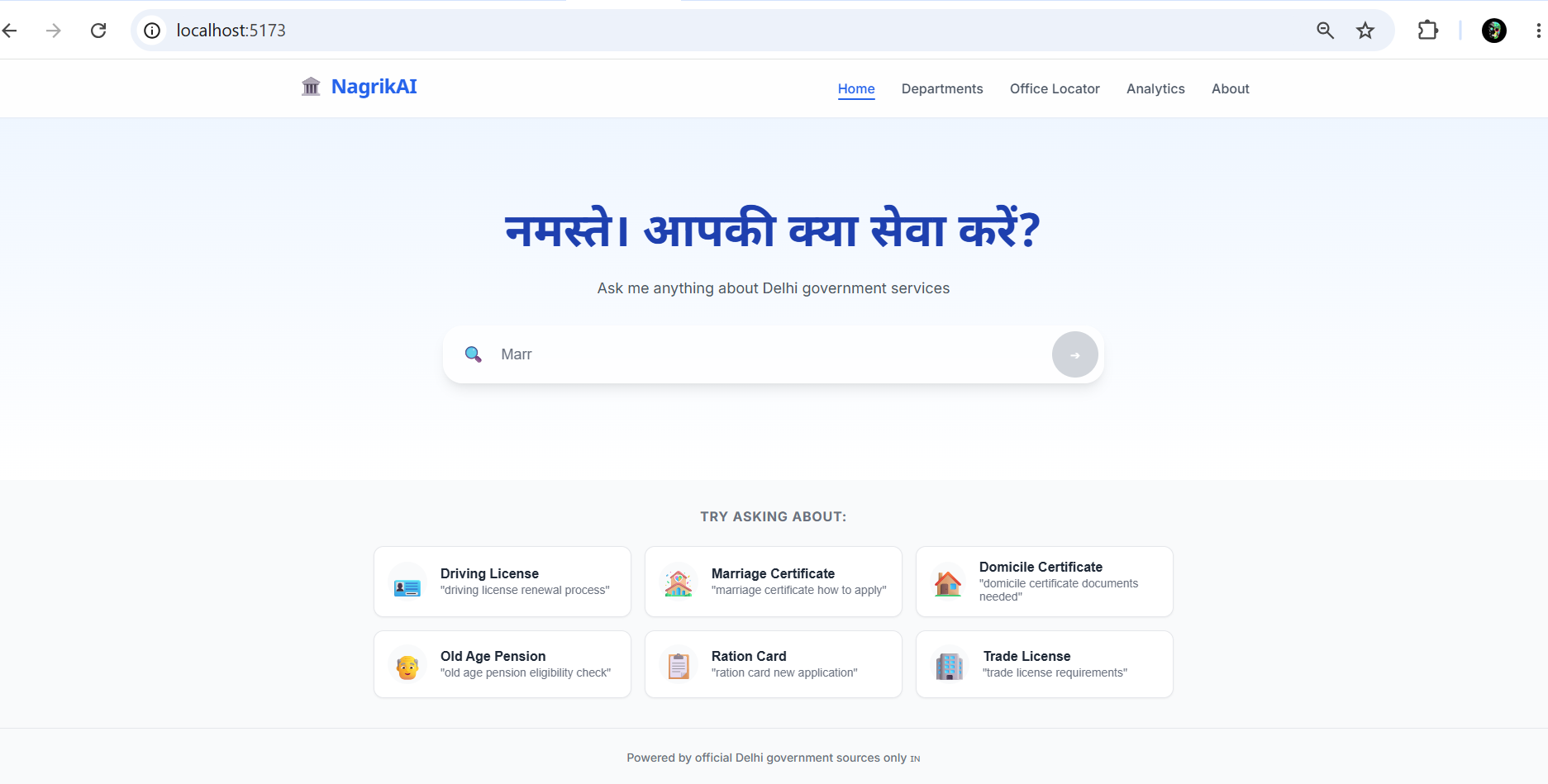
NagrikAI is a Retrieval-Augmented Generation agent that works as a single trusted interface for all Delhi government services. A citizen asks a question in plain Hindi or English. The system retrieves the relevant official information from its curated knowledge base of government documents. It then explains the procedure, lists the required documents, states the official fee, confirms the processing timeline, provides a direct link to the official portal, and cites every single claim with the source URL.
The design principle is simple: if it is not in an official government document, NagrikAI does not say it.
What NagrikAI Delivers for Every Query
- The correct department responsible for the service
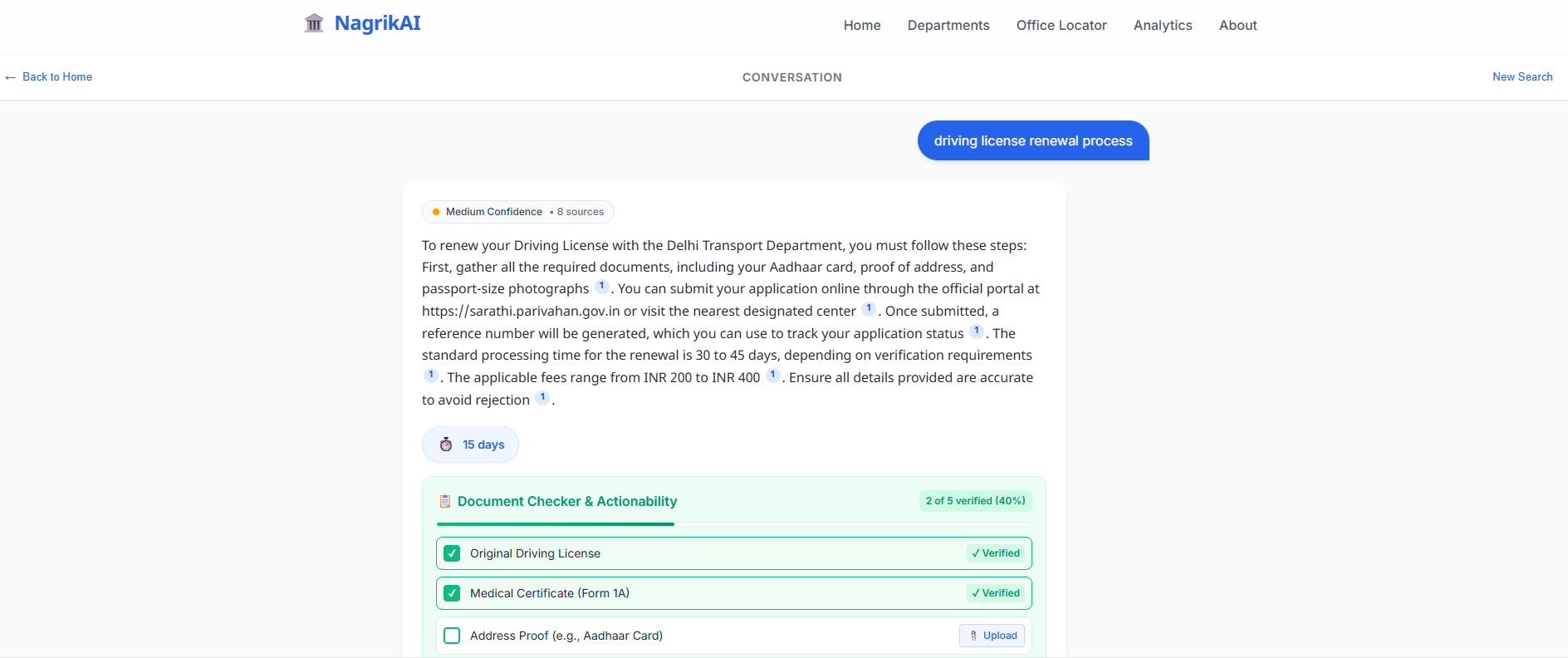
- A complete checklist of required documents
- A numbered step-by-step application procedure
- The official fee with the source citation
- The expected processing timeline with the source citation
- A direct link to the official application portal
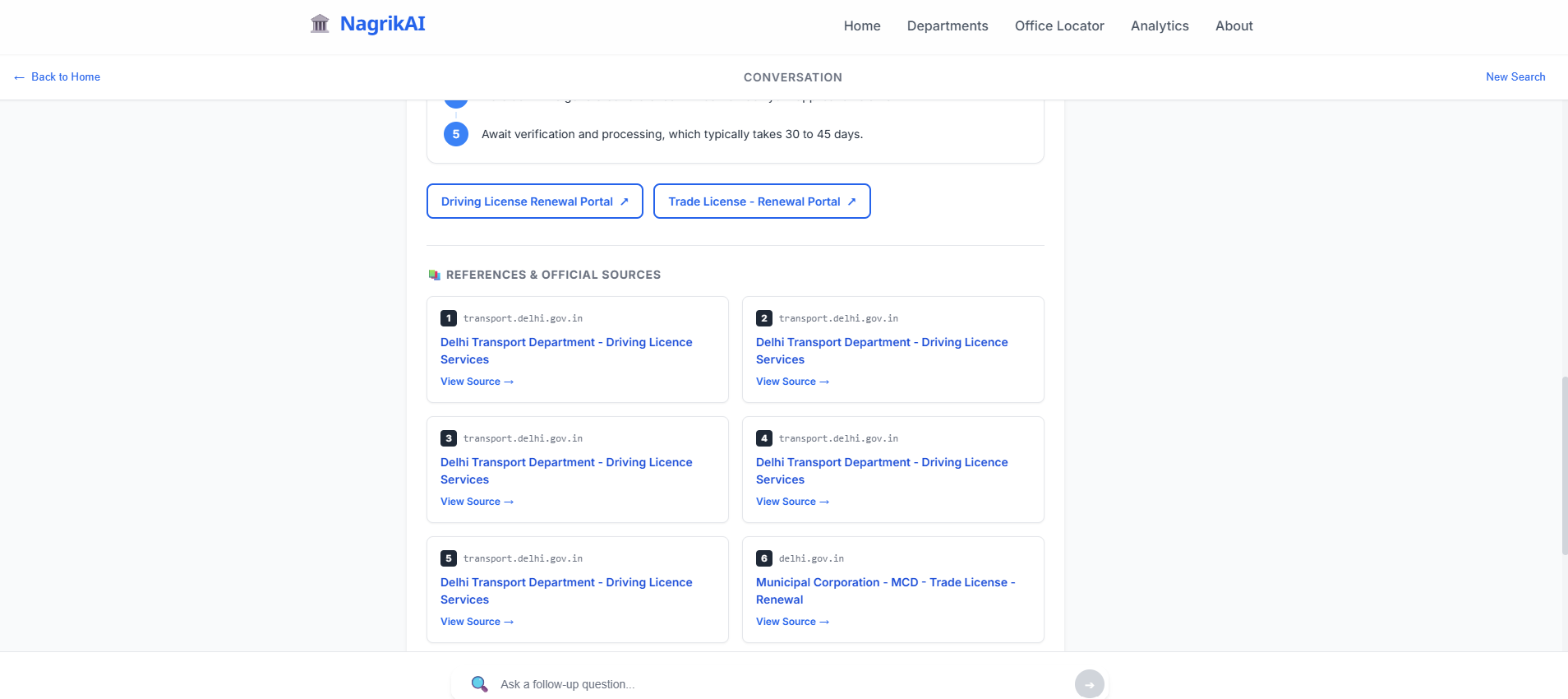
- Inline citations for every factual claim
- Suggested follow-up questions to continue the journey
- A confidence indicator showing how complete the evidence is
- A safe fallback to the official helpline when evidence is insufficient
What Makes It Different
The critical difference between NagrikAI and any existing chatbot or search tool is that hallucination is not prevented by prompt engineering alone — it is prevented by architecture. The system cannot invent an answer because Gemini is never asked to answer from memory. It is only asked to explain what Elasticsearch already retrieved from official sources. If Elasticsearch returns no relevant evidence, Gemini has no material to work with, and NagrikAI says so explicitly and directs the citizen to the official helpline.
Data Sources Used
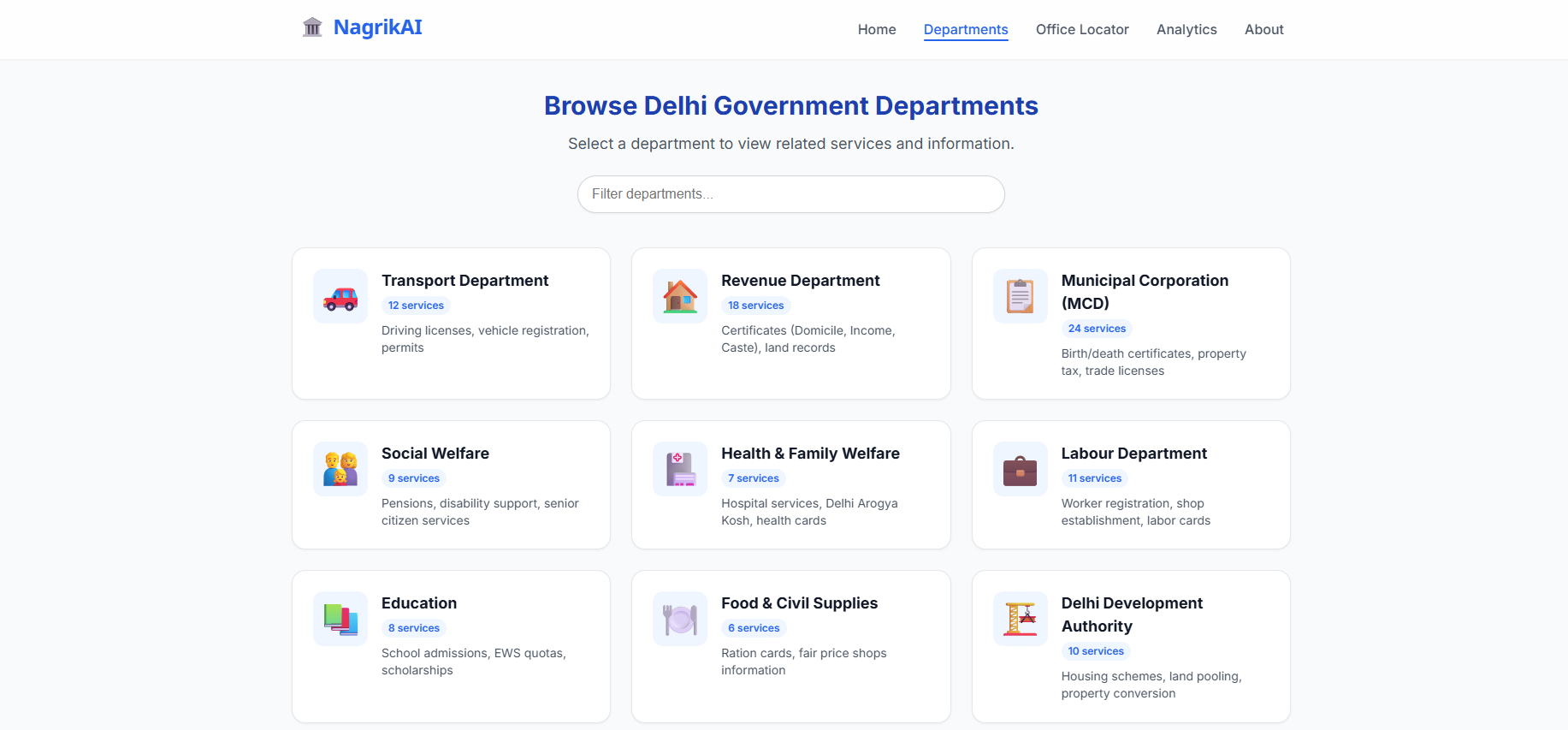
Our Approach to Data
We made one rule before writing a single line of code: zero unofficial sources. No blogs. No news articles. No Wikipedia. No third-party aggregators. Every document in our knowledge base comes from a .gov.in or .nic.in domain and is credited to its original government publisher.
Primary Sources
| Source | Official URL | Publisher | Services Covered |
|---|---|---|---|
| Delhi Government Portal | https://delhi.gov.in | Government of NCT Delhi | General services, citizen schemes, department directory |
| e-District Delhi | https://edistrict.delhigovt.nic.in | Revenue Department, GNCT Delhi | Domicile, Income, Caste, Character, EWS Certificates |
| Delhi Transport Department | https://transport.delhi.gov.in | Transport Department, GNCT Delhi | Driving Licence, Vehicle Registration, Permits, PUC |
| Sarathi Parivahan | https://sarathi.parivahan.gov.in | Ministry of Road Transport and Highways | Learner's Licence, DL Renewal, International Permit |
| MCD Online Services | https://mcdonline.nic.in | Municipal Corporation of Delhi | Birth/Death Certificates, Trade Licence, Property Tax |
| Delhi Revenue Department | https://revenue.delhigovt.nic.in | Revenue Department, GNCT Delhi | Property Mutation, Land Records, NOC |
| Delhi Social Welfare Department | https://socialwelfare.delhigovt.nic.in | Social Welfare Department, GNCT Delhi | Old Age Pension, Widow Pension, Disability Pension, Ladli |
| Delhi Health Department | https://health.delhigovt.nic.in | Health and Family Welfare, GNCT Delhi | Medical Fitness Certificates, Health Trade Licence |
| Delhi Labour Department | https://labour.delhigovt.nic.in | Labour Department, GNCT Delhi | Labour Card, ESI, PF, Wage Complaints |
| Directorate of Education Delhi | https://edudel.nic.in | Directorate of Education, GNCT Delhi | School Admissions, EWS Quota, Transfer Certificates |
| DSEL Delhi | https://dsel.nic.in | Directorate of School Education and Literacy | RTE Act, EWS Seats, Scholarship |
| FSSAI | https://fssai.gov.in | Ministry of Health and Family Welfare | Food Licence, FSSAI Registration |
| India.gov.in | https://india.gov.in | Department for Promotion of Industry and Internal Trade | National service cross-reference |
Data Statistics
Total services indexed:           55 unique service profiles
Total document chunks in Elastic: 275 chunks
Embedding dimensions:             3072 (Gemini text-embedding-2)
Government departments covered:   9
Official source domains:          13 (all .gov.in or .nic.in)
Languages in knowledge base:      English (primary), Hindi terms preserved
Last knowledge base refresh:      July 18, 2025
Attribution and Responsibility Statement
All content in NagrikAI's knowledge base is the intellectual property of the respective Government of NCT Delhi departments, Central Government ministries, and statutory bodies listed above. NagrikAI is a navigational aid that helps citizens understand and access government services. It does not replace official government portals. Citizens should always verify current procedures, fees, and document requirements directly with the relevant department before submitting applications, as government policies and procedures are subject to change.
Every answer generated by NagrikAI includes inline citation markers that link directly to the retrieved source document, allowing citizens and judges to verify the basis of every claim.
Elastic and GCP Components
Elasticsearch — The Evidence Engine
Elasticsearch is not used as a database in NagrikAI. It is the retrieval brain that makes the entire trust architecture possible. Here is exactly where each component fits.
Index Architecture
nagrik-services    55 services    275 chunks    Core knowledge base
nagrik-schools     200 schools    Geo-point     School locations and admissions
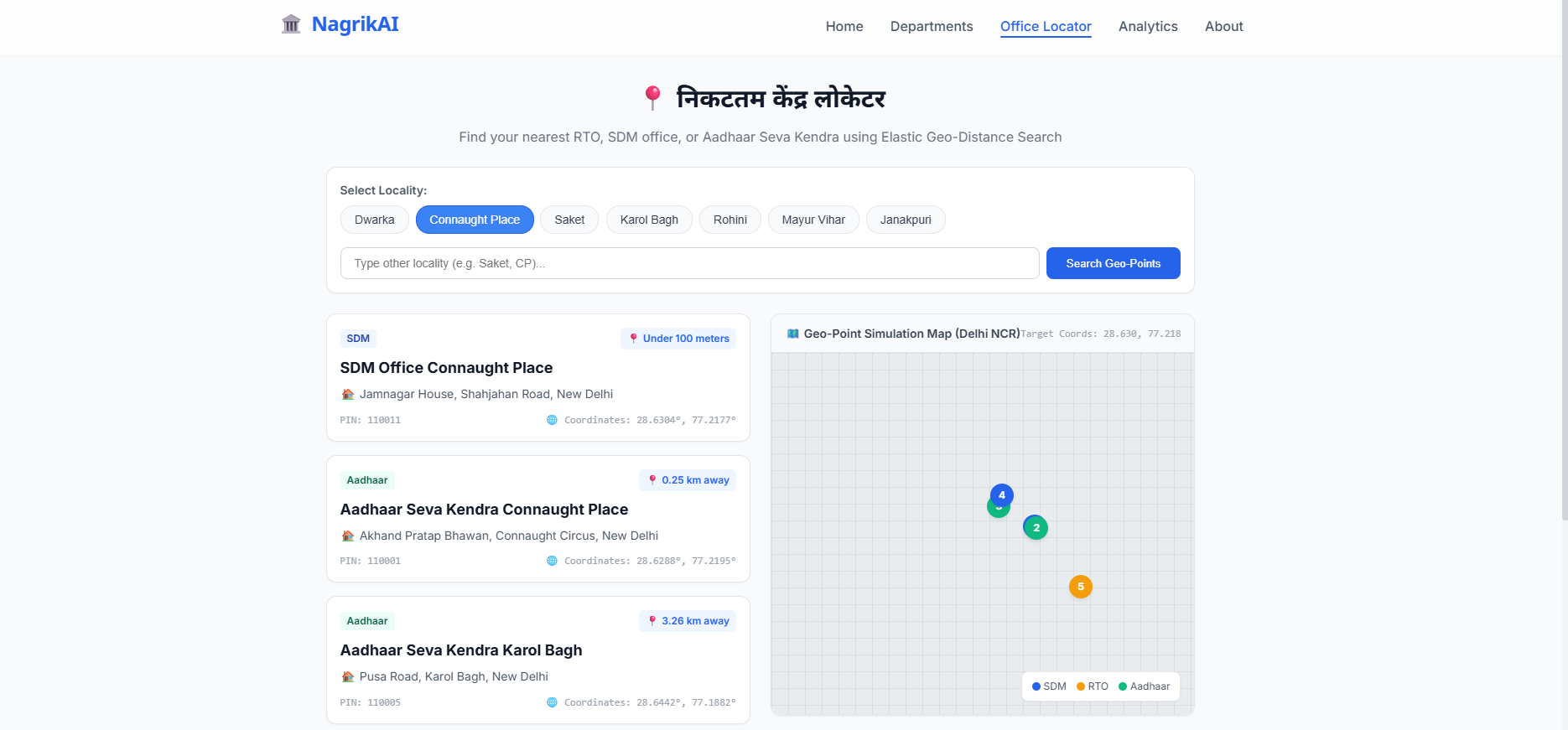
nagrik-offices     RTO/SDM/MCD    Geo-point     Office locations and hours
Retrieval Pipeline
Step 1 — Query Embedding The citizen's question is embedded into a 3072-dimensional vector using Gemini text-embedding-2. This vector captures the semantic meaning of the question, not just the keywords.
Step 2 — BM25 Keyword Search Elasticsearch's BM25 engine searches the text of all 275 chunks for exact and near-exact matches. This is critical for Indian government terminology — "Form 1A", "sarathi.parivahan.gov.in", "SDM office" — where exact wording matters and must be matched precisely.
Step 3 — kNN Vector Search Simultaneously, a k-nearest-neighbour search finds the chunks whose 3072-dimensional embeddings are most semantically similar to the query vector. This handles the case where a citizen uses informal language — "prove I live in Delhi" retrieves domicile certificate content even though those exact words do not appear in the document.
Step 4 — Hybrid Ranking The BM25 results and the kNN results are combined into a single ranked list. The top retrieved chunks, together with their source metadata — URL, publisher, department, fee, timeline, required documents — are passed to Gemini as the grounded context.
Step 5 — Geo-Point Queries
For location-sensitive queries such as "nearest RTO to Lajpat Nagar" or "government school near Dwarka", Elasticsearch's geo_distance filter sorts results by physical proximity to the user's stated location.
Step 6 — Highlight API Elasticsearch returns highlighted excerpts showing exactly which sentence in the retrieved document matches the query. These excerpts are rendered as citation snippets in the Answer Card, letting citizens read the exact government text that supports the answer.
Step 7 — Synonym Filters
A custom index analyzer handles the wide variation in how Delhi citizens spell government terms: aadhar and aadhaar, license and licence, PAN and pan card, niwas praman patra and domicile certificate. Without synonyms, a simple spelling variation would break retrieval entirely.
Step 8 — Structured Metadata Fields Fee amounts, processing timelines, required document lists, and official portal URLs are stored as structured typed fields in the index, not buried in text blobs. This allows Gemini to pull exact fee figures and timeline numbers directly from structured data rather than extracting them from prose, dramatically reducing the risk of numeric errors.
Elastic Usage Summary
| Feature | Implementation | Purpose |
|---|---|---|
| BM25 full-text search | multi_match across service name, content, department |
Exact term retrieval |
| kNN vector search | dense_vector field, 3072 dimensions, cosine similarity |
Semantic intent matching |
| Hybrid ranking | BM25 + kNN combined | Best of both retrieval methods |
| Geo-point queries | geo_distance filter and _geo_distance sort |
Proximity-based office/school results |
| Highlight API | highlight parameter on content field |
Citation snippet extraction |
| Synonym filters | Custom index analyzer | Indian terminology variation handling |
| Structured metadata | fee_inr, timeline_days, documents_required typed fields |
Accurate structured answer generation |
| Multi-index search | Search across services, schools and offices simultaneously | Single query, multiple result types |
| Aggregations | terms aggregation on department and service fields |
Query analytics and usage monitoring |
Google Cloud Platform — The Processing and Deployment Layer
Gemini text-embedding-2
Used during ingestion to convert every document chunk into a 3072-dimensional vector stored in Elasticsearch. Used at query time to convert the citizen's question into a query vector for kNN search. Gemini embeddings were chosen for their multilingual quality, which is important for a knowledge base that contains Hindi terminology and serves Hindi-speaking citizens.
Gemini 2.0 Flash
Used in the generation step to convert the retrieved Elasticsearch context into a structured JSON response. Gemini is given only the retrieved official text and is instructed to answer within it. It produces a structured payload containing the answer text with inline citations, the document checklist, the numbered procedure, the fee, the timeline, the official links, the follow-up questions, and the confidence score.
Cloud Run (Backend)
The FastAPI backend is containerised and deployed on Cloud Run. This provides automatic scaling, zero idle cost, and HTTPS enforcement without server management. The backend handles input validation, injection detection, rate limiting, RAG orchestration, and response formatting.
Cloud Run (Frontend)
The Next.js frontend is also containerised and deployed on Cloud Run, giving us a fully managed, scalable deployment path for the citizen-facing interface.
GCP Secret Manager
All credentials — Elasticsearch API key, Gemini API key, Cloud Run service account keys — are stored in Secret Manager and injected as environment variables at runtime. No credentials appear in the codebase, the container image, or the repository.
Google Maps API
Used in the office and school location features to render an interactive map showing nearby government offices and schools when a citizen's query contains a location reference.
Cloud Speech-to-Text
Used for voice input, allowing citizens to speak their query in Hindi or English rather than typing. This is critical for senior citizens and users who are more comfortable speaking than typing.
The Hard Problem
An off-the-shelf chatbot trained on the internet fails at this problem for reasons that are structural, not superficial, and that cannot be fixed by changing the prompt.
Government services in Delhi are local, procedural, date-sensitive, and institution-specific in ways that general training data cannot capture reliably. The internet contains thousands of pages about Delhi government services — blog posts, legal aggregators, news articles, unofficial guides — and the vast majority of them are wrong, outdated, or incomplete. A model trained on this data learns the statistical average of all these pages, which means it learns a version of government procedure that was partially true at some point in the past, for some subset of applicants, under some set of rules that may have since changed.
When a citizen asks a general chatbot for the documents needed to renew a Delhi driving licence, the model may correctly identify Aadhaar card and photographs because those appear consistently across many pages. But it may miss Medical Certificate Form 1A, which is a mandatory requirement that appears only on official government pages and is rarely mentioned in unofficial guides. That one missing document means a wasted trip. The chatbot was not lying — it was averaging. But averaging kills actionability.
The second structural failure is citation. A general chatbot cannot tell the citizen where the answer came from because it does not retrieve from a specific source — it generates from a probability distribution across everything it has seen. This means the citizen has no way to verify the answer, no way to check if the fee has changed, and no way to trust that the portal link is still active.
The third failure is language specificity. Delhi government services involve precise terminology — specific form numbers, specific portal names, specific office types — that do not translate cleanly into casual language. "SDM office" means Sub-Divisional Magistrate office, and the citizen must go to the SDM office for their specific district, not any SDM office. A general chatbot may not preserve this specificity. NagrikAI indexes these distinctions as structured metadata and retrieves them exactly.
The fourth failure is the abstain problem. When a chatbot does not know something, it often makes a plausible guess anyway. When NagrikAI's Elasticsearch retrieval returns insufficient evidence, Gemini has no material to generate from and the system explicitly tells the citizen it cannot confirm the answer and directs them to the official helpline. This is the correct behaviour for a system that citizens depend on for real-world decisions.
NagrikAI solves all four failures not through prompt engineering but through architecture. Retrieval bounds generation. Official sources bound retrieval. Citation makes every claim verifiable. And explicit uncertainty prevents confident wrong answers.
Architecture
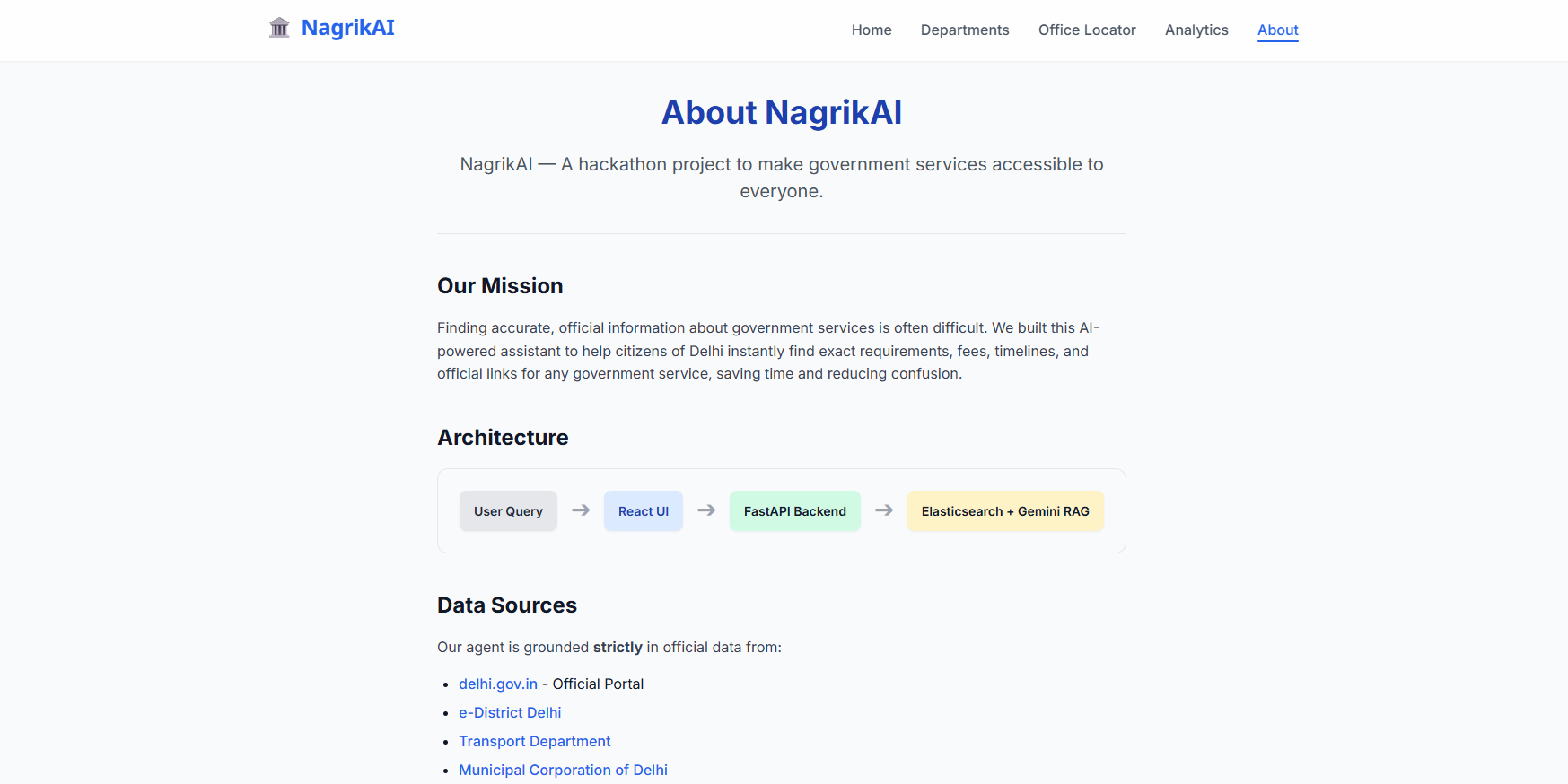
System Flow
flowchart TD
    A["👤 Delhi Citizen\nEnglish / Hindi / Voice"] --> B

    subgraph FRONTEND["🖥️ Frontend — Next.js on Cloud Run"]
        B["Search Bar + Voice Input\nSuggestion Chips"]
        B --> C["React State"]
        C --> D["API Client"]
    end

    D -->|"POST /api/query\nHTTPS + Rate Limited"| E

    subgraph BACKEND["⚙️ Backend — FastAPI on Cloud Run"]
        E["Input Validator\nPydantic + Bleach"]
        E --> F["Injection Detector\nRegex Pattern Guards"]
        F --> G["Language Detector\nDevanagari Heuristic"]
        G --> H["RAG Orchestrator"]
        H --> I["Gemini text-embedding-2\n3072-dim Query Vector"]
        H --> N["Citation Validator"]
        N --> O["Response Formatter\nStructured JSON"]
    end

    I -->|"Query Vector"| J

    subgraph ELASTIC["🔍 Elasticsearch — Elastic Cloud"]
        J["Hybrid Search"]
        J --> K["BM25 Keyword"]
        J --> L["kNN Vector"]
        K --> M["Combined Ranking"]
        L --> M
        M --> P2["Geo-Point Sort"]
        P2 --> P3["Highlight Engine"]

        subgraph IDX["Indices"]
            I1["nagrik-services\n55 services · 275 chunks"]
            I2["nagrik-schools\n200 schools · geo_point"]
            I3["nagrik-offices\nRTO · SDM · MCD · geo_point"]
        end
    end

    P3 -->|"Top chunks + metadata\n+ highlighted excerpts"| H

    H -->|"Grounded context\nofficial sources only"| P

    subgraph GCP["☁️ Google Cloud"]
        P["Gemini 2.0 Flash\nGeneration"]
        SM["Secret Manager\nAll credentials"]
        STT["Speech-to-Text\nVoice queries"]
        MAPS["Google Maps API\nOffice locator"]
    end

    P -->|"Structured JSON response"| O
    O -->|"Validated response"| D

    subgraph DISPLAY["🎨 Answer Display"]
        T["Cited answer with inline markers"]
        U["Document checklist"]
        V["Numbered procedure"]
        W["Fee and timeline"]
        X["Nearest office on map"]
        Y["Official portal links"]
        Z["Document readiness checker"]
    end

    D --> T & U & V & W & X & Y & Z
Security Practices
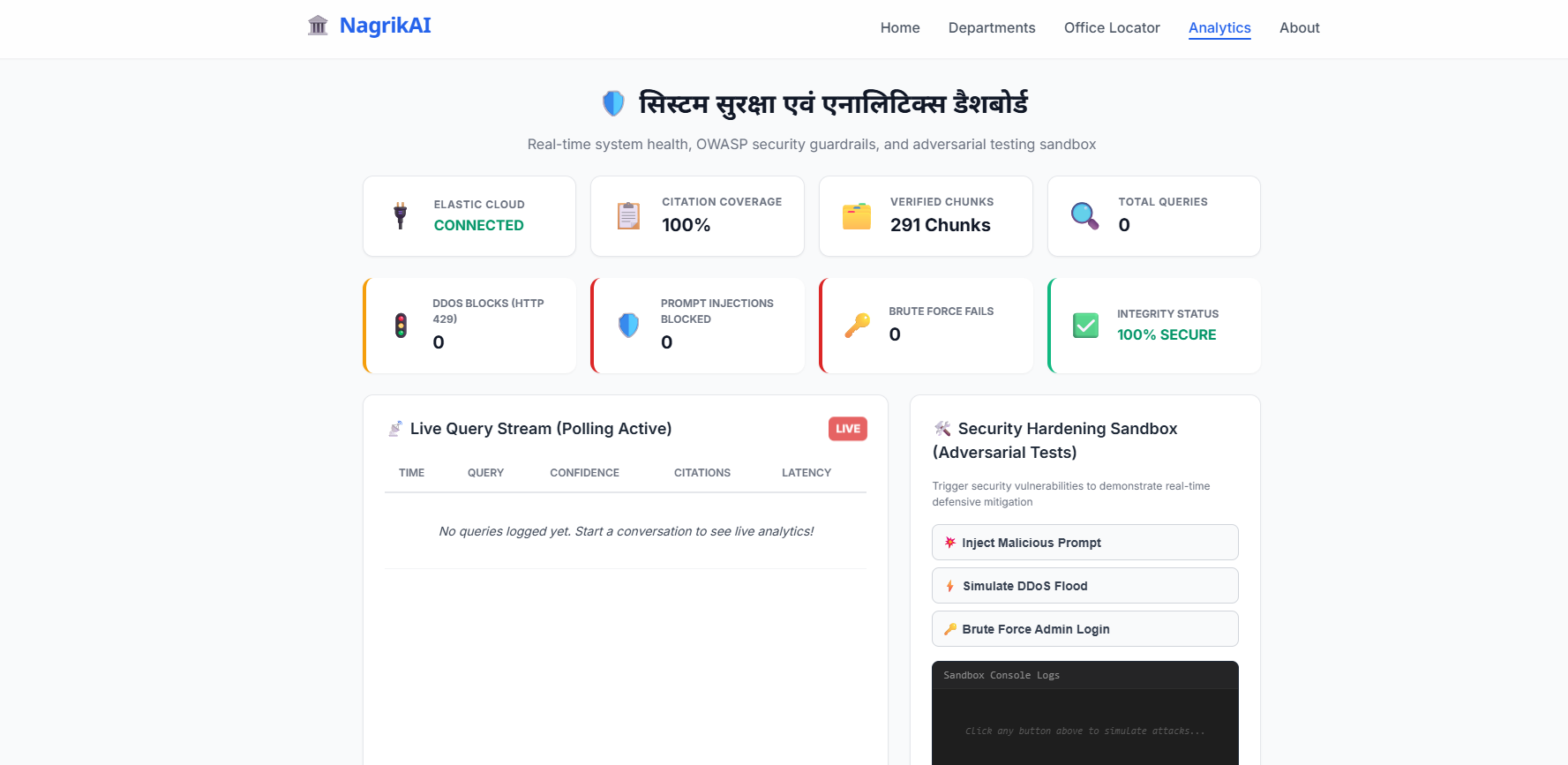
Security in NagrikAI is treated as a load-bearing concern, not a compliance checkbox. The threat surface of an AI agent serving citizens includes both conventional web application vulnerabilities and AI-specific attack vectors that require separate mitigations.
Prompt Injection Prevention. Every user query passes through a regex-based injection detector before it reaches the language model. Patterns including "ignore previous instructions", "forget your rules", "you are now", "act as", and known jailbreak constructs are detected and blocked. The system returns a safe redirect response and logs the attempt without disclosing what was detected.
Input Sanitization. All user input is sanitized using the bleach library in the FastAPI middleware before any processing. HTML tags, script tags, and special characters that could be used for cross-site scripting are stripped at the boundary.
Rate Limiting. A token bucket rate limiter enforces a maximum of 20 requests per minute per client IP address. This protects both API cost budgets and Elasticsearch query capacity from abuse.
Secret Management. No credentials appear in the codebase, environment files committed to the repository, or container images. All API keys and service credentials are stored in GCP Secret Manager and injected as environment variables at Cloud Run startup.
RAG Poisoning Prevention. The knowledge base accepts no user-submitted content. Every document in the index was manually sourced from a verified .gov.in or .nic.in domain. The ingestion pipeline validates source domains against a whitelist before indexing. This eliminates the attack vector where adversarial content is injected into the retrieval corpus to manipulate responses.
Output Safety. Language model output is parsed as structured JSON against a strict schema before it reaches the frontend. The frontend renders all string content through React's default JSX escaping. The application never uses dangerouslySetInnerHTML with model-generated content.
Privacy by Design. The application does not collect, store, or log personally identifiable information. Session continuity uses UUID session identifiers that carry no personal data. Feedback signals are stored by message ID only.
CORS Configuration. Cross-origin resource sharing is restricted to the specific frontend domain. Wildcard origins are not permitted.
HTTPS Enforcement. Cloud Run enforces TLS on all connections. HTTP requests are redirected to HTTPS. HSTS headers are set to prevent protocol downgrade attacks.
Confidence and Fallback. When retrieved evidence is insufficient to answer a query with high confidence, the system does not attempt to fill the gap with generated content. It explicitly states the limitation and provides the official government helpline number as a verified human fallback.
Features
Core Retrieval and Generation
- RAG pipeline grounded exclusively in official government sources
- Hybrid search combining BM25 keyword retrieval and kNN semantic vector search
- 3072-dimensional Gemini embeddings for documents and queries
- Multi-index search across services, schools, and offices in a single query
- Inline citation markers in every answer mapped to retrieved source documents
- Clickable citation cards showing source title, domain, URL, and supporting excerpt
- Confidence scoring based on evidence quality and completeness
- Safe fallback to official helpline when evidence is insufficient
Citizen-Facing Features
- Natural language queries in English, Hindi, and Hinglish
- Voice input in Hindi and English via Google Cloud Speech-to-Text
- Complete required document checklist per service
- Numbered step-by-step application procedure
- Official fee with source citation
- Processing timeline with source citation
- Direct links to official government application portals
- Document readiness checker that identifies what a citizen is missing
- Printable checklist for physical use at government offices
- Suggested follow-up questions for continuing the service journey
- Nearest office locator using Elasticsearch geo-point proximity search
- Government school finder with admission dates, classes, and fees
- Interactive map of nearby offices and schools via Google Maps
Technical Features
- Synonym expansion for Indian government terminology variations
- Elasticsearch Highlight API integration for citation snippet extraction
- Structured metadata fields for fees, timelines, and documents
- Elasticsearch aggregations for query analytics
- Language auto-detection using Devanagari character density heuristic
- Prompt injection detection and blocking
- Input sanitization and validation
- Rate limiting with token bucket algorithm
- Health endpoint reporting status of all service connections
- Architecture diagram on the About page for transparency
Future Scope
WhatsApp Integration. The same RAG backend can serve responses through WhatsApp Business API, reaching citizens who do not use web browsers and do not have smartphones capable of running a web application. This would extend NagrikAI's reach to the citizens who need it most.
Application Status Tracking. Integration with department APIs where they exist would allow citizens to check the status of a submitted application — domicile certificate, ration card, pension — without visiting the department office.
Automated Knowledge Base Refresh. A scheduled pipeline that monitors official government portals for updated procedure pages, fee schedules, and document requirement changes would keep the knowledge base current without manual curation.
Regional Language Expansion. The same architecture supports Punjabi, Bhojpuri, and Urdu with different embedding models and synonym configurations, expanding coverage to Delhi's full linguistic diversity.
Government Partnership. NagrikAI can be licensed to the Government of NCT Delhi to power the official citizen services portal, replacing 50 fragmented department websites with a single trusted conversation layer.
Team
Vinay Kumar
Solo build — 4 hours
Design, Backend, Frontend, Data Curation, Deployment
Acknowledgements
We acknowledge and credit the Government of NCT Delhi, the Ministry of Road Transport and Highways, the Municipal Corporation of Delhi, the Ministry of Health and Family Welfare, and all other government departments whose official published information forms the knowledge base of NagrikAI. This project is a navigational tool and does not claim any official government affiliation.
We thank Elastic for providing the search and retrieval infrastructure that makes grounded, cited answers possible, and Google Cloud for the AI and deployment infrastructure that powers the generation and accessibility features.
NagrikAI — Ask in plain language. Get official answers. Every time.
Built With
- cloud-run
- cloud-speech-to-text
- dense-vectors
- elastic-cloud
- elasticsearch
- fastapi
- framer-motion
- gcp-secret-manager
- gemini-text-embedding-2
- geo-point-queries
- google-cloud
- google-maps
- highlight-api
- hybrid-search
- knn-vector-search
- multilingual-ai
- next.js
- python
- rag
- react
- reciprocal-rank-fusion
- retrieval-augmented-generation
- shadcn/ui
- tailwindcss
- typescript


Log in or sign up for Devpost to join the conversation.