Nabza — Tap & Share Profile
One tap. One scan. Your professional identity.
💡 Inspiration
Networking often ends with the exchange of a business card—and then the connection gets lost.
Traditional business cards are easy to lose, difficult to update, and require printing. Digital business card platforms solve part of the problem, but many still rely on proprietary NFC hardware, limited customization, or require the recipient to install an app.
We wanted to remove all of that friction.
Nabza turns an inexpensive NFC sticker or a QR code into a personal digital identity that can be opened instantly in any modern web browser.
The idea is simple:
Tap → Open → Connect.
No app for the recipient. No account required to view a profile. No proprietary NFC hardware.
🚀 What Nabza Does
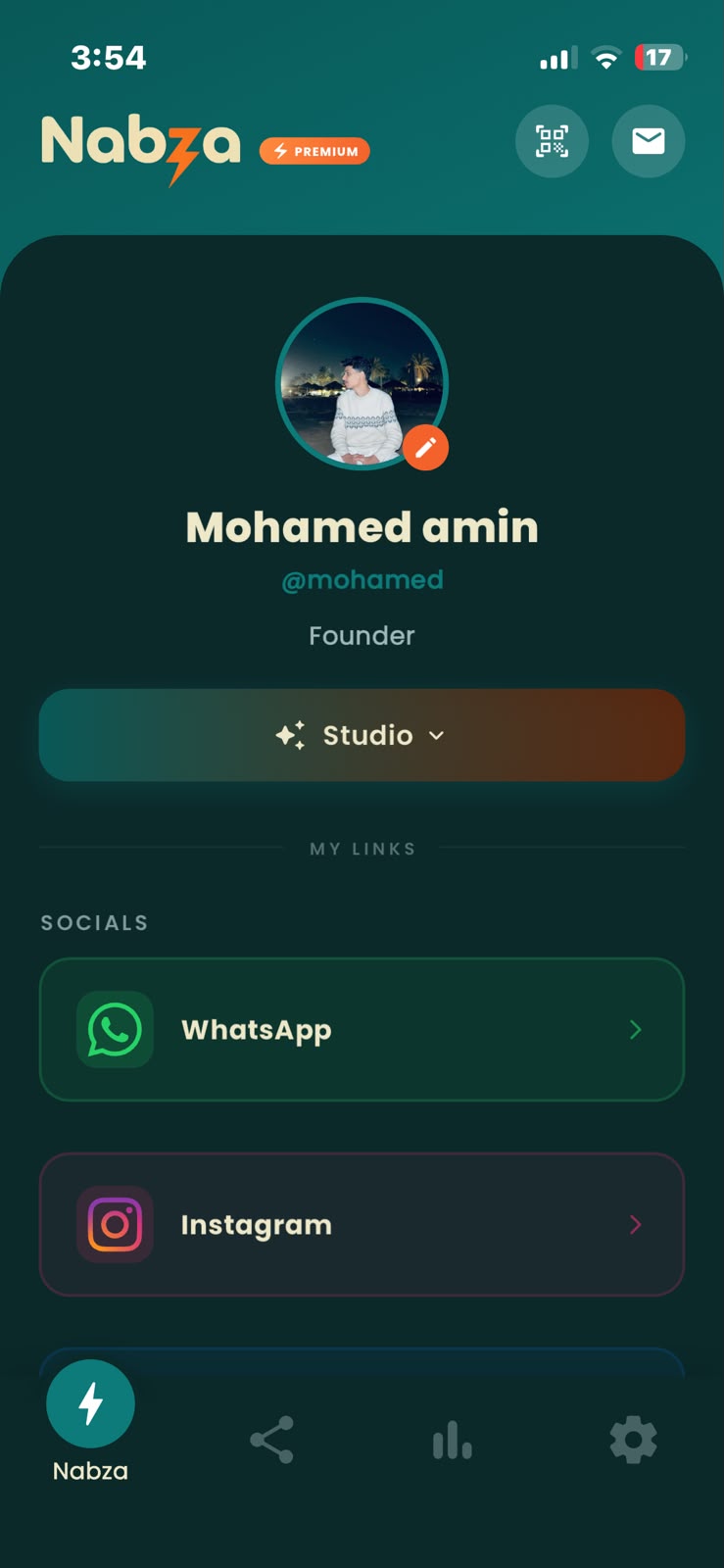
Nabza lets professionals create a highly customizable digital profile containing:
- 📞 Contact information
- 🌐 Websites and custom links
- 💼 Professional and portfolio information
- 📱 Social media
- 📇 Contact and lead capture
The profile can then be shared through either:
NFC
Program any standard NFC sticker with a Nabza profile URL and place it on a phone, laptop, desk, business card, or anywhere else.
QR Code
Every profile can also be accessed through a QR code, providing a universal fallback for devices that don't support NFC.
The recipient doesn't need Nabza installed.
They simply open the profile in their browser.
✨ More Than a Digital Business Card
We didn't want Nabza to be another static "link in bio" page.
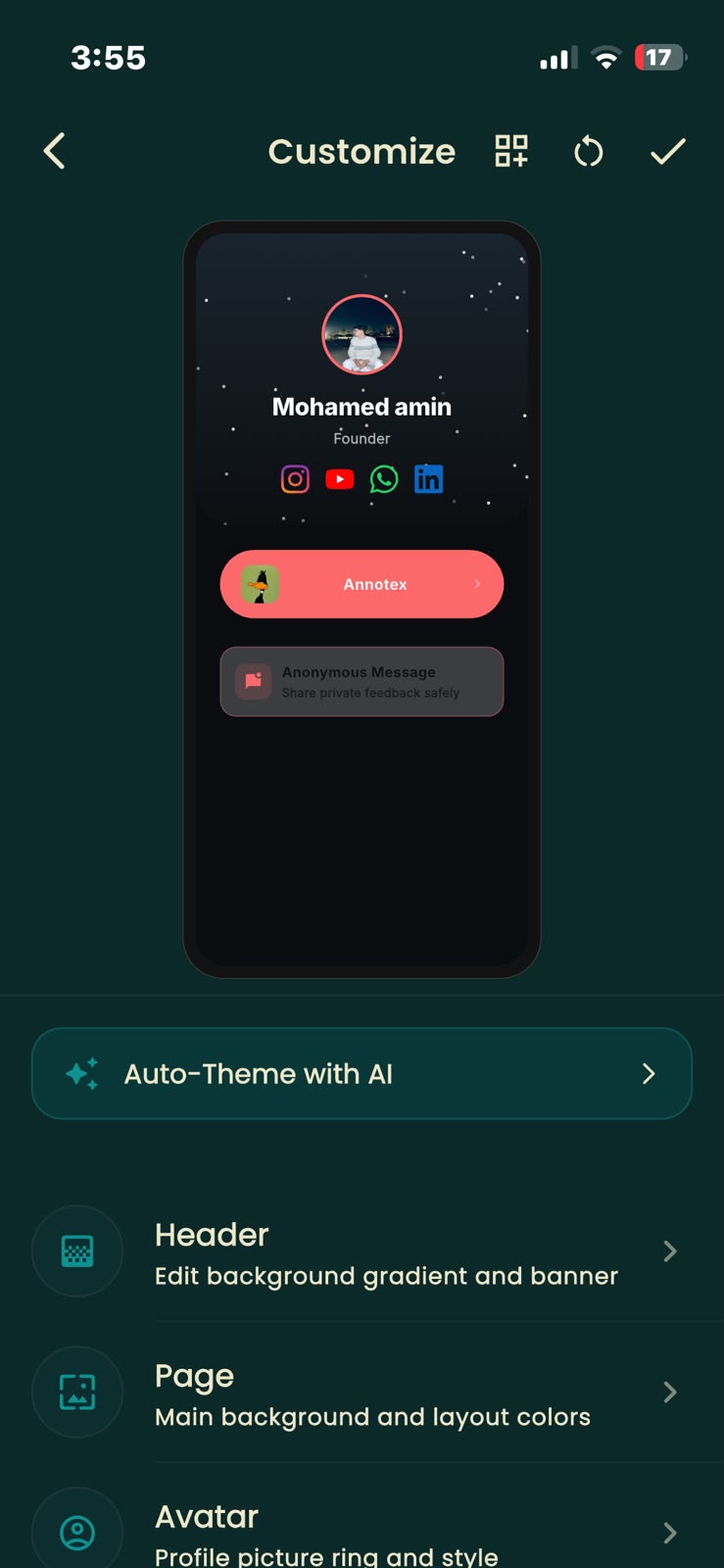
The profile itself is designed to feel like a premium personal website.
Profiles can use:
- Glassmorphism
- Mesh gradients
- Animated backgrounds
- Particle effects
- Custom typography
- Personalized colors
- Responsive layouts
The goal is to make the first impression feel as memorable as the person behind the profile.
🧠 Local AI-Powered Auto-Theming
One of Nabza's features automatically generates a visual theme from the user's profile photo.
Instead of sending the image to a cloud AI service, Nabza performs the visual analysis locally on the device.
The system uses color clustering to identify dominant and accent colors, then analyzes luminance and contrast to generate a readable and visually coherent profile theme.
This approach gives us three advantages:
- ⚡ Fast local processing
- 🔒 The image doesn't need to be uploaded for theme generation
- 💰 No per-generation cloud AI cost
The result is a personalized visual identity generated from the user's own photo with minimal effort.
💳 RevenueCat Integration
RevenueCat is a core part of Nabza's monetization architecture—not simply an add-on.
Nabza follows a freemium model designed around professional users who want more customization, analytics, and networking capabilities.
Free
Users can create and share their basic Nabza profile.
Nabza Premium
Premium unlocks:
- 🎨 Advanced AI-powered auto-theming
- ✨ Premium animated profile effects
- 📊 Profile analytics and insights
- 📩 Anonymous "Contact Me" and lead capture
- 📇 Multiple NFC profiles
RevenueCat manages the subscription and entitlement state across our mobile applications.
The same premium entitlement can control access to premium capabilities regardless of where the user manages their profile.
This allowed us to avoid building separate subscription logic for each platform and instead use RevenueCat as the central source of truth for premium access.
🛠 How We Built It
📱 Mobile Editor
Nabza's mobile application is built with Flutter and Dart.
Flutter allows us to maintain a shared codebase across iOS and Android while providing a native editing experience.
The editor includes a live profile preview so users can see how their public identity will look while customizing it.
🧠 Local Theme Engine
The auto-theming engine runs directly on the device.
We process the user's image, extract representative colors through clustering, calculate luminance and contrast, and use the resulting palette to generate the profile's visual theme.
The important part isn't simply extracting colors—it's turning those colors into a usable design system that remains readable across different profile components.
🌐 Web Profile
The public-facing profile is built with Flutter Web and delivered directly through the browser.
This is what makes the NFC experience possible:
NFC sticker → URL → Web profile
The person receiving the profile doesn't need to download Nabza or create an account.
We optimized the web experience for mobile devices while supporting the visual effects and responsive layouts used by the profiles.
☁ Backend
Nabza uses Firebase for its backend infrastructure:
- Firebase Authentication
- Cloud Firestore
- Firebase Storage
- Firebase Cloud Messaging
Firestore keeps profile data synchronized between the mobile editor and the public profile, while Firebase Storage handles user-uploaded assets.
📡 NFC
Nabza supports standard NFC tags rather than requiring users to purchase proprietary hardware.
The NFC tag simply points to the user's public Nabza profile.
This makes the physical sharing layer extremely inexpensive and flexible.
A user can use an inexpensive NFC sticker and attach it to almost anything.
🧗 Challenges We Faced
1. Mobile-to-Web Consistency
One of the biggest challenges was keeping the editing experience and public profile visually consistent.
Users expect the preview inside the app to closely represent what another person will see after tapping the NFC tag.
We therefore had to carefully synchronize profile configuration, responsive behavior, animations, and visual styling between the mobile editor and web experience.
2. Running Image Analysis Locally
Generating a useful theme from an image without relying on a cloud AI API introduced performance challenges.
Image processing had to happen without blocking the user interface, while still producing a palette quickly enough to feel interactive.
3. NFC Device Compatibility
NFC behavior varies across devices and operating systems.
We had to account for differences in NFC support and interaction patterns across Android and iOS while keeping the core experience simple:
Tap → Profile.
4. Subscription Entitlements
Supporting premium functionality across multiple platforms introduced another challenge.
Instead of maintaining separate subscription states, RevenueCat allowed us to centralize entitlement management and use the resulting premium state throughout the application.
🧠 What We Learned
Building Nabza taught us that reducing friction can be more valuable than simply adding features.
The networking experience has several potential points of friction:
Finding a card → scanning it → installing an app → creating an account → finally seeing the profile.
We removed as many of those steps as possible.
We also learned that personalization doesn't always require a large cloud AI model. For some problems, carefully designed local algorithms can provide a useful result while improving privacy, latency, and operating costs.
Technically, Nabza gave us hands-on experience with:
- Cross-platform development with Flutter
- Flutter Web
- NFC integration
- Client-side image analysis
- Responsive interactive web experiences
- Firebase
- Subscription architecture
- RevenueCat entitlements
❤️ Our Vision
We believe sharing your professional identity should be as easy as sharing a photo.
It shouldn't require expensive hardware.
It shouldn't require the other person to install an app.
And it shouldn't look like a boring list of links.
With Nabza:
One tap. One scan. Your professional identity.


Log in or sign up for Devpost to join the conversation.