-
-
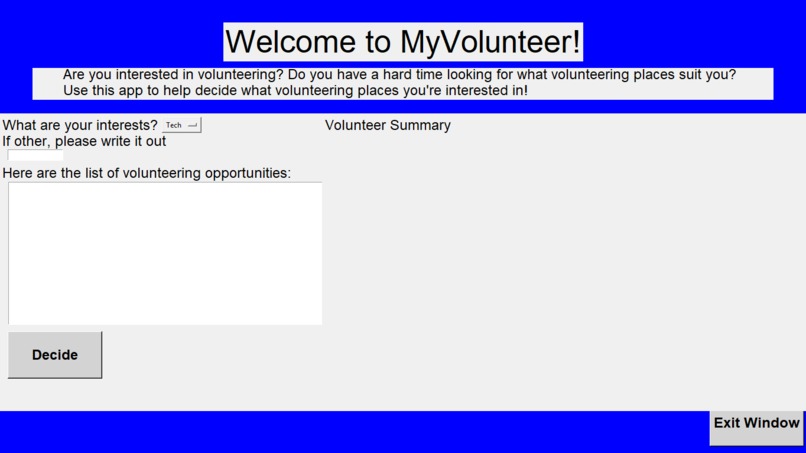
The old UI
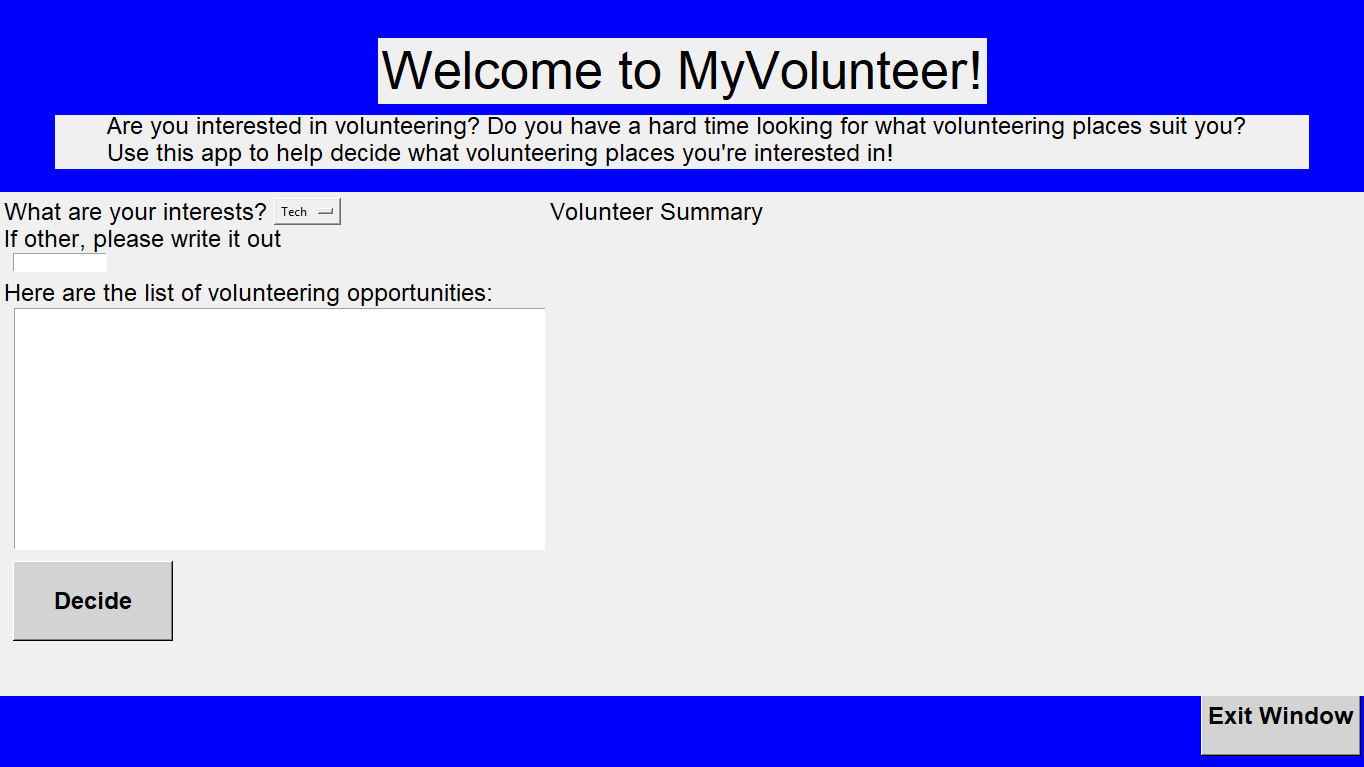
Inspiration
What it does## Inspiration
Have you ever wanted to volunteer somewhere, but were hardpressed for a lack of information? Often I have had to go to volunteering sites with little to no knowledge beforehand. However, I was often forced to go, as there were usually no other options available. Volunteering only serves to help out communities, and there's no reason for it to be difficult to sign up.
What it does
Our application looks for volunteering opportunities from a variety of sites, categorizes them and provides AI summaries. It pulls data from different sites, and makes it nice and easy for the user to view data about the events, as well as links to sign up for them on the website. It consists of a frontend UI, a backend that takes data from sites using APIs, and a transfer learning model that provides summaries for volunteering sites. Keep in mind, it is computer-only application, not mobile.
How we built it
Backend
- Using free APIs: We got the data from various different events using free APIs that we found online. We decided to mainly use data from volunteerconnector.org, as it was free and the API endpoint was easy to find.
- Sorting: We sorted our data using the API documentation, and organized it by title, description, and linked the urls. We did this using built in Python functions such as urllib. We used it to parse through each of the urls, and get the name of the event, a description, and the url itself.
- Transfer Learning: For the AI implementation of our project, we decided to use transfer learning. We downloaded a pretrained LLM model from HuggingFace that specialized in summarization. We then grouped the data from the .csv file into different categories, and then grouped all the data from each category into a single string so it would match with the inputs. Lastly, we took the summary of each category, and wrote it to another .csv file. Frontend We used Python Tkinter to help create the frontend application of the software. Before creating the application, we first designed what the application would look like using Google Drawings. Then, starting on the main code, we created the software using several of Tkinter’s features, including adding labels, buttons, a drop-down menu, and a list showing all the volunteer opportunities. Additionally, we customized the fonts and the background color to make the application a bit more “appealing.” Finally, we integrated backend code into front end by directly running the back-end when the “Decide” button is clicked. After the back-end code runs, the results go back to the front-end, printing the summary statement of what volunteer opportunity works best for you. ## Challenges we ran into We planned to use other sites to gather volunteer data, but that proved difficult to do within the time limit, so we had to resort to finding sites with free APIs of volunteer data. We also tried to use a HuggingFace API key to get the summary model, but we weren't able to, so we ended up downloading a pretrained model.
A challenge for the front-end part was simply striving for perfection. Because we are not so fluent in Tkinter, we weren’t able to quickly add flourishing details such as background images and customizable fonts. Especially for background images, the compiler required a whole new Python module to display the background image. We ran into an issue at the last second with the ui, and the whole thing got changed.
Accomplishments that we're proud of
I (Shaarav) am proud of getting to use all of my Python and machine learning knowledge, especially with the url parser and the summary model.
I (Varun) am proud of being able to use my creative knowledge to design how an application would look, as well as working hard to make sure every label, button, and canvas is in place. I’m also proud of fully using my Python and Tkinter knowledge to design a feasible application.
What we learned
Varun: There are several aspects I learned from Python Tkinter, including how to add a drop-down menu, lists, and an input field.
What's next for MyVolunteer
We hope to get access to more APIs, so we can get more events to display on our application. MyVolunteer will help people find out ways on how they can have an impact on society by guiding them on what volunteering will suit them the best. With more guidance in volunteering, people will overall be more likely to volunteer, leading to a greater impact for the community and society.
Built With
- machine-learning
- python
- tkinter
- transfer-learning
- ui

Log in or sign up for Devpost to join the conversation.