-
-
-
-
-

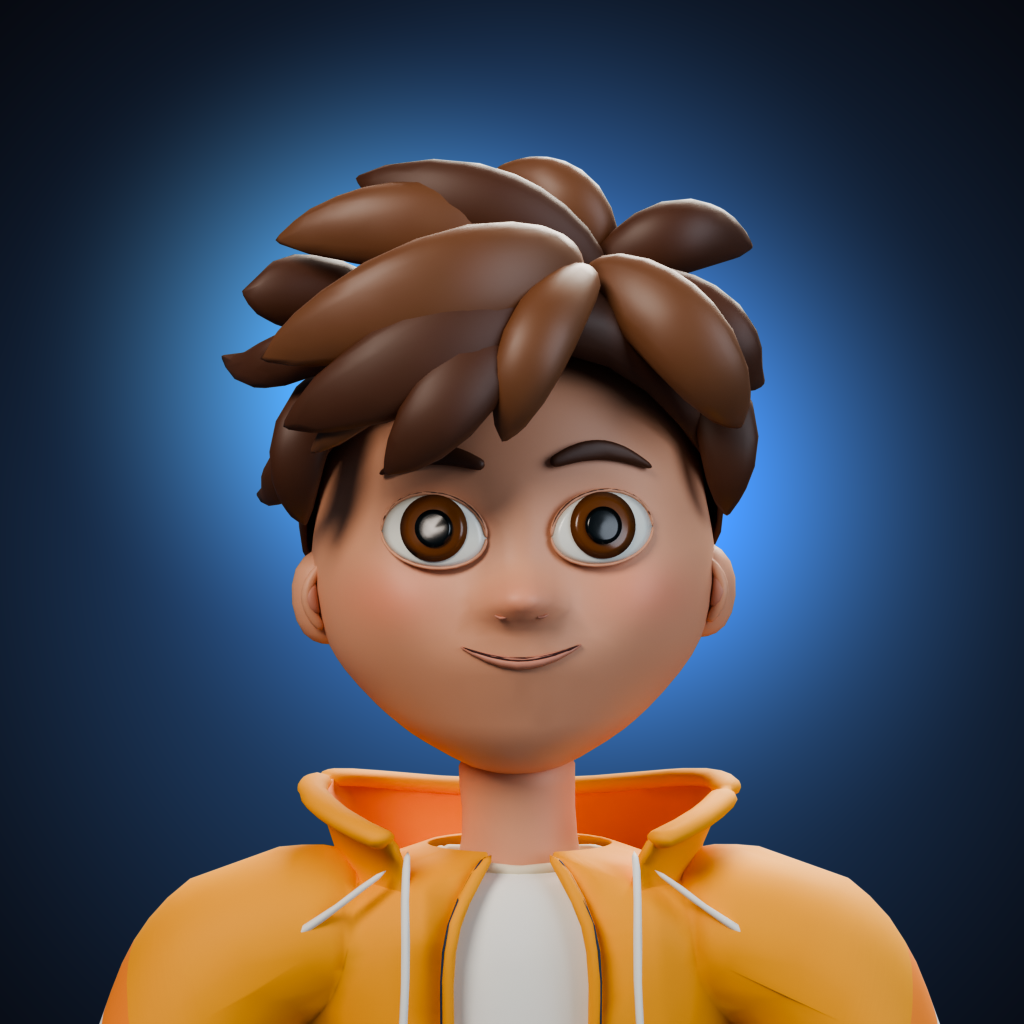
1024x1024 uncropped image of our app icon
-
-
-
-
-
-
-
-
-
-
-
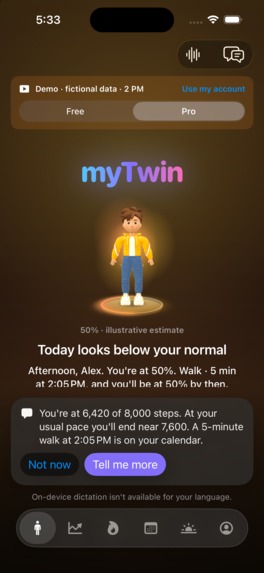
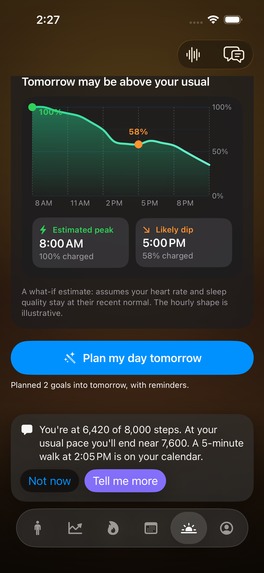
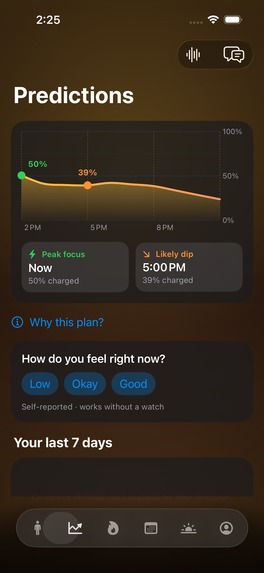
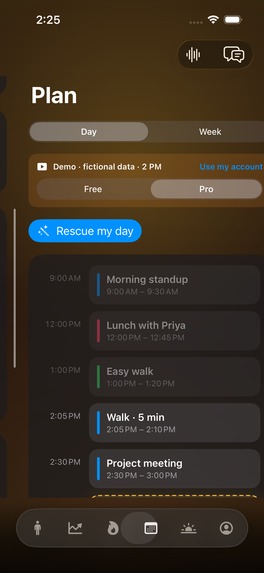
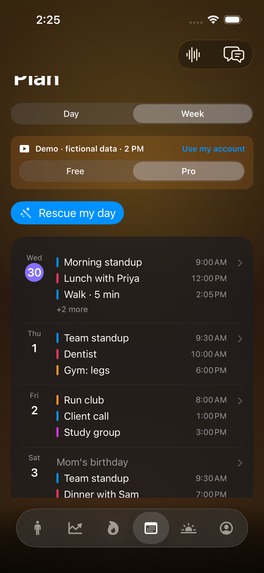
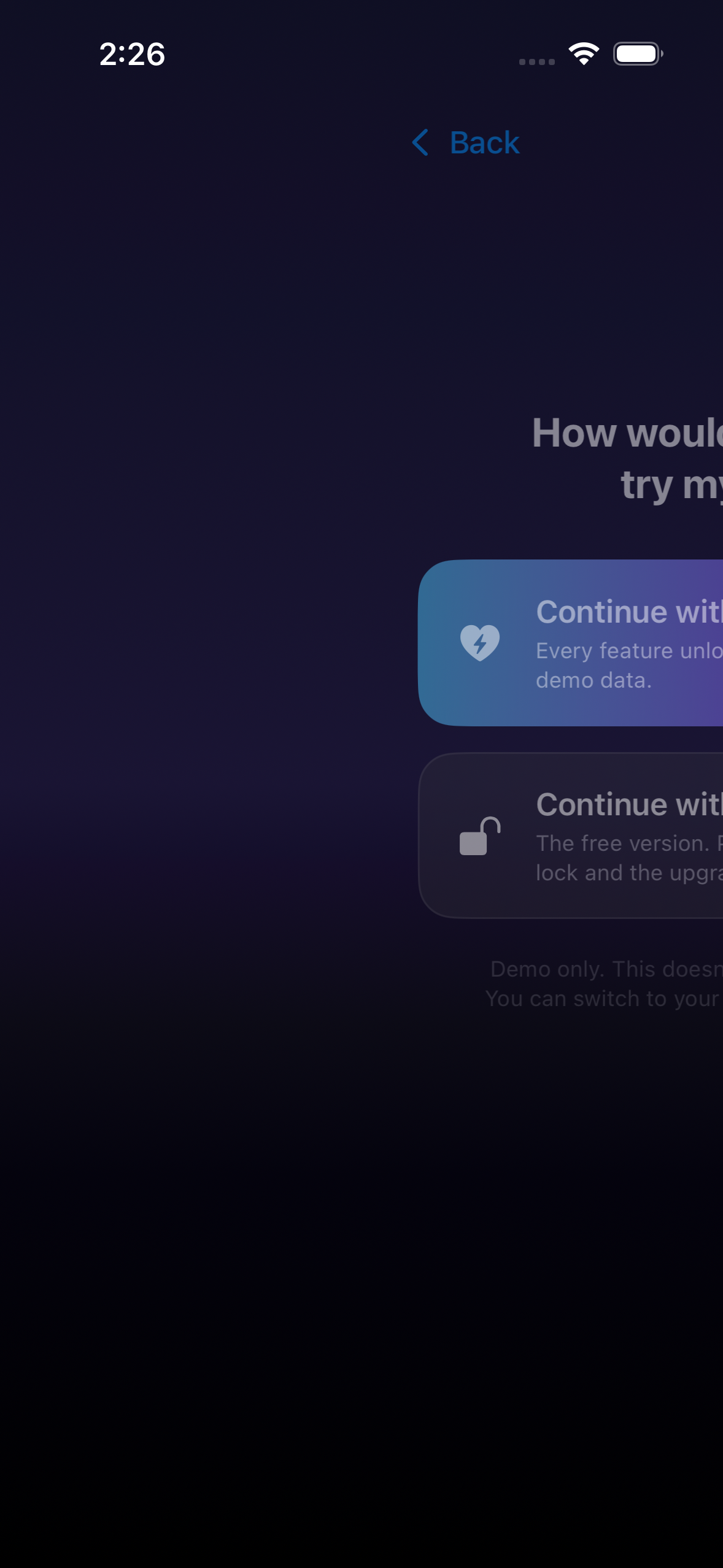
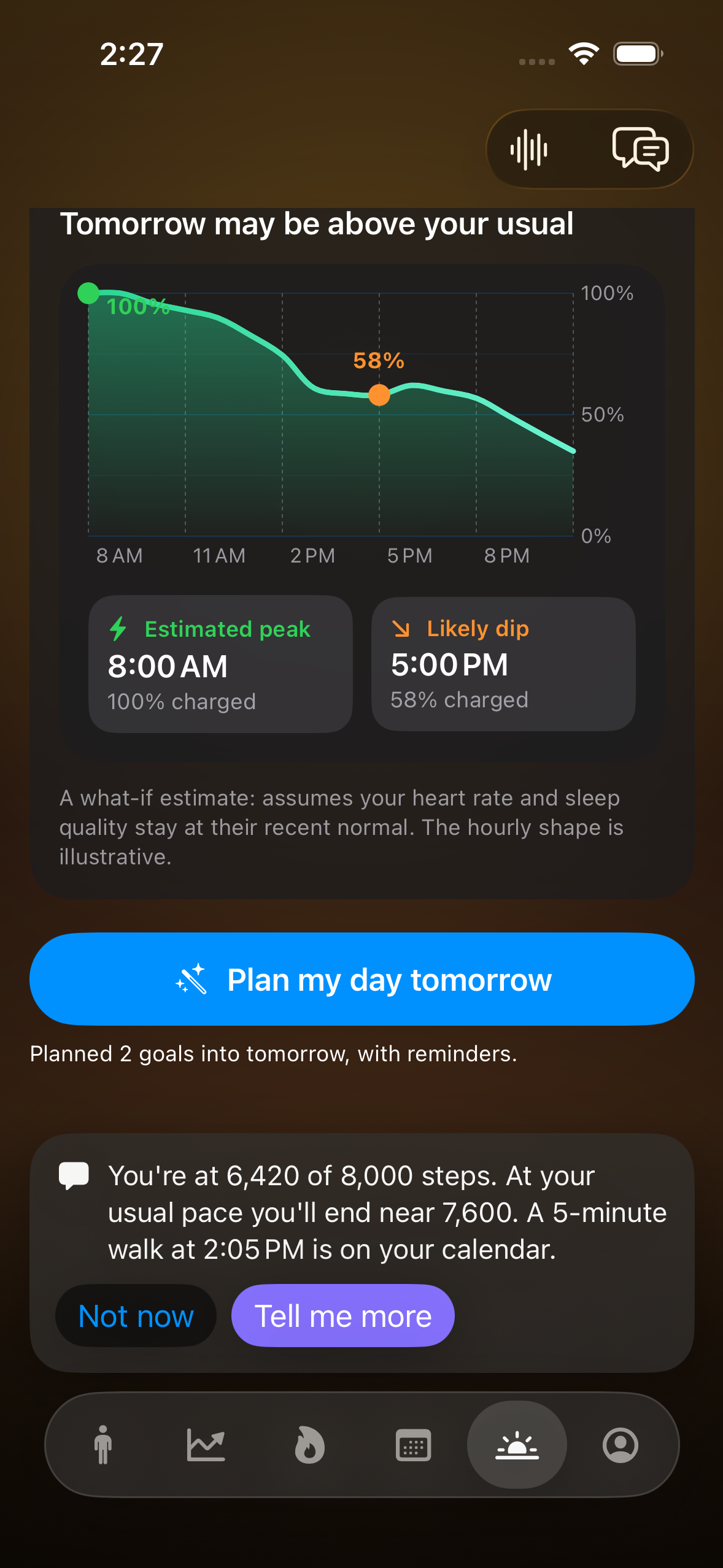
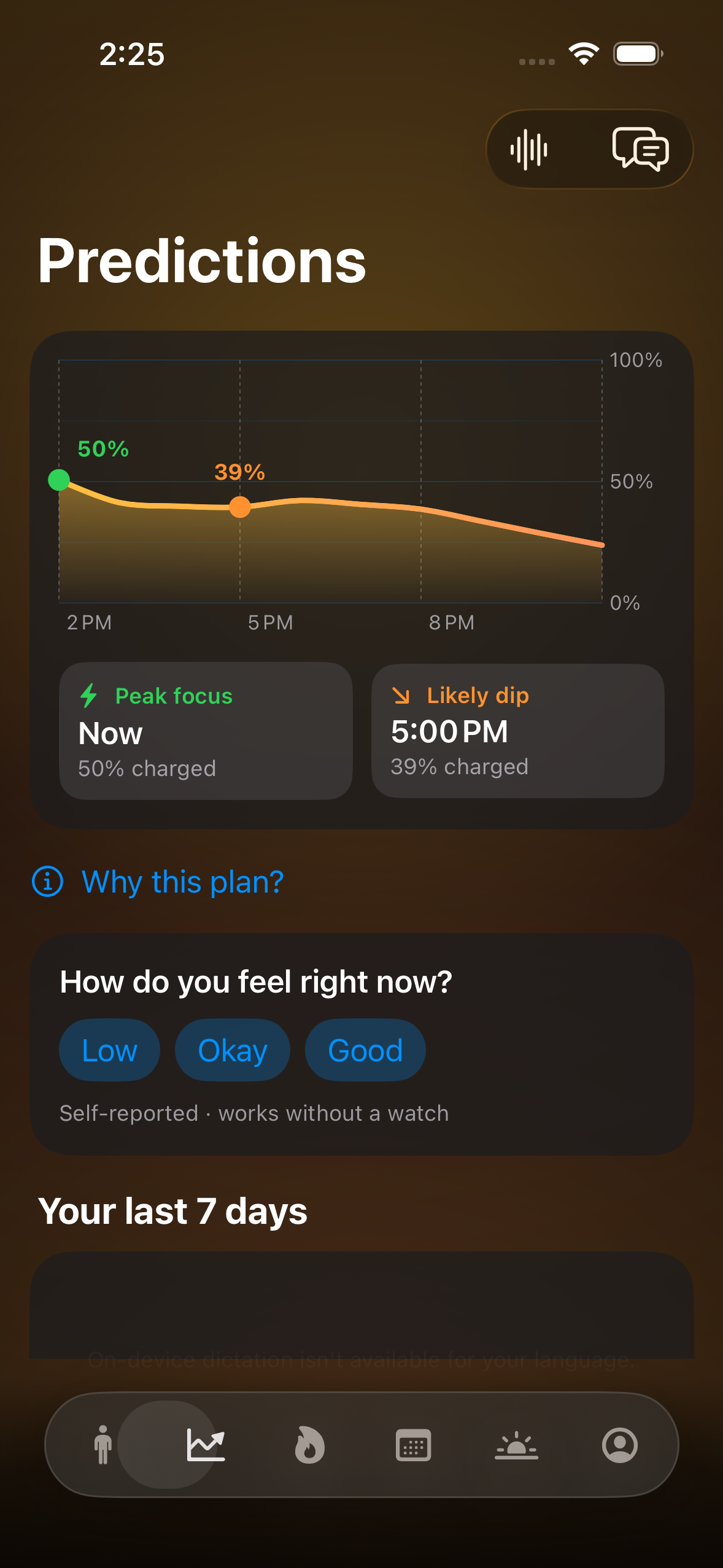
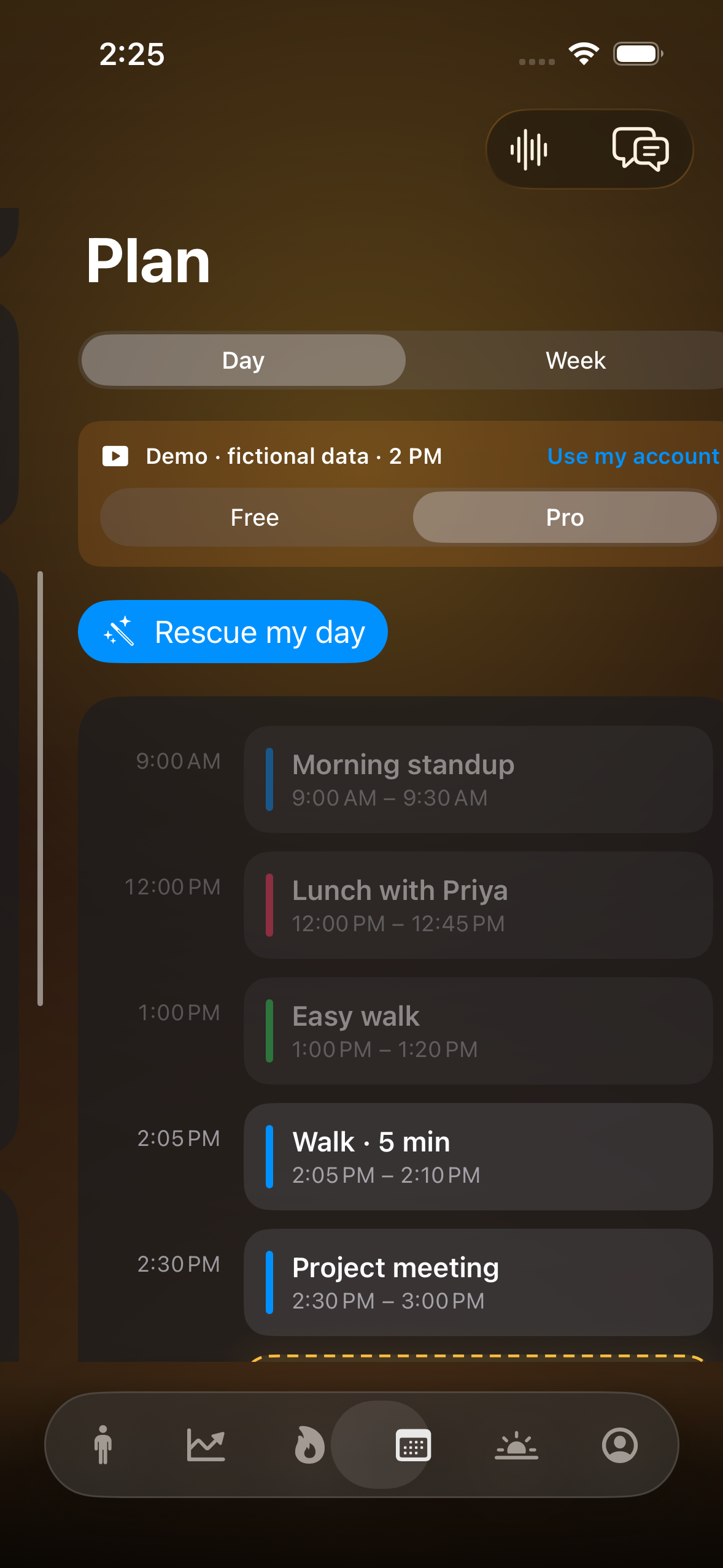
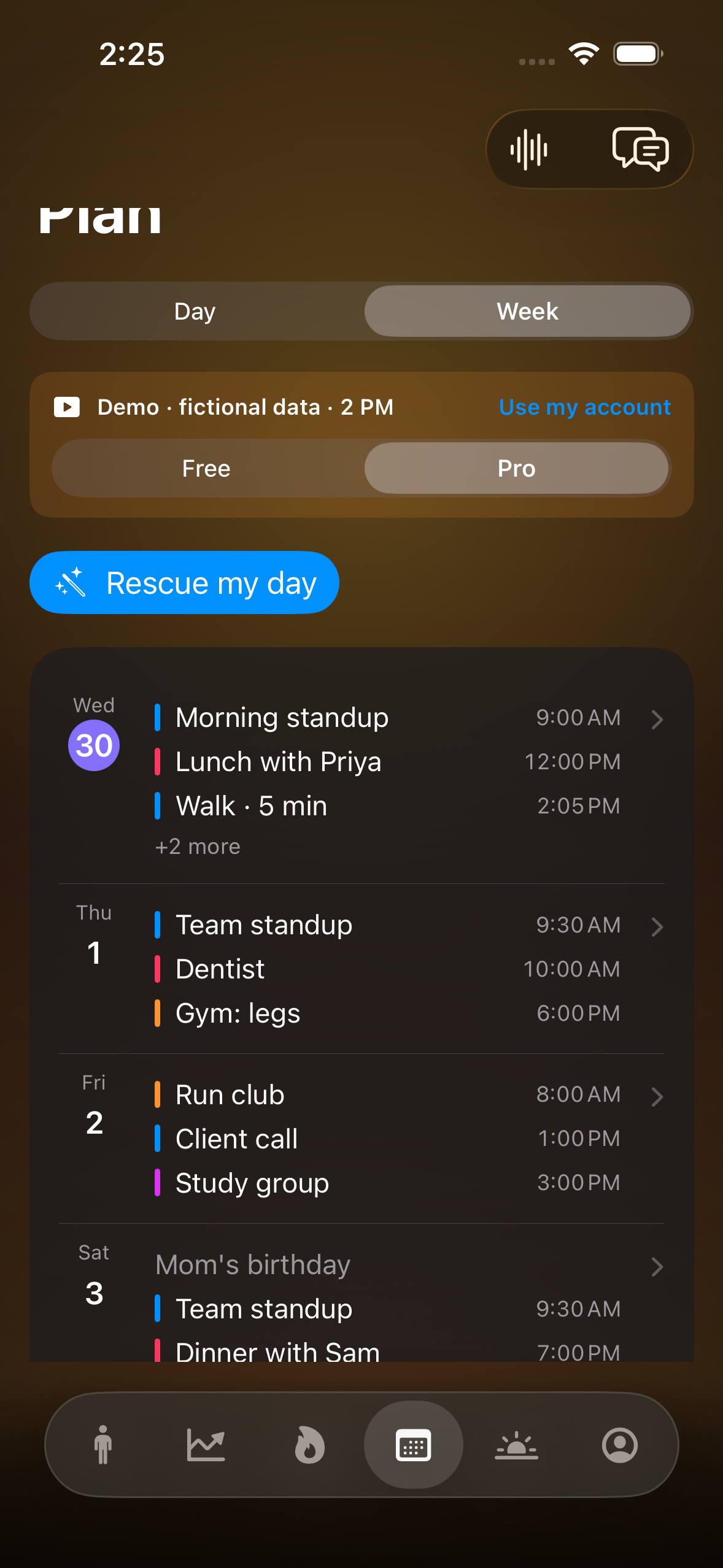
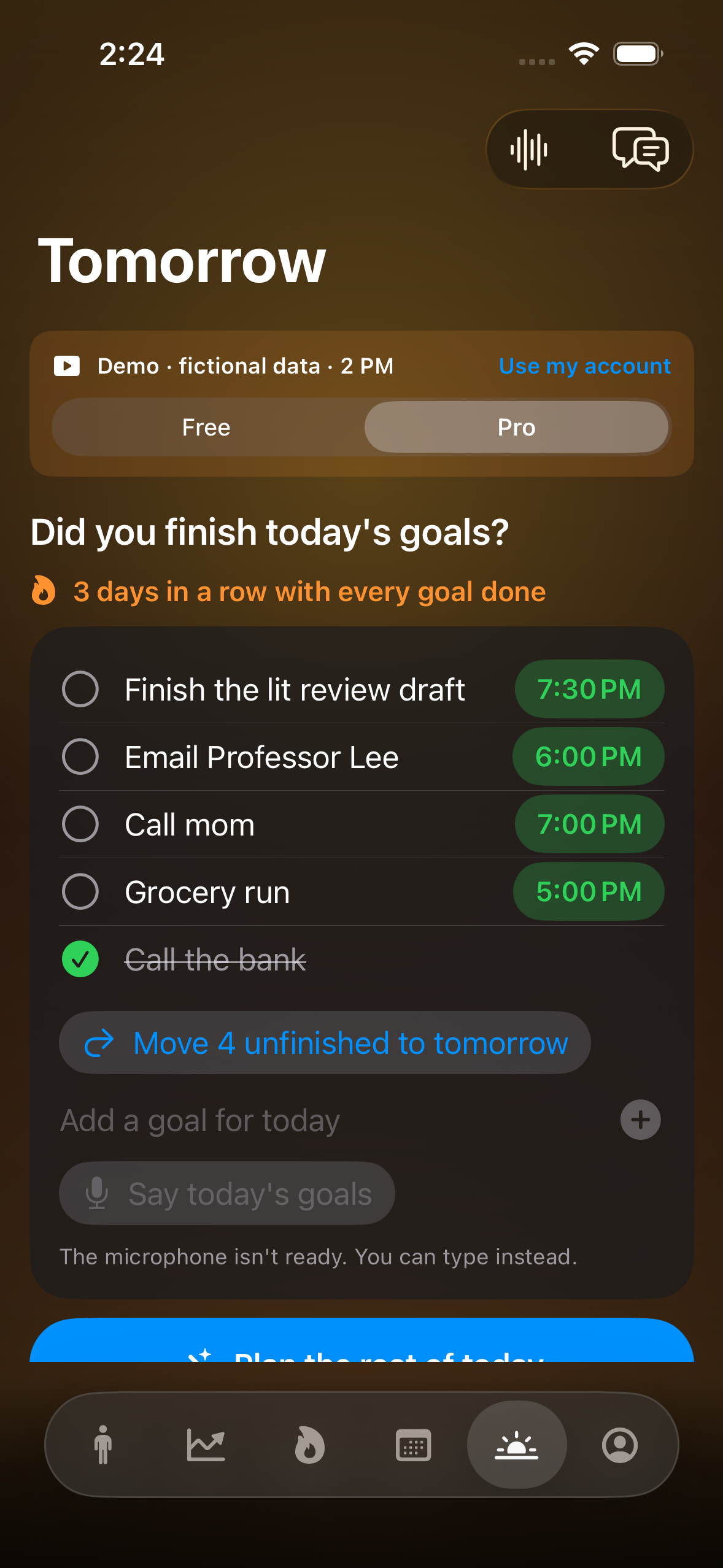
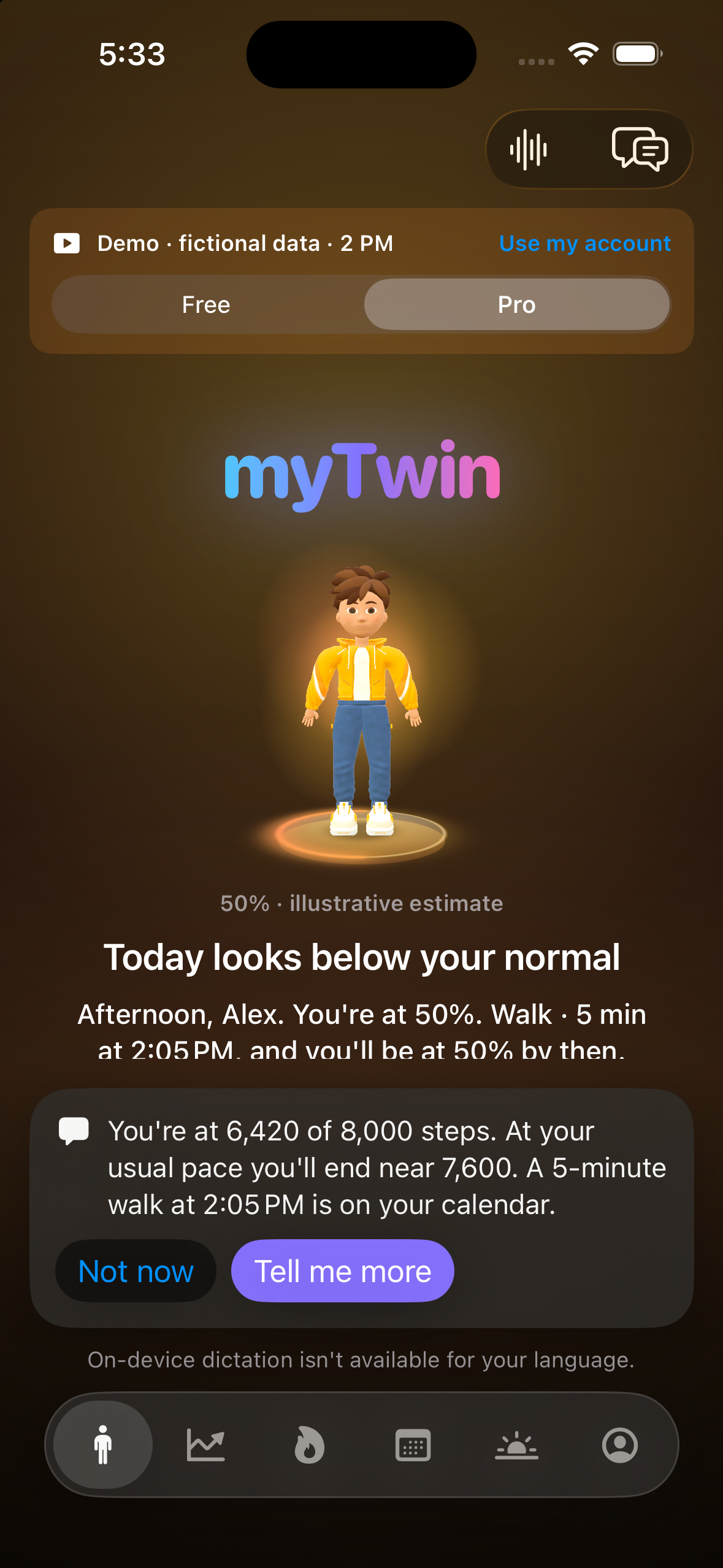
Screenshot of app without device frames
Inspiration
I had a Garmin watch that gave me plenty of health and activity data, but I did not always know what to do with it. Seeing the numbers was one thing. Knowing how to use them to plan my day was another.
At the same time, I was trying to be more productive. I often asked ChatGPT questions like “What should I do today?” or “What should I do at this time?” But those conversations did not have my health records, calendar or goals. I kept asking for personal guidance without giving the assistant the context it needed.
That led to myTwin: a personal assistant I could talk to, backed by the information I choose to share. I wanted it to help turn available health data, commitments and goals into a practical plan, and then have a real back-and-forth conversation about that plan.
I am a senior undergraduate student at Texas State University, and I built myTwin as a solo project.
What it does
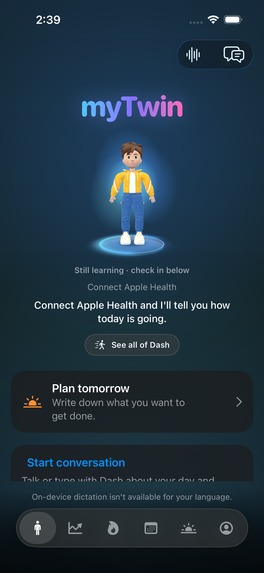
myTwin helps you plan your day around your energy, calendar and goals.
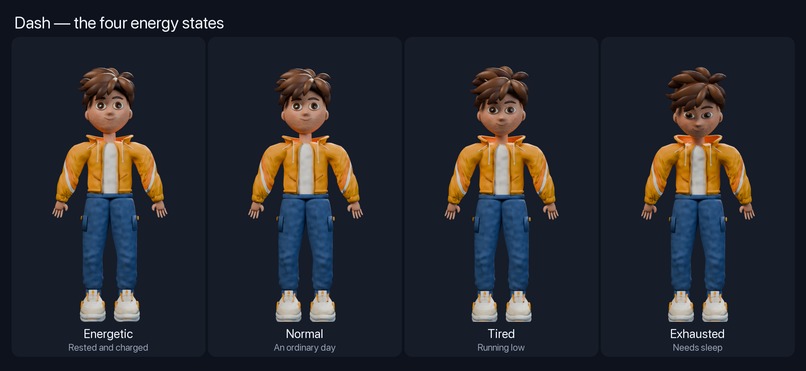
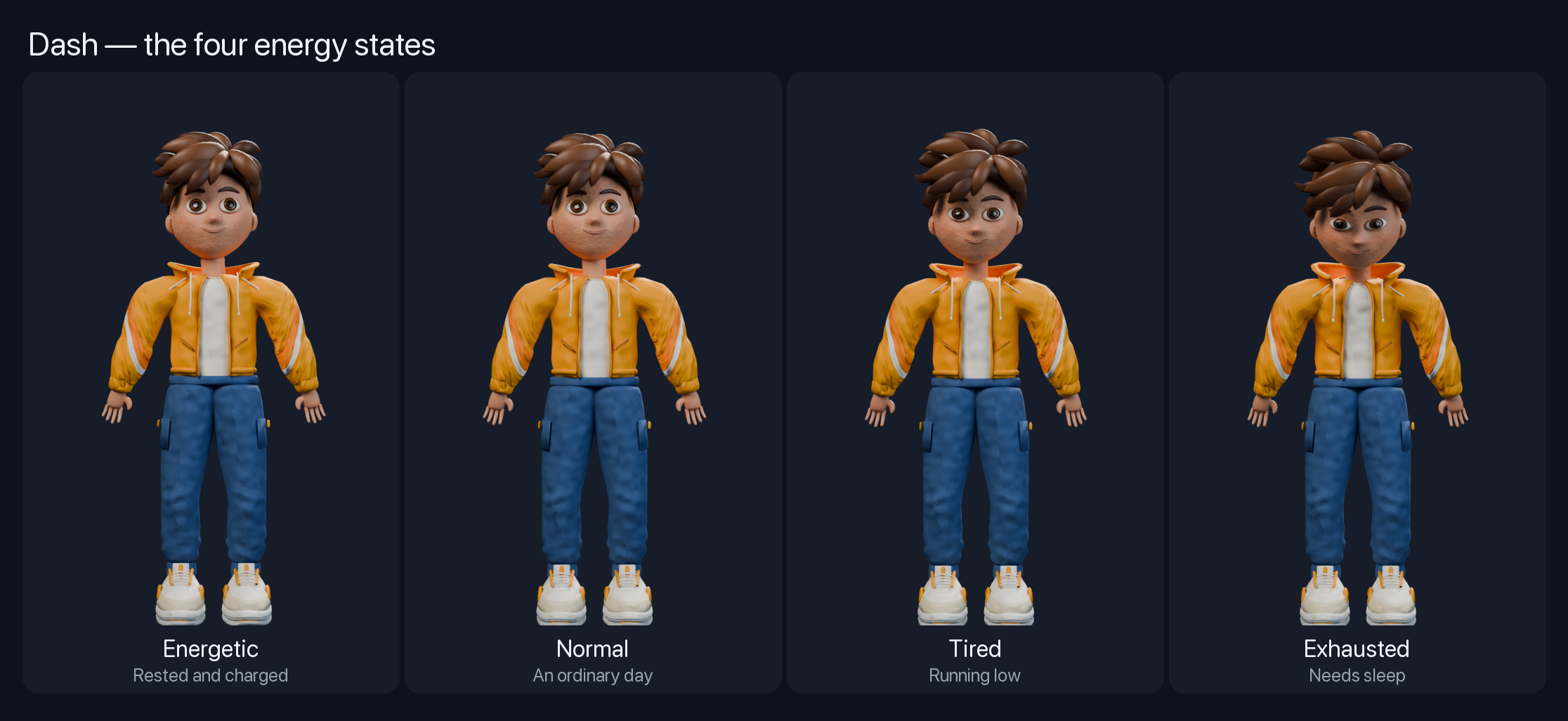
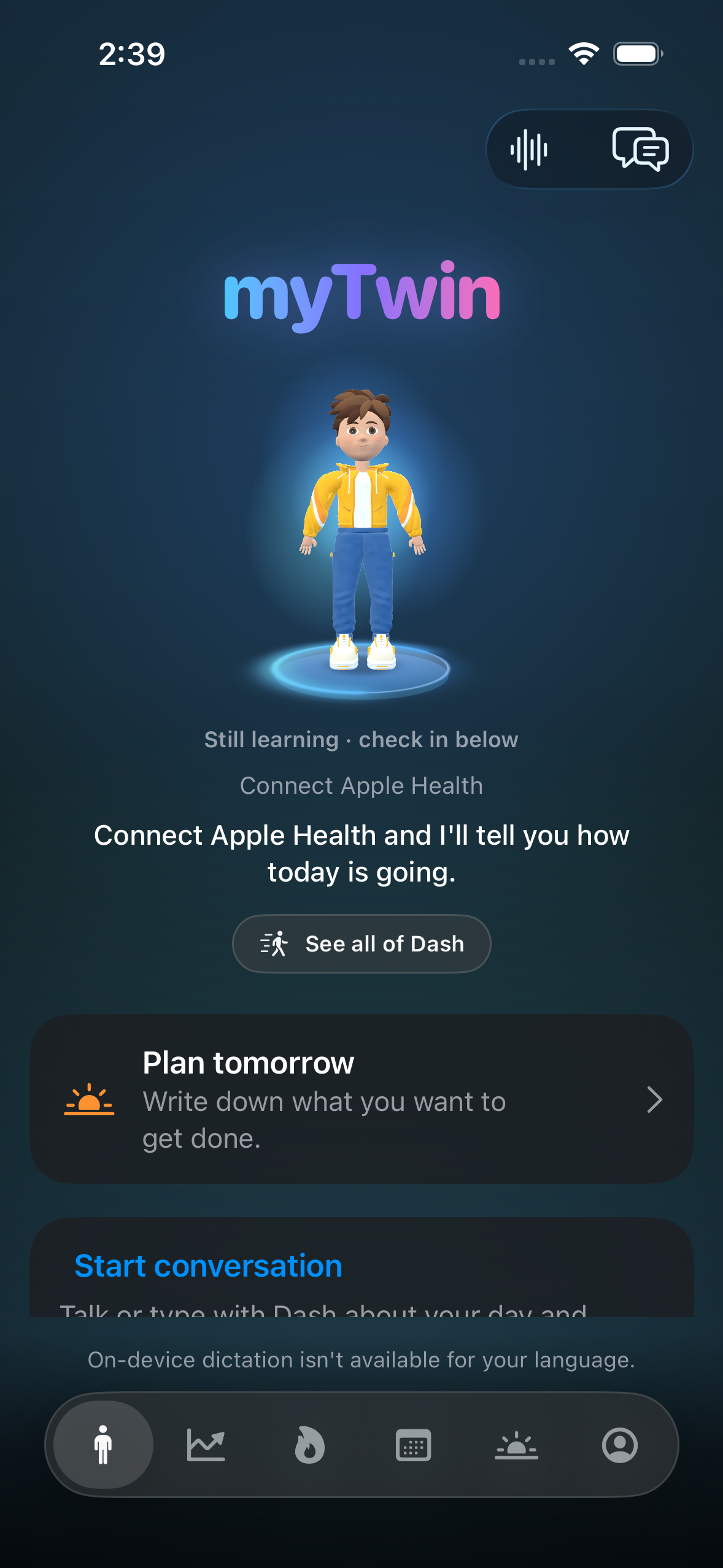
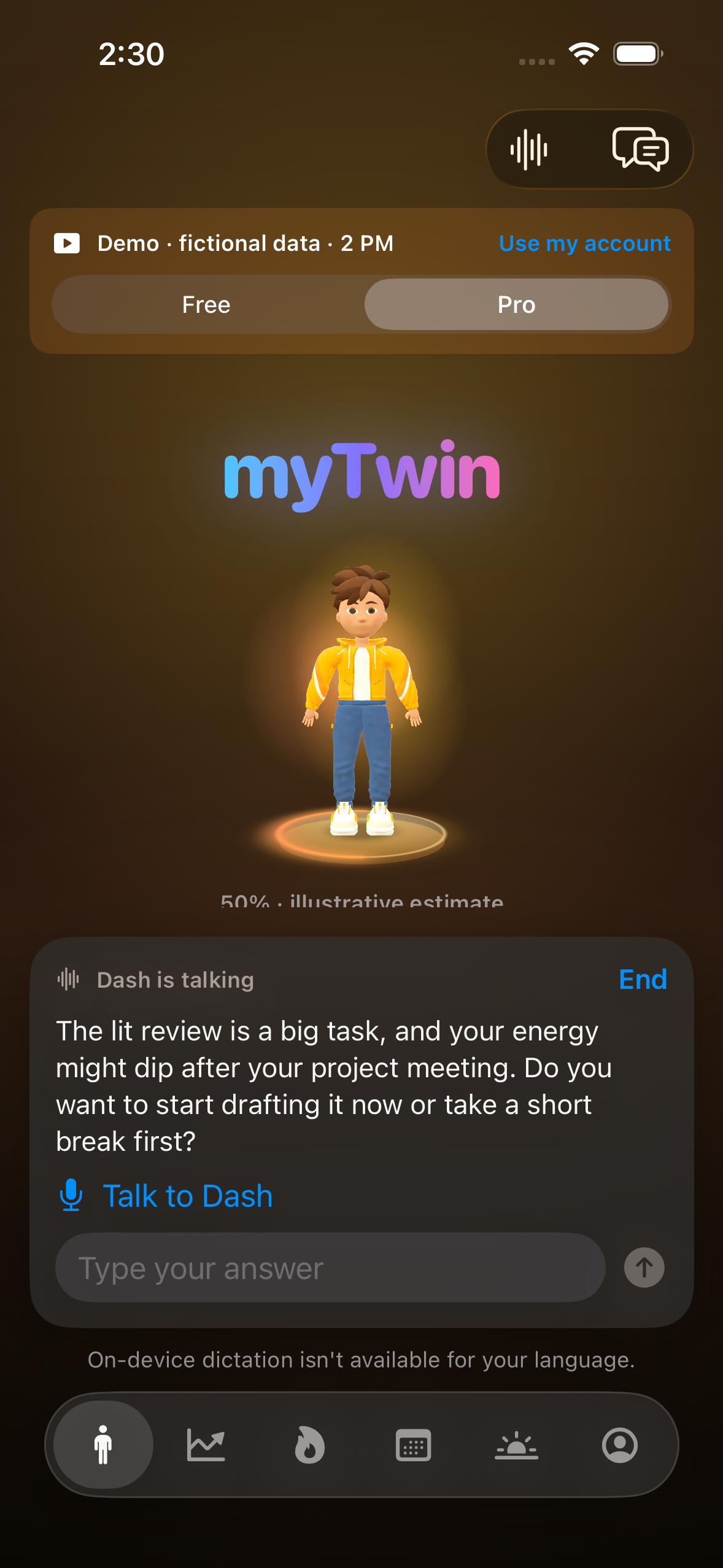
Meet Dash, an animated 3D companion who brings that plan to life. He can look energetic, relaxed, tired or exhausted based on your estimated energy. You can check in with how you actually feel, then use that information to make a more realistic plan.
myTwin brings several parts of your day together:
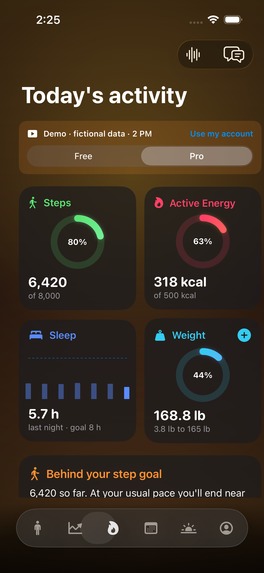
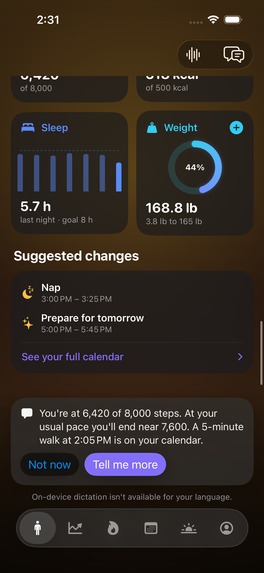
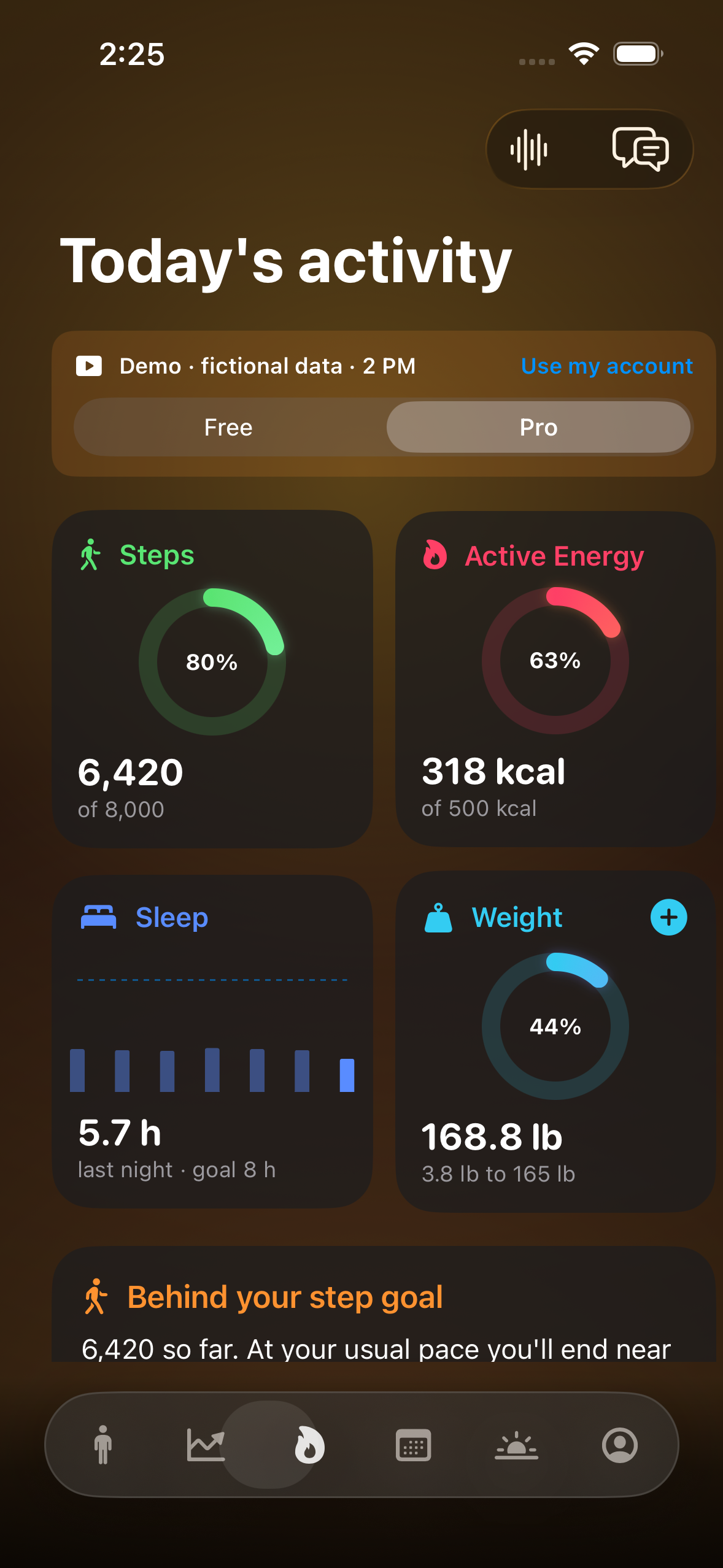
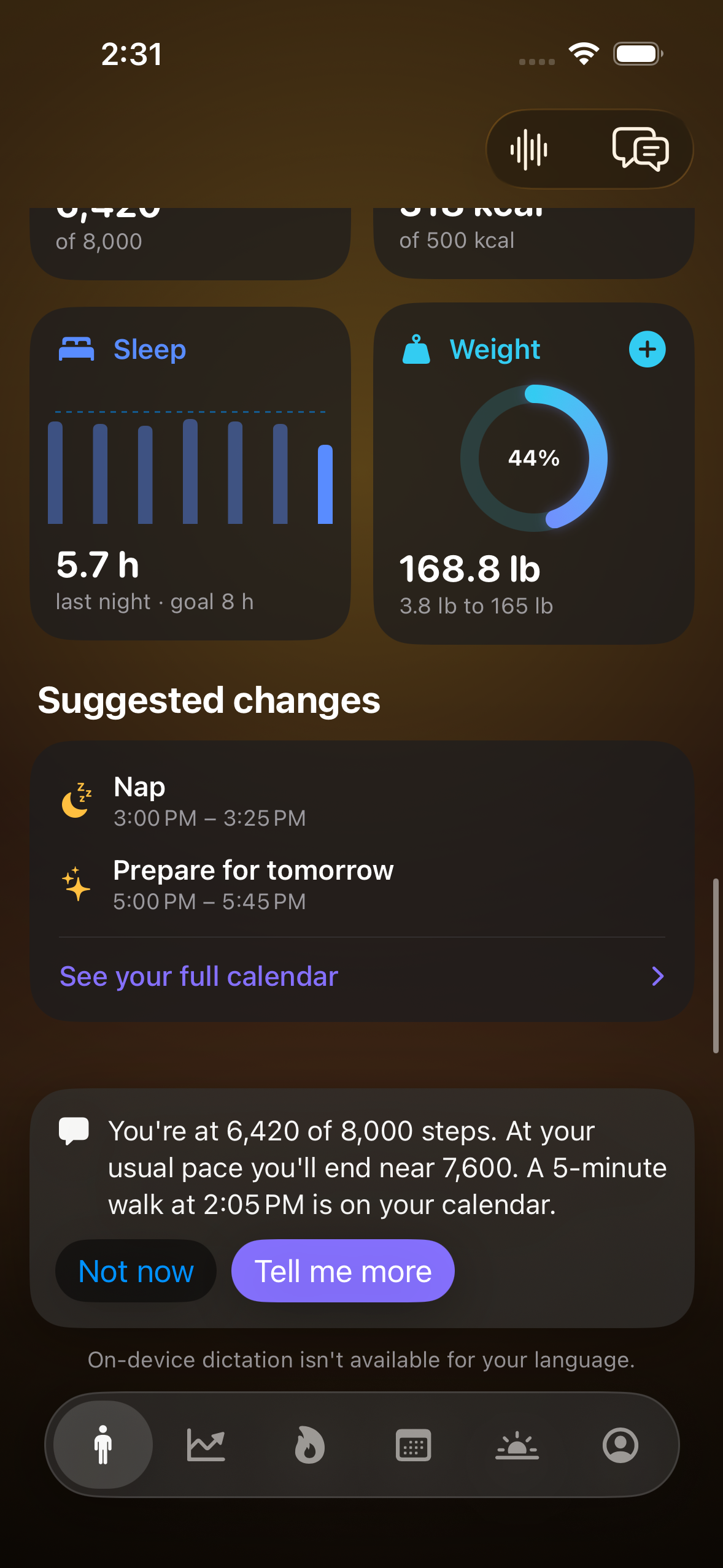
- See your day: View sleep, activity and other available Apple Health records alongside your calendar.
- Understand your energy: Pro shows an estimated energy curve, possible focus times and a recap of your week.
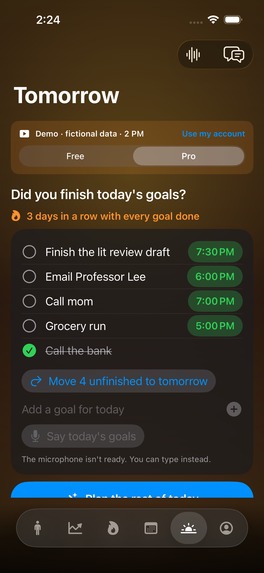
- Plan your goals: Write or speak your goals for today and tomorrow. Pro finds time for them around existing events. You can edit times, mark goals done and carry unfinished work forward.
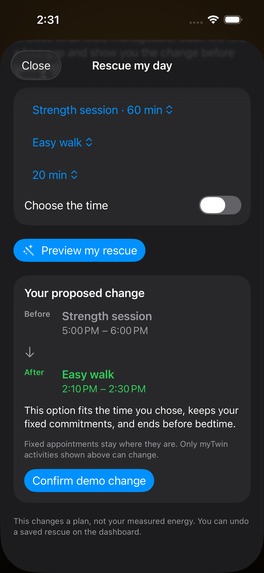
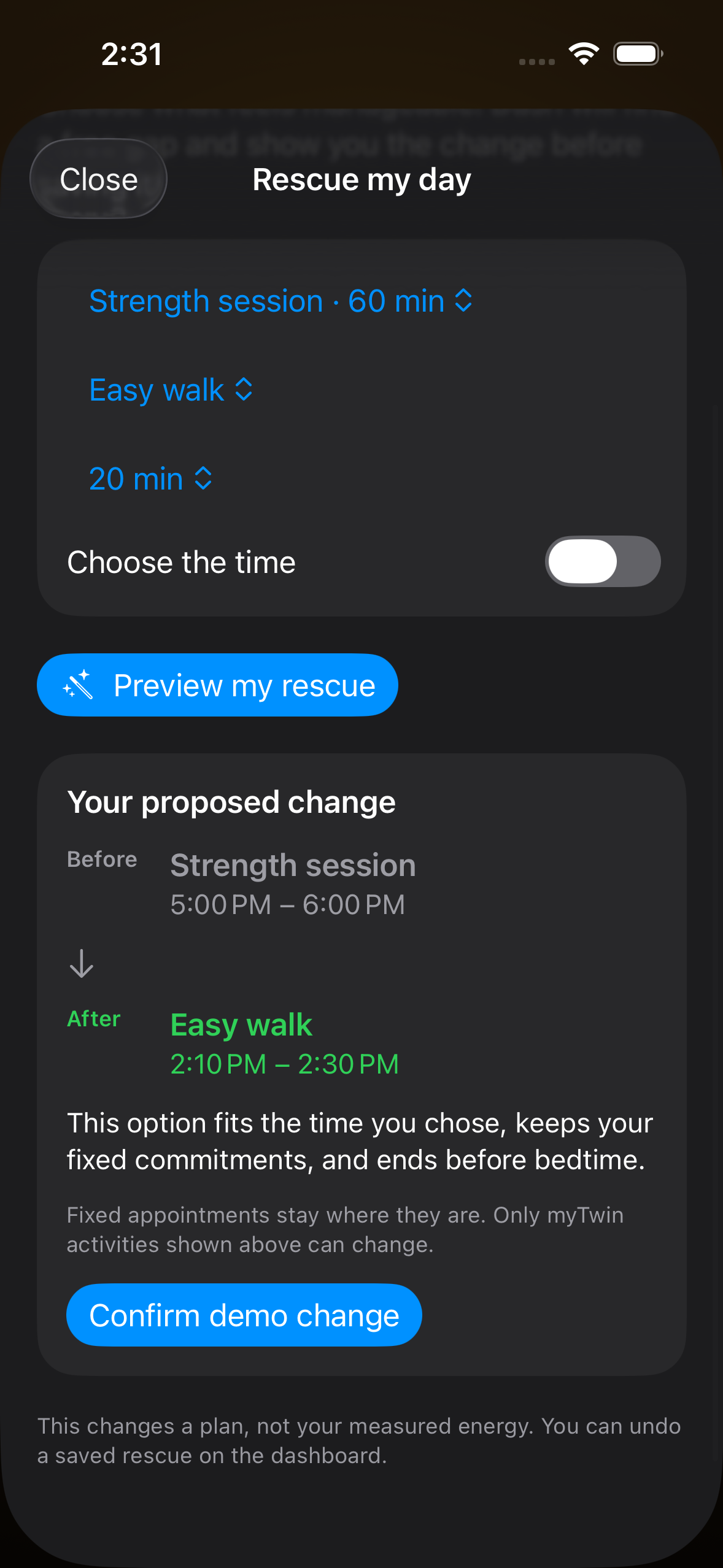
- Rescue a busy day: Preview a change to a flexible activity, confirm it and undo it if needed. Fixed appointments stay in place.
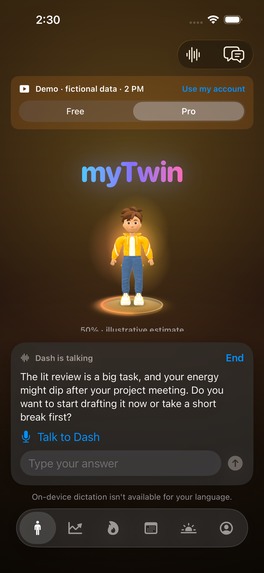
- Talk to Dash: Pro offers short mentor conversations using Gemini voice. Speak your answer or type it. Dash can use your calendar, goals and available health information to help you choose a next step. Calendar changes suggested in chat require confirmation.
- Stay on track: A Home Screen widget shows your energy estimate and advice. Live Activities show your next event or goal on the Lock Screen and Dynamic Island. Notifications remind you about goals, upcoming events, check-ins and winding down.
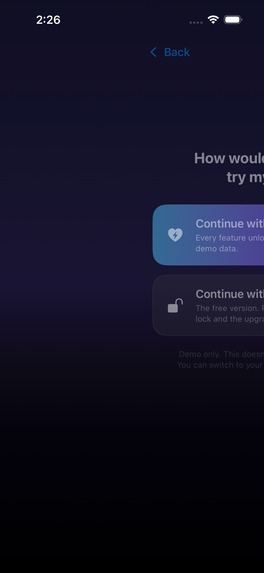
A guest demo lets anyone explore both Free and Pro with fictional data, without connecting a watch or sharing personal health records.
How it was built
The app is built in Swift with SwiftUI. Apple HealthKit supplies available health records, and EventKit connects the calendar. Dash was modelled, rigged and animated in Blender and runs inside the app using RealityKit. He has four energy states, nine animation clips and moving facial features.
I downloaded the public PMData research dataset and used it to train and evaluate myTwin's energy model. The evaluation used 1,747 labelled days from 16 people, testing each person with a model trained on the other participants. The model compares sleep and related signals with a person's usual patterns. The repository includes the training and evaluation code; the dataset itself is not bundled. Its results are modest: it helps track some day-to-day changes, but it does not improve the accuracy of exact energy scores. The app therefore labels its percentage and hourly curve as estimates.
Regular chat can use Apple's on-device Foundation Models on supported devices. Pro conversations use Gemini Live for replies and spoken audio, while supported on-device speech recognition turns the user's speech into text. Gemini requires permission and internet access.
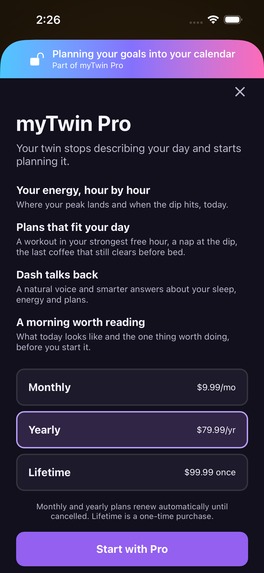
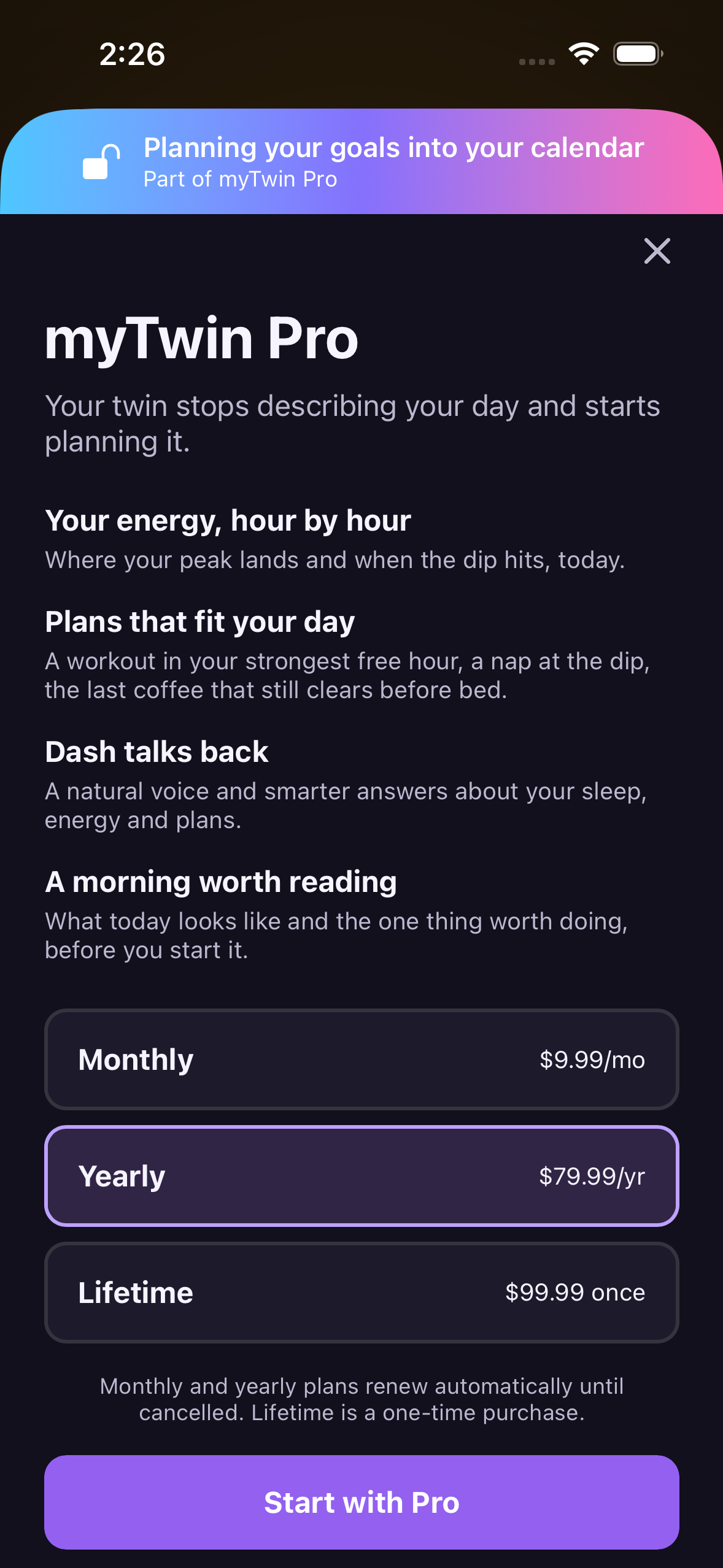
RevenueCat manages Pro access, subscription offerings, purchases and restores. Free includes the core check-ins, activity, calendar and goal tracking. Pro adds forecasts, goal scheduling, Rescue my day and Gemini conversations. The current development configuration uses RevenueCat Test Store for simulated purchases.
Challenges
One challenge was making voice conversations feel natural. The microphone must wait until Dash finishes speaking so he does not hear himself as the user's answer. The conversation also needs to handle pauses, typed replies and ending a session cleanly.
Another challenge was working with incomplete health data. A person may have steps but no sleep records, or may not have enough history for a forecast. myTwin shows what is missing and still allows check-ins and goal tracking.
Calendar changes also needed clear controls. Rescue shows a preview before saving, and chat asks for confirmation. Goal-planning buttons save the plan directly. Keeping those actions clear helps users understand what will happen to their calendar.
The demo and personal Pro experience also needed to match. Tomorrow planning is now available throughout the day, and Pro users can start a conversation without waiting for an automatic check-in or a health forecast.
What I learned
I learned that more complex models are not always better. Testing several approaches led me to a small model and a clearer explanation of what its predictions can and cannot mean.
I also learned that voice interfaces need careful turn-taking, not just speech input and output. Demo access and real subscription access also need separate tests: a feature working in a demo does not prove it works for a personal subscriber.
What is working now
The project combines a custom animated character, health data, calendar planning, goal tracking, Pro subscriptions and voice or text conversations in one iOS app. The repository includes a full setup guide and screenshots of the features.
Verification includes 90 passing unit tests, app walkthroughs, a personal Pro test using a simulated purchase and Gemini conversations using fictional data. Real-phone microphone behavior, Bluetooth and live Health syncing still need further device checks.
myTwin is a planning and wellness prototype. Its energy estimates are not medical advice or a measurement of your body's battery.
What is next for myTwin
I want to publish myTwin on the App Store and turn it into an app people use in their everyday lives. Before launch, I want to finish real-device testing and improve the experience based on feedback. After launch, I plan to market the app, learn what people find useful and keep improving it.
I am also interested in RevenueCat Growth Fund consideration as I work toward launching and growing myTwin.

Log in or sign up for Devpost to join the conversation.