-
-
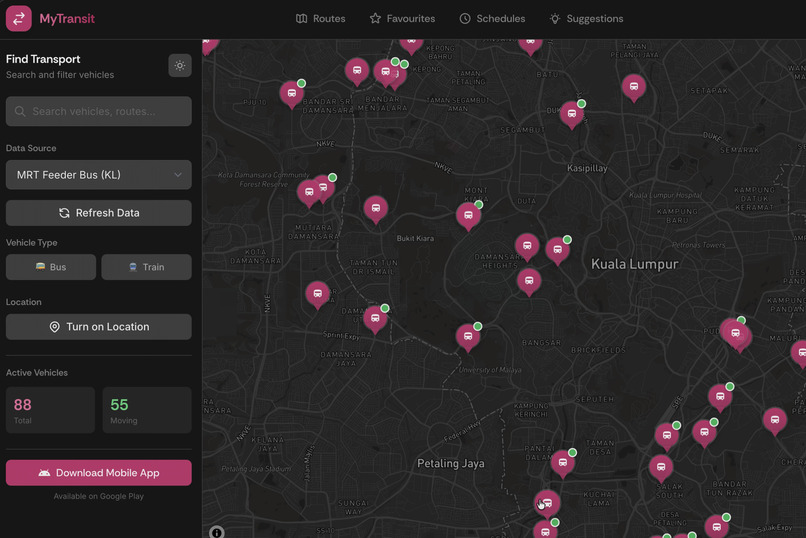
MyTransit web application
-
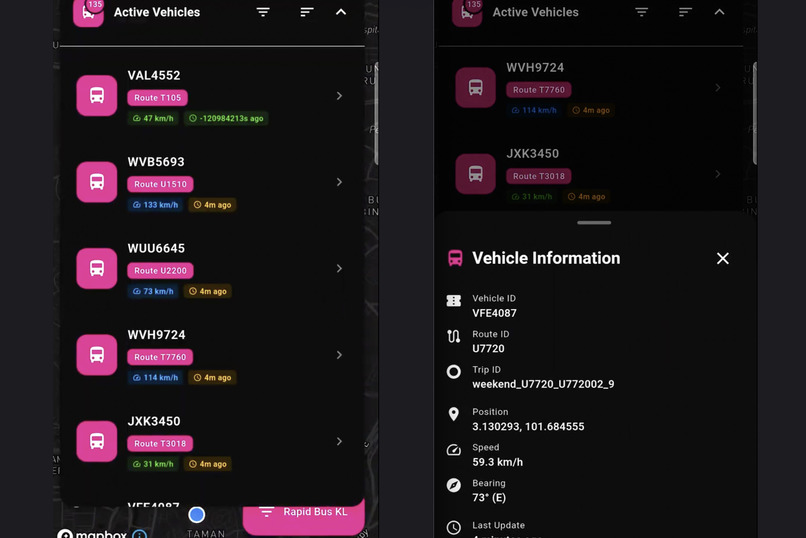
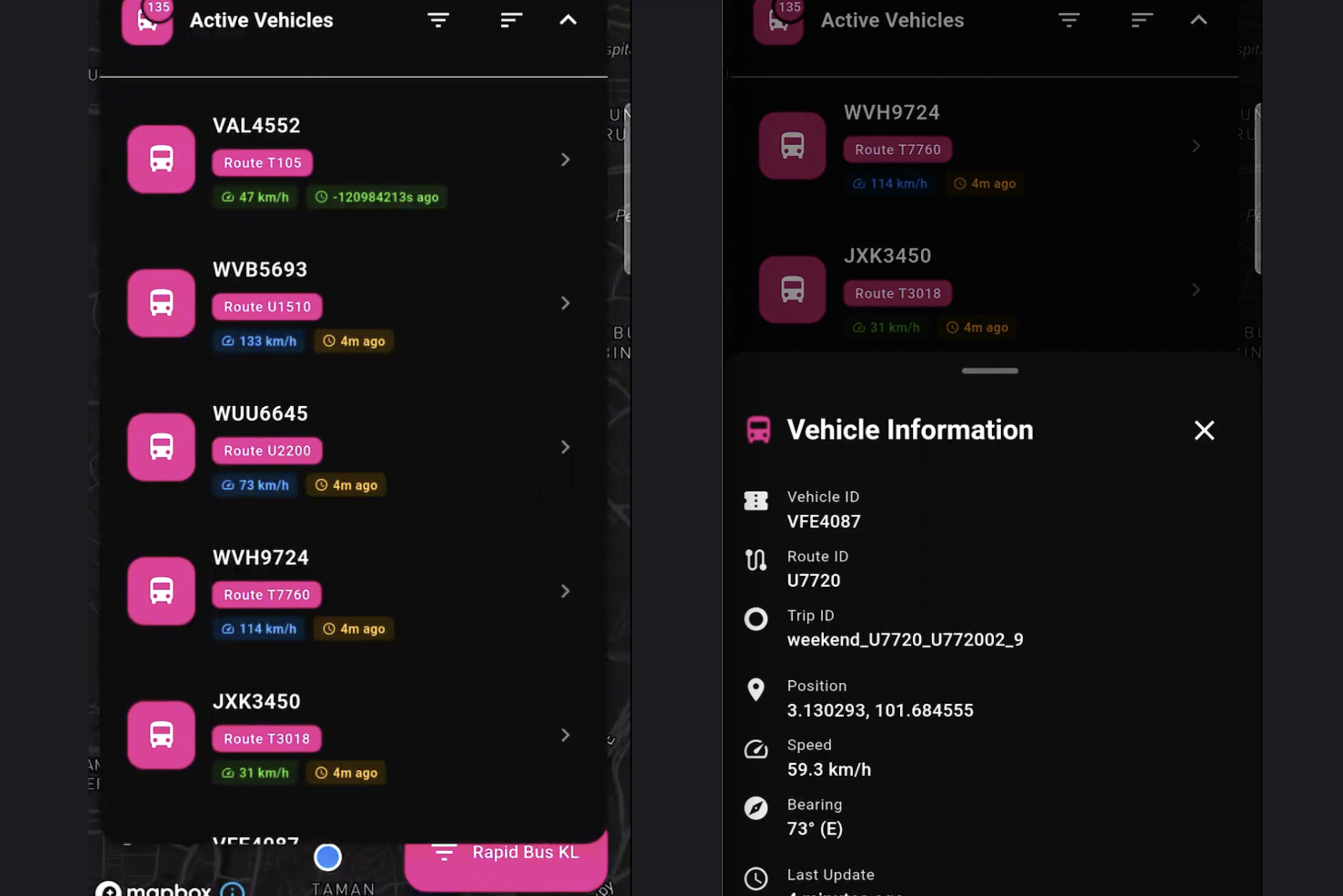
MyTransit mobile application
-

MyTransit landing page
-
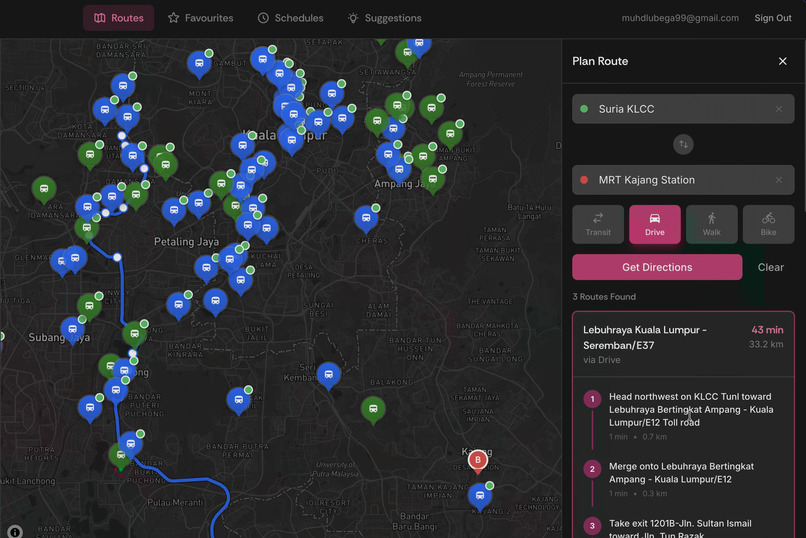
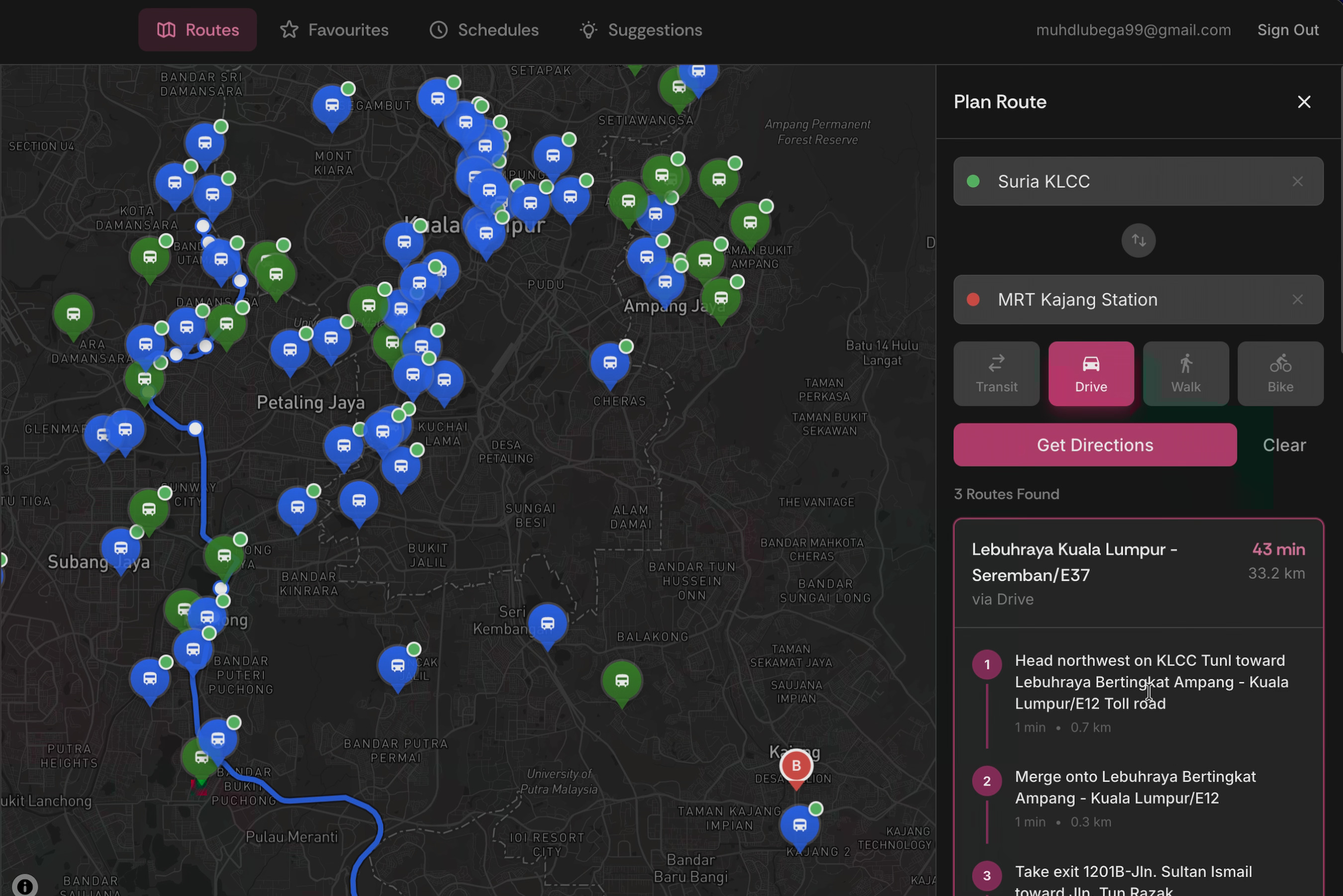
MyTransit routing solution
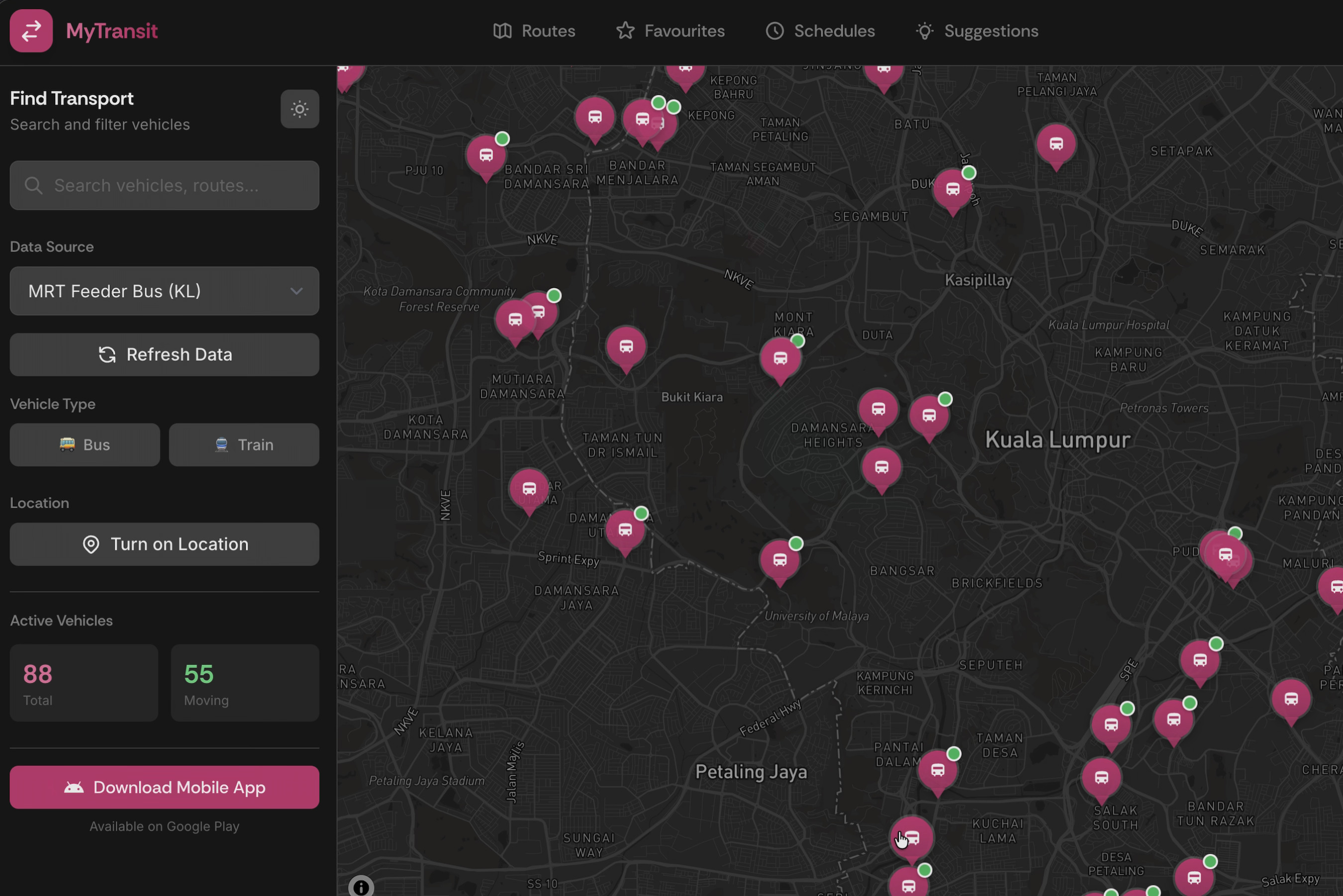

MyTransit - Real-time Public Transit Tracker
A modern web and mobile application for tracking real-time public transportation in Malaysia, built with React, TypeScript, Flutter and Mapbox. MyTransit provides live vehicle positions, route visualization, schedules, and directions for buses and trains across multiple operators.
Overview
MyTransit is the first and only public transport app in the Malaysian market to offer true real-time live vehicle tracking. While the most capable competitor app updates positions only every 30 seconds and suffers from a sluggish, non-user-friendly interface, MyTransit revolutionizes the transit experience with smooth, continuous tracking that updates every 100ms through intelligent interpolation between data refreshes.
This breakthrough allows users to accurately estimate journey times, anticipate delays, plan their trips with confidence, and make informed decisions about their commute. MyTransit connects to Malaysia's GTFS (General Transit Feed Specification) data to display real-time positions of public transportation vehicles, featuring an interactive map with vehicle tracking, route overlays, search functionality, favorites management, and integration with Google Maps for directions.
About the Project
Inspiration
The inspiration for MyTransit came from a glaring gap in the Malaysian public transportation ecosystem. There are currently no apps in the market that offer real-time live vehicle tracking combined with a satisfying, user-friendly interface. The most capable existing app suffers from a sluggish experience, updating vehicle positions only every 30 seconds, which fails to provide commuters with the precision they need.
As frequent public transport users, we experienced firsthand the frustration of not knowing exactly where our bus or train was, leading to missed connections, unnecessary waiting times, and poorly planned trips. We envisioned an app that would empower users to plan their journeys with confidence, avoid unexpected delays, and make informed decisions about their daily commute. MyTransit was born from this vision—to create Malaysia's first true real-time transit tracking experience with a modern, intuitive interface.
What We Learned
Building MyTransit taught us invaluable lessons about working with complex, real-world data systems:
GTFS Integration Complexity: We gained deep understanding of the General Transit Feed Specification (GTFS) format, learning to parse both static schedule data (routes, stops, trips) and real-time Protocol Buffer feeds for live vehicle positions.
Data Synchronization: We learned sophisticated techniques for synchronizing multiple data sources—merging real-time vehicle positions with static route shapes and stop information to create a cohesive tracking experience.
Performance Optimization: Rendering hundreds of moving vehicles on a map every 100ms taught us critical lessons about React performance, memoization, and efficient state management to maintain smooth 60fps animations.
Geospatial Computing: We developed expertise in calculating vehicle progress along complex route shapes, interpolating positions between data points, and projecting movement based on bearing and speed.
API Integration Strategy: We mastered the art of coordinating multiple third-party APIs (Mapbox for mapping, Google Maps for directions, Malaysia Open Data for GTFS) while handling rate limits, errors, and fallbacks gracefully.
How We Built It
MyTransit was architected as a modern, type-safe React application with careful attention to scalability and maintainability:
Technology Stack:
- Frontend Framework: React 18 with TypeScript for type safety and developer experience
- Mobile Framework: Flutter with Dart for seamless widget integration and android development
- State Management: React Context API for global state (transit data, authentication, map instance, theme)
- Mapping Library: Mapbox GL JS for high-performance, customizable map rendering
- UI Framework: Tailwind CSS with shadcn/ui components for consistent, accessible design
- Authentication: Supabase for secure user management with guest mode support
Architecture Decisions:
- Context-based architecture separating concerns (TransitContext, MapContext, AuthContext, ThemeContext)
- Service layer abstraction (gtfsService, googleMapsService) for clean API integration
- Custom hooks (useFavorites, useDebounce) for reusable logic
- Component-based design with clear separation of layout, map, and UI elements
Development Process:
- GTFS Research: Studied the GTFS specification and Malaysia's open data structure
- Prototype: Built basic map with static vehicle markers
- Real-time Integration: Implemented 30-second GTFS-RT polling with Protocol Buffer parsing
- Interpolation Engine: Developed smooth movement system with 100ms position updates
- Route Visualization: Added route shape rendering with progress indicators
- UI/UX Polish: Designed intuitive interface with search, filters, favorites, and responsive layout
- Testing & Optimization: Performance tuning, error handling, and cross-browser testing
Challenges We Faced
The most significant challenge was integrating multiple heterogeneous data sources into a unified, real-time experience:
1. Static Route Shapes vs. Real-time Positions:
- GTFS static data provides route shapes as sequences of lat/lng points (shapes.txt)
- GTFS real-time data provides vehicle positions with trip_id but not shape_id
- Solution: Built a mapping layer to match vehicles to trips, trips to shapes, and calculate progress along routes by finding the closest shape point to each vehicle position
2. Routing API Integration:
- Google Maps Directions API returns polylines in a different format than GTFS shapes
- Need to overlay turn-by-turn directions on the same map as transit routes without visual clutter
- Solution: Created separate overlay components (RouteOverlay for transit, DirectionsOverlay for Google Maps) with distinct styling and z-index management
3. Data Format Inconsistencies:
- Real-time vehicle data arrives as Protocol Buffer binary format requiring custom parsing
- Static GTFS data comes as CSV files inside ZIP archives
- Different operators use different field names and conventions
- Solution: Built robust parsing pipeline with fallbacks, validation, and operator-specific enrichment logic to normalize all data into consistent internal types
4. Performance at Scale:
- Rendering 200+ vehicles updating every 100ms created significant performance challenges
- Re-rendering all markers on every position update caused stuttering and frame drops
- Solution: Implemented ref-based marker updates, memoization strategies, and only re-render changed vehicles using efficient diffing algorithms
5. Real-time Interpolation Accuracy:
- With only 30-second updates, vehicles would "jump" between positions
- Needed smooth movement without accurate speed/acceleration data from API
- Solution: Developed custom interpolation algorithm using bearing and distance to estimate intermediate positions, with adaptive smoothing based on vehicle type (trains move more predictably than buses)
These challenges pushed us to become better developers, learning advanced techniques in data engineering, real-time systems, and performance optimization. The result is an app that sets a new standard for transit tracking in Malaysia.
Built With
- anthropic
- claude
- cursor
- dart
- flutter
- react
- supabase
- typescript


Log in or sign up for Devpost to join the conversation.