myTA: the pixel study buddy that knows when you're stuck
A tiny pixel monkey that lives in your work tab. It notices you're stuck before you give up, flags a slip a couple of seconds after you write it, cheers when you get it, and never gives you the answer.
HackTX 2026 · Team Gongoleers
Inspiration
Most students don't get stuck loudly. They stare, re-read, erase, and quietly give up, and by the time anyone notices, the moment to help has passed. The tools that do answer instantly are the opposite problem: they hand over the answer, and the student learns nothing.
We wanted a study buddy that acts like a good TA looking over your shoulder. It speaks up only when you need it, and it points at where to look instead of telling you what the answer is. It also shouldn't be a chat window. If you're stuck, typing a question is the last thing you want to do, so there is nothing to type. You just do your work.
What it does
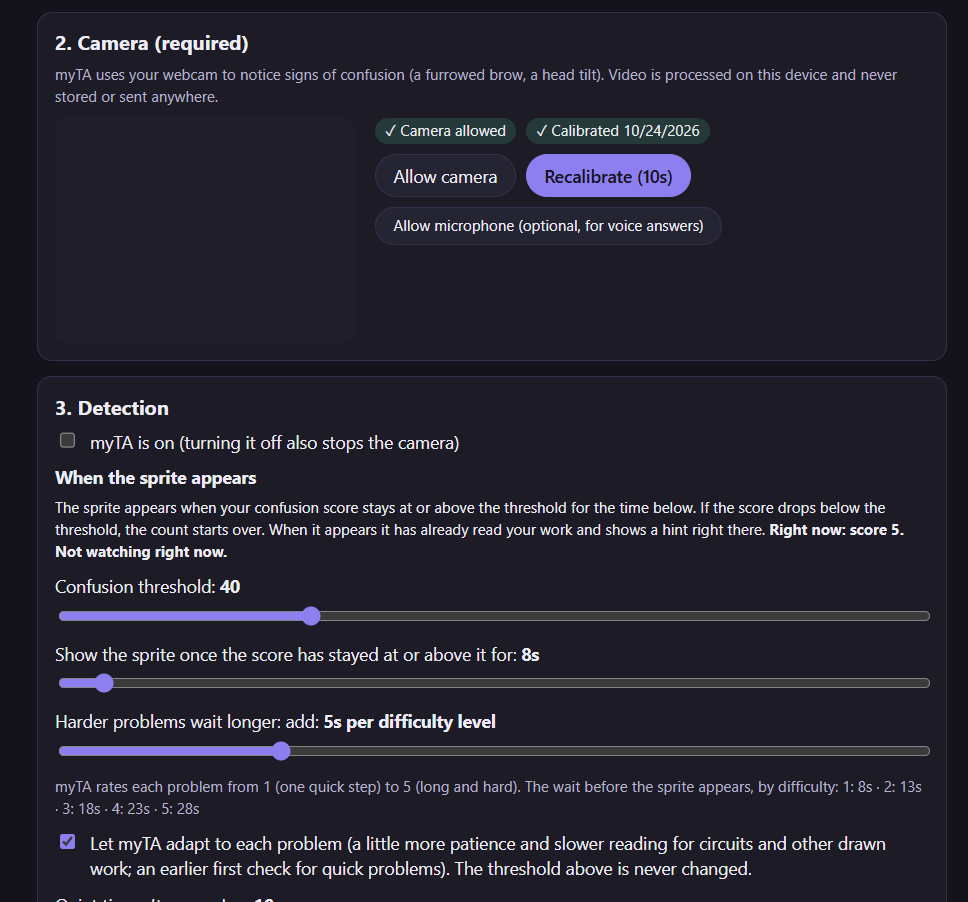
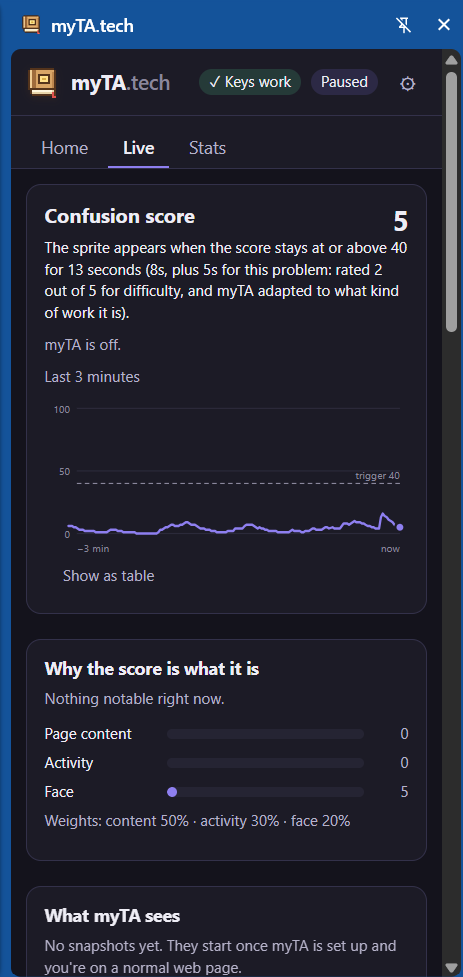
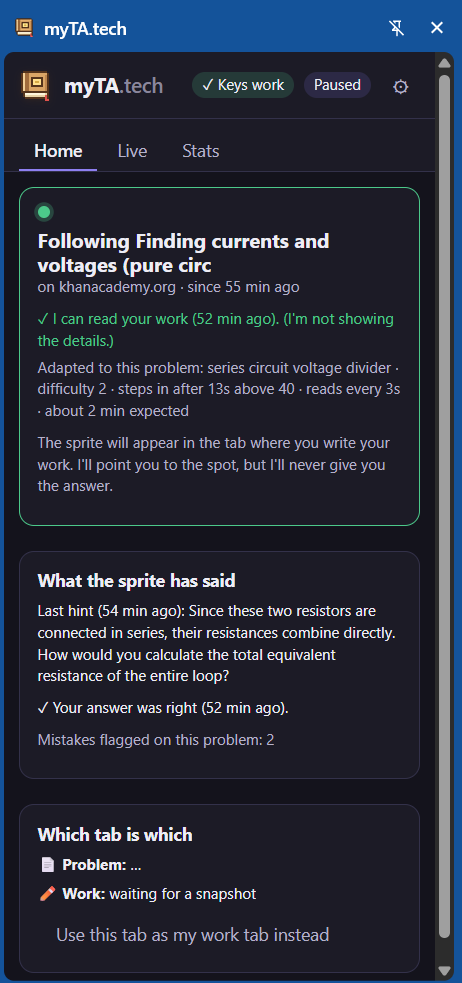
myTA is a Chrome extension. A pixel monkey (or your own TA's face, from an uploaded photo) lives in the tab where you write your solution, for example a sketch.io board next to a Khan Academy problem. It fuses three signals into one live confusion score:
- Page content: "Incorrect" after a submit, resubmits, the same error repeating.
- Activity: re-reading, idling, backspace bursts, tab-hopping.
- Face: brow furrow and head tilt from the webcam, processed on-device.
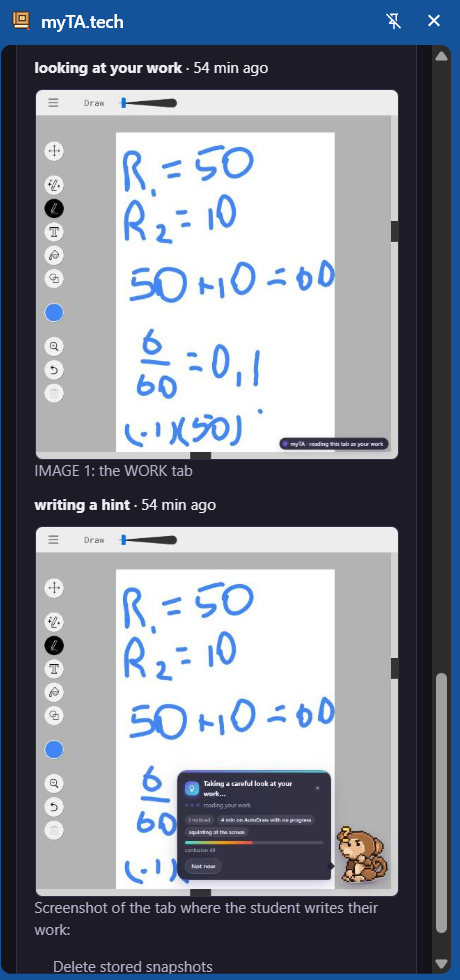
When the score stays above your threshold for long enough, the sprite appears. Then it:
- Reads your handwriting. About two seconds after you finish a line, it can flag a wrong step with a red box on your work.
- Calls out a wrongly copied problem, but only once you've finished copying it.
- Gives hints that never give the answer. Every message goes through a leak guard first.
- Suggests a short video found with SerpApi, plus the minute to start at, e.g. Watch it (2:14).
- Cheers when you're right, with confetti, bananas, and a "solved today" count.
- Adapts to the problem. A circuit problem gets more patience and a different set of common-slip checks than a quick algebra problem.
How we built it
Stack: Chrome MV3 (service worker, content script, offscreen camera document, side panel, options page), React + TypeScript, Vite + CRXJS, MediaPipe for the face and the photo cut-out, Gemini for reading and reasoning, SerpApi for videos. There is no backend.
The confusion score. Within each channel, signals combine with a noisy-OR, so one strong signal can raise the score but nothing can exceed 1:
$$s_c = 1 - \prod_i \left(1 - w_i\, v_i\right)$$
The channels are fused with page content weighted most and the face least, since facial expressions vary across people and cultures:
$$S_t = 0.5\, s_{\text{page}} + 0.3\, s_{\text{activity}} + 0.2\, s_{\text{face}}$$
The result is smoothed with an exponential moving average, independent of tick rate:
$$\bar S_t = \bar S_{t-1} + \alpha\,(S_t - \bar S_{t-1}), \qquad \alpha = 1 - (1-\alpha_1)^{\Delta t}$$
The sprite appears when for at least $X$ seconds in a row. Both $\theta$ and $X$ are sliders, and the adaptation never moves them.
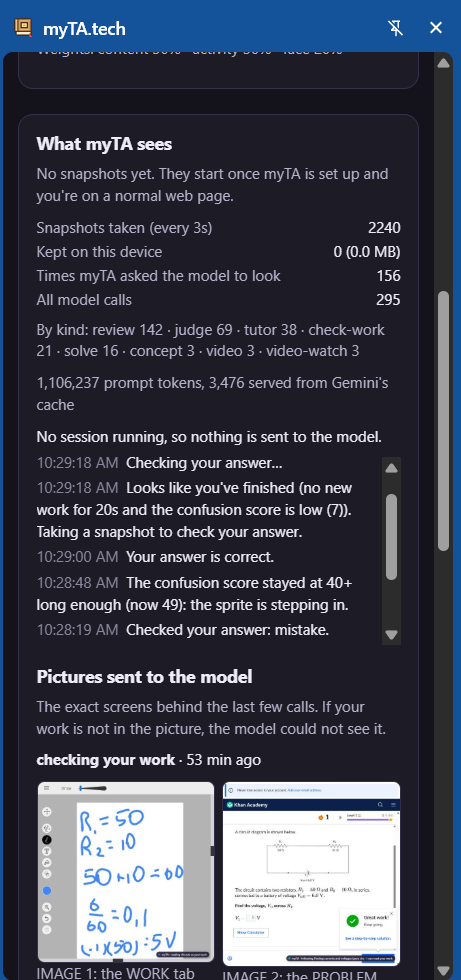
Private answer key. When you settle on a problem, a stronger Gemini model solves it once, including reading figures such as circuit schematics. It returns the answer, the method, the difficulty, and checkpoints, for example the node voltages in
$$\sum_k \frac{V_n - V_k}{R_{nk}} = 0 .$$
Later readings of your work compare against those checkpoints. They judge your own method on its merits, not whether it matches the key's.
Leak guard. Every message passes a deterministic check and then a model judge before it is shown. The deterministic check catches equivalent numbers, rounded values, each value of a multi-value answer, milestone values, multiple-choice letters, and solution code. If the judge errors, the guard fails closed.
Speed without burning API calls. A call gate decides when to look: after a finished line, after a wrong answer, or when you look done. A mistake's red box goes up first; the checked words follow.
Make it yours. Photos become stickers or pixel art entirely on-device. The pixel art is drawn so each cell is a whole number of screen pixels on 125% and 150% displays.
Testing. 501 unit tests, plus a real-Chrome harness that drives demo homework, drawing, and circuit pages with Gemini and SerpApi stubbed. It runs 15 scenarios, and we ran the whole suite several times in a row.
Challenges we ran into
- Calling out mistakes too early. Half-written work always differs from the finished problem. We fixed the false "you copied it wrong" alarms by requiring the model to say the copy is complete, two readings to agree, and you to have been still for a moment.
- Speed. A slip needed to show about two seconds after the line, not many seconds later. That meant capturing only the work tab, taking the picture as you pause, waking on a clock instead of waiting for the next page signal, and flagging before the words are checked.
- The model API keeps changing. Models disagree about thinking settings and JSON-schema formats, so the client learns what each model accepts from the API's error messages and remembers it. A stronger model falls back to a quicker one if a key can't use it.
- Never leaking the answer while still being specific enough to help, especially on circuit problems where the answer is several values.
- Chrome's rules. Strict page security policies, sandboxed frames that refuse extension module imports, and a two-captures-per-second limit all shaped the design. We ship the page script as one self-contained file and draw the sprite on a canvas.
- Telling which tab is the homework and which is the work, from several signals instead of one clue.
What we learned
- The hard part of an AI tutor is when to speak, not what to say. Pacing, silence, and false-alarm control mattered more than any single prompt.
- Order matters in structured output: transcribe the handwriting first, then decide, then write the words. That reduced confident mistakes.
- Privacy can be a design constraint, not just a policy. The camera stays on-device, snapshots stay on the device, and the answer key never reaches the UI.
- A tiny pixel character with personality gets a student to trust a hint more than a pop-up does.
Built With
- claude
- mediapipe
- react
- typescript

