-
-
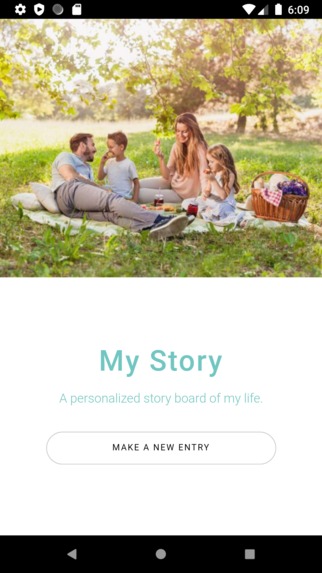
Landing Page
Inspiration
In the pursuit of life, we face the impending pyramid of Maslow’s Hierarchy of needs. At the top of the pedestal is what we call Self-actualization. The question of what is self-actualization has been asked for the last 80 years, and the only answer that we have come close to is that it’s a reflection upon the self and the experiences that occurred while being satisfied with them. The reflection of our experiences and memories has been a journey humans have partook in for centuries. This has been through the telling of stories but has evolved into the storage of albums and pictures. In the digital age, all of these pictures are simply stored on our phone. Through looking back on pictures and albums, we re-experience the memories and attain self-actualization. We are even able to get further insight into our own ways of thinking or a better understanding of the timeline of our lives.
However this process is changing in the digital age, and though the access to our media is by far easier, the process of accessing it isn’t as engaging. Our phones and devices are meant to be ready for taking pictures on the go, but when we need to review back our photos, the only way the memories are placed is by date. Memories are beyond a date. They are events and should be labelled by related events, because events help us tell stories. Thus our app My Story is meant to recreate stories.
What it does
My story is an app that takes photo collection and album making to the next level. By uploading the photos by date, and labelling each photo under suggested or common events, the memories selected by the user and tracked and sorted for easier tracking and organizing. All albums can be stored on one account and pictures can be related to a single or multiple events. Each album and photo can be accompanied by a diary post that further details the events and the emotions that were felt that day or during the taking of the photo.
How I built it
To construct this experience we created a UI using NodeJS, Express and PUG for an easy flow and interaction with the database. The UI follows four simple steps; make an entry, select a date, upload a photo and create or select related tags. This optimizes the database that was created using MongoDB Atlas. The database interacts with the UI based upon the desired tags set by the users. Thus the interaction can be based upon user upload dates or the previously created tags set by the user.
Challenges I ran into
We had experience with using SQL databases but had no experience with noSQL databases. There was a learning curve with using MongoDB as our database and with hosting on MongoDB Atlas.
Accomplishments that I'm proud of
We are proud that we were able to create a working prototype and that we learned how to use MonogDB Atlas to host our database.
What I learned
We learned how to use noSQL databases and mongodb atlas and how to use PUG as a template engine.
What's next for Digital memories album "MyStory"
The next steps of MyStory is to take it to the next level of optimizing for users. What MyStory currently lacks but can develop after a lot of data accumulation is to incorporate AI and image analysis for pattern recognition to suggest events for the user after an image is uploaded. These suggestions can be based off of past created tags or proposed future tags, and the more user interaction, the more accurate the tags created can be. This would be a huge step in the expansion and development of MyStory but it’s a necessary step for catering to the best user experience. Creating an ioS and Android versions of an app would also assist heavily in making the service more accessible to users.

Log in or sign up for Devpost to join the conversation.