The idea for MyPlaces was inspired by the need to remember and organize special locations discovered while exploring. Often, people stumble upon hidden gems such as unique restaurants, scenic hiking trails, or charming natural spots but forget their exact locations over time. MyPlaces aims to solve this by helping users document and organize these meaningful places effortlessly.
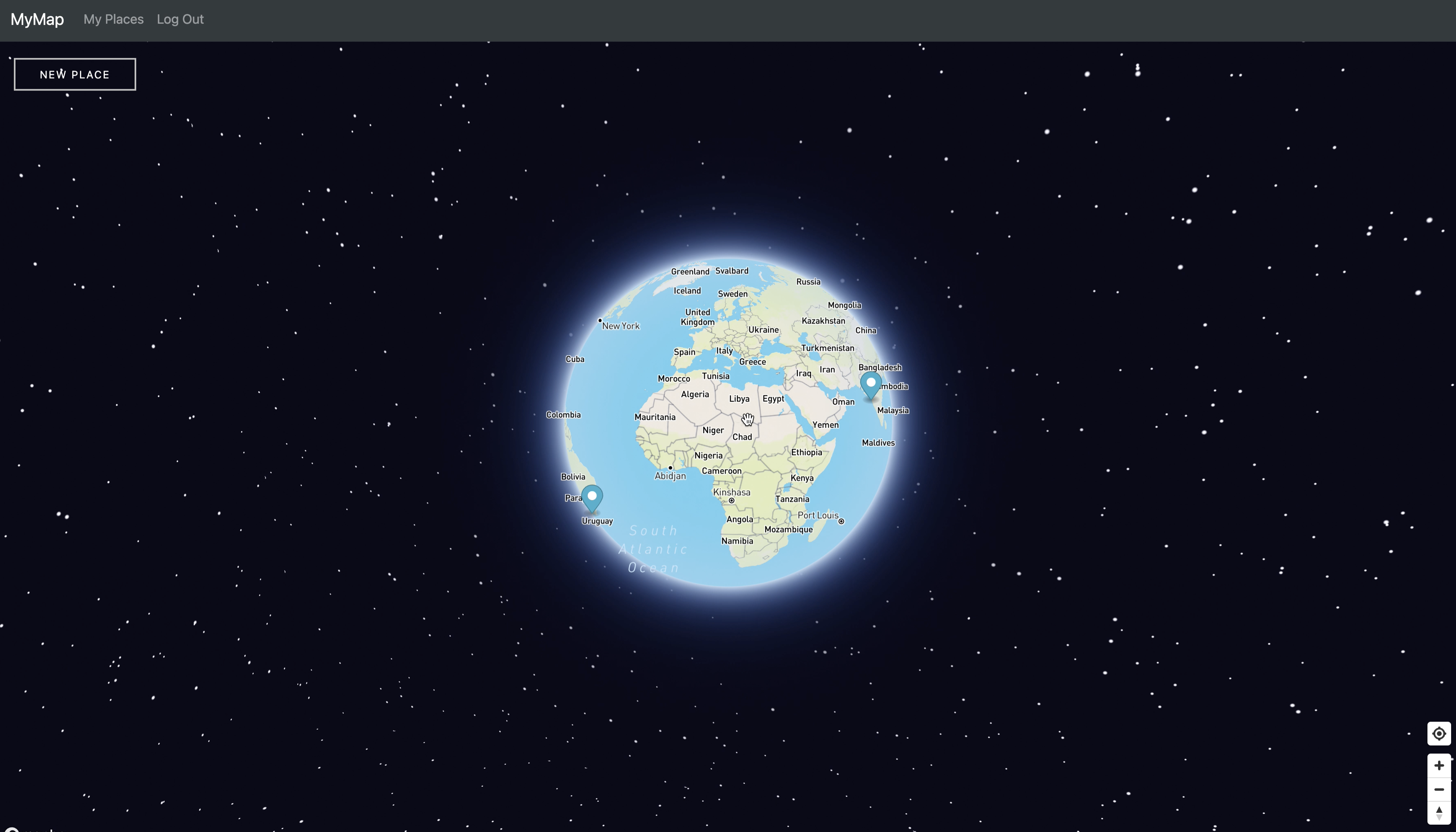
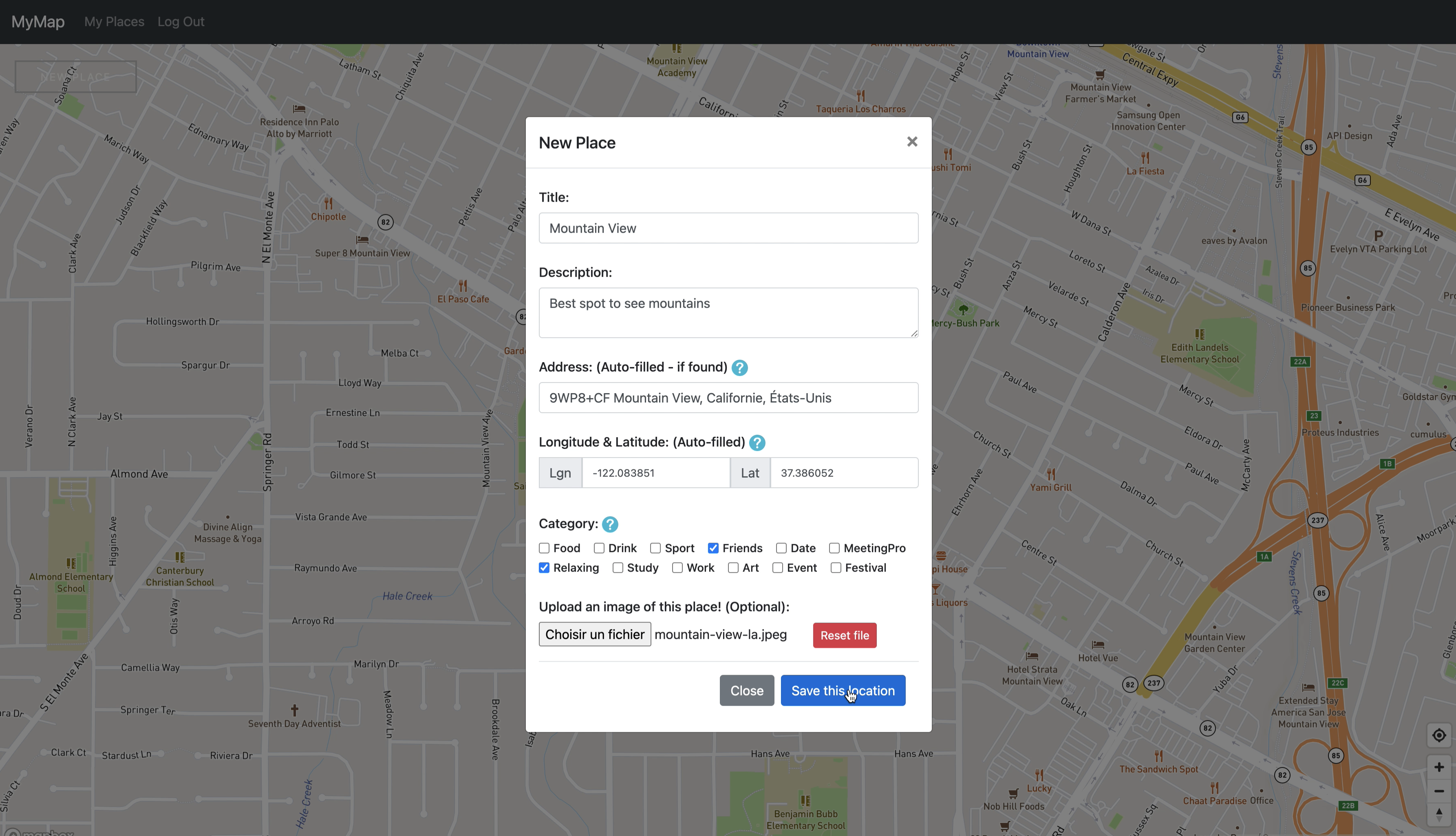
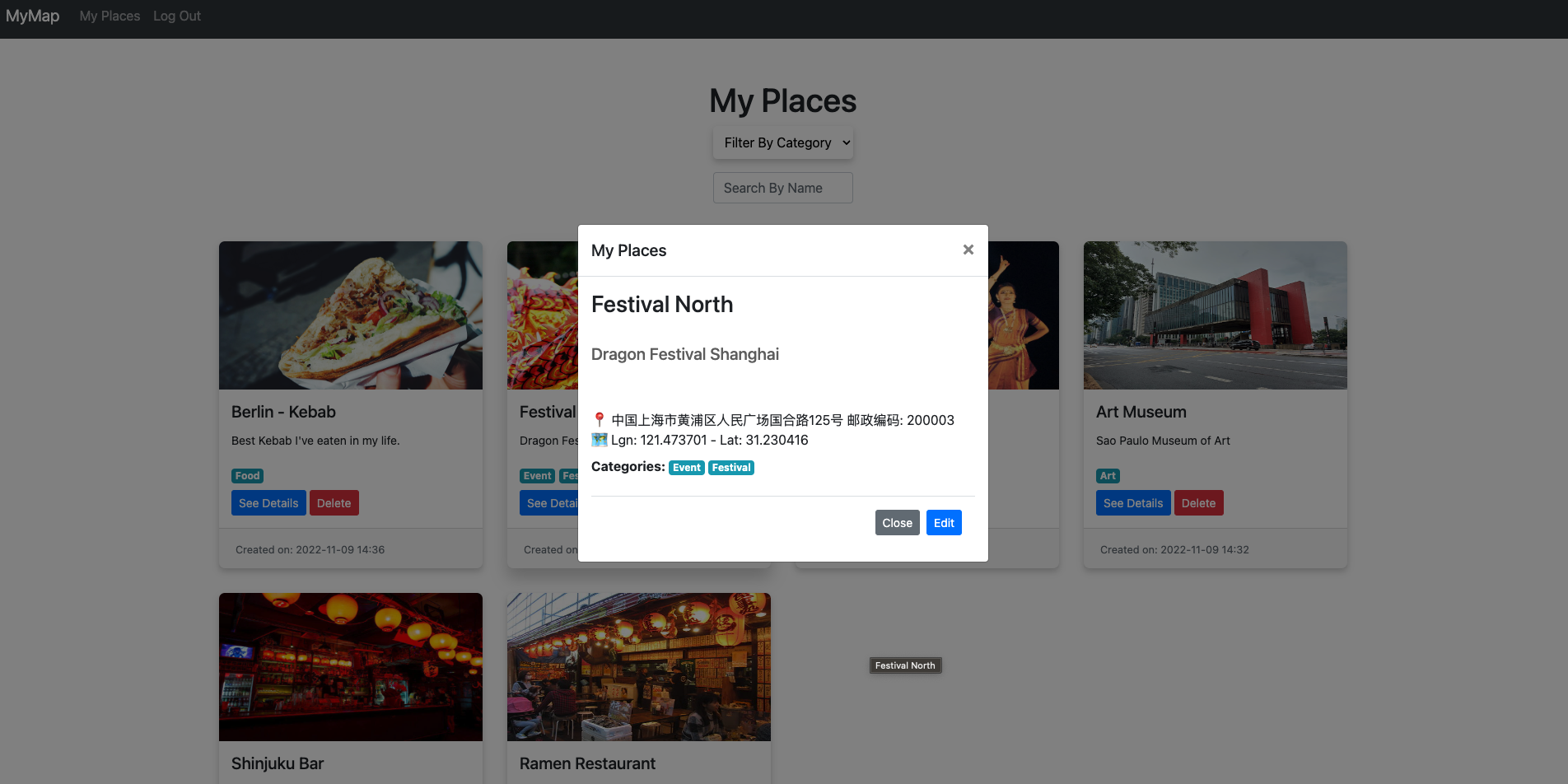
MyPlaces is a web app that allows users to: View an interactive map using Mapbox. Locate themselves on the map and save their coordinates with descriptions, images, and categories. Dynamically add pop-up markers for saved locations with clickable details. Edit or delete saved places directly from the map or on the MyPlaces page. Search and filter places by name or category for better organization. It provides a seamless experience where users can create and manage a digital memory map of their favorite places.
The project was built using: Backend: Django to handle data storage and API endpoints. Frontend: HTML, CSS, JavaScript, and Bootstrap for responsive UI design. Mapping: Mapbox API for dynamic map rendering and Google API for reverse geocoding. Database: A Django-based database with models for storing user-generated places and categories. Additional Features: REST API functionality through Django REST framework for data serialization, and pop-up interactivity on the map without requiring page reloads. The file structure organizes models, views, and static assets efficiently to support scalability and maintainability.
Challenges We Ran Into API Integration: Integrating the Mapbox and Google APIs for geolocation and reverse geocoding required careful synchronization to ensure accurate mapping and address fetching. Frontend-Backend Synchronization: Ensuring real-time updates to the map and DOM without page reloads presented some challenges in efficiently structuring the JavaScript logic. Database Dependencies: Deciding whether to include the pre-populated database for categories in the project required careful consideration to balance ease of demonstration with user flexibility. Accomplishments That We're Proud Of Successfully built a fully interactive, dynamic map that allows users to document places visually and manage them seamlessly. Achieved a smooth user experience with real-time DOM updates for creating, editing, and deleting places without page reloads. Created a clean and intuitive interface that is both desktop and mobile-friendly. Implemented secure backend logic with Django while leveraging the frontend for engaging user interactions.
What We Learned Mapping Technologies: Gained deeper knowledge of Mapbox and its features, including how to customize and interact with map elements programmatically. Frontend Integration: Strengthened skills in integrating JavaScript with backend technologies to deliver dynamic user experiences. Database Management: Learned the importance of pre-populating key database fields to improve demo readiness and user experience.
What's Next for MyPlaces Enhanced Features: Adding the ability to share saved places with friends or export data to external formats. Improved Search: Implementing fuzzy search algorithms to make place searching even more intuitive. User Contributions: Allowing users to rate or review places for a more social experience. Offline Functionality: Introducing offline map capabilities for users in remote areas. Advanced Analytics: Displaying user location trends and providing insights on their favorite types of places.
Built With
- admin
- and
- api
- backend
- bootstrap
- cloud
- control
- css
- dependency
- development
- django
- environments
- for
- framework
- framework)
- frontend
- geocoding
- geolocation)
- git
- globe
- interactive
- management
- map
- mapbox
- maps
- panel
- platform
- python-(backend)-javascript-(frontend)-html
- rendering)
- rest
- reverse
- serialization)
- sqlite
- ui
- venv)
- version
- virtual
- visualization
- web


Log in or sign up for Devpost to join the conversation.