-
-

App Welcome Page
-
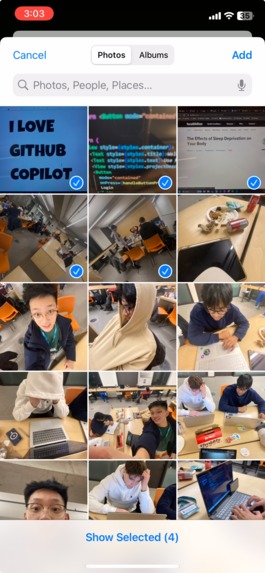
App Photo Selection
-
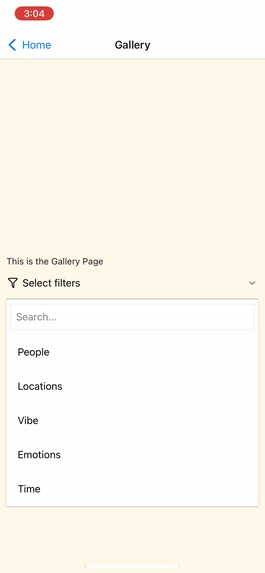
App Filter Selection Dropdown
-
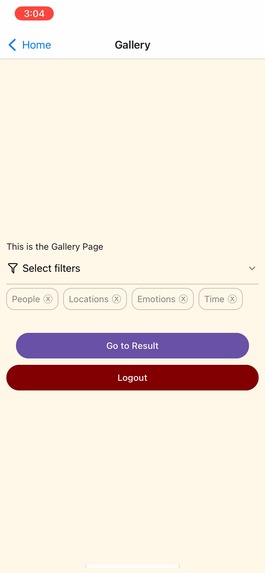
App Filter Management page
-

App Gallery Page
-
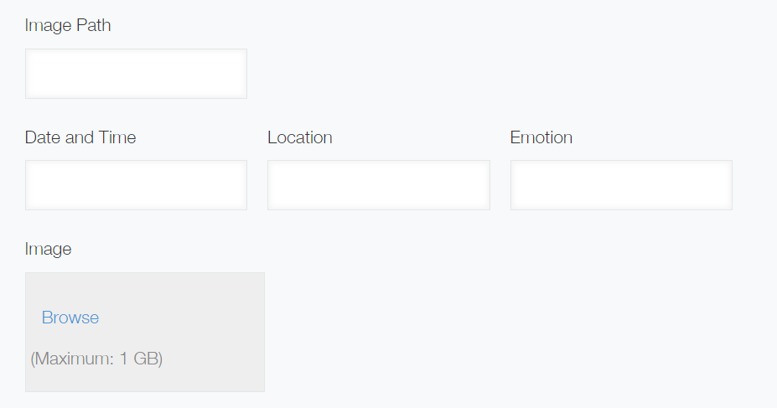
Kintone Database Form
-

Kintone Database Storage format


Inspiration
We were inspired by the theme of the hackathon; nostalgia. We thought that aside from smell, sight would be the most nostalgic sense to target and what more nostalgic than a photo album? Because phones are more common than ever, we tried to capture the nostalgia of a photo album in a modern way by turning the camara roll into a personalized photo album.
What It Does
Select the photos you want to be used for one/multiple albums, then select the categories you want to use as filters for the photo album. Such as the filtering by the time period the photo was taken, the city it was taken in, the perceived emotion of the image, and by being able to differentiate people. Then the app generates a photo album using set templates that is custom tailored to you.
How We Built It
We used expo go for rapid mobile app development and react-native. We also tried to use Auth0 for login authentication, and we managed to use Kintone for database storage. Then using image metadata and Python's deepface library, the pictures were sorted to match the categories chosen and a webpage was made to display the final photo album.
Challenges We Ran Into
All of us had windows computers and iphones which turned out to be a really bad combination for mobile app development and expo go. Windows can't use testflight and iphones can't download apks so it was near impossible to build and test development builds and features during the hackathon, without a paid developer subscription. Especially being new to app development. We also ran into issues with retrieving IOS photo metadata, where you could not access it externally due to IOS security. Which proved to be a problem as we could not use Expogo to retrieve Apple's specific photo metadata, which only Swift was found to work. As a work around we found that by accessing the photos stored within the icloud folder would allow us to access the Apple metadata, but as soon as the file was moved outside of the icloud folder the Apple metadata would be removed. Resulting in a huge stop in the automation and integration of our backend to the front end app.
Accomplishments That We're Proud Of
We are proud of the amount which we have learned through the immense amount of troubleshooting done this weekend. In specific about full app development and the interactions between the front and back ends. The skills and experiences gained in project communication and planning before beginning development. As well as the fact that both our app and backend codes worked as intended with it being unfortunate that we did not know of the language compatibility issues for IOS mobile development before finishing both codes and attempting to integrate.
What We Learned
Front-end frameworks such as JavaScript, CSS, HTML, React-Native, Kitone, deepface, and Python. We also learned back-end frameworks such as Django, and Flask. However, one of the most important things we learned was the importance of very careful project planning when working on a team project with not a lot of time to work with. Ensuring that all of the relevant overhead research is done on the languages, frameworks and API's before beginning development.
What's Next For MyPhotoAlbum App
For this app we have a lot in mind for the future. Some of these ideas include:
- Redeveloping the app in Swift when we get access to means to simulate the app.
- Fully integrating the app flow as intended.
- Adding more features such as our developed but un-integrated facial comparison feature which determines and filters by people that are within the selected photos, as well as using a vision model to determine similar and key background objects such as a beach or mountain.
- Adding a timeline filter which takes one person and arranges the photo album in chronological order, to show the development of the selected person.
- Adding Video functionality to the photo album.
Built With
- deepface
- expogo
- javascript
- kintone
- python
- requests

Log in or sign up for Devpost to join the conversation.