-
-
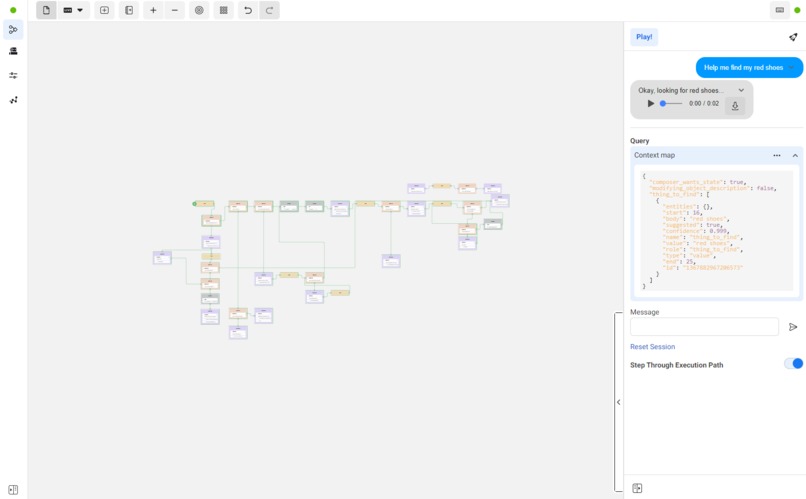
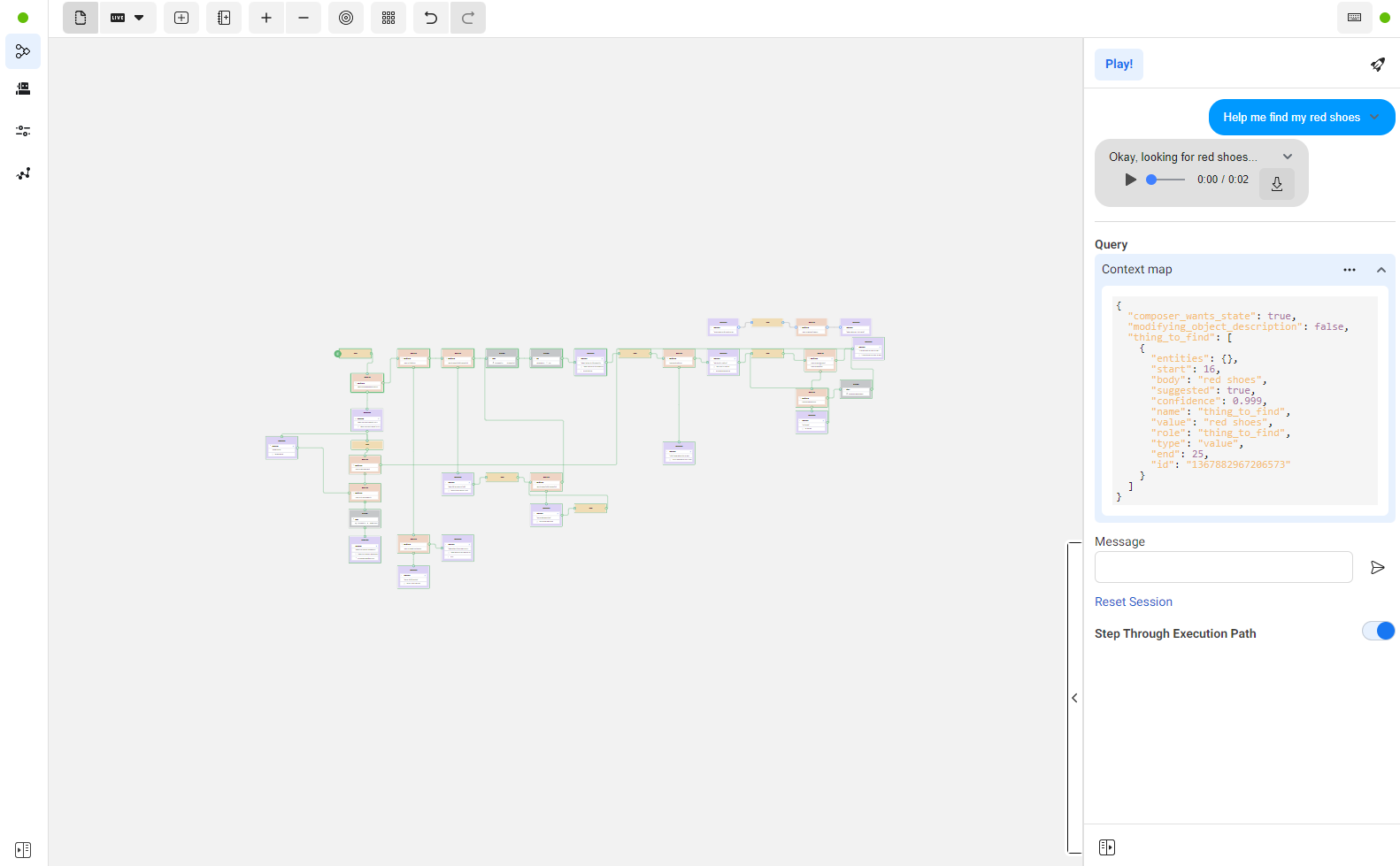
The whole Composer canvas in wit.ai
-
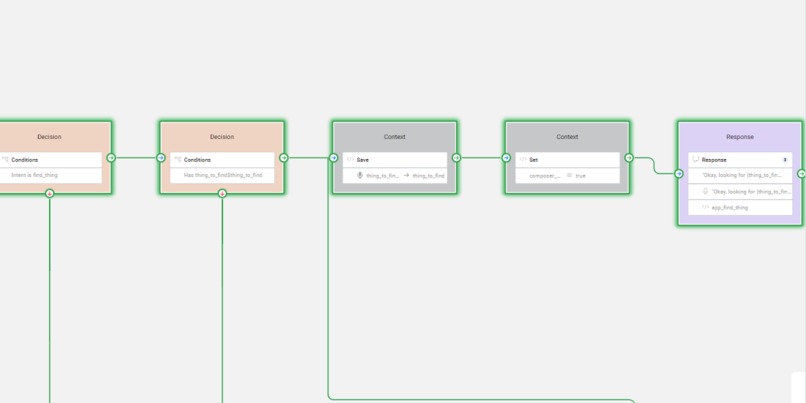
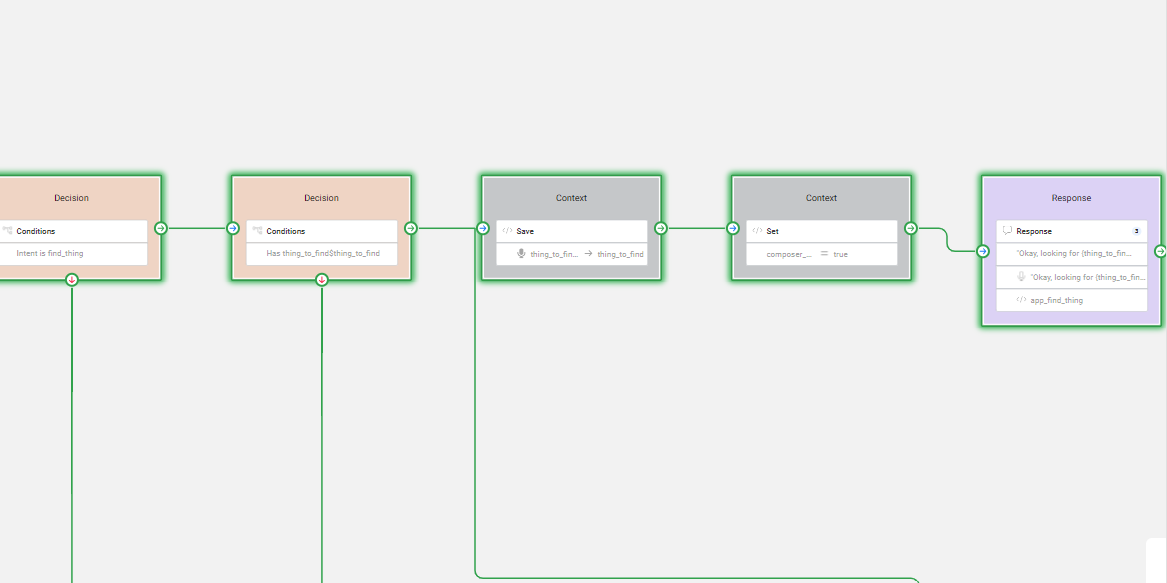
A zoomed in section of the wit.ai Composer canvas
-
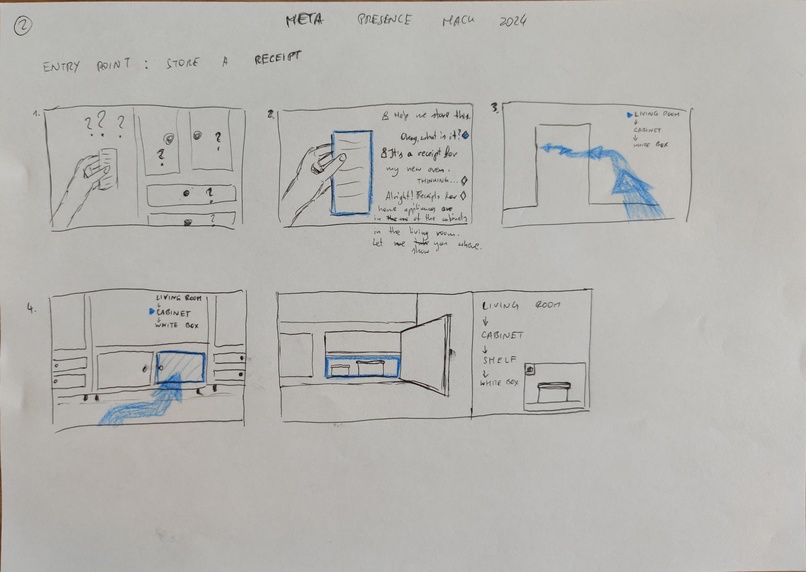
Initial design sketch 1
-
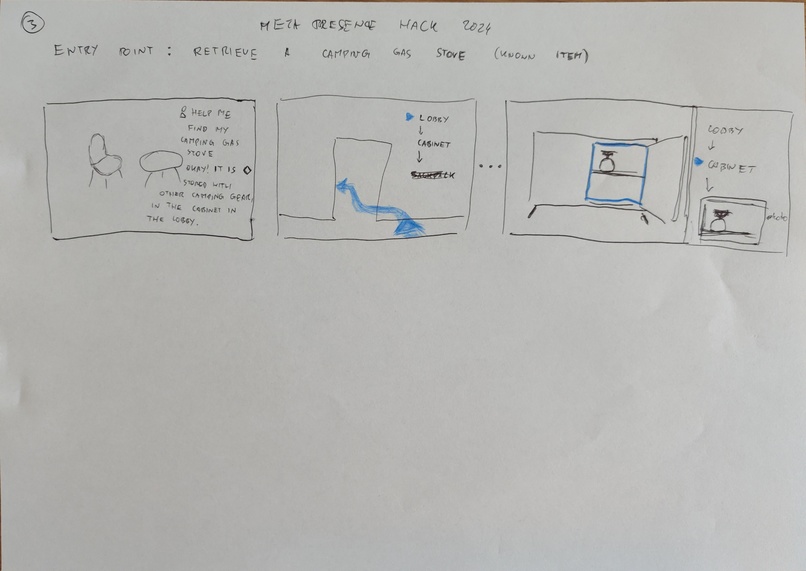
Initial design sketch 2
-
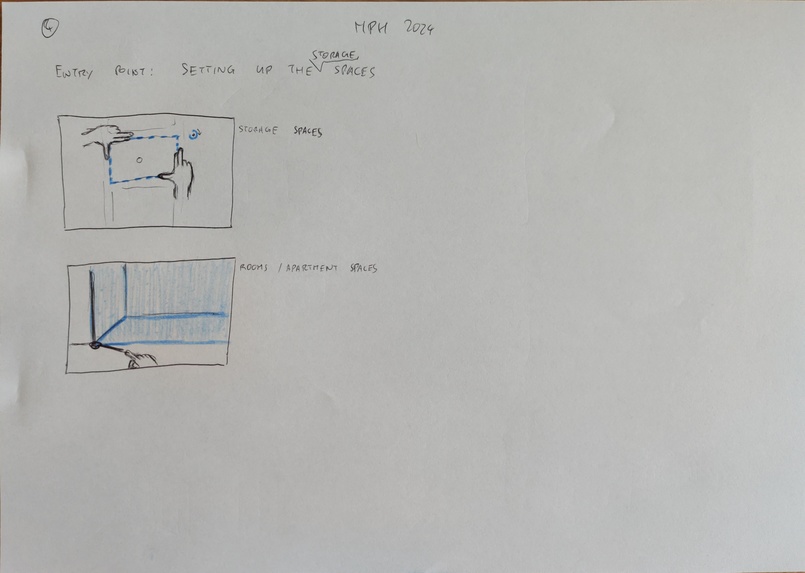
Initial design sketch 3
-
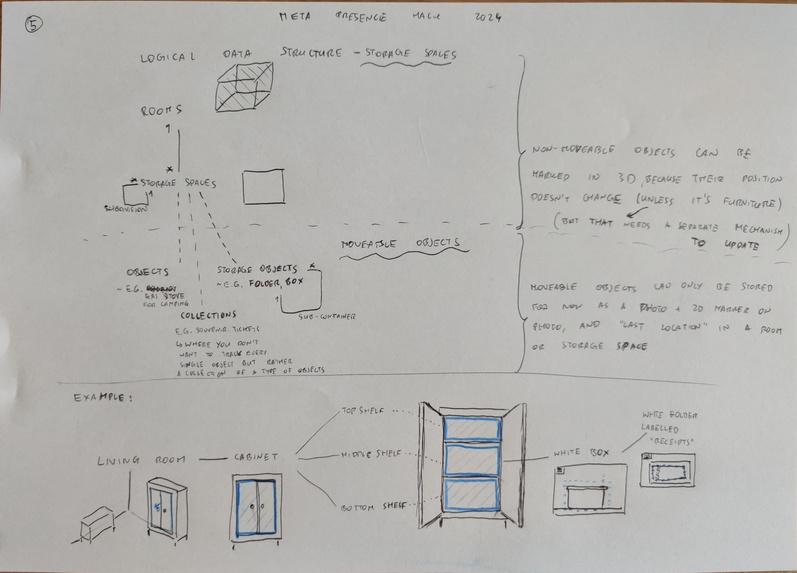
Initial design/technical sketch 3
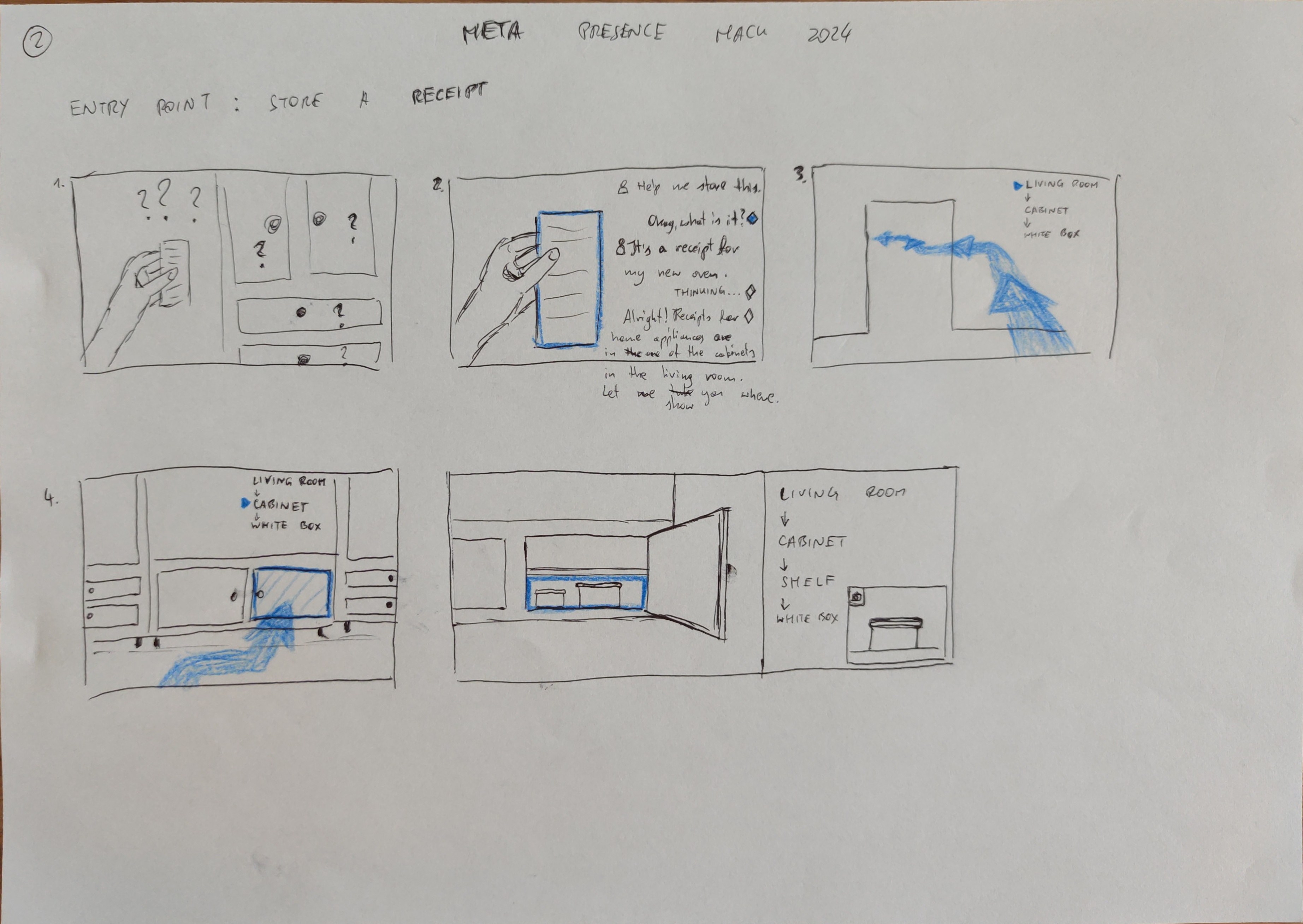
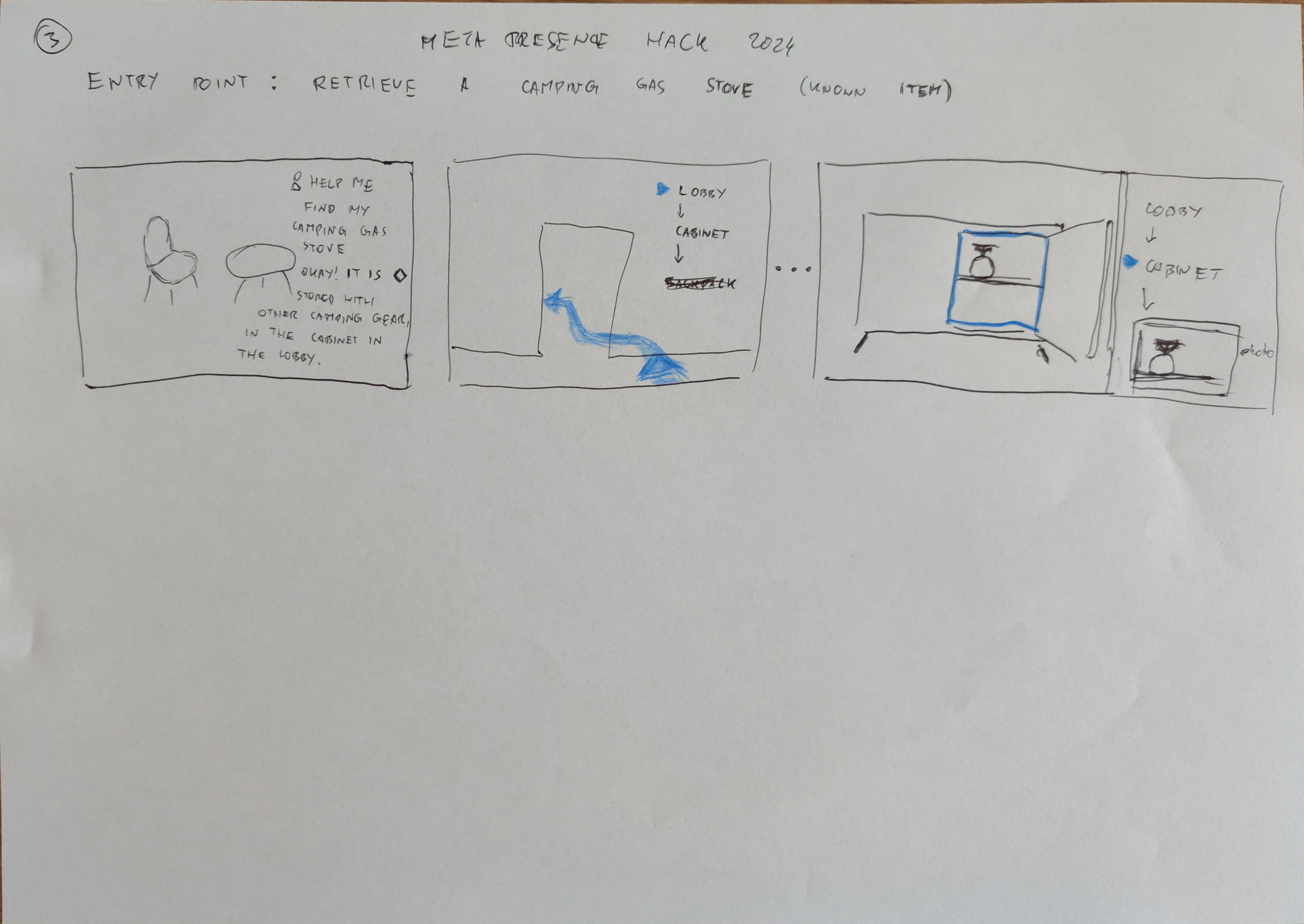
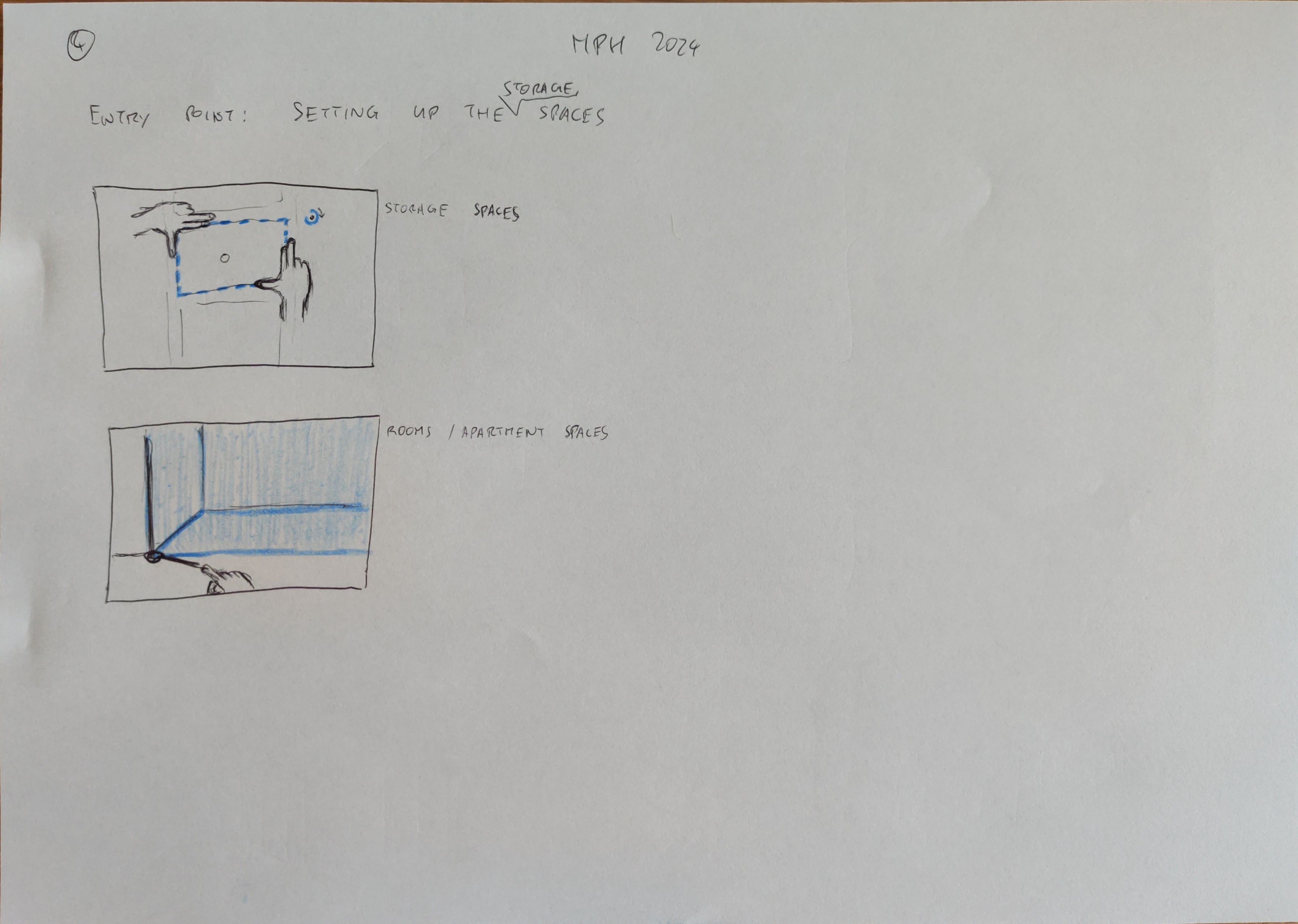
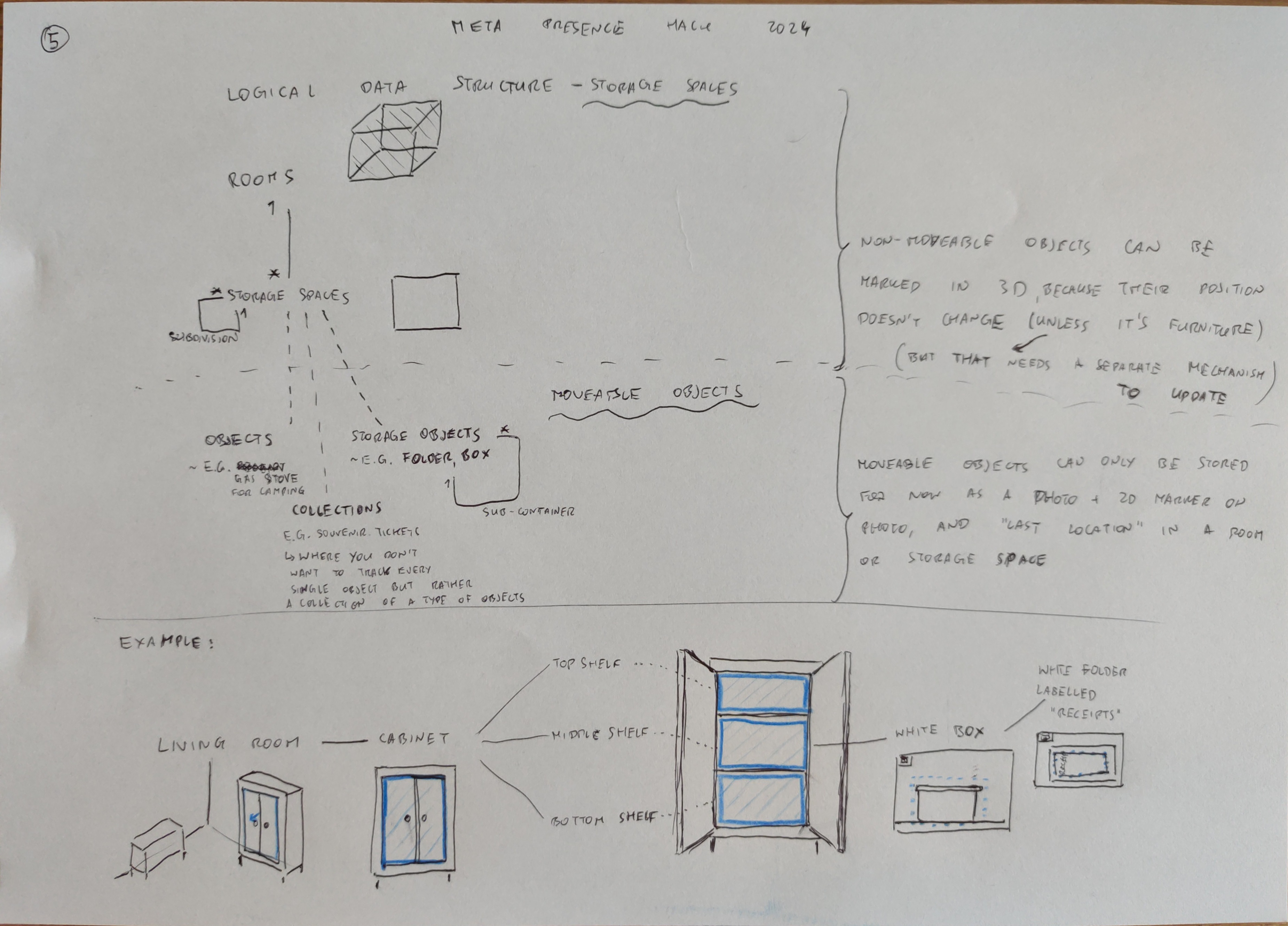
Inspiration
You're a tidy person. You try to organise the stuff at home neatly; sort it into categories. Then, you sort it into containers. Then, you hide those inside cabinets. All's great, until, some time later (it's often a considerable amount of time, mind you), you need to find one of these valued possessions that you've so meticuluously pigeonholed away. You know what lies ahead - opening numerous cabinets, cupboards, drawers. Trying to remember your decision-making process from half a year ago. You start thinking: did I just waste more time on all of this than I saved by trying to be organised? Should I just keep my stuff on an ever-growing pile of things in the corner of my room, so that at least they're visible?
Well, maybe not anymore. Myosotis (Greek for forget-me-nots) is designed to help solve exactly this problem.
What it does
Myosotis combines a graphical and a natural-language user interface to allow you to gradually create a semi-structured database containing associations between physical locations inside your home (based on Spatial Anchors), and text descriptions of the objects that are contained inside each location. The user can ask Myo, the friendly bot, to either store a new object in a new location, or ask for help in finding an already stored object. The questions can be asked using voice input. Myo then leads the user to where the object is stored, if that thing is remembered in the system.
DATA NOTICE: currently, sentences spoken by the user go through the wit.ai servers in order to transcribe and understand the utterings, and later. Please don't input any personal or otherwise important data into the tool, as the speech data is visible to the developers of the app.
How we built it
We built Myosotis as a Mixed Reality app, using several of the components and building blocks of the Meta Presence SDK inside the Unity3D game engine.
Fundamental components we've used are:
- PassthroughSDK and the MixedRealityUtilityKit for setting up the basics of the Mixed Reality experience
- InteractionSDK for adding ray, poke and distance grab interactions to UI objects and physical locations
- VoiceSDK with wit.ai speech transcription and text-to-speech building blocks (through quick actions).
- Spatial Anchors to store physical locations inside the user's house for navigation
Advanced components we've used are:
- wit.ai's Composer system for designing several voice interaction routes through the app, reacting to user commands and sending actions awaiting a context change
- the experimental CONTEXTUAL_BOUNDARYLESS_APP flag - to allow the user to walk around the whole apartment and place spatial anchors anywhere
- Voice SDK Toolkit from Meta to implement a high quality attention system (although we did run into some issues with relying entirely on these prefabs for activating the voice experience)
Challenges we ran into
- We initially intended to combine the Composer mechanism with the OpenAI API for more advanced language processing, especially a more robust approach for adding object types to storage and for looking through the database. Such a system could ask clarifying questions when the user's description of an object is ambiguous when looking at the whole database, for example when there are multiple locations with slightly similar object types. Also, when adding new object types to existing locations in the database, the model could update the database in a "smart" way to not overwrite the old definitions, but rather extend them in a semantic way.
However, we ran out of time to integrate these two complex systems in a way where some utterances are handled by Composer and some - by OpenAI. We have, however, designed the prompts for ChatGPT that would handle this mechanism, and we have included them in the zip file attached to this Devpost page.
- We've also spent some time trying to adapt the AttenSys+Invocation prefab for our use case, but had problems with getting the UI activation invocation working consistently, so we left the attention system for displaying the live transcription and microphone state only, but used a simpler button for manual voice activation.
Accomplishments that we're proud of
- combining a spatial and a language interface for an intuitive experience
- designing an advanced voice interface mechanism with potential to expand even more
- exploring the space of practical applications in the home
What we learned
- How to use all the Meta Presence SDKs, especially with a deep-dive into the advanced language processing capabilities,
- Many Best Practices for immersive experience design, notably attention systems for voice interactions
What's next for Myosotis - Forget-Me-Nots
- Polishing the 2D / 3D UI more, to provide a smoother experience
- implementing the integration with a more powerful LLM
- tackling data privacy and security concerns


Log in or sign up for Devpost to join the conversation.