-
-
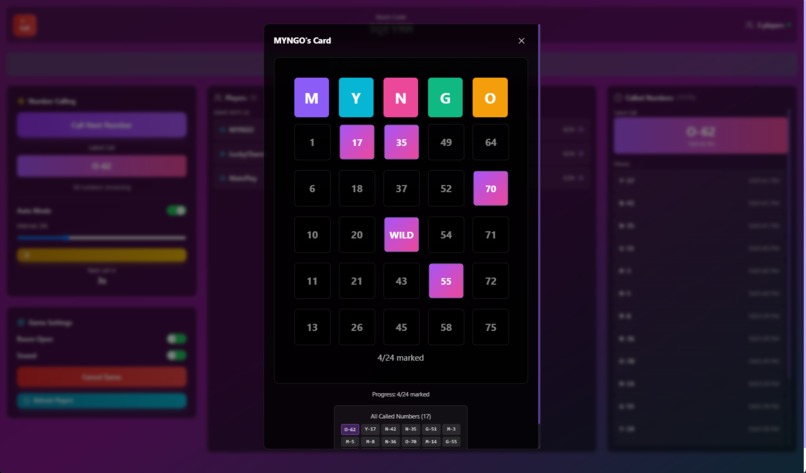
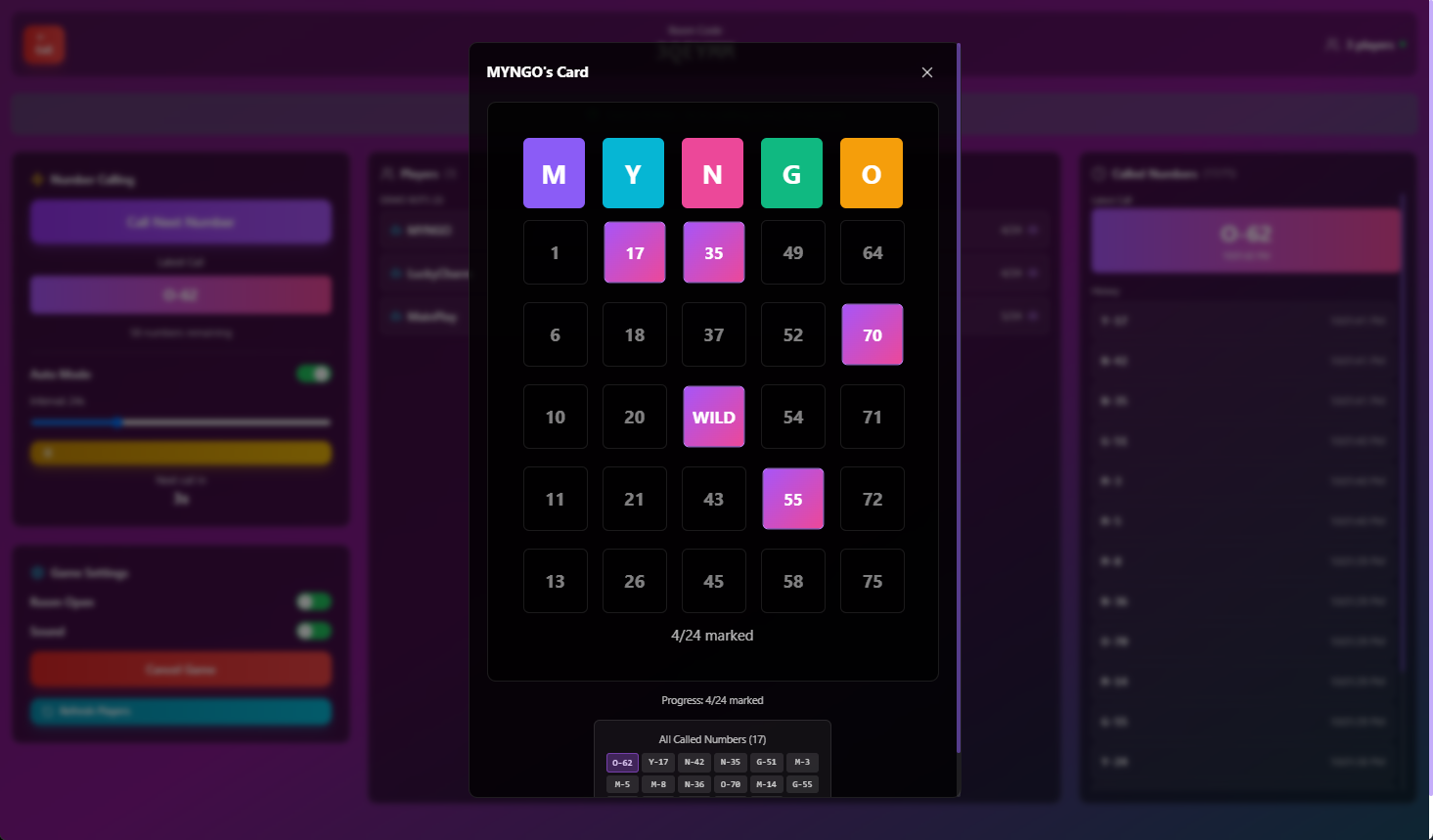
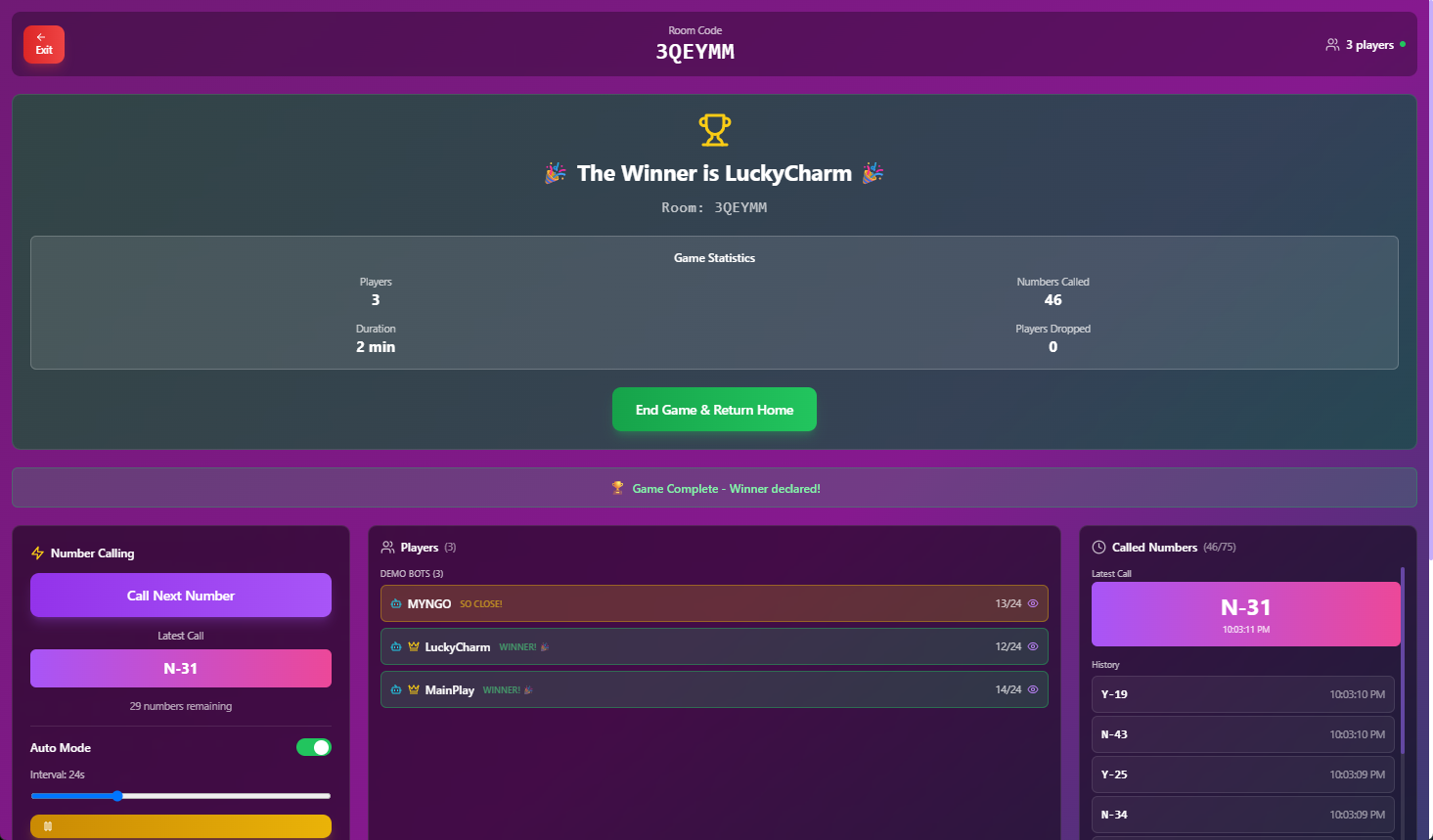
Host Dashboard - View Player Card
-
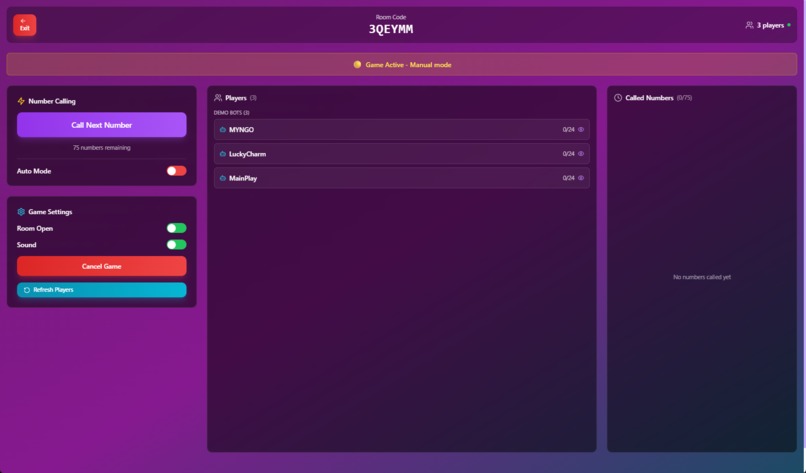
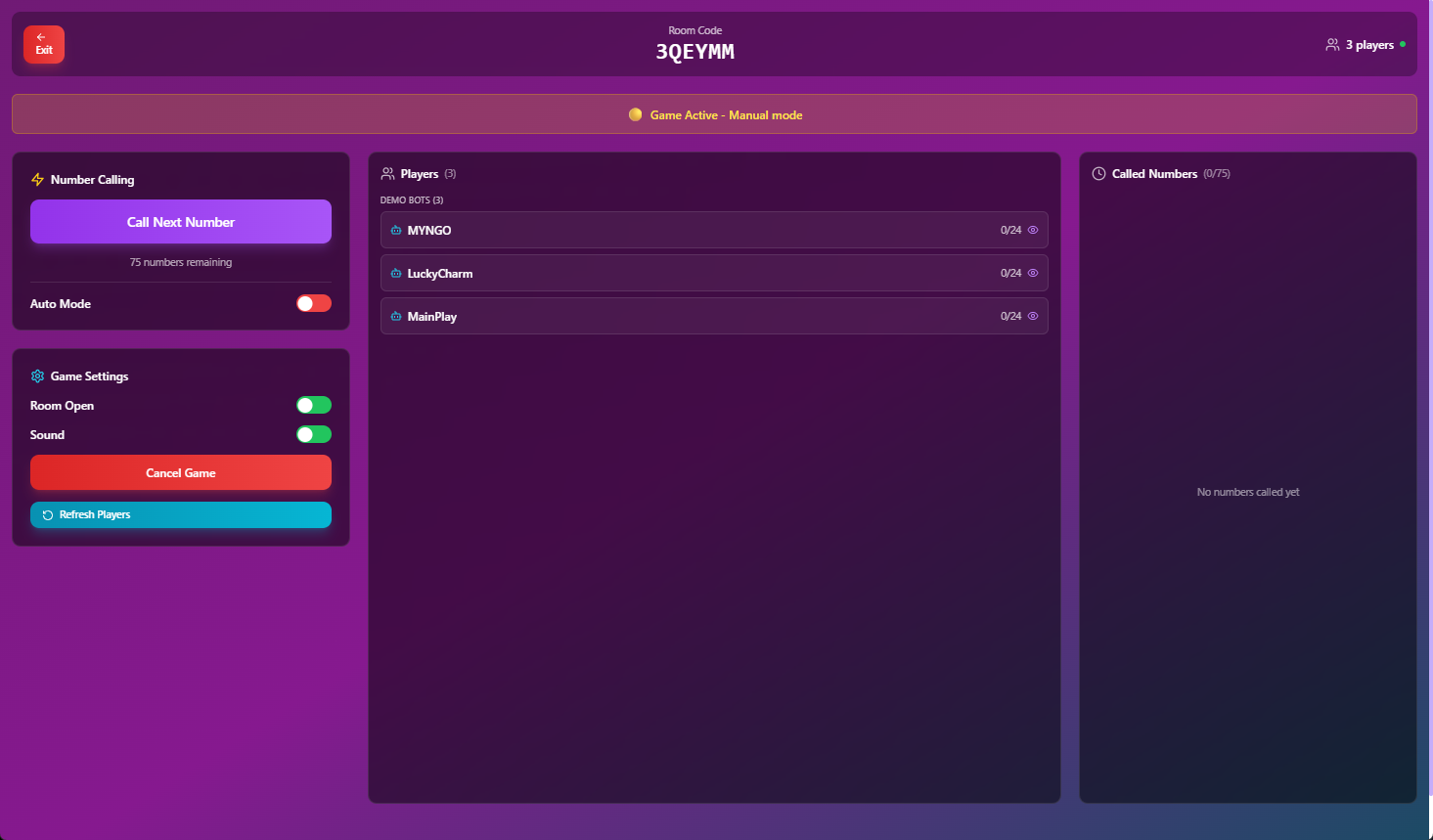
Host Dashboard - Manual Mode
-
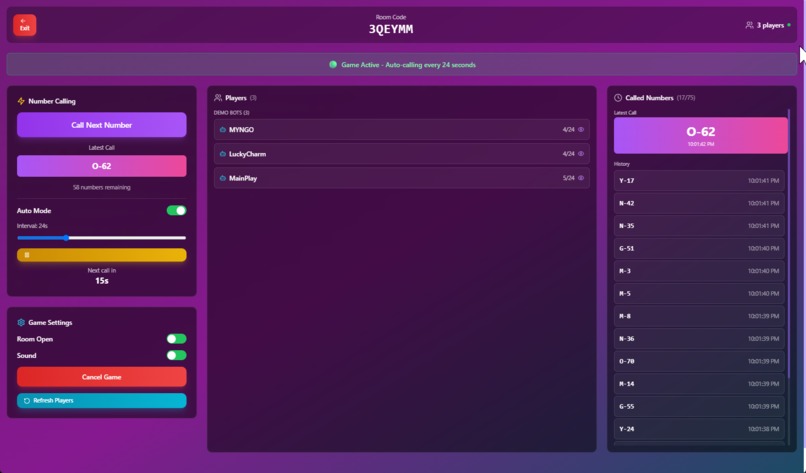
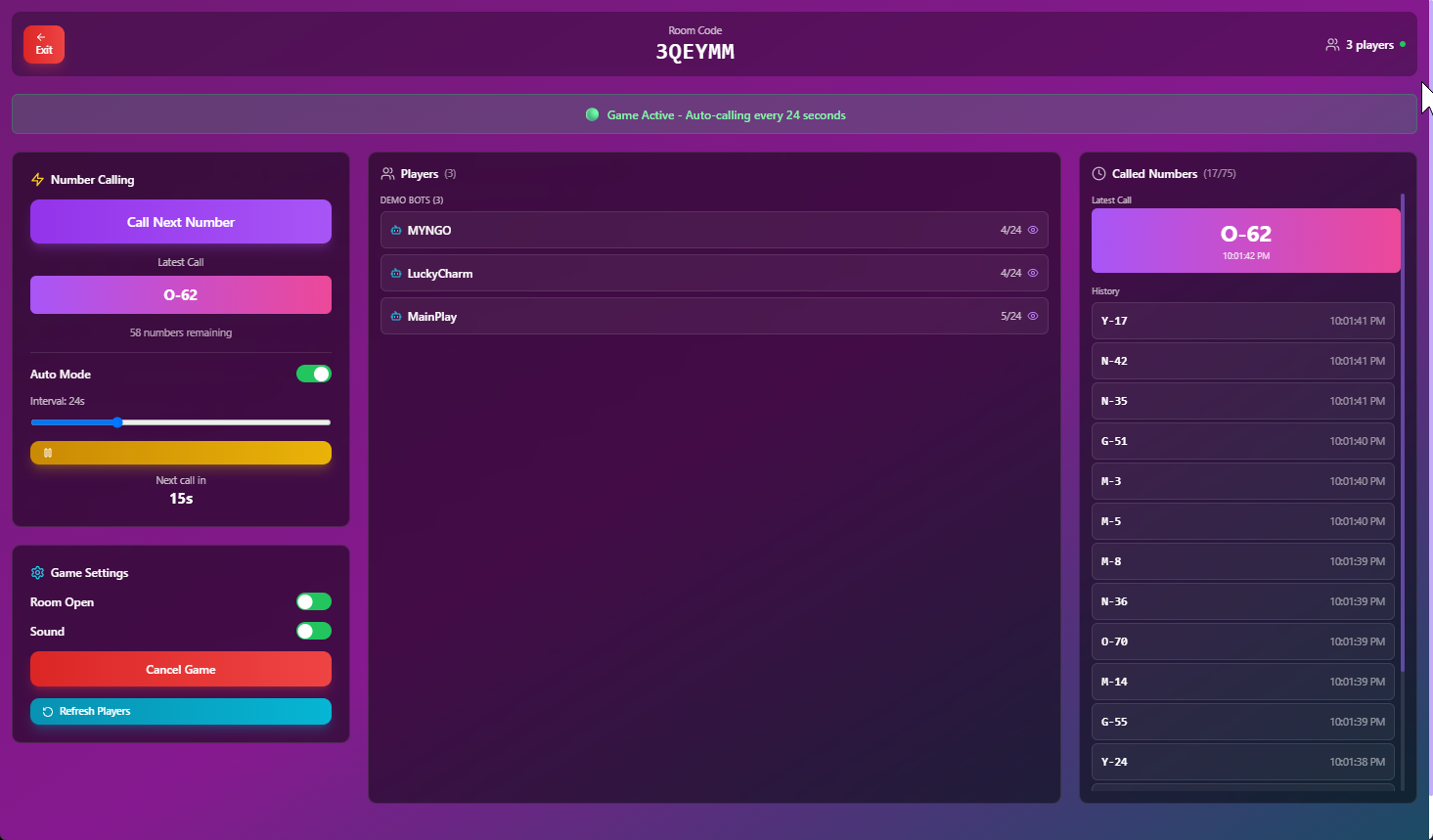
Host Dashboard - Auto Mode
-
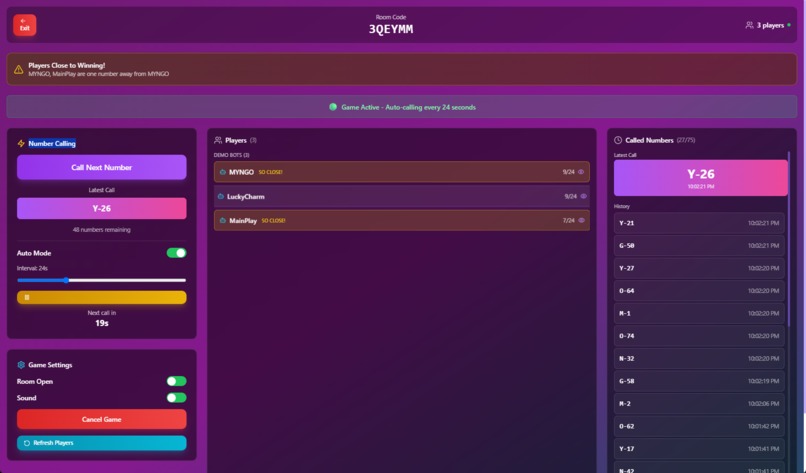
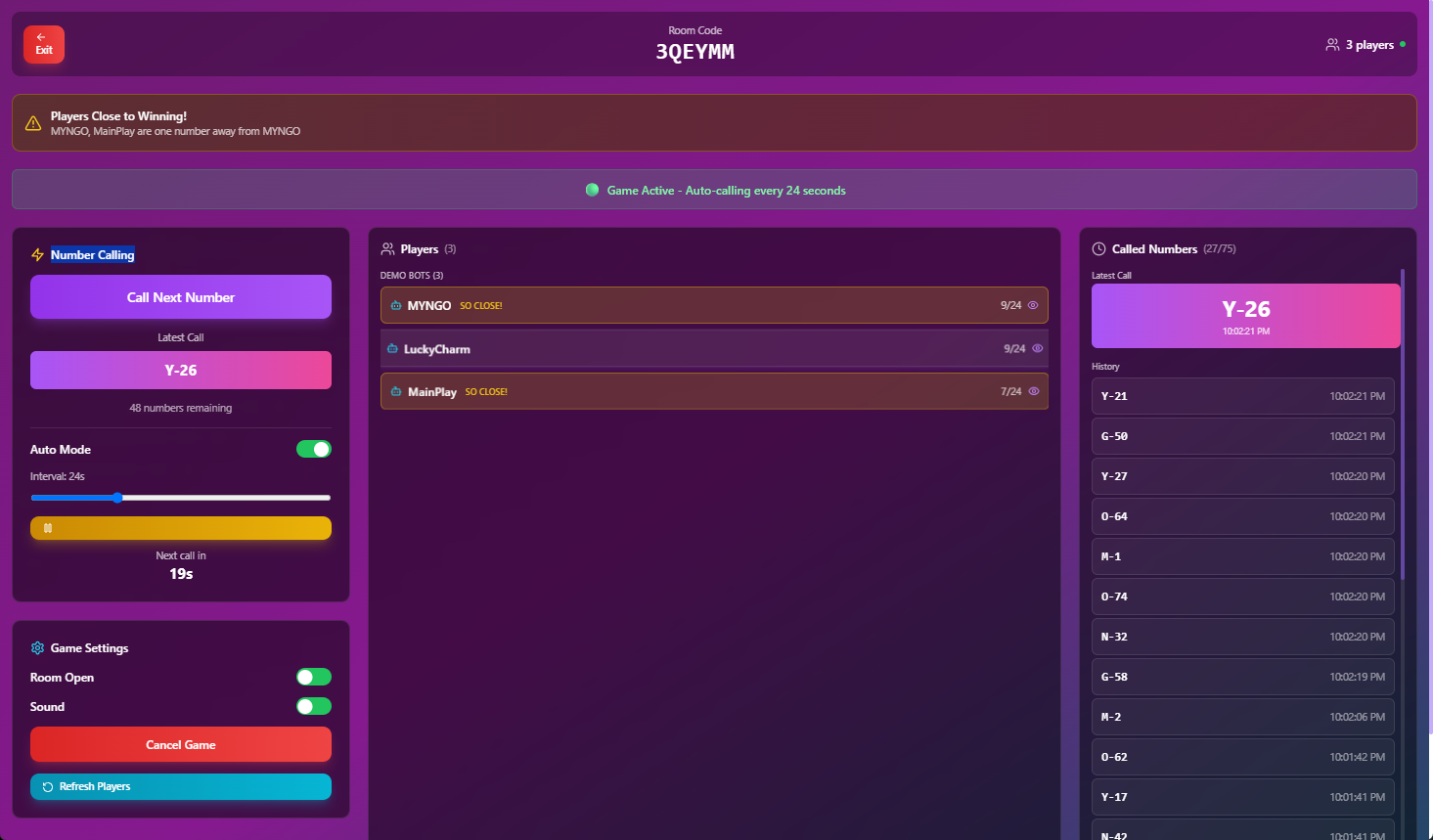
Host Dashboard - Almost a winner
-
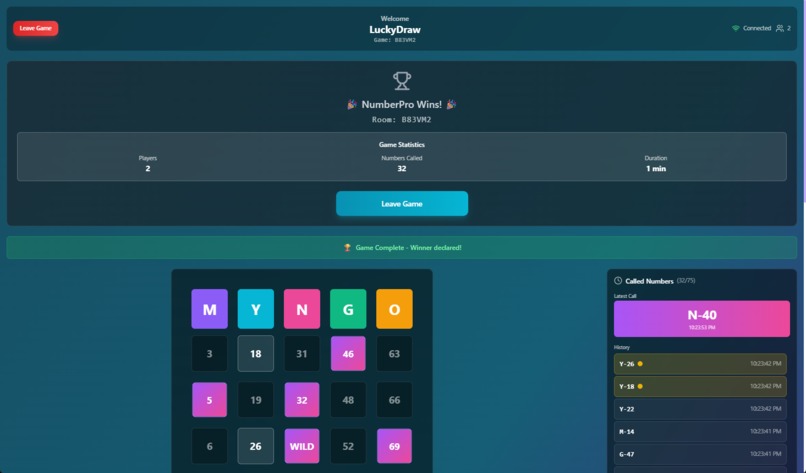
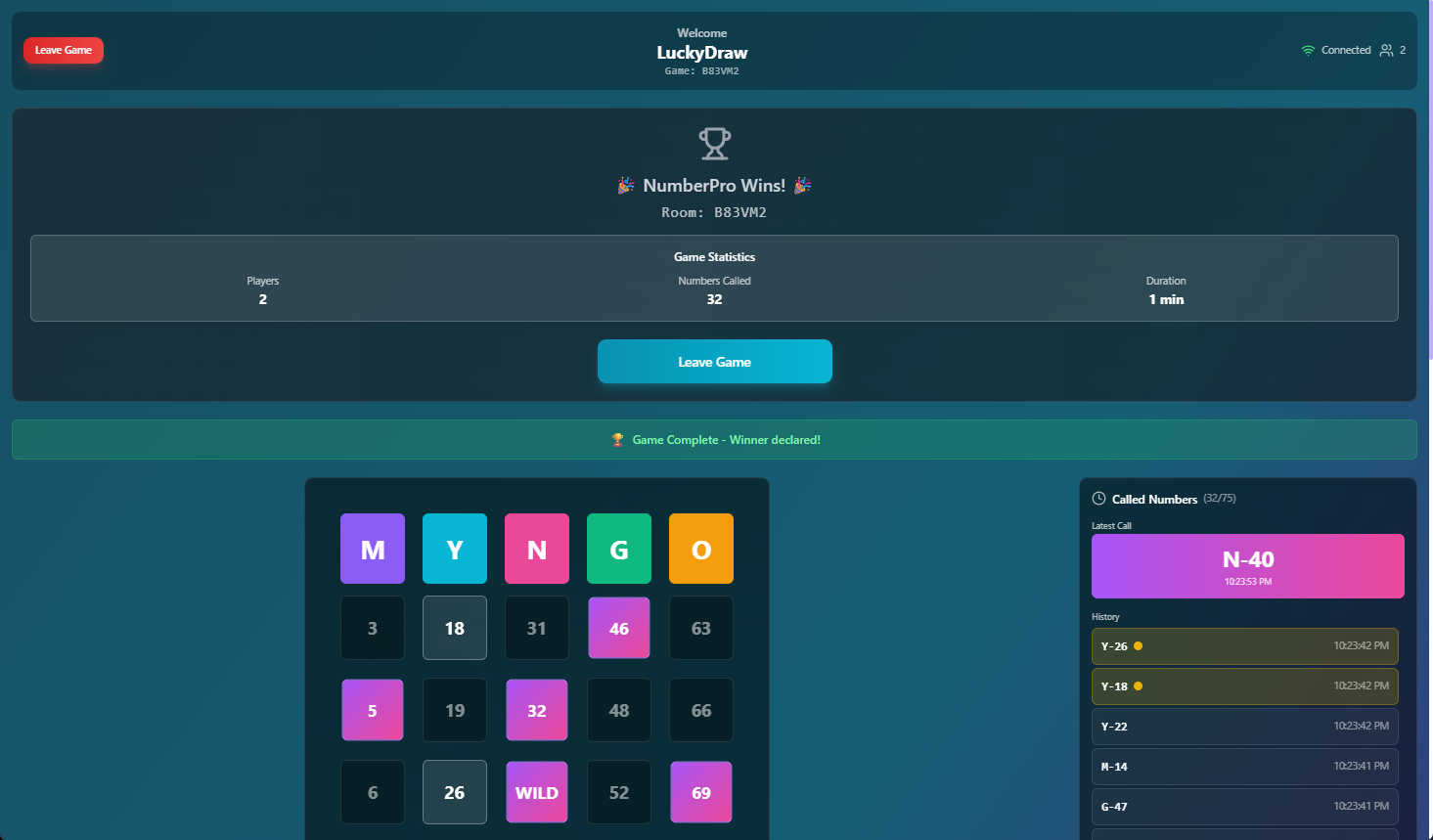
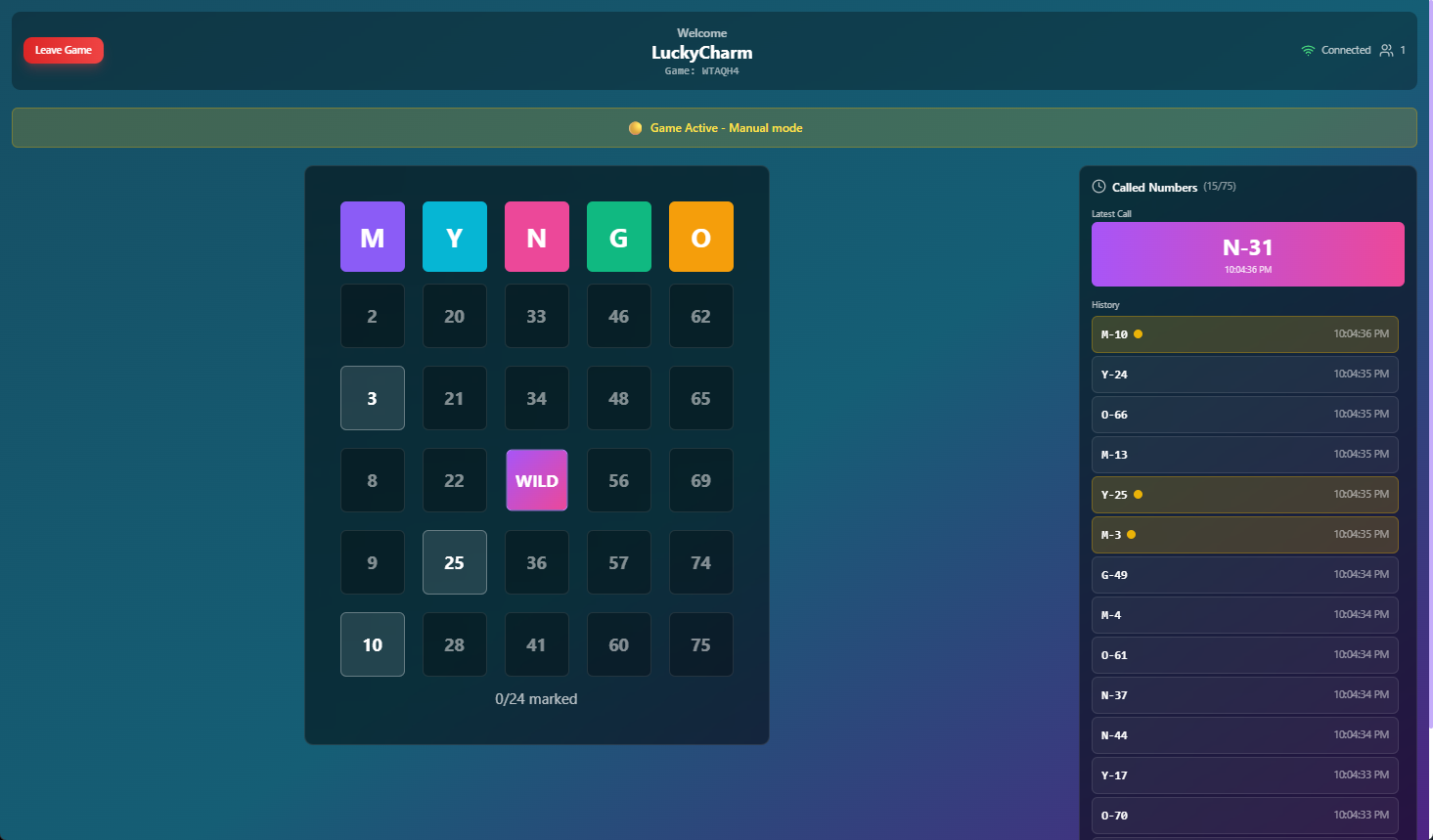
MYNGO Playing Card - NOT Winner Banner with stats
-
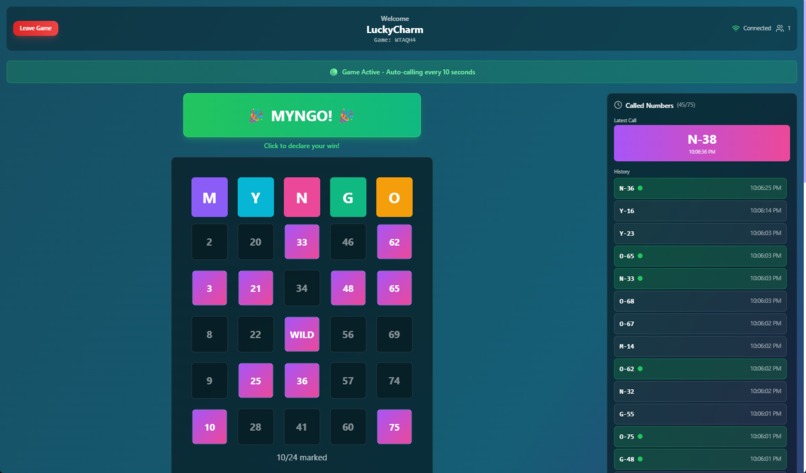
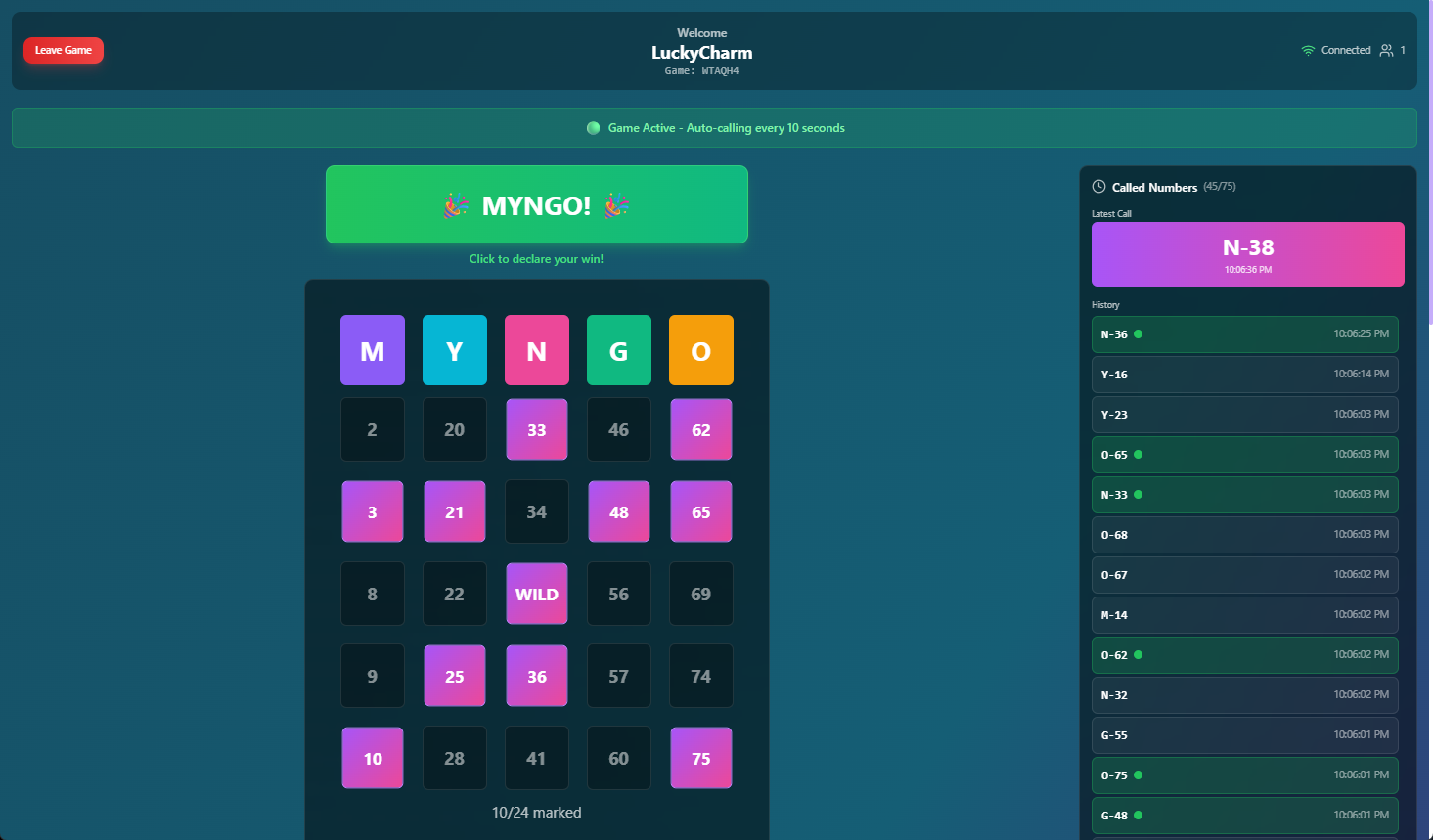
MYNGO Playing Card - must press MYNGO to win
-
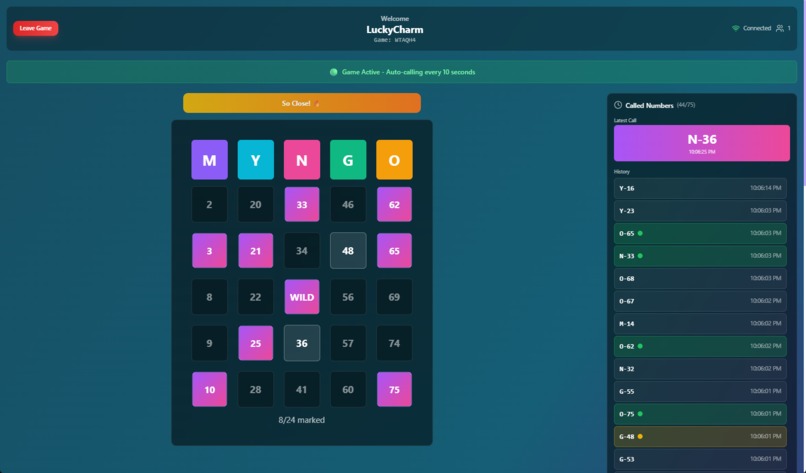
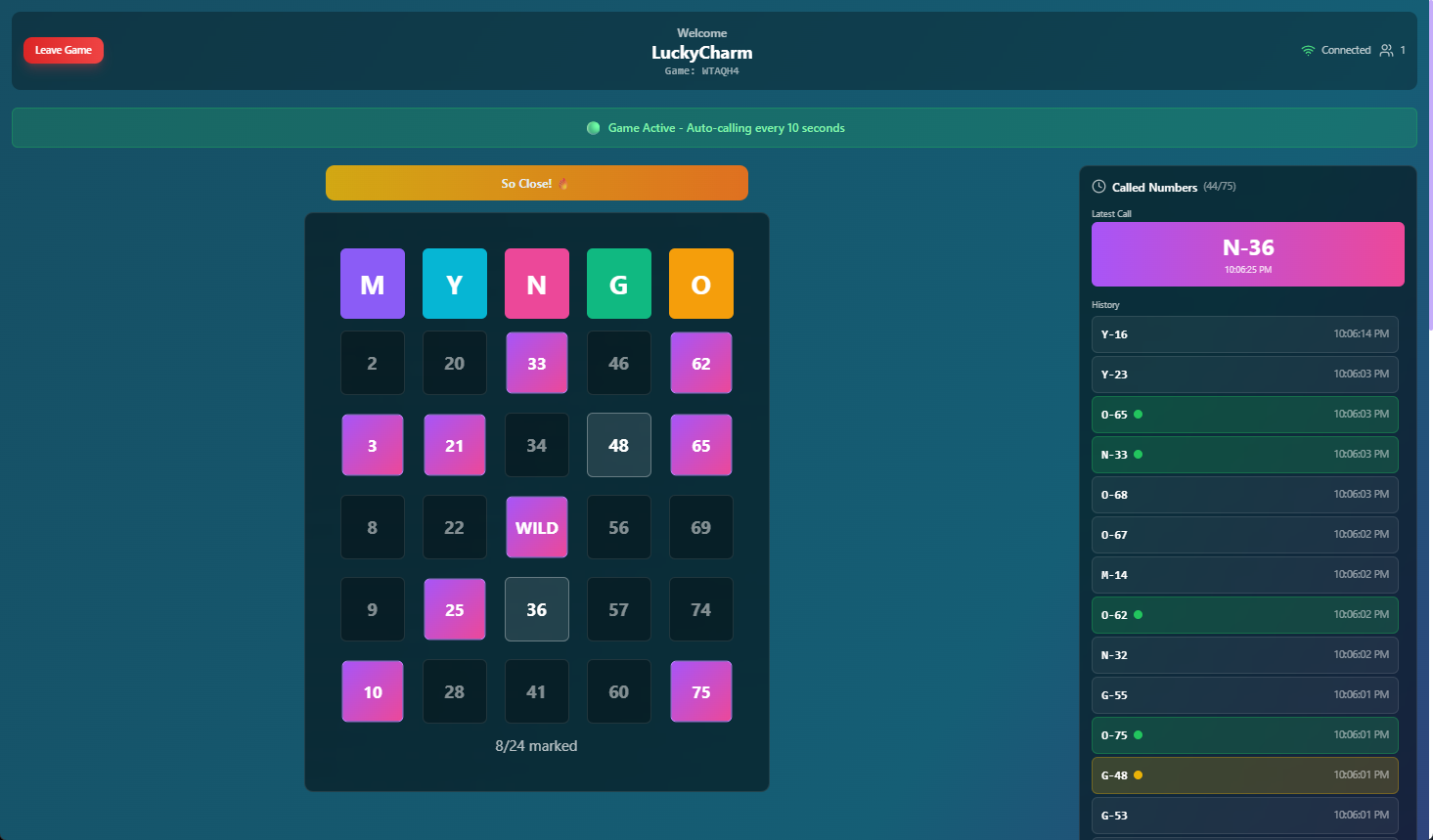
MYNTO Playing Card - CLOSE TO WIN
-
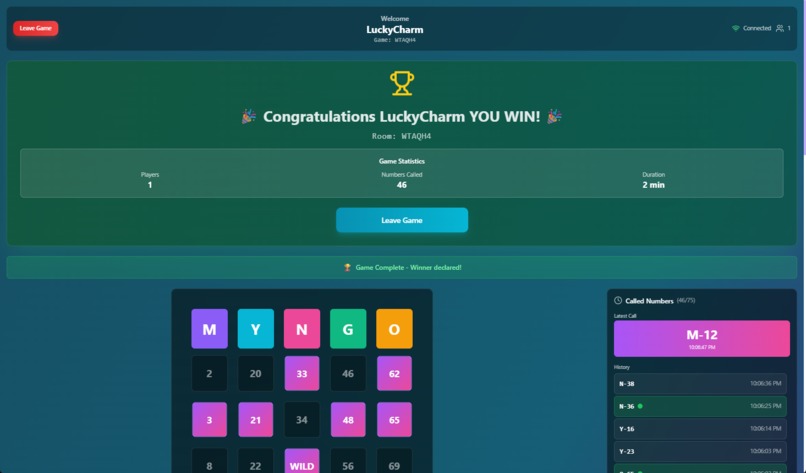
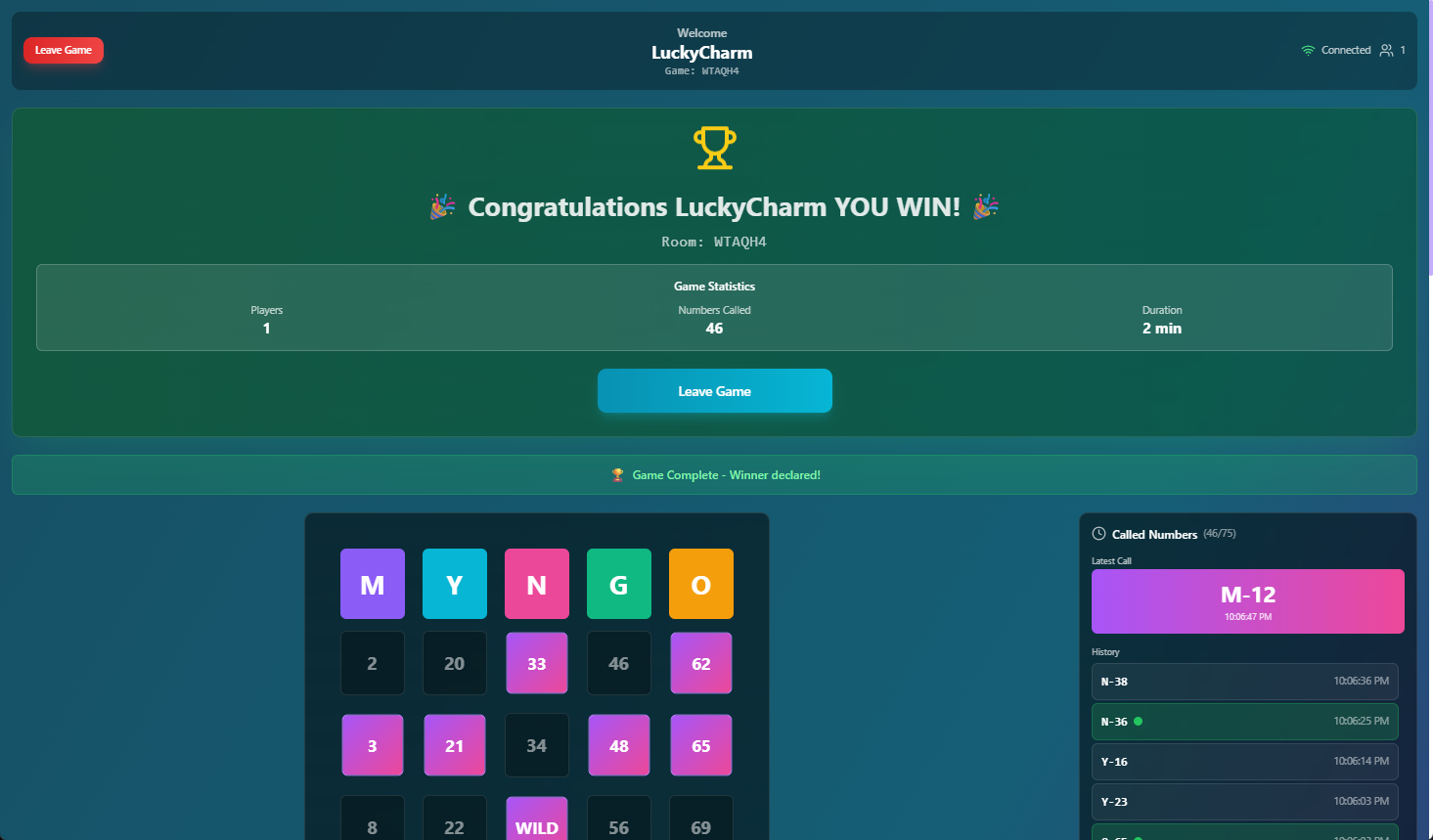
MYNGO Playing Card - Winner Banner with stats
-
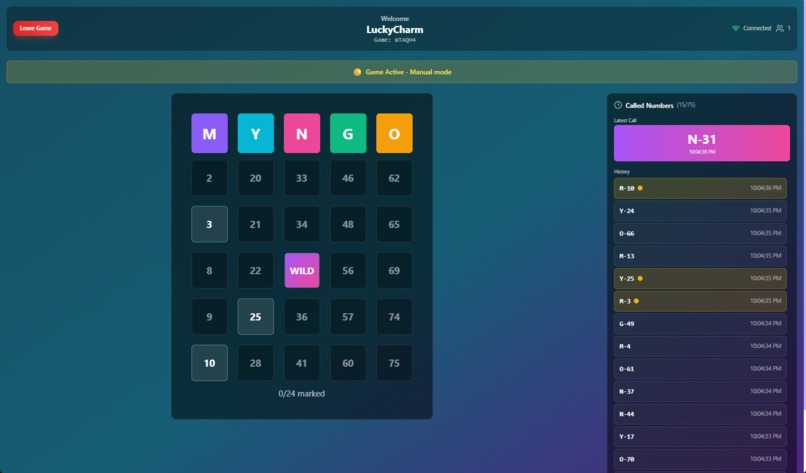
MYNGO Playing Card - Numbers don't count until highlighted
-
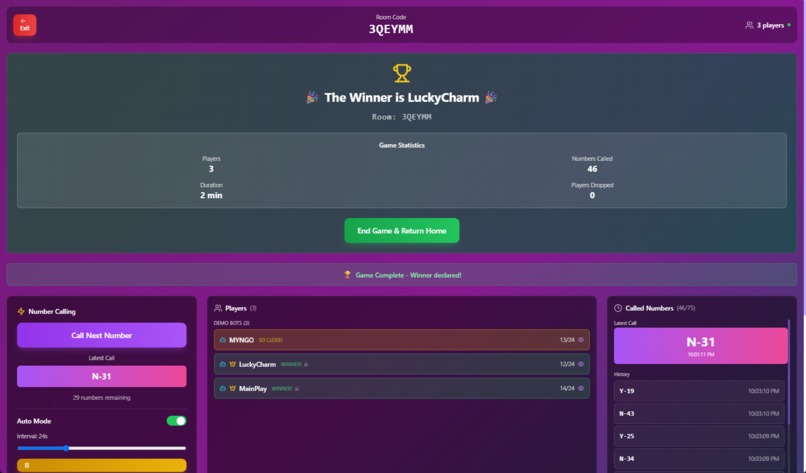
Host Dashboard - WINNER, close - one beat out the other in the final call for MINGO
-
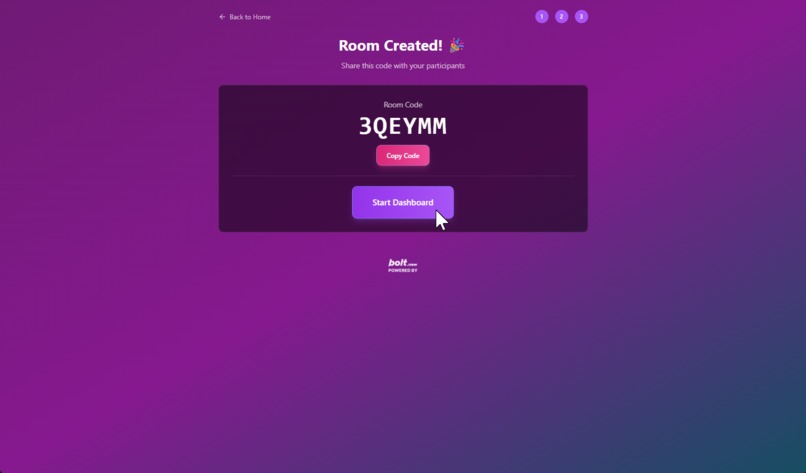
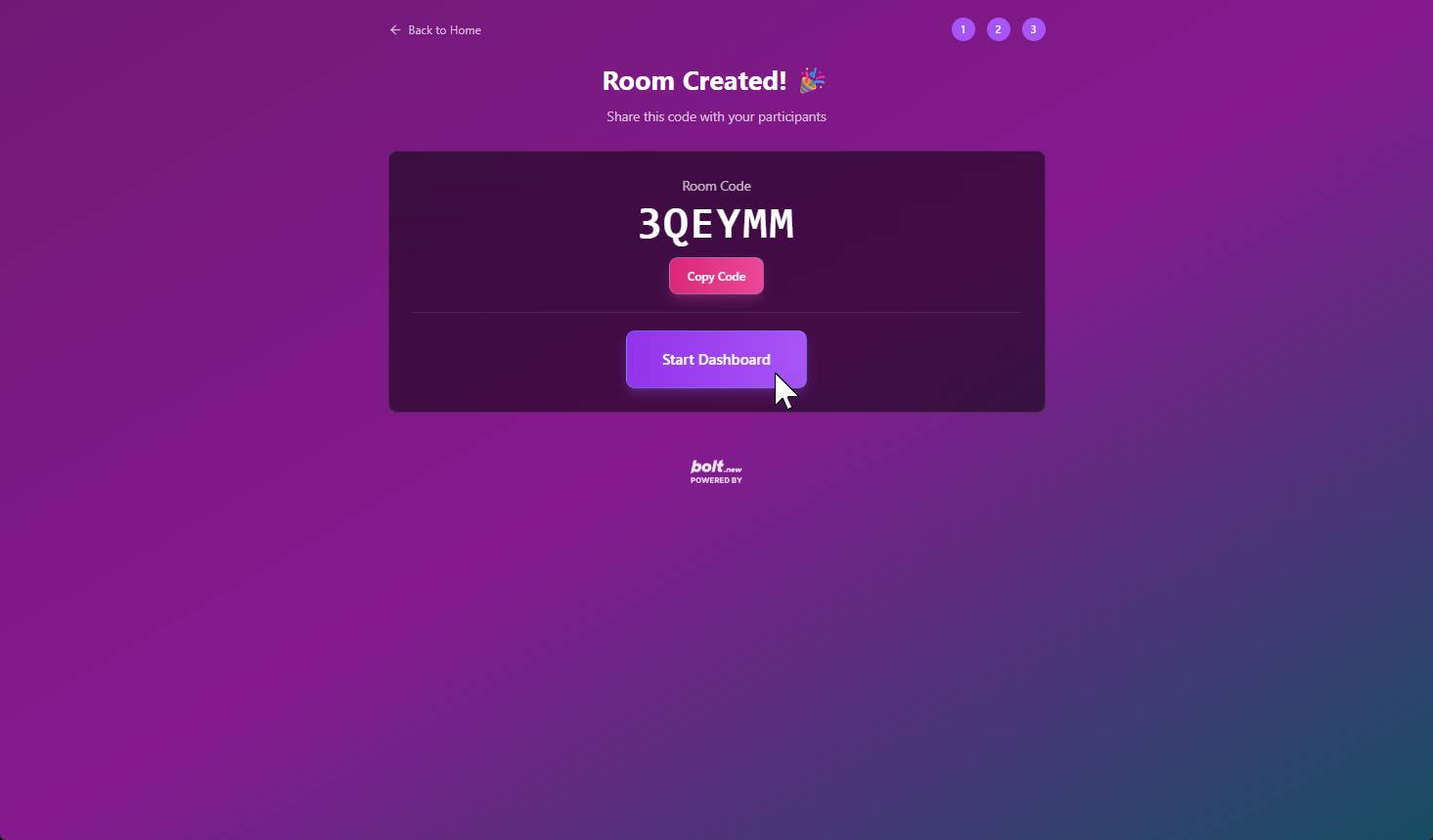
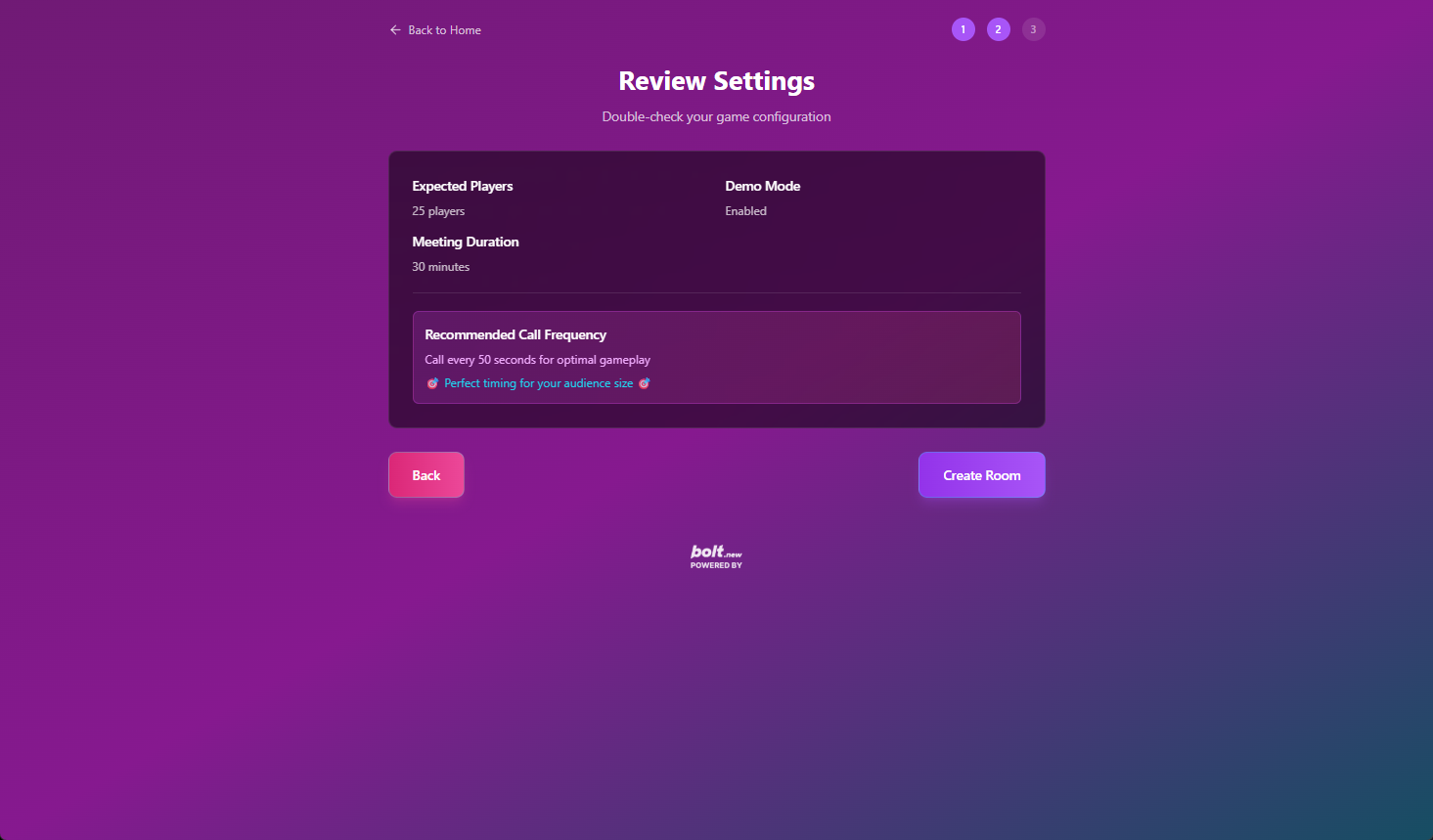
Host Settings - Third Page
-
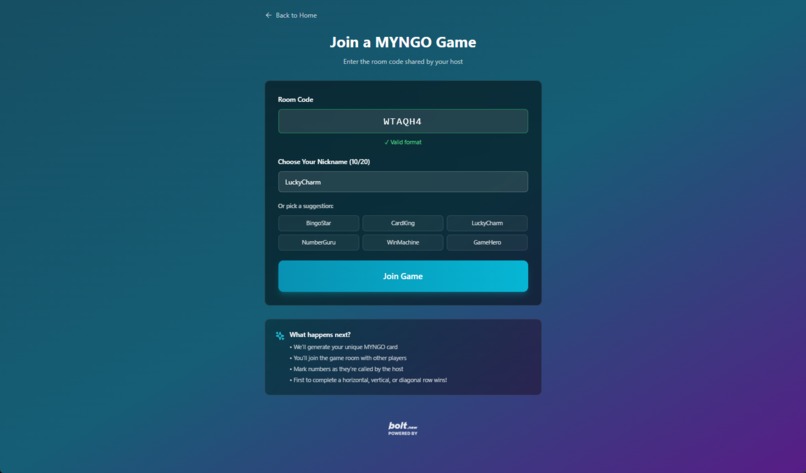
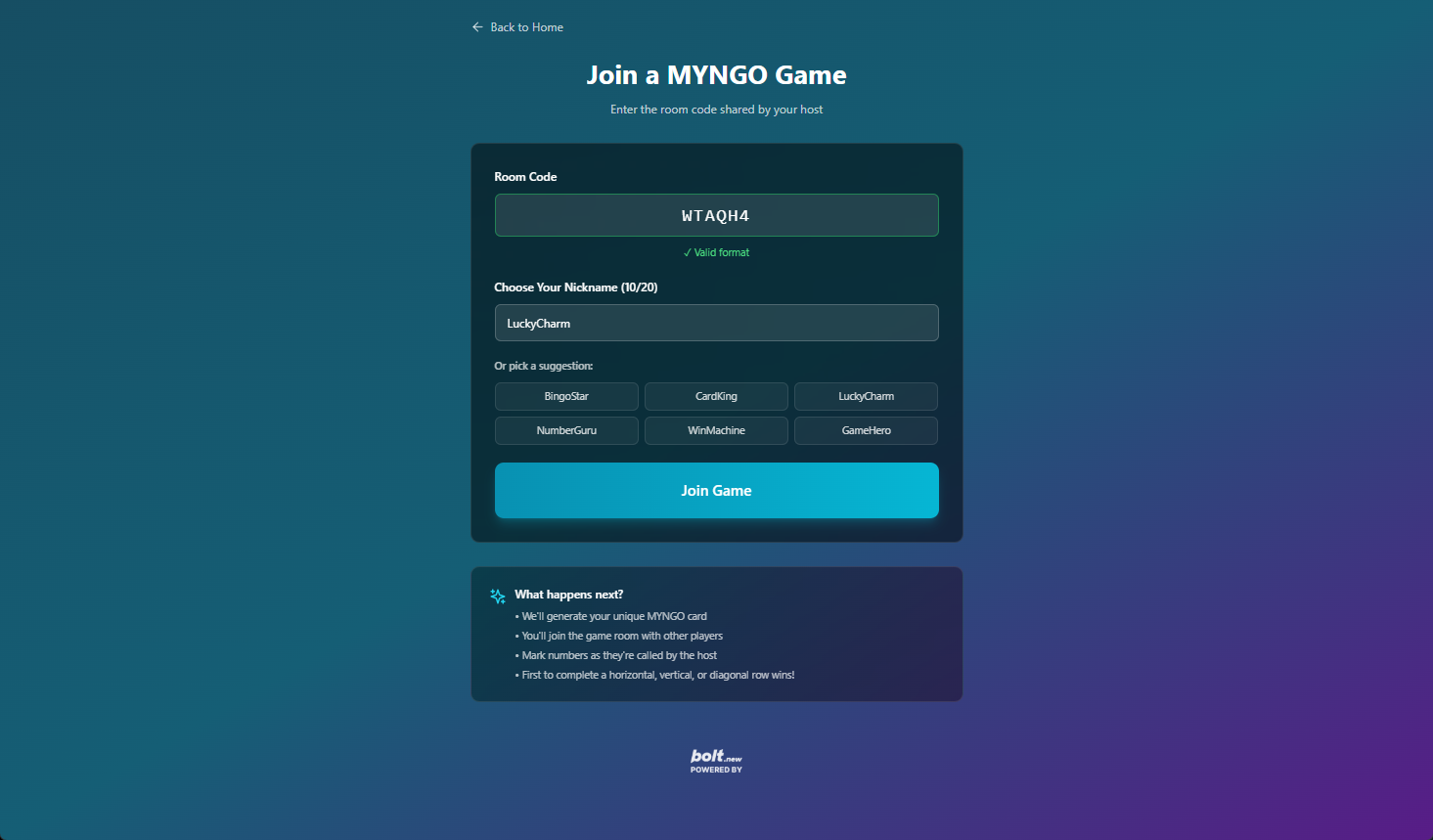
MYNGO Playing Card - Join Play
-
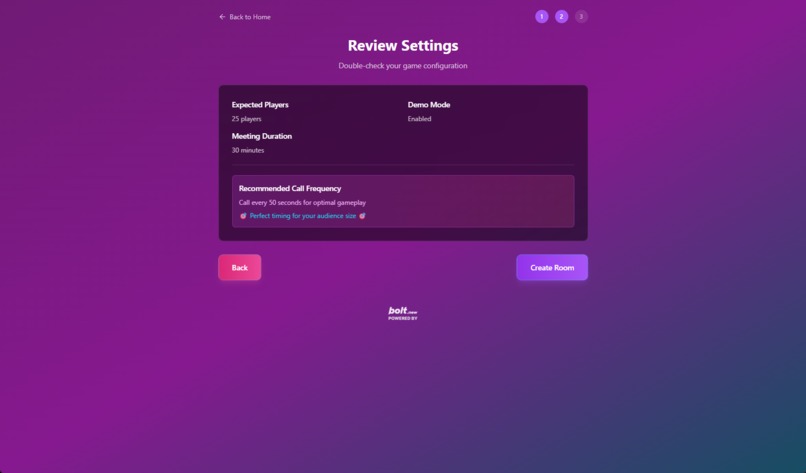
Host Settings - Second Page
-
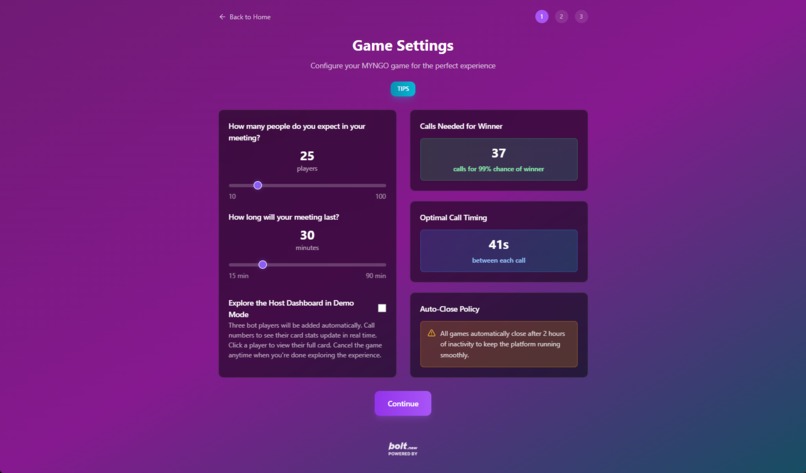
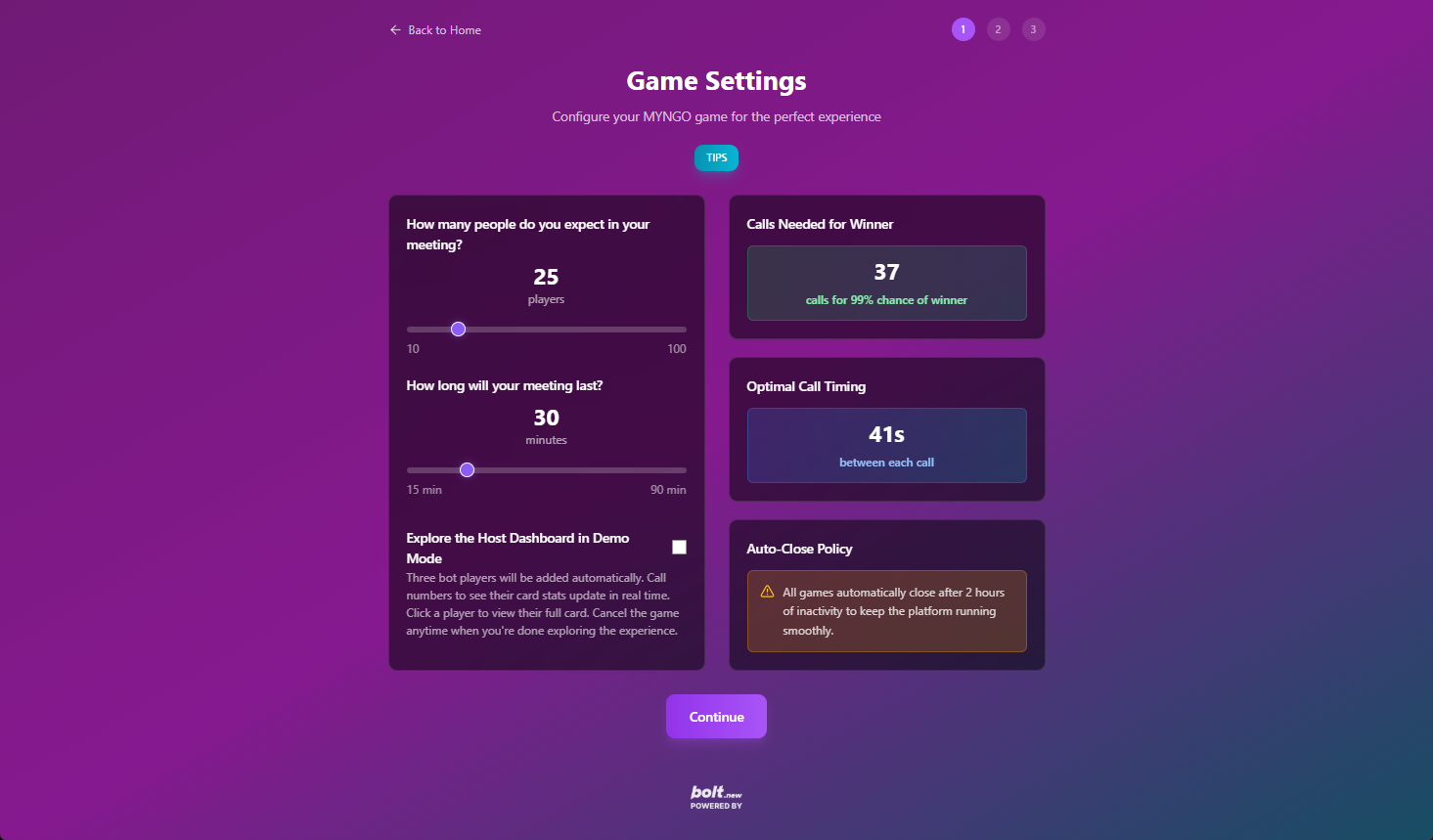
Host Settings - First Page
-
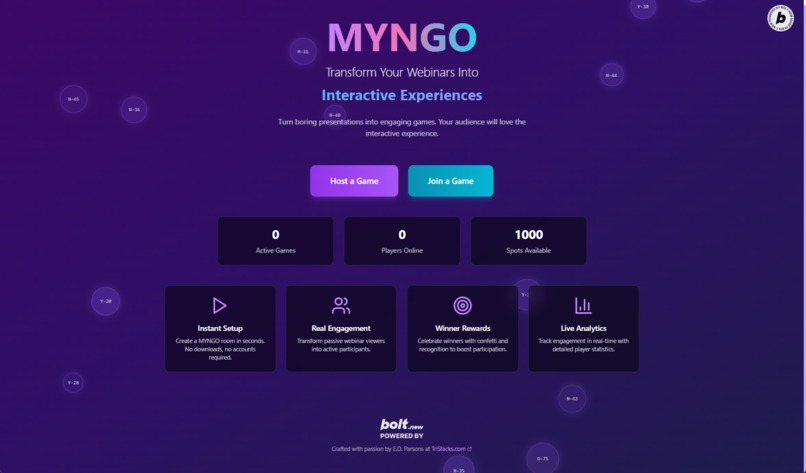
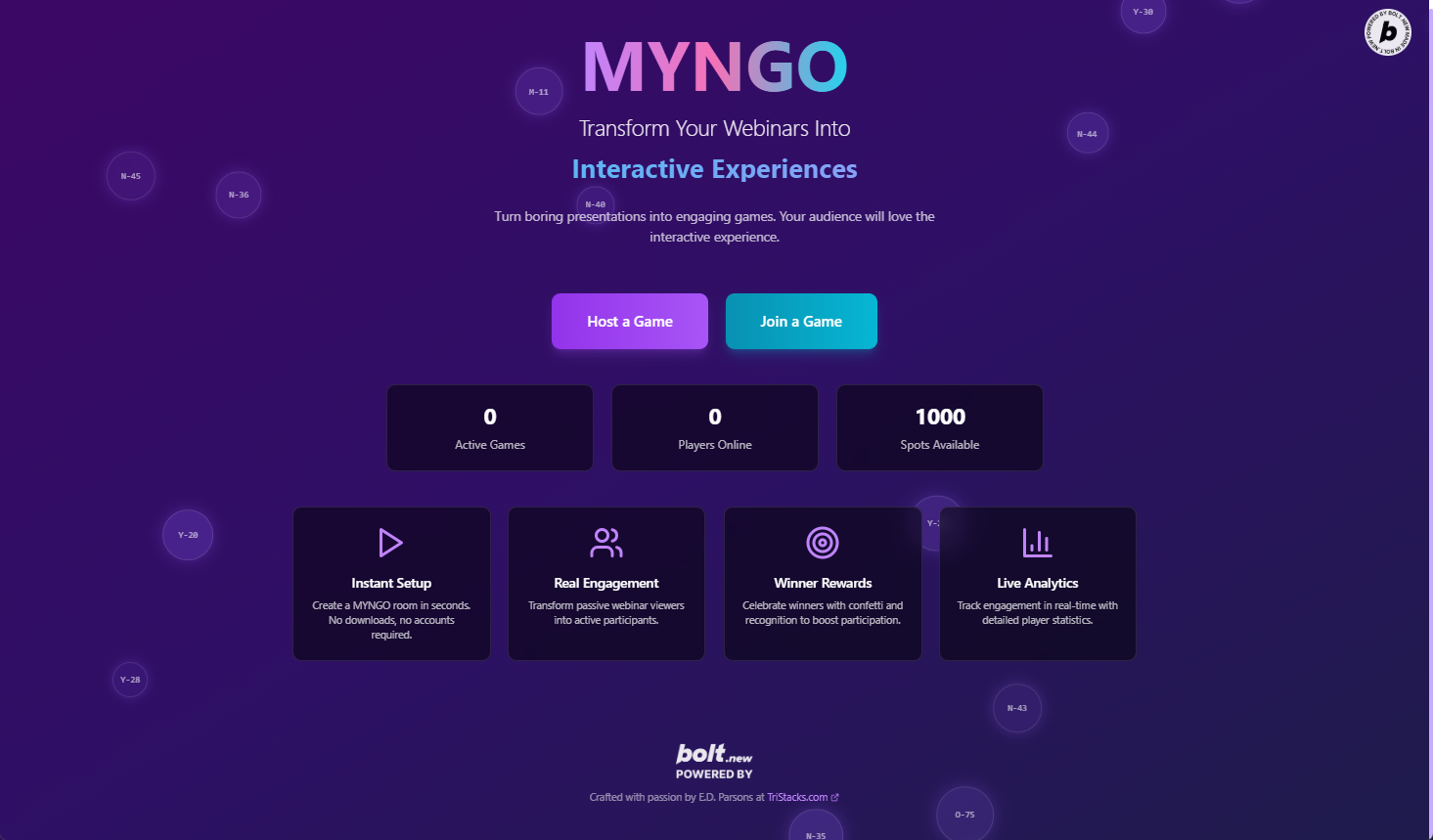
Main landing Page - Floating animated MYNGOT numbers
-
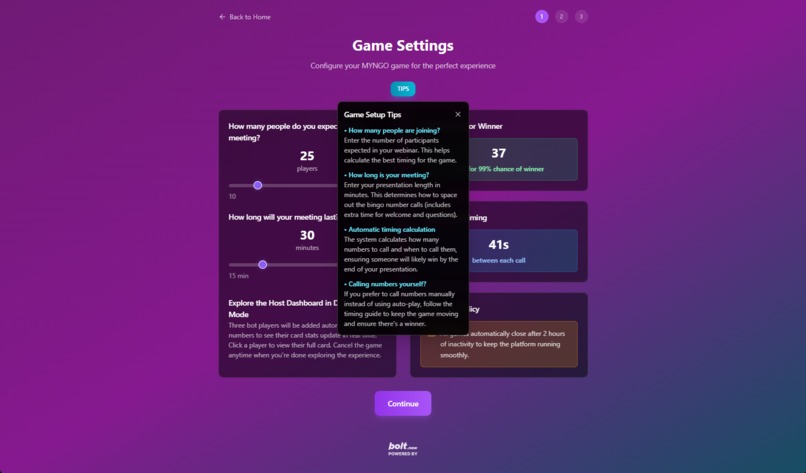
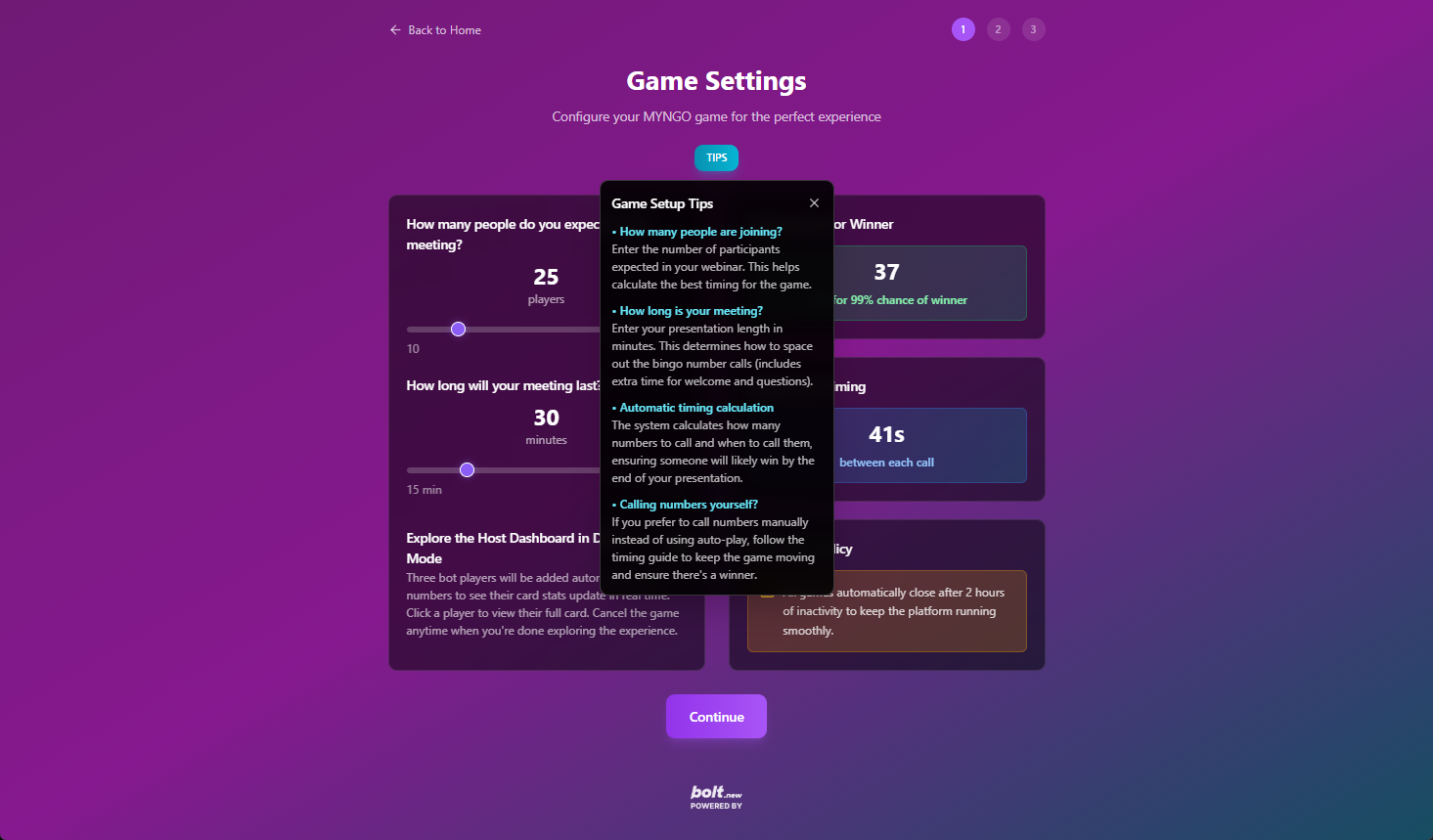
Host Settings - First Page TIPS
MYNGO - Interactive Webinar Engagement Platform
Inspiration
So there I was, hosting another one of those meetings where you can just feel the energy draining out of the room. You know the ones – where you're presenting something you're actually excited about, but you're watching people's faces and it's like... are they even here? I mean, they're physically present (or at least their little Zoom squares are), but mentally? Gone.
I've been in way too many meetings like this, both as the presenter and as the poor soul trying to stay focused while someone drones on about quarterly projections or whatever. And let's be honest – we've all gotten really, really good at looking like we're paying attention while our brains are somewhere else entirely. Hell, I've played meeting bingo in my head during calls – you know, waiting for someone to drop "circle back" or "low-hanging fruit" or my personal favorite, "let's take this offline."
MYNGO (yeah, it's pronounced "mingo" – like the game your grandma plays at the church hall) didn't start as some grand tech vision. It started because I was tired of hosting meetings where half the room had mentally checked out by minute five. So I thought – what if instead of fighting human nature, we worked with it? What if we made meetings actually... fun?
What It Does
MYNGO transforms boring webinars and presentations into interactive experiences that keep audiences engaged throughout entire meetings. Instead of watching people zone out, hosts can launch a live BINGO-style game in under 30 seconds.
Here's how it works:
- Hosts create rooms with simple capacity settings and get instant room codes
- Players join with just a room code – no downloads, no accounts needed
- Interactive gameplay where participants manually mark numbers as they're called
- Real engagement – people remember experiences, not slide decks
- Reward participation – you can actually tell who's paying attention by who's still playing
The platform features premium glassmorphism design, real-time synchronization, auto-call functionality, demo mode with bot players, and epic victory celebrations with confetti and sound effects.
How We Built It
This was built using Bolt.new with assistance from Claude during concept development, prompt creation, debugging, and feature ideation. As someone who's not a programmer, I relied heavily on Claude's suggestions and guidance throughout the process, as well as Bolt's extensive discussion board for troubleshooting.
The Development Timeline:
- June 14 - Started initial prompt creation and testing (4 days total for prompt development)
- June 16 - Initial testing of first prompt
- 3 days off - Took a break and realized major things were forgotten in the original prompt
- Refined prompt extensively - Even included Bolt logos in the updated prompt requirements
- June 20 - Major testing began with 2nd initial prompt, but had to scrap and re-edit when I realized I forgot database inclusion and tracking history for providing stats
- June 21-23 - Final 3 days of app refinement, debugging, and making sure everything worked as intended
The Development Approach:
- One massive, refined prompt – After learning from the first attempt, created a comprehensive prompt covering the entire application
- Constant verification - Continuously asking Bolt to verify no new features were being added and that everything was part of the intended working app from the original prompt
- Iterative debugging – Mainly used Bolt for debugging, but when Bolt went into loops or got stuck on the same issues repeatedly, I turned to Claude for assistance
Tech Stack:
- React with TypeScript for the frontend
- Framer Motion for smooth animations
- Canvas-confetti for victory celebrations
- Custom sound management with Web Audio API
- Tailwind CSS for styling with custom glassmorphism effects
- Real-time state management for multiplayer functionality
The strategy evolved from my first failed attempt - I learned to front-load ALL the planning into one extremely detailed prompt, then spend the time polishing execution rather than adding features piecemeal.
Challenges We Ran Into
The biggest challenge was learning how to communicate with Bolt effectively. As a beginner with no programming background, the learning curve was steep:
- First prompt failure – My initial June 14th prompt was missing critical features like database tracking and stats
- Feature creep prevention – Constantly having to remind Bolt to stick to the original prompt and not add new features during debugging
- Bolt's debugging loops – Bolt would sometimes get stuck making the same coding errors repeatedly, going in circles on the same problems
- When to switch to Claude – Learning when Bolt was stuck and bringing Claude in to break the debugging deadlock was crucial
- Learning AI development "language" – Understanding how to structure prompts so both tools would implement features correctly
- Appearance vs. functionality gaps – Getting the visual design to match the intended user experience took extensive iteration
- Demo mode bugs – Bot players weren't appearing initially due to state management issues that required Claude's fresh perspective to resolve
- Card layout problems – BINGO vs MYNGO labeling and proper column layouts required several rounds of fixes
Bolt's discussion board was invaluable as an internal development tool where I could talk through a problem and review a plan before deciding to implement the solution. But knowing when to pivot from Bolt to Claude for debugging assistance was the real game-changer in getting unstuck.
Accomplishments That We're Proud Of
- Built a fully functional web application over 7 days of development (4 days prompt creation, 3 days refinement)
- Created a polished user experience with glassmorphism design and smooth animations that looks professional
- Implemented real-time multiplayer functionality without a backend server
- Added comprehensive game features including auto-call, demo mode, room management, and victory celebrations
- Made it completely accessible – no downloads, accounts, or complex setup required
- Deployed successfully with custom domain configuration ready
- Solved a real problem that everyone in the business world experiences daily
- Learned to work effectively with AI tools - figuring out when to use Bolt vs Claude for different challenges
- Prevented feature creep - kept the focus on the original vision despite temptation to add more
The fact that someone with no programming background could create something this functional using AI assistance is remarkable. The key was learning that the prompt quality directly determines the output quality.
What We Learned
Technical Skills:
- How to effectively communicate with AI development tools and when to switch between them
- The critical importance of comprehensive, detailed prompts upfront
- Basic understanding of React components and state management through debugging
- That feature verification is essential - constantly asking "is this part of the original prompt?"
Product Development:
- The value of starting with a clear, detailed vision (that massive second prompt was crucial)
- How good design can make simple concepts feel professional and polished
- The importance of user experience over feature complexity
- Real-time engagement is more valuable than passive consumption
- Sometimes you need to scrap everything and start over when the foundation is wrong
AI Development Process:
- First attempts often miss critical features - expect to iterate on your prompts
- Bolt can get stuck in debugging loops - knowing when to bring in Claude is key
- The discussion board feature was helpful for debug planning and occasionally venting frustration when Bolt kept making the same mistakes (we've all been there)
- Prevention is better than debugging - include everything upfront rather than adding later
Business Insights:
- There's a massive market for simple solutions to universal problems
- Meeting engagement is a pain point everyone relates to immediately
- The potential for data analytics in presentation effectiveness is huge
- Gaming mechanics can make boring business activities actually enjoyable
What's Next for MYNGO
Immediate Improvements:
- Custom game boards with company-specific content instead of just numbers
- Multiple winning scenarios (four corners, X patterns, blackout)
- Enhanced analytics showing engagement patterns and drop-off points
- Integration with Zoom, Teams, and other video conferencing platforms
Platform Expansion:
- Meeting Bingo Templates – Pre-made boards for common meeting types
- Fundraising Features – Enable bingo co-ops and nonprofits to sell digital cards
- White-label Solutions – Let companies brand their own engagement platforms
- Mobile app for in-person events and conferences
Data & Analytics Vision:
- Presentation Performance Analytics – Show exactly when audiences disengage
- Content optimization – Help presenters improve based on real engagement data
- Meeting culture insights – Help companies reduce ineffective buzzword usage
- A/B testing for presentation effectiveness
Revenue Opportunities:
- Enterprise licensing for large organizations
- API integration with CRM systems (Salesforce, HubSpot)
- Gamification consulting services
- International expansion with localized game formats
The ultimate vision is to make MYNGO the go-to platform for any situation where you need to keep people engaged and get real data about what actually works. From sales presentations to training sessions to conference keynotes – anywhere people are fighting the battle against checked-out audiences.
Built With
- bolt.new
- claude
- github
- netlify
- supabase


Log in or sign up for Devpost to join the conversation.