-
-
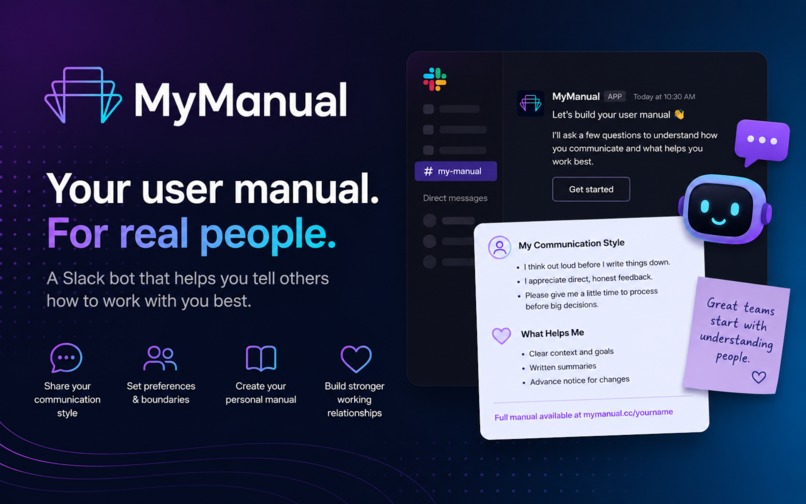
MyManual
-
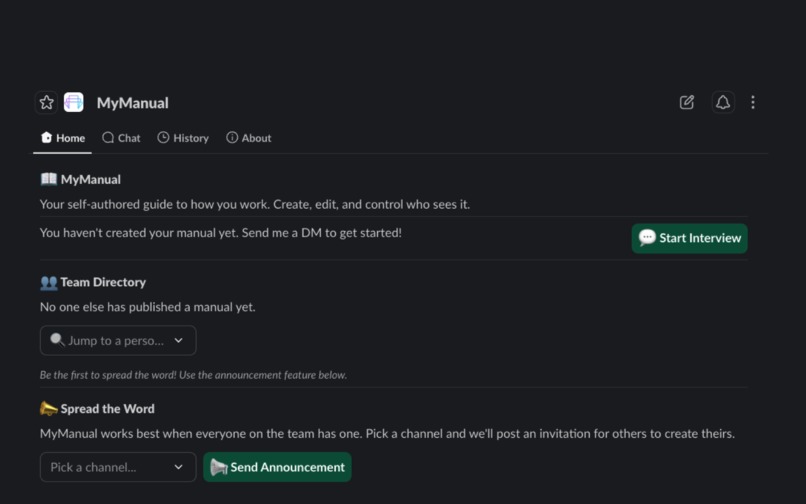
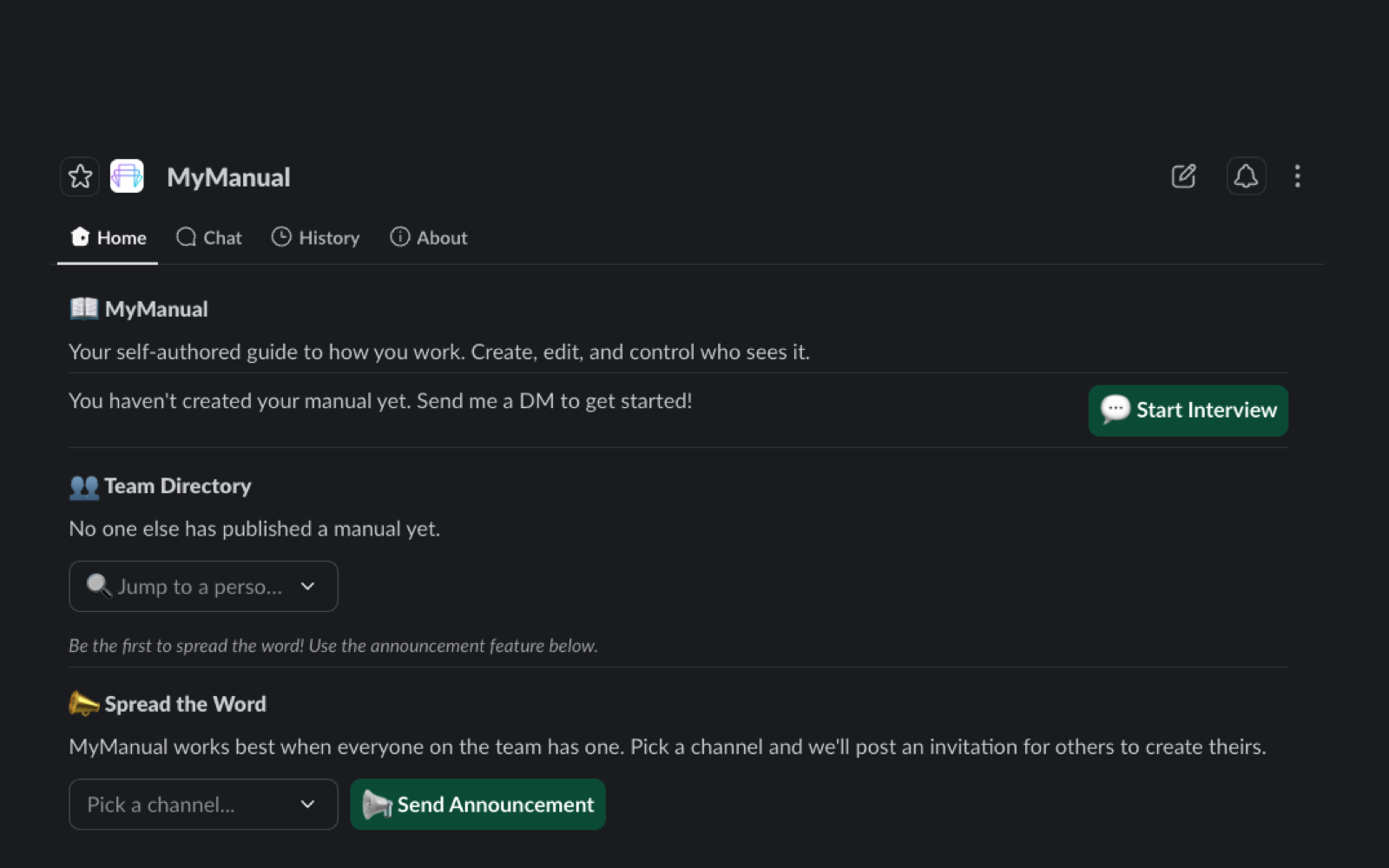
App home for quick actions
-
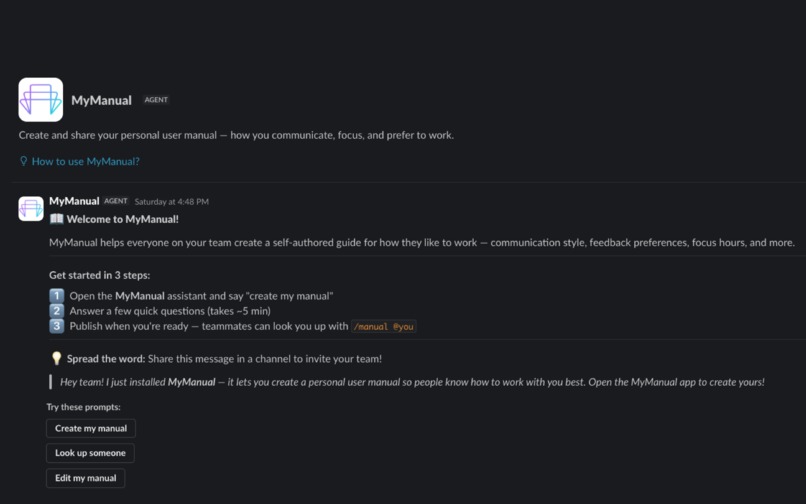
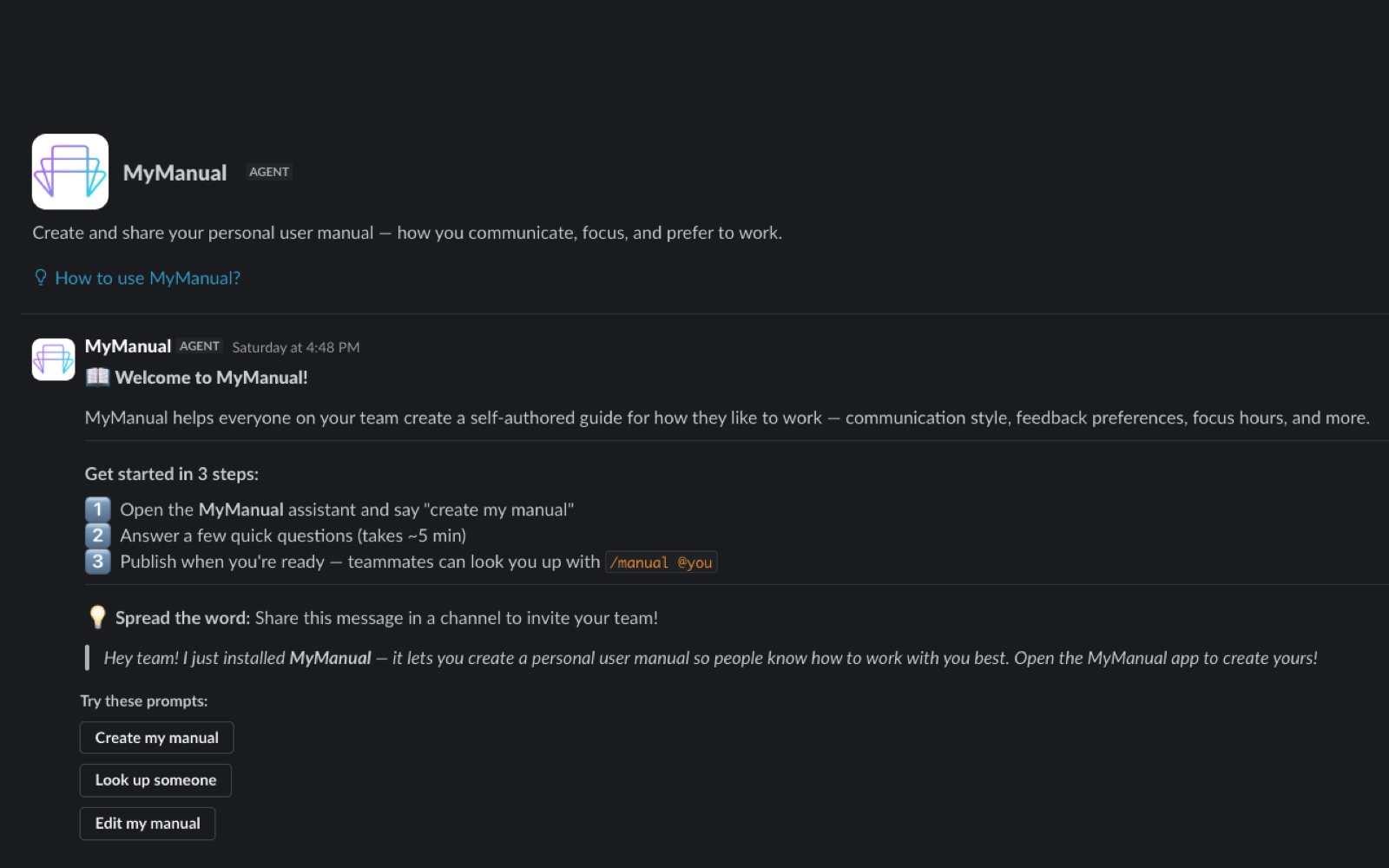
Start with a guided interview to create your manual
-
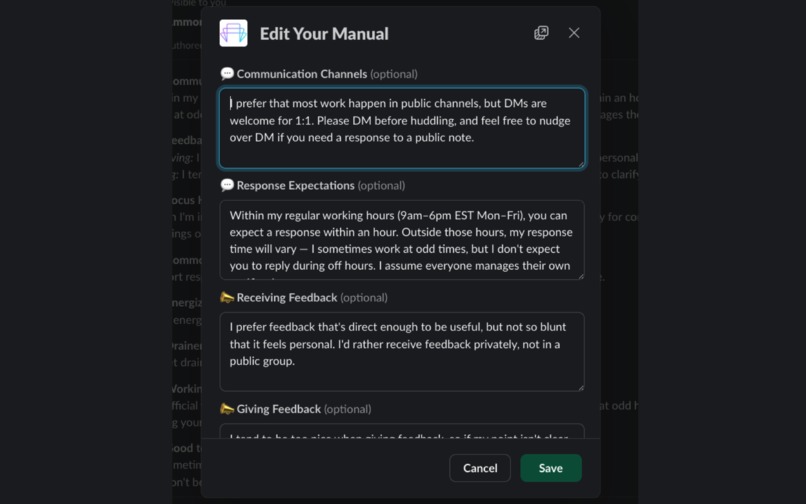
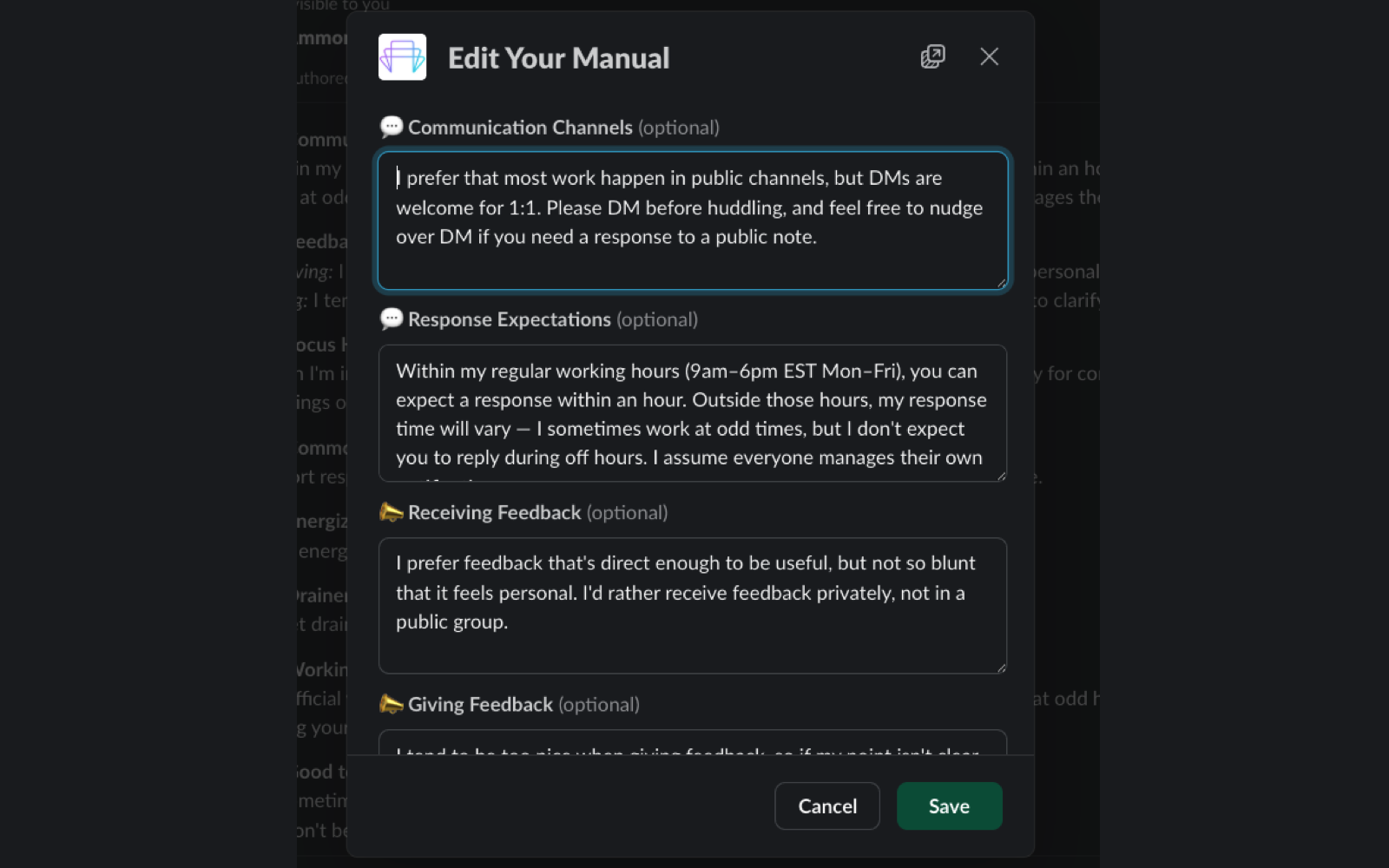
Edit your manual at any time
-
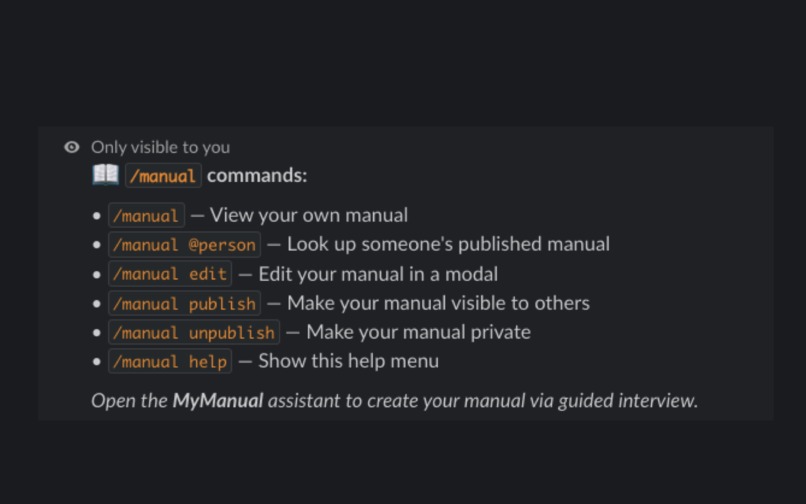
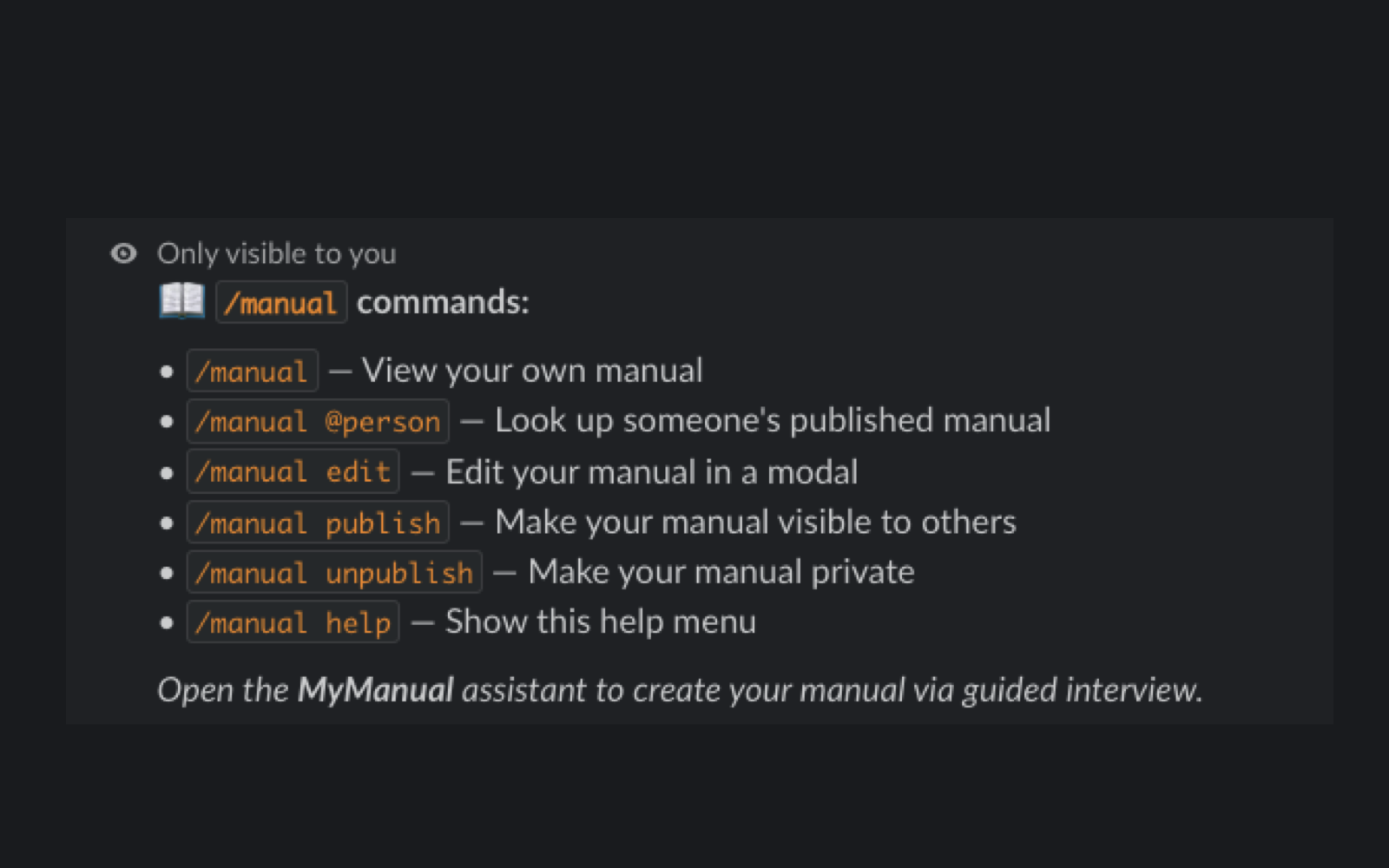
Use slash commands to manage and view manuals
Inspiration
Workplace communication norms are invisible and assumed. Neurotypical employees navigate them by intuition; autistic, ADHD, and otherwise neurodivergent employees — plus ESL speakers, remote hires, and anyone new — are forced to reverse-engineer them, often at real professional cost.
Misread terseness becomes "difficult to work with." A preference for written feedback becomes "can't take criticism live." A need for processing time becomes "disengaged."
Personal user manuals ("How to work with me" docs) are an established workplace accommodation practice — but today they live in stale Google Docs nobody finds at the moment of interaction. The moment of interaction is Slack.
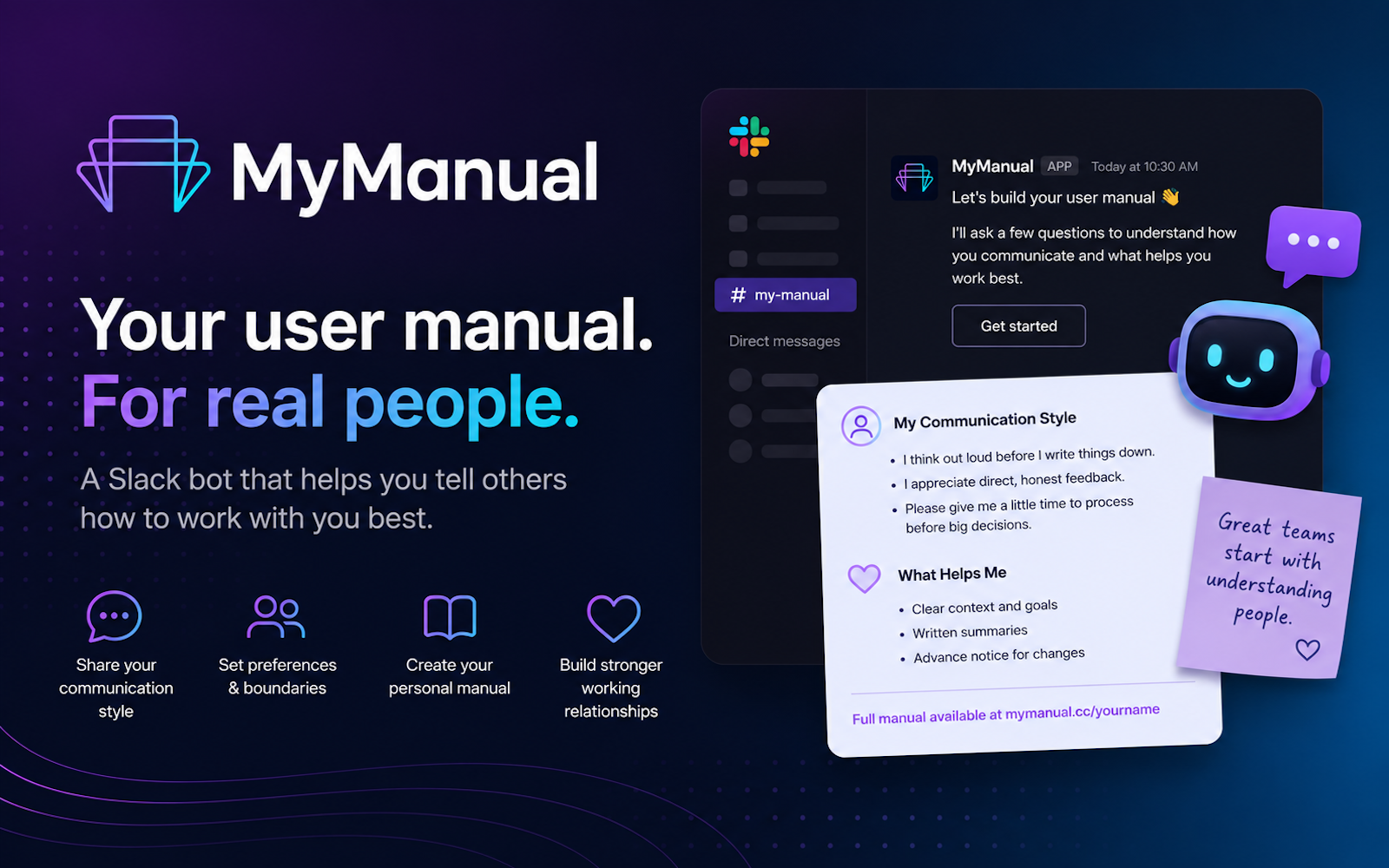
MyManual brings user manuals to where work actually happens, makes them conversational and consent-gated, and extends them to the AI agent ecosystem so bots respect your preferences too.
What it does
MyManual is a Slack agent that guides employees through creating an opt-in, self-authored "user manual" for how to work with them. Through a warm, structured interview, the agent helps you articulate:
- Communication preferences — channel rankings, response-time expectations, async vs. sync
- Feedback style — how you give and receive feedback
- Focus hours — deep-work blocks, interruption policies
- Common misreads — "when I do X, people think Y, but it actually means Z"
- Energizers & drainers — what work lights you up and what depletes you
- Ask me about — conversation starters, expertise, hobbies
Your manual is stored as a Slack Canvas you own and surfaced contextually when teammates need it:
/manual @person— look someone up at the moment of interaction- Natural-language Q&A — "How does @ammon like to get feedback?" answered with attribution from their manual
- Home tab — preview, edit, and control publication status
- MCP server — other AI agents query your preferences so they interact with you on your terms
Consent by construction
- Private by default — nothing shared without explicit publication
- Publish/unpublish anytime from the Home tab
- Optional read notifications ("tell me when someone looks up my manual")
- Sensitive topic guardrail: if you mention a diagnosis, the agent offers to rephrase as a preference statement — disclosure is never required
The anti-profiler
MyManual has no taxonomy, no inference engine, no badges. Every line is self-authored or confirmed by the author. Per-field provenance tracking means you can always see: "this came from my interview" or "this was suggested from my messages and I confirmed it." This is the anti-MBTI.
How we built it
Architecture
- Cloudflare Workers — serverless runtime for both the Slack agent and MCP server
- Cloudflare D1 — SQLite database for manuals, interview sessions, and read logs
- slack-cloudflare-workers — Slack app framework built for Workers (Bolt-like API, zero dependencies)
- OpenRouter — configurable LLM for the interview ghostwriter, Q&A, and sensitive topic guardrail
- Slack Canvases API — human-readable manual output owned by the author
- Slack Real-Time Search API — opt-in self-draft from the author's own messages + retrieval Q&A
- MCP (Model Context Protocol) — server exposing published manuals to other AI agents
Key technical decisions
- Workers over traditional hosting — no server to babysit, globally distributed, sub-10ms cold starts
- D1 over external databases — zero-ops, co-located with Workers, SQL schema maps cleanly to the data model
- OpenRouter over direct LLM SDK — model-agnostic, swap providers without code changes, configurable via env var
- Raw JSON-RPC for MCP — lighter than the full MCP SDK for a read-only server with 3 tools
- Assistant API over plain DM — native side-panel UX with
setStatus,setSuggestedPrompts, and streaming
Required technology usage
All three hackathon technologies are load-bearing, not decorative:
| Technology | How it's used |
|---|---|
| Slack AI / Agent Builder | The entire agent: guided interview flow, Q&A, /manual slash command, Block Kit cards, Home tab, Assistant side-panel with suggested prompts and status updates |
| Real-Time Search (RTS) | (a) Opt-in self-draft — searches the author's own public messages to suggest observations for their manual; (b) Retrieval Q&A — answers questions about published manuals using natural language |
| MCP | Server with 3 read-only tools (get_manual, get_preference, list_published) so other AI agents respect your stated preferences |
Challenges we ran into
Bolt.js doesn't run on Cloudflare Workers — axios dependency is incompatible. We switched to
slack-cloudflare-workerswhich provides a Bolt-like API built natively for the Workers runtime.Designing the guardrail to be helpful, not paternalistic — the sensitive-topic detector needed to flag medical disclosures without making people feel surveilled. The solution: frame it as three equal choices (keep, rephrase, remove) and never assume the user made a mistake.
Interview state management in serverless — Workers are stateless, but interviews span multiple messages. We store interview state in D1 with a session table keyed by
(user_id, thread_ts), making interviews resumable across Worker invocations.Balancing structure with voice — the ghostwriter LLM needs to polish rambling answers into concise preference statements while preserving the author's actual words and tone. The prompt engineering here was the most iterated part of the project.
Accomplishments we're proud of
The "misreads" section — this is the most valuable part of the manual. "When I give short replies, people think I'm annoyed. I'm actually just being efficient." Externalizing these implicit signals is the core accessibility contribution.
Disclosure-optional by design — you never need to say "I have ADHD" to say "I need things in writing so I can refer back to them." The guardrail makes this the path of least resistance.
MCP as a design statement — exposing manuals to other agents isn't just a technical feature. It's a statement about how AI should learn about people: by reading what they chose to share, not by inferring from behavior.
What we learned
The hardest design problem in neuroinclusion tooling is not technical — it's ensuring that a tool designed to help people disclose preferences does not become a tool for profiling them. Every design decision was filtered through: "Does this give the author more control, or less?"
What's next
- Calendar MCP integration — auto-populate focus hours from your calendar (with confirmation)
- Proactive nudges — "You're about to DM @person for the first time — want to see their manual?"
- Team aggregate views — "Who on this team prefers async?" (computed only over published manuals)
- Quarterly freshness nudges — "Is your manual still accurate?"
- Per-channel publishing — share different sections with different audiences
Built With
- block-kit
- cloudflare
- mcp
- openrouter
- rts
- slack-agent-builder
- slack-agents
- slack-block-kit
- slack-mcp
- slack-rts

Log in or sign up for Devpost to join the conversation.