MyHealthPassport
Using VS Code & GitHub Copilot in Development
Throughout the development of MyHealthPassport, I leveraged VS Code as my primary IDE due to its robust extensions, seamless integration with GitHub, and AI-powered coding assistance via GitHub Copilot. Here’s how I used these tools effectively:
1️⃣ VS Code for Project Management & Development
Project Setup & File Structure
- I set up MyHealthPassport as a Jetpack Compose Android project in Android Studio but also used VS Code extensively for backend development, API testing, and AI model integration.
- I maintained modularity using MVVM architecture to separate UI, data, and business logic.
GitHub Integration
- I used VS Code’s Git extension to manage version control efficiently.
2️⃣ AI-Powered Development with GitHub Copilot
GitHub Copilot played a crucial role in boosting development efficiency. Here’s how:
🛠 Writing Jetpack Compose UI Code Faster
Generating UI Components
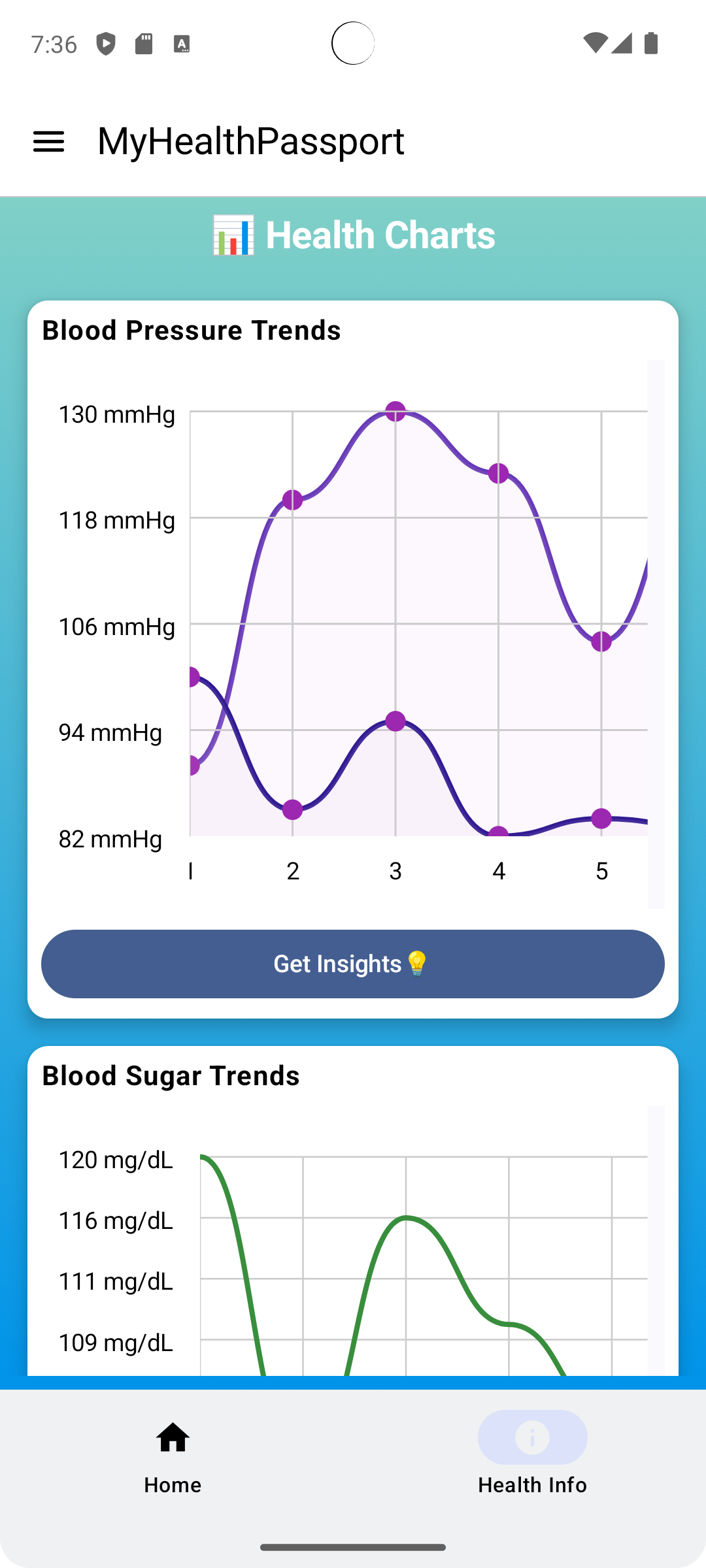
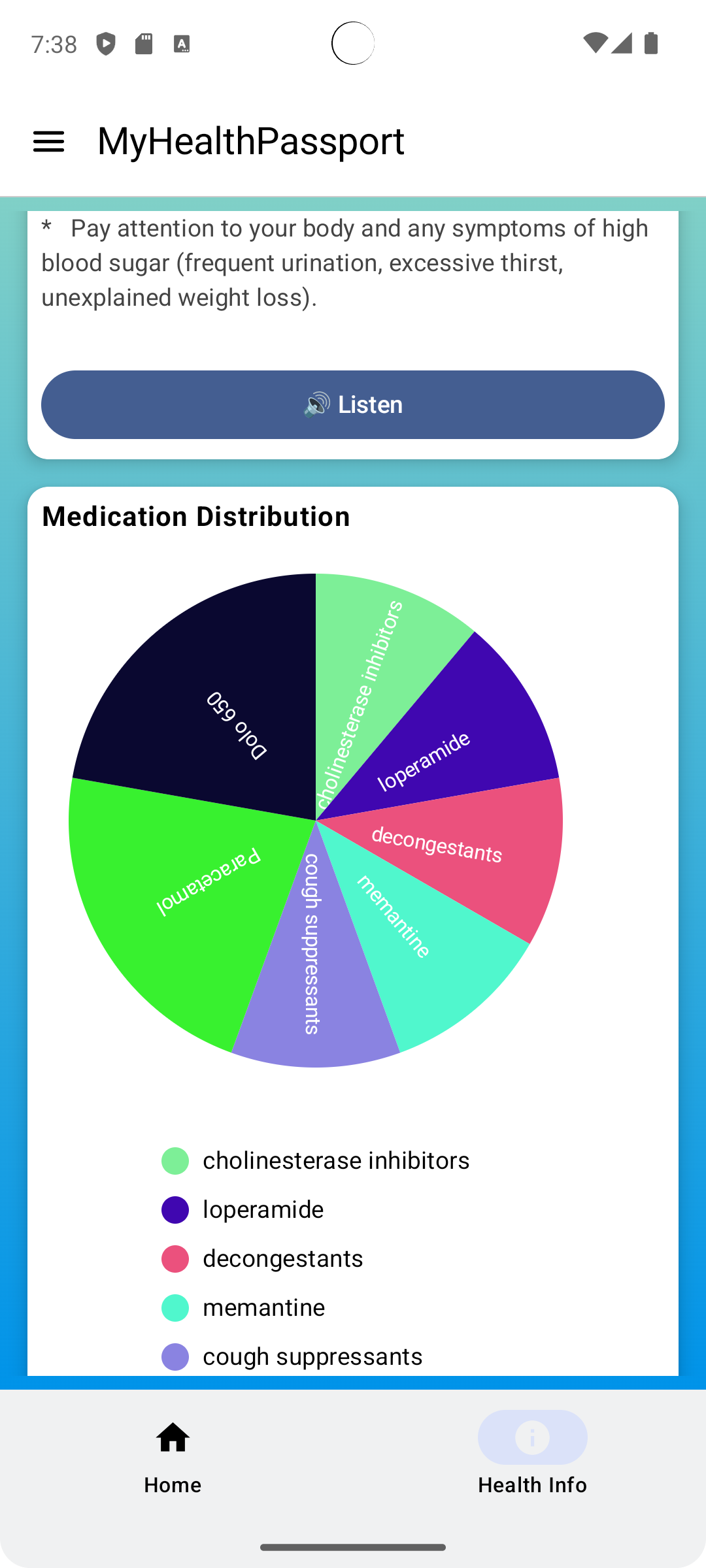
- When implementing health report visualizations (e.g., blood pressure & medication charts), I used Copilot to auto-generate Composables for rendering YCharts-based graphs.
- Copilot provided optimized Canvas drawing code for custom UI animations.
- When implementing health report visualizations (e.g., blood pressure & medication charts), I used Copilot to auto-generate Composables for rendering YCharts-based graphs.
AI-Powered Suggestions for Repetitive UI Patterns
- While creating UI elements like buttons, text fields, and dialogs, Copilot suggested reusable Composable functions, reducing boilerplate code.
📡 Backend API & Firebase Firestore Optimization
Firestore Query Optimization
- When implementing secure medical data storage, I used GitHub Copilot to generate optimized Firestore queries, ensuring fast data retrieval.
- Example: Copilot suggested efficient pagination techniques to handle large health datasets.
- When implementing secure medical data storage, I used GitHub Copilot to generate optimized Firestore queries, ensuring fast data retrieval.
Firebase Authentication Code Assistance
- Copilot provided secure authentication logic for user login/signup, including email & OAuth-based authentication.
🤖 AI Integration: Gemini & Mistral AI
Symptom Checker Implementation
- I used VS Code with Copilot to write API integration code for Gemini AI.
- Copilot auto-suggested efficient Retrofit API calls, JSON parsing, and response handling for AI-generated symptom analysis.
- I used VS Code with Copilot to write API integration code for Gemini AI.
AI Chatbot Development
- While integrating Gemini AI-based chatbot, Copilot assisted in writing state management code to handle multi-turn conversations.
🎙️ Voice-Based AI Development (Google Speech Services)
- Speech-to-Text Conversion
- Copilot provided structured Kotlin code snippets for processing real-time speech input.
- It also suggested best practices for handling medical terminology transcription with Whisper API.
- Copilot provided structured Kotlin code snippets for processing real-time speech input.
3️⃣ Debugging & Code Refactoring with Copilot
- Real-time Code Suggestions
- Copilot helped detect potential null-pointer exceptions, memory leaks, and inefficient loops, making debugging faster.
- Copilot helped detect potential null-pointer exceptions, memory leaks, and inefficient loops, making debugging faster.
- Refactoring & Code Optimization
- It suggested better Kotlin coroutine implementations to handle asynchronous Firebase operations efficiently.
4️⃣ Documentation & Code Comments
- I used GitHub Copilot Chat to generate clear inline documentation for complex AI-related functions.
- Copilot auto-generated Markdown README files, explaining key features and API usage.
🚀 Final Thoughts: Impact of VS Code & GitHub Copilot
Using VS Code with GitHub Copilot significantly improved my development workflow by:
✅ Reducing development time through intelligent code suggestions.
✅ Enhancing AI model integration via API call optimizations.
✅ Ensuring modular & clean architecture by suggesting best practices.
This AI-assisted approach enabled me to build a robust, secure, and intelligent health companion app—MyHealthPassport.
Inspiration
Healthcare accessibility and personal medical data management remain major challenges. Many people struggle to track their health history, analyze medical reports, and get real-time insights for better decision-making. We envisioned MyHealthPassport as a smart AI-powered health assistant that securely stores medical data, provides personalized health insights, and enables voice-based AI interaction for a seamless experience.
What It Does
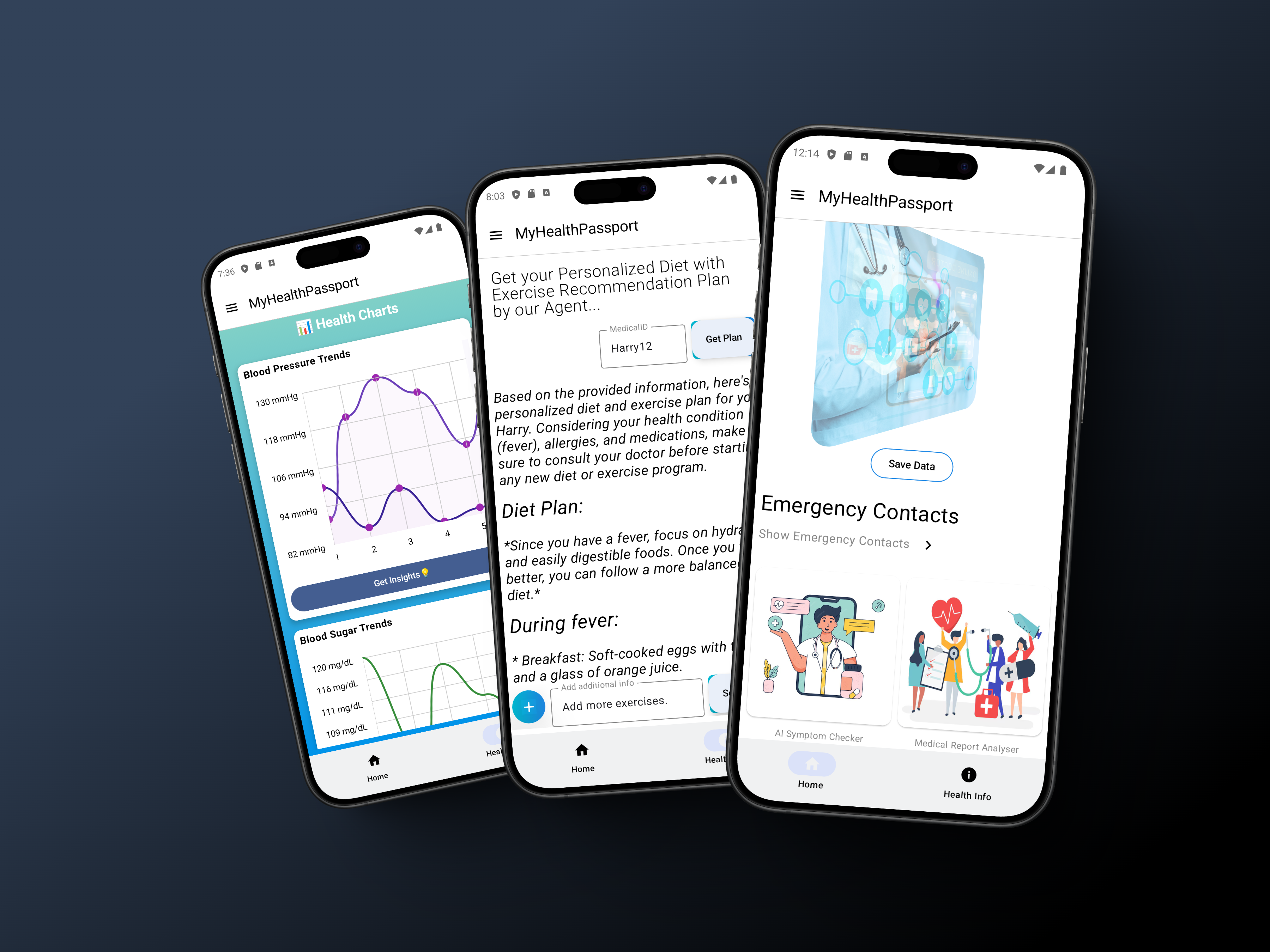
MyHealthPassport is a next-gen digital health companion that integrates AI, and real-time analytics to revolutionize health tracking. Key features include:
✅ Multi-Agent AI System
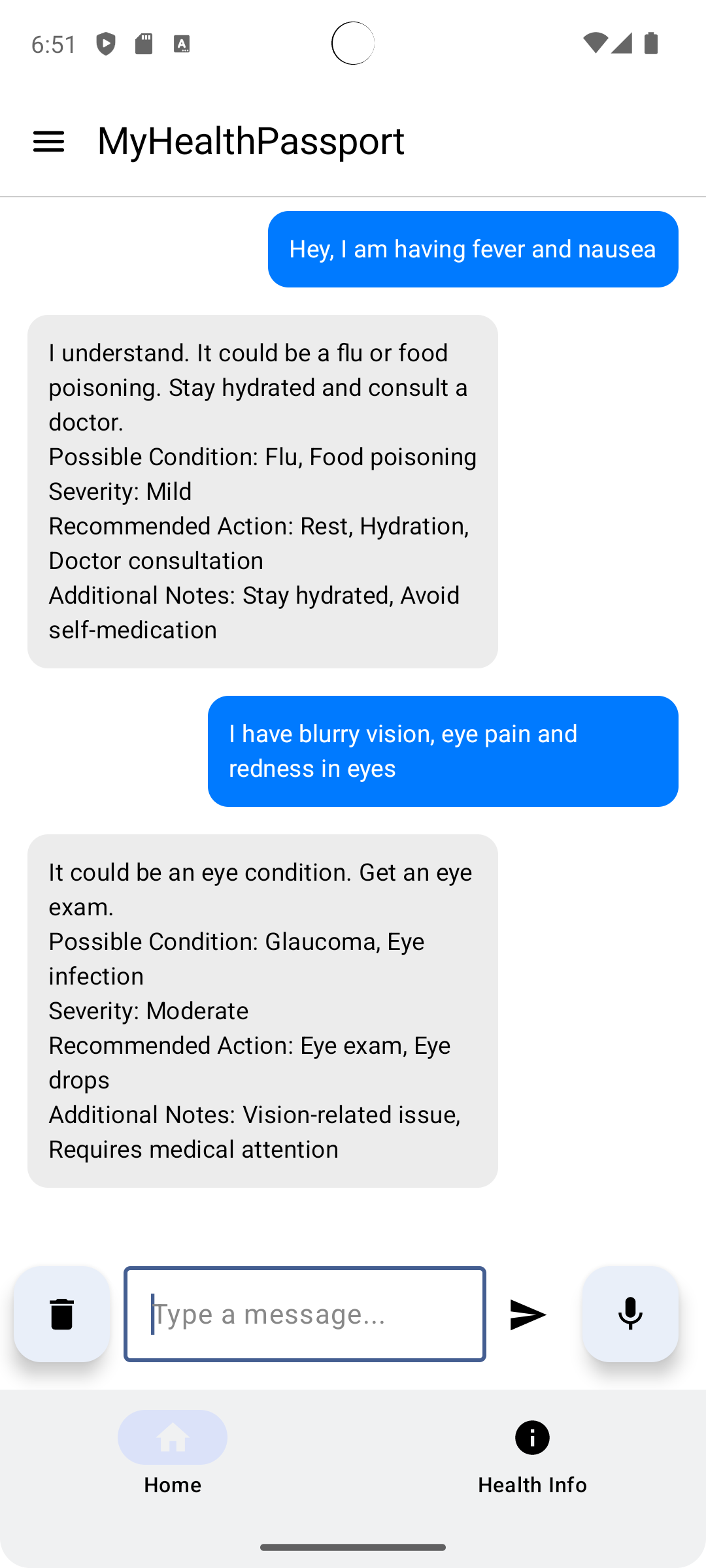
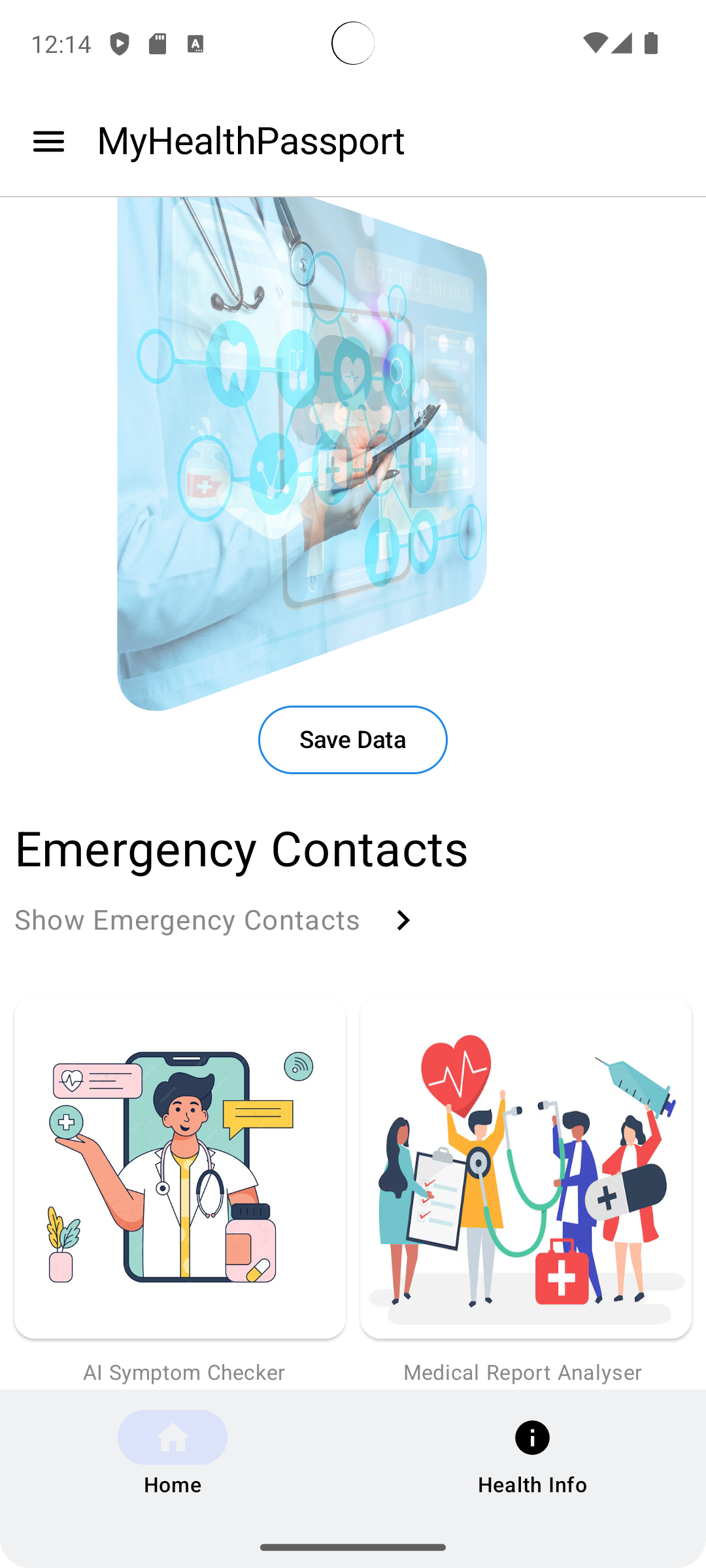
- AI Symptom Checker: Analyzes symptoms using a fine-tuned Gemini model with voice-based interaction.
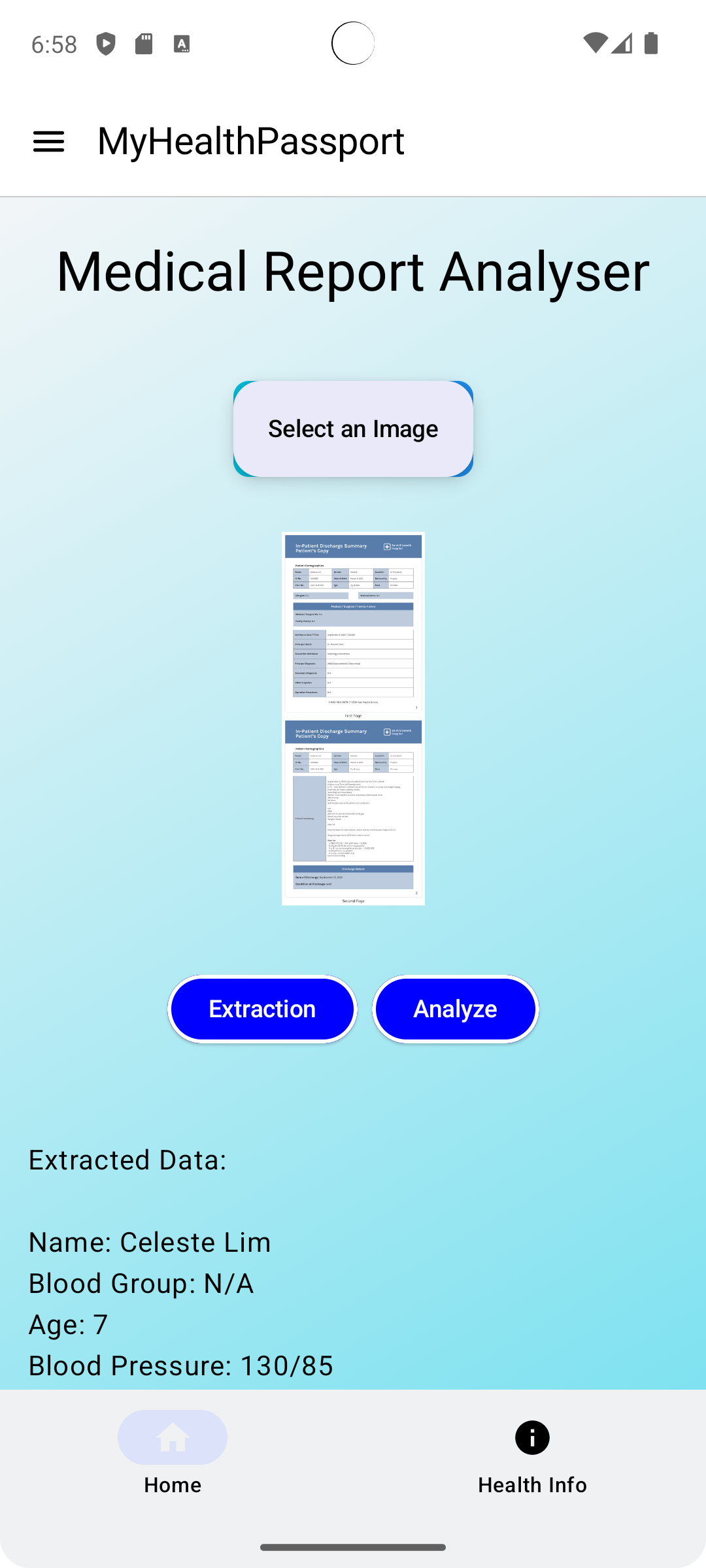
- Medical Report Analyzer: Extracts key insights from uploaded medical reports and updates the Medical ID.
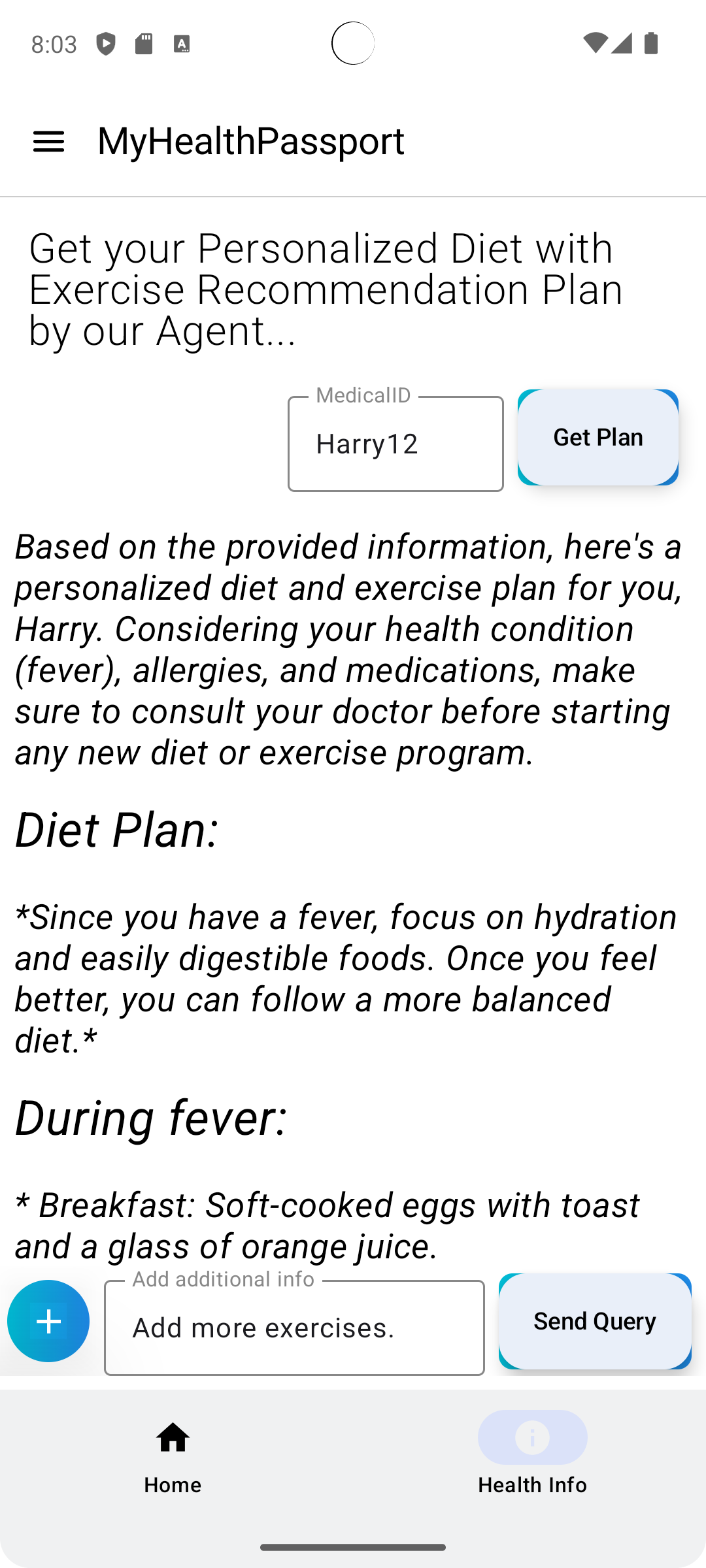
- Personalized Diet & Exercise Planner: Uses Mistral AI to provide custom health recommendations based on user data.
✅ AI-Generated Health Reports & Insights
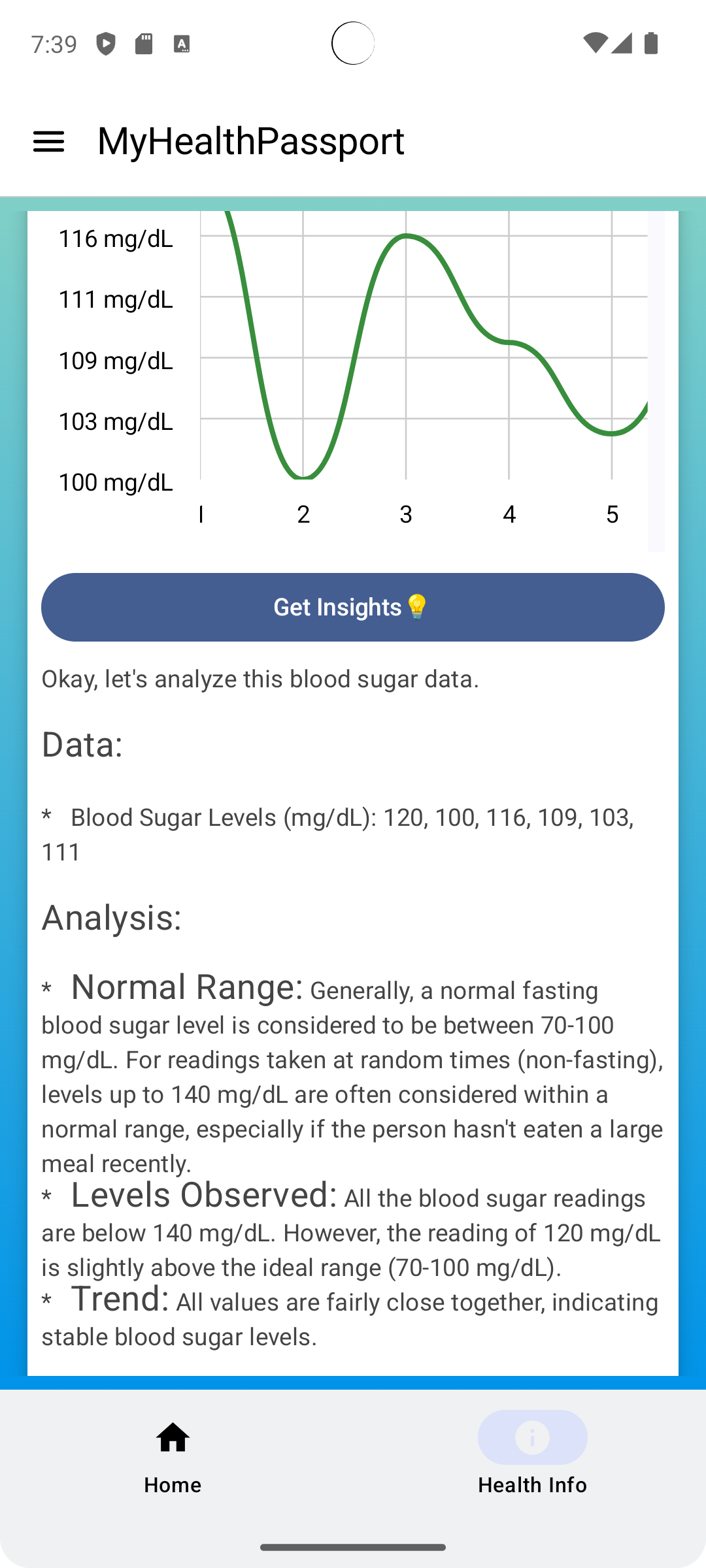
- Blood Pressure & Blood Sugar Trends: Visualized using Jetpack Compose charts.
- Medication Usage Overview: Displayed via interactive pie charts.
- Deep AI Insights: Users can tap the "Insights" button to get trend analysis and personalized recommendations from Gemini AI.
✅ Voice-Based AI Interaction
- Users can interact hands-free using Google Speech Services to check symptoms, analyze reports, and receive voice-based health guidance.
✅ Secure Medical Data Storage & Management
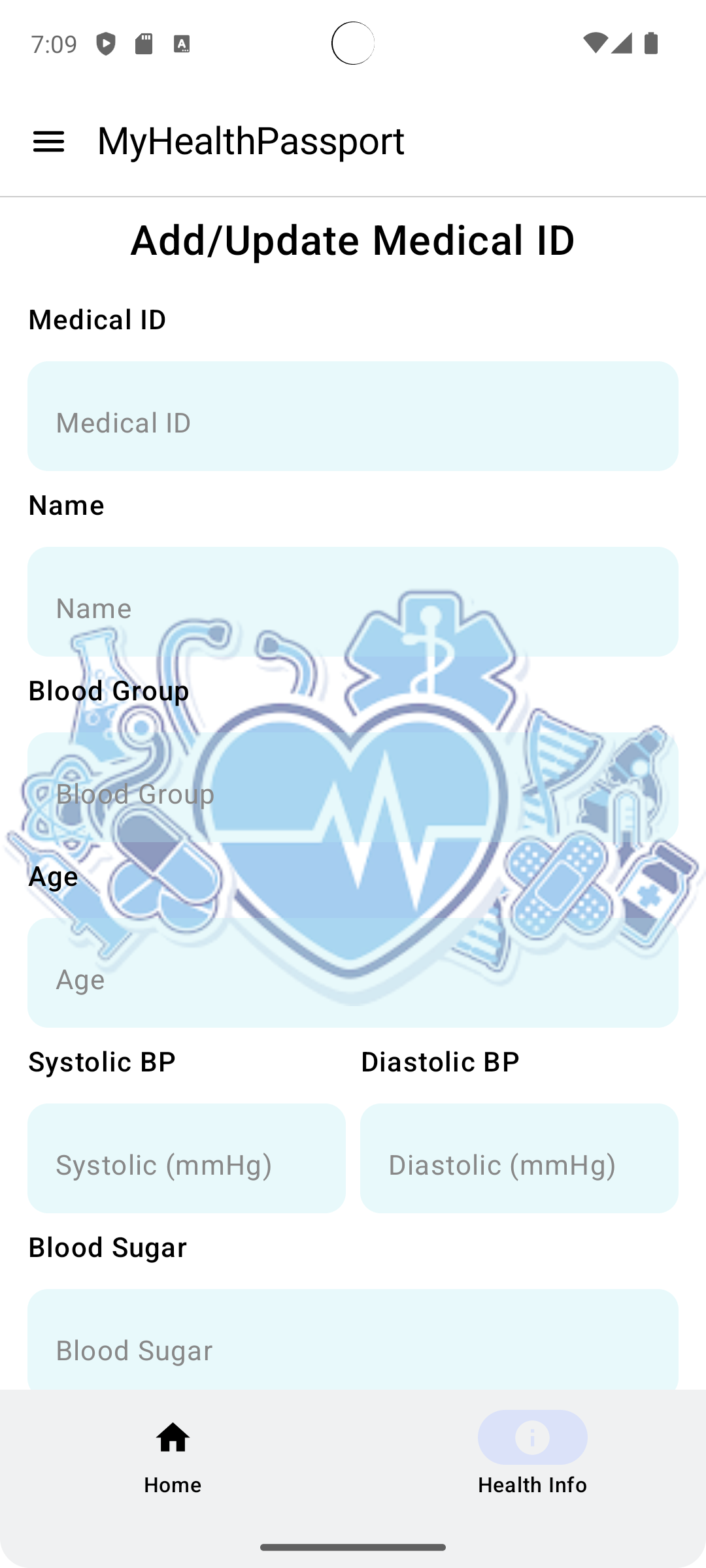
- Personal Medical ID: Securely store and retrieve medical history.
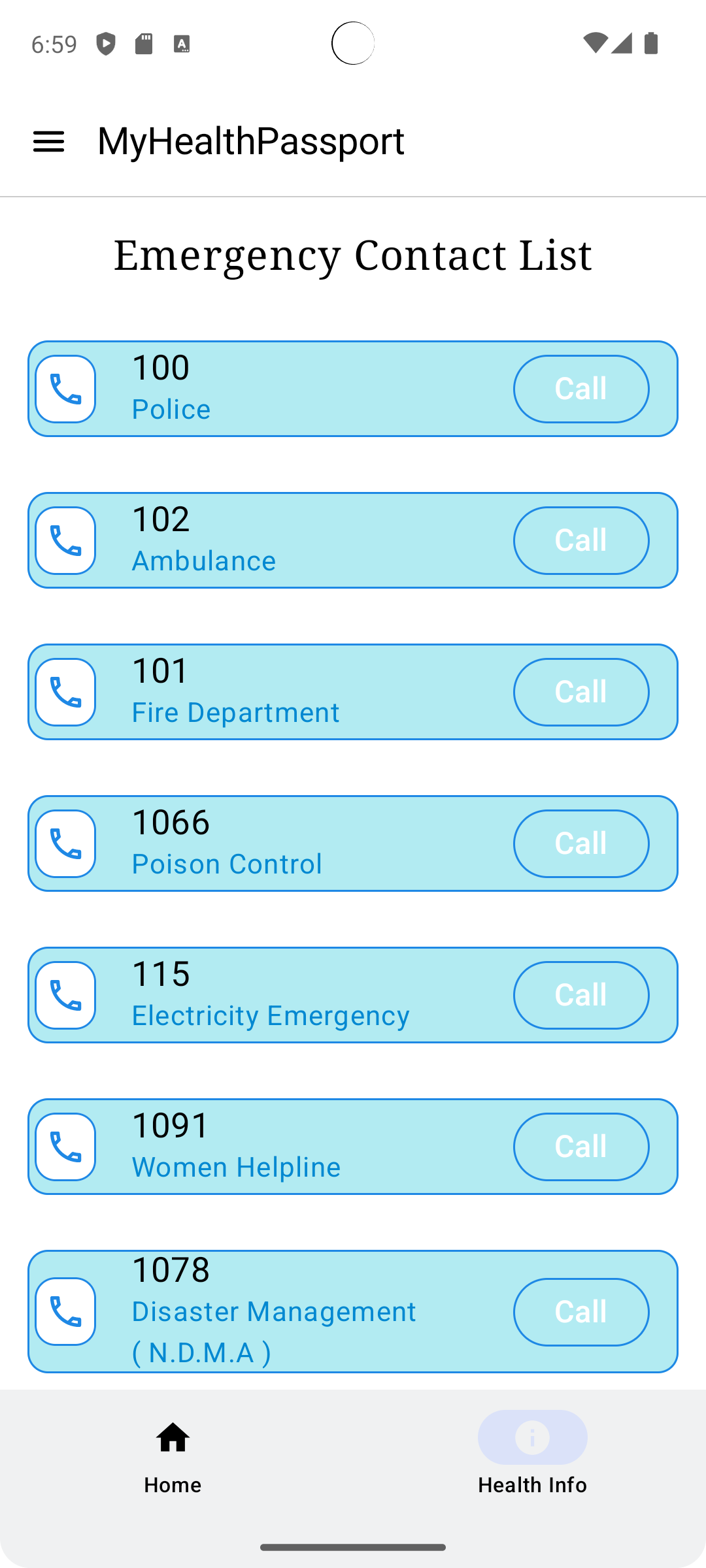
- Emergency Contact Access: Quick access to essential emergency contacts.
- Local Chat History: AI conversation history is stored locally using Room DB and can be managed easily.
How We Built It
🛠 Tech Stack & Tools:
- Frontend: Jetpack Compose (Android)
- Backend: Firebase (Authentication & Firestore)
- AI Models: Gemini AI (Symptom Checker & Health Insights), Mistral AI (Diet & Exercise Planner)
- Speech Processing: Google Speech Services (Voice-based interaction)
- Data Storage: Room Database (Local storage)
- Visualizations: Jetpack Compose Charts (YCharts)
Development Process
1️⃣ Designed a modular architecture with separate AI agents.
2️⃣ Implemented voice-based AI interaction using Google Speech Services.
3️⃣ Integrated Jetpack Compose charts for dynamic health reports.
5️⃣ Optimized Firestore queries to ensure fast and secure medical data retrieval.
Challenges We Ran Into
🔴 Multi-Agent Coordination: Ensuring seamless interaction between different AI agents while maintaining a user-friendly UI/UX.
🔴 Voice-Based AI Integration: Fine-tuning speech-to-text processing for better accuracy in medical terminology.
🔴 Real-Time Analytics: Building a system that updates health reports dynamically based on new medical data.
Accomplishments That We're Proud Of
🏆 Successfully implemented a multi-agent system with Gemini & Mistral AI.
🏆 Developed a voice-based AI health assistant with real-time symptom analysis.
🏆 Created interactive health visualizations for better user insights.
What We Learned
📌 Multi-Agent AI Systems: Optimizing AI interactions for real-world applications.
📌 Medical Data Privacy: Implementing secure and decentralized health data storage.
📌 Voice AI Accuracy: Improving speech-to-text performance for health-related queries.
📌 Real-Time Data Processing: Handling large-scale health analytics efficiently.
What's Next for MyHealthPassport
🚀 Smart Wearable Integration: Sync health data from smartwatches & fitness bands.
🚀 Decentralized Health Records: Expand blockchain integration for patient-owned health data.
🚀 Doctor AI Chatbot: Enable real-time AI-powered medical consultations.
🚀 More AI Agents: Introduce AI for mental health support & lifestyle coaching.
🔗 GitHub Repo: https://github.com/devxfreak/HackathonProject
🔥 Made with ❤️ by Anurag Kanojiya
Built With
- android
- android-studio
- copilot
- firebase
- gemini
- github
- healthcare
- jetpackcompose
- vscode

Log in or sign up for Devpost to join the conversation.