Introduction
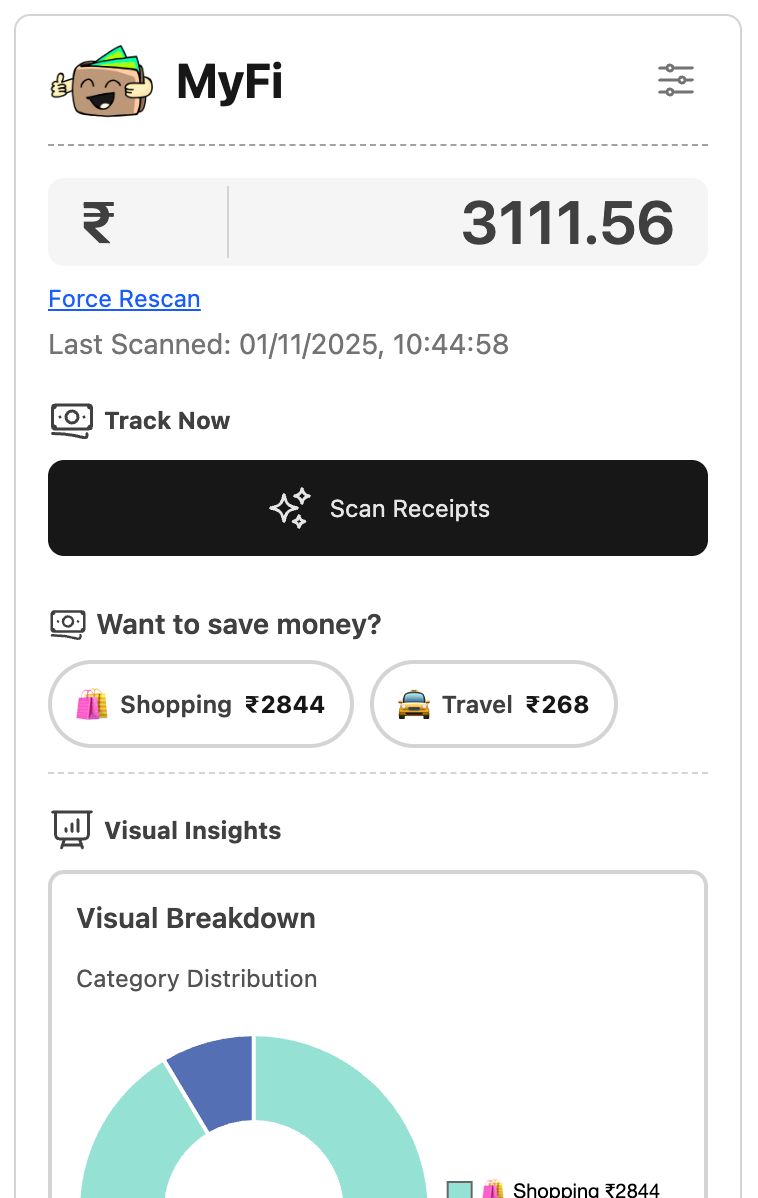
MyFi is a lightweight Chrome extension that scans your inbox for receipts and turns them into actionable spending insights : category breakdowns, recent transactions, visual charts, and quick saving tips. I built it because I wanted a private, fast, and no-signup way to understand where my money goes each month, right from the browser.
Inspiration
I get a lot of receipts in Gmail (food delivery, rides, e-commerce). I found myself opening multiple tabs, searching for one email, and manually adding numbers to a spreadsheet. That felt clunky and fragile - so I thought: what if the browser could scan the inbox and show a friendly dashboard instantly?
I wanted something that:
- Respected privacy (data stays local in chrome.storage.local),
- Felt snappy and simple (single-page popup UI),
What we built ?
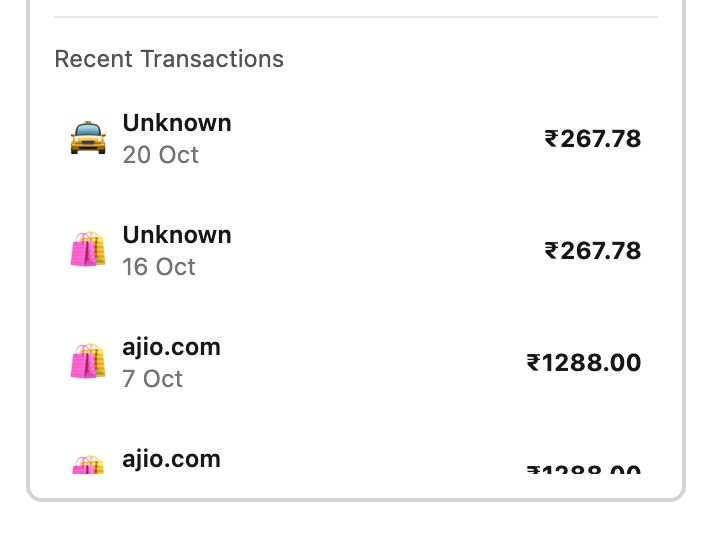
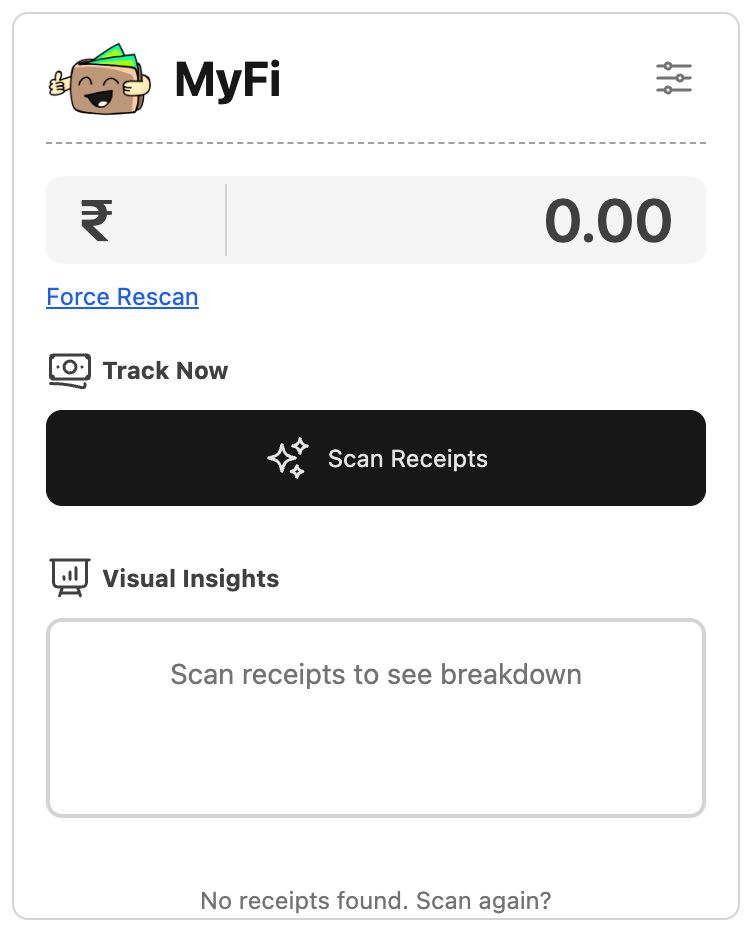
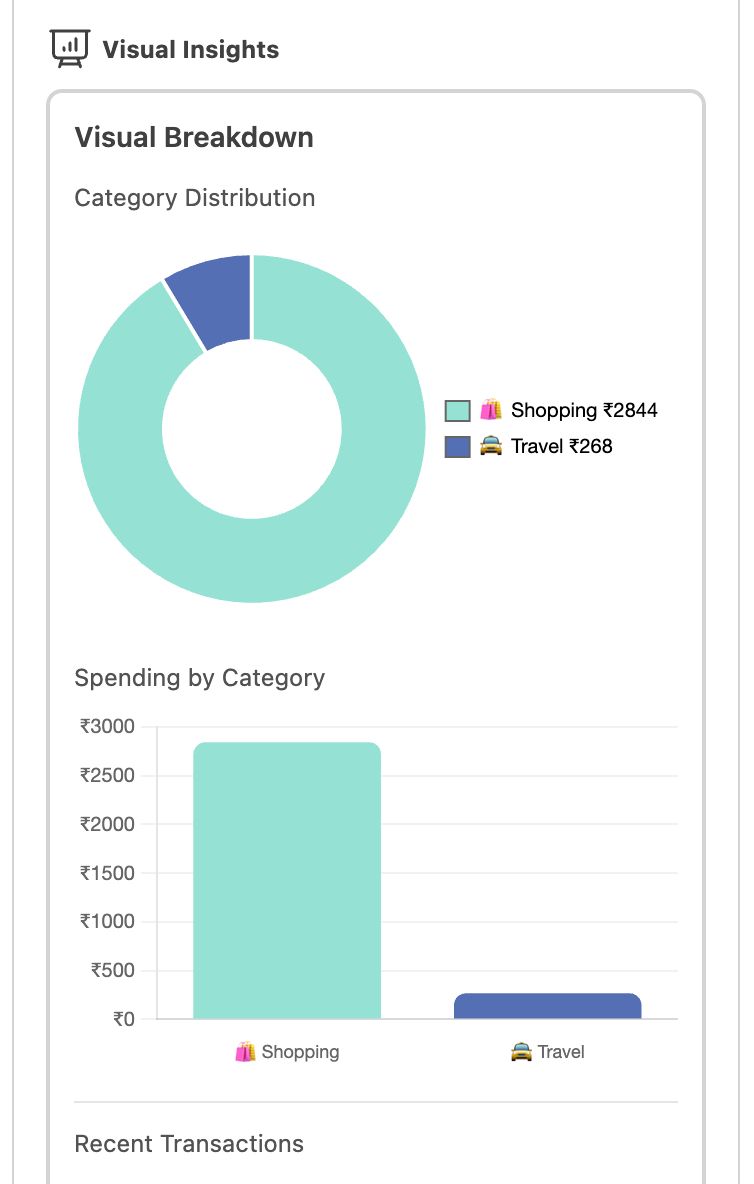
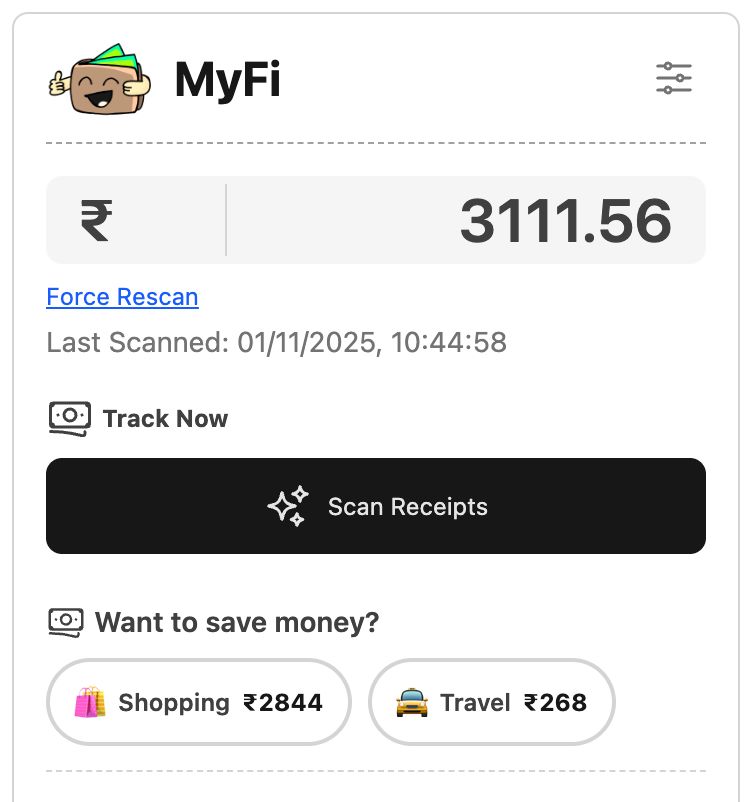
A Chrome extension popup that: -> Scans emails (via the extension background script) and stores parsed receipts in chrome.storage.local. -> Displays total spending, a category distribution doughnut chart and bar chart (Chart.js), and a recent transactions list. -> Shows “category chips” (top categories) that you can click to get tailored saving tips. -> Deduplicates receipts by merchant + date + amount and infers categories with heuristics (e.g., zomato → food). -> Calculates potential savings using simple heuristics (e.g., suggested savings = category_spend × rate). -> Offers a manual Force Rescan button and handles basic error states with user-friendly messages.
How it works ?
Files / Components popup.html : UI and layout (Tailwind CSS for quick styling). popup.js : Popup logic: reads chrome.storage.local, renders charts, chips, tips, and handles user interactions. Background script : responsible for fetching Gmail messages, extracting receipt data and saving extractedData + lastScanned into storage.
Important flows -> User clicks Scan Receipts → popup sends chrome.runtime.sendMessage({action: "refreshEmails"}) to background. -> Background scans Gmail, extracts receipts (merchant, date, amount, subject, from), stores them and a timestamp. -> Popup polls chrome.storage.local.lastScanned and re-renders once new data arrives. -> Popup deduplicates and enforces categories with a small heuristic function, then renders: Total spend (total = \sum amount_i), Percentage per category (percentage = \frac{category_amount}{total} \times 100), Charts via Chart.js (doughnut + bar), Tips based on category with estimated savings like savings = amount × rate.
Key heuristics & UX details Dedup key: ${merchant}-${date}-${amount} to avoid double counting. Category enforcement uses sender/subject keywords (Zomato/Swiggy → food, Uber → travel). UI shows last scanned time and handles error states stored in chrome.storage.local. Chart labels are customized to show emoji + label + amount for quick scanning.
Challenges we ran into
Asynchronous orchestration Problem: popup opens and background might still be scanning emails. Solution: sendMessage → poll lastScanned and show a spinner; also disable the scan button until complete.
Gmail parsing is noisy Problem: receipts come in many formats; amounts appear in bodies, attachments, or structured headers. Solution: build resilient extraction that falls back to subject/from heuristics, mark uncertain receipts with .error and filter them out from totals.
Deduplication Problem: same receipt can appear multiple times (for forwarded messages / labels). Solution: dedupe by ${merchant}-${date}-${amount}.
Chart rendering quirks Problem: Chart.js can throw errors if a chart instance is recreated without destroying the old one. Solution: keep pieChartInstance and barChartInstance globals, call .destroy() before creating new charts.
Performance & privacy Problem: scanning many emails can be slow and raises privacy concerns. Solution: store only parsed minimal fields locally (merchant, date, amount, subject, from, category) and not entire message bodies. Also give a visible “Force Rescan” and error UI so users feel in control.
Edge cases & UX Problem: No receipts found, or token/auth expired. Solution: clear helpful messages and a Force Rescan that clears cached auth and data.
What we learned
- Chrome extension APIs — chrome.storage, chrome.runtime.sendMessage and how to coordinate the background scanning with popup UI updates.
- State design for extensions — how to store intermediate results (extractedData, lastScanned, error) and keep the popup resilient between opens.
- Charting with Chart.js inside a constrained popup (watch out for maintainAspectRatio and destroying instances before re-creating).
- Practical parsing — extracting structured info (merchant/date/amount) from unstructured email text and subject lines requires a lot of heuristics and graceful fallbacks.
- UX details — quick feedback is vital (loading spinner, disabled buttons, friendly error messages).
- Front-end ergonomics — using Tailwind for rapid layout and small visual affordances like chips and cards.
What's next for MyFi
- Better extraction using an ML model or regex ensemble (local inference or on-device model) to handle international formats and currencies.
- Add per-month filters, and auto-grouping by merchant alias (e.g., Amazon India vs amazon.in).
- Option to export CSV / integrate with personal finance tools (Opt-in only).
- Implement OAuth token refresh & exponential backoff for Gmail rate limits, and show precise permission prompts explaining why each permission is needed.
- Add unit tests for parsing/dedup logic and end-to-end tests for the background → storage → popup flow.
Built With
- chartjs
- google-cloud
- html5
- javascript
- tailwindcss


Log in or sign up for Devpost to join the conversation.