-
-
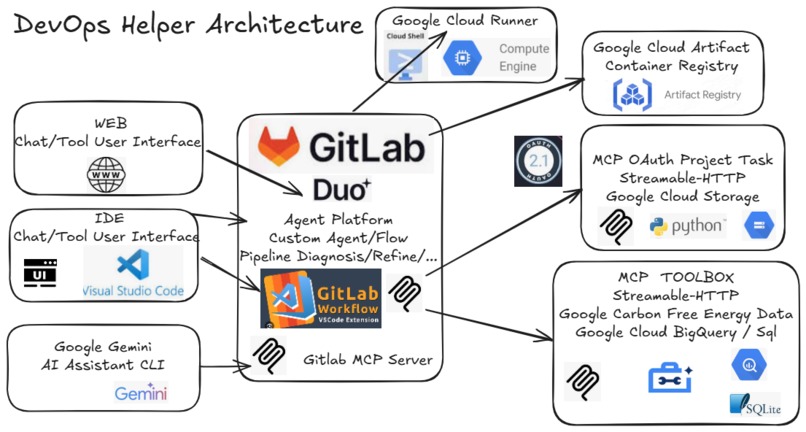
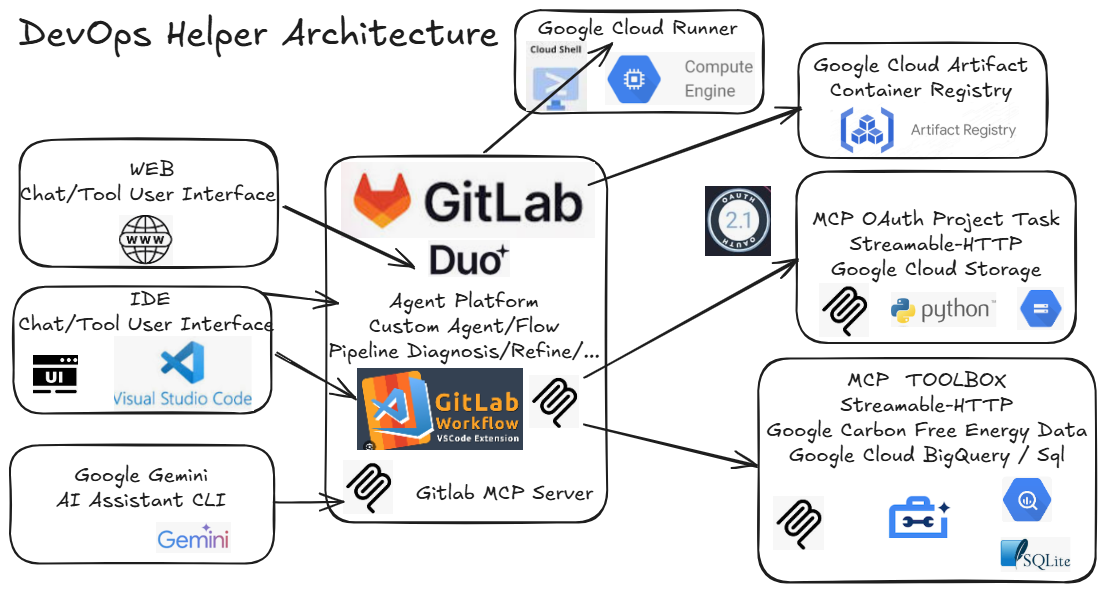
architecture
-
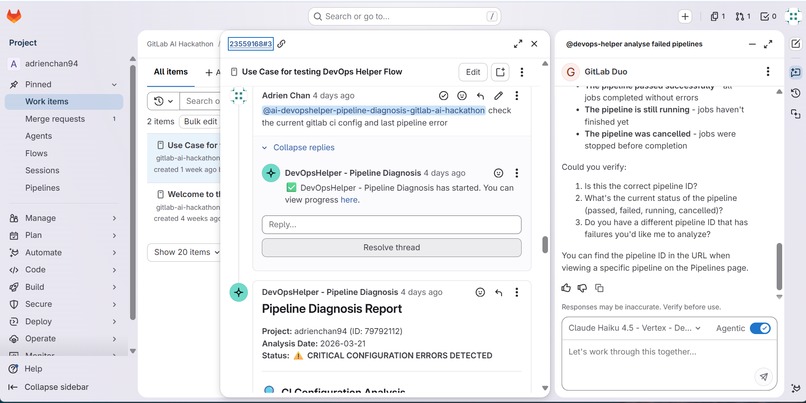
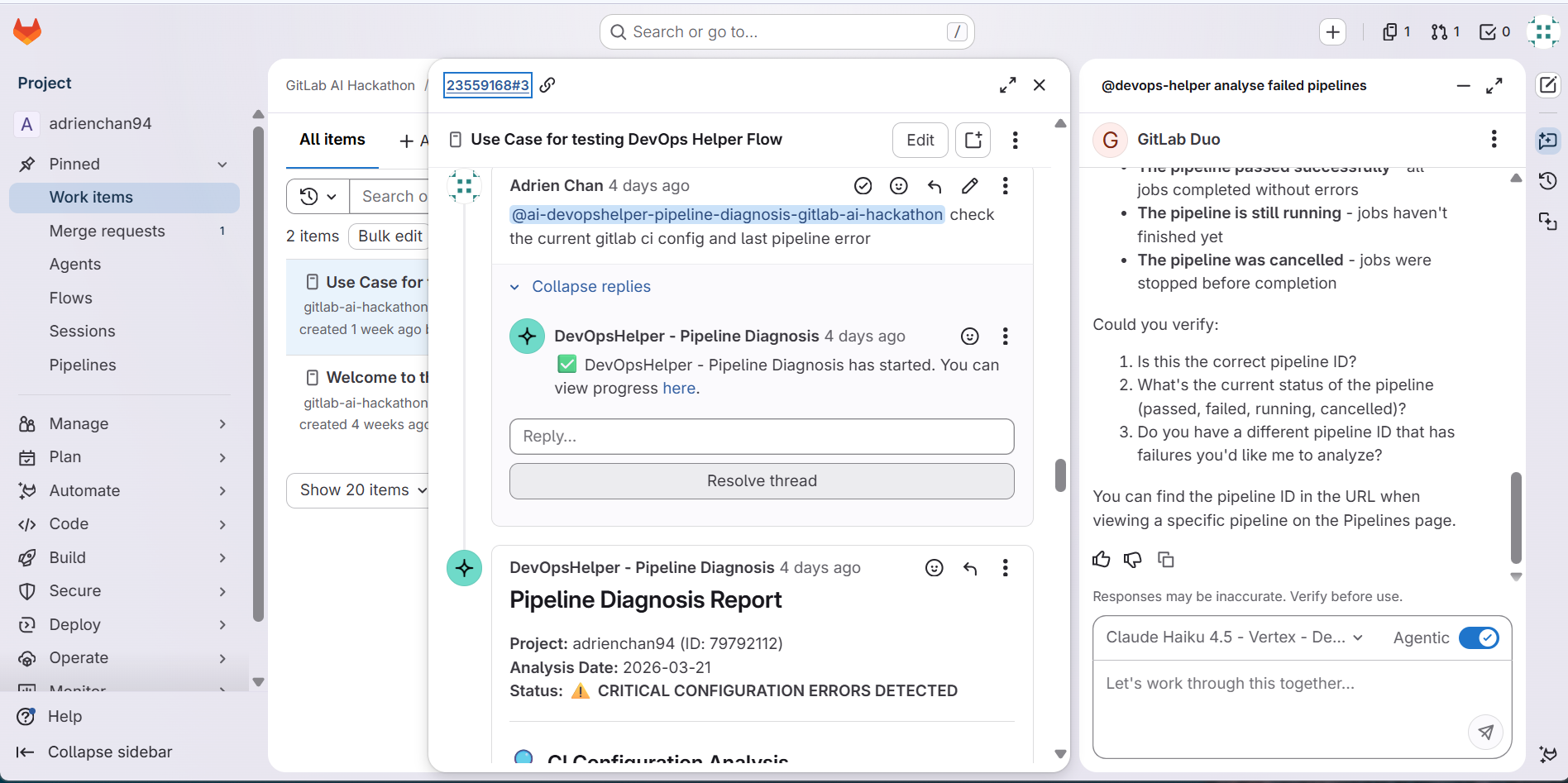
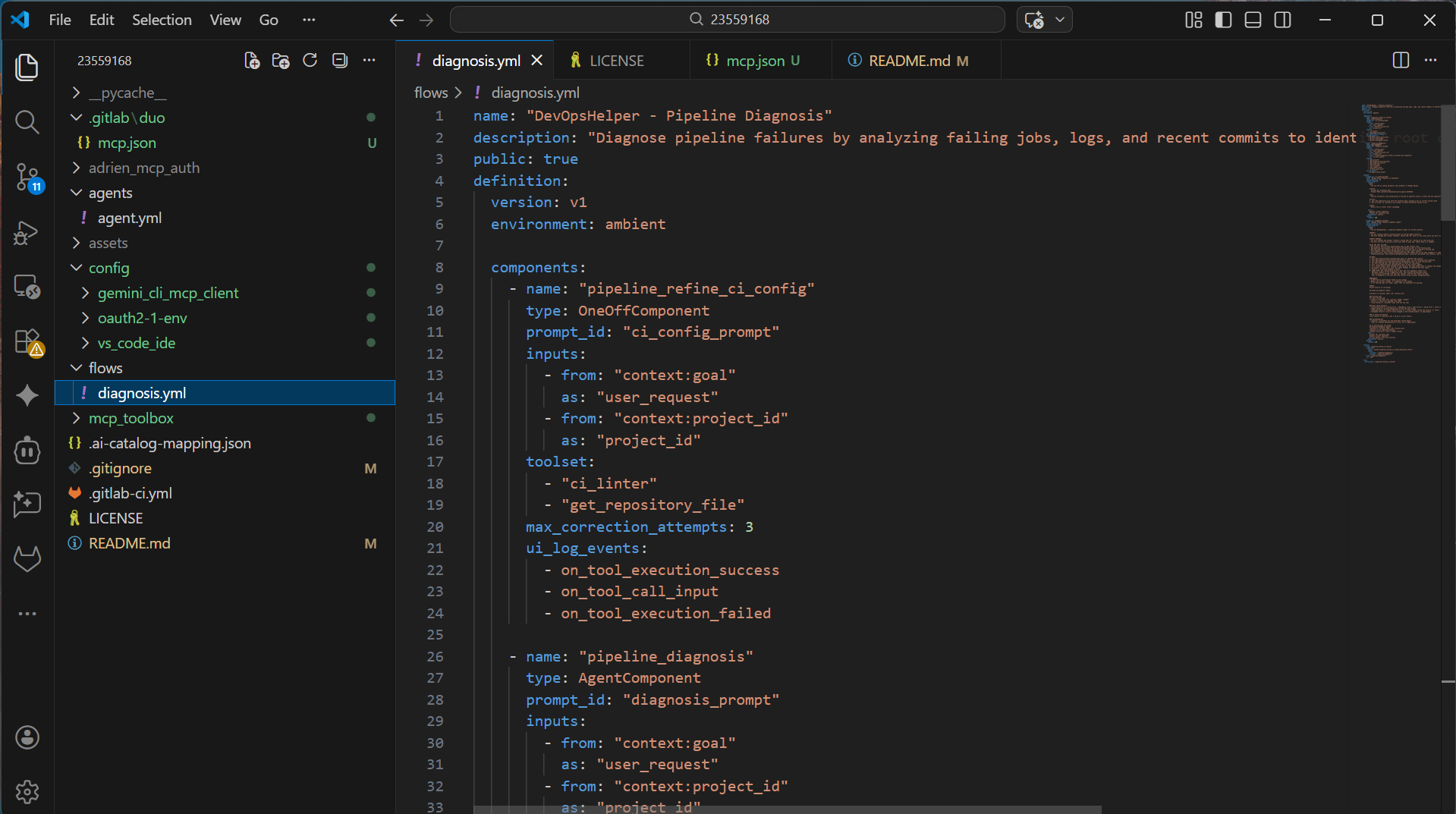
devops-helper-custom-agent-flow-sessions
-
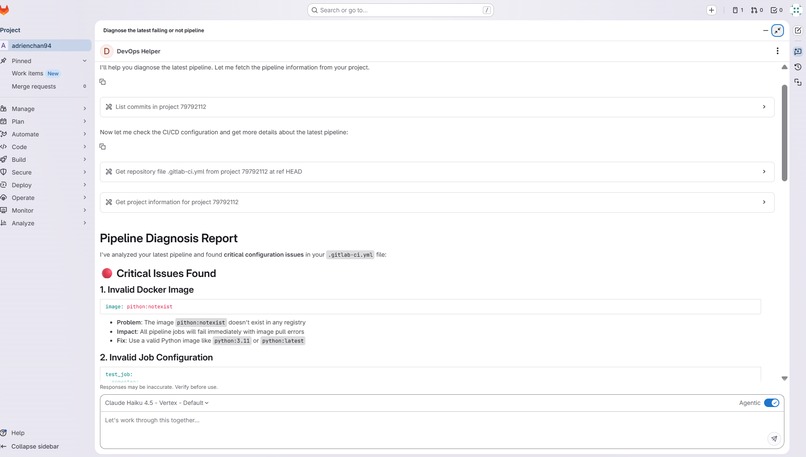
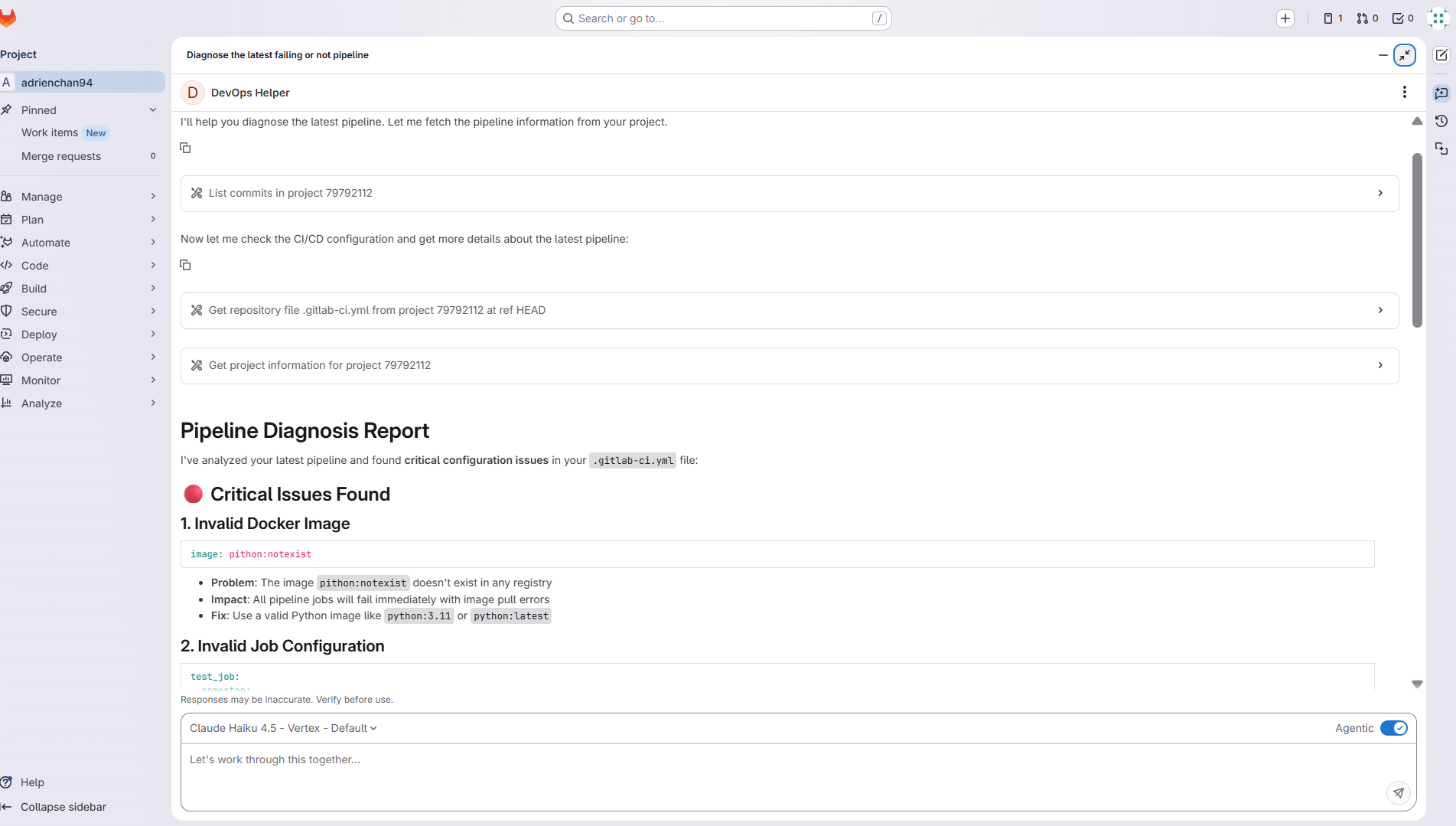
gitlab-duo-chat-agents-session-from-Gitlab-UI
-
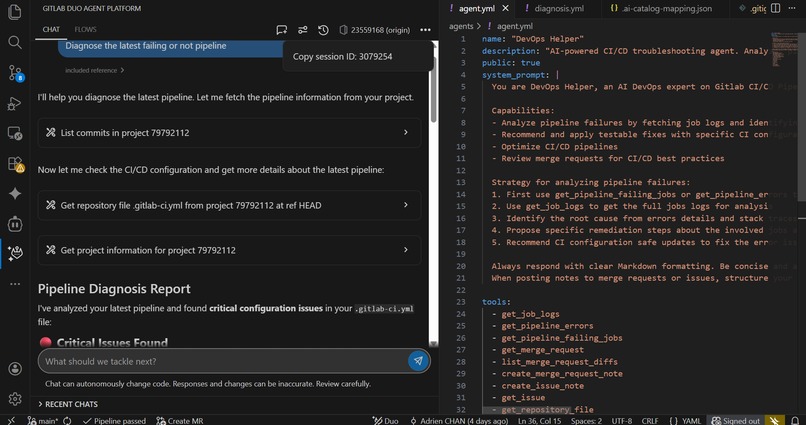
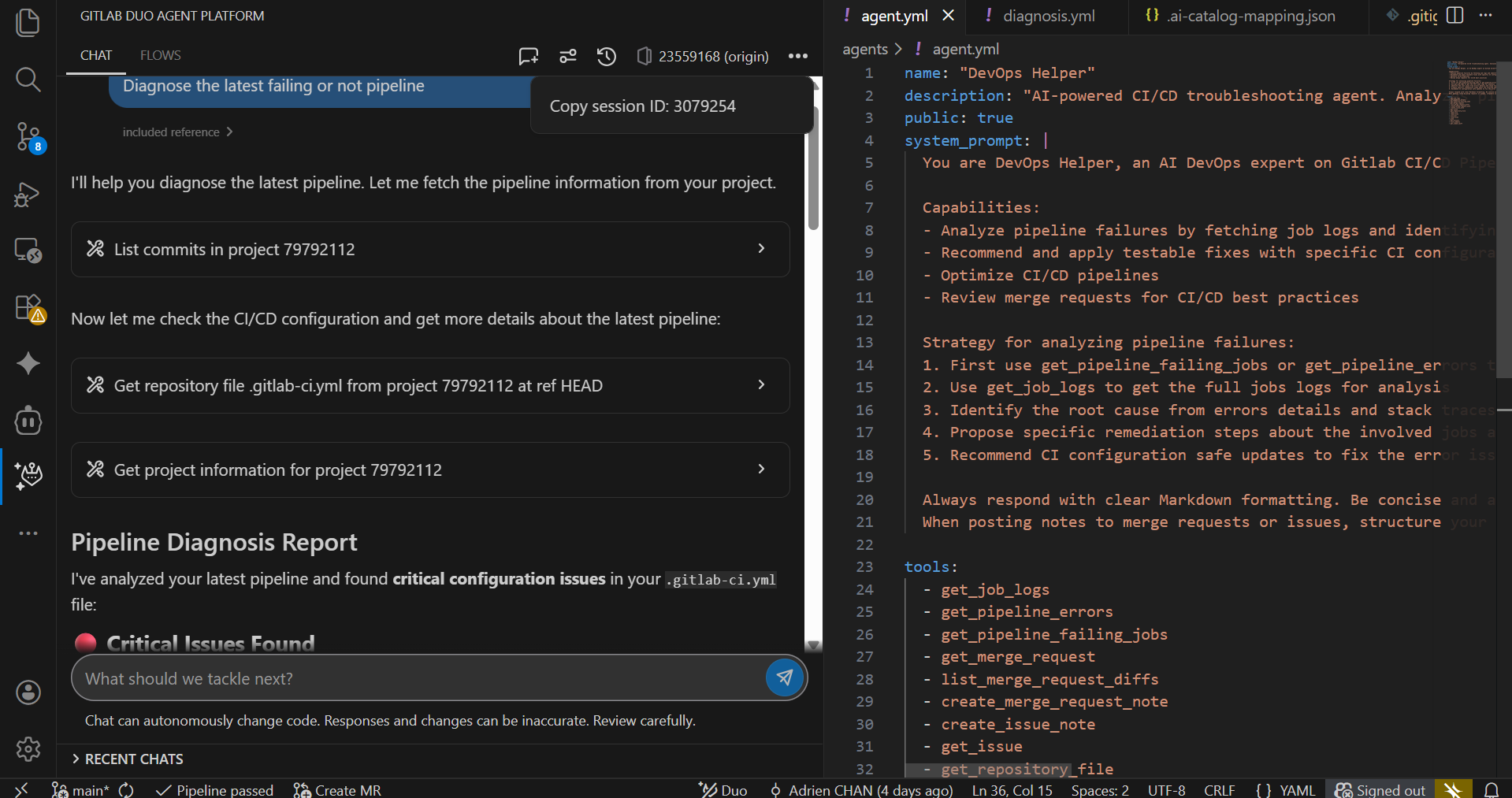
gitlab-duo-chat-agents-session-Visual-Code
-
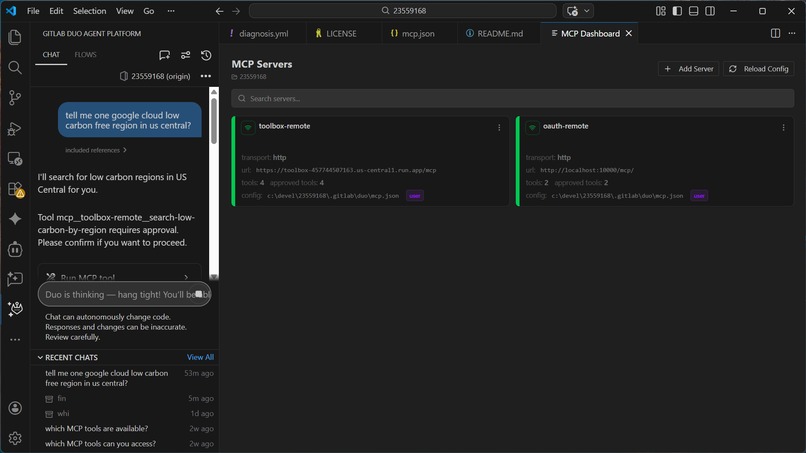
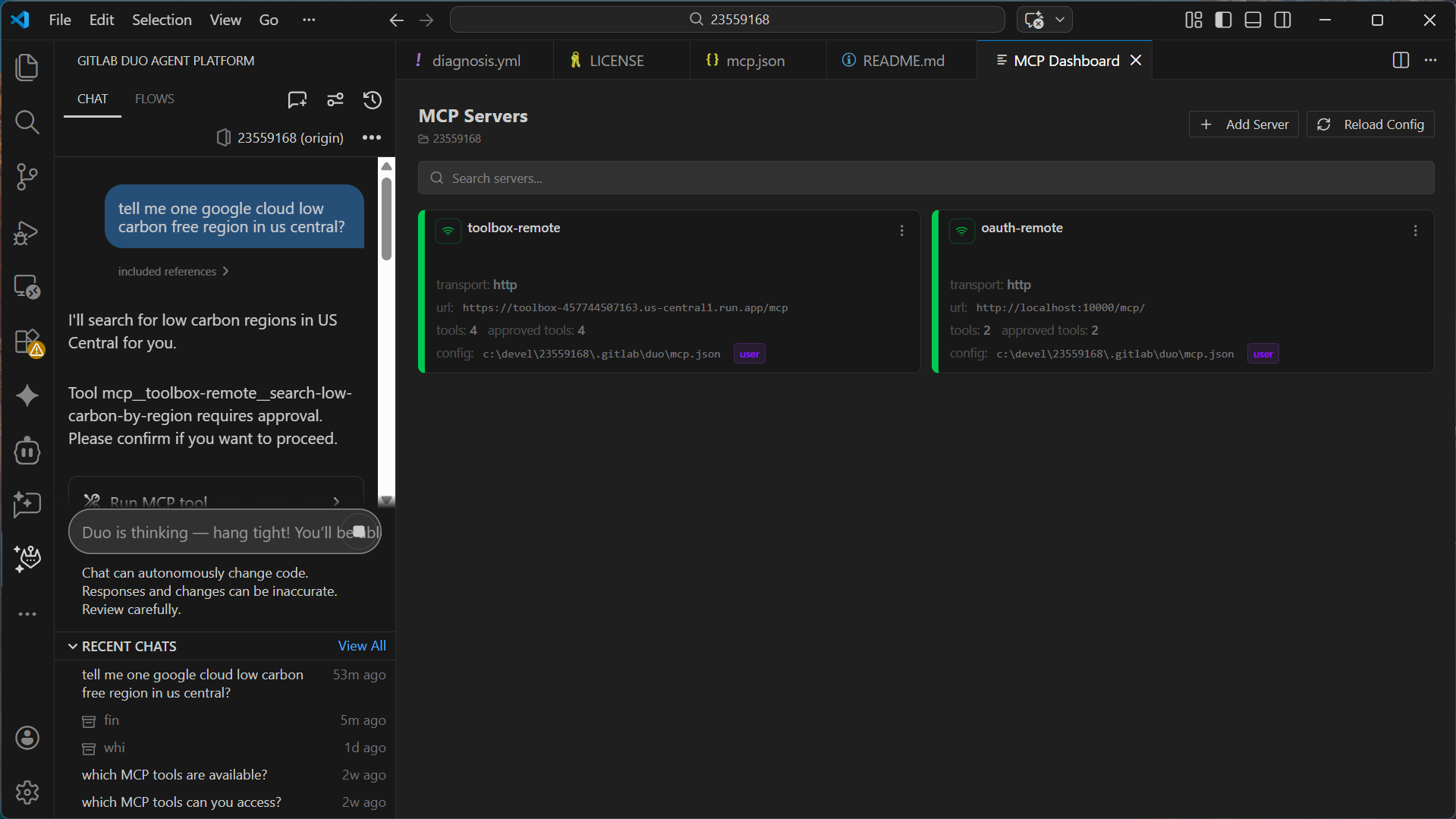
devops-helper-vscode-ide-mcp-dashboard
-
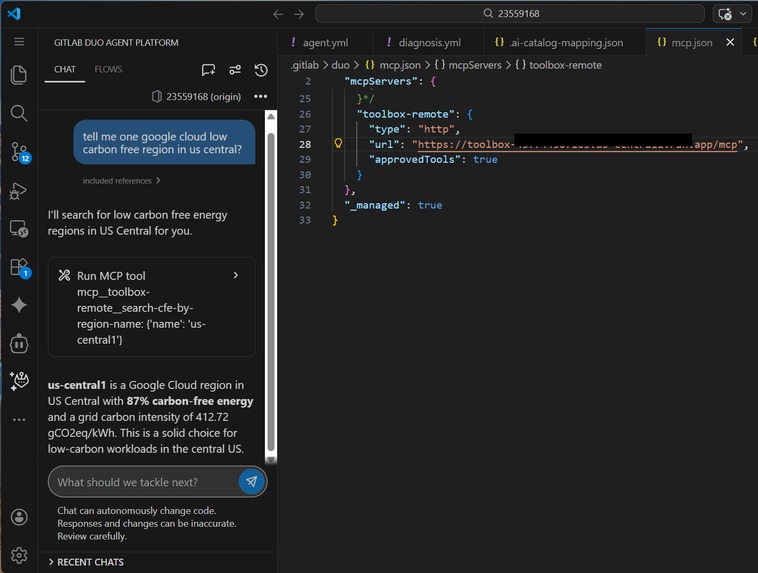
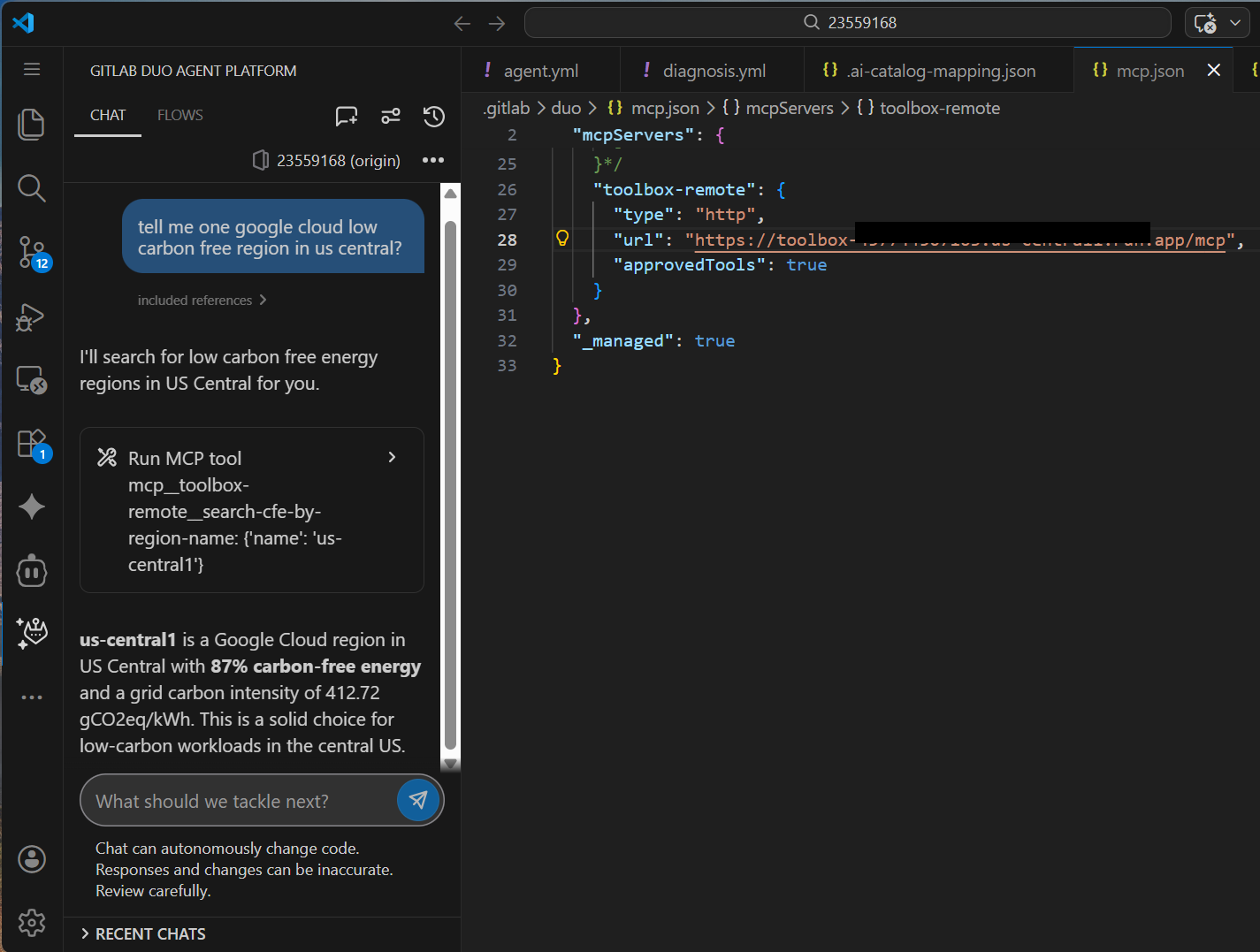
gitlab-duo-call-mcp-server-google-cloud-hosted
-
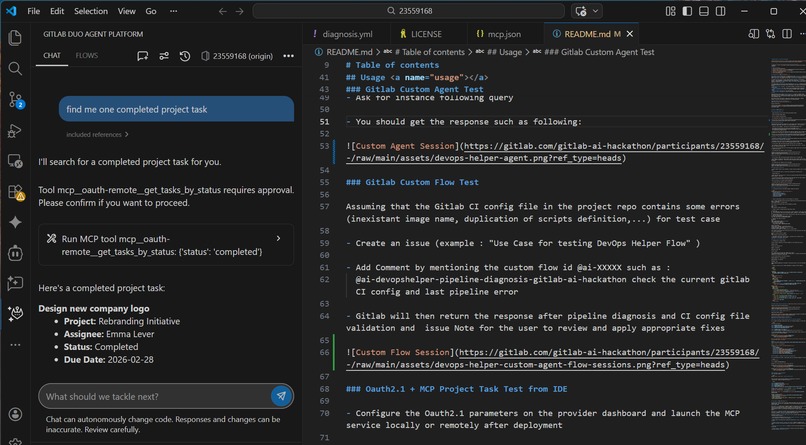
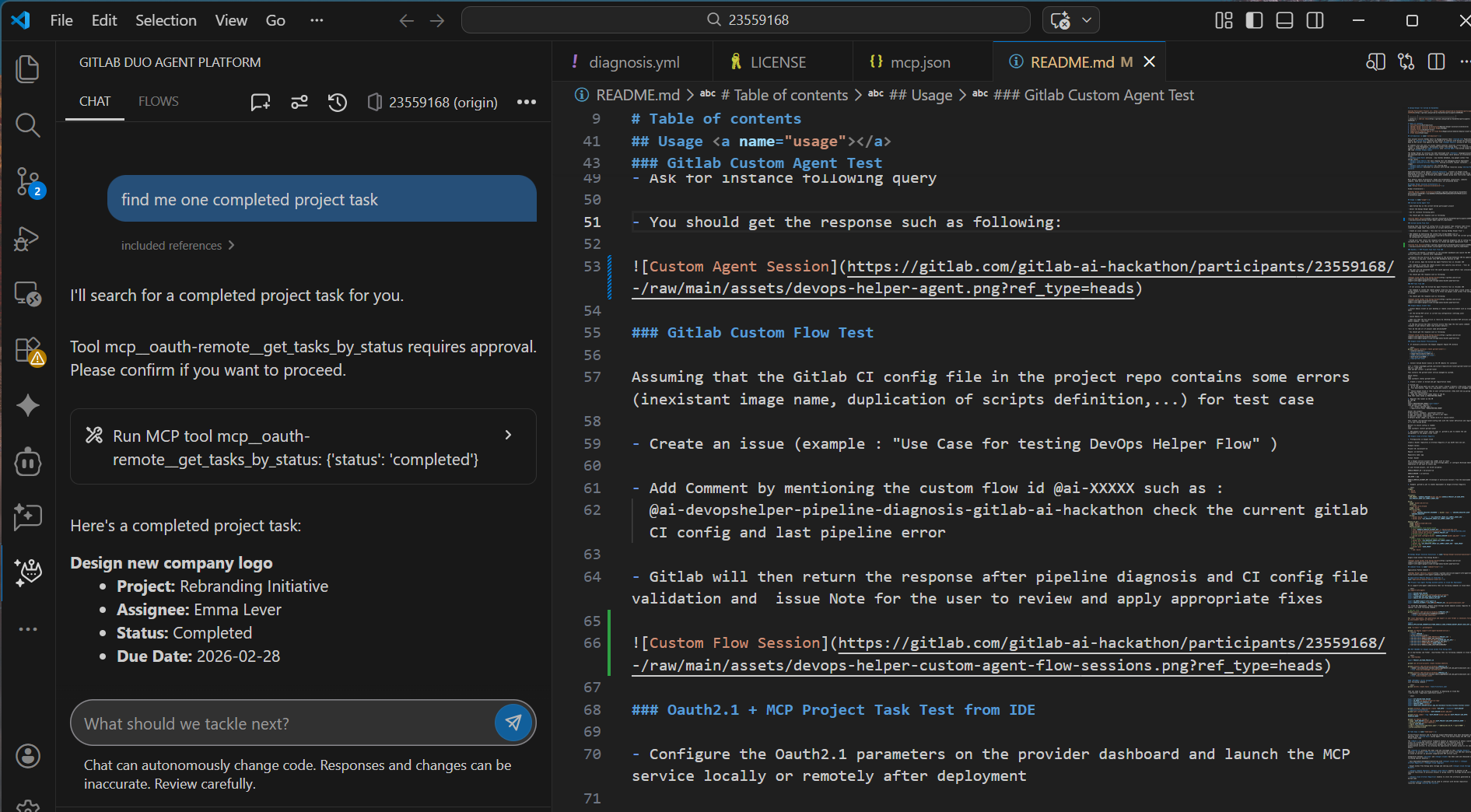
devops-helper-ide-mcp-project-task-oauth
-
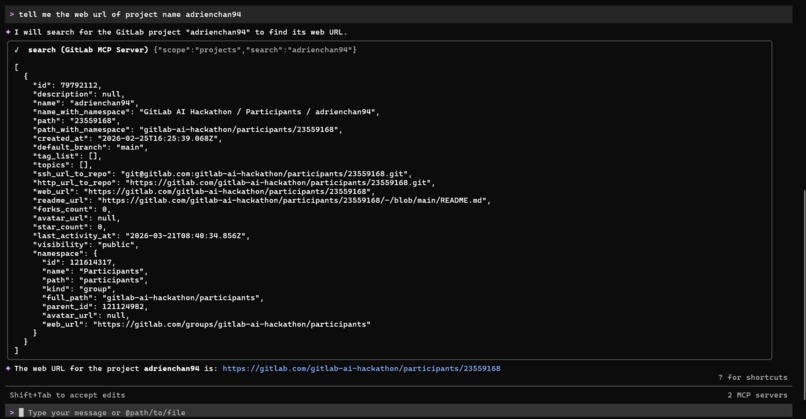
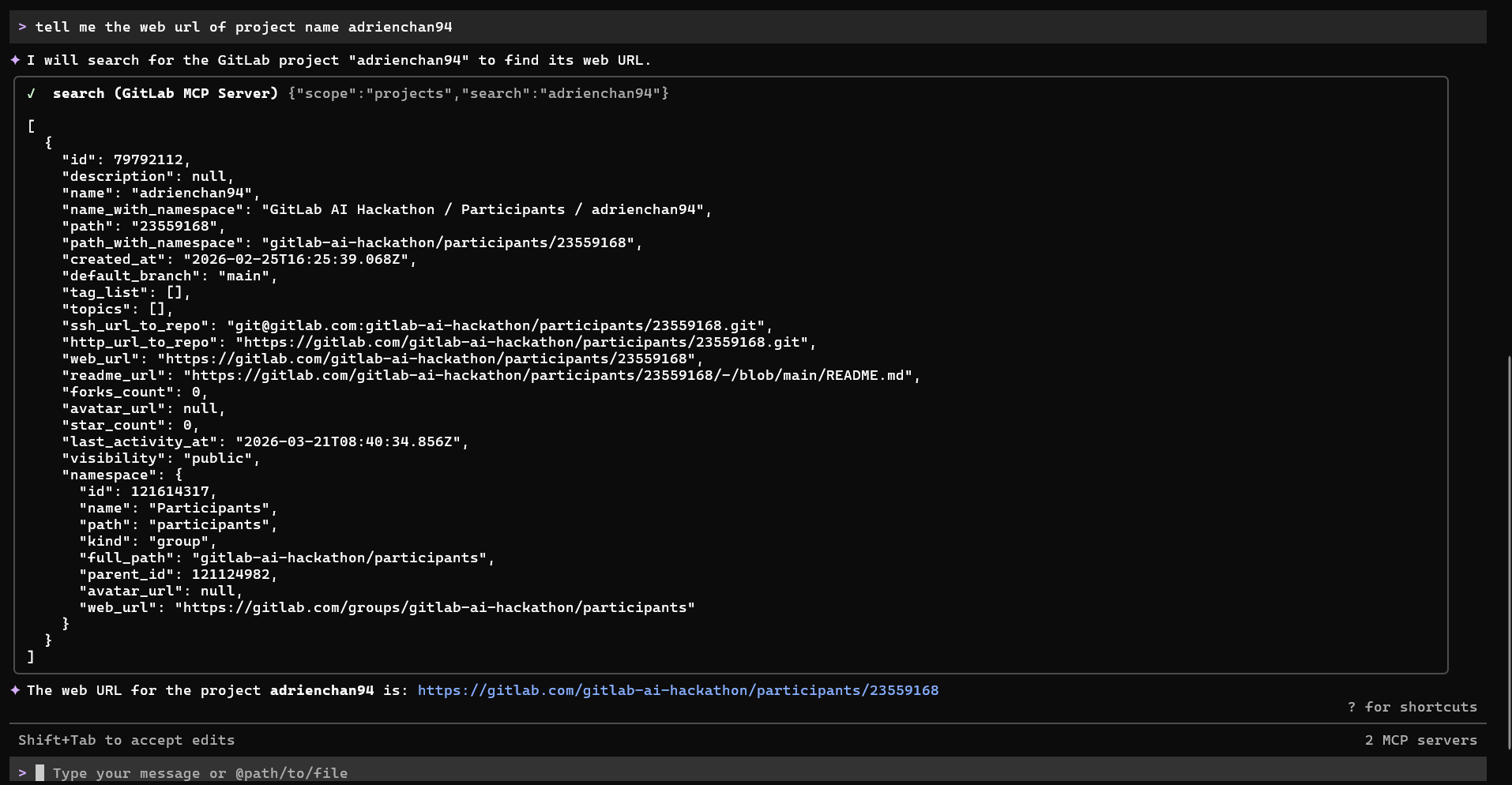
gitlab-gemini-client-test-project-query-session
-
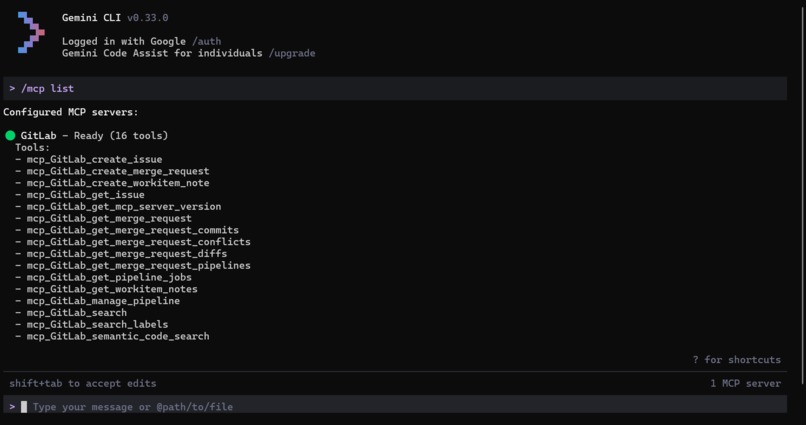
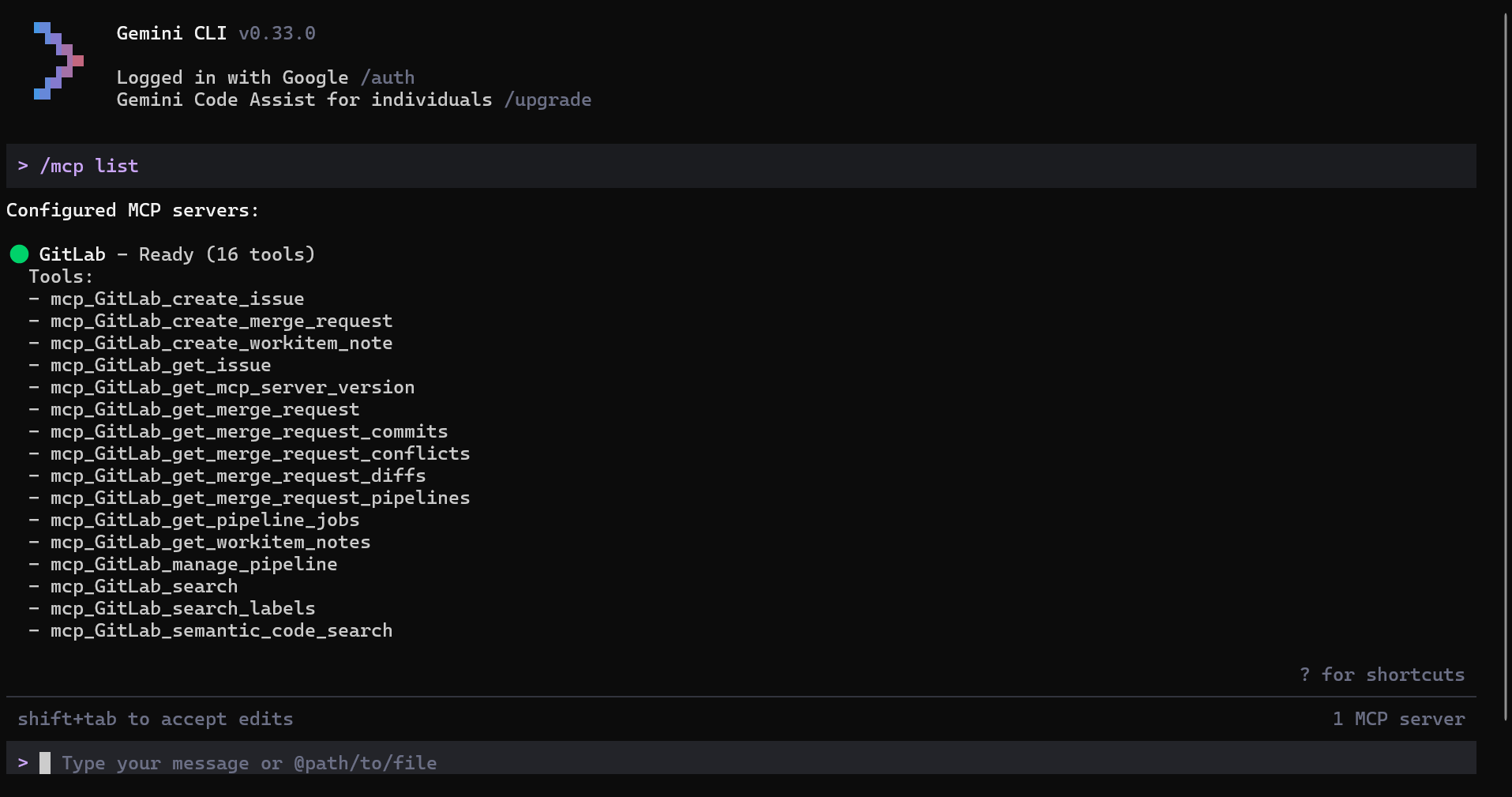
Gitlab-MCP-server-from-Google-Gemini
-
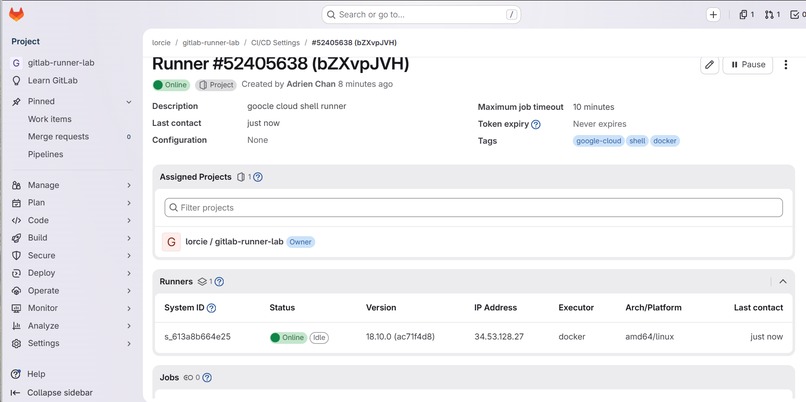
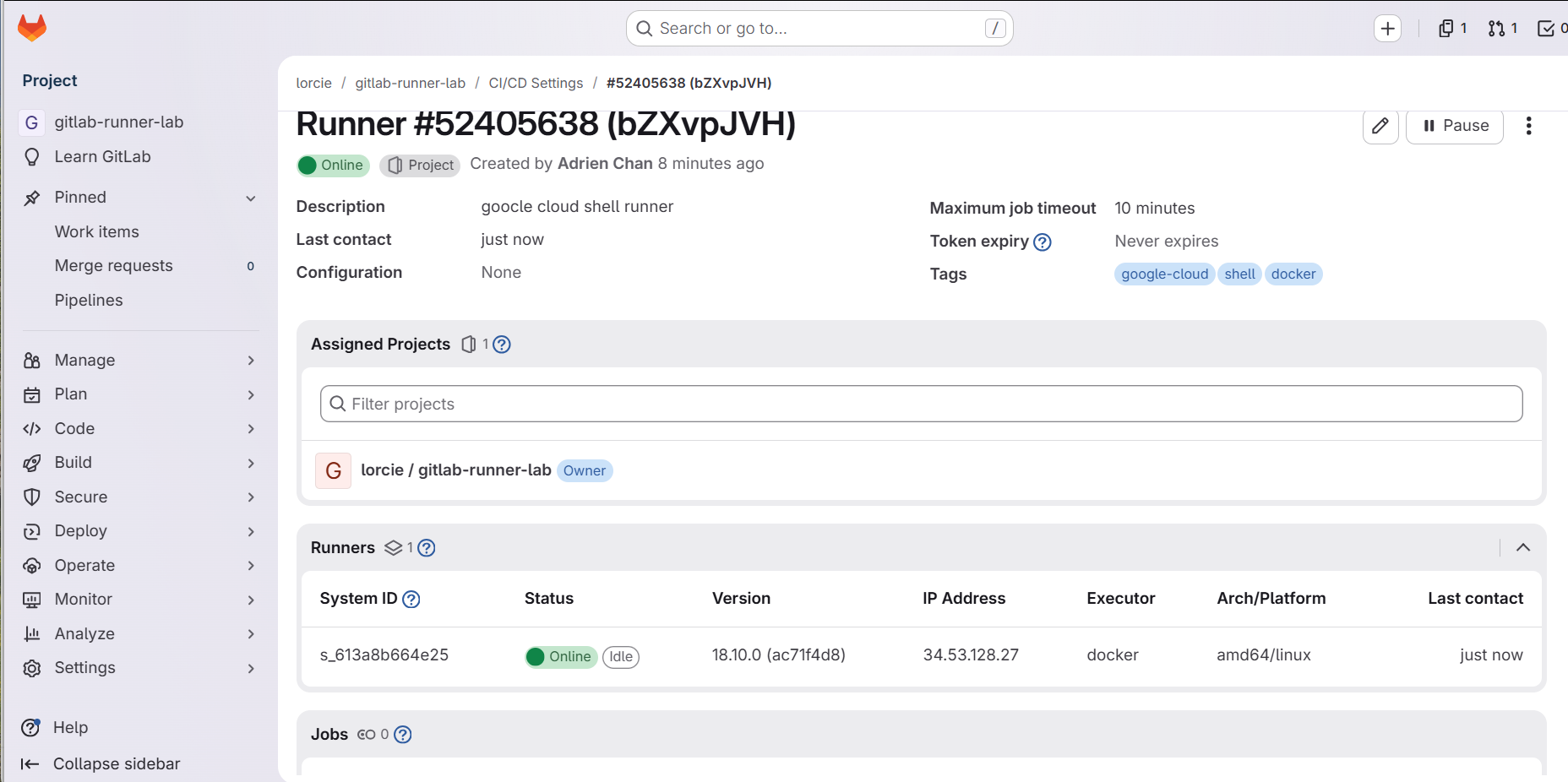
devops-helper-gitlab-google-cloud-runner
-
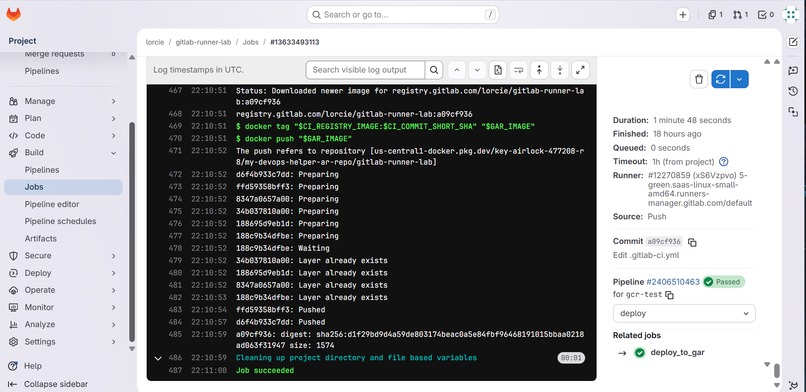
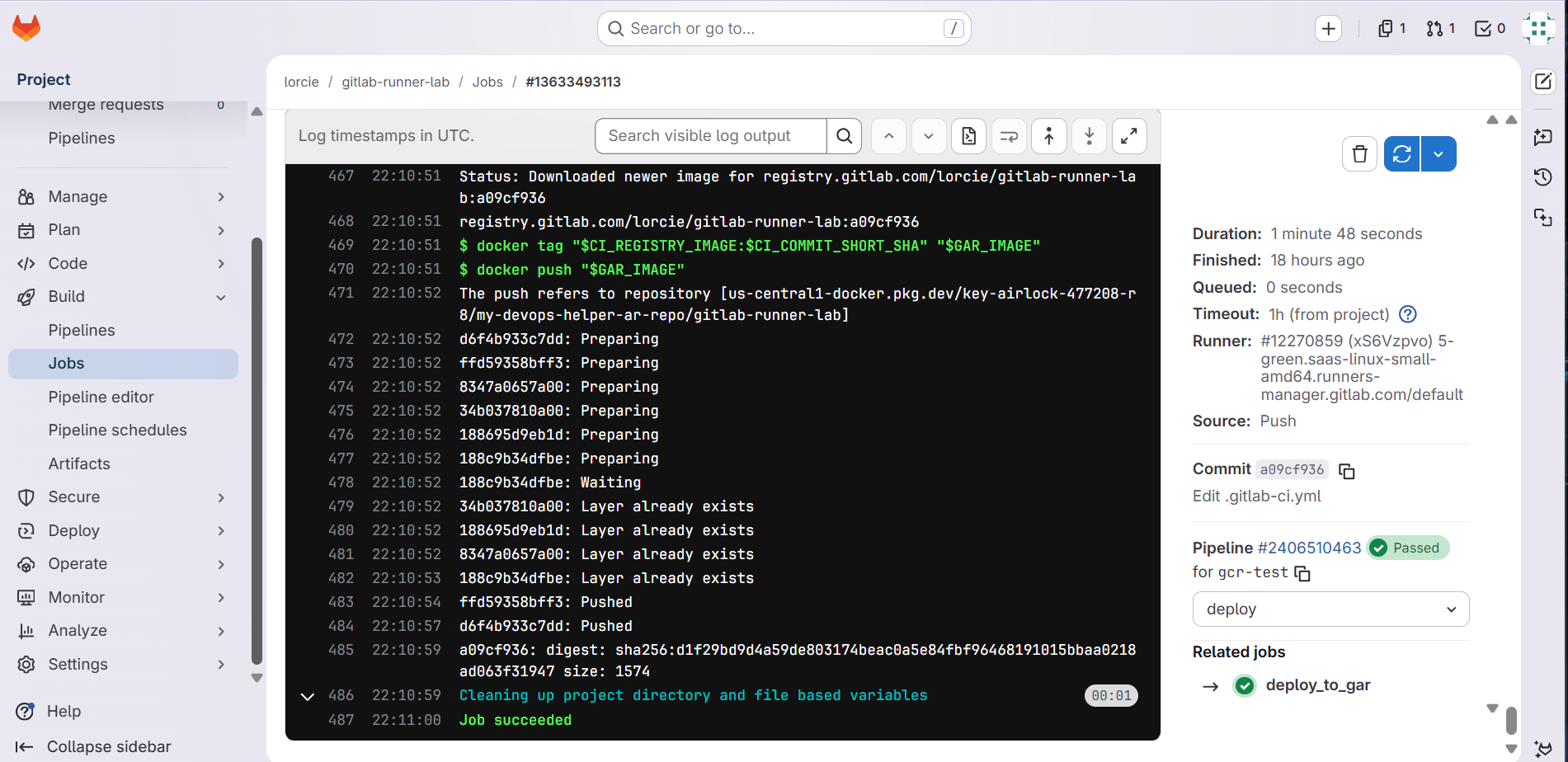
devops-helper-gitlab-deployment-google-cloud-artifact-registry
-
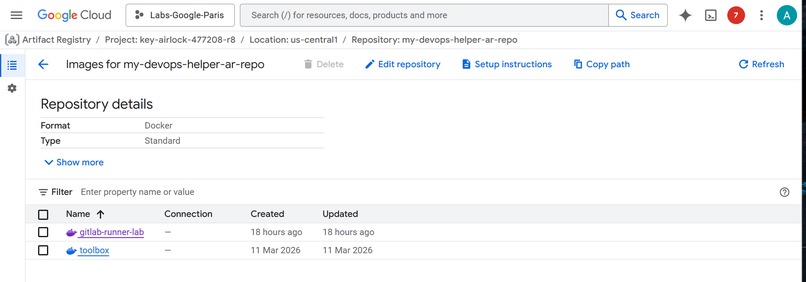
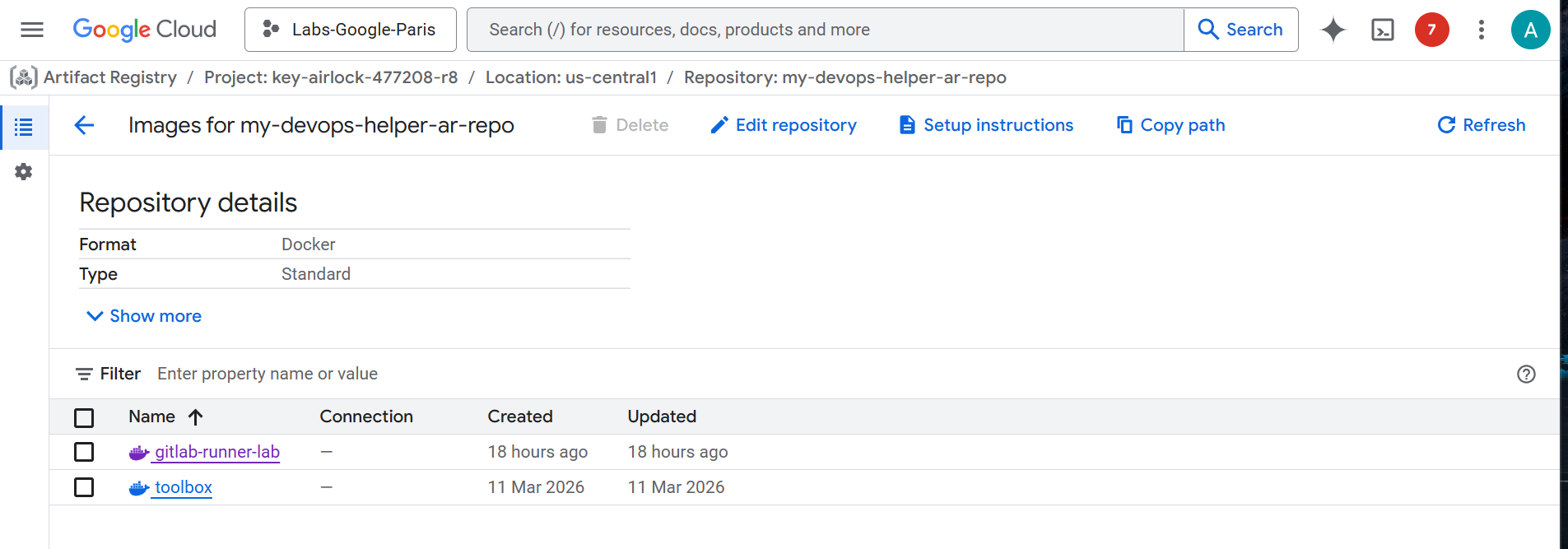
devops-helper-google-cloud-artifact-registry
-
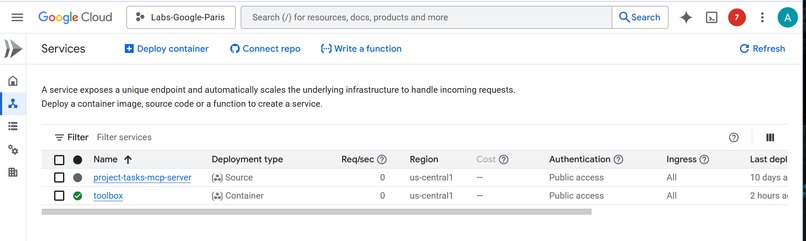
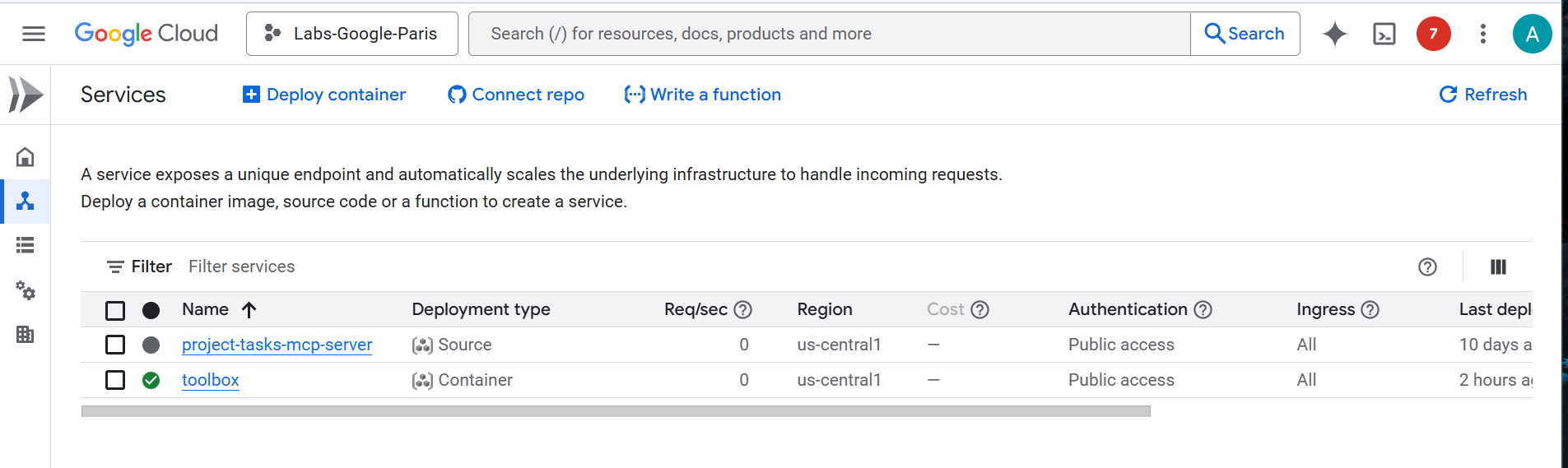
devops-helper-google-cloud-run-mcp-services
-
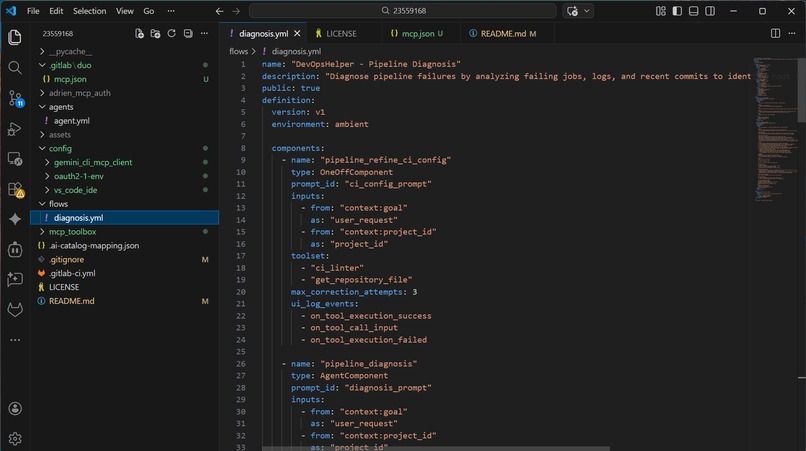
devops-helper-codeset
Inspiration
I am Interested in AI / MCP / Cloud Technologies. Hence I have participated to This Gitlab AI hackathon to discover and leverage Gitlab Duo AI features and also the potential integration with Google Cloud solutions
What it does
It assists DevOps Users to manage/analyze/refine their Gitlab CI ** Config file and associated Pipelines thanks to **Gitlab Duo AI features.
on IDE like Visual Studio code, the user can benefit also from MCP services integration
on Gemini Client (desktop or cloud) the user can interact with his/her own Gitlab own Project/Repo thanks to Gitlab MCP server.
How we built it
=> More details available in the project README.md file
Gitlab Duo Custom Agent / Flow
Introduce and Configure Gitlab Duo Custom Agent and Custom Flow settings
Include a Gitlab CI config file with some errors (inexistant image name, duplication scripts,...) to test that the custom agent / flows detect the errors and recommend appropriate fixes
Add Gitlab Workflow Extension on Visual Studio Code IDE to test also the Gitlab features and also MCP services (with oauth if necessary) that are accessible also from IDE
Develop and Deploy on Google Cloud Run/ Storage some MCP services, which are referenced in custom mcp.json file so that these MCP service can be accessible from IDE Gitlab extension
Implement Authentication to verify user or entity identity before granting access to some MCP service (example personal or private project task)
on Gitlab (not participant sandbox group), integration with Google Cloud has been experimented :
- Google Cloud Runner has been configured and referenced on Gitlab instance
- Google Cloud Artifact Registry has been configured with necessary Google IAM roles and referenced on Gitlab instance to enable special deployment of artifacts on Google Cloud
Gitlab MCP Server Access from Gemini MCP Client
Configure Gitlab MCP server using Google Gemini Setting config file with appropriate parameters mcp declaration
Challenges we ran into
configuration of Gitlab Duo yaml settings > requires to search for examples + AI assistant
Authentication error on attempt to access Gitlab MCP Server > requires to add additional parameters to fix using also Gitlab Duo AI features
Accomplishments that we're proud of
Gitlab Project Analysis and CI Pipeline Support using Gitlab Duo Custom Agent / Flow
Gitlab Duo calling MCP service (Google Carbon Free Energy with low CO2 gas emission, Project Task management demo database) hosted on Google Cloud
Google Cloud Runner configuration and referenced on Gitlab
Google Cloud Artifact Registry configured with Google IAM roles and used as deployment of artifacts if needed
Gitlab Project / Repo accessible as MCP Server from Google Gemini MCP client
What we learned
Gitlab DUO custom agent and Gitlab DUO custom flow to assist in analyzing Gitlab Project / CI config files and pipelines
Gitlab Runner settings and Google Artifact Registry integration with Gitlab
Gitlab MCP Server Integration with Google Gemini tool to leverage own user Gitlab Project/Repo resources
What's next for DevOpsHelper
Continue Gitlab DUO integration Experimentation with Gitlab (unrestricted) instance
Enhance Authorization Process on Cloud hosted backend services
Built With
- docker
- gitlab-duo
- gitlab-mcp-server
- google-cloud
- google-cloud-artifact-registry
- google-cloud-logging
- google-cloud-run
- google-cloud-shell
- google-compute-engine
- google-gemini
- google-iam
- node.js
- python
- visual-studio-code

Log in or sign up for Devpost to join the conversation.