-
-
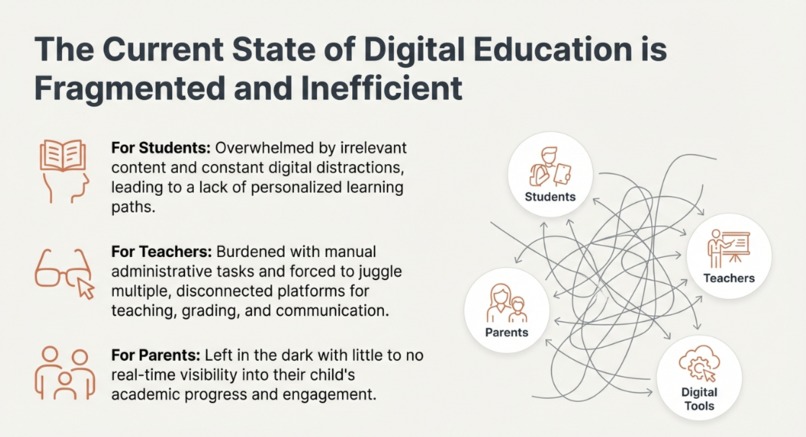
PROBLEM
-
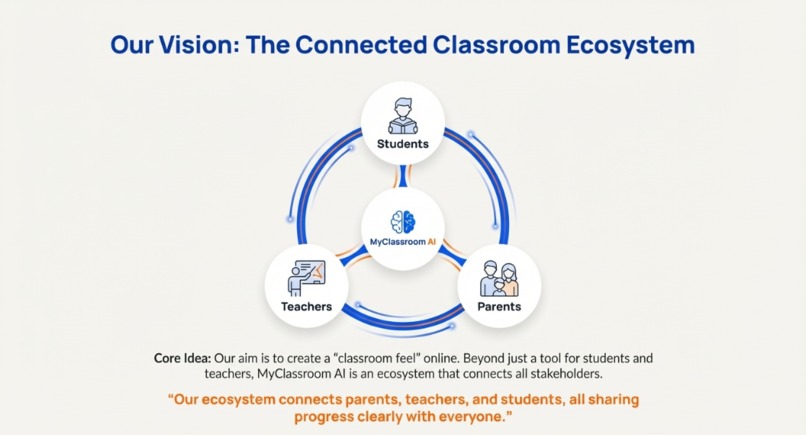
TARGETED AUDIENCE
-
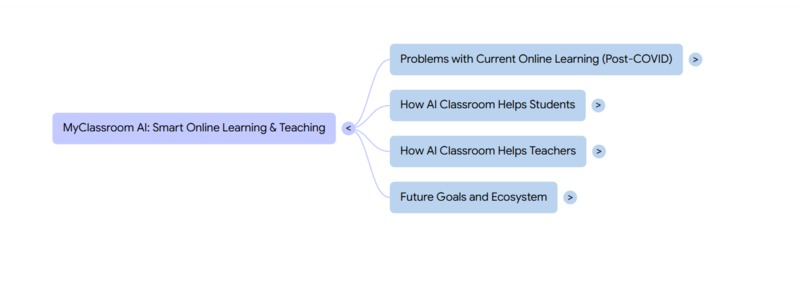
MIND MAP 1
-
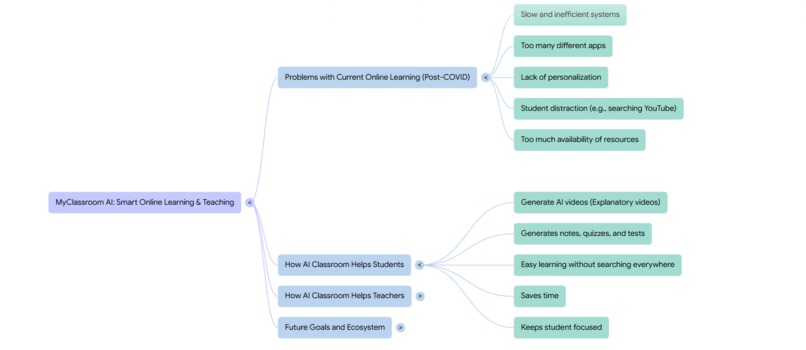
MIND MAP 2
-
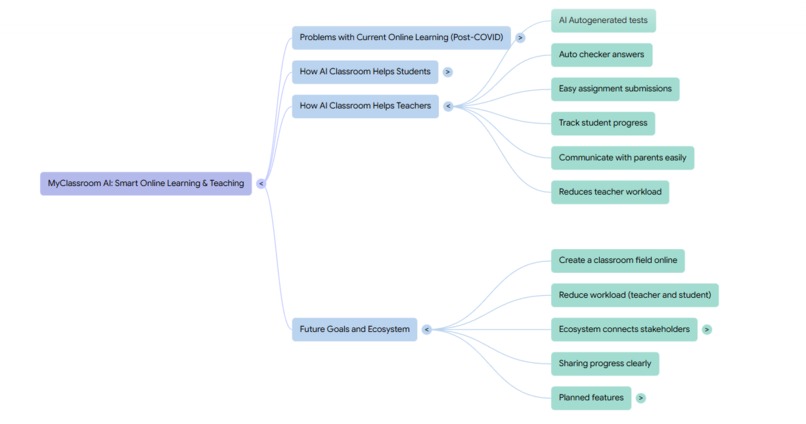
MIND MAP 3
-
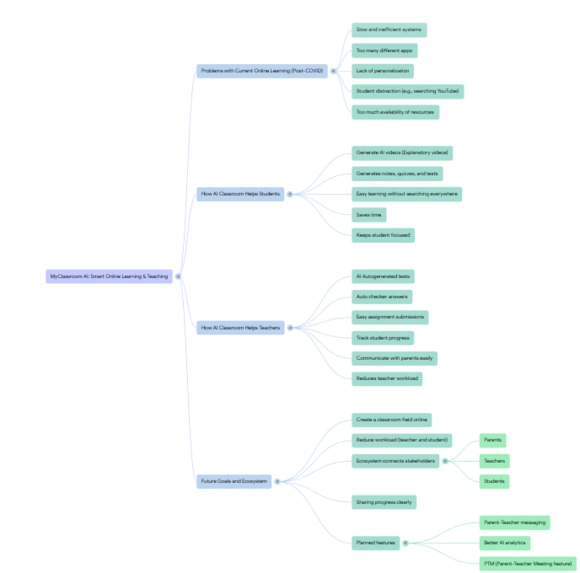
MIND MAP 4

Inspiration
We built MyClassroom.AI because we saw two problems happening every day in real schools and homes.
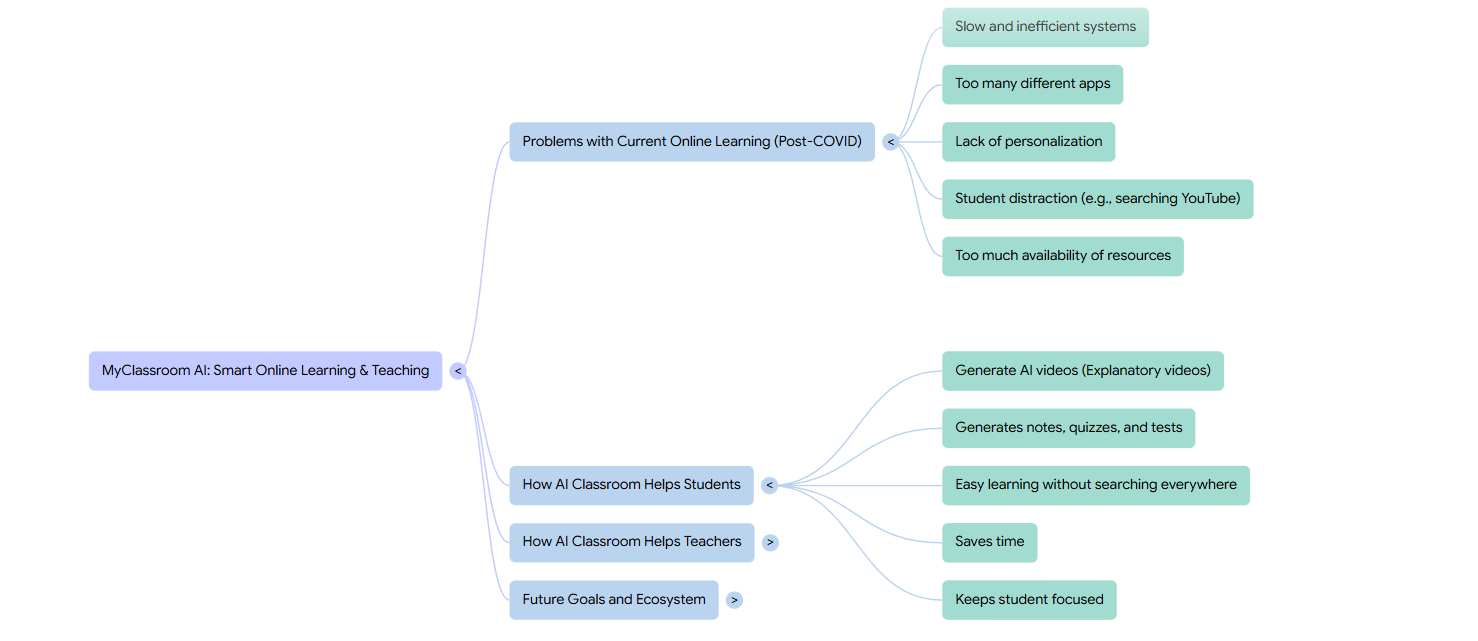
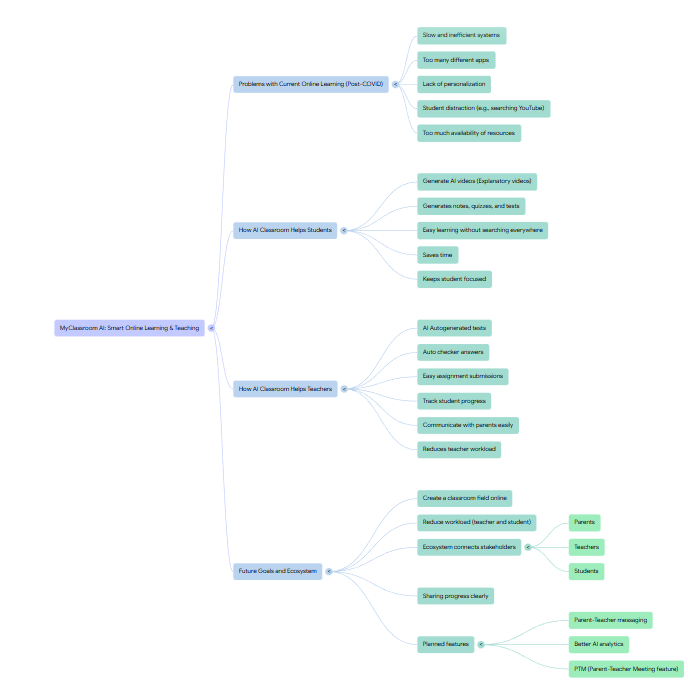
First, we saw teachers drowning in paperwork. Amazing educators were staying up late to write quizzes, track grades, and manage online classes. They wanted to inspire students, but they were stuck doing admin work.
Second, we saw students getting lost and frustrated. When a student didn't understand homework at 8 PM, they had to wait until the next day for help. During online tests, honest students worried about others cheating, and teachers couldn't be sure who really earned their grades.
We asked a simple question: Could AI act as a helpful assistant instead of just another piece of software? We imagined a platform where AI handles the repetitive tasks—grading, proctoring, creating practice materials—so teachers could focus on teaching and students could get help the moment they need it.
What it does?
MyClassroom.AI is really two smart tools in one platform.
For teachers, it's like having a teaching assistant:
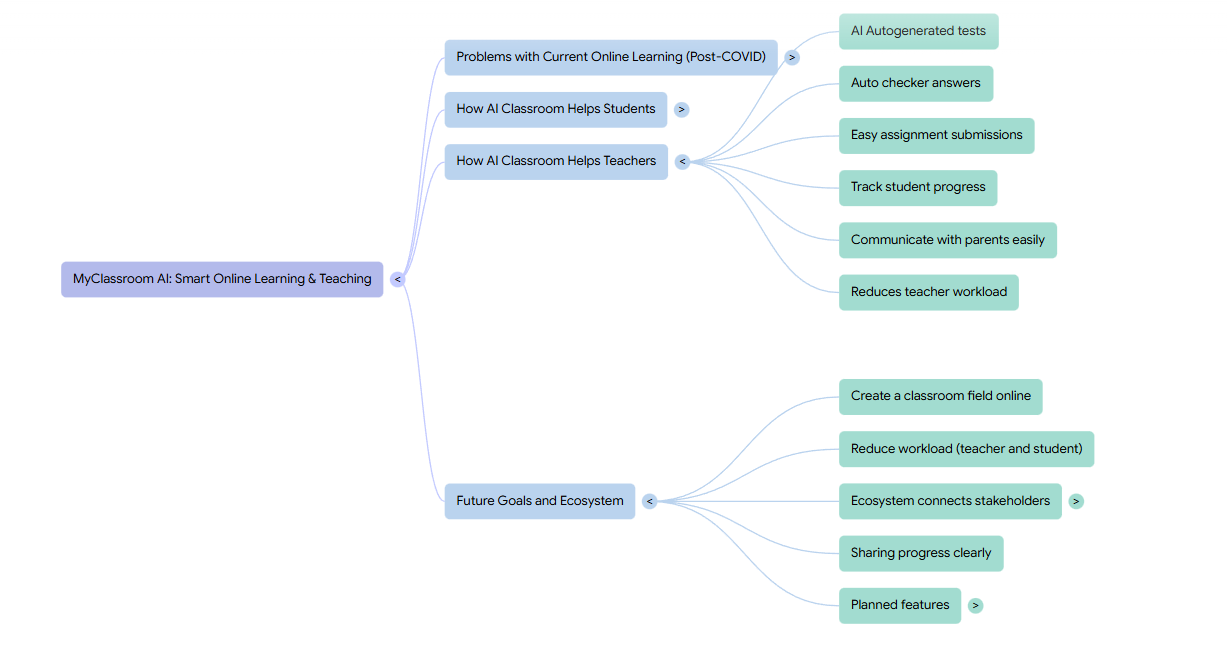
Create tests in seconds: Just type what you need like "10-question history quiz on ancient Rome" and AI builds the complete test.
Manage classes easily: Create a digital classroom and share a simple link (like myclassroom.ai/join/science101) for students to join.
Ensure fair testing: Watch live dashboards during exams where AI monitors for unusual behavior and gives students fair warnings.
Communicate simply: Chat directly with students who have questions, with all conversations saved in one place.
For students, it's like having a 24/7 tutor:
Get instant study help: Type any topic like "photosynthesis" and get perfect, one-page study notes created by AI.
Take fair tests: Take exams knowing everyone follows the same rules, with clear warnings if you accidentally look away from the screen.
Never feel stuck: Chat with your teacher anytime or use AI to explain difficult concepts immediately.
Stay organized: See all assignments, tests, and class materials in one clean dashboard.
How we built it?
We built everything inside Google AI Studio using Gemini 3 Pro as our brain. Instead of writing traditional code, we taught the AI to act like a complete application.
Here's how we approached it:
Started with the core experience: We first built the most important features—the AI test generator for teachers and the smart notes for students. This proved our core idea worked.
Created two worlds in one app: Using clever prompt engineering, we made the same AI platform show completely different interfaces for teachers versus students. When you log in as a teacher, you see teacher tools. When you log in as a student, you see student tools.
Made it remember things: This was tricky—AI normally forgets everything after each conversation. We designed a system where the AI "remembers" your classes, your chats, and your tests by carefully structuring how we ask it questions.
Added the professional polish: We made sure every button gives clear feedback, every error has a helpful message, and the whole experience feels smooth and intentional.
Built for the judges: We added special touches like automatic logins for testers and clear demo paths so judges could quickly see everything working.
Challenges we ran into
We faced some interesting challenges along the way:
Making AI remember things was our biggest hurdle. Normally when you ask AI a question, it doesn't remember your previous questions. We had to design creative ways to make it act like it remembered students, classes, and tests across multiple conversations.
Keeping it simple while adding features was another challenge. Our first design had too many features and felt complicated. We made the tough choice to remove some planned features (like the parent dashboard) to make sure the core Teacher-Student experience worked perfectly.
Creating realistic demos within AI Studio was tricky. We wanted judges to feel like they were using a real app, not just typing questions to a chatbot. We solved this by designing step-by-step interactions that feel like clicking buttons in a real application.
Showing fairness in proctoring required careful design. We didn't want the AI to feel like a police officer—we wanted it to be a fair referee. We designed warnings that help students correct themselves rather than just punishing them.
Accomplishments that we're proud of We're really proud of several things:
We built a complete experience, not just a demo. Teachers can create a class, invite students, make tests, grade them, and chat with students—all in one seamless flow.
The proctoring system works intelligently. It gives students clear warnings (like "Please keep your face in the camera frame") and only takes serious action for clear violations like switching browser tabs during a test.
The invitation system is beautifully simple. Teachers get a clean link like myclassroom.ai/join/classroom123 that they can share anywhere—email, text, classroom poster. Students click it once and they're in.
It actually feels like a real app. Even though it's built in AI Studio, the experience of clicking "Create Test," seeing it generate, then deploying it to a class feels polished and professional.
We showed what Gemini can really do. We moved beyond simple chatbots to show how AI can power entire applications with different user roles, real-time features, and professional interfaces.
What we learned?
This project taught us some valuable lessons:
Good AI design is about good conversations. How we ask the AI to do things (called "prompt engineering") was just as important as what we asked it to do. The best features came from designing clear, structured conversations with the AI.
Simple and perfect beats complicated and buggy. We learned to focus on making a few features work beautifully rather than many features work poorly. The decision to remove the parent portal let us perfect the core teacher-student experience.
AI can be the entire application. We learned to think of Gemini not just as a helper but as the actual engine of our application—handling user interfaces, data storage, and logic all through clever conversation design.
Fairness matters in AI features. Building the proctoring system taught us that AI enforcement needs to be transparent, gradual, and educational. Good AI doesn't just catch cheating—it teaches proper behavior.
The story matters most. We learned that showing a complete story (Teacher creates test → Student takes it → Teacher grades it) is more powerful than listing features. Judges remember stories better than feature lists.
What's next for MyClassroom.AI
Looking ahead, we envision transforming MyClassroom from a powerful assessment and study tool into a complete hub for the entire educational community. Our next steps focus on deepening connections and moving more school interactions online.
Virtual Classrooms & Live Teacher-Student Meetings We will integrate scheduled, virtual classrooms directly into the platform. Teachers will be able to: Launch live video sessions with one click from their class dashboard.
Share presentations, documents, and a digital whiteboard in real time.
Take live polls and quizzes during the session to check understanding.
Students will receive notifications and join with a single click, creating a seamless flow from studying alone to learning together.
A Dedicated Parent-Teacher Meeting (PTM) Portal To bridge the home-school gap, we will build a dedicated system for Parent-Teacher Meetings: Online Scheduling: Parents can view a teacher's available slots and book a meeting directly within the app, eliminating phone tag and forgotten notes.
Structured Agenda: Teachers can prepare and share discussion points (e.g., "Math progress," "Class participation") beforehand to make meetings more productive.
Secure Video Conferencing: Meetings happen in a secure, integrated video room. A shared notes section will allow both parties to record outcomes and action items, which are automatically saved to the student's profile.
The Parent Dashboard: Clarity, Not Complexity We are committed to adding a parent section that is genuinely helpful, not overwhelming. It will focus on three clear areas: The Performance Snapshot: A simple dashboard showing the child's current average grade, recent test scores (with teacher comments), and assignment completion rate (e.g., "12/15 submitted").
The Notification Center: Parents will receive automated, intelligent alerts—not for every small quiz, but for important milestones, missed deadlines, or significant improvements. They can choose their notification preferences.
The Communication Hub: A direct, translated messaging line to the teacher (if needed) and access to view shared school announcements.
Digital Report Cards & Progress Portfolios We will phase out paper-based reports by introducing secure, digital report cards. Teachers can generate and electronically sign term-end reports.
Reports are instantly published to the individual student's and their parent's dashboard.
This creates a permanent, searchable digital portfolio of a student's progress over the years, accessible anytime.
Reducing Reliance on Offline Processes Our broader vision is to create a unified digital ecosystem that makes school administration smoother: Attendance & Notices: Integrate digital attendance tracking and push important school notices directly to the app.
Fee & Consent Management: Explore secure modules for fee reminders and digital permission slips.
Centralized Resource Bank: Become the single place for all learning materials, announcements, and communication, reducing dependency on multiple disjointed apps, paper handouts, and scattered emails.
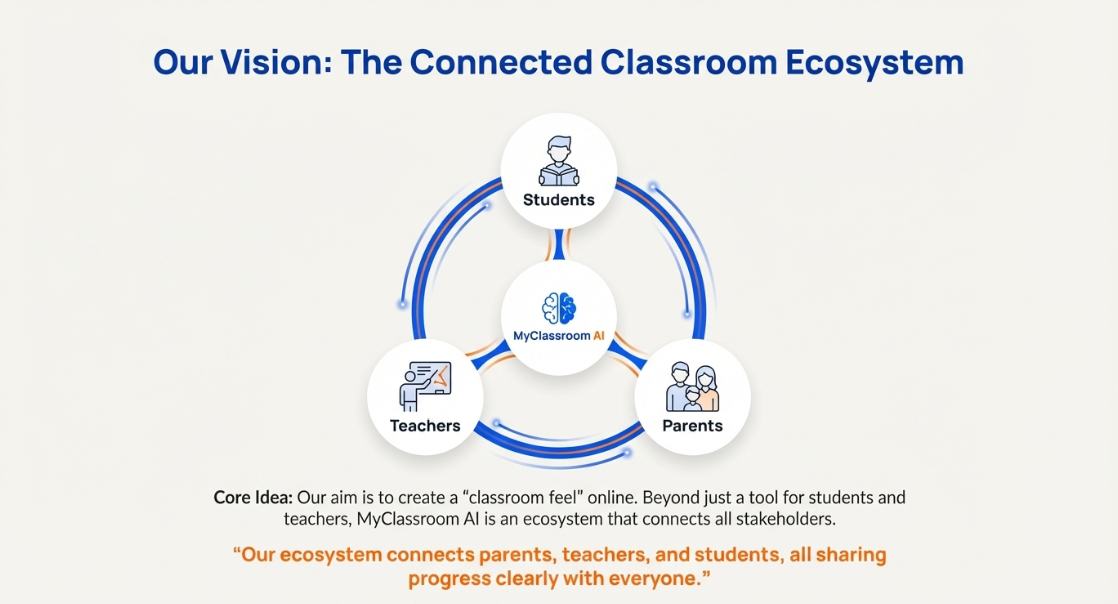
We want MyClassroom.AI to be the one trusted platform where teachers teach, students learn, and parents stay informed—making education more efficient, transparent, and connected for everyone involved.


Log in or sign up for Devpost to join the conversation.