-
-
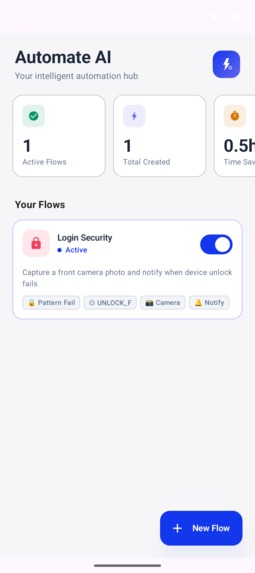
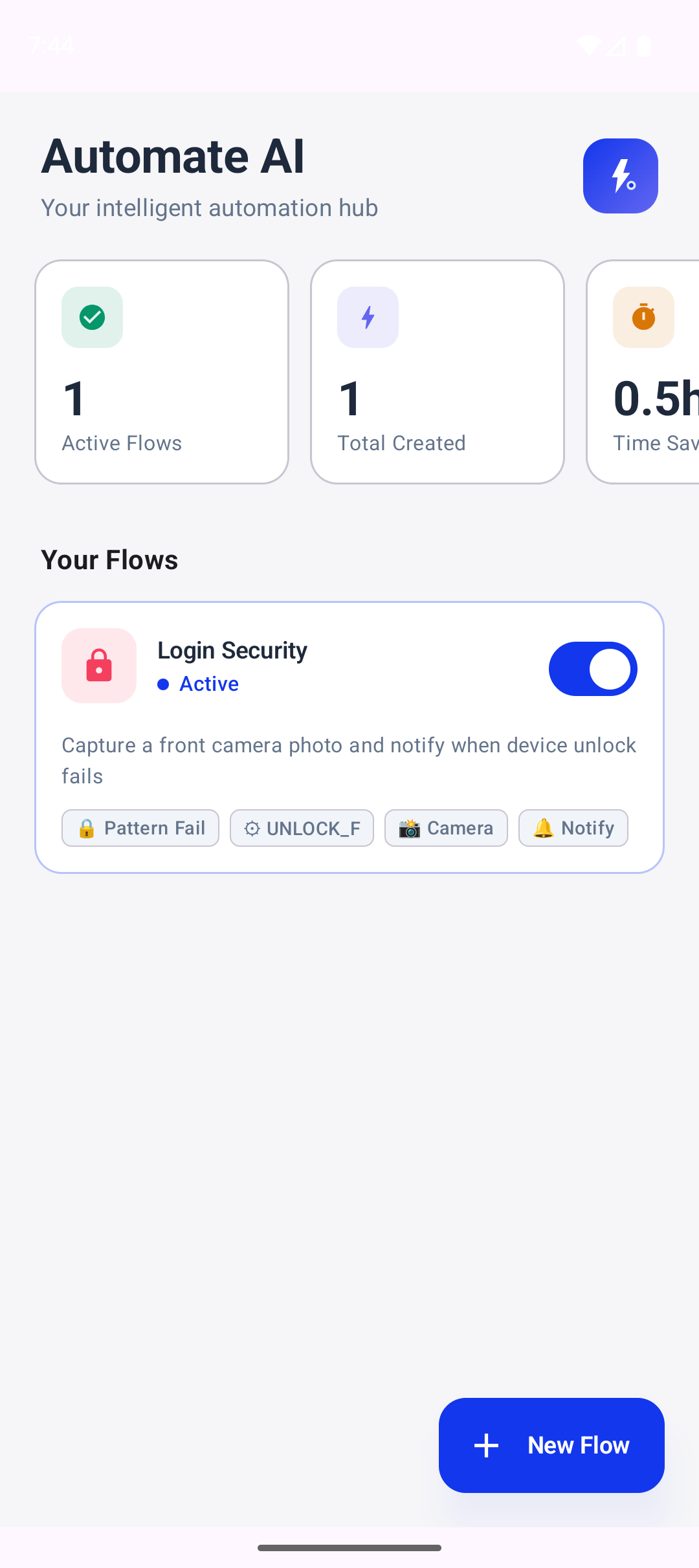
The dashboard, where one can see and manage all active and inactive flows. The dashboard also contains metrics.
-
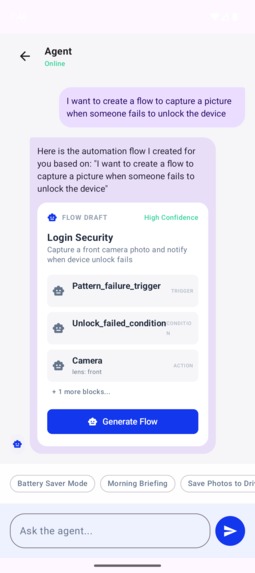
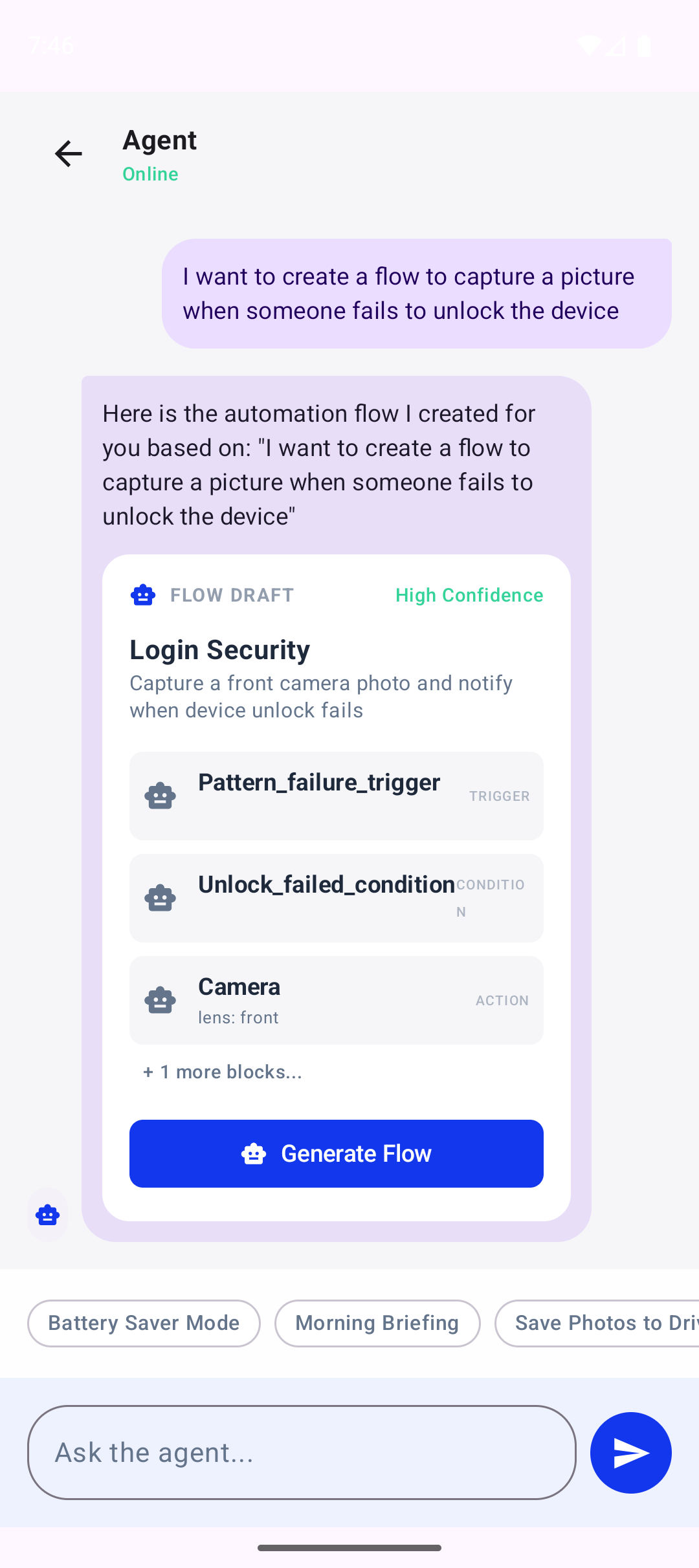
The chat section, where the user can prompt the agent to build a flow. Just plain english text and a flow is generated.
-
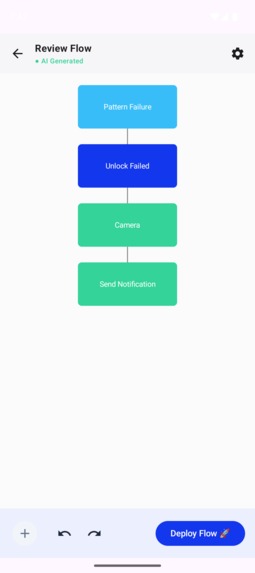
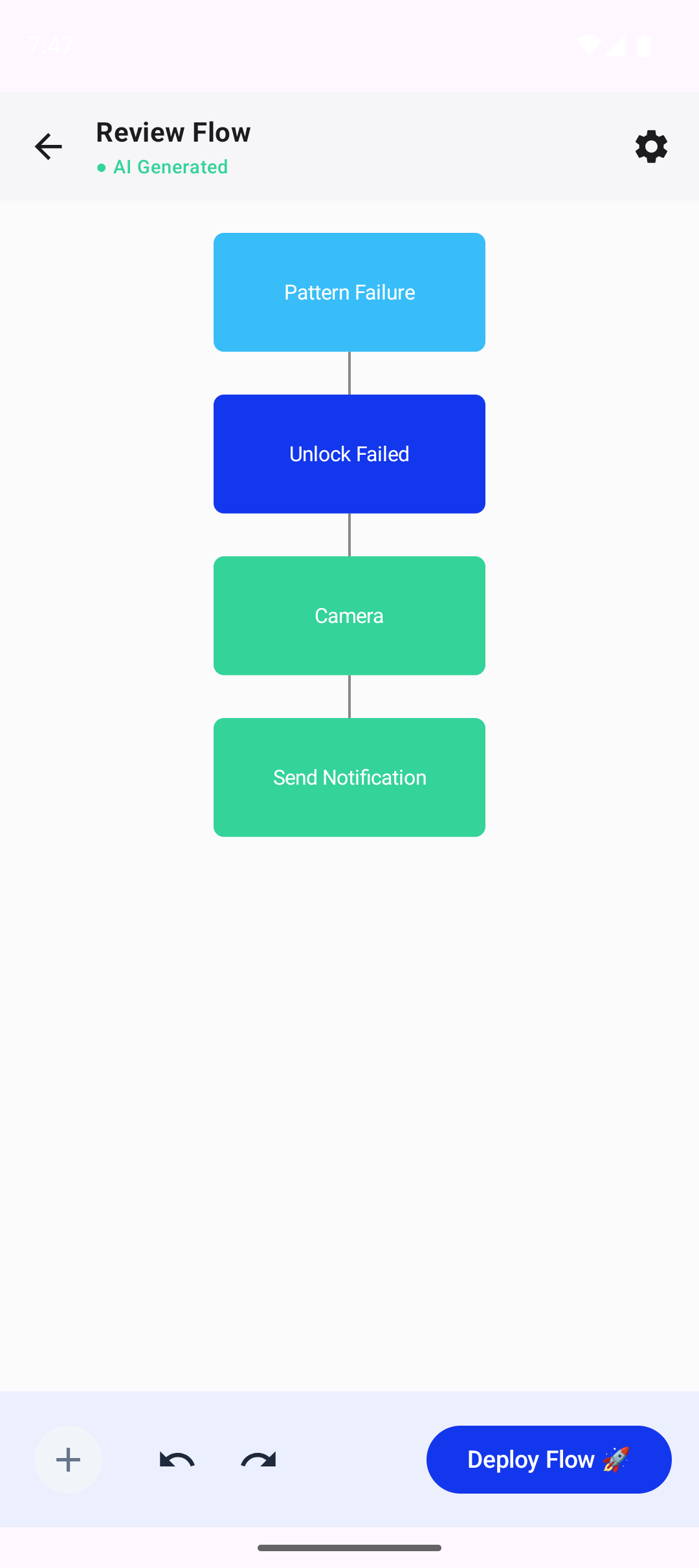
Once the agent builds the flow, it illustrates it in the following format to boost readability.
Automate-AI: Elevating Android Automation with Agentic Intelligence
The Inspiration
The idea started in a hallway conversation at WaveMaker.ai. A few of us were talking about how OpenClaw makes desktop automation feel effortless, and someone asked the obvious question: why don’t we have agents for mobile that can automate our day‑to‑day tasks or create custom workflows on the fly? Phones already know where we are, what time it is, and what we need—yet we still do everything manually. That gap became the spark for Automate-AI.
Existing tools like Tasker or Automate paved the way, but they suffer from a steep learning curve. Mapping logic into blocks is a form of programming that many find daunting.
By combining the deterministic reliability of block-based automation with the intuitive interface of Large Language Models (LLMs), we set out to build a platform where the user provides the intent, and the AI provides the implementation.
How we Built It
The project is built as a multi-tier system designed for the Android ecosystem:
1. The Mobile Client (Android/Kotlin)
The heart of the project is a Jetpack Compose application. It handles the conversational UI, flow visualization, and user permissions.
- Jetpack Compose: Used for a reactive, modern UI that renders AI-generated flows as editable visual graphs.
- Room Database: Serves as the local persistent store for flow metadata and execution logs.
2. The Flow Runtime (Custom Kotlin Engine)
We developed a custom execution engine capable of interpreting JSON-defined block graphs. The runtime logic can be expressed as a directed graph - $$G = (V, E)$$ Where V is the set of automation blocks (Triggers, Conditions, Actions) and E represents the flow of execution.
$$ \text{Execution}(v_{next}) = f(v_{current}, \text{Context}_t) $$
3. The AI Agent Service (Ktor/OpenAI)
A backend service built with Ktor acts as the bridge between the user's natural language and the execution engine.
- Prompt Engineering: The agent is instructed with a strict schema to output valid block JSON.
- Intent Resolution: Translates strings like "When I leave work, text my partner" into a structured graph containing a
LocationExitTrigger, aContactLookupAction, and aSendSMSAction.
Blueprint of an Automation
To give you a peek under the hood, here is what a generated flow looks like. This JSON represents an automation that triggers when leaving a specific coordinate, checks if it's after 6 PM, and then sends a webhook to a smart home server.
{
  "flow_id": "commute_home_v1",
  "blocks": [
    {
      "id": "trigger_leave_work",
      "type": "LocationExitTrigger",
      "params": { "lat": 12.9716, "lng": 77.5946, "radius": 500 }
    },
    {
      "id": "check_time",
      "type": "TimeWindowCondition",
      "params": { "after": "18:00", "before": "23:59" }
    },
    {
      "id": "notify_ac",
      "type": "HttpWebhookAction",
      "params": {
        "url": "https://home-assistant.local/api/ac/on",
        "method": "POST"
      }
    }
  ],
  "connections": [
    { "from": "trigger_leave_work", "to": "check_time" },
    { "from": "check_time", "to": "notify_ac" }
  ]
}
Supported Blocks (Current Runtime)
The current runtime supports the following block types that can be composed into flows. These can be expanded, currently we have built only few for MVP.
Triggers
LocationExitTriggerTimeScheduleTriggerManualQuickTriggerPatternFailureTrigger
Conditions
TimeWindowConditionBatteryGuardConditionContextMatchConditionBatteryLevelConditionUnlockFailedConditionPedometer
Actions
SendNotificationActionSendSMSActionHttpWebhookActionToggleWifiActionPlaySoundActionSetAlarmActionCameraLocation
Utilities
DelayActionSetVariableActionGetVariableBlockBranchSelector
Example Use Cases (Based on Available Blocks)
Step-Gated Snooze Alarm
At your morning alarm time, check if you've walked 150 steps; if not, delay 5 minutes and re-set the alarm. (TimeScheduleTrigger → Pedometer → DelayAction → SetAlarmAction)
Leave-Office Focus Mode
When you leave the office geofence, check the time window, then toggle Wi-Fi and send a notification that commute mode is on. (LocationExitTrigger → TimeWindowCondition → ToggleWifiAction → SendNotificationAction)
Security Tripwire
If the device pattern fails, capture a photo and send an SMS to a trusted contact. (PatternFailureTrigger → Camera → SendSMSAction)
Low Battery Rescue
When battery dips below 20%, disable Wi-Fi and send a notification so you can switch on power saver manually. (BatteryLevelCondition → ToggleWifiAction → SendNotificationAction)
Manual "I'm Leaving" Ping
Tap a quick trigger to send a webhook to your smart home server and message a contact. (ManualQuickTrigger → HttpWebhookAction → SendSMSAction)
Location Check-In
On a scheduled trigger (e.g., 9 AM), grab your current location and post it to a webhook endpoint. (TimeScheduleTrigger → Location → HttpWebhookAction)
Context-Aware Reminder
If context matches "Home" and it's within a time window, wait 2 minutes and then notify you. (ContextMatchCondition → TimeWindowCondition → DelayAction → SendNotificationAction)
What We Learned
Building this prototype was a masterclass in several domains:
- Agentic Orchestration: We learned how to constrain LLM outputs to adhere to complex technical schemas without losing the flexibility of natural language.
- Android System Constraints: Deepened our understanding of background execution limits on Android 13+. Managing
WorkManagerfor asynchronous triggers while respecting battery optimization was critical. - Privacy-First AI: We realized the importance of "Human-in-the-Loop" design. Every AI-generated flow requires manual approval, ensuring that automation never turns into "hallucination."
Challenges Faced
The road was not without its hurdles:
- Strict Background Limits: Modern Android versions represent a "walled garden" for background services. We had to pivot from long-running services to a combination of
ForegroundServiceandJobSchedulerto ensure reliability. - Dynamic Permission Discovery: Perhaps the most complex UX challenge was handling permissions for flows generated on-the-fly. Since the AI could mix-and-match blocks (e.g., GPS, Camera, SMS) in combinations we didn't pre-calculate, the app had to implement a "Permission Diffing" engine. This engine parses the generated JSON, identifies the required runtime permissions, and presents a consolidated "Safety Clear" dialog to the user before the flow can be activated.
- Prompt Reliability: Early versions of the agent often "hallucinated" block IDs that didn't exist in the runtime. We solved this by injecting the current block registry directly into the system prompt.
- Latency: The round-trip time for LLM generation can be \( 2-5 \) seconds. We implemented an "Explain-While-Loading" feature where the agent describes the planned flow in plain English while the JSON graph is being synthesized in the background.
The Future
Automate-AI is just a prototype, but it proves that the future of mobile interaction is Intent-Based.
$$ \text{Value} = \frac{\text{Automation Capability}}{\text{Configuration Effort}} $$
As LLMs become more efficient and can run on-device, the gap between "Manual" and "Automated" will finally vanish.
Built With
- jetpack
- kotlin
- openai


Log in or sign up for Devpost to join the conversation.