-
-
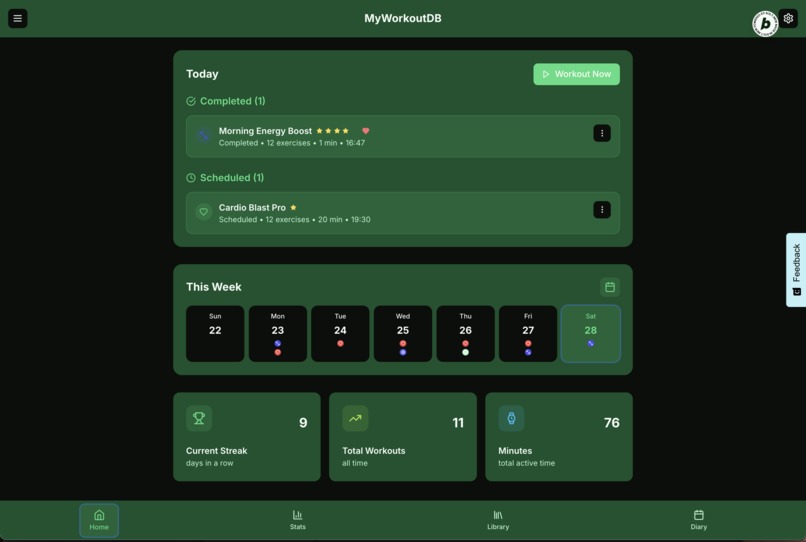
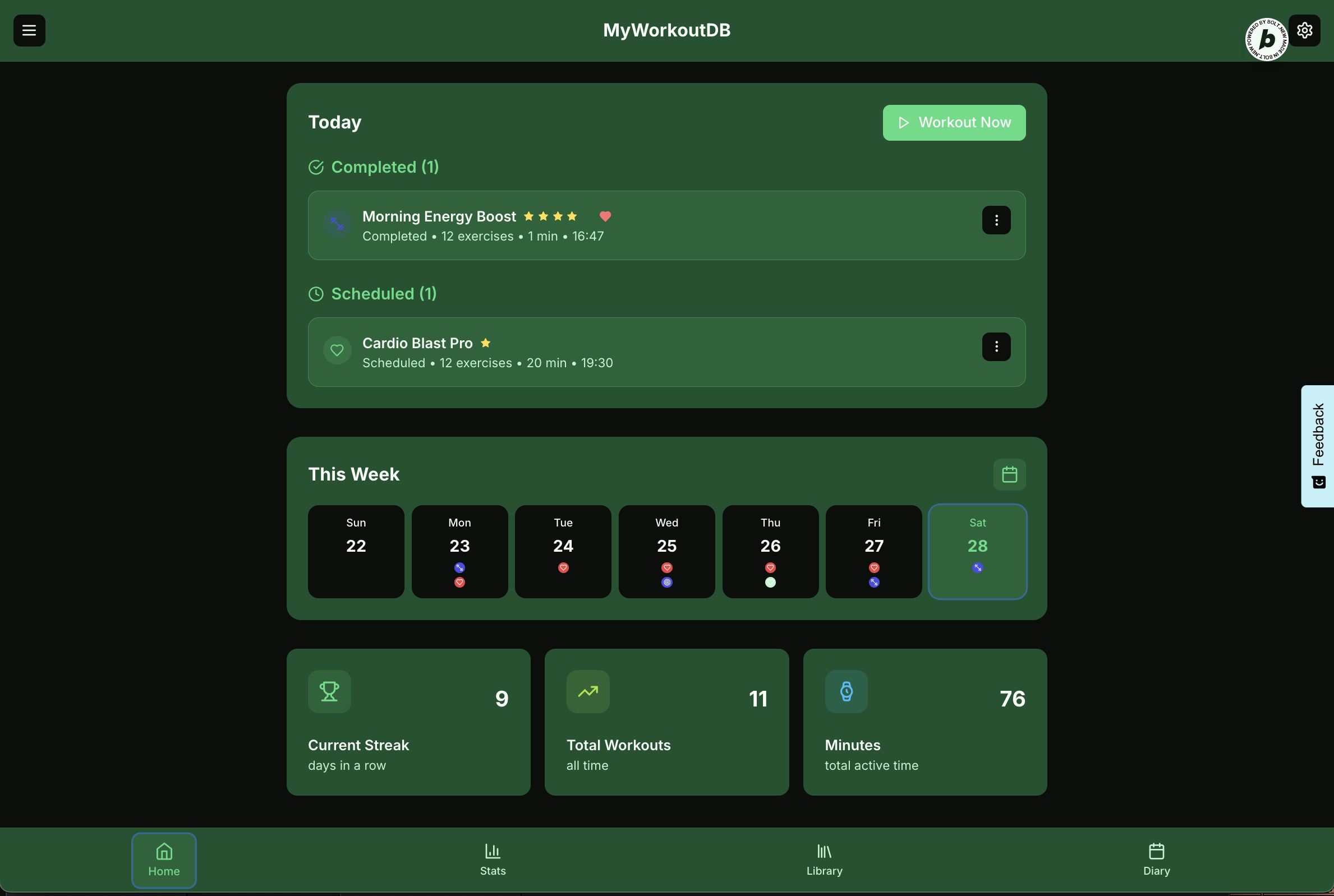
Home Screen - showing the completed, and planned activities for the day, the week and stats.
-
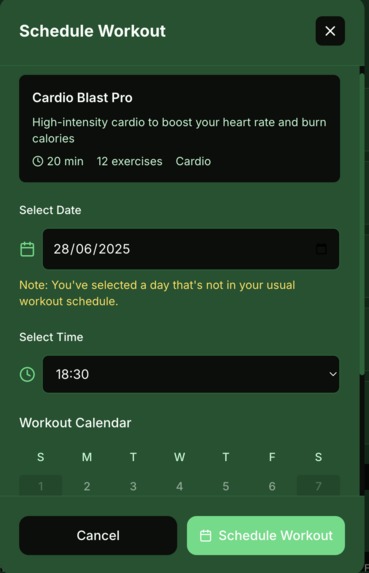
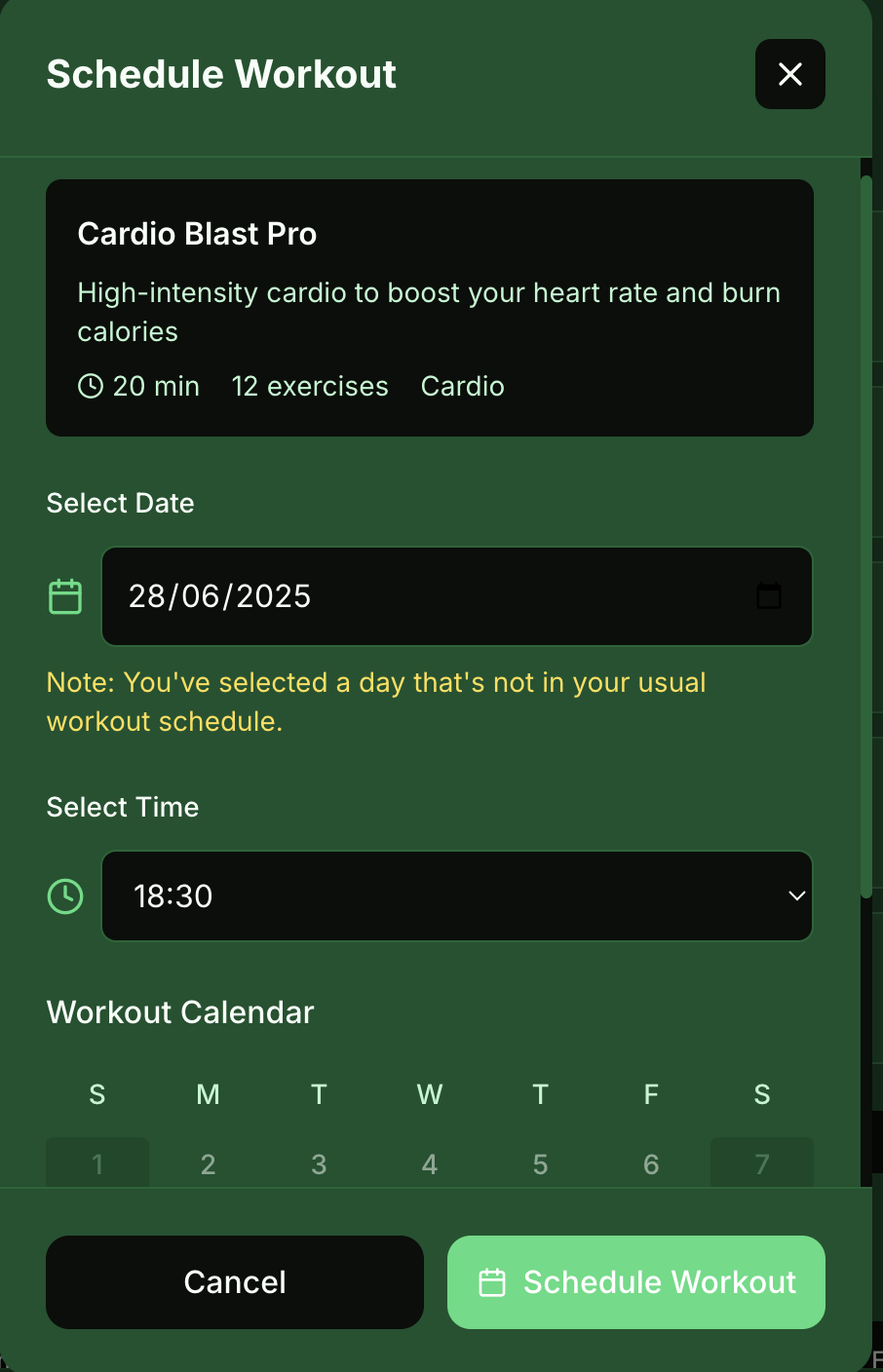
Scheduling a workout
-
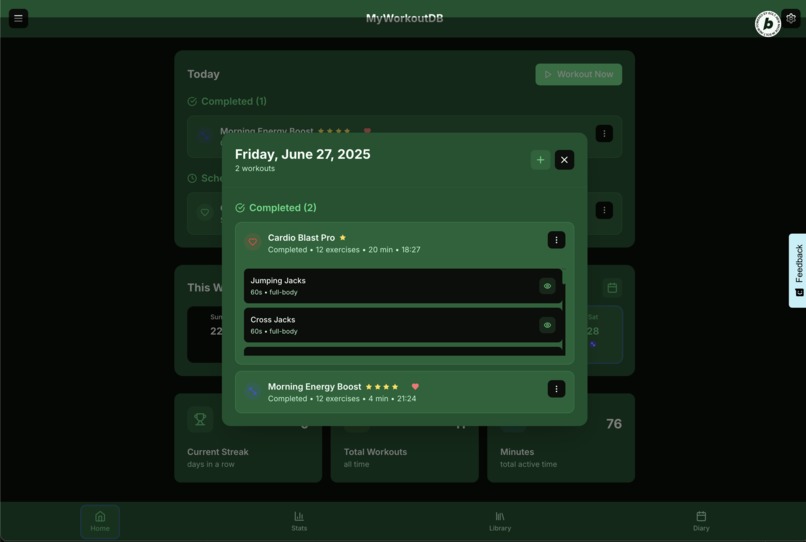
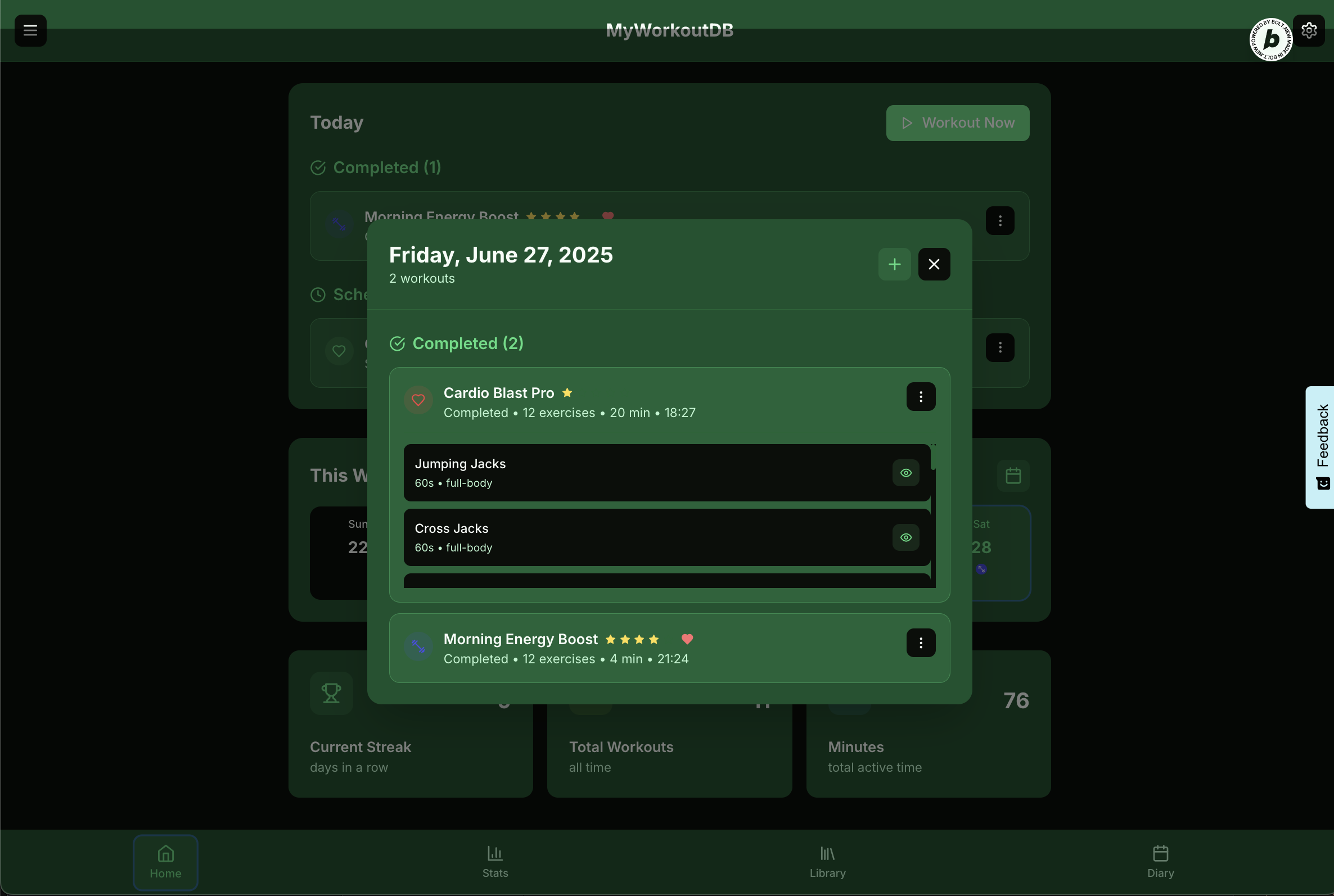
Workout details, shows the list of exercises that make up the workout
-
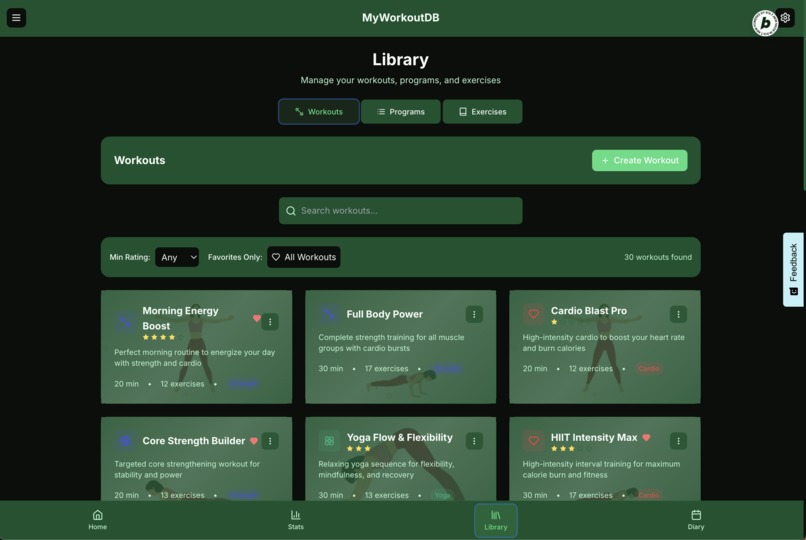
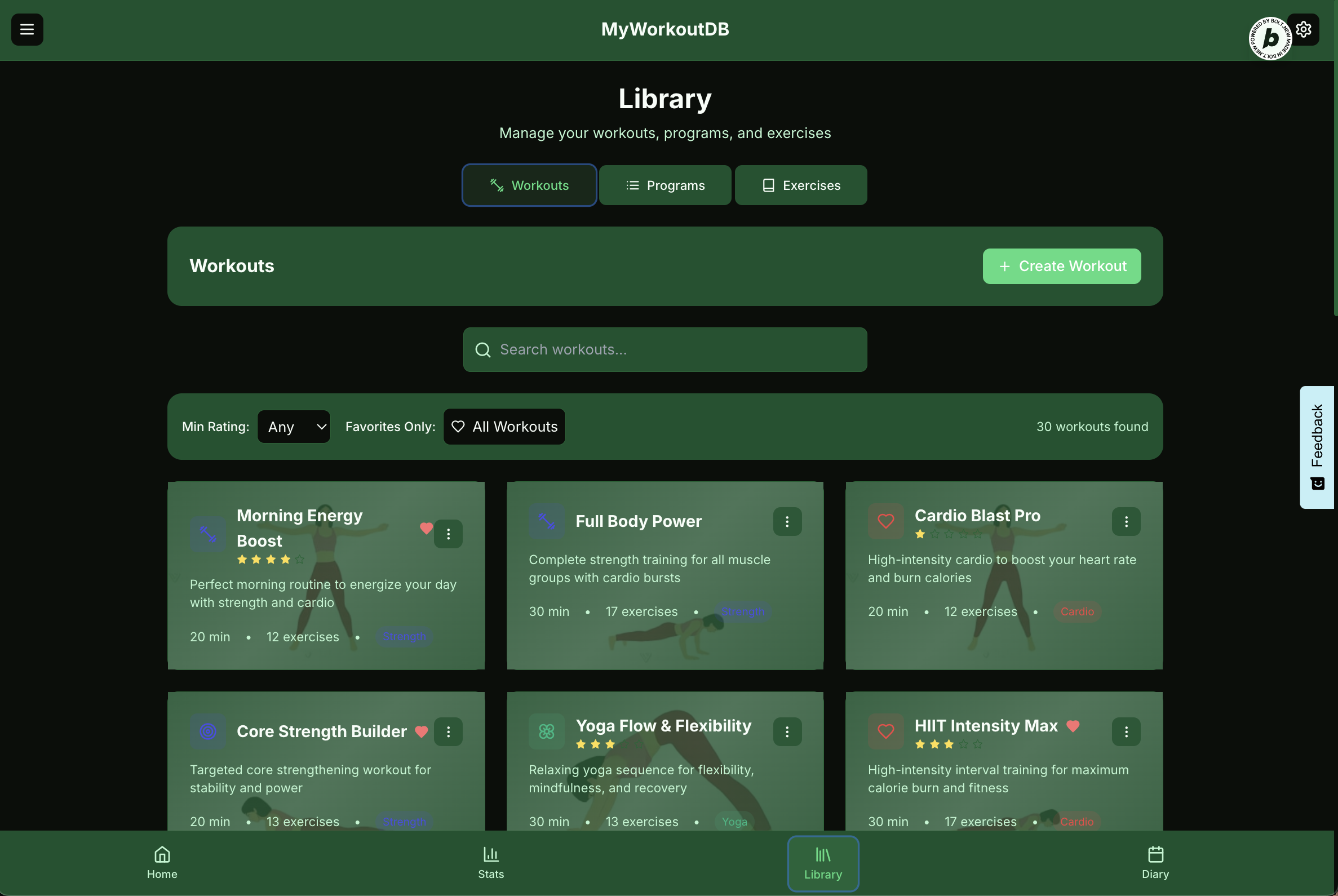
Workouts Library shows a searchable list of workouts, options to start, or schedule or share
-
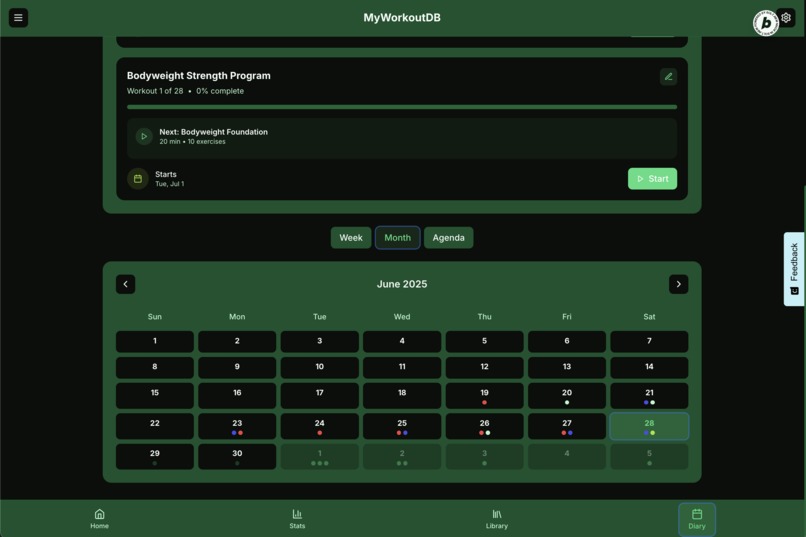
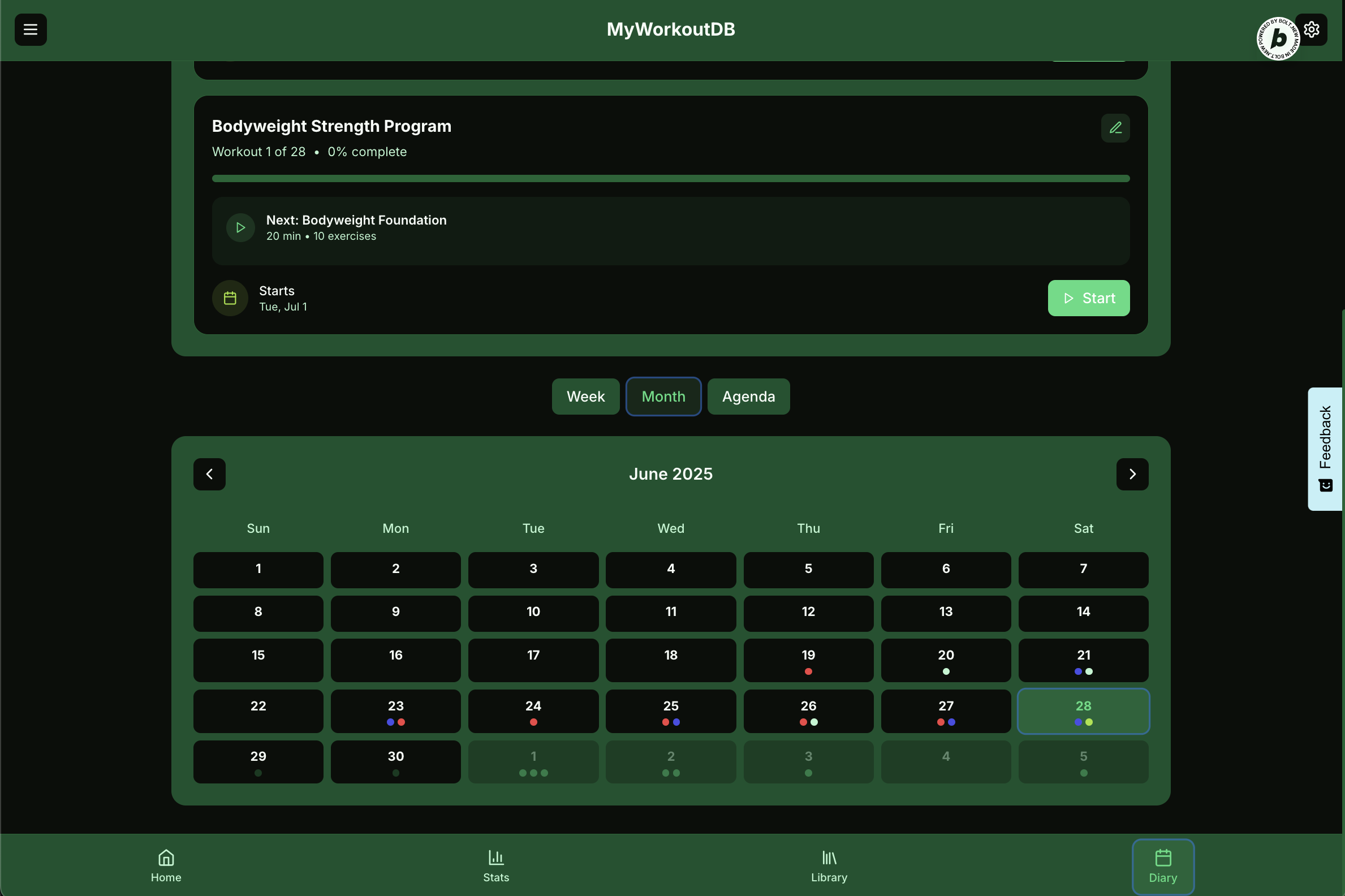
Diary Screen (looks better on mobile), showing the month view
-
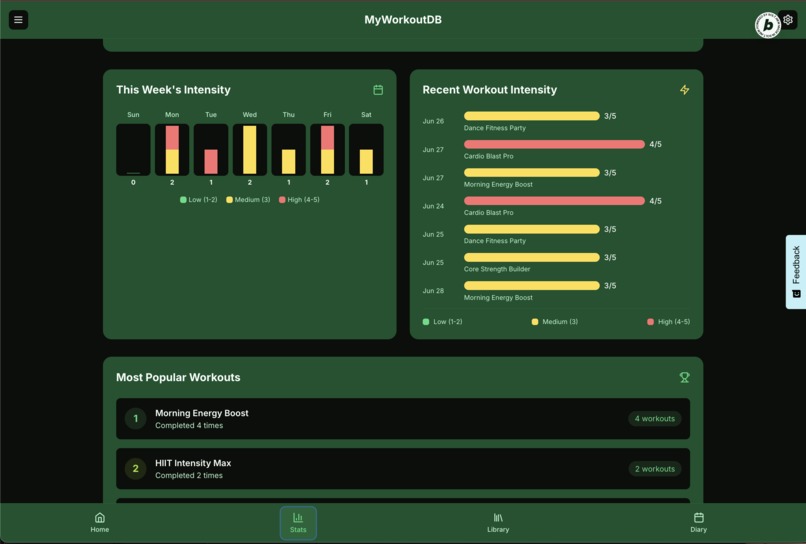
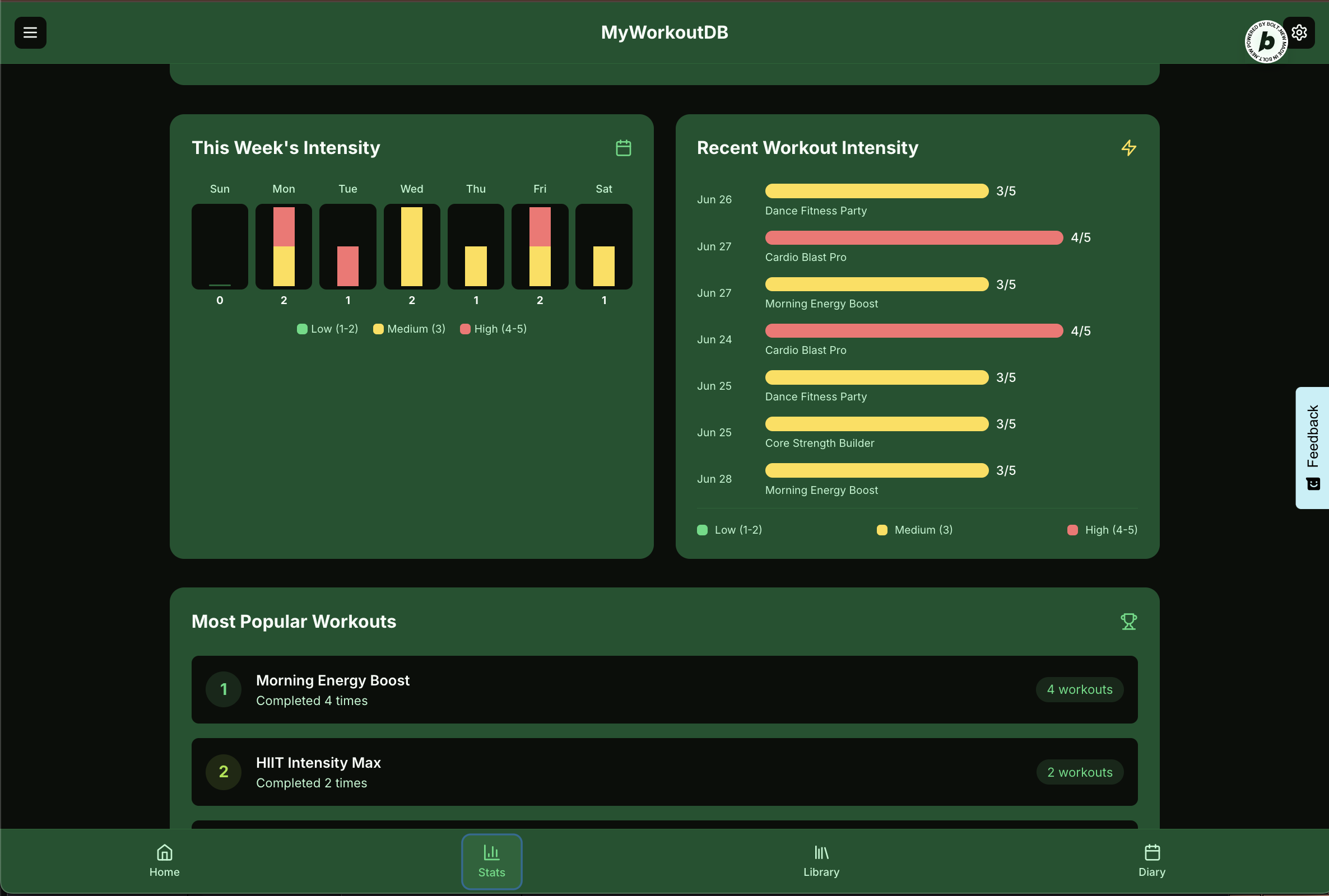
Automatically generated charts of workout intensity
-
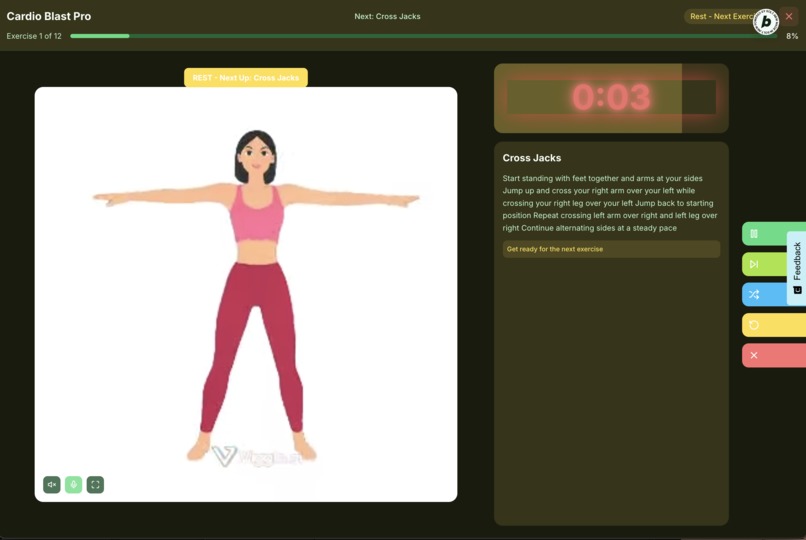
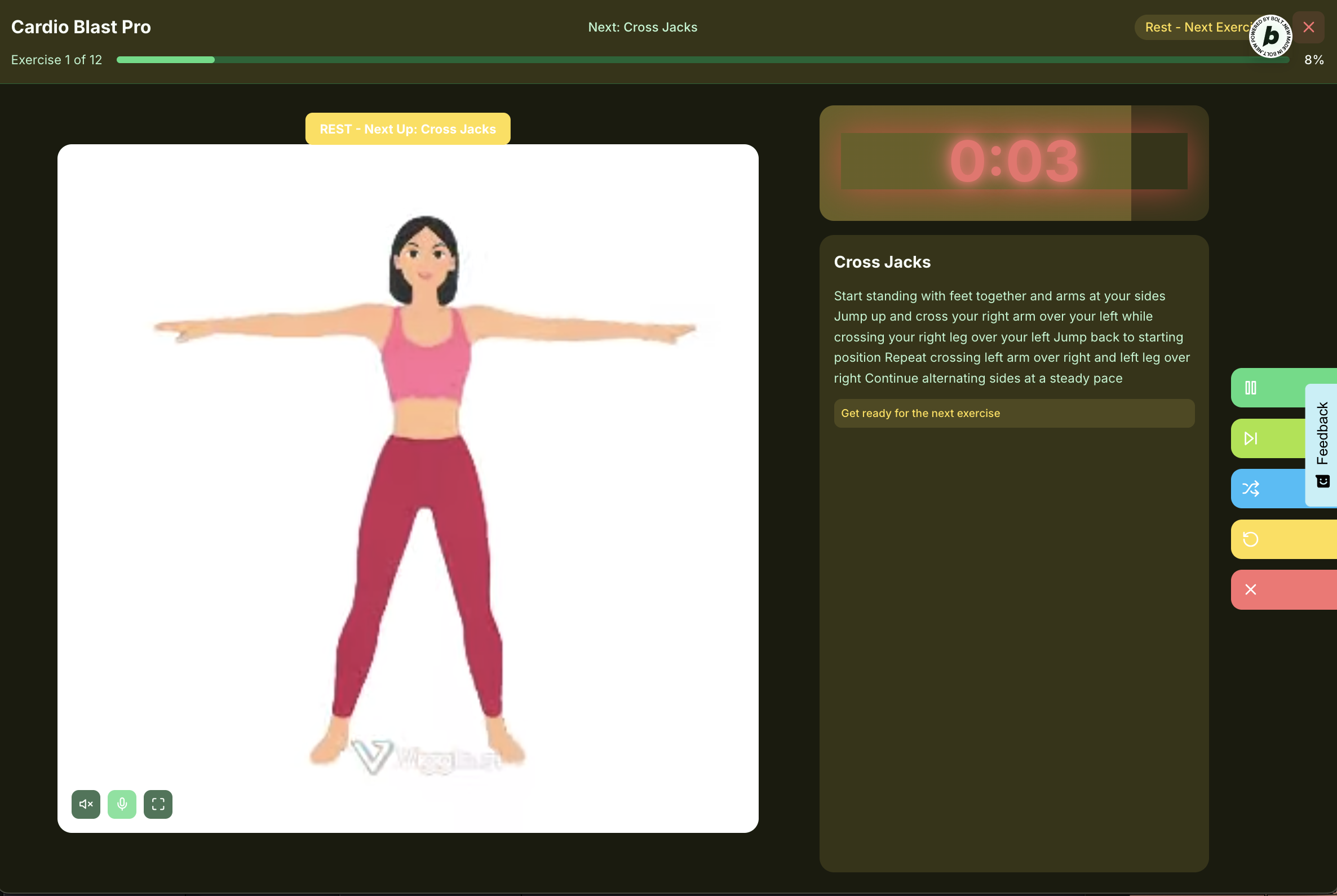
Rest Mode - timer counting down
-
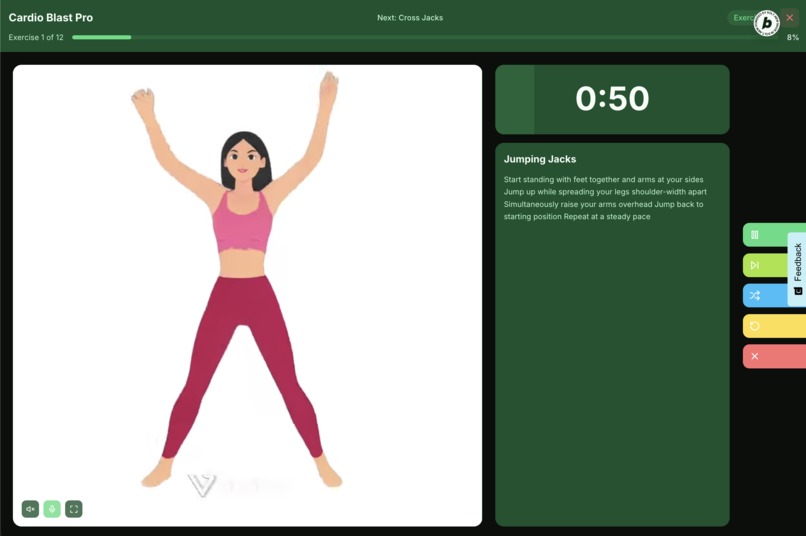
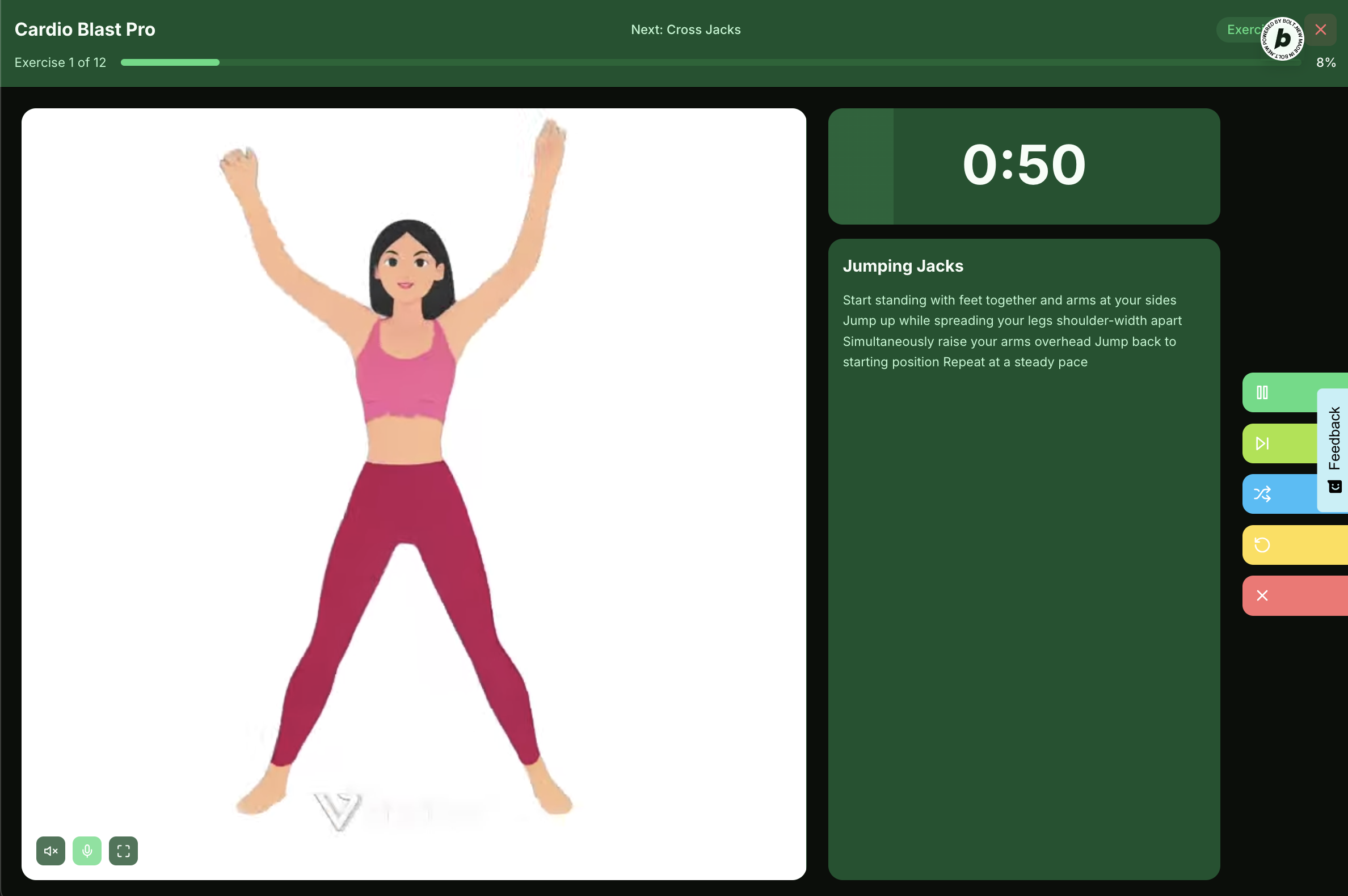
Exercise Mode, video preview (it is mp4) - this one happens to be an animation, with timer, and description
MyWorkoutDB
Inspiration
In today's fast-paced world, maintaining a consistent fitness routine can be challenging. Many existing fitness applications offer either too little customization or an overwhelming array of features that can be difficult to navigate. MyWorkoutDB was born from the desire to create a personal fitness companion that is both powerful and intuitive, empowering users to take control of their fitness journey with smart workouts, comprehensive tracking, and personalized guidance. I aimed to build an application that adapts to the user's needs, whether they are a beginner looking for structured programs or an experienced athlete seeking to customize every detail of their training.
Notes
Please note the video content is AI generated and is temporary, this will be replaced when I have time to get proper content in place, or AI learns how to generate videos of exercises !
What it does
MyWorkoutDB is a comprehensive personal fitness trainer application designed to help users plan, track, and analyze their workouts. Key features include:
- Personalized Workout Generation: Utilize the "Workout Now" feature to find or generate workouts tailored to your preferences, including workout type, location, and duration. The "Lucky Dip" option provides spontaneous, algorithmically generated workouts.
- Extensive Libraries: Browse and manage a rich library of pre-built workouts, fitness programs, and individual exercises. Each entry includes detailed descriptions, instructions, and relevant media.
- Custom Content Creation: Create and save your own custom workouts by combining exercises from the library, and design personalized fitness programs by scheduling your custom or pre-built workouts.
- Interactive Workout Sessions: Engage in guided workout sessions with real-time timers, audio cues, and video demonstrations for each exercise. The app supports narration of exercise instructions for a hands-free experience.
- Progress Tracking & Analytics: Monitor your fitness journey through detailed statistics, including total workouts, active minutes, and workout streaks. Track your progress towards weekly goals and view your most popular workouts.
- Workout Diary & Scheduling: Plan your training by scheduling workouts and programs in your personal diary. Easily view past completed sessions and upcoming activities.
- Personalization & Theming: Customize your app experience with various theme modes (light, dark, system default) and color themes. Set your weekly workout goals and manage preferred workout days and locations.
- Data Management: Export your entire application data for backup purposes or import previously saved data to restore your progress. A "Load Sample Data" option is available for new users to explore the app's full capabilities.
- Responsive Design: The application is designed to provide a seamless experience across various devices and screen orientations (portrait and landscape), ensuring usability whether you're on a phone, tablet, or desktop.
There is a full list of the functionality at the end of this page
How I built it
The entire application was built using bolt.new. I didn't write any code, I just kept iterating, prototyping, building functionality and re-working.
MyWorkoutDB is built as a modern single-page application (SPA) using a robust and efficient technology stack:
- Frontend Framework: React with TypeScript for a type-safe and component-based user interface.
- Build Tool: Vite for a fast development experience and optimized production builds.
- Styling: Tailwind CSS for rapid and highly customizable UI development, enabling a beautiful and responsive design without writing custom CSS from scratch.
- Icons: Lucide React for a comprehensive and consistent set of vector icons used throughout the application.
- State Management: React Context API is utilized for managing global application state, including user settings, workout data, and active sessions.
- Data Persistence: All user data (settings, sessions, custom content, scheduled items) is persistently stored client-side using
localStorage, ensuring that user progress is saved across sessions. - Multimedia Integration:
- HTML5
<video>elements are used for exercise demonstrations, with support for external video sources like Cloudinary (including dynamic transformations for optimal playback) and YouTube embeds. - The Web Audio API is employed for precise timer beeps and audio cues during workouts.
- The Web Speech API provides text-to-speech narration for exercise instructions, enhancing the guided workout experience.
- HTML5
- Calendar Integration: Workout diary data can be exported in the standard ICS (iCalendar) format, allowing users to integrate their workout schedule with external calendar applications.
Challenges I ran into
I have been using bolt.new since it launched, and have built many smaller applications and utilities, but this was my first larger scale app. I have to say that without the hackathon to focus my efforts I probably would not have got so far.
The biggest challenge was not the development as such, but creating the data and the videos, Generative AI doesn't seem to understand exercise moves. So the video quality is not quite as I would like it, if we win a prize we will work to hire a model and actually record our own videos. I hope this won't impact the judging too much.
As the project grew larger, we did run into the "Large Project" limitation of bolt, we moved some of the data to simple JSON rather than tsx so that we could then mark it to be ignored in the bolt.new
With all IT projects one of the hardest things is naming things! The name came at the end, and is largely driven by the available domain names,
In terms of the actual development, probably the hardest part was the responsive layouts. Designing and implementing adaptive layouts for a rich user interface, especially for the active workout screen and modals, to ensure optimal usability and aesthetics across diverse screen sizes and orientations (portrait vs. landscape).
Implementing a reliable and accurate timer for workout and rest periods, synchronized with UI updates and audio cues, proved challenging due to browser-specific timing mechanisms.
Accomplishments that we're proud of
Despite the challenges, I am particularly proud of:
- Intuitive User Experience: I successfully created a clean, modern, and highly intuitive user interface that makes complex fitness tracking simple and enjoyable.
- Comprehensive Feature Set: MyWorkoutDB offers a wide range of features, from basic workout tracking to advanced program management and personalized workout generation, all integrated seamlessly.
- Adaptive & Immersive Workout Experience: The guided workout screen, with its dynamic video player, audio cues, and narration, provides an immersive and effective training environment that adapts to the user's device.
- Robust Data Handling: The ability to export and import all user data provides peace of mind and flexibility, while the sample data loading offers a great onboarding experience.
- Beautiful & Customizable Design: The application's aesthetic appeal, combined with flexible theming options, allows users to personalize their experience.
- Performance: Despite being a client-side application with significant data, the app remains performant and responsive.
What I learned
Building MyWorkoutDB provided valuable insights and strengthened our skills in:
- Browser API Integration: Gained hands-on experience with Web Audio API, Web Speech API, and the experimental View Transitions API, understanding their capabilities and limitations.
- Multimedia Optimization: Learned strategies for handling and optimizing video content for web playback, including dynamic transformations.
- User Onboarding Design: Understood the importance of clear onboarding flows (welcome modal, getting started guide) for new users.
- Project Planning & Modularity: Emphasized breaking down complex features into smaller, manageable, and reusable components.
What's next for MyWorkoutDB
I have exciting plans for the future of MyWorkoutDB:
- Cloud Synchronization: Implement user authentication and data synchronization with a backend service (e.g., Supabase) to allow users to access their data across multiple devices and ensure data backup.
- Advanced Analytics: Introduce more in-depth performance metrics, progress charts, and personalized insights based on workout history.
- Custom Exercise Creation: Allow users to define and add their own custom exercises to the library, complete with instructions, parameters, and media.
- Wearable Integration: Explore integration with popular fitness wearables (e.g., Apple Watch, Garmin) to automatically import workout data.
- Community Features: Enable users to share custom workouts and programs with friends or a broader community.
- Push Notifications: Implement browser push notifications for scheduled workout reminders (though I do have a calendar)
- Expanded Exercise Library: Continuously grow the database of exercises with more variety and detailed information.
- Mobile App Deployment: Package the web application as a native mobile app using technologies like Expo for a dedicated mobile experience.
MyWorkoutDB Application Full Functionality
Core Application Features
Responsive Design: The application adapts its layout and components for optimal viewing and interaction across various screen sizes and orientations (portrait and landscape).
Theming Options:
- Theme Mode Selection: Users can switch between Light, Dark, and System default theme modes.
- Color Theme Selection: Users can choose from different color themes (Default, Energetic, Calm, Nature) to customize the app's appearance.
Persistent Data Storage: All user data, including settings, workout history, custom content, and scheduled items, is persistently stored client-side using
localStorage, ensuring data is saved across sessions.Welcome Modal: A dismissible welcome modal is displayed on the first launch to introduce the application. Once dismissed, it is not shown again.
Getting Started Guide: A dedicated "Getting Started" screen provides an overview of core concepts and tips for new users. It can be dismissed and re-accessed from the sidebar.
Bottom Navigation Bar: For mobile portrait views, a bottom navigation bar provides quick access to Home, Stats, Library, and Diary screens.
URL Routing: The application supports basic URL routing for direct links to specific screens (e.g.,
/stats,/library) and even deep links to specific workouts within the library (e.g.,/library/workouts/:workoutId).
Workout Management
Workout Library:
- Pre-built Workouts: Access to a collection of predefined workouts.
- Custom Workouts: Users can create, edit, and delete their own custom workouts.
- Workout Details: View detailed information for each workout, including exercises, duration, type, and description.
- Search & Filter: Search workouts by name, description, type, and category. Filter workouts by minimum rating and favorite status.
- Workout Rating: Users can rate workouts on a 5-star scale.
- Favorite Workouts: Mark workouts as favorites for easy access and filtering.
- Share Workouts: Share workout details and links via the Web Share API or by copying to clipboard.
Quick Workout Generation ("Workout Now"):
- Guided Selection: A step-by-step wizard to select workout preferences (category, location, duration).
- Workout Search: Finds existing workouts matching the specified criteria.
- "Lucky Dip" Option: Generates a random workout based on preferences if no existing workouts match or if the user wants a surprise.
Exercise Library:
- Detailed Exercise Information: View instructions, duration, rest duration, body part focus, equipment, intensity, and difficulty for each exercise.
- Video Demonstrations: Exercises include video demonstrations (Cloudinary and YouTube embeds) with controls for mute/unmute and fullscreen.
- Exercise Parameters: Display custom parameters (e.g., reps, sets) for exercises.
- Add to Workout: Easily add exercises to existing or new custom workouts.
Program Management
Program Library:
- Pre-built Programs: Access to predefined fitness programs.
- Custom Programs: Users can create, edit, and delete their own custom programs.
- Program Details: View program descriptions, included workouts, and estimated duration.
- Search Programs: Search programs by name and description.
Active Programs Tracking:
- Program Progress: Track progress within active programs (e.g., "Workout 3 of 10").
- Next Workout Information: Displays the next scheduled workout within an active program.
- Start Next Workout: Directly start the next workout in an active program.
- Program Rescheduling: Adjust the start date of an active program, which automatically reschedules all subsequent workouts in that program.
- Program Removal: Remove active programs, with an option to also remove associated completed workouts from the history.
Workout Session Experience
Get Ready Screen: A countdown screen before a workout begins.
Interactive Timer: Displays time remaining for current exercise or rest period.
Audio Cues: Beep sounds for the last 5 seconds of an exercise/rest period.
Exercise Instructions: Displays detailed instructions for the current exercise.
Narration (Text-to-Speech): Narrates exercise instructions during workouts (toggleable in settings).
Workout Controls:
- Pause/Resume: Pause and resume the active workout.
- Skip Exercise: Skip to the next exercise.
- Shuffle Exercise: Skip to a random uncompleted exercise.
- Restart Exercise: Restart the current exercise's timer.
- Stop Workout: End the workout prematurely with a confirmation prompt.
Abandoned Workout Recovery: If the user leaves an active workout session, the app saves its state and prompts the user to resume or discard it upon return.
Workout Completion Screen: Displays a summary of the completed workout, including duration and exercises completed.
Diary & Scheduling
Calendar Views: View workout history and scheduled workouts in Month, Week, and Agenda views.
Day Detail Modal: Click on a day in the calendar to see a detailed list of completed and scheduled workouts for that day.
Add Workout to Diary: Schedule any workout from the library for a specific date and time.
Edit Scheduled Workouts: Modify the date and time of scheduled workouts.
Delete Scheduled Workouts: Remove scheduled workouts from the diary.
Export Diary: Export workout history and scheduled workouts as an ICS (iCalendar) file for integration with external calendar applications.
Statistics & Progress Tracking
Key Metrics: Displays total workouts, total active minutes, current workout streak, and longest workout streak.
Weekly Goal Progress: Tracks progress towards a user-defined weekly workout goal.
Weekly Activity Chart: Visualizes weekly workout activity, broken down by intensity (low, medium, high).
Recent Workout Intensity: Shows the intensity level of recent completed workouts.
Most Popular Workouts: Lists the top 5 most frequently completed workouts.
Achievements: Displays a list of achievements and the user's progress towards earning them.
Settings & Customization
Data Management:
- Export All Data: Download a JSON file containing all user-generated data (settings, sessions, custom workouts, programs, scheduled items).
- Import Data: Upload a previously exported JSON file to restore all application data.
- Load Sample Data: Populate the application with pre-defined sample data for demonstration purposes.
Workout Days: Users can select their preferred workout days of the week.
Workout Locations:
- Default Locations: Predefined locations like Home, Gym, Park, Outdoor, Office.
- Custom Locations: Users can add, edit, and delete their own custom workout locations.
- Location Assignment by Day: Assign specific workout locations to each day of the week.
Weekly Workout Goal: Set a target number of workouts per week.
Notifications Toggle: Enable/disable workout reminders and rest period notifications.
Auto-play Workouts Toggle: Automatically start the next exercise in a workout.
Rest Reminders Toggle: Enable/disable audio cues during rest periods.
Built With
- cloudinary
- entri
- ionos
- netlify
- react
- tailwindcss
- viggle.ai


Log in or sign up for Devpost to join the conversation.